
Advance: SC750, SC750 ST, SC800, SC800 ST / Nilfisk: SC800
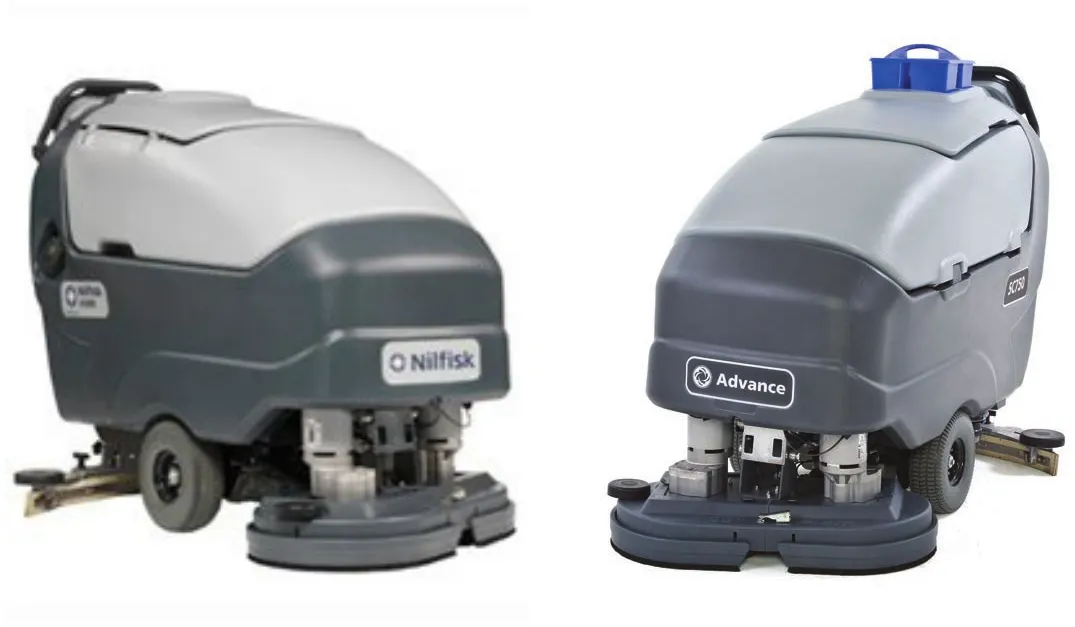
Advance models: 56112000 (SC750-26D), 56112004 (SC750-28D), 56112006 (SC750-28C), 56112012 (SC750 ST-26D), 56112013 (SC750 ST-28C), 56112016 (SC800-28D), 56112018 (SC800-28C), 56112024 (SC800-32C), 56112028 (SC800-34D), 56112032 (SC800 ST-34D), 56112780 (SC70-28R)
Nilfisk models: 56112034 (SC800-71), 56112035 (SC800-86), 56112036 (SC800-71C)
11/10 Revised 12/16 Form Number 56043150
Contents
- General information (6)
- Service manual purpose and application (6)
- Other reference manuals (7)
- Conventions (7)
- Transporting the machine (7)
- Towing (7)
- Cautions and warnings (7)
- Symbols (7)
- General safety instructions (8)
- General machine description (9)
- Nameplate (9)
- Know your machine (10)
- Control panel – SC750 and SC800 (membrane switch control panel) (10)
- Control panel – SC750 ST and SC800 ST (toggle switch control panel) (13)
- Machine specifications – SC750 and SC750 ST (15)
- Machine specifications – SC800 and SC800 ST (16)
- Machine maintenance (17)
- Lubricating the machine (18)
- Chassis system (19)
- Control system (20)
- Functional description (20)
- Component locations (21)
- Troubleshooting (22)
- Fault codes (22)
- Fault code table (22)
- Service test mode (26)
- Programming options –SC750 ST and SC800 ST models (control panel with rocker switches) (29)
- Programming options – SC750 and SC800 models (control panel with membrane switches) (33)
- Removal and installation (38)
- Main machine controller SC750 ST and SC800 ST models (early build) (38)
- Main machine controller SC750 ST and SC800 ST models (later build) (40)
- Main machine controller SC750 and SC800 models (early build) (40)
- Main machine controller SC750 and SC800 models (later build) (44)
- Rocker switches - ST models (50)
- Specifications (51)
- Shop measurements – main machine controller (51)
- Electrical system (54)
- Functional description (54)
- General (54)
- On-board battery charger (55)
- Delta-Q IC650 battery charging profile table (57)
- Electrical panel components (59)
- Maintenance and adjustments (60)
- Battery maintenance and recharging (60)
- Troubleshooting (60)
- Insufficient machine operation time (60)
- The battery charger does not charge (60)
- Removal and installation (61)
- Batteries (61)
- Battery charger - S.P.E. (62)
- Battery charger - Delta-Q (63)
- Low voltage cut out threshold voltages (64)
- Battery run time (64)
- Battery compartment dimensions (64)
- Wiring diagram - Non-ST, 56112170 Rev D, early (before SN 4000077687) (65)
- Wiring diagram - Non-ST, 56383889 Rev E, late (since SN 4000077687) (66)
- Wiring diagram - ST, 56112180 REV C, early (before SN 4000077687) (67)
- Wiring diagram - ST, 56383366 REV E, late (since SN 4000077687) (68)
- Wiring harness configuration diagram - Non-ST, 56112171 REV D, early (before SN 4000077687) (69)
- Wiring harness configuration diagram - Non-ST, 56383890 Rev A, late (since SN 4000077687) (70)
- Wiring harness configuration diagram - ST, 56112181 REV C, early (before SN 4000077687) (71)
- Wiring harness configuration diagram - ST, 56383367 REV B, late (since SN 4000077687) (72)
- TrackClean connections, with access control 56384628 Rev A (73)
- TrackClean electrical connections, without access control 56384627 Rev A (74)
- Battery fill indicator (75)
- Battery watering kit (75)
- Hour meter (76)
- On-board battery charger (76)
- Wiring for on-board charger (76)
- Parking brake (78)
- Laser (78)
- TrackClean (78)
- Functional description (79)
- Component locations (80)
- Troubleshooting (81)
- Vacuum motor does not turn on (scrub function works) (81)
- Insufficient water pickup (81)
- Removal and installation (83)
- Vacuum motor (83)
- Specifications (85)
- Vacuum motor (85)
- Vacuum performance: (85)
- Vacuum motor amp draw (85)
- Special tools (85)
- Functional description (86)
- Component locations (89)
- Troubleshooting (91)
- Scrub motors do not turn on (91)
- Brush head will not raise or lower (91)
- Removal and installation (93)
- Scrub brush (93)
- Brush drive belt (95)
- Brush head actuator (96)
- Brush motor (97)
- Motor carbon brushes (99)
- Specifications (101)
- Scrub motor total amp draw (101)
- Scrub motor speed (101)
- Scrub force (101)
- Brush head actuator amp draw (101)
- Brush contactor (101)
- Functional description (102)
- Scrubbing (102)
- Brush disc remove feature (105)
- Component locations (107)
- Troubleshooting (108)
- Scrub motors do not turn on (108)
- Scrub deck will not raise or lower (108)
- Removal and installation (110)
- Scrub brush (110)
- Brush head (110)
- Scrub motor carbon brushes (111)
- Brush head actuator (112)
- Specifications (113)
- Scrub motor amp draw (113)
- Scrub motor total amp draw (113)
- Scrub motor speed (113)
- Scrub force (113)
- Brush head actuator amp draw (113)
- Brush contactor (113)
- Gas spring (113)
- Functional description (114)
- Scrubbing (114)
- Functional circuit diagram, scrub system - REV (116)
- Component locations (117)
- Troubleshooting (118)
- Scrub motors do not turn on (118)
- Scrub deck will not raise or lower (118)
- Removal and installation (120)
- Brush head (120)
- Brush motor (121)
- Drive motor, bearing and eccentric (122)
- Motor plate and isolators (123)
- Scrub motor carbon brushes (125)
- Brush head actuator (128)
- Specifications (129)
- Scrub motor amp draw (129)
- Scrub motor total amp draw (129)
- Scrub motor speed (129)
- Scrub force (129)
- Brush head actuator amp draw (129)
- Brush contactor (129)
- Gas spring (129)
- Functional description (130)
- Component locations (132)
- Maintenance and adjustments (133)
- Solution filter cleaning (133)
- Troubleshooting (134)
- Insufficient solution flow (134)
- Solution leaks after machine is shut off (134)
- Detergent is not being added to the solution (machines with optional detergent mixing system) (134)
- Removal and installation (135)
- Solution valve (135)
- Solution tank (135)
- Specifications (136)
- Functional description (137)
- Component locations (137)
- Maintenance and adjustments (138)
- Adjusting squeegee tilt (138)
- Troubleshooting (138)
- Leaving streaks on the floor (138)
- Removal and installation (139)
- Squeegee tool (139)
- Squeegee support (139)
- Squeegee blades (140)
- Functional description (141)
- Component locations (141)
- Functional description (142)
- Drive motor circuit description - SC750 ST and SC800 ST models (142)
- Drive motor circuit description - SC750 and SC800 models (145)
- Component locations (148)
- Troubleshooting (149)
- Reading LED trip type values (149)
- Does not propel forward or reverse with no trip type set (155)
- Removal and installation (156)
- Speed limit potentiometer – ST models (156)
- Speed limit potentiometer – Non-ST models (156)
- Reverse switch – ST models (157)
- Handle wiring connections - ST models (158)
- Paddle position sensor – Non-ST models - SC750, SC800 (159)
- Paddle centering springs - Non-ST models - SC750, SC800 (161)
- Drive wheel (162)
- Transaxle (162)
- Transaxle drive motor carbon brushes (163)
- Specifications (164)
General information
Service manual purpose and application
This Service Manual is a resource for professional service technicians. It provides information for understanding how the machine operates, where components are located, basic troubleshooting, maintenance and mechanical service operations.
Pictures in this manual are of “prototype” machines. If a picture is slightly different than the machine you are working on, it is likely that an improvement was introduced.
This manual covers the Nilfisk SC800 models as well as Advance SC750, SC800, SC750 ST and SC800 ST models. Each machine has as specific model number (part number) which can be found on its nameplate. The cover page of the manual lists each machine part number that the manual applies to. Compare the model number of the machine you are working on to the model numbers listed on the cover page to be sure you are using the correct manual.
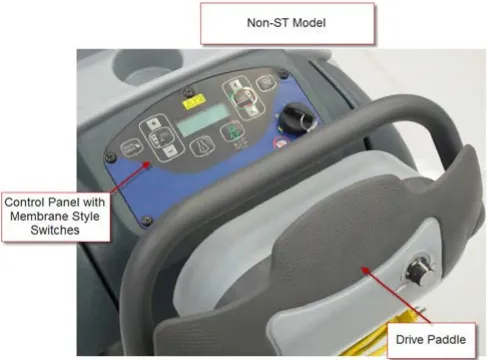
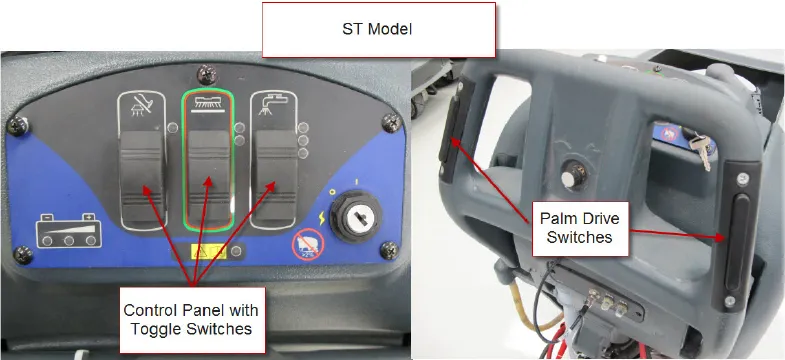
This manual often distinguishes between “ST” models and “Non-ST” models Model names that end in “ST” (SC 750 ST, SC800 ST) use palm drive switches on the drive handle and have toggle switches on the control panel. Models that do not end in “ST” (SC 750, SC 800) use a drive paddle and have solely membrane style switches on the control panel.
Other reference manuals
Nilfisk Models
- Instructions for Use – Form Number 56091000
- Parts List – Form Number 56042542
Advance Models
- Instructions for Use – Form Number 56041820
- Parts List – Form Number 56042535
Conventions
Forward, backward, front, rear, left or right are intended with reference to the operator’s position, that is to say in driving position with the hands on the handlebar.
Transporting the machine
- The machine is tied down securely.
- All access doors and covers are secured (tape and strap as needed).
Towing
Cautions and warnings
Symbols
Nilfisk-Advance uses the symbols below to signal potentially dangerous conditions. Read this information carefully and take the necessary steps to protect personnel and property.
Is used to call attention to a situation that could cause minor personal injury or damage to the machine or other property.
Read all instructions before using.
General safety instructions
Specific Cautions and Warnings are included to warn you of potential danger of machine damage or bodily harm.
- This machine should only be used by properly trained and authorized persons.
- While on ramps or inclines, avoid sudden stops when loaded. Avoid abrupt sharp turns. Use low speed down hills. Clean only while ascending (driving up) the ramp.
- Keep sparks, flame and smoking materials away from batteries. Explosive gases are vented during normal operation.
- Charging the batteries produces highly explosive hydrogen gas. Charge batteries only in well-ventilated areas away from open flame. Do not smoke while charging the batteries.
- Remove all jewelry when working near electrical components.
- Turn the key switch off (O) and disconnect the batteries before servicing electrical components.
- Never work under a machine without safety blocks or stands to support the machine.
- Do not dispense flammable cleaning agents, operate the machine on or near these agents, or operate in areas where flammable liquids exist.
- Do not clean this machine with a pressure washer.
- Do not operate this machine on ramps or inclines of more than a 2 percent gradient.
- Only use the brushes provided with the appliance or those specified in the instruction manual. The use of other brushes may impair safety.
- This machine is not approved for use on public paths or roads.
- This machine is not suitable for picking up hazardous dust.
- Use care when using scarifier discs and grinding stones. Advance will not be held responsible for any damage to floor surfaces caused by scarifiers or grinding stones.
- When operating this machine, ensure that third parties, particularly children, are not endangered.
- Before performing any service function, carefully read all instructions pertaining to that function.
- Do not leave the machine unattended without first turning the key switch off (O), removing the key and securing the machine.
- Turn the key switch off (O) and remove the key, before changing the brushes, and before opening any access panels.
- Take precautions to prevent hair, jewelry, or loose clothing from becoming caught in moving parts.
- Use caution when moving this machine in below freezing temperature conditions. Any water in the solution or recovery tanks or in the hose lines could freeze, causing damage to valves and fittings. Flush with windshield washer fluid.
- The batteries must be removed from the machine before the machine is scrapped. The disposal of the batteries should be safely done in accordance with your local environmental regulations.
- Do not use on surfaces having a gradient exceeding that marked on the machine.
- All doors and covers are to be positioned as indicated in the instruction manual before using the machine.
General machine description
The “SC” (SC750, SC800, SC75 ST and SC800 ST) machines are battery powered walk behind floor scrubbers designed to clean flat, hard surfaces. They are powered by a 24 volt battery pack. They have one controller that operates the scrub and vacuum functions and another that operates the drive system. They can be equipped with either a “Disc” scrub deck or a “Cylindrical” scrub deck.
Nameplate
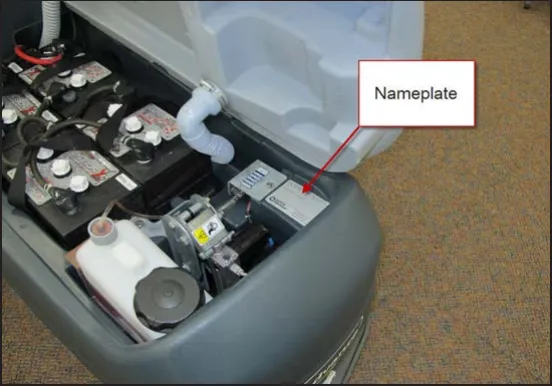
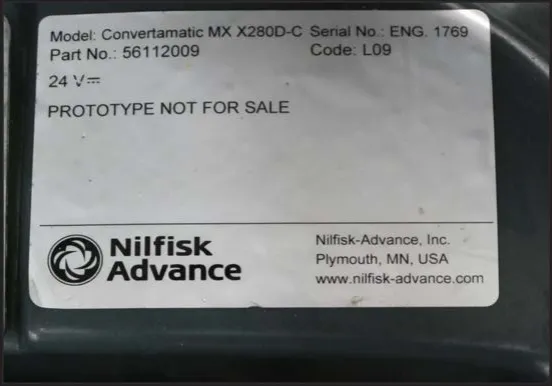
The nameplate contains important identification information which will be needed when ordering parts: Model (Name), Part No. (Part number of the machine which is often referred to as the “Model Number”), and Serial Number.
Know your machine
Control panel – SC750 and SC800 (membrane switch control panel)
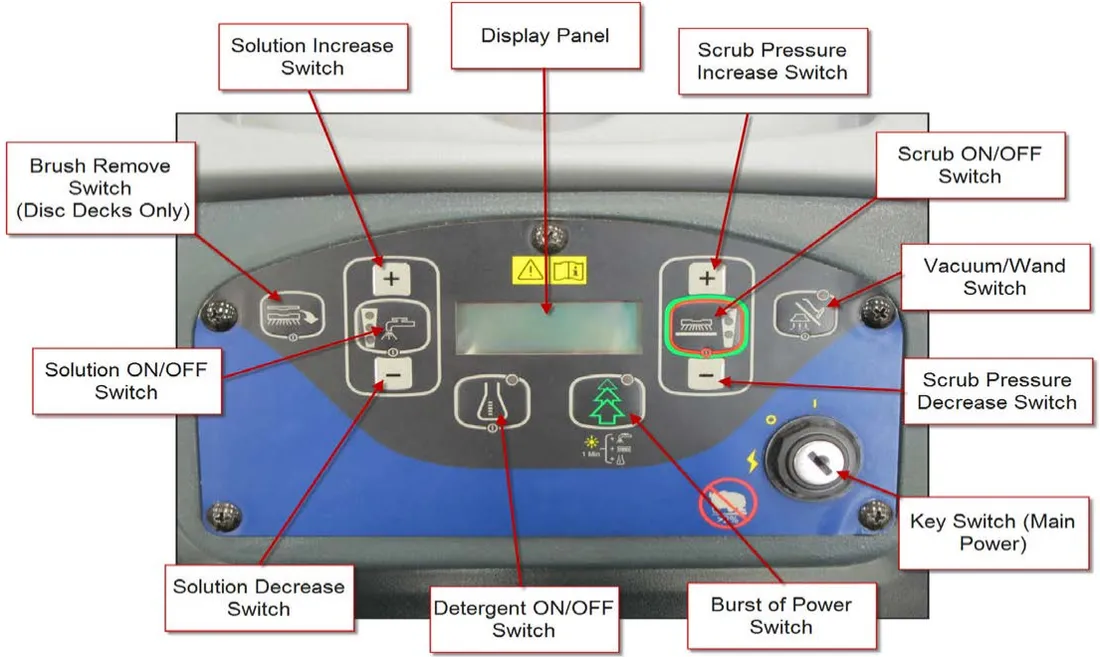
These machines use a control panel with an LCD display in the center. See the following sections for switch identification, LCD Display explanations and Indicator Light explanations.
Switch identification
- Key Switch (Main Power) - Turns “ON” the power to the control panel. “O” is “OFF” and “I” is “ON”.
- Solution ON/OFF Switch –Starts or stops the flow of cleaning solution to the floor.
- Solution Increase Switch – Increases the amount of cleaning solution flow.
- Solution Decrease Switch – Reduces the amount of cleaning solution flow.
- Detergent ON/OFF Switch – Starts or stops the flow of detergent on models with the EcoFlex detergent mixing system.
- Display Panel – Provides additional machine operation information.
- Scrub ON/OFF Switch – Raises and lowers the scrub head assembly. Enables/disables the vacuum motor, solution flow and the scrub motors.
- Scrub Pressure Increase Switch – Extends the scrub head actuator to apply additional scrubbing pressure on the floor (Disc models only).
- Scrub Pressure Decrease Switch – Retracts the scrub head actuator to the normal scrub pressure position (Disc models only).
- Burst of Power Switch – Temporarily provides additional scrubbing power (For use with optional detergent mixing system).
- Brush Remove Switch (Disc Decks Only) – Initiates a sequence to run and suddenly stop the brush motors to remove the discs.
- Vacuum/Wand Switch – Starts and stops the vacuum motor.
LCD display
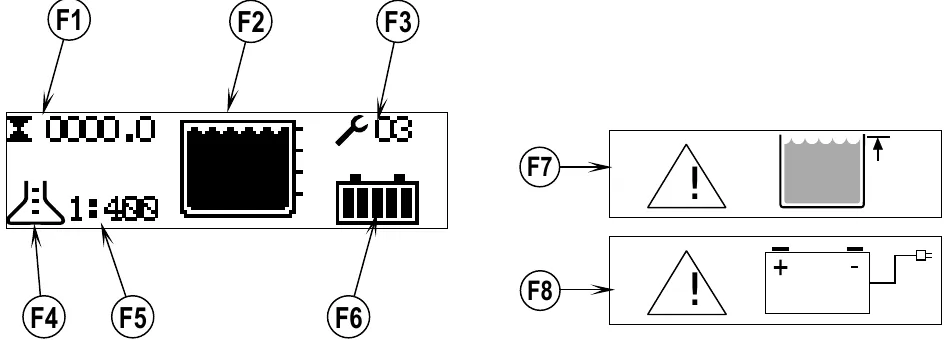
- F1 Hour Meter
- F2 Solution Tank Level Indicator
- F3 Fault Codes
- F4 Detergent Indicator (if so equipped)
- F5 Detergent Ratio Indicator (If so equipped)
- F6 Battery Indicator
- F7 Recovery Tank FULL Indicator
- F8 Battery Low Indicator
Indicator lights
All indicator lights illuminate for 2 seconds when the key is first turned on.
| Indicator | Name | Description |
|---|---|---|
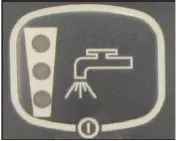 | Solution Flow Indicators |
|
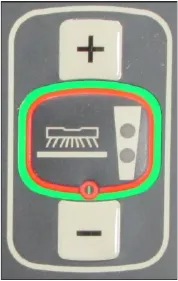 | Scrub Pressure Indicators |
|
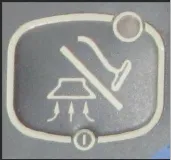 | Vacuum Indicator |
|
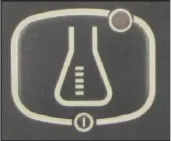 | Detergent Indicator |
|
 | Burst of Power Indicator |
|
Control panel – SC750 ST and SC800 ST (toggle switch control panel)
These machines use a control panel with 3 large toggle switches and do not have an LCD display. See the following sections for switch identification and Indicator Light explanations.
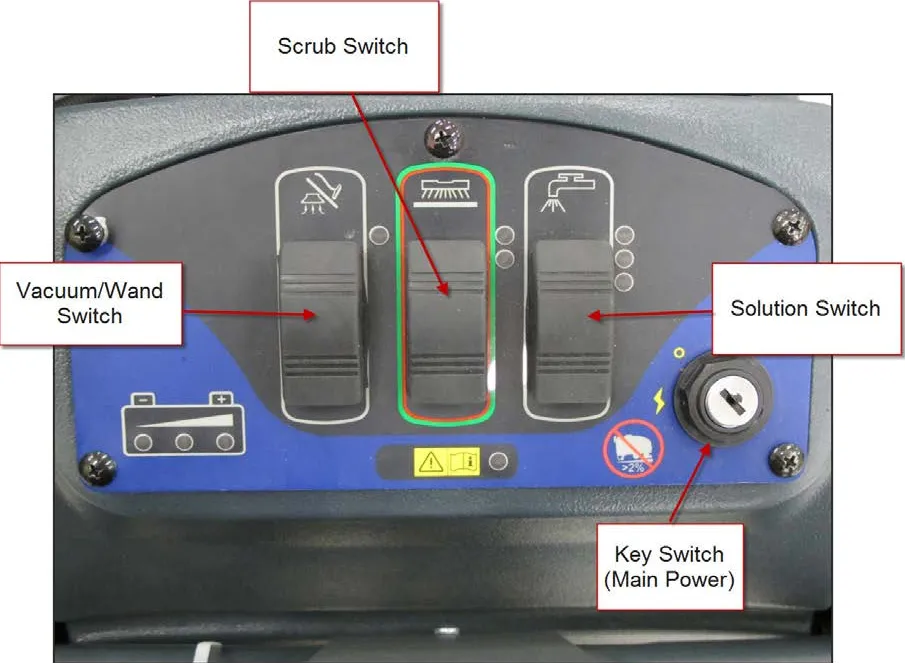
Switch identification
- Key Switch (Main Power) - Turns “ON” the power to the control panel. “O” is “OFF” and “I” is “ON”.
- Solution Switch (Low, Medium & High) – Pressing the switch forward turns on or increases the flow of cleaning solution to the floor. Pressing the switch backward turns off or decreases the flow of cleaning solution to the floor.(Note: Solution will not flow until the machine begins to move.)
- Vacuum/Wand Switch – Pressing the switch forward turns on the vacuum motor. Pressing the switch backward turns the vacuum motor off.
- Scrub Switch
- Cylindrical Models – Pressing the switch forward lowers the scrub deck and enables all scrub functions. Pressing the switch backward disables all scrub functions and raises the scrub deck.
- Disc Models – When first pressed forward all scrub functions are enabled. If in the normal scrub pressure mode already, pressing the switch forward will extend the deck actuator to the “extreme” scrub pressure mode which also increases the solution flow. When operating in the extreme scrub pressure mode, pressing the switch backward will retract the deck actuator to the normal scrub mode which also decreases the solution flow. When operating in the normal scrub pressure mode, pressing the switch backward disables all scrub functions and raises the scrub deck.
Indicator lights
All indicator lights illuminate for 2 seconds when the key is first turned on.
| Indicator | Name | Description |
|---|---|---|
 | Solution Flow Indicators |
|
 | Scrub Pressure Indicators |
|
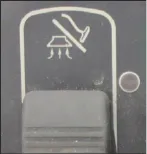 | Vacuum Indicator |
|
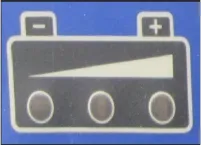 | Battery Indicator |
|
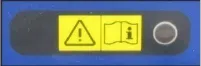 | Fault Code Indicator |
|
Machine specifications – SC750 and SC750 ST
See other system chapters for specifications not listed here.
| Model name/model number | Unit | SC750 SC 750 ST |
|---|---|---|
| Machine Voltage | Volts | 24V |
| Battery Capacity | Ah | 242, 310, 312 |
| Solution Tank Capacity | Gal/L | 21.33/80.7 |
| Recovery Tank Capacity (Static) | Gal/L | 21.61/78.0 |
| Sound Pressure Level (IEC 60704-1) | dB(A) | 61 dB(A) |
| Gross Weight (standard machine with charger; w/ full solution tank, empty recovery tank and heaviest batteries installed) | lbs. / kg | 942 lbs. (427.3 kg) |
| Net Weight (machine w/o options, batteries or removable brushes; w/empty solution and recovery tanks) | lbs. / kg | 347 lbs (157.4 kg) |
| Static Wheel Pressure (right front) | PSI/N/mm2 | 59.08 psi / .407 N/mm2 |
| Static Wheel Pressure (left front) | PSI/N/mm2 | 60.1 psi /.414 N/mm2 |
| Static Wheel Pressure (center rear) | PSI/N/mm2 | 287.6 psi (1.983 N/mm2) |
| Vibrations at the Hand Controls (ISO 5349-1) | m/s2 | 0.3 ft/s2 (.09 m/s2) |
| Gradeability - Scrubbing and Transport (Full) | 14.9% (8.5°) | |
| Gradeability -Trailer Ramp (Empty) | 17.6% (10.0°) |
Machine specifications – SC800 and SC800 ST
See other system chapters for specifications not listed here.
| Model name/model number | Unit | SC 800 SC800 ST |
|---|---|---|
| Voltage, Batteries | V | 24V |
| Battery Capacity | Ah | 242, 310, 312 |
| Solution Tank Capacity | Gal/L | 24.69 gal (93.5 l) |
| Recovery Tank Capacity (Static) | Gal/L | 26.84 gal (101.6 l) |
| Sound Pressure Level (IEC 60704-1) | dB(A) | 61 |
| Gross Weight (standard machine; w/full solution tank, empty recovery tank and E.U. batteries installed) | lbs / kg | 996 lbs (451.77 kg) |
| Net Weight (standard 28” disc machine w/o options, batteries or removable brushes; w/empty solution and recovery tanks) | lbs. / kg | 363 lbs (169.2 kg) |
| Net Weight (standard 34” disc machine w/o options, batteries; w/empty solution and recovery tanks) | lbs. / kg | 365 lbs (170.1 kg) |
| Net Weight (standard cylindrical machine w/o options, batteries or removable brushes; w/empty solution and recovery tanks) | lbs. / kg | 373 lbs (173.7 kg) |
| Static Wheel Pressure (right front) | psi N/mm2 | 71.0 psi / .490 N/mm2 |
| Static Wheel Pressure (left front) | psi N/mm2 | 66.6 psi /.459 N/mm2 |
| Static Wheel Pressure (center rear) | psi N/mm2 | 287.6 psi (1.983 N/mm2) |
| Vibrations at the Hand Controls (ISO 5349-1) | m/s2 | 0.3 ft/s2 (.09 m/s2) |
| Gradeability Transport | 2% (1.15°) | |
| Gradeability Cleaning | 2% (1.15°) |
Machine maintenance
| Maintenance item | Daily | Weekly | Monthly | Yearly |
|---|---|---|---|---|
| Charge Batteries | X | |||
| Check/Clean Tanks & Hoses | X | |||
| Check/Clean/Rotate the Brushes/Pads | X | |||
| Check/Clean the Squeegee | X | |||
| Check/Clean Vacuum Shut-Off Float | X | |||
| Empty/Clean Debris Tray In Recovery Tank | X | |||
| Clean Hopper on Cylindrical System | X | |||
| Check Each Battery Cell(s) Water Level (does not apply to gel cell batteries) | X | |||
| Inspect Scrub Housing Skirts | X | |||
| Inspect and clean Solution Filter | X | |||
| Clean Solution Manifolds on Cylindrical System | X | |||
| Purge Detergent System (EcoFlex only) | X | |||
| Lubricate the Machine | X | |||
| *Check Carbon Brushes | X | |||
| Replace Isolators (REV only) | X |
Note: See the individual machine system sections for maintenance information.
* Check Carbon Brushes.
- *Check vacuum motor carbon brushes (Qty 2) once a year or after 300 operating hours.
- *Check brush and wheel drive motor(s) carbon brushes (Qty 4 per motor) once a year or after 500 operating hours.
- *The original (new) length of each carbon brush is 1 in (25.4 mm) on all 24 volt machine models’ brush and wheel drive motors.
- *All motors: Replace carbon brushes when shorter than 3/8 in (9.5 mm) to obtain the same motor efficiency as new brushes.
Important
Motor damage resulting from failure to service the carbon brushes is not covered under warranty. See the Limited Warranty Statement.
Lubricating the machine
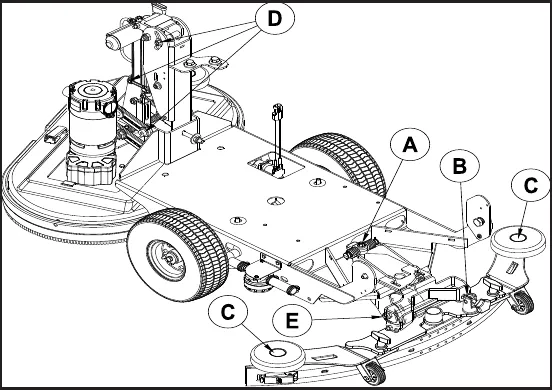
Once a month, apply light machine oil to lubricate the:
- General Pivot Points for the Squeegee Linkage (A).
- Squeegee mount angle adjustment knob threads (B).
- Squeegee Tool end wheels (C).
- General Pivot Points for the Brush Linkage (D).
- Scrub deck bumper wheels.
Once per quarter, grease the following
- Rear Caster Wheel Swivels (E).
Chassis system
Functional description
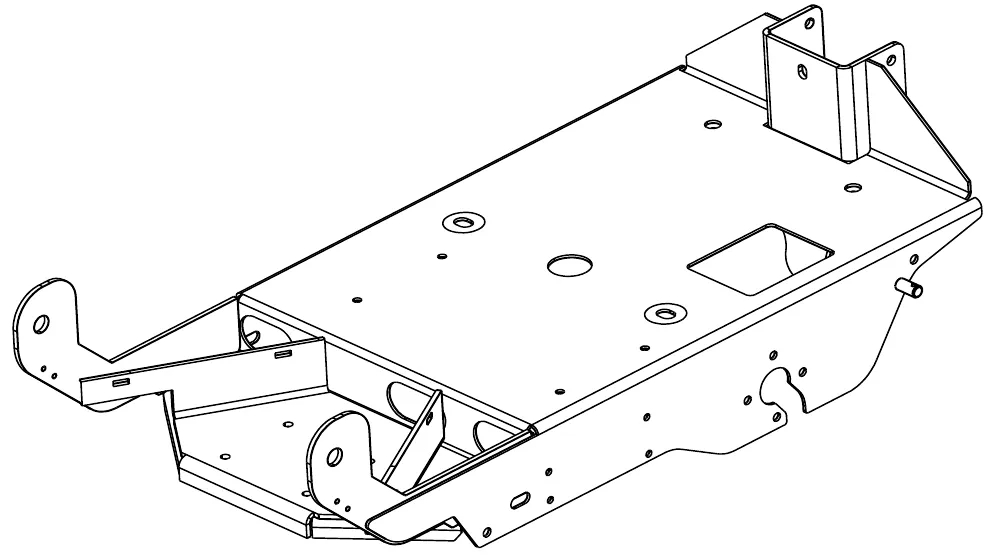
The chassis is made up of heavy gauge steel and supports the drive transaxle, caster wheel, brush deck, squeegee assembly and machine body.
Control system
Functional description
There are two controllers on the machine, a Main Machine Controller and a Drive Motor Controller.
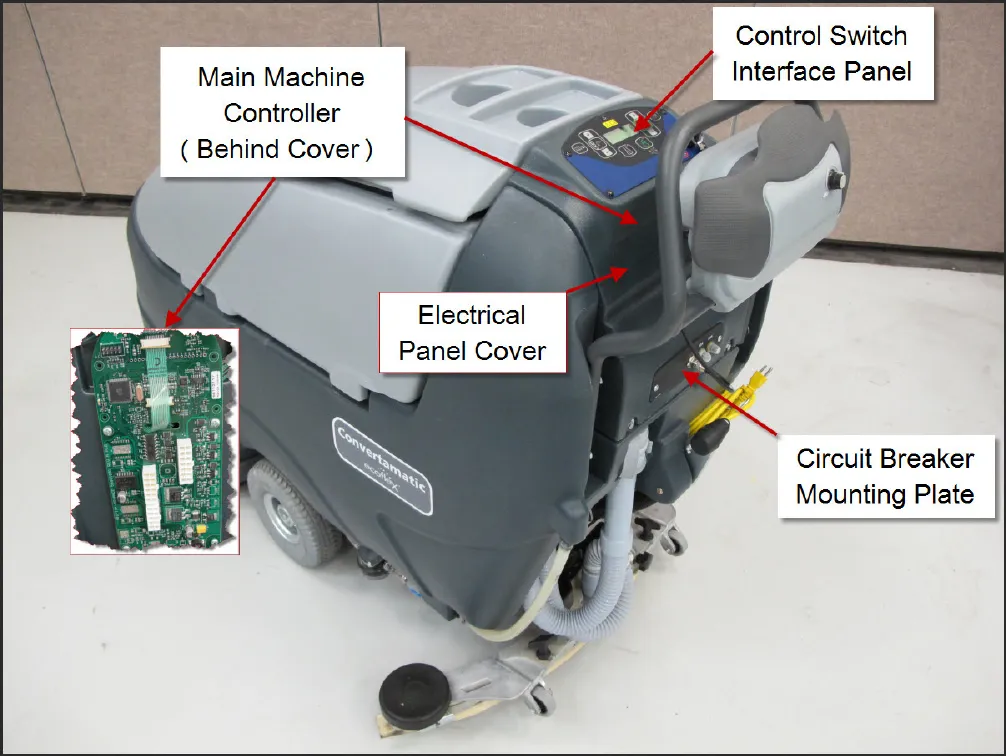
The Main Machine Controller operates the floor cleaning functions of scrub, solution and vacuum based on operator requests and other inputs. It is located directly behind the operator control panel. It is capable of storing and displaying many fault codes. In addition to fault codes, it supports special modes of operation called “Programming Mode” and “Service Test Mode”. The programming mode is used primarily for “telling” the controller how the machine is equipped so that it can operate accordingly. The service test mode is a powerful and convenient diagnostic feature that allows a technician to request specific outputs to operate regardless of current inputs.
The Drive Motor Controller (Speed Controller) operates the drive motor that propels the machine based on operator requests. (See the section on Wheel System, Traction for more information)
Component locations
- Electrical Panel Cover
- Circuit Breaker Mounting Plate
- Control Switch Interface Panel
- Main Machine Controller
Troubleshooting
Fault codes
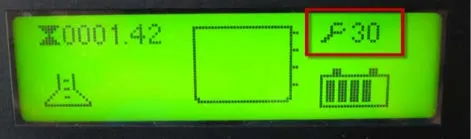
SC750 and SC800 models - Any error codes detected by the Main Machine Controller will be displayed on the LCD display as they occur.
SC750 ST and SC800 ST models – Active faults are displayed as a blink code on the fault code indicator light. The code will be a two digit code. The first digit will flash out followed by a short pause. Then the second digit will flash out followed by a long pause. (On, short pause, On, On, long pause is a code 1,2)
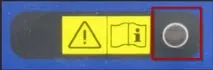
If multiple codes are present, the codes will appear in order until all have been displayed. Then the sequence will repeat again.
Fault code table
For SC750 and SC800 models, refer to the column “LCD Display Code”. For SC750 ST and SC800 ST models, refer to the “ST Blink Code” column.
| LCD display code | ST blink code | Code definition | Explanation / code setting conditions / flash indicator / disables / check |
|---|---|---|---|
| 3# | 1,1 | Drive Motor Controller Fault | The Drive Motor Controller has seen a problem and has set a “Trip Code”. Trip codes are grouped into “Trip Types” (On “Non-ST” models, count the Detergent LED flashes to obtain the specific Drive system “Trip Type” value. On “ST” models, count the High Solution Flow LED flashes. See the Wheel System, Traction chapter, Troubleshooting section for additional information) Disables: Detergent, Solution, Brush Motors. |
| 4# | 1,2 | Scrub Deck Lift Actuator Circuit Over Current | Excessive current draw was sensed. Code sets at approximately 5.8 amps or more. Disables: Brush Head Actuator. Check for shorted actuator, mechanical binding of actuator linkage, shorted wiring. |
| LCD display code | ST blink code | Code definition | Explanation / code setting conditions / flash indicator / disables / check |
|---|---|---|---|
| 5# | 1,3 | Brush Motor Circuit Over Current | Excessive current draw was sensed. Code sets at approximately 60 amps or more. Check for shorted motor, mechanical binding of motor shaft, current sense wire connections, ground connections. |
| 7# | 1,4 | Vacuum Motor Circuit Over Current | Excessive current draw was sensed. Code sets at approximately 25 amps or more. Check for shorted motor, current sense wire connections, ground connections. |
| 8# | 1,5 | Solution Solenoid Circuit Over Current | Excessive current draw was sensed. Code sets at approximately 0.7 amps or more. Check for shorted solenoid winding, shorted wiring. |
| 9# | 2,1 | Vacuum Contactor Coil Circuit Over Current | Excessive current draw was sensed. Code sets at approximately 0.1 amps or more. Check for shorted contactor winding, shorted wiring. |
| 10# | 2,2 | Brush Contactor Coil Circuit Over Current | Excessive current draw was sensed. Code sets at approximately 0.7 amps or more. Check for shorted contactor winding, shorted wiring. |
| 11# | (N/A) | Detergent Pump Circuit Over Current | Excessive current draw was sensed. Check for shorted pump winding, shorted wiring. |
| 12# | (N/A) | Brush Remove Contactor Coil Over Current | Excessive current draw was sensed. Code sets at approximately 0.1 amps or more. Check for shorted contactor winding, shorted wiring. |
| 30# | 2,3 | Solution Solenoid Circuit Open | The Main Machine Controller has turned the solution solenoid circuit on but it is not sensing any current flow. (Senses ≤ 20 mAmps for 5 seconds). Check for open solenoid winding, open wiring. |
| 31# | 2,4 | Brush Motor Circuit Open | The Main Machine Controller has energized the Brush Contactor but it is not sensing any current flow through the brush motor ground circuit for at least 5 seconds. (Senses ≤ 4 Amps for 5 seconds and code 35 is not active) Check Motor, Contactor contacts, Wiring. |
| LCD display code | ST blink code | Code definition | Explanation / code setting conditions / flash indicator / disables / check |
|---|---|---|---|
| 32# | 2,5 | Scrub Deck Lift Actuator Circuit Open | The Main Machine Controller is trying to move the actuator but it is not sensing any current flow. (Senses ≤ 100 m Amps for 5 seconds). Check Actuator, wiring. |
| 33# | 3,1 | Vacuum Motor Circuit Open | The Main Machine Controller has energized the Vacuum Contactor but it is not sensing any current flow through the vacuum motor ground circuit for at least 5 seconds. (Senses ≤ 3 Amps for 5 second and Fault Code 36 is not active) Check motor, wiring. |
| 35# | 3,2 | Brush Contactor Coil Circuit Open | The Main Machine Controller has attempted to energize the Brush Contactor but it is not seeing any current flow. (Senses ≤ 20 m Amps for 5 seconds). Check for open Contactor winding, wiring. |
| 36# | 3,3 | Vacuum Contactor Coil Circuit Open | The Main Machine Controller has attempted to energize the Vacuum Contactor but it is not seeing any current flow. if (Senses ≤ 20 m Amps for 5 seconds) Check for open Contactor winding, wiring. |
| 37# | (N/A) | Detergent Pump Circuit Open | The Main Machine Controller has energized the detergent pump but it is not sensing any current flow. (Senses ≤ 30 m Amps for 5 seconds). Check for open pump winding, wiring. |
| 38# | (N/A) | Brush Remove Contactor Coil Circuit Open | The Main Machine Controller has attempted to energize the Brush Remove Contactor but it is not seeing any current flow. (Senses ≤ 20 m Amps for 5 seconds) Check for open Contactor winding, wiring. |
| 60# | 3,4 | Brush Motor Contactor Stuck Closed | The Main Machine Controller is sensing current flow through the Brush Motor ground circuit when it has not energized the Brush Motor Contactor (Senses ≥ 4 Amps for 5 seconds and Fault Code 63 is not active) Check for “welded” contacts. |
| 61# | 3,5 | Vacuum Motor Contactor Stuck Closed | The Main Machine Controller is sensing current flow through the Vacuum Motor ground circuit when it has not energized the Vacuum Motor Contactor (Senses ≥ 3 Amps for 5 seconds and Fault Code 64 and 65 are not active) Check for “welded” contacts. |
| LCD display code | ST blink code | Code definition | Explanation / code setting conditions / flash indicator / disables / check |
|---|---|---|---|
| 62# | 4,1 | Solution Solenoid Circuit Stuck On | The Main Machine controller is sensing current flow through its internal switch for the solution solenoid circuit when it has not requested that the switch be turned on. (Senses ≥ 20 m Amps for 5 seconds). |
| 63# | 4,2 | Brush Contactor Coil Circuit Stuck On | The Main Machine controller is sensing current flow through its internal switch for the Brush Contactor Coil circuit when it has not requested that the switch be turned on. (Senses ≥ 20 m Amps for 5 seconds). |
| 64# | 4,3 | Vacuum Contactor Coil Circuit Stuck On | The Main Machine controller is sensing current flow through its internal switch for the Vacuum Contactor Coil circuit when it has not requested that the switch be turned on. (Senses ≥ 20 m Amps for 5 seconds). |
| 65# | (N/A) | Brush Remove Contactor Coil Circuit Stuck On | The Main Machine controller is sensing current flow through its internal switch for the Brush Remove Contactor Coil circuit when it has not requested that the switch be turned on. (Senses ≥ 20 m Amps for 5 seconds). |
| 70# | 4,4 | Corrupt Communication From On-Board Battery Charger | The Battery Charger did not properly repeat the charging profile message back to the Main Machine Controller. |
Service test mode
Some outputs (like the scrub brush motors) are only turned on when other conditions are met, such as when the machine is moving. It can be difficult to check for voltage to the scrub brush motors while the machine is moving. Also, if voltage is not present, it leaves in question what other conditions may not have been met yet. The Service Test Mode solves these problems for the technician. In Service Test Mode the technician can request that the Main Machine Controller ignore all other conditions and directly turn on the scrub brush motors as well as other outputs. Service Test mode can also be used to verify that certain inputs are seen by the controller. The concept is the same for all models but the procedure is very different depending on whether you are working on an” ST” model (control panel with rocker switches – SC750 ST and SC800 ST) or a “non-ST” model (control panel with membrane switches – SC750 and SC800). See appropriate sections below.
Service test mode – SC750 ST and SC800 ST models (control panel with rocker switches)
To enter the service test mode: (Start with the battery charger unplugged and the key off)
- Hold all three switches (Vacuum, Scrub and Solution) in the up (forward) position while turning the key on.
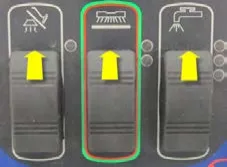
- Wait approximately 3 seconds until all of the LEDs light up and then turn off. The low solution flow indicator light should remain on to confirm that you are in the service test mode.
Now that you are in service test mode, you can request that the controller operate the various outputs and verify certain inputs via the indicator light operation. If a fault occurs the Fault LED will display the fault.
To exit the service test mode: Turn the Key Switch off.
Output tests
Brush Deck Lift Actuator – Press the Scrub Switch forward to move the actuator downward to the next position. Watch for the actuator to move. Press the Scrub Switch backward to move the actuator up one position. The Scrub Indicator LEDs indicate the current actuator position. Neither LED is ON when deck is raised, lower LED is ON when deck is at low scrub pressure, both are on for high pressure. Machines with disc scrub decks have three positions while cylindrical decks have only two. Note: If the switch inputs are not reporting correct information, the controller will not understand the current actuator position and will not attempt to move the actuator.
Solution Solenoid – Press the Solution Switch forward to cycle the solution solenoid on and off. The high solution flow indicator will be on while in the test mode. Listen for the Solenoid to click on and off. Press the Solution Switch forward again to stop cycling the solenoid.
Brush Motor Contactor – Press the Solution Switch backward to energize the brush motor contactor. The medium solution flow indicator will be ON when energizing the contactor. Listen for the contactor to click and look to see if the brushes are rotating. Press the Solution Switch backward again to de-energize the contactor.
Vacuum Motor Relay – Press the Vacuum Switch forward to energize the Vacuum Motor Relay. The Vacuum Indicator will be ON when energizing the relay. The vacuum motor should come ON. Press the Vacuum Switch backward to de-energize the relay.
Input tests
Speed Control Forward/Reverse Signal –The yellow Battery LED turns on when in the service test mode whenever the speed controller tells the Main Machine Controller that it is attempting to drive the machine either forward or reverse. This is useful when diagnosing a no drive problem. If the light comes on when you attempt to drive the machine forward, it means that the Drive Controller has seen the request and responded to it.
Speed Control Reverse Signal – The green Battery LED turns on when in the service test mode whenever the speed controller tells the Main Machine Controller that it is attempting to drive the machine in reverse.
Service test mode – SC750 and SC 800 models (control panel with membrane switches)
To enter the service test mode: (Start with the battery charger unplugged and the key off)
- Press and hold the scrub on/off switch and vacuum/wand switch together.
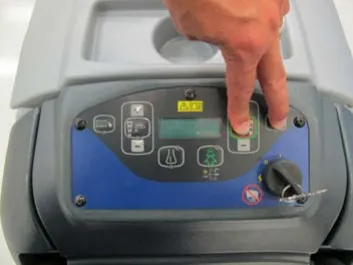
- While holding both switches, turn the main power key switch to the on position.
- Continue to hold both switches about 3 seconds until the display shows “Programming Options”, then release the switches.
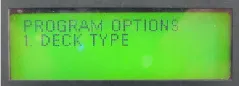
- Press the solution decrease button until you see “SERVICE TEST MODE” then press the solution on/off switch to enter the Service Test Mode. (Note: Turn Key Switch off to exit mode).
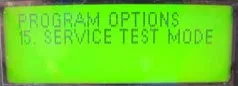
Now that you are in service test mode, you can request that the controller operate the various outputs and verify certain inputs via the LCD display. If any faults occur during testing, they will be displayed as well.
Output tests
Brush Deck Lift Actuator – Press the Scrub Increase Switch to move the actuator downward to the next position. Watch for the actuator to move. Press the Scrub Decrease Switch to move the actuator up one position. The LCD display for “DECK” will show “On” when the controller is trying to move the actuator and “Off” when it is not. Machines with disc scrub decks have three positions while cylindrical decks have only two. Note: If the switch inputs are not reporting correct information, the controller will not understand the current actuator position and will not attempt to move the actuator.
Brush Remove Contactor (Relay) – Press the Brush Remove Switch to energize the brush remove relay. (During this test the Brush Motor Contactor will be de-energized) Listen closely for the relay to click. (It is a soft click. It won’t be heard in a noisy room.) Press the switch again to de-energize the relay. The LCD display for “BREM” will show “On” when the controller is trying to energize the relay and “Off” when it is not.
Solution Solenoid – Press the Solution Switch to cycle the solution solenoid on and off. Listen for the Solenoid to click on and off. Press the switch again to stop cycling the solenoid. The LCD display for “SOL” will show “On” as long as the test mode is running; that is when the controller is trying to cycle the solenoid both on and off. The LCD display for “SOL” will show “Off” when the test mode is ended.
Brush Motor Contactor – Press the Scrub On/Off Switch to energize the brush motor contactor. Listen for the contactor to click and look to see if the brushes are rotating. Press the switch again to de-energize the contactor. The LCD display for “BR” will show “On” when the controller is trying to energize the contactor and “Off” when it is not.
Vacuum Motor Relay – Press the Vacuum/Wand Switch to energize the Vacuum Motor Relay. The vacuum motor should come on. Press the switch again to de-energize the relay. The LCD display for “VAC” will show “On” when the controller is trying to energize the relay and “Off” when it is not.
Detergent Pump – Press the Detergent On/Off Switch to cycle the detergent pump on and off. Listen for the pump to operate. Press the switch again to stop cycling the pump. The LCD display for “CP” will show “On” as long as the test mode is running; that is when the controller is trying to cycle the pump both on and off. The LCD display for “CP” will show “Off” when the test mode is ended.
Input tests
When in the service test mode the LCD display can be used to validate certain inputs.
Battery Voltage – The LCD will display the battery voltage seen by the Main Machine Controller when in the Service test mode.
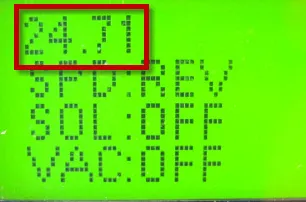
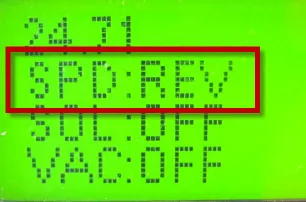
Speed Control Forward/Reverse Signal AND Reverse Signal – The Main Machine controller interprets these two signals that it receives from the Drive Motor Controller and displays the information on the LCD.
- OFF = Neutral
- FWD = Forward
- REV = Reverse
Move the drive paddle in all three directions. If all 3 values are displayed correctly both of these inputs are working correctly.
Programming options – SC750 ST and SC800 ST models (control panel with rocker switches)
Main Machine Controller special program options allow the service repairperson to match the control board to the specific model equipment and to user preferences. They also allow adjustments to some machine functions, and provide a way to see the controller’s revision level. On ST models each program option mode is accessed by pressing a specific configuration of buttons while turning the key on.
Mandatory program options
These options are used to “inform” the Main Machine Controller how the machine is equipped. They must be set anytime the Main Machine Controller is replaced and they must be set correctly for the machine to operate as it should.
Scrub Deck Type – There are 3 scrub deck options. This function configures the control unit current settings, flow rate settings, and scrub pressure settings for each of the scrub deck types.
To check or change the setting:
- While pressing and holding the vacuum, scrub and solution switches backward, turn the key switch on.
- Wait about 3 seconds until all of the LEDs light up and then go off. Release the switches.
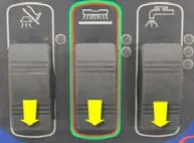
The Regular Scrub Pressure and Heavy Scrub Pressure Indicators will remain on and the fault indicator will be flashing a numeric value that represents the current setting. To change the setting, press the solution switch forward to increase the value or backwards to decrease the value. To save the setting, press the scrub switch forward (All LEDs will turn on) then turn off the key switch.
- 1 blink = 28 Inch Cylindrical Brushes
- 2 blinks = 26 Inch Disc Brushes
- 3 blinks = 34 Inch Disc Brushes
Battery Charger Selection –This function is used to inform the Main Machine Controller whether or not the machine is equipped with the optional S.P.E. on-board battery charger (The S.P.E charger was used on early machines. Later machines use the Delta-Q IC650 battery charger). It is also used to inform the controller of what kind of batteries the machine is equipped with. The Main Machine Controller will request a specific charging profile from the S.P.E battery charger to match the batteries.
To check or change the setting:
- While pressing and holding the scrub and solution switches backward, turn the key switch on.
- Wait about 3 seconds until all of the LEDs light up and then go off. Release the switches.
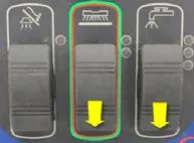
The red battery Indicator will remain on and the fault indicator will be flashing a numeric value that represents the current setting. To change the setting, press the solution switch forward to increase the value or backwards to decrease the value. To save the setting, press the scrub switch forward (All LEDs will turn on) then turn off the key switch.
- 1 blink = Not equipped with on-board charger
- 2 blinks = On-board charger with WET 25A batteries (Use with 242 AH WET Batteries 56206079 or 310 AH WET Batteries 56391391)
- 3 blinks = On-board charger with AGM DISCOVER 25A batteries (Use with 312 AH AGM Batteries 56315959)
- 4 blinks = On-board charger with GEL EXIDE 25A batteries
- 5 blinks = On-board charger with GEL-AGM 25A batteries
- 6 blinks = On-board charger with WET 15A batteries
- 7 blinks = On-board charger with GEL-AGM 15A batteries
Additional program options
The following options can be used by the technician or to set user preferences.
Low Voltage Cut Out Selection –The purpose of the low battery voltage cutout function is to help prolong battery life. The scrub deck will be raised and the brush motors, vacuum motor, and solution solenoid valve will turn OFF automatically and cease to function when the batteries discharge to the selected cutout level. The cutout level is adjustable between two settings. The standard setting (wet cell/lead acid) is 20.55 volts and alternate setting (AGM) is 21.75 volts.
To check or change the setting:
- While pressing and holding the vacuum and scrub switches backward, turn the key switch on.
- Wait about 3 seconds until all of the LEDs light up and then go off. Release the switches.
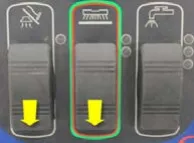
The yellow Battery Indicator will remain on and the fault indicator will be flashing a numeric value that represents the current setting. To change the setting, press the solution switch forward to increase the value or backwards to decrease the value. To save the setting, press the scrub switch forward (All LEDs will turn on) then turn off the key switch.
- 1 blink = Wet Battery 80%, 20.55V
- 2 blinks = Maintenance Free Battery 70%, 21.75V
Lock Out Brush Pressure - It is possible to lock out either brush pressure setting: Low or High. During normal operation, the brush pressure that is locked out will not be able to be selected.
To check or change the setting:
- While pressing and holding the vacuum and solution switches backward, turn the key switch on.
- Wait about 3 seconds until all of the LEDs light up and then go off. Release the switches.
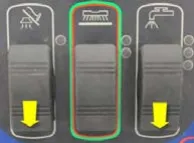
The green Battery Indicator will remain on and the fault indicator will be flashing a numeric value that represents the current setting. To change the setting, press the solution switch forward to increase the value or backwards to decrease the value. To save the setting, press the scrub switch forward (All LEDs will turn on) then turn off the key switch.
- 1 blink = No pressure setting locked out.
- 2 blinks = Low pressure setting locked out.
- 3 blinks = High pressure setting locked out.
Lock Out Solution Flow Rate - It is possible to lock out any one or more of the solution flow rate settings. During normal operation, the flow rate(s) that are locked out will not be able to be selected.
To check or change the setting:
- While pressing and holding the vacuum and solution switches forward and the scrub switch backwards, turn the key switch on.
- Wait about 3 seconds until all of the LEDs light up and then go off. Release the switches.
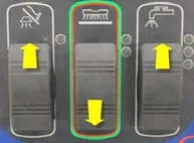
The Vacuum Indicator will remain on and the Fault Indicator will be flashing a numeric value that represents the current setting. To change the setting, press the solution switch forward to increase the value or backwards to decrease the value. To save the setting press the scrub switch forward (All LEDs will turn on) then turn off the key switch.
- 1 blink = No flow rate locked out.
- 2 blinks = Low flow rate locked out.
- 3 blinks = Medium flow rate locked out.
- 4 blinks = High flow rate locked out.
- 5 blinks = Low and medium flow rates locked out.
- 6 blinks = Low and high flow rates locked out.
- 7 blinks = Medium and high flow rates locked out.
Recovery Tank Full Enable/Disable – It is possible to enable or disable the Recovery Tank Full automatic shutoff feature. Enable means that the automatic shutoff feature is turned on; disable means that the automatic shutoff feature is turned off.
To check or change the setting:
- While pressing and holding the vacuum and scrub switches backward and the solution switch forward, turn the key switch on.
- Wait about 3 seconds until all of the LEDs light up and then go off. Release the switches.
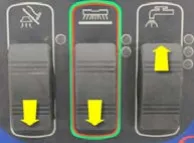
The Heavy Scrub Pressure Indicator will remain on and the Fault Indicator will be flashing a numeric value that represents the current setting. To change the setting, press the solution switch forward to increase the value or backwards to decrease the value. To save the setting, press the scrub switch forward (All LEDs will turn on) then turn off the key switch.
- 1 blink = Enabled
- 2 blinks = Disabled
Restore Factory Defaults – This function is used to reset all settings to factory default values. If this is done, the next time the key is turned on, it will act as though a new controller has been installed and “force” you to set the mandatory program options before the machine will operate normally.
To check or change the setting:
- While pressing and holding the vacuum switch forward and scrub and solution switches backward, turn the key switch on.
- Wait about 3 seconds until all of the LEDs light up and then go off. Release the switches.
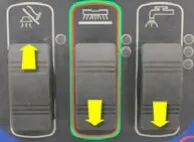
The Regular Scrub Pressure Indicator will remain on and the Fault Indicator will be flashing a numeric value that represents the current setting. To change the setting, press the solution switch forward to increase the value or backwards to decrease the value. To save the setting, press the scrub forward (All LEDs will turn on) then turn off the key switch.
- 1 blink = No
- 2 blinks = Yes
Fault Recall – The fault indicator normally flashes out “current” codes only. This function is used by a technician to check for “historical codes” and clear them.
To check or clear historical codes:
- While pressing and holding the vacuum and solution switches backward and the scrub switch forward, turn the key switch on.
- Wait about 3 seconds until all of the LEDs light up and then go off. Release the switches.
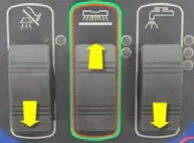
The High Solution Flow Indicator will remain on and the Fault Indicator will be flashing out all historical codes set since the last time they were cleared. To exit this function without clearing codes, press the scrub switch forward. To clear historical codes press the solution switch forward.
Fault Detection - Normally, the Main Machine Controller will perform checks of the electrical system during operation. If a fault occurs in a particular system, that system (and possibly others) will be shut down. This can make troubleshooting the system difficult. This option will allow service personnel to disable some of the fault detection checks to facilitate troubleshooting. This will not disable the over-current protection on any of the systems.
To check or change the setting:
- While pressing and holding the vacuum and solution switches forward, turn the key switch on.
- Wait about 3 seconds until all of the LEDs light up and then go off. Release the switches.
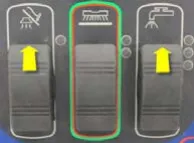
The Medium Solution Flow Indicator will remain on and the Fault Indicator will be flashing a numeric value that represents the current setting. To change the setting, press the solution switch forward to increase the value or backwards to decrease the value. To save the setting, press the scrub switch forward (All LEDs will turn on) then turn off the key switch.
- 1 blink = Fault Detection Enabled
- 2 blinks = Fault Detection Disabled
Software Revision Code – This function is used to display the software revision. The Fault LED blinks a two-part code to indicate the revision of the software that is currently programmed into the microcontroller program memory. The first part of the code indicates the released revision letter: 1 blink = revision A, 2 blinks = revision B, etc.
To check the revision:
- While pressing and holding the vacuum and scrub switches forward, turn the key switch on.
- Wait about 3 seconds until all of the LEDs light up and then go off. Release the switches.
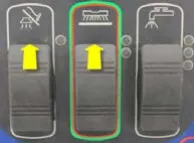
The Low, Medium and High Solution Flow indicators will remain on and the fault indicator will flash out the revision code.
Programming options – SC750 and SC800 models (control panel with membrane switches)
Main Machine Controller special program options allow the service repairperson to match the control board to the specific model equipment and to user preferences. They also allow adjustments to some machine functions, and provide a way to see the controller’s revision level. On SC750 and SC800 models, all program option modes are entered through a “hidden menu” that is displayed on the LCD.
To enter the Programming Options mode: (Start with the battery charger unplugged and the key off)
- Press and hold the scrub ON/OFF switch and Vacuum/Wand switch together.
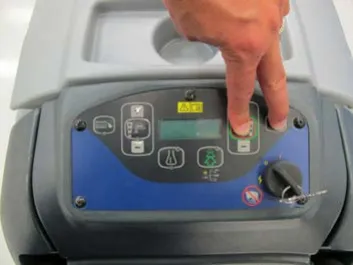
- While holding both switches, turn the Key Switch to the ON position.
- Continue to hold both switches about 3 seconds until the display shows “Programming Options”, then release the switches.
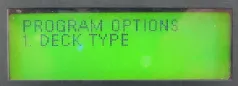
- Scroll through the menu using the Solution Increase and Decrease switches until you get to the desired programming option.
- Press the Solution On/Off switch to enter the mode.
Mandatory program options
These options must be set to correctly match the Main Machine Controller to the machine.
DECK TYPE – There are 5 possible scrub deck options (Early model display names are different). This function configures the control unit current settings, flow rate settings, and scrub pressure settings for each of the scrub deck types.
- REV 2 Deck
- 28 INCH / 71 cm CYL or 28 INCH CYL / BA756C (Early models)
- 32 INCH / 81 cm CYL or 32 INCH CYL (Early models)
- 26 INCH / 66 cm DISC or 26 INCH DISC (Early models)
- 28 INCH / 71 cm DISC or 28 INCH DISC / BA756 (Early models)
- 34 INCH / 86 cm DISC or 34 INCH DISC / BA856 (Early models)
To change the setting:
- Scroll through the menu using the Solution Increase and Decrease switches until you get to the desired value.
- To save and go back to the main menu, press the scrub ON/OFF switch.
MACHINE PLATFORM – This function configures the control unit for the machine size (Early model display names are different). Select between 21-gallon (80 L) medium-platform machine (SC750, SC750 ST) or 25-gallon (95 L) large-platform machine (SC800, SC800 ST). This setting will affect the solution level, solution, and chemical flow rate calculations in the firmware.
- SC750 (21 GAL / 80 LTR) or MX (21 GAL / 80 LITRE) (Early models)
- SC800 (25 GAL / 95 LTR or LX (25 GAL / 95 LITRE) (Early models)
To change the setting:
- Scroll through the menu using the Solution Increase and Decrease switches until you get to the desired value.
- To save and go back to the main menu, press the scrub ON/OFF switch.
CHEMICAL SELECTION – This function is used to let the controller know whether or not the machine is equipped with the optional Detergent (Chemical) Mixing system and what brand to display upon power up. If it is equipped, it also needs to know what geographic location the machine is used in for displaying the detergent ratio as expected in that region. North America mode: Shows chemical ratio using X: XXX notation (example 1: 300) and the “Advance” brand upon power up for the “Americas market” (North, South and Central America). Global mode: (Outside of North, South and Central America) Shows chemical ratio using percentage notation (example 0.3%) and the “Nilfisk-Advance” brand upon power up. In off mode, the chemical icon and ratio are not displayed on the LCD.
- NO ONBOARD CHEMICAL
- N.AMERICA CHEM MODE
- GLOBAL CHEM MODE
To change the setting:
- Scroll through the menu using the Solution Increase and Decrease switches until you get to the desired value.
- To save and go back to the main menu, press the scrub ON/OFF switch.
DETERGENT MODE – This function is used to configure the way the EcoFlex system behaves or to disable it. Different geographic locations desire different EcoFlex behavior. This mode provides the ability to match the behavior to market area desires.
- OFF – Disables EcoFlex feature
- MODE 1 – Expected to be used in combination with N.AMERICA CHEM MODE.
- MODE 2 – Expected to be used alone or in combination with GLOBAL CHEM MODE.
To change the setting:
- Scroll through the menu using the Solution Increase and Decrease switches until you get to the desired value.
- To save and go back to the main menu, press the scrub ON/OFF switch.
BATTERY CHARGER SELECTION –This function is used to inform the Main Machine Controller whether or not the machine is equipped with the optional S.P.E. on-board battery charger (The S.P.E charger was used on early machines. Later machines use the Delta-Q IC650 battery charger). It is also used to inform the controller of what kind of batteries the machine is equipped with. The Main Machine Controller will request a specific charging profile from the S.P.E battery charger to match the batteries.
- NONE (Use when not equipped with on-board battery charger)
- WET 25A (Use with 242 AH WET Batteries 56206079 or 310 AH WET Batteries 56391391)
- AGM DISCOVER 25A (Use with 312 AH AGM Batteries 56315959)
- GEL EXIDE 25A
- GEL-AGM 25A
- WET 15A
- GEL-AGM 15A
To change the setting:
- Scroll through the menu using the Solution Increase and Decrease switches until you get to the desired value.
- To save and go back to the main menu, press the scrub ON/OFF switch.
LOW VOLT CUTOUT - The purpose of the low battery voltage cutout function is to help prolong battery life. The scrub deck will be raised and the brush motors, vacuum motor, and solution solenoid valve will turn OFF automatically and cease to function when the batteries discharge to the selected cutout level. The cutout level is adjustable between two settings. The standard setting (wet cell/lead acid) is 20.55 volts and alternate setting (AGM) is 21.75 volts.
- WET BATTERY 80%, LVC = 20.55V
- MAIN FREE BATTERY 70%, LVC = 21.75V
To change the setting:
- Scroll through the menu using the Solution Increase and Decrease switches until you get to the desired value.
- To save and go back to the main menu, press the scrub ON/OFF switch.
Additional program options
The following options can be used to set user preferences.
LOCKOUT BRUSH PRE - For disc brush decks only, it is possible to lock out either the Low or High Brush Pressure setting. During normal operation the pressure setting(s) that are locked out will not be able to be selected.
- NONE
- LOW
- HIGH
To change the setting:
- Scroll through the menu using the Solution Increase and Decrease switches until you get to the desired value.
- To save and go back to the main menu, press the scrub ON/OFF switch.
LOCKOUT SOL FLOWS - It is possible to lock out any one or more of the Solution Flow Rate settings. During normal operation, the flow rate(s) that are locked out will not be able to be selected.
- NONE
- LOW
- MEDIUM
- HIGH
- LOW & MEDIUM
- LOW & HIGH
- MEDIUM & HIGH
To change the setting:
- Scroll through the menu using the Solution Increase and Decrease switches until you get to the desired value.
- To save and go back to the main menu, press the scrub ON/OFF switch.
RECOVER TANK FULL – It is possible to enable or disable the Recovery Tank Full automatic shutoff feature. Enable means that the automatic shutoff feature is turned on. The system will shut off the vacuum motor if it senses the tank is full. Disable means that the automatic shutoff feature is turned off. The system will not automatically shut off the vacuum motor if it senses the tank is full.
- ENABLED
- DISABLED
To change the setting:
- Scroll through the menu using the Solution Increase and Decrease switches until you get to the desired value.
- To save and go back to the main menu, press the scrub ON/OFF switch.
CHEMICAL RATE BIAS – This function allows a fine tuning of the detergent ratio.
- NONE
- +10% MORE CHEMICAL
- -10% LESS CHEMICAL
To change the setting:
- Scroll through the menu using the Solution Increase and Decrease switches until you get to the desired value.
- To save and go back to the main menu, press the scrub ON/OFF switch.
RESTORE DEFAULTS - This function is used to reset all settings to factory default values. If this is done, the next time the key is turned on, it will act as though a new controller has been installed and “force” you to set the mandatory program options before the machine will operate normally.
- NO
- YES
To change the setting:
- Scroll through the menu using the Solution Increase and Decrease switches until you get to the desired value.
- To save and go back to the main menu, press the scrub ON/OFF switch.
DISPLAY REV LEVEL – Used to display the software revision.
This is not a setting that can be changed. After viewing the revision value, press the scrub on/off switch to return to the main menu.
FAULT RECALL - This function is used by a technician to check for “historical codes” and clear them. If no fault code is present, the display should show a dash symbol ( - ). If the solution on/off button is pressed in the Fault Recall submenu, the fault history shall be erased. Press the scrub on/off switch to return to the main menu.
FAULT DETECTION - Normally, the Main Machine Controller will perform checks of the electrical system during operation. If a fault occurs in a particular system, that system (and possibly others) will be shut down. This can make troubleshooting the system difficult. This option will allow service personnel to disable some of the fault detection checks to facilitate troubleshooting. This will not disable the over-current protection on any of the systems.
- ENABLED
- DISABLED
To change the setting:
- Scroll through the menu using the Solution Increase and Decrease switches until you get to the desired value.
- To save and go back to the main menu, press the scrub ON/OFF switch.
Main Machine Controller SC750 ST and SC800 ST models (early build)
Note: Electronic devices like the Main Machine Controller are sensitive to Electrostatic Discharge (ESD). Before handling the controller, touch a metal bench or shelf to discharge any electrical charge that may have built up in your body. Do not walk around with a controller in your hands.
- Empty recovery tank. Turn off key.
- Remove upper handle mounting bolts, loosen lower mounting bolts and pivot handle assembly downward.
- Remove circuit breaker mounting nuts.
- Remove circuit breaker mount plate screws. Partially remove plate. Remove breakers from plate, then turn plate and insert into cover opening.
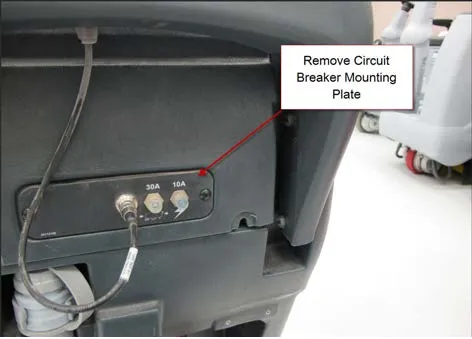
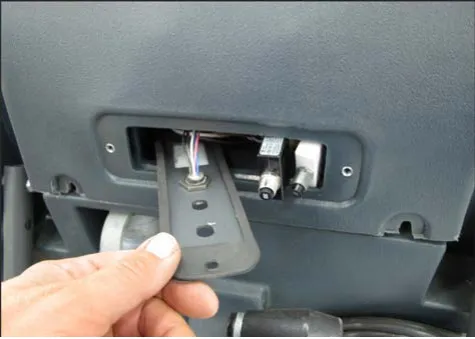
- Remove electrical panel cover mounting screws.
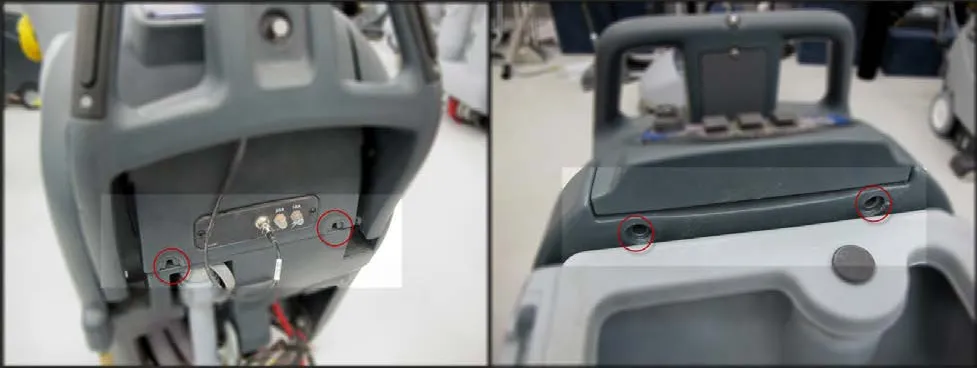
- Tip cover away from machine and disconnect electrical connectors from the Main Machine Controller and Key Switch. Remove the control switch interface panel ground screw.
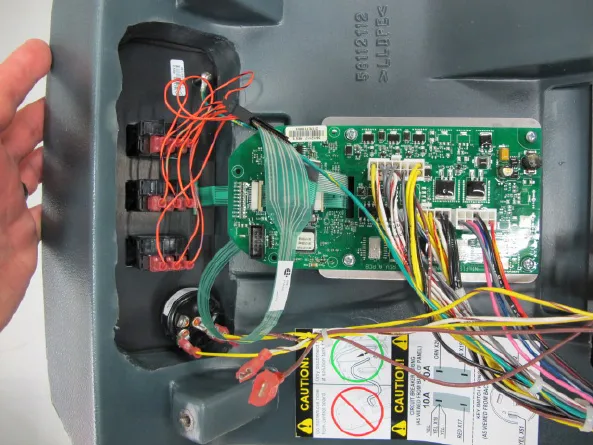
- Place electrical panel cover on work bench. Disconnect the “ribbon” connector to the control switches. (Note the orientation of the ribbon to the wiring connector. )
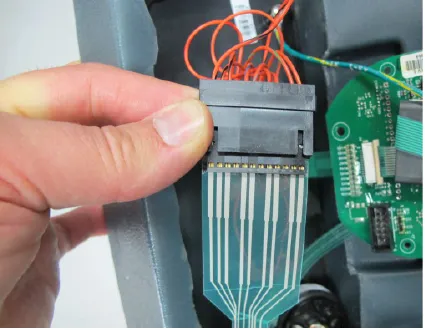
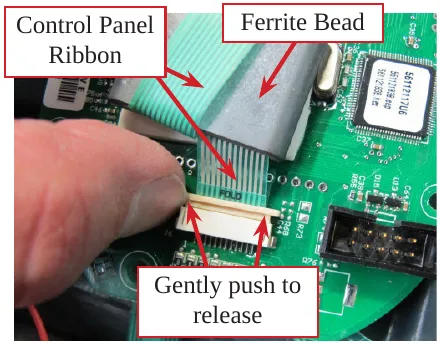
- Release the control panel ribbon connection and pull the ribbon free. Gently pull ribbon out of the ferrite bead.
- Remove 4 screws securing the Main Machine Controller and remove it from the cover.
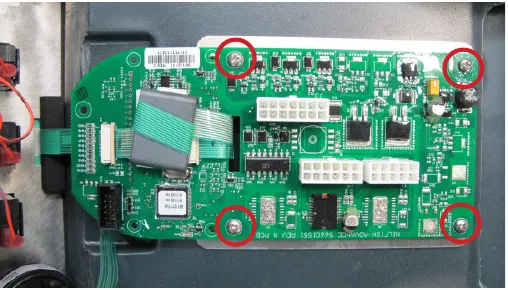
- Reassemble in reverse order, taking care not to damage the printed circuit ribbons used to connect the circuit board to the control switch interface panel.
- Set Mandatory Program Options - IMPORTANT! When a new controller is installed, it must first be told how the machine is equipped before it will work. The first time the key is turned on, the controller wakes up in the programming option mode to “force” you to complete the settings. In this special case, you will be walked through setting the Scrub Deck Type and Battery Charger Selection before the machine will operate. See Programming Options – SC750 ST and SC800 ST Models (Control Panel with rocker switches) - Mandatory Program Options (page 29).
Main Machine Controller SC750 ST and SC800 ST models (later build)
Minor changes were made to the electrical panel cover and circuit breaker panel to make the machine easier to service. Follow the instructions for “Main Machine Controller SC750 and SC800 Models (control Panel with membrane switches) Later build “ with the realization that some of the photos will not exactly match the machine you are working on.
Main Machine Controller SC750 and SC800 models (early build)
Note: Electronic devices like the Main Machine Controller are sensitive to Electrostatic Discharge (ESD). Before handling the controller, touch a metal bench or shelf to discharge any electrical charge that may have built up in your body. Do not walk around with a controller in your hands.
- Completely drain solution tank. This is important for the solution level sensor to work properly upon reassembly.
- Turn off and remove key.
- Disconnect Handle electrical connector. Remove top two handle bolts and loosen the lower two. Rotate Handle Assembly down.
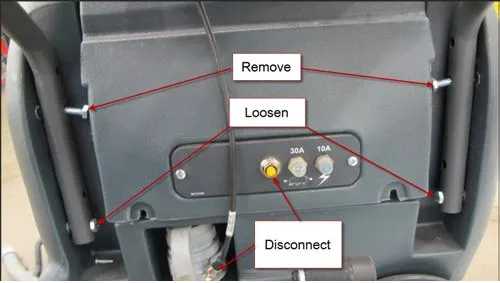
- Remove circuit breaker mounting plate screws. Partially remove plate. Remove breakers from plate, then turn plate and insert into cover opening.
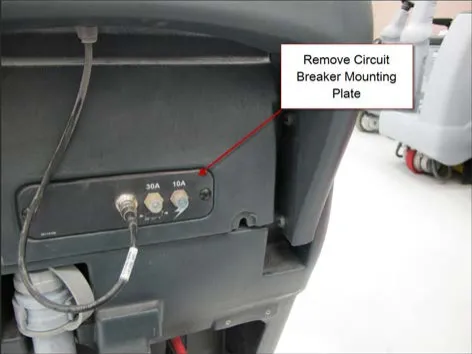
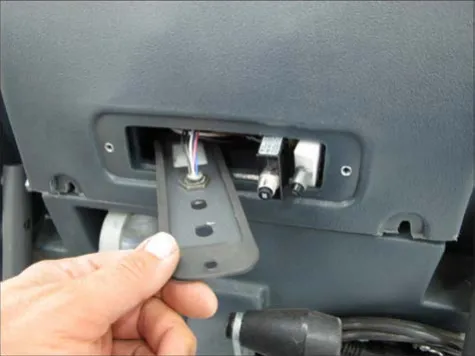
- Remove electrical panel cover mounting screws.
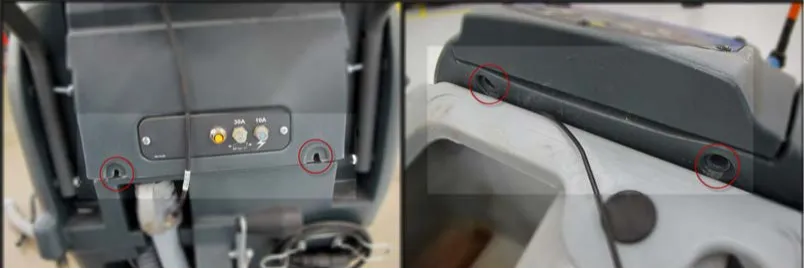
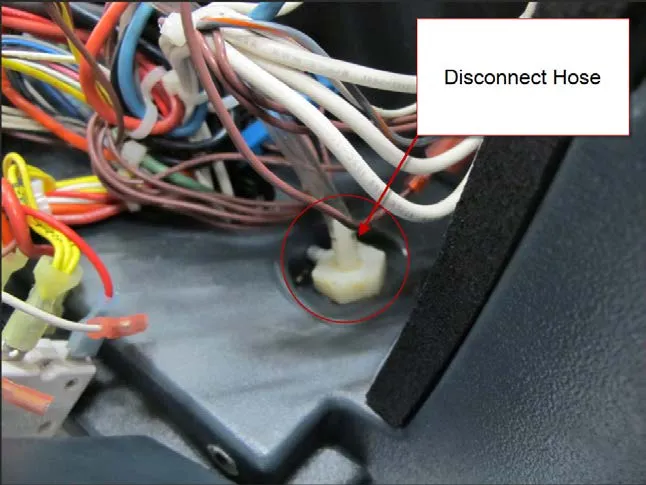
- Tip cover away from machine and disconnect the clear pressure sensor hose from the fitting at the solution tank. DO NOT TRY TO DISCONNECT THE HOSE FROM THE CIRCUIT BOARD.
- Disconnect electrical connectors from the Main Machine Controller and Key Switch. Remove screw securing ground wire to control switch interface panel.
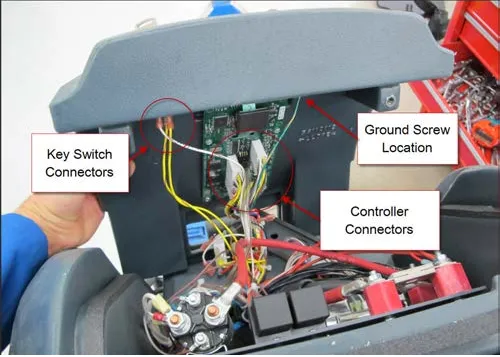
- Remove the electrical panel cover and place on a work bench.
- Remove the 5 screws securing the switch panel interface and carefully turn the cover over. Remove 4 screws securing circuit board (Main Machine Controller) to cover. Remove the control switch interface panel and circuit board together through the cover opening.
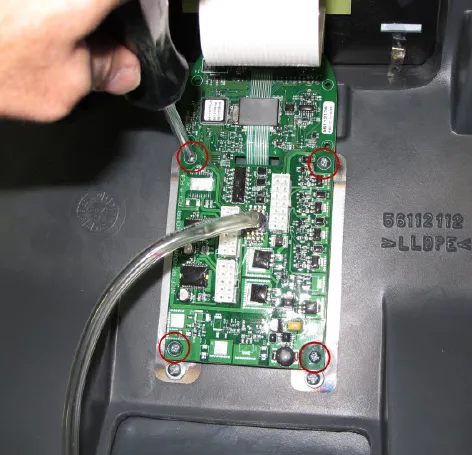
- If the board is being replaced you will need to use a new pressure sensor tube or transfer the existing tube from the old board. Follow the steps below to transfer the tube.
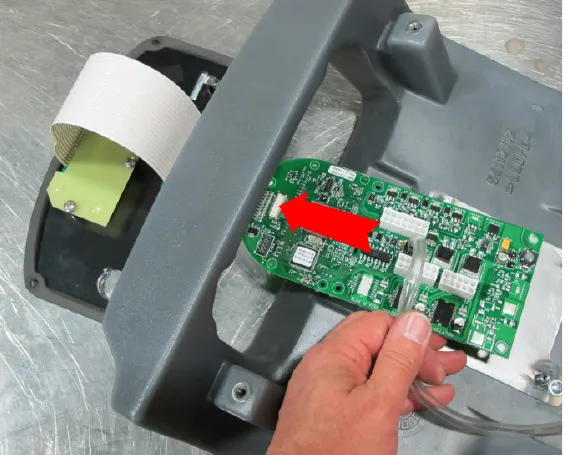
- a. Use a small sharp knife to cut the tube off, near the sensor on the board (0.04 in (1 mm) from sensor).
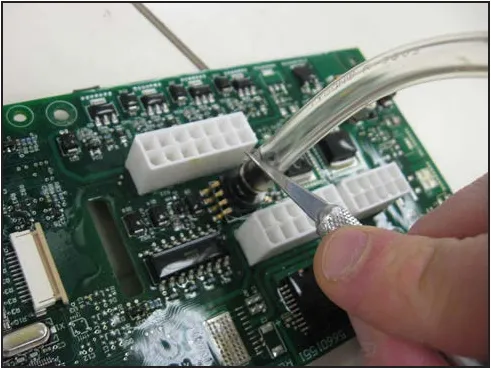
Cutting the tube off near the sensor - b. Make a shallow slit with the knife along the length of the clear tube that is still attached to the sensor port. Do not press too hard, and avoid cutting into the sensor port. Make 3 or 4 passes with the knife, pressing softly, rather than one hard cut. See the photos below.
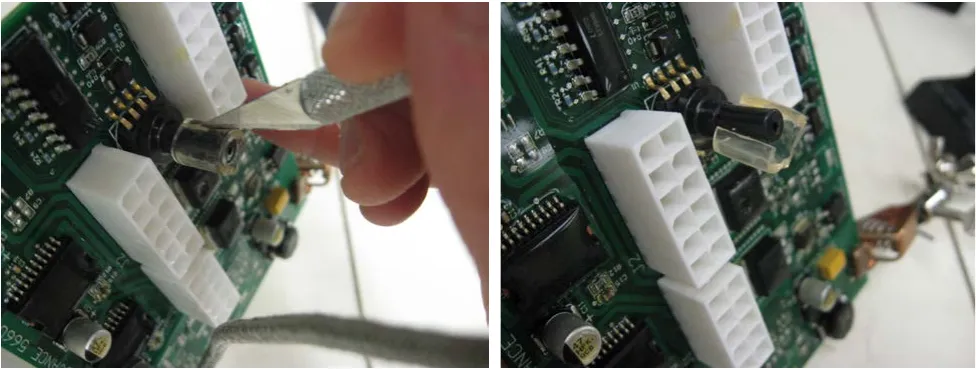
Slitting the tube - c. To install the sensor onto a new PCB assembly, grasp the tube near the end with your fingers, and slowly push the tube onto the sensor port. Do not push too hard or the sensor may break.
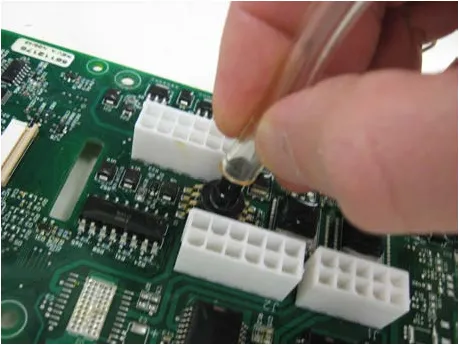
Installing the tube on the new board
- Reassemble in reverse order, taking care not to damage the printed circuit ribbons used to connect the circuit board to the control switch interface panel. If you did not drain the solution tank earlier, you must do so before connecting the pressure sensor hose in order for the solution level “gauge” to work properly.
Main machine controller SC750 and SC800 models (later build)
Note: Electronic devices like the Main Machine Controller are sensitive to Electrostatic Discharge (ESD). Before handling the controller, touch a metal bench or shelf to discharge any electrical charge that may have built up in your body. Do not walk around with a controller in your hands.
Summary: Remove the electrical panel cover as an assembly and place on a bench. Then remove the main machine controller from the cover. Do not remove the control switch interface panel before the cover is removed from the machine.
- Completely drain solution tank. This is important for the solution level sensor to work properly upon reassembly.
- Turn off and remove key.
- Remove top two handle bolts and loosen the lower two. Rotate Handle Assembly down.
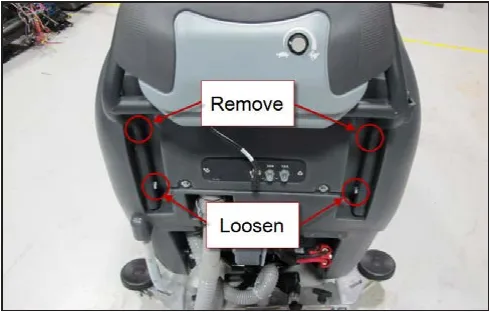
Handle bolts: remove the top two, loosen the lower two - Disconnect handle wiring lead (Note photo is of early build).
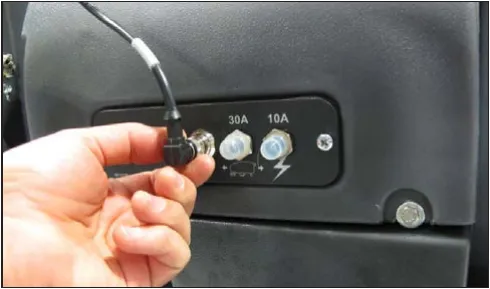
Disconnecting the handle wiring lead
- Remove circuit breaker plate attaching screws.
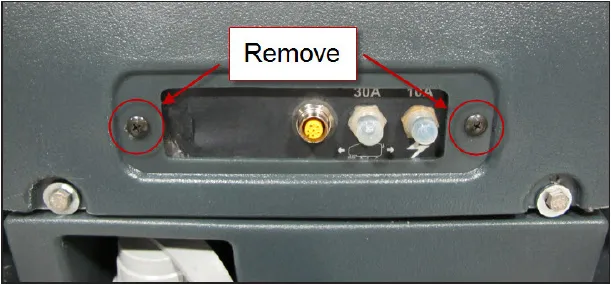
Circuit breaker plate screws - Remove nut securing key switch.
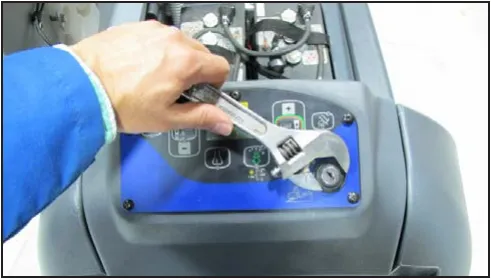
Key switch nut - Remove electrical panel cover upper mounting screws.
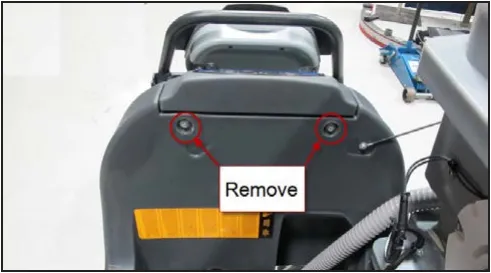
Upper cover mounting screws - Loosen electrical panel cover lower mounting screws.
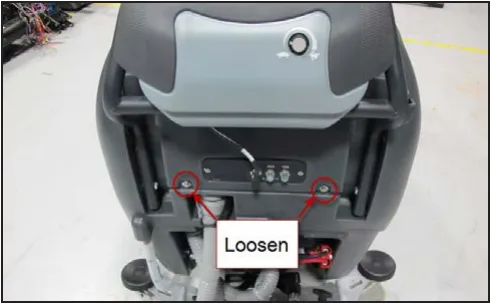
Lower cover mounting screws
- Tip cover away from machine
- a. Remove the screw securing the ground wire to the back of the control switch interface panel.
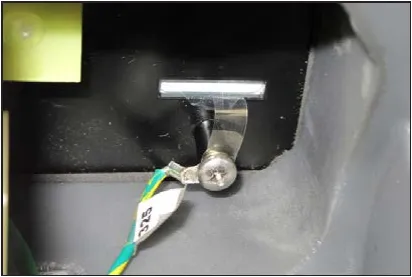
Ground wire screw - b. Disconnect the clear pressure sensor hose from the fitting at the solution tank. DO NOT TRY TO DISCONNECT THE HOSE FROM THE CIRCUIT BOARD.
CAUTION! Do not remove hose from control board. Only disconnect hose at solution tank fitting.
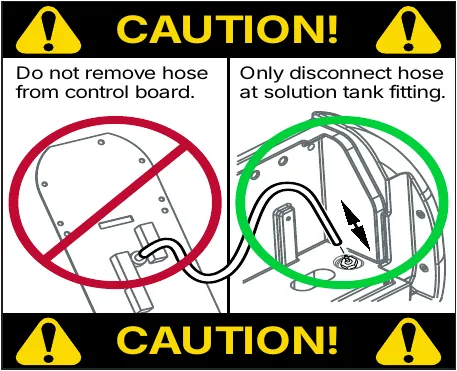
Caution label 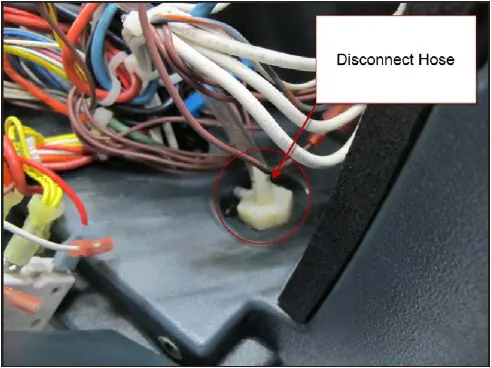
Hose fitting at the solution tank - c. Unplug main machine controller electrical connectors.
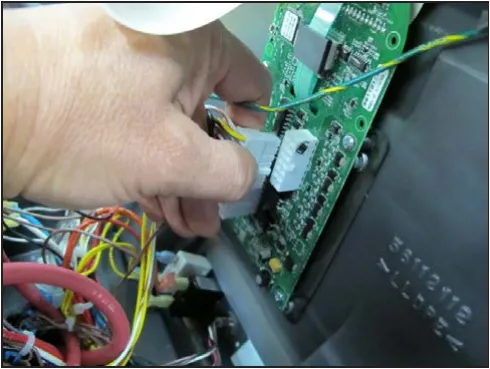
Unplugging the controller connectors - d. Free circuit breakers, handle switch connector and key switch from cover assembly.
- a. Remove the screw securing the ground wire to the back of the control switch interface panel.
- Remove the electrical panel cover assembly and place on a work bench.
- a. Remove the 5 screws securing the switch panel interface and carefully turn the cover over.
- b. Remove 4 screws securing circuit board (Main Machine Controller) to cover.
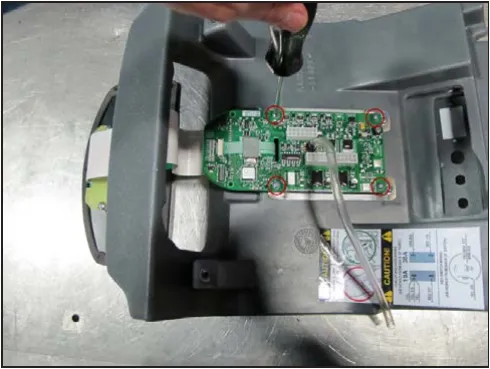
Four circuit board screws - c. Remove the control switch interface panel and main machine controller circuit board together through the cover opening.
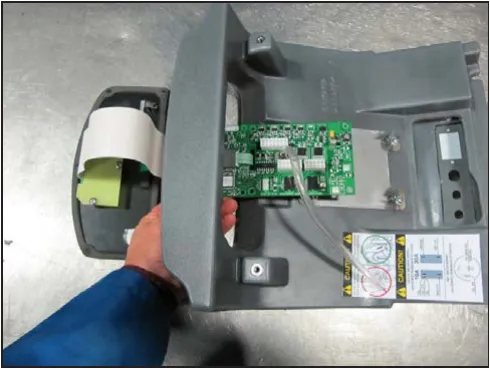
Removing the interface panel and board together
- If the board is being replaced you will need to use a new pressure sensor tube or transfer the existing tube from the old board. Follow the steps below to transfer the tube.
- a. Use a small sharp knife to cut the tube off, near the sensor on the board (0.04 in (1 mm) from sensor).
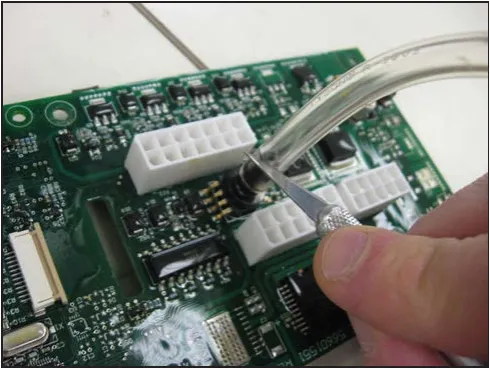
Cutting the tube off near the sensor - b. Make a shallow slit with the knife along the length of the clear tube that is still attached to the sensor port. Do not press too hard, and avoid cutting into the sensor port. Make 3 or 4 passes with the knife, pressing softly, rather than one hard cut. See the photos below.
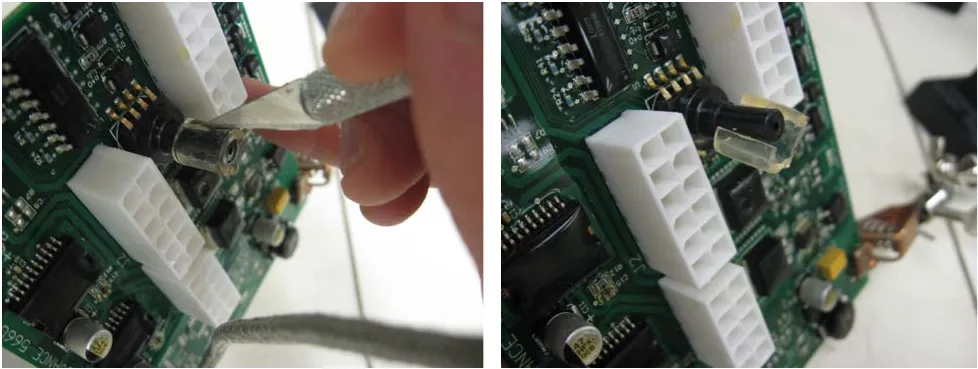
Slitting the tube - c. To install the sensor onto a new PCB assembly, grasp the tube near the end with your fingers, and slowly (continues on page 49)
push the tube onto the sensor port. Do not push too hard or the sensor may break.
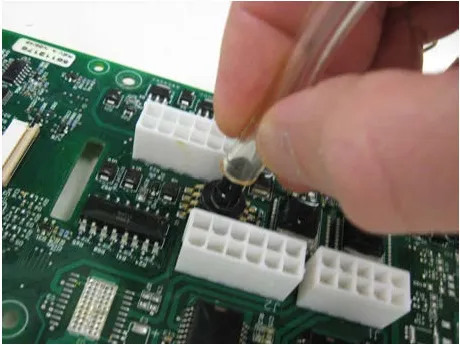
- Reassemble in reverse order noting the following:
- a. Take care not to damage the printed circuit ribbons used to connect the circuit board to the control switch interface panel.
- b. Reinstall and secure the key switch, circuit breakers and handle wiring connector before fastening the cover down.
- c. If you did not drain the solution tank earlier, you must do so before connecting the pressure sensor hose in order for the solution level “gauge” to work properly.
- d. Refer to the wiring connection decal on the back of the cover to reconnect any wires that may have come loose. Double check all electrical connections.
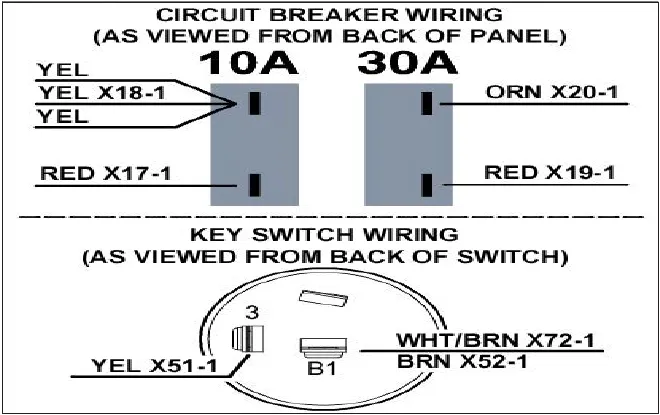
| Part (as viewed from back) | Position | Wire as printed |
|---|---|---|
| 10A circuit breaker | Upper terminal | YEL, YEL X18-1, YEL |
| Lower terminal | RED X17-1 | |
| 30A circuit breaker | Upper terminal | ORN X20-1 |
| Lower terminal | RED X19-1 | |
| Key switch | Terminal 3 | YEL X51-1 |
| Terminal B1 | WHT/BRN X72-1, BRN X52-1 |
Rocker switches – ST models
- Remove the electrical panel cover to access the back side of the rocker switches. DO NOT try to access the switches by removing the switch plate as you may damage a “ribbon” wiring strip.
- Disconnect the ribbon strip connector to the switches. (Note the orientation of the ribbon and connector for reassembly).
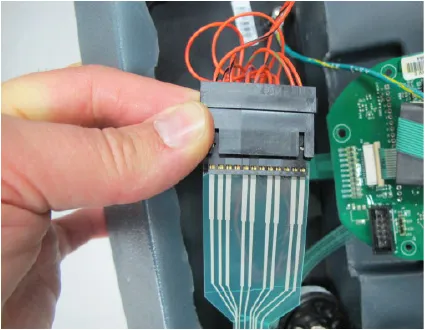
Disconnecting the ribbon strip connector - Disconnect the wiring from the switch you are removing.
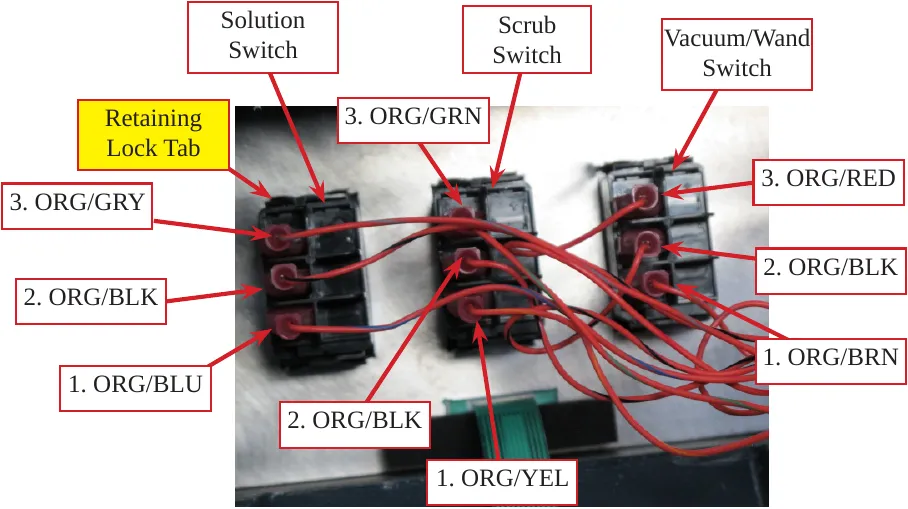
Rocker switch wiring Switch Terminal Wire Solution switch 3 ORG/GRY 2 ORG/BLK 1 ORG/BLU Scrub switch 3 ORG/GRN 2 ORG/BLK 1 ORG/YEL Vacuum/Wand switch 3 ORG/RED 2 ORG/BLK 1 ORG/BRN - Push on the switch retaining lock tabs located at each corner and push the switch back through the cover.
- Install the switch by pressing it into place.
- Reinstall the wiring and finish reassembling in the reverse order of disassembly.
Specifications
Shop measurements – main machine controller
The following tables contain some “real world” shop voltage measurements to help you recognize what “normal” looks like. All voltage values were measured with the black (Negative) voltmeter lead connected to the main battery negative terminal unless otherwise specified. (Non ST = SC750 and SC800 models. ST = SC750 ST and SC800 ST models)
J1 connector
| Pin # | Circuit description | Value | Comments | Used on Non ST or ST |
|---|---|---|---|---|
| 1 | Chemical Pump “+” output | Non ST | ||
| 2 | Not used | Both | ||
| 3 | Chemical Pump “-“ output | Non ST | ||
| 4 | Brush Head Actuator motor “+” output | 24v down -24v up | With red lead at pin #4 and black lead at pin #5 | Both |
| 5 | Brush Head Actuator motor “-“ output | Both | ||
| 6 | Not used | Both | ||
| 7 | Not used | Both | ||
| 8 | Battery Negative (Ground) | 0.5mV | With vacuum motor running | Both |
| 9 | Not used | Both | ||
| 10 | Not used | Both |
J2 connector
| Pin # | Circuit description | Value | Comments | Used on Non ST or ST |
|---|---|---|---|---|
| 1 | Battery Negative (Ground) | 0.5mV | With vacuum motor running | Both |
| 2 | Battery Negative (Ground) | 0.5mV | With vacuum motor running | Both |
| 3 | Input from Brush Deck actuator position switch #0. Switch floats open when actuator is fully retracted (corresponding to a raised deck), and is closed to GND otherwise. | 4.95V | Up Position. Other positions 0.5mV | Both |
| 4 | Not used | Both | ||
| 5 | Not used | Both | ||
| 6 | Not used | Both | ||
| 7 | Battery Negative (Ground) | 0.5mV | With vacuum motor running | Both |
J2 connector (continued)
| Pin # | Circuit description | Value | Comments | Used on Non ST or ST |
|---|---|---|---|---|
| 8 | Battery Negative (Ground) | 0.5mV | With vacuum motor running | Both |
| 9 | Vacuum Motor Current Sense input (voltage on this wire represents the motor current) | 181 mV | Vacuum motor running with solution cover open. Dropped to 157 mV when ball float was seated. | Both |
| 10 | Brush Motor Current Sense input (voltage on this wire represents the motor current) | 30mV | Brushes free running – not contacting floor | Both |
| 11 | Input from Brush Deck actuator position switch #1. Switch floats open when actuator is partially extended (corresponding to normal scrub pressure), and is closed to GND otherwise. | 4.96V | Normal scrub position. Other positions 0.5mV | Both |
| 12 | Pin has 2 functions: 1) Input from Brush Deck actuator position switch #2. Switch floats open when actuator is fully extended (corresponding to maximum scrub pressure), and is closed to GND otherwise. 2) When an S.P.E. on-board battery charger is installed and plugged into an AC outlet, the input function of this signal is overridden and instead becomes a 1-wire, bidirectional serial communication line between the PC board and the on-board charger. | 2.91V | Extra scrub pressure position. Other positions 795mV. If the S.P.E. Battery Charger is plugged in, voltage pulses then settles in around 12V | Both |
J3 connector
| Pin # | Circuit description | Value | Comments | Used on Non ST or ST |
|---|---|---|---|---|
| 1 | Battery “+“ lead | 24.0v | With vacuum motor running | Both |
| 2 | Battery “-“ lead | 0.5mV | With vacuum motor running | Both |
| 3 | Brush Remove contactor output | 28mV | When energized. Otherwise 24V | Non ST |
| 4 | On-Board Charger Interlock input (input = key switch voltage when on-board battery charger is not plugged into AC outlet, floats open when on-board charger is plugged in.) | 25V | Key on and Charger NOT plugged in. When Charger is plugged in, drops to 116mV | Both |
| 5 | Reverse Direction input from Speed Controller (input = GND when moving in reverse) | 2mV 23V | In Reverse. In Neutral or Forward | Both |
J3 connector (continued)
| Pin # | Circuit description | Value | Comments | Used on Non ST or ST |
|---|---|---|---|---|
| 6 | Fwd/Reverse input from Speed Controller (input = GND when moving in forward or reverse) | 4mV 24.1V | In Forward or Reverse In Neutral | Both |
| 7 | Speed Controller Status input (input pulses between B+ and GND to indicate error status from Speed Controller) | 121mV | Normal (No faults). Voltage pulses when fault is present. | Both |
| 8 | Battery “+“ lead | 24.0v | With vacuum motor running | Both |
| 9 | Not used | Both | ||
| 10 | Not used | Both | ||
| 11 | Solution Solenoid Valve winding | 116mV | When energized (Hold solution button down) | Both |
| 12 | Vacuum Contactor winding | 4.9V | When energized, voltage initially drops to 90mV then settles at 4.9v. This is due to 100% “on” time at first to pull in the contactor, which is then reduced to 80% to hold it in. | Both |
| 13 | Brush Motor Contactor winding | 4.9V | When energized, voltage initially drops to 90mV then settles at 4.9v. This is due to 100% “on” time at first to pull in the contactor, which is then reduced to 80% to hold it in. | Both |
| 14 | Key Switch input (input = B+ voltage when key is turned on) | 24.9V | Key On or Off with on-board battery charger | Both |
Electrical system
Functional description
General
The electrical system is powered by four 6 volt batteries for a total of 24 volts. Heavy cables connect the batteries in series. A large red Main Battery Pack Connector provides battery power to the machine wiring. On machines without an on-board battery charger, the Main Battery Pack Connector is used for hooking up the batteries to a “shelf” battery charger unit. To prevent damage to the batteries due to excessive discharging, the control system will turn off the scrub system and the recovery system as the battery voltage drops too low.
A steel plate at the back of the solution tank serves as an “electrical panel” and provides a mounting surface for the various relays, fuses and the Drive Motor Controller. Circuit breakers and a main fuse protect various circuits from excessive current. The machine wiring is color coded and the ends of each wire have the wire identification printed on them (such as “J1-4 X1-1”). The wiring identification information can be used to more easily trace wiring in the machine because it is also shown on the wiring harness configuration diagram.
On-board battery charger
An optional on-board battery charger is available. Early machines used an S.P.E. charger and later machines use a Delta-Q IC650 battery charger. Some early machines may have been updated to replace the S.P.E. charger with the Delta-Q charger.
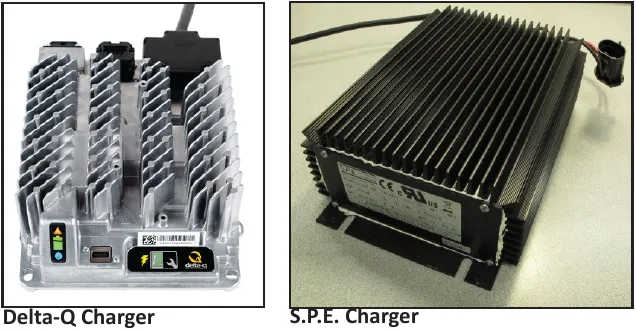
When equipped, the charger is mounted on the bottom of the machine. Both chargers have an internal relay that interrupts a power supply when the charger is plugged into an AC power outlet. This is called the “Interlock” circuit on the wiring diagram. It prevents the machine from being operated while the batteries are charging. The interlock circuit for the S.P.E. charger is illustrated below. The Delta-Q interlock circuit is similar but it relies on the main battery positive connection for the power source rather than a separate wire.
Here is how the battery charger interlock circuit works. The interlock relay contacts inside the charger are normally closed, allowing the current to pass in and out of the charger to the Main Machine Controller and the Drive Motor Controller. When the AC power cord is plugged in, the relay is energized and opens the relay contacts opening the circuit.
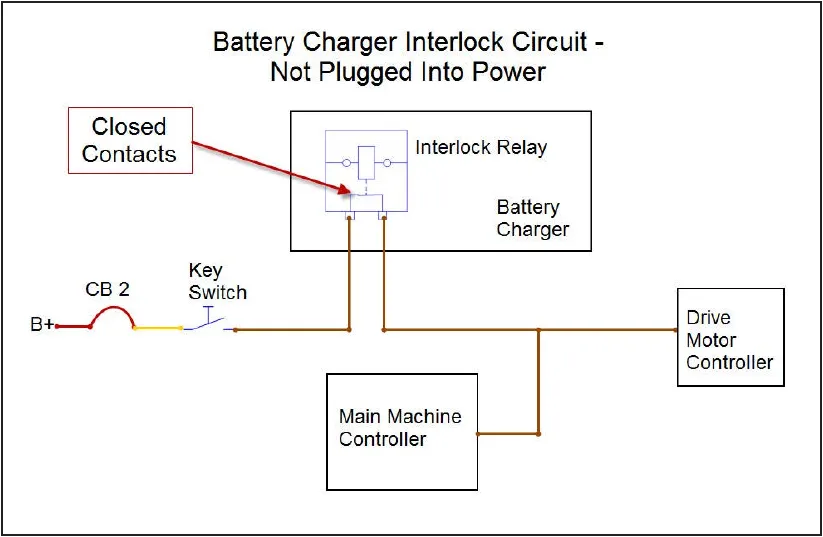
| Label printed on drawing |
|---|
| Battery Charger Interlock Circuit - Not Plugged Into Power |
| B+ |
| CB 2 |
| Key Switch |
| Closed Contacts |
| Interlock Relay |
| Battery Charger |
| Drive Motor Controller |
| Main Machine Controller |
S.P.E battery charger details
When the S.P.E battery charger is plugged in, “Non-ST” models will display text on the LCD screen describing the type of battery charging profile in use. They will also communicate charging progress with an ICON on the LCD display. When the S.P.E. battery charger is plugged in on ST models, charging progress is communicated using the Battery Indicator LEDs. The charging profile in use is communicated using one of the other control panel LEDs.
ST charging profile in use:
| Charging profile | LED |
|---|---|
| Wet 25A | Vacuum LED |
| AGM Discover 25A | Scrub High LED |
| Gel Excide 25A | Scrub Low LED |
| Gel-AGM 25A | Solution High LED |
| Wet 15A | Solution Medium LED |
| Gel-AGM 15A | Solution Low LED |
The S.P.E. battery charger and Main Machine Controller communicate with one another on the WHT/BLU wire that runs between them. (This same circuit is also used for the brush head actuator position 2 switch input) Each time the battery charger is plugged in, the charger contacts the controller by sending out a positive voltage on the communication wire to find out what kind of batteries are on the machine. It needs to know this in order to use the correct charging profile. The controller responds and provides the battery type information it has stored in memory. The charger then tells the controller which charging profile it will use and begins charging the batteries. See the Control System, Program Options section for information on how to tell the controller what kind of batteries are used in the machine. If the charger is unable to communicate with the controller it will use the profile for a wet battery at a 25 Amp rate as a default.
Delta-Q IC650 battery charger details
The Delta-Q battery charger does not communicate with the main machine controller. It is a “stand-alone” unit. Models that have the Delta-Q charger have a separate LED on a bracket to communicate charging progress. By pressing a button on the charger you can see what charging profile is in use. If you replace the batteries with a different type of battery or replace the battery charger, you must select the correct charging profile to be compatible with the batteries. There are a set of profiles stored inside the charger. You can interface directly with the charger to select the profile to be used from that set. See the Delta-Q Product Manual (710-0138-Delta-Q.pdf) for complete instructions on selecting the profile. Use the Battery Charging Profile Table below (page 57) to choose the profile to match the batteries that are in the machine.
Delta-Q IC650 battery charging profile table
| Battery manufacturer | Voltage | Battery model # | 20 hour rating | N-A P/N | Profile to use |
|---|---|---|---|---|---|
| DISCOVER | 6 | EV250A-AGM | 260 | 40953A | P-0-4-3 |
| DISCOVER | 6 | EV305A-A | 312 | 56112546 | P-0-4-3 |
| DISCOVER | 6 | EV305A-A | 312 | 56315959 | P-0-4-3 |
| DISCOVER | 6 | EV305A-AGM | 312 | 40964A | P-0-4-3 |
| DISCOVER | 6 | EVGT6A | 255 | 56112545 | P-0-4-3 |
| DISCOVER | 6 | EVGT6A | 255 | 56315772 | P-0-4-3 |
| DISCOVER | 6 | EVL 16A-A | 390 | 56388582 | P-0-4-3 |
| DISCOVER | 12 | EV12A-A | 140 | 56380239 | P-0-4-2 |
| DISCOVER | 12 | EV185A- A | 234 | 56393912 | P-0-4-3 |
| DISCOVER | 12 | EV185A-A | 234 | 41023A | P-0-4-3 |
| EAST PENN MFG. CO. | 6 | 8GGC 2/T881 (GEL CELL) | 180 | 56206987 | P-0-2-6 |
| EAST PENN MFG. CO. | 12 | 8G27MM/T876 | 86.4 | 56206988 | P-0-2-6 |
| FULL RIVER | 6 | DC 250-6 | 250 | 56112545 | P-1-5-1 |
| FULL RIVER | 6 | DC 335-6 | 335 | 56112546 | P-1-4-1 |
| TROJAN | 6 | J -305G | 285 | 56391391 | P-0-0-7 |
| TROJAN | 6 | J-250-2992-41 | 250 | 56026200 | P-0-0-3 |
| TROJAN | 6 | L16-5592-41 | 395 | 56388582 | NOT RECOMMENDED |
| TROJAN | 6 | T-125LPT | 235 | 56206079 | P-0-0-3 |
| TROJAN | 6 | T-605LPT | 195 | 56206117 | P-0-0-3 |
| TROJAN | 12 | J185-2292-42 | 195 | 56206078 | P-0-0-3 |
| US BATTERY | 6 | L16 | 375 | 40602A | P-0-7-3 |
| US BATTERY | 6 | L16 | 375 | 40704A | P-0-7-3 |
| US BATTERY | 6 | L16HC | 415 | 56388582 | P-0-7-3 |
| US BATTERY | 6 | US-125 | 235 | 331318 | P-0-1-1 |
| US BATTERY | 6 | US-125 | 235 | 881317 | P-0-1-1 |
| US BATTERY | 6 | US-125 | 235 | 56206079 | P-0-1-1 |
| US BATTERY | 6 | US-125 | 235 | 40136A | P-0-1-1 |
| US BATTERY | 6 | US-125 | 235 | 40136B | P-0-1-1 |
| US BATTERY | 6 | US-14 5XC | 251 | 56317154 | P-0-7-2 |
| US BATTERY | 6 | US1800 | 201 | 56206117 | P-0-1-1 |
| US BATTERY | 6 | US250HC | 275 | 56026200 | P-0-1-1 |
| US BATTERY | 6 | US-305 | 305 | 891384 | P-0-7-2 |
| US BATTERY | 6 | US-305 | 305 | 891385 | P-0-7-2 |
| US BATTERY | 6 | US-305 | 305 | 56391391 | P-0-7-2 |
| US BATTERY | 12 | UB27 | 86 | 40070A | P-0-0-6 |
| US BATTERY | 12 | US-185 | 195 | 871334 | P-0-1-1 |
| US BATTERY | 12 | US-185 | 195 | 871335 | P-0-1-1 |
| US BATTERY | 12 | US-185 | 195 | 56206078 | P-0-1-1 |
| US BATTERY | 12 | US-31TMX | 130 | 40605A | P-0-7-1 |
| US BATTERY | 12 | US-31TMX | 130 | 40606A | P-0-7-1 |
Component locations
- Batteries
- Main Battery Pack Connector
- Battery Charger (Optional)
- Electrical Panel
- Main Fuse
- Battery Negative Stand Off
- Circuit Breakers
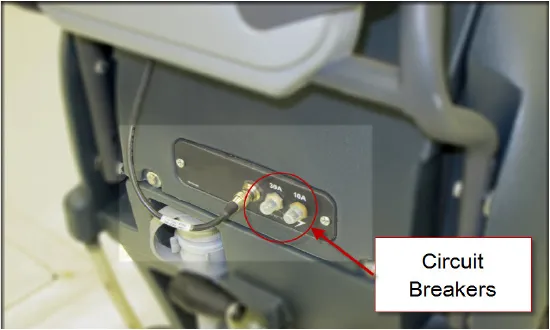
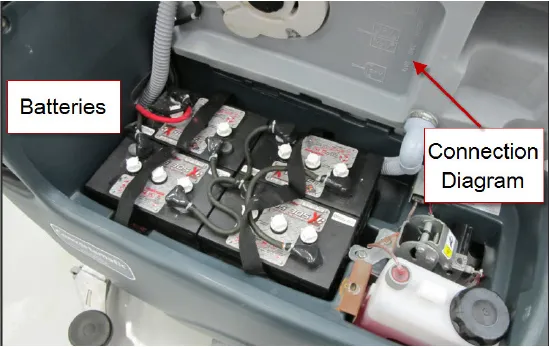
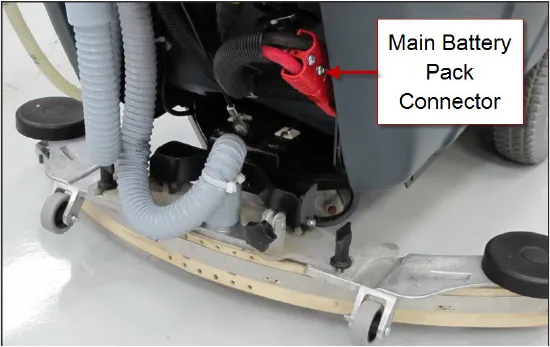
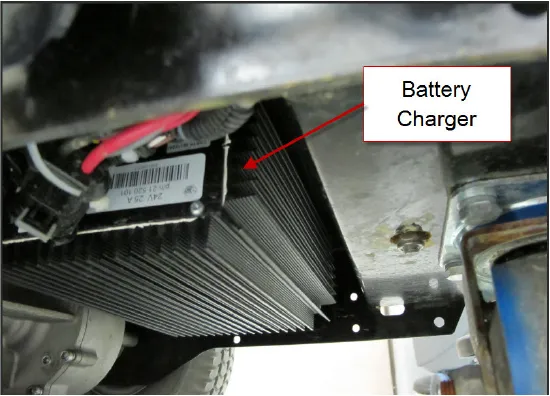
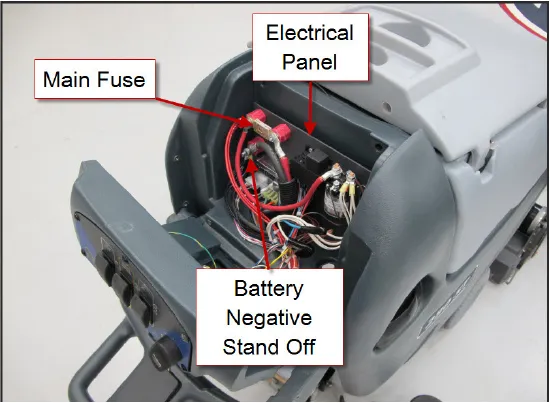
Electrical panel components
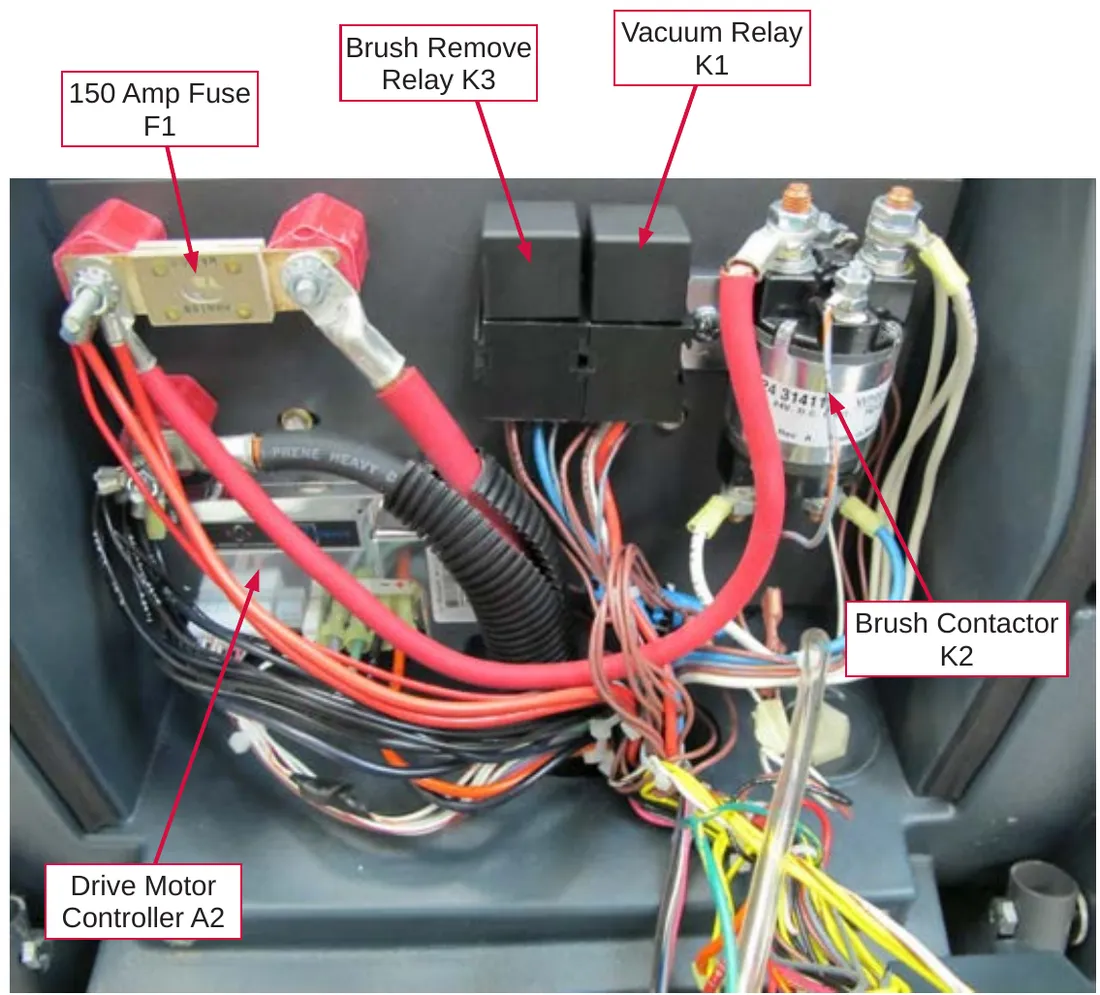
Maintenance and adjustments
Battery maintenance and recharging
See Instructions for Use Manual
Troubleshooting
Insufficient machine operation time
Possible causes:
- Incorrect low-voltage cutout setting
- Batteries not fully charged.
- If there is any question whether the batteries are fully charged, they should be charged for at least 16 hours.
- One or more weak batteries
- To determine if one of the batteries is weak, measure the voltage across each individual battery while operating the machine. Write down the values and compare them. A battery that has a dead cell will typically be 1 – 2 volts lower than the others.
- Use a battery load tester to test each battery.
- For wet batteries, a hydrometer can be used to check the specific gravity of the electrolyte in each cell. A dead cell is one that reads 50 points or more lower than the other cells.
- Battery cable connections
The battery charger does not charge
Possible causes:
- Battery Charger
- Wiring/Connections
- Batteries
Note: The optional S.P.E. on-board battery charger will charge, even if it cannot communicate with the Main Machine Controller.
Removal and installation
Batteries
If the set of batteries has 50 or more cycles on them, do not put a new battery into the set. Either replace with all new batteries or use a good used battery. Battery maintenance requirements change as they age. As they age they usually require longer charging time and a higher finish rate. The newer battery mixed in with old batteries will end up being overcharged, which will cause it to fail prematurely.
When servicing batteries
- Remove all jewelry
- Do not smoke
- Wear safety glasses, rubber gloves and a rubber apron
- Work in a well-ventilated area
- Do not allow tools to touch more than one battery terminal at a time
- ALWAYS disconnect the negative (ground) cable first when replacing batteries to prevent sparks.
- ALWAYS connect the negative cable last when installing batteries.
- Empty the recovery tank and tip it up.
- Turn the key switch off and disconnect the main battery pack connector.
- Remove the battery cables.
- a. Do not allow metal tools to connect between battery cables or posts.
- b. Prevent cable ends from touching other cable ends or posts.
- Remove battery.
- Install battery.
- Reconnect battery cables making sure that they are connected properly. Refer to the diagram molded into the lower side of the recovery tank.
Battery charger - S.P.E.
The battery charger is mounted to the bottom of the frame with 4 bolts that are screwed into threaded holes.
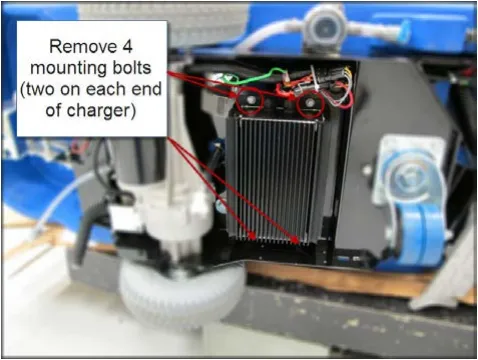
- Drain the solution tank and recovery tank.
- Disconnect and remove the batteries, then lay the machine on its side using a soft surface to prevent scratching the machine.
- Cut tie straps securing AC power cable.
- Cut tie straps securing electrical connectors.
- Disconnect electrical connectors.
- Remove 4 battery charger mounting bolts (two on each end of the charger).
- Remove charger, thread AC power cable through opening.
- Reassemble in the reverse order. Tie wiring in same locations using new tie straps.
Battery charger - Delta-Q
- Drain the solution tank and recovery tank.
- Disconnect and remove the batteries, then lay the machine on its side using a soft surface to prevent scratching the machine.
- Cut tie straps securing AC power cable.
- Cut tie straps securing electrical connectors.
- Remove the DC connector cover (B).
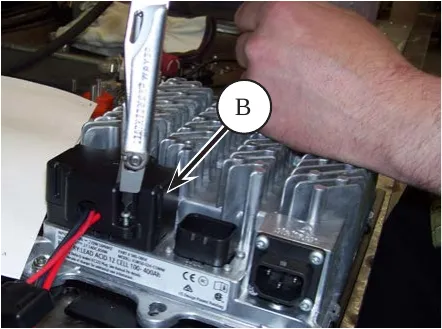
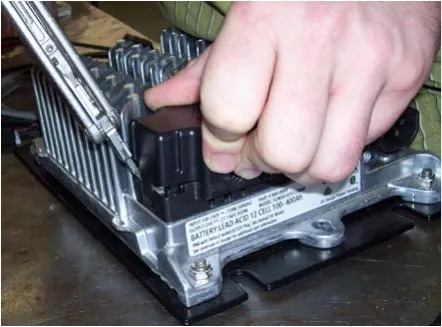
- Remove the clamp (C). Disconnect the battery positive and negative wires (6) and the interlock wire (7)
- Disconnect the AC power cable (E) and the battery temperature sensor connector (D). Remove 4 battery charger mounting bolts.
- Remove charger
- Reassemble in the reverse order. Tie wiring in same locations using new tie straps.
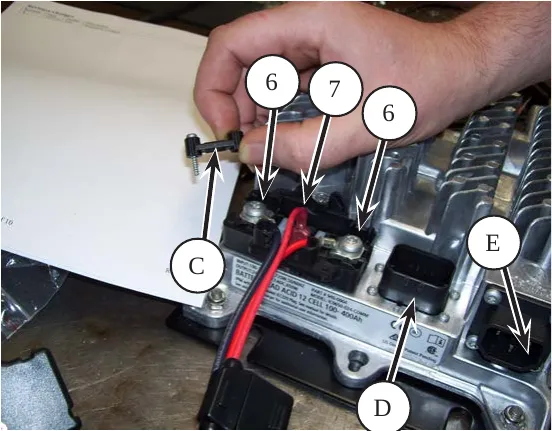
Specifications
Low voltage cut out threshold voltages
The Main Machine Controller intentionally shuts down machine functions in two stages if the battery voltage drops too low. This is called “Low Voltage Cut Out”. It is done to preserve the life of the batteries. The first stage of low voltage cut out shuts off the scrub function by turning off the scrub brush motors and raising the brush deck. It also shuts off the solution and detergent. The vacuum is still allowed to run in order to recover solution that is on the floor. The second stage of low voltage cut out turns off the vacuum. Wet batteries and Gel batteries use different voltage thresholds.
| Stage | Threshold (volts) | Shuts down |
|---|---|---|
| 1 | Wet Batteries – 20.55 V | Brushes, solution, detergent and raises brush deck |
| Gel Batteries – 21.75 V | ||
| 2 | Wet Batteries – 20.40 V | Vacuum |
| Gel Batteries – 21.60 V |
Battery run time
Typical battery run times may be around 2-4 hours.
Battery compartment dimensions
Length = 24.5 in (62.23 cm), Width = 14.25 in (36.2 cm), Height = 14.25 in (36.2 cm)
Wiring diagram - Non-ST, 56112170 Rev D, Early (before SN 4000077687)
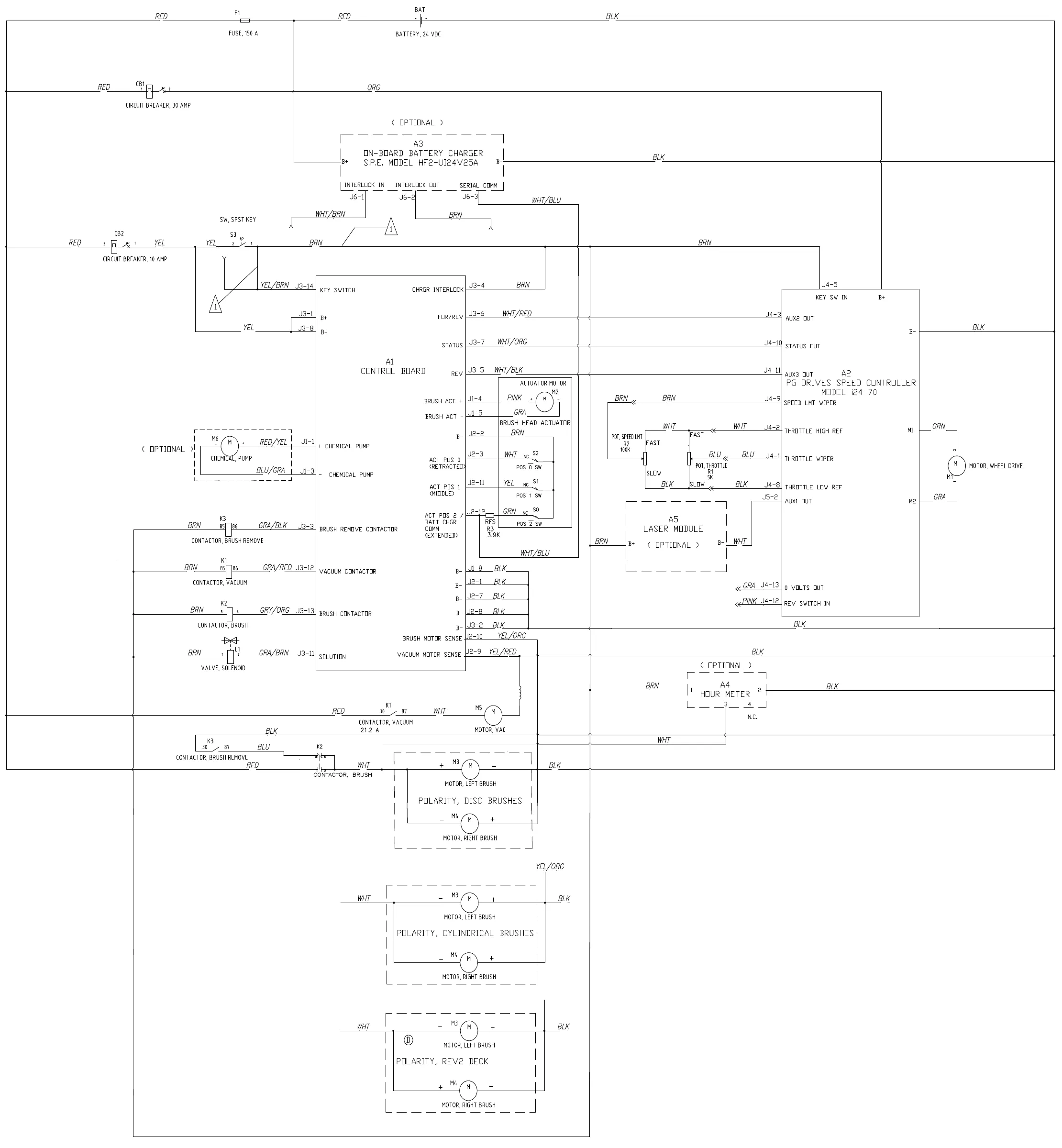
Printed ratings and model
Fuse F1, 150 A. Battery, 24 VDC. Circuit breaker CB1, 30 A. Circuit breaker CB2, 10 A. Optional on-board battery charger S.P.E. model HF2-UI24V25A. A2 is the PG Drives speed controller, model i24-70. R2 is the 100K speed limit pot, R1 the 5K throttle pot, R3 is 3.9K. Contactor, vacuum (K1), 21.2 A.
Drawing note
When on board charger is used, remove BRN wire from key SW. Connect to BRN wire from battery charger & replace with WHT/ BRN from charger. Also move YEL/BRN wire at key switch from BRN to YEL
Wiring diagram - Non-ST, 56383889 Rev E, Late (Since SN 4000077687)
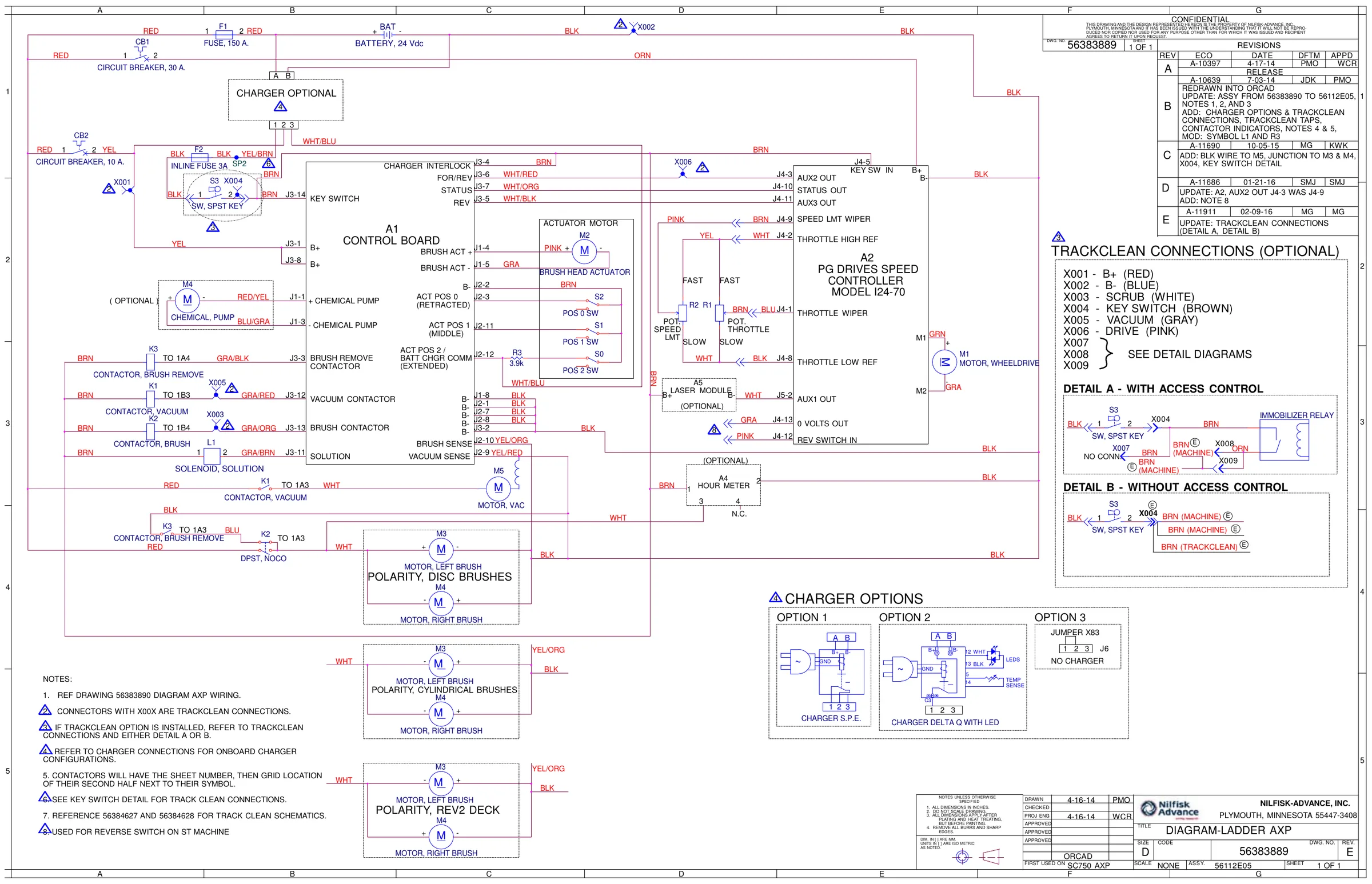
Printed ratings and model
Fuse F1, 150 A. Battery, 24 Vdc. Circuit breaker CB1, 30 A. Circuit breaker CB2, 10 A. Inline fuse F2, 3A. A2 is the PG Drives speed controller, model i24-70. R3 is 3.9k.
Control board A1 connections as drawn
| Pin | Label on drawing | Wire color printed |
|---|---|---|
| J3-14 | KEY SWITCH | BRN |
| J3-4 | CHARGER INTERLOCK | BRN |
| J3-6 | FOR/REV | WHT/RED |
| J3-7 | STATUS | WHT/ORG |
| J3-5 | REV | WHT/BLK |
| J3-1 | B+ | YEL |
| J3-8 | B+ | (none printed) |
| J1-4 | BRUSH ACT + | PINK |
| J1-5 | BRUSH ACT - | GRA |
| J2-2 | B- | BRN |
| J2-3 | ACT POS 0 (RETRACTED) | (to S2, POS 0 SW) |
| J2-11 | ACT POS 1 (MIDDLE) | (to S1, POS 1 SW) |
| J2-12 | ACT POS 2 / BATT CHGR COMM (EXTENDED) | WHT/BLU (R3 3.9k, to S0, POS 2 SW) |
| J1-1 | + CHEMICAL PUMP | RED/YEL |
| J1-3 | - CHEMICAL PUMP | BLU/GRA |
| J3-3 | BRUSH REMOVE CONTACTOR | GRA/BLK |
| J3-12 | VACUUM CONTACTOR | GRA/RED |
| J3-13 | BRUSH CONTACTOR | GRA/ORG |
| J3-11 | SOLUTION | GRA/BRN |
| J1-8, J2-1, J2-7, J2-8, J3-2 | B- | BLK |
| J2-10 | BRUSH SENSE | YEL/ORG |
| J2-9 | VACUUM SENSE | YEL/RED |
Speed controller A2 connections as drawn
| Pin | Label on drawing | Wire colors printed (left to right) |
|---|---|---|
| J4-5 | KEY SW IN | BRN |
| B+ | B+ | (none printed) |
| B- | B- | BLK |
| J4-3 | AUX2 OUT | (none printed) |
| J4-10 | STATUS OUT | (none printed) |
| J4-11 | AUX3 OUT | (none printed) |
| J4-9 | SPEED LMT WIPER | PINK, BRN |
| J4-2 | THROTTLE HIGH REF | YEL, WHT |
| J4-1 | THROTTLE WIPER | BRN, BLU |
| J4-8 | THROTTLE LOW REF | WHT, BLK |
| J5-2 | AUX1 OUT | WHT |
| J4-13 | 0 VOLTS OUT | GRA |
| J4-12 | REV SWITCH IN | PINK |
| M1 | Motor, wheeldrive | GRN |
| M2 | Motor, wheeldrive | GRA |
Notes
- Ref drawing 56383890 diagram AXP wiring.
- Connectors with X00X are TrackClean connections.
- If TrackClean option is installed, refer to TrackClean connections and either detail A or B.
- Refer to charger connections for onboard charger configurations.
- Contactors will have the sheet number, then grid location of their second half next to their symbol.
- See key switch detail for track clean connections.
- Reference 56384627 and 56384628 for track clean schematics.
- Used for reverse switch on ST machine
TrackClean connections (optional)
| Connection | Function (wire color) |
|---|---|
| X001 | B+ (RED) |
| X002 | B- (BLUE) |
| X003 | SCRUB (WHITE) |
| X004 | KEY SWITCH (BROWN) |
| X005 | VACUUM (GRAY) |
| X006 | DRIVE (PINK) |
| X007, X008, X009 | SEE DETAIL DIAGRAMS |
TrackClean key switch details
Detail A - with access control: the drawing labels the SW, SPST key (S3) pins 1 and 2, X004, X007 (NO CONN.), X008 and X009 with BRN (MACHINE) wires and an ORN wire, and the IMMOBILIZER RELAY.
Detail B - without access control: the drawing labels the SW, SPST key (S3) pins 1 and 2, X004, and the wires BRN (MACHINE), BRN (MACHINE) and BRN (TRACKCLEAN).
Charger options
| Option | Drawing label |
|---|---|
| Option 1 | Charger S.P.E. |
| Option 2 | Charger Delta Q with LED |
| Option 3 | Jumper X83 (J6), no charger |
Revisions
| Rev | ECO | Date | DFTM | APPD | Change |
|---|---|---|---|---|---|
| A | A-10397 | 4-17-14 | PMO | WCR | Release |
| B | A-10639 | 7-03-14 | JDK | PMO | Redrawn into Orcad. Update: assy from 56383890 to 56112E05, notes 1, 2, and 3. Add: charger options & TrackClean connections, TrackClean taps, contactor indicators, notes 4 & 5. Mod: symbol L1 and R3 |
| C | A-11690 | 10-05-15 | MG | KWK | Add: BLK wire to M5, junction to M3 & M4, X004, key switch detail |
| D | A-11686 | 01-21-16 | SMJ | SMJ | Update: A2, AUX2 OUT J4-3 was J4-9. Add: note 8 |
| E | A-11911 | 02-09-16 | MG | MG | Update: TrackClean connections (detail A, detail B) |
Drawing title: Diagram-ladder AXP. Drawing 56383889, rev E, size D, assy 56112E05, first used on SC750 AXP, sheet 1 of 1. Drawn 4-16-14 PMO, checked 4-16-14 WCR. Nilfisk-Advance, Inc., Plymouth, Minnesota 55447-3408.
Wiring diagram - ST, 56112180 Rev C, Early (before SN 4000077687)
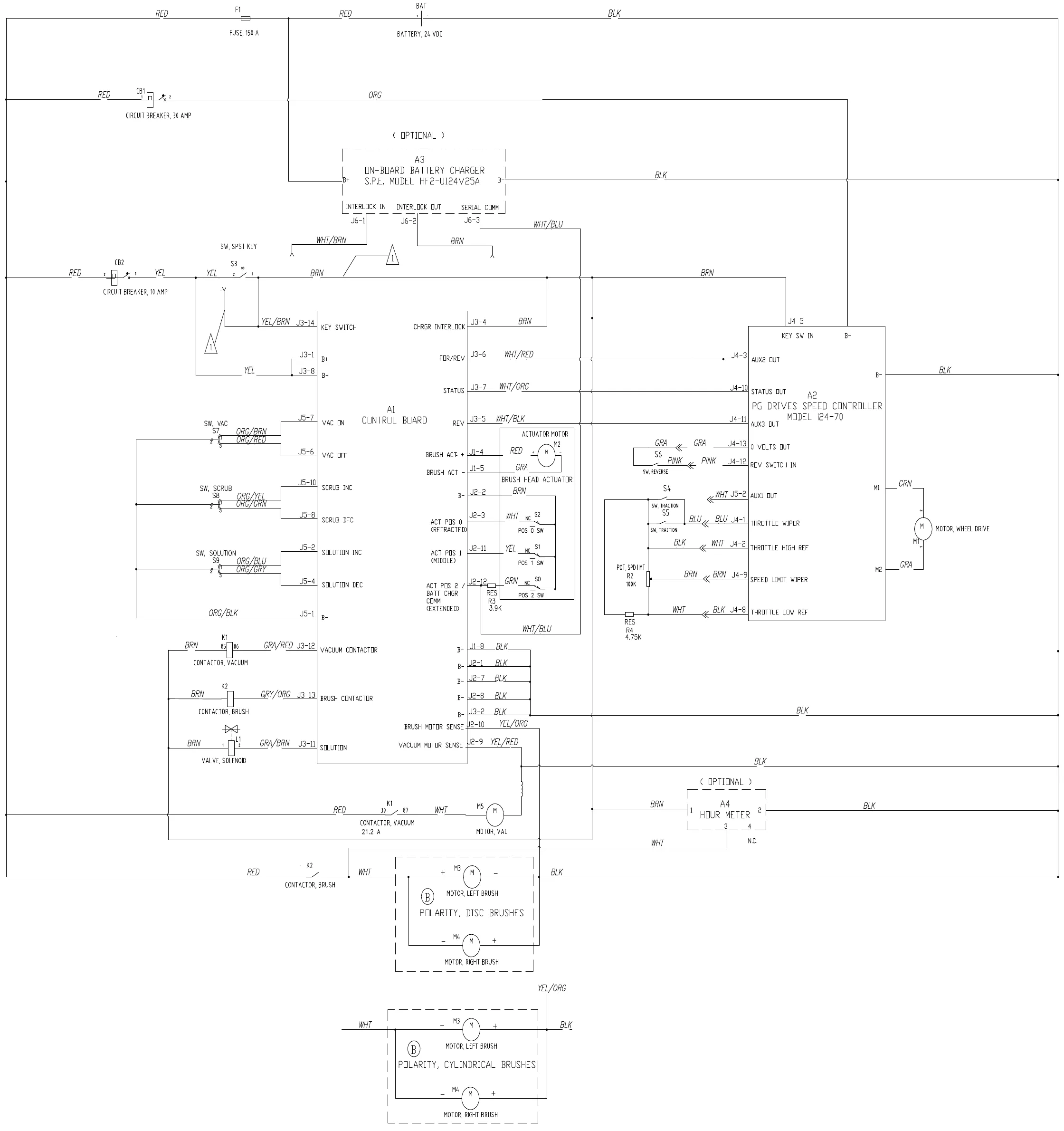
Printed ratings and model
Fuse F1, 150 A. Battery, 24 VDC. Circuit breaker CB1, 30 A. Circuit breaker CB2, 10 A. Optional on-board battery charger S.P.E. model HF2-UI24V25A. A2 is the PG Drives speed controller, model i24-70. R3 is 3.9K, R4 is 4.75K and R2 is the 100K speed limit pot. Contactor, vacuum (K1), 21.2 A.
Notes
- When on_board charger is used, remove BRN wire from key SW. Connect to BRN wire from battery charger & replace with WHT/BRN wire from charger. Also, disconnect YEL/BRN wire at key switch from BRN wire & connect to YEL wire.
Wiring diagram - ST, 56383366 Rev E, Late (since SN 4000077687)
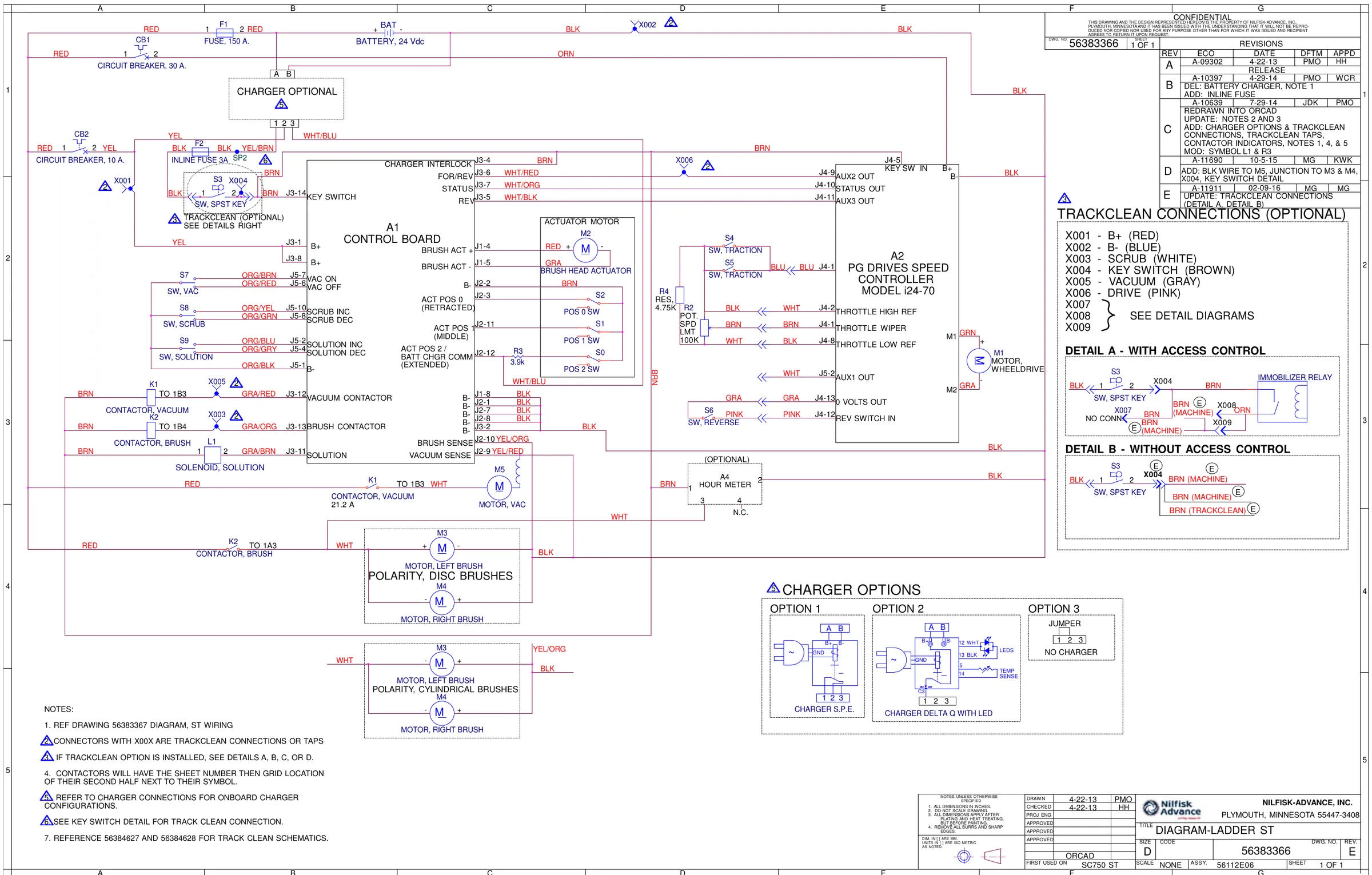
Printed ratings and model
Fuse F1, 150 A. Battery, 24 Vdc. Circuit breaker CB1, 30 A. Circuit breaker CB2, 10 A. Inline fuse F2, 3A. Contactor, vacuum (K1), 21.2 A. A2 is the PG Drives speed controller, model i24-70. R3 is 3.9k, R4 is 4.75K and R2 is the 100K speed limit pot.
Control board A1 connections as drawn
| Pin | Label on drawing | Wire color printed |
|---|---|---|
| J3-14 | KEY SWITCH | BRN |
| J3-4 | CHARGER INTERLOCK | BRN |
| J3-6 | FOR/REV | WHT/RED |
| J3-7 | STATUS | WHT/ORG |
| J3-5 | REV | WHT/BLK |
| J3-1 | B+ | YEL |
| J3-8 | B+ | (none printed) |
| J5-7 | VAC ON | ORG/BRN |
| J5-6 | VAC OFF | ORG/RED |
| J5-10 | SCRUB INC | ORG/YEL |
| J5-8 | SCRUB DEC | ORG/GRN |
| J5-2 | SOLUTION INC | ORG/BLU |
| J5-4 | SOLUTION DEC | ORG/GRY |
| J5-1 | B- | ORG/BLK |
| J1-4 | BRUSH ACT + | RED |
| J1-5 | BRUSH ACT - | GRA |
| J2-2 | B- | BRN |
| J2-3 | ACT POS 0 (RETRACTED) | (to S2, POS 0 SW) |
| J2-11 | ACT POS 1 (MIDDLE) | (to S1, POS 1 SW) |
| J2-12 | ACT POS 2 / BATT CHGR COMM (EXTENDED) | WHT/BLU (R3 3.9k, to S0, POS 2 SW) |
| J3-12 | VACUUM CONTACTOR | GRA/RED |
| J3-13 | BRUSH CONTACTOR | GRA/ORG |
| J3-11 | SOLUTION | GRA/BRN |
| J1-8, J2-1, J2-7, J2-8, J3-2 | B- | BLK |
| J2-10 | BRUSH SENSE | YEL/ORG |
| J2-9 | VACUUM SENSE | YEL/RED |
Speed controller A2 connections as drawn
| Pin | Label on drawing | Wire colors printed (left to right) |
|---|---|---|
| J4-5 | KEY SW IN | BRN |
| B+ | B+ | (none printed) |
| B- | B- | BLK |
| J4-9 | AUX2 OUT | (none printed) |
| J4-10 | STATUS OUT | (none printed) |
| J4-11 | AUX3 OUT | (none printed) |
| J4-1 (upper, no function label) | (S4 and S5, SW, TRACTION) | BLU, BLU |
| J4-2 | THROTTLE HIGH REF | BLK, WHT |
| J4-1 | THROTTLE WIPER | BRN, BRN |
| J4-8 | THROTTLE LOW REF | WHT, BLK |
| J5-2 | AUX1 OUT | WHT |
| J4-13 | 0 VOLTS OUT | GRA, GRA (to S6, SW, REVERSE) |
| J4-12 | REV SWITCH IN | PINK, PINK |
| M1 | Motor, wheeldrive | GRN |
| M2 | Motor, wheeldrive | GRA |
Notes
- Ref drawing 56383367 diagram, ST wiring
- Connectors with X00X are TrackClean connections or taps
- If TrackClean option is installed, see details A, B, C, or D.
- Contactors will have the sheet number then grid location of their second half next to their symbol.
- Refer to charger connections for onboard charger configurations.
- See key switch detail for track clean connection.
- Reference 56384627 and 56384628 for track clean schematics.
TrackClean connections (optional)
| Connection | Function (wire color) |
|---|---|
| X001 | B+ (RED) |
| X002 | B- (BLUE) |
| X003 | SCRUB (WHITE) |
| X004 | KEY SWITCH (BROWN) |
| X005 | VACUUM (GRAY) |
| X006 | DRIVE (PINK) |
| X007, X008, X009 | SEE DETAIL DIAGRAMS |
TrackClean key switch details
Detail A - with access control: the drawing labels the SW, SPST key (S3) pins 1 and 2, X004, X007 (NO CONN.), X008 and X009 with BRN (MACHINE) wires and an ORN wire, and the IMMOBILIZER RELAY.
Detail B - without access control: the drawing labels the SW, SPST key (S3) pins 1 and 2, X004, and the wires BRN (MACHINE), BRN (MACHINE) and BRN (TRACKCLEAN).
Charger options
| Option | Drawing label |
|---|---|
| Option 1 | Charger S.P.E. |
| Option 2 | Charger Delta Q with LED |
| Option 3 | Jumper, no charger |
Revisions
| Rev | ECO | Date | DFTM | APPD | Change |
|---|---|---|---|---|---|
| A | A-09302 | 4-22-13 | PMO | HH | Release |
| B | A-10397 | 4-29-14 | PMO | WCR | Del: battery charger, note 1. Add: inline fuse |
| C | A-10639 | 7-29-14 | JDK | PMO | Redrawn into Orcad. Update: notes 2 and 3. Add: charger options & TrackClean connections, TrackClean taps, contactor indicators, notes 1, 4, & 5. Mod: symbol L1 & R3 |
| D | A-11690 | 10-5-15 | MG | KWK | Add: BLK wire to M5, junction to M3 & M4, X004, key switch detail |
| E | A-11911 | 02-09-16 | MG | MG | Update: TrackClean connections (detail A, detail B) |
Drawing title: Diagram-ladder ST. Drawing 56383366, rev E, size D, assy 56112E06, first used on SC750 ST, sheet 1 of 1. Drawn 4-22-13 PMO, checked 4-22-13 HH. Nilfisk-Advance, Inc., Plymouth, Minnesota 55447-3408.
Wiring harness configuration diagram - Non-ST, 56112171 Rev D, Early (before SN 4000077687)
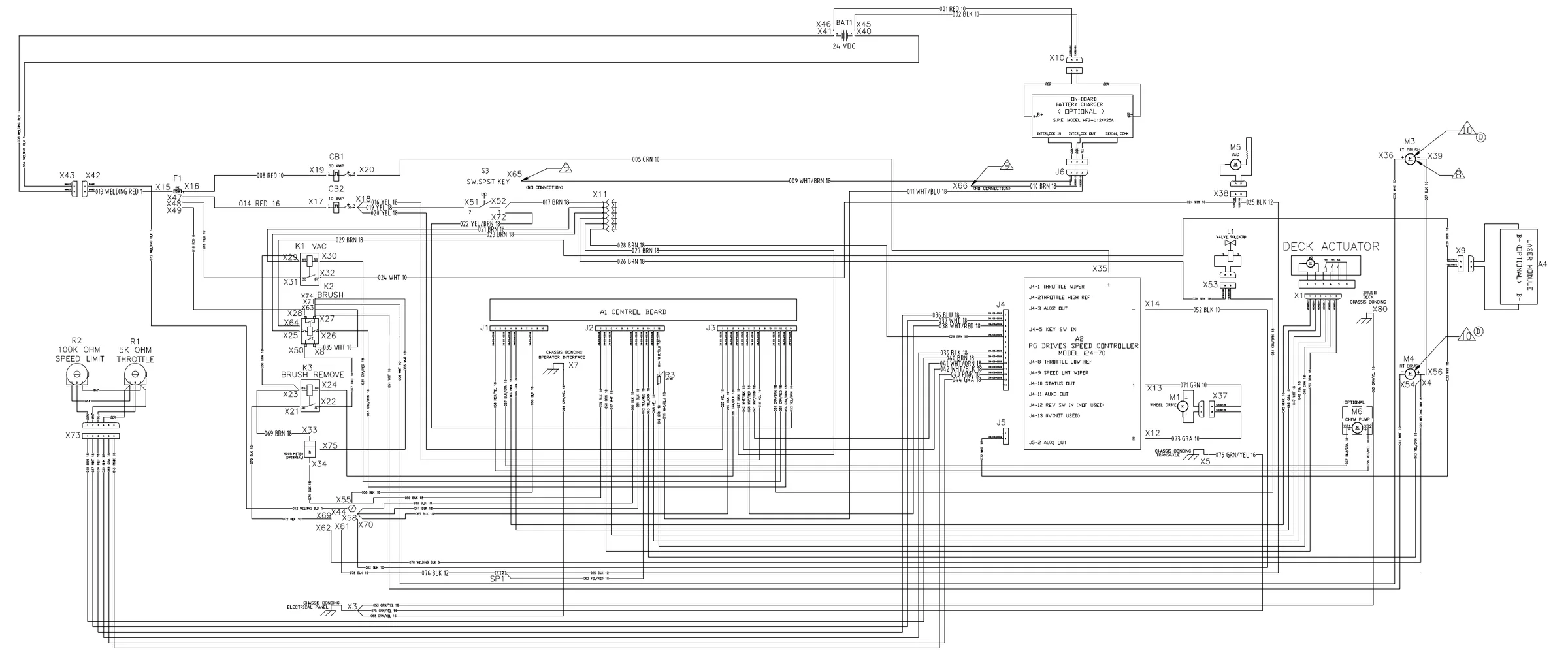
Notes
- Wire length tolerance is -.50+1.00 inch. Do not accumulate tolerances.
- Connectors - specified connectors shall be used. Terminals and seals intended for use with the specified connector may be used.
- Quick connect and ring terminals - similar alternates may be used.
- Splices - alternate types of splices may be used as long as they are insulated and sealed.
- Conduit and sleeving - equivalent brands of conduit and sleeving may be used.
- Cable ties - similar alternates may be used. Quantities are approximate, more or less may be needed.
- Crimping for all terminals must comply with UL486
- Wiring diagram shown for disc brushes. Leads need to be reversed in polarity on left brush motor (M3) for cylindrical brushes.
- Wiring diagram shown without on-board charger. If charger is installed, make make wiring changes as needed. 1. Move wire 022 YEL/BRN to S3 pin 2. 2. Remove 017 BRN from S3 and plug into 010 BRN at X66. 3. Install 009 WHT/BRN into S3 pin 1.
- Optional wiring for REV2 deck. M3 left motor white to negative black to positive. M4 right motor white to positive black to negative.
Wiring harness configuration diagram - Non-ST, 56383890 Rev A, Late (since SN 4000077687)
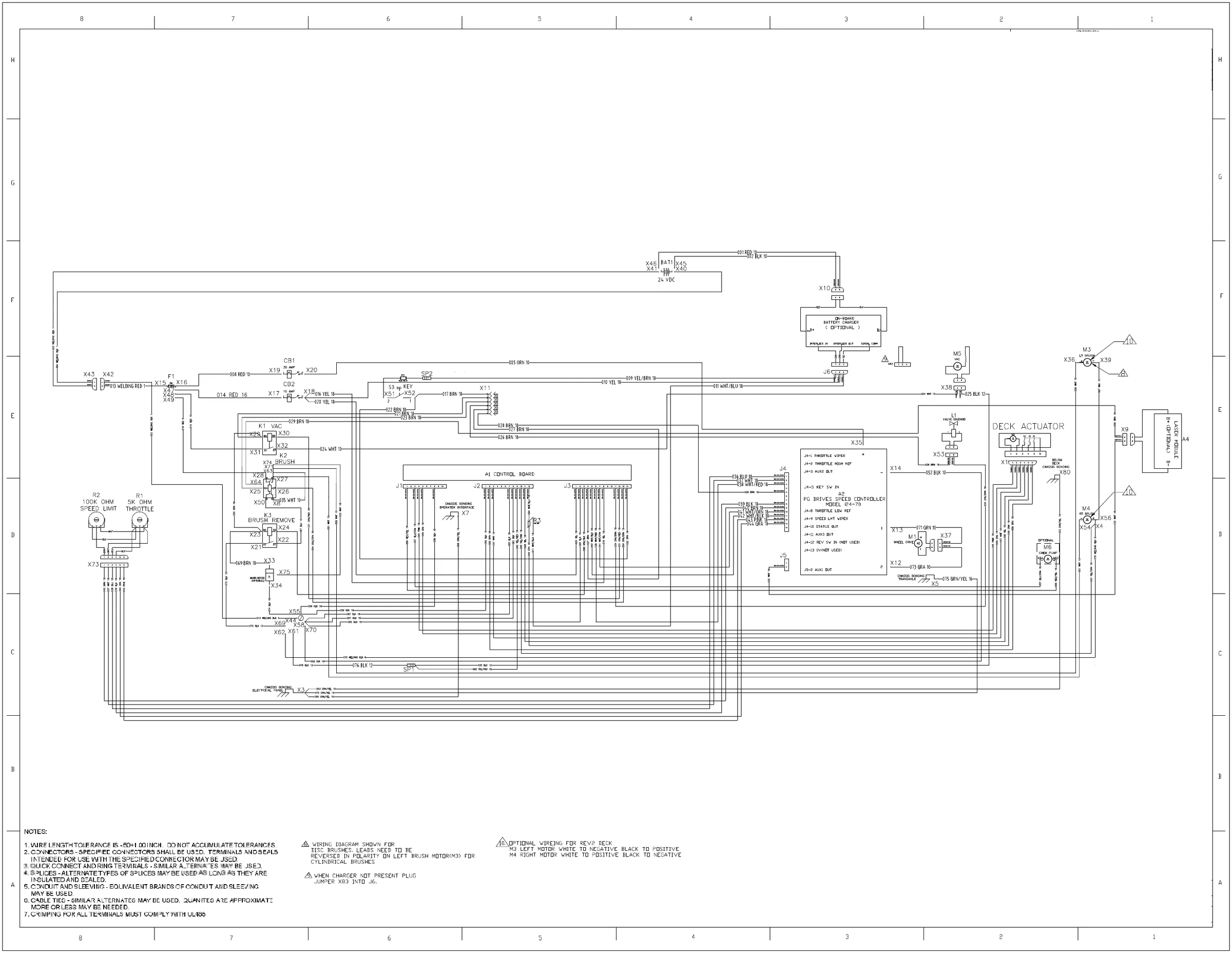
Notes
- Wire length tolerance is -.50+1.00 inch. Do not accumulate tolerances.
- Connectors - specified connectors shall be used. Terminals and seals intended for use with the specified connector may be used.
- Quick connect and ring terminals - similar alternates may be used.
- Splices - alternate types of splices may be used as long as they are insulated and sealed.
- Conduit and sleeving - equivalent brands of conduit and sleeving may be used.
- Cable ties - similar alternates may be used. Quantities are approximate, more or less may be needed.
- Crimping for all terminals must comply with UL486
- Wiring diagram shown for disc brushes. Leads need to be reversed in polarity on left brush motor (M3) for cylindrical brushes.
- When charger not present plug jumper X83 into J6.
- Optional wiring for REV2 deck. M3 left motor white to negative black to positive. M4 right motor white to positive black to negative.
Wiring harness configuration diagram - ST, 56112181 Rev C, Early (before SN 4000077687)
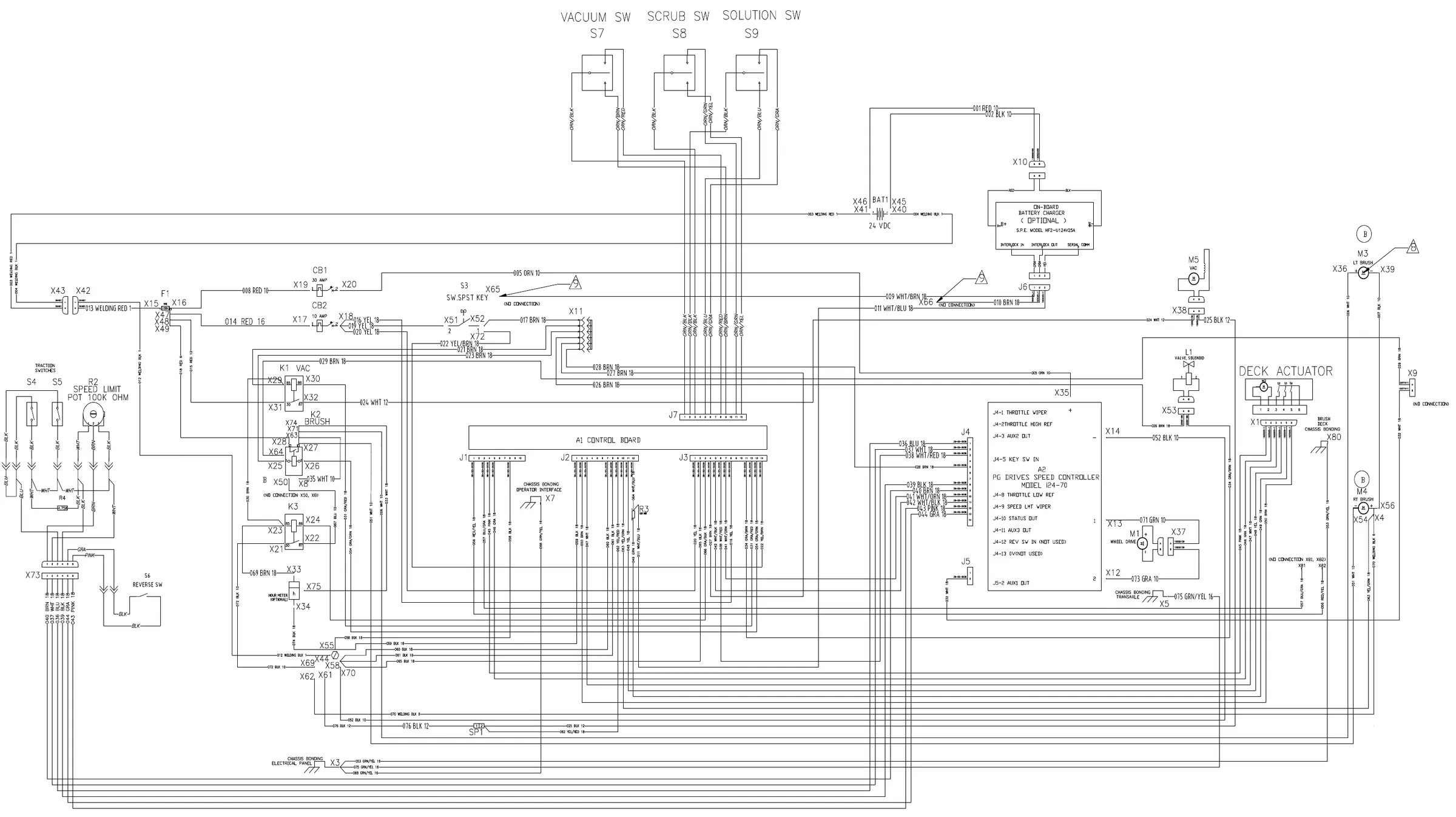
Notes
- Wiring diagram shown for disc brushes. Leads need to be flipped in polarity on left brush motor for cylindrical brushes.
- Wiring diagram shown without on-board charger. If charger is installed, make make wiring changes as needed. 1. Move wire 022 YEL/BRN to S3 pin 2. 2. Remove 017 BRN from S3 and plug into 010 BRN at X66. 3. Install 009 WHT/BRN into S3 pin 1.
Wiring harness configuration diagram - ST, 56383367 Rev B, Late (since SN 4000077687)
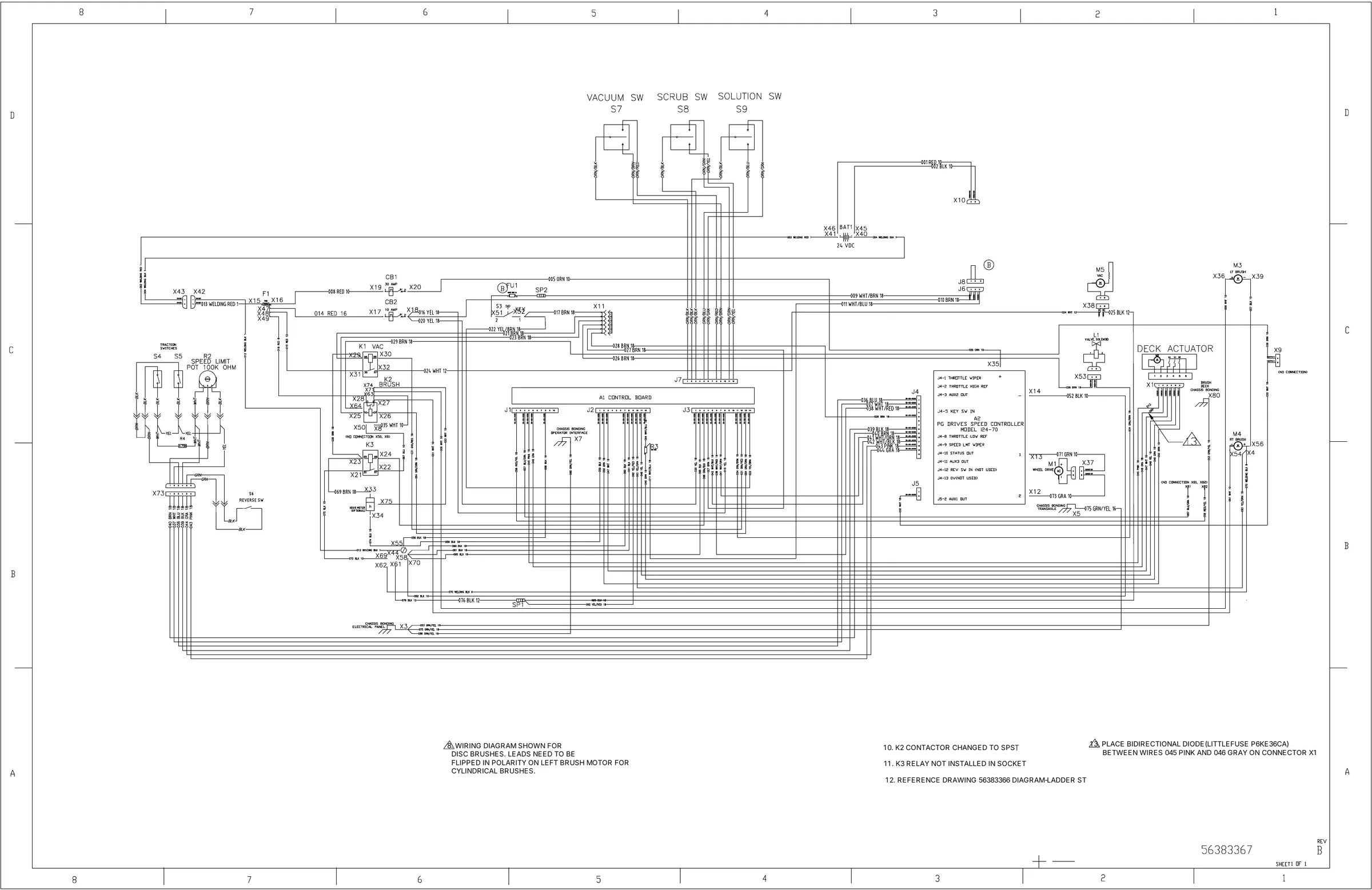
Notes
- Wiring diagram shown for disc brushes. Leads need to be flipped in polarity on left brush motor for cylindrical brushes.
- K2 contactor changed to SPST
- K3 relay not installed in socket
- Reference drawing 56383366 diagram-ladder ST
- Place bidirectional diode (LITTLEFUSE P6KE36CA) between wires 045 pink and 046 gray on connector X1
TrackClean connections, with access control 56384628 Rev A
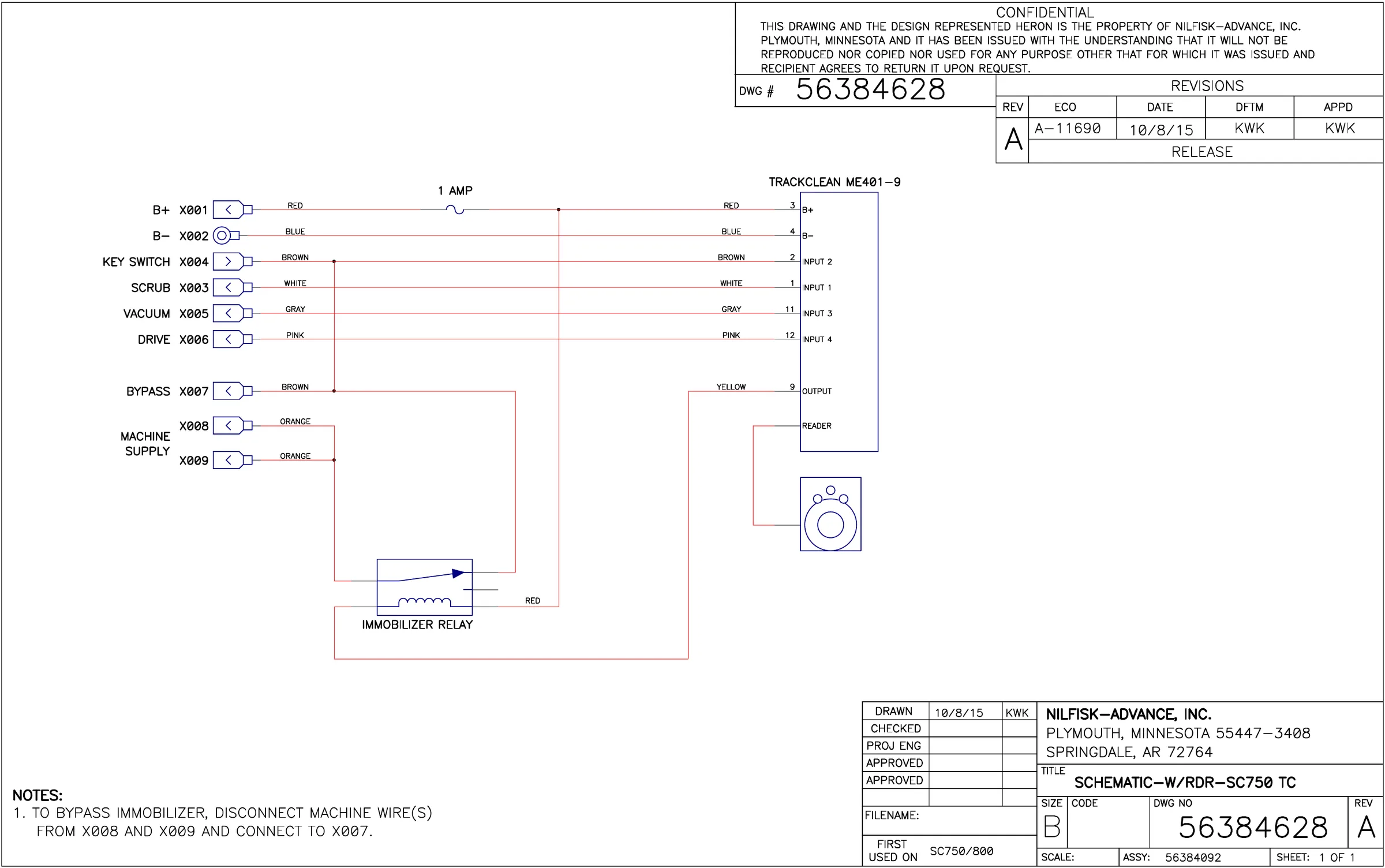
Connections as drawn
| Machine side label | Connector | Wire color | TrackClean ME401-9 terminal |
|---|---|---|---|
| B+ | X001 | RED | 3 (B+) |
| B- | X002 | BLUE | 4 (B-) |
| KEY SWITCH | X004 | BROWN | 2 (INPUT 2) |
| SCRUB | X003 | WHITE | 1 (INPUT 1) |
| VACUUM | X005 | GRAY | 11 (INPUT 3) |
| DRIVE | X006 | PINK | 12 (INPUT 4) |
| BYPASS | X007 | BROWN | (see drawing) |
| MACHINE SUPPLY | X008 | ORANGE | (see drawing) |
| MACHINE SUPPLY | X009 | ORANGE | (see drawing) |
| OUTPUT | (none) | YELLOW | 9 (OUTPUT) |
| READER | (none) | (none printed) | READER |
The B+ line has a 1 AMP fuse. The drawing also shows the IMMOBILIZER RELAY.
Notes
- To bypass immobilizer, disconnect machine wire(s) from X008 and X009 and connect to X007.
Drawing title: Schematic-W/RDR-SC750 TC. Drawing 56384628, rev A (ECO A-11690, 10/8/15, KWK, release), size B, assy 56384092, first used on SC750/800, sheet 1 of 1. Nilfisk-Advance, Inc., Plymouth, Minnesota 55447-3408, and Springdale, AR 72764.
TrackClean electrical connections, without access control 56384627 Rev A
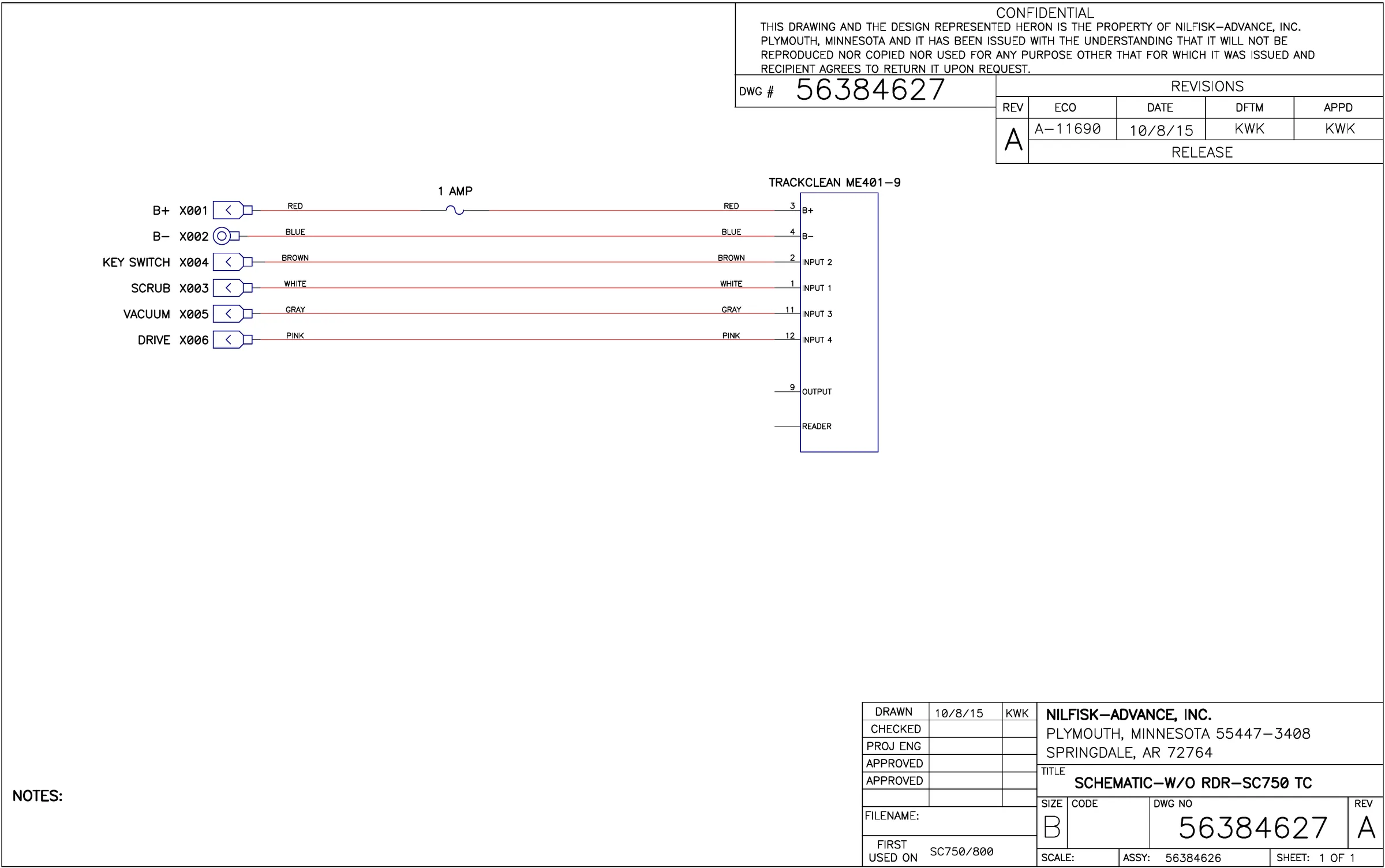
Connections as drawn
| Machine side label | Connector | Wire color | TrackClean ME401-9 terminal |
|---|---|---|---|
| B+ | X001 | RED | 3 (B+) |
| B- | X002 | BLUE | 4 (B-) |
| KEY SWITCH | X004 | BROWN | 2 (INPUT 2) |
| SCRUB | X003 | WHITE | 1 (INPUT 1) |
| VACUUM | X005 | GRAY | 11 (INPUT 3) |
| DRIVE | X006 | PINK | 12 (INPUT 4) |
| OUTPUT | (none) | (no wire) | 9 (OUTPUT) |
| READER | (none) | (no wire) | READER |
The B+ line has a 1 AMP fuse.
Drawing title: Schematic-W/O RDR-SC750 TC. Drawing 56384627, rev A (ECO A-11690, 10/8/15, KWK, release), size B, assy 56384626, first used on SC750/800, sheet 1 of 1. Notes: none printed. Nilfisk-Advance, Inc., Plymouth, Minnesota 55447-3408, and Springdale, AR 72764.
Options and accessories
Battery fill indicator
The Battery Fill Indicator provides a quick visual indication of when one of the battery cells is low and needs water added. It is installed in place of one of the battery fill caps. The wire lead goes to the battery negative terminal. When the level is Okay, the green LED is lit.
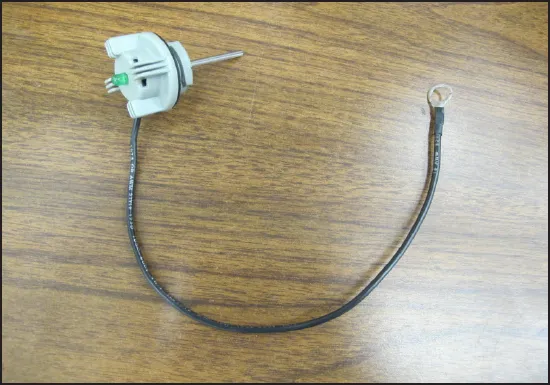
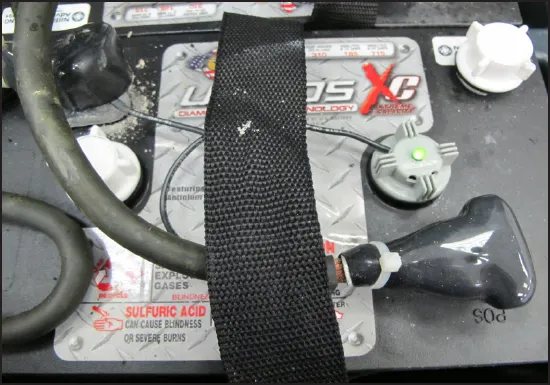
Battery watering kit
The battery watering kit provides a convenient way to add water from a jug into all battery cells at once. Each battery has a manifold that replaces the fill caps. The manifolds are connected with rubber hoses to one another and to a fill port. A separate filler tool is connected to the fill port on one end and the other end goes into a container of distilled water. Squeezing and releasing the bulb pumps the water into all of the batteries simultaneously. As each battery cell becomes full, a shut off valve closes in its battery cap. Once all of the valves are closed, the pump bulb will feel hard since it can no longer pump water.
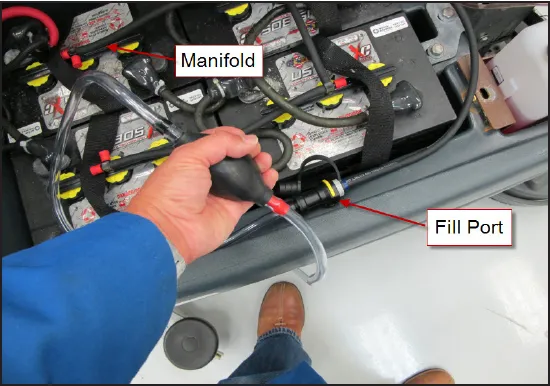
Hour meter
The hour meter keeps track of the run time of the scrub motors.
On-board battery charger
An optional on-board battery charger is available. It attaches to the bottom of the machine. See the Electrical System chapter for more information. Early models used an S.P.E. charger. Later models use a Delta-Q charger. Early models can be retrofitted to use the Delta-Q charger.
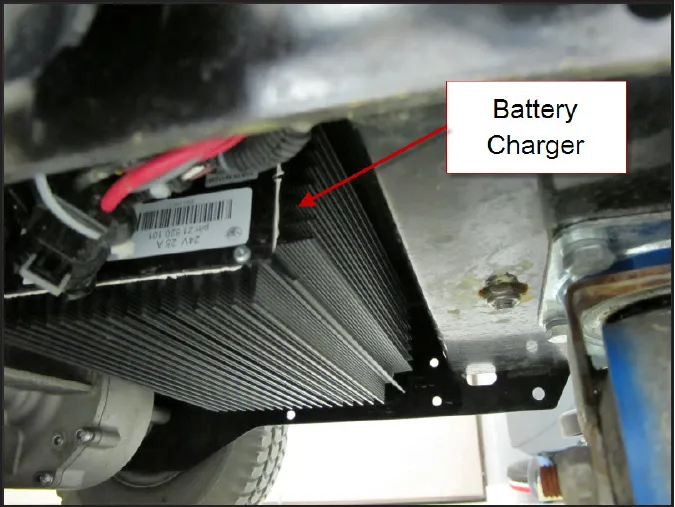
Wiring for on-board charger
When the S.P.E charger is installed, the machine wiring at the Key Switch must be modified for the “interlock” circuit to function properly. See the Electrical System chapter for more information.
To modify the Key Switch Wiring: (See Instruction Sheet Form No. 56090019)
- Move wire 022 (YEL/BRN) from Key Switch pin 1 to Key Switch pin 2.
- Remove wire 017 (BRN) from the Key Switch and plug it into wire 010 (BRN) at connector X66.
- Install wire 009 (WHT/BRN) on the Key Switch pin 1.
Wiring for on-board charger
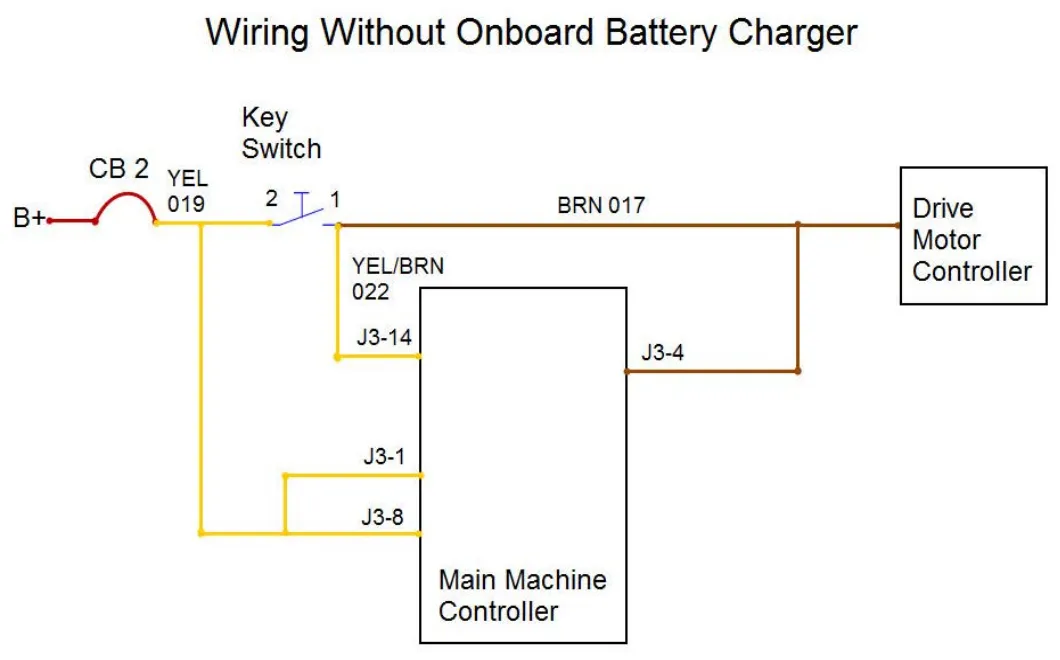
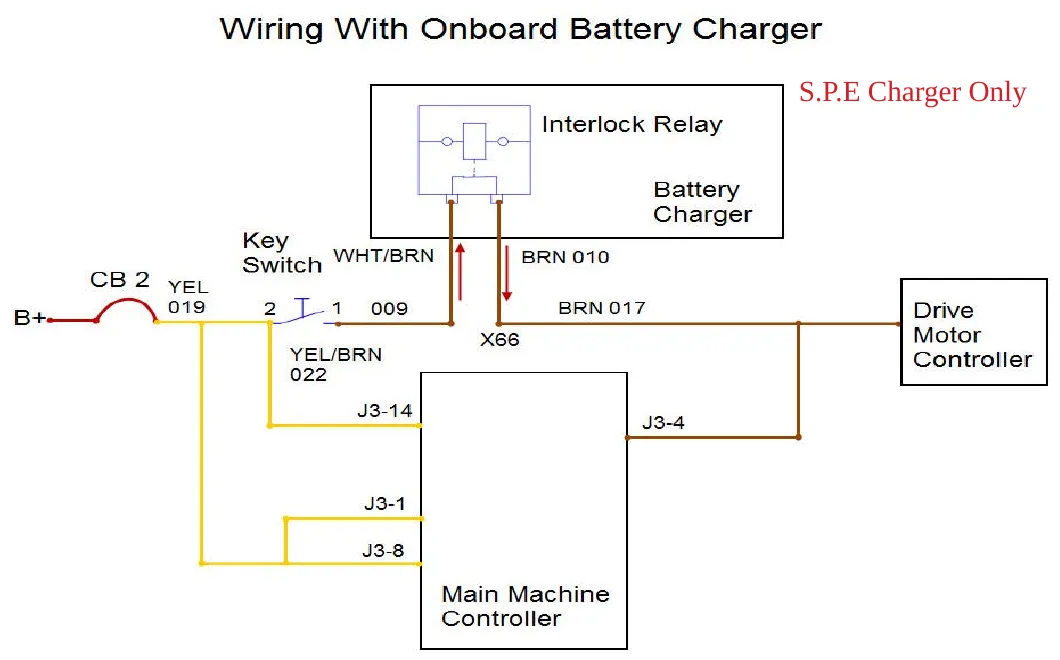
Key switch wiring as drawn
| Wire | Without on-board charger | With on-board charger (S.P.E Charger Only) |
|---|---|---|
| YEL 019 | CB 2 to key switch pin 2, J3-1 and J3-8 | CB 2 to key switch pin 2, J3-1 and J3-8 |
| YEL/BRN 022 | Key switch pin 1 to J3-14 | Key switch pin 2 to J3-14 |
| BRN 017 | Key switch pin 1 to the Drive Motor Controller and J3-4 | X66 to the Drive Motor Controller and J3-4 |
| WHT/BRN 009 | Not shown | Key switch pin 1 to the interlock relay in the battery charger |
| BRN 010 | Not shown | Interlock relay to X66 |
Parking brake
The optional parking brake kit has a manually operated lever that presses a plunger against a drive wheel to act as a brake.
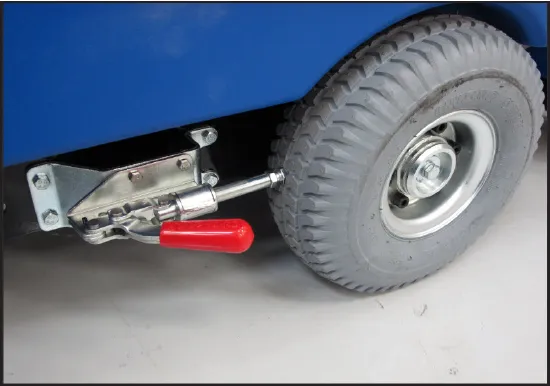
Laser
The laser provides a visual cue of the cleaning path width and provides an early warning that a machine is approaching.
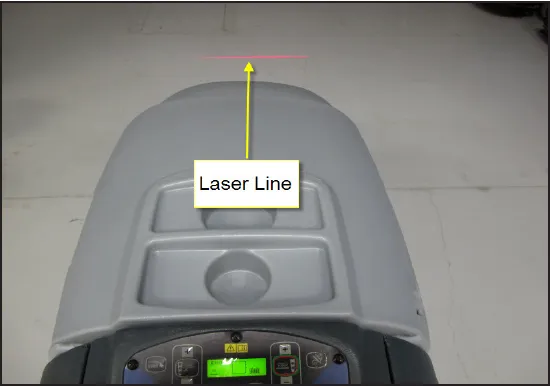
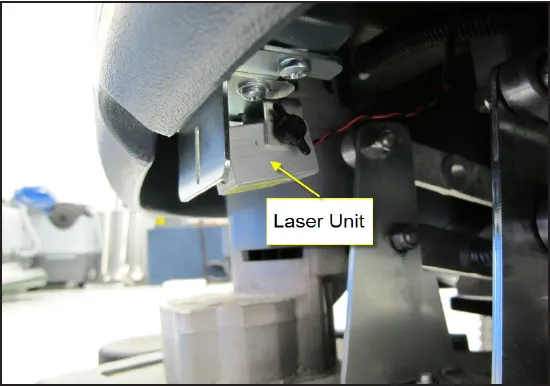
TrackClean
TrackClean is an add on option that provides machine location and operation data to the machine owner. It may have a magnetic key reader which will prevent machine operation unless a valid magnetic key is inserted. Several additional electrical connections are made when the kit is installed to monitor machine operation in order to provide data. See wiring and connection diagrams in the electrical system chapter (page 65 to page 74).
Recovery system
Functional description
The job of the recovery system is to remove the dirty water from the floor and store it in the recovery tank. The dirty water is then disposed of. Dirt and water are lifted off the floor into the recovery tank by airflow created by a vacuum motor. The wastewater and air enter the vacuum system at the squeegee tool, through notches in the front squeegee blade. The air and wastewater move through the squeegee vacuum hose at high speed until it reaches the recovery tank. The heavier water falls to the bottom of the recovery tank. The airflow continues through the vacuum fan inlet port, vacuum motor and exhaust port. A debris tray inside the recovery tanks helps to redirect the water downward and catches large particles. No wastewater ever actually moves through the vacuum motor, just the working air. A floating ball in a cage seals off the vacuum port when the tank is full to protect the vacuum motor from water ingestion. When the float ball seats, the amp draw of the motor is reduced and the Main Machine Controller shuts off the vacuum motor. The squeegee is raised and lowered manually using the squeegee lift lever. Springs apply downward pressure on the squeegee.
Here is how the vacuum motor circuit works. The relay winding is fed battery voltage on terminal 85. The other side of the relay coil (terminal 86) is connected to a switch inside the controller. To energize the relay, the controller closes the switch which completes the path to B-. The relay contact terminal 30 is connected to B+. When the relay is energized, the contacts close connecting 30 to 87 which sends battery voltage to the vacuum motor. Since the other side of the motor is connected to battery negative, the motor turns on. The Main Machine Controller also monitors the current draw of the vacuum motor via a “vacuum motor sense” wire. The controller has an internal “voltmeter” that measures the voltage difference (drop) between the sense wire and battery negative. A calibrated ground wire of a specific size and length is used for the motor ground. At a given amperage flow, there is a correlating voltage drop. As the amperage increases the voltage drop also increases. The controller translates the voltage drop measured into amperage.
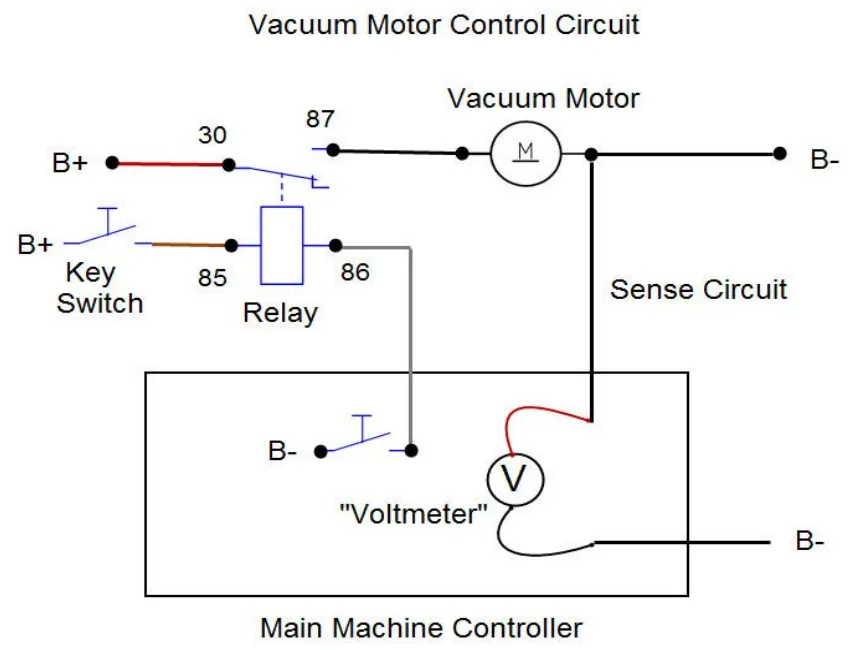
The vacuum contactor (relay) is turned on when the following inputs are met:
- Operator request
- Scrub On/Off switch has been pressed or
- Vacuum/Wand switch has been pressed
- Machine Moving Signal is received from the Drive Motor Controller
The vacuum relay is de-energized when the operator turns off the scrub system following a timed delay.
Component locations
- Vacuum Motor Cover
- Vacuum Motor
- Vacuum Relay (Contactor) K1
- Debris Tray
- Cage and Ball Float
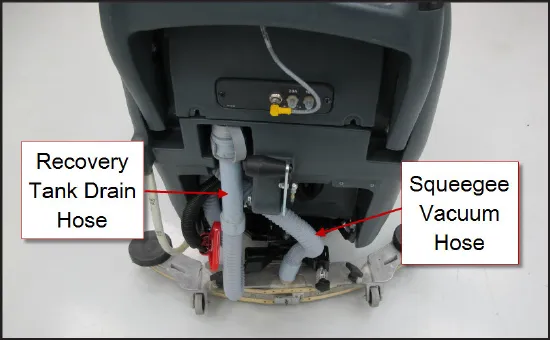
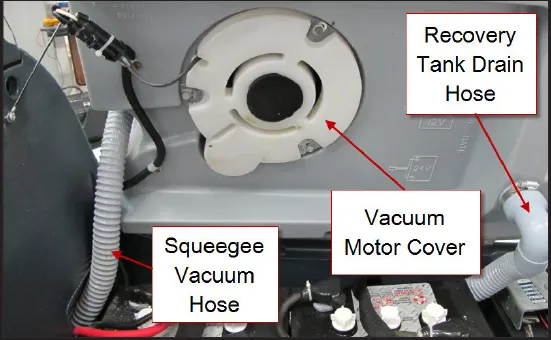
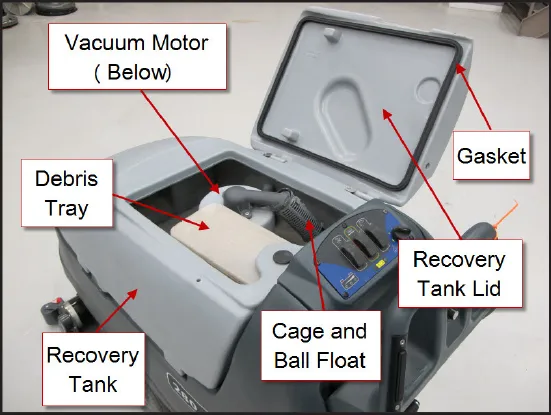
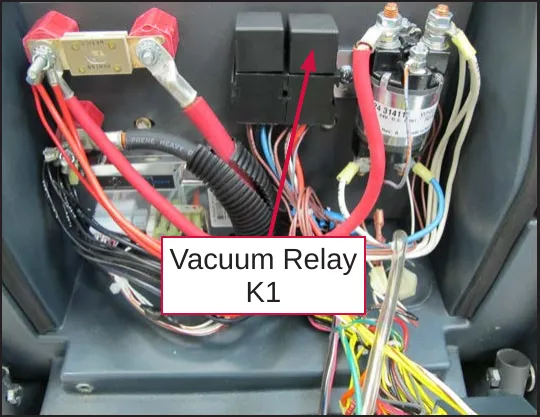
Troubleshooting
Vacuum motor does not turn on (scrub function works)
Possible Causes:
- Defective Vacuum Motor
- Defective Vacuum Motor Contactor (Relay) K1
- Defective Wiring
- Defective
Insufficient water pickup
Good water pick up performance depends on the proper amount of air flowing through the squeegee pickup tool. Air entering the vacuum system before the pickup tool will reduce its ability to pick up water. Anything that restricts the movement of air through the system will also reduce its ability to pick up water.
Possible Causes:
- Restricted air flow
- Clogged or kinked squeegee vacuum hose
- Clogged vacuum motor inlet or outlet port
- Damaged squeegees
- Air leaks
- Recovery tank lid gasket is not sealing
- Cracked squeegee vacuum hose
- Cracked recovery tank
- Vacuum motor is weak
Begin with a good visual inspection of the system. Check the condition of the squeegees and the recovery hose. Take the recovery hose off and rinse it out. Check the recover tank cover gasket condition. Repair any problems found.
If no visual problems are found, test the system using a vacuum gauge PN 56205281 and open- hole adapter. (See the Special Tools Section below. The adapter can be made from a piece of PVC pipe.)
- Remove the vacuum hose from the squeegee tool.
- Hold the vacuum gauge against the end of the hose and turn on the vacuum motor. Note the reading on the gauge. If it is within 10% of specs, go to the next step. If it is too low, check for air leaks in the system.
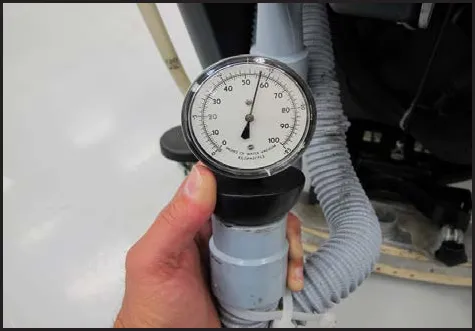
Vacuum gauge held against the hose end - Install a one inch open-hole adapter between the hose end and the vacuum gauge.
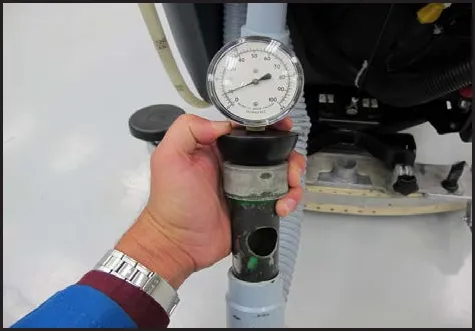
Vacuum gauge on the open-hole adapter - Turn the vacuum motor on and measure the vacuum. If it is within 10% of the specs, the vacuum system is working properly. If the reading is too low, check for a restriction in the system.
Removal and installation
Vacuum motor
- Turn off key switch, drain recovery tank and lift recovery tank up.
- Cut tie straps securing wiring and disconnect vacuum motor electrical connection.
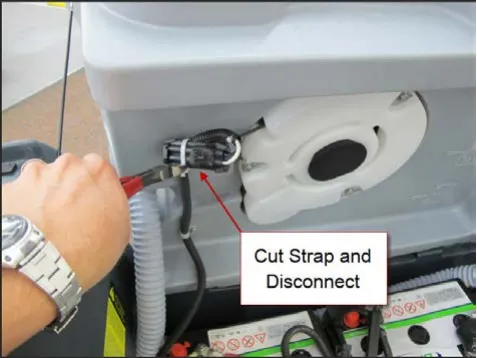
Cut strap and disconnect the vacuum motor connector - Remove vacuum motor cover mounting screws and cover. Note: The vacuum motor cooling fan guard may come off the end of the motor. Do not run the motor without the guard in place. Make sure that it is put back on during reassembly.
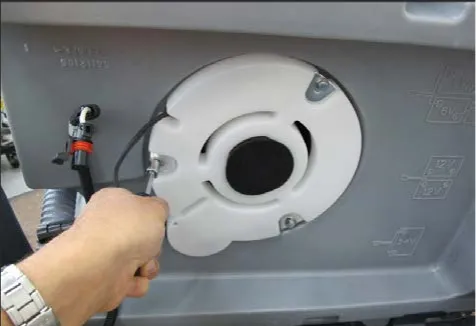
Removing the vacuum motor cover screws 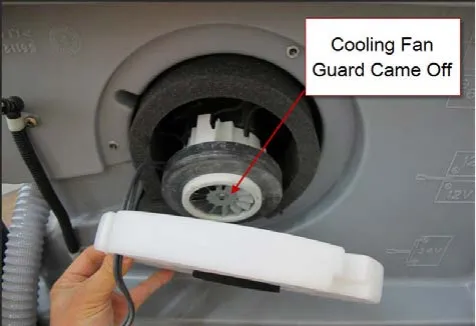
Cooling fan guard came off with the cover
- Remove vacuum motor and foam pieces. Pay attention to how the foam pieces are positioned.
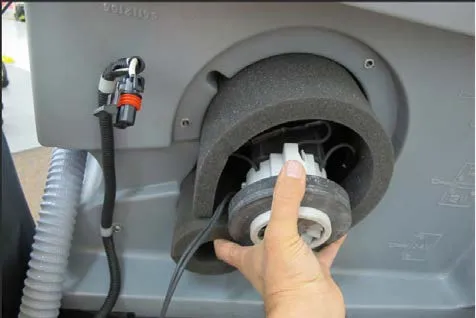
Removing the vacuum motor 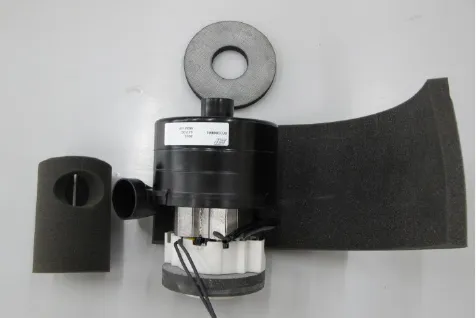
Vacuum motor and foam pieces - Reassemble in reverse order.
- Install the cooling fan guard if it is not in place.
- Take care to position all the foam pieces correctly.
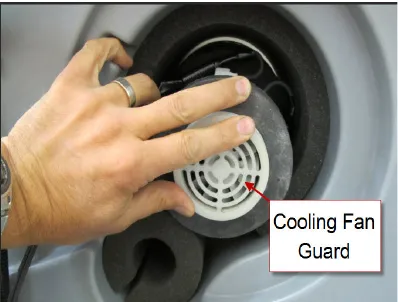
Cooling fan guard on the motor end 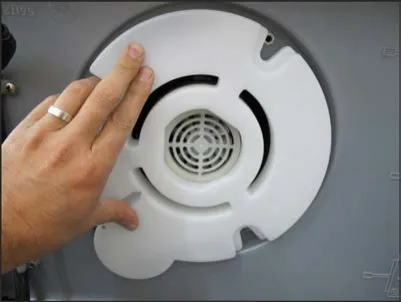
Vacuum motor cover in place - Make sure the ends of the vacuum motor are seated correctly. (If you have difficulty seating all of the pieces, remove the recovery tank and place it upside down so that the vacuum motor goes in vertically. This way you will not be fighting gravity.)
- Route the vacuum motor wiring lead in the slot of vacuum motor cover and install foam cooling fan filter.
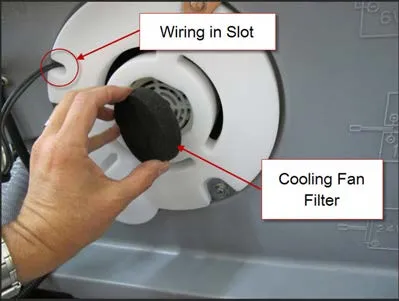
Wiring in the cover slot and cooling fan filter
Specifications
Vacuum motor
.66 HP (490 watt) three-stage
Vacuum performance
- Blocked off - measured at squeegee hose end 51.2 in H2O minimum
- With 1 inch hole measured approximately 8.7 in H2O minimum
Vacuum motor amp draw
With everything assembled and squeegee off the floor - 17 Amps
Special tools
- Water Lift Gauge, part number 56205281
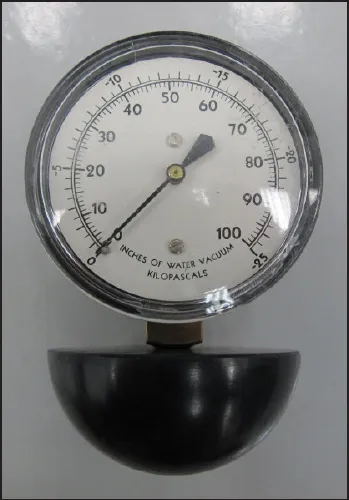
- 1 inch open hole adaptor – This can be fabricated from a short section of PVC pipe.
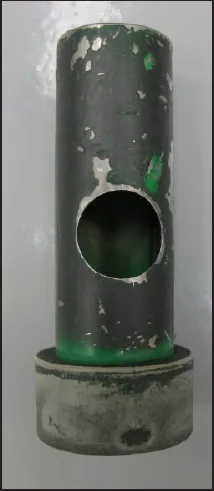
Scrub system – cylindrical
Functional description
The scrub system moves the scrub head up and down and turns the scrub motors on and off at the operator’s request, to provide floor scrubbing action. The brushes spin toward one another at the bottom. The head is moved up and down by an electric actuator motor that has integrated position switches. The weight of the scrub head provides the downward pressure for scrubbing. The actuator linkage is slotted to allow the brush head to “float” when going over low and high spots on the floor. A spring is used to lift just a bit of weight in order to obtain optimal scrub pressure weight. Note: The cylindrical scrub system does not have an “extreme pressure” mode.
- The Main Machine Controller energizes the brush solenoid to turn on the brush motors when the following inputs have been met:
- Key switch on
- Operator request
- Machine moving signal (FOR/REV) is received from the Drive Motor Controller (A2 PG Drives Speed Controller)
- Approximately 24 volts received from the main controller (J3 Pin 6) is switched to battery negative by the Drive Motor Controller, dropping the voltage to 0 volts.
Here is how the circuit works for the scrub motors: The Main Machine Controller turns on the scrub motors indirectly by energizing the Brush Contactor. The brush contactor coil is fed battery positive voltage through the key switch. The voltage goes through the coil and on to the controller. Inside the controller, it switches the circuit to battery negative to energize the relay. When the relay energizes, positive battery voltage is applied through its contacts to the brush motors. Since the other side of the motors is connected to battery negative, they turn on.
The Main Machine Controller also monitors the amount of electrical current (Amps) that is flowing through the brush motor ground circuit. If it is higher or lower than expected a fault code will be set. It monitors the amperage indirectly on a “sense” wire by measuring the difference in voltage (Voltage Drop) between a point near the motors and the main battery negative terminal. As actual current increases, the voltage drop measured increases. The controller then converts the voltage value to “Amps”. The monitoring circuit relies on a calibrated ground wire that is a specific gauge and length.
An electric actuator is used to move the scrub head up and down. The actuator has a DC permanent magnet electric motor which is driven by the Main Machine Controller. The motor turns a threaded shaft. When the threaded shaft turns, it moves a threaded rod up and down. Since the rod is attached to the deck, it moves the deck up and down.
Inside the actuator housing, there are also three position switches which are monitored by the Main Machine Controller. One for the “retracted” position, one for the “middle” position (Normal scrub pressure) and one for the “Extended” position (Extreme scrub pressure). Each switch is normally closed. The threaded rod has a collar on it that opens each switch as it passes by it. When the Main Machine Controller sees the middle position switch open, it knows that the deck is in the normal scrub position. If that was its goal position, the controller turns off the motor to stop the deck in that position.
Here is how the circuit works for the actuator. The Main Machine Controller directly drives the brush head actuator motor. It applies system voltage across the two actuator motor wires to move the motor up. It reverses polarity to move the motor down. Each position switch receives a 5 volt feed through a resistor from the controller which returns back to battery negative on a common wire to connector J2 pin 2. The controller has “internal voltmeters” which monitor the signal voltage of each switch circuit. When the switch is closed, the voltage signal is approximately 0 volts. When the switch is open, the voltage is approximately 5 volts.
- Deck up - Retracted Position switch = 5v (Other two switches = 0v)
- Normal Scrub mode - Middle Position switch = 5v (Other two switches = 0v)
- Extreme Scrub mode is not used on Cylindrical Deck
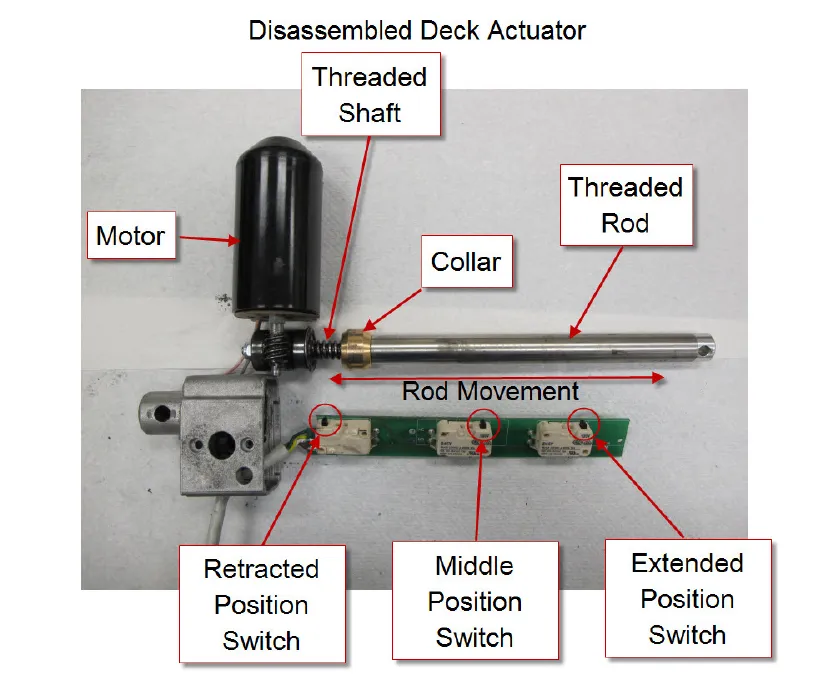
Note: The actuator “extended” position switch circuit is unique because it is also used as a communication line between the Main Machine Controller and the battery charger. The addition of the battery charger on the circuit drops the 5v that is normally seen when the switch is open to approximately 3 volts. This is normal.
When the key is turned off, if the brush head is down, the Main Machine Controller will raise the brush head to the full “up” position. When the operator requests the scrub mode, the controller drives the actuator down until it sees the Middle Position switch open (5v). When the operator turns off the scrub function, the controller drives the actuator motor up until it sees the Retracted Position switch open again (5v). If more than one position switch is open (5v) at a time, the controller does not know which one to believe. It realizes there must be a problem and will not move the actuator.
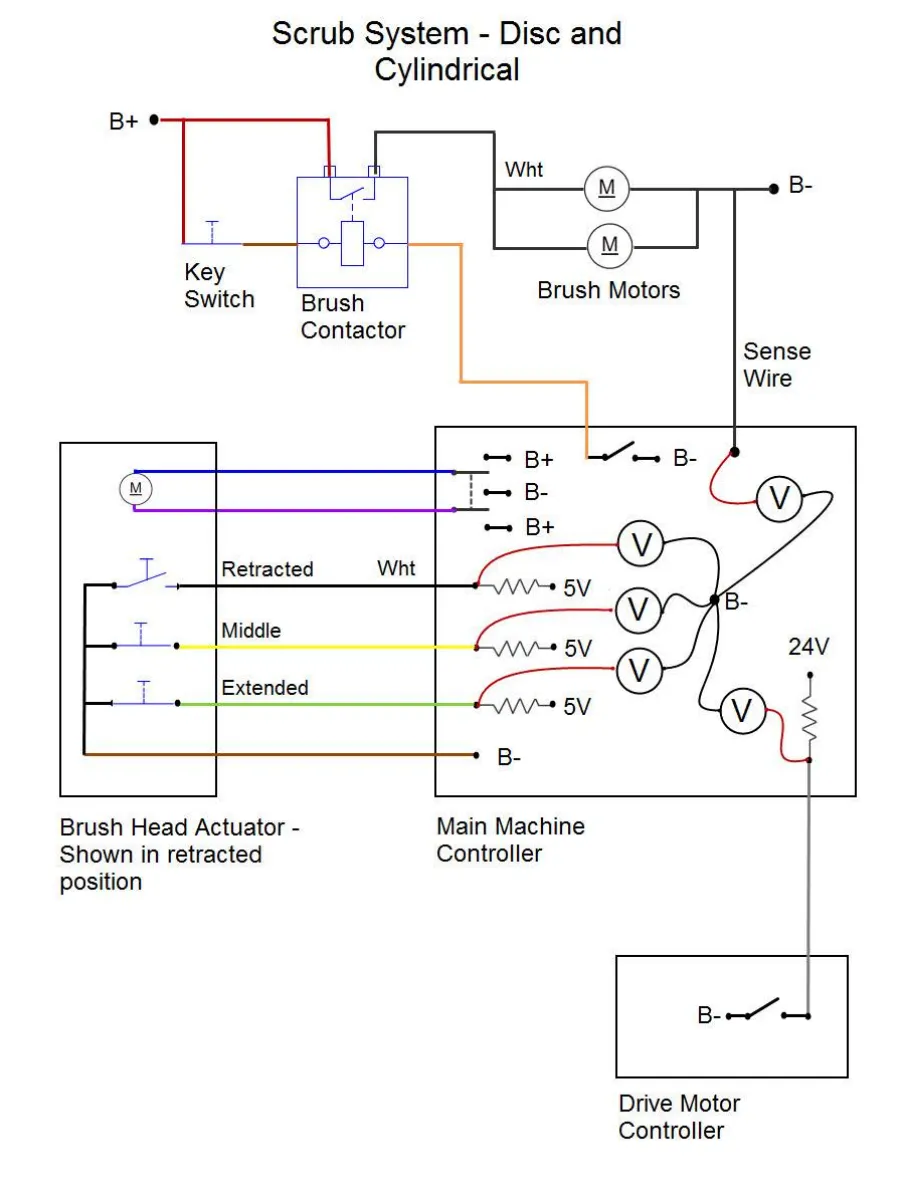
| Area of drawing | Labels printed there |
|---|---|
| Drawing title | Scrub System - Disc and Cylindrical |
| Top of drawing | B+; Key Switch; Brush Contactor; Wht (on the wire to the brush motors); Brush Motors (two, each marked M); B-; Sense Wire |
| Brush Head Actuator box | Brush Head Actuator - Shown in retracted position; M (actuator motor); Retracted; Middle; Extended; Wht (on the Retracted line, between the two boxes) |
| Main Machine Controller box | Main Machine Controller; B+; B-; B+ (left switch contacts); B- (top switch); 5V (printed three times, one beside each of the Retracted, Middle and Extended lines); B- (centre); B- (bottom left); 24V; V in a circle (five voltmeter symbols) |
| Drive Motor Controller box | Drive Motor Controller; B- |
Component locations
- Brush Head
- Debris Hopper
- Idler Assembly
- Brush Drive Belt
- Brush Head Actuator
- Brush Contactor
- Brush Drive Motor
- Motor Drive Pulley
- Brush Drive Pulley
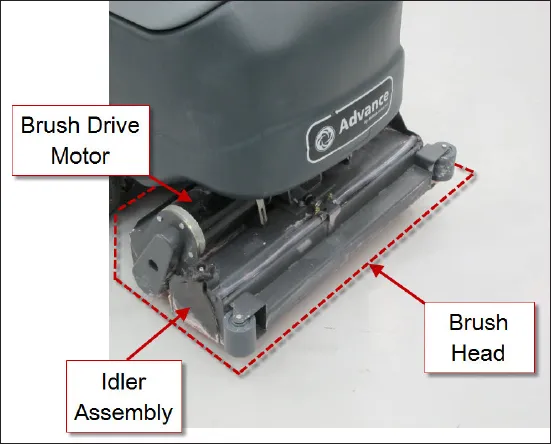
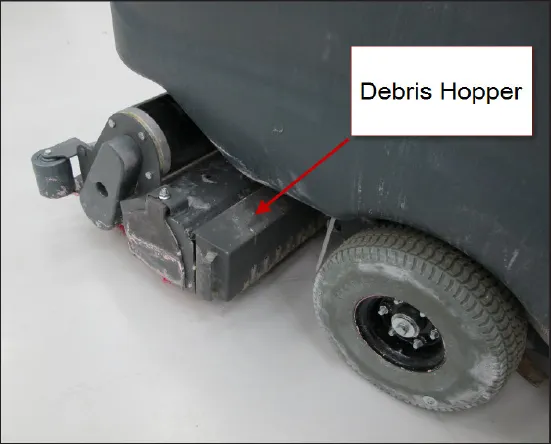
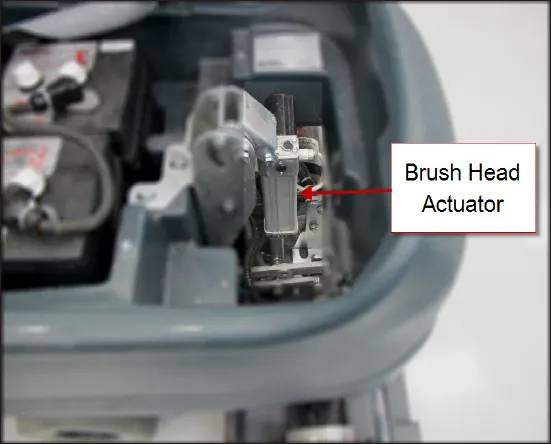
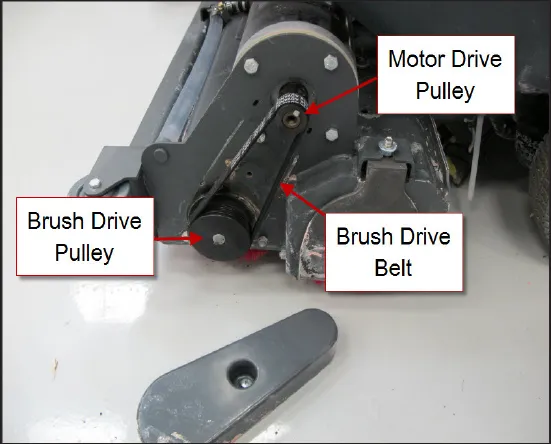
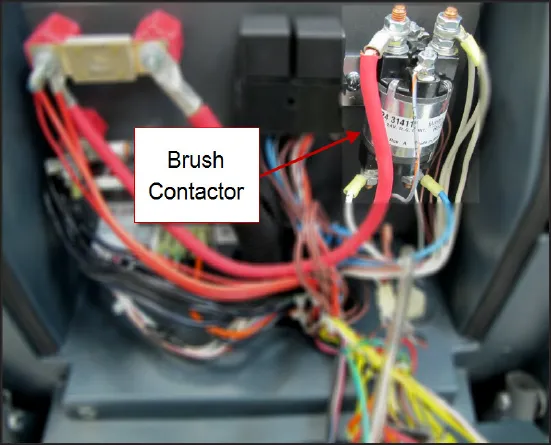
Troubleshooting
Scrub motors do not turn on
Possible Causes
- Brush Contactor
- Open or shorted winding
- Burned contacts
- Wiring
- Main Machine Controller – Not energizing the brush contactor.
- Drive Motor Controller – Not providing “machine moving signal”
Brush head will not raise or lower
Possible Causes
- Mechanical binding for the actuator linkage
- Brush Head Actuator – Check both the motor and the position switches. Only one position switch should be open at a time and it should open at the correct position.
- Actuator Motor
Unplug the actuator connector and momentarily supply fused 24v power and ground to the two motor terminals to see if the motor will operate. (Machine harness wire color Pink wire and Gray wire). Reverse the polarity to drive it in both directions. If the motor will not drive in both directions, replace the actuator. If it does drive in both directions, proceed to check the position switches.
- Position Switches
Access the Main Machine Controller and unplug the electrical connectors.
Check the retracted position switch.
- Put the black ohmmeter lead on the Brown wire at the J2 connector pin 2.
- Put the red ohmmeter lead on the White wire at the J2 connector pin 3.
- Actuator Motor
- Drive the actuator motor all the way up and down using jumper wires powered by battery positive and negative. Connect them to the two actuator motor wires at the Main Machine Controller connector. (Pink wire at connector J1 pin 4 and Gray wire at connector J1 pin 5.) Change polarity to change direction. Immediately remove jumper wires at the end of motor travel.
- Monitor the ohmmeter. It should show an open circuit (no continuity) only when the actuator is in the retracted position. In all other positions it should show a closed circuit (continuity).
Check the middle position switch.
- Put the black ohmmeter lead on the Brown wire at the J2 connector pin 2.
- Put the red ohmmeter lead on the Yellow wire at the J2 connector pin 11.
- Drive the actuator motor all the way up and down using jumper wires powered by battery positive and negative. Connect them to the two actuator motor wires at the Main Machine Controller connector. (Pink wire at connector J1 pin 4 and Gray wire at connector J1 pin 5.) Change polarity to change direction. Immediately remove jumper wires at the end of motor travel.
- Monitor the ohmmeter. It should show an open circuit (no continuity) only when the actuator is in the middle position. In all other positions it should show a closed circuit (continuity).
Check the extended position switch.
- Put the black ohmmeter lead on the Brown wire at the J2 connector pin 2.
- Put the red ohmmeter lead on the Green wire at the J2 connector pin 12.
- Drive the actuator motor all the way up and down using jumper wires powered by battery positive and negative. Connect them to the two actuator motor wires at the Main Machine Controller connector. (Pink wire at connector J1 pin 4 and Gray wire at connector J1 pin 5.) Change polarity to change direction. Immediately remove jumper wires at the end of motor travel.
- Monitor the ohmmeter. It should show an open circuit (no continuity) only when the actuator is in the extended position. In all other positions it should show a closed circuit (continuity).
- Wiring
- Main Machine Controller
Removal and installation
Scrub brush
- Turn the key switch off and wait for the Brush Head to rise.
- Disconnect the Battery Pack Connector.
- Loosen the hand wheel nut several turns until the idle cover lowers far enough that the slots clear and allow the cover to be pulled outward. If the cover is stuck, push down on the hand wheel.
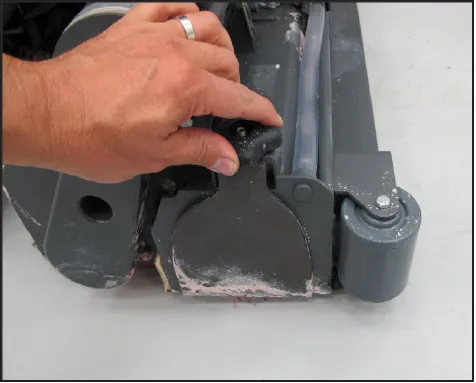
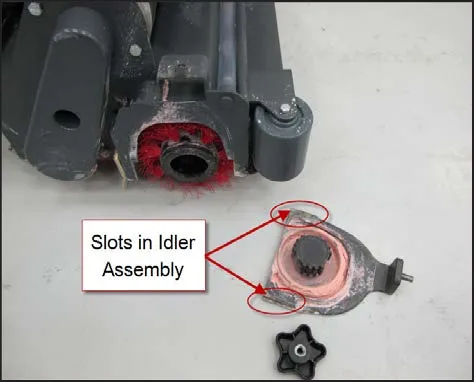
- Pull brush out of housing.
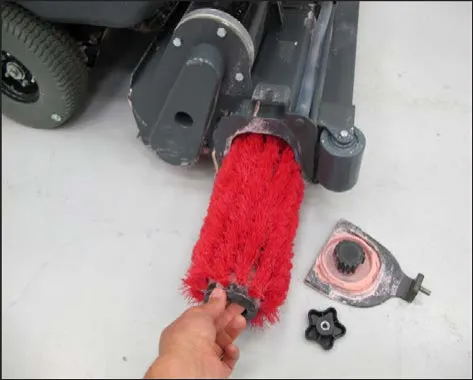
- Slide new brush into housing. Rotate and lift the end to engage the drive hub flanges with the slots in the end of the brush.
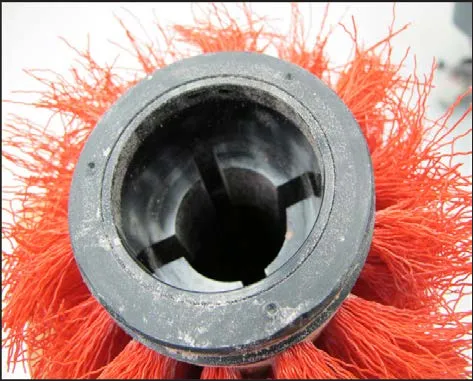
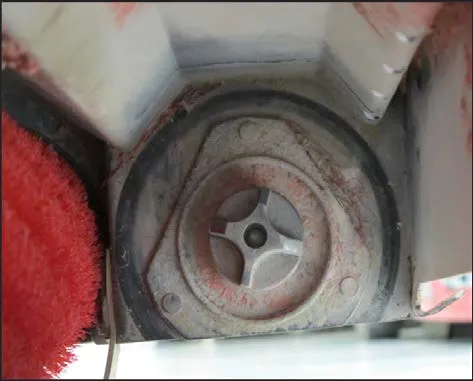
- Position idler pulley in brush end and seat the idler cover flat against the brush head
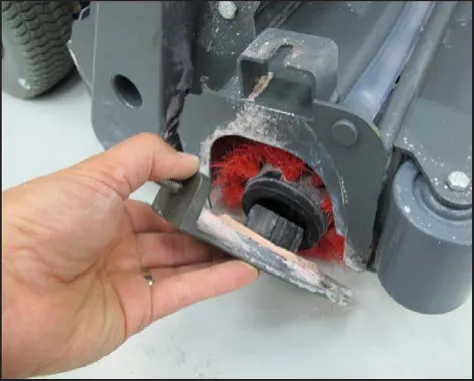
- Tighten the hand wheel nut, making sure that the slots in the idle cover line up and engage the brush head.
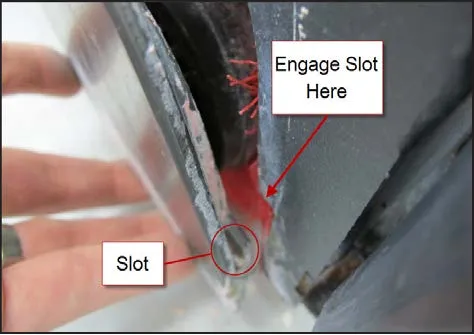
Brush drive belt
The drive belt is a “stretch belt” and may appear “too short”. It is not tensioned with a slotted adjustment but instead is stretched on much like a vacuum cleaner belt.
- Remove belt cover.
- Pry the brush drive belt off the drive motor pulley using a screw driver.
- Install the belt on the brush drive pulley first.
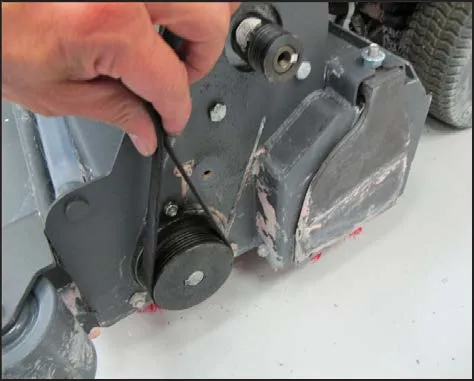
- Use a screwdriver to pry the belt onto the motor pulley using a rolling action.
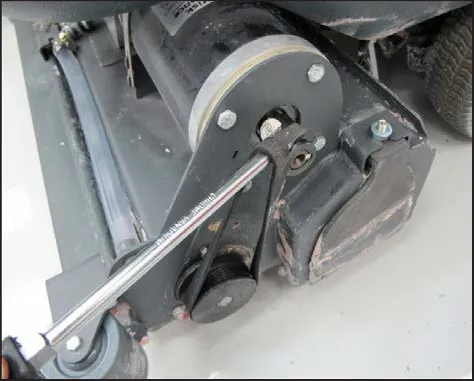
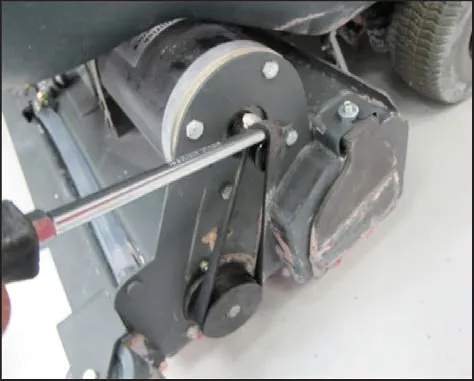
- If the belt grooves are not quite in place, push on the side of the belt while rotating the pulley until the belt grooves are properly seated in the pulley.
- Reinstall the belt cover.
Brush head actuator
- Empty recovery tank.
- Press the scrub button to lower the brush head.
- If the actuator does not move, slightly raise the brush head with a jack to take tension off of the mounting hardware.
- Lift recovery tank up.
- Disconnect electrical connector so the actuator will not move and then turn the key off.
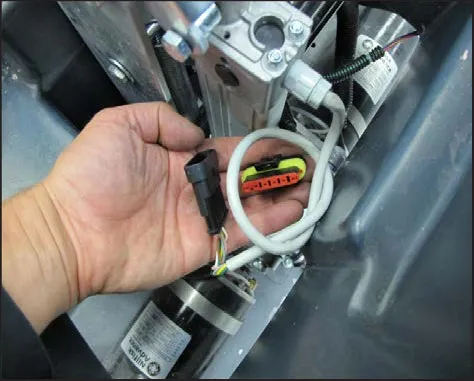
- Remove upper and lower fasteners.
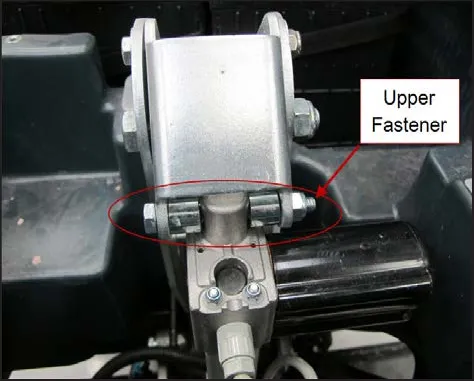
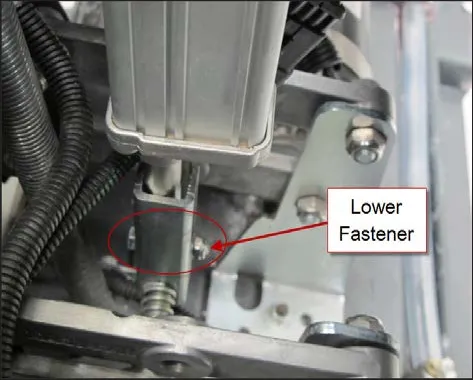
- Remove actuator.
- Reassemble in reverse order.
Brush motor
- Remove the rear Scrub Brush.
- Remove the Debris Hopper.
- Remove the Brush Drive Belt.
- Lower Brush Head.
- Reconnect Battery Pack Connector.
- Turn the key on, press the scrub switch and wait for brush head to lower.
- Unplug Brush Head Actuator electrical connector, turn the key off and unplug the Battery Pack connector.
- Remove the motor strap.
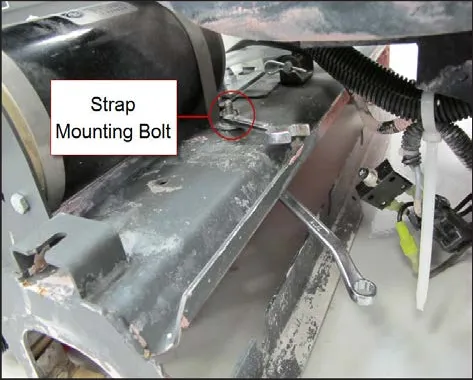
- Remove the motor end mounting bolts.
- Partially remove motor for better access to the wiring terminals.
- Do not lose the spacer plate.
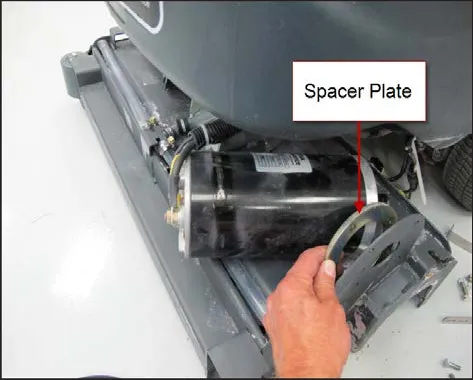
- Record the wiring connections so that you will be able to reconnect it properly upon reassembly.
- Remove wiring.
- Use a backup wrench when removing attaching nuts to prevent the terminals from spinning.
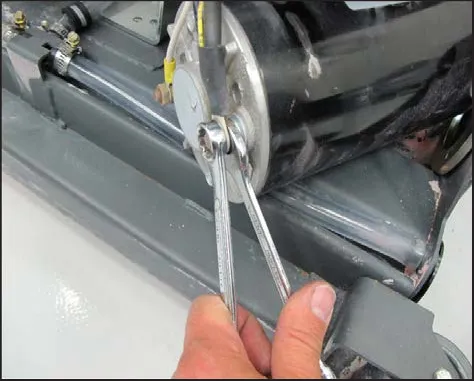
- Reassemble in reverse order.
Motor carbon brushes
- Remove the brush drive motor.
- Mark the position of the endplate to the motor casing for reassembly.
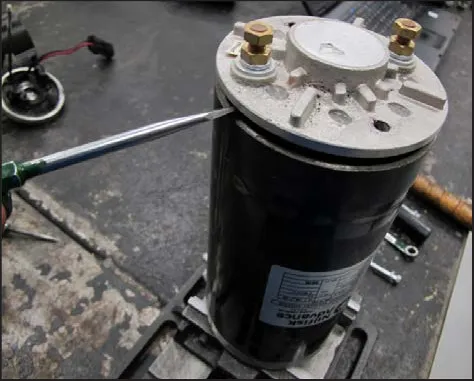
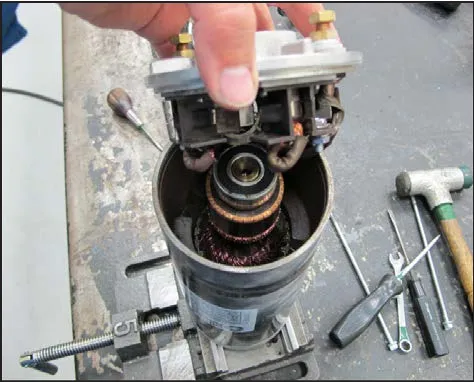
- Remove the 2 through bolts and pry off the endplate assembly.
- Replace the carbon brushes.
- a. Observe how the springs roll when the brush is pushed back before taking it apart.
- b. Remove a brush and spring.
- c. Install a new brush and spring into the brush holder. Thread the brush wire lead through the brush holder. Position the back end of the brush in the “cup” of the spring so that the spring will unroll as the brush is pushed back once it is installed.
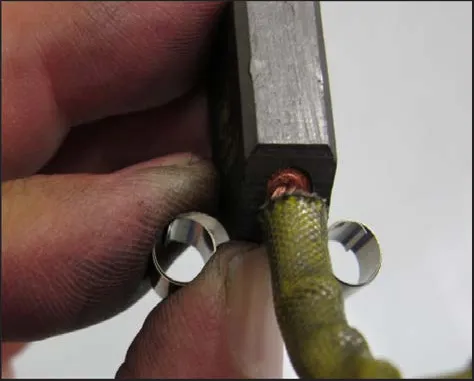
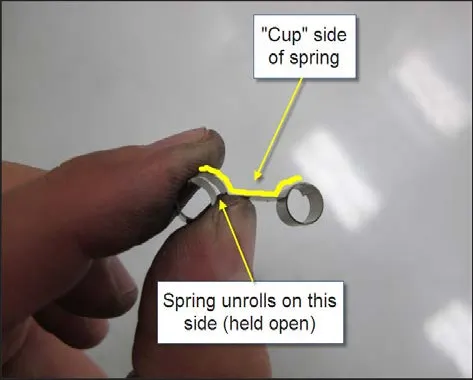
- d. Push brush back against the spring and insert a stiff temporary retaining wire (paper clip) through the access hole in the end cover. (Remove silicone sealer from the holes) The wire must go through the holes in the brush holder just in front of the brush to hold the brush back against the spring pressure.
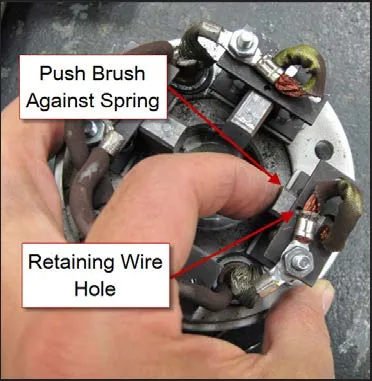
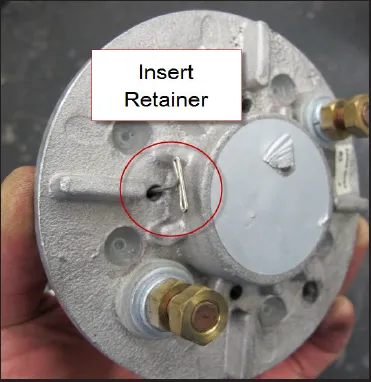
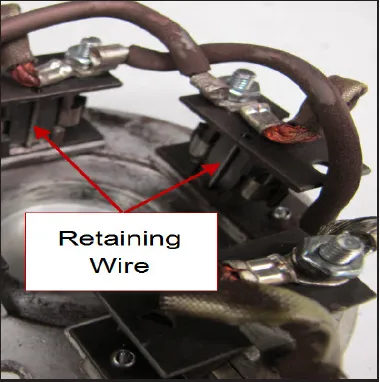
- Install the other three brushes.
- Install the wave washer.
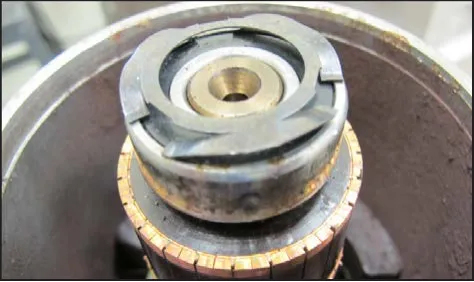
- Install the end cover in stages, aligning the marks made earlier.
- a. Install it far enough so that the brushes will contact the commutator when the temporary retaining wires are removed, then remove the wires.
- b. Fully seat the end cover.
- Install the through bolts.
- Seal the retaining wire holes in the end cover with silicone sealant.
Specifications
Scrub motor total amp draw
Typical total amp draw for both 28 inch and 32 inch decks ranges from 45 Amps to 65 Amps when scrubbing with low solution flow, depending on the type of floor.
Scrub motor speed
830-840 RPM
Scrub force
80 lb (36.3 kg)
Brush head actuator amp draw
Upward with weight of deck - Approximately 1-2 Amps
Brush contactor
Winding Resistance – 55 ohms
Scrub system, disc
Functional description
Scrubbing
The scrub system moves the scrub head up and down and turns the scrub motors on and off at the operator’s request to provide floor scrubbing action. The discs spin toward the center at the front edge of each disc. The head is moved up and down by an electric actuator motor that has integrated position switches. The weight of the scrub head provides the downward pressure in the normal scrub mode. When extreme pressure is requested, the actuator moves down farther causing a gas spring to exert additional downward pressure on the floor.
The Main Machine Controller energizes the brush solenoid to turn on the brush motors when the following inputs have been met:
- Key switch on
- Operator request
- Machine moving signal (FOR/REV) is received from the Drive Motor Controller (A2 PG Drives Speed Controller)
- Approximately 24 volts received from the main controller (J3 Pin 6) is switched to battery negative by the Drive Motor Controller, dropping the voltage to 0 volts.
Here is how the circuit works for the scrub motors. The Main Machine Controller turns on the scrub motors indirectly by energizing the brush contactor. The brush contactor coil is fed battery positive voltage through the key switch. The voltage goes through the coil and on to the controller. Inside the controller, it switches the circuit to battery negative to energize the relay. When the relay energizes, positive battery voltage is applied through its contacts to the brush motors. Since the other side of the motors is connected to battery negative, they turn on.
The Main Machine Controller also monitors the amount of electrical current (Amps) that is flowing through the brush motor ground circuit. If it is higher or lower than expected, a fault code will be set. It monitors the amperage indirectly on a “sense” wire by measuring the difference in voltage (Voltage Drop) between a point near the motors and the main battery negative terminal. As actual current increases, the voltage drop measured increases. The controller then converts the voltage value to “Amps”. The monitoring circuit relies on a calibrated ground wire that is a specific gauge and length.
An electric actuator is used to move the scrub head up and down. The actuator has a DC permanent magnet electric motor which is driven by the Main Machine Controller. The motor turns a threaded shaft. When the threaded shaft turns, it moves a threaded rod up and down. Since the rod is attached to the deck, it moves the deck up and down.
Inside the actuator housing there are also three position switches which are monitored by the Main Machine Controller. One is for the “retracted” position, one for the “middle” position (Normal scrub pressure) and one for the “Extended” position (Extreme scrub pressure). Each switch is normally closed. The threaded rod has a collar on it that opens each switch as it passes by it. When the Main Machine Controller sees the middle position switch open, it knows that the deck is in the normal scrub position. If that was its goal position, the controller turns off the motor to stop the deck in that position.
Here is how the circuit works for the actuator. The Main Machine Controller directly drives the brush head actuator motor. It applies system voltage across the two actuator motor wires to move the motor up. It reverses polarity to move the motor down. Each position switch receives a 5 volt feed through a resistor from the controller, which returns back to battery negative on a common wire to connector J2 pin 2. The controller has “internal voltmeters” which monitor the signal voltage of each switch circuit. When the switch is closed, the voltage signal is approximately 0 volts. When the switch is open, the voltage is approximately 5 volts.
- Deck up - Retracted Position switch = 5v (Other two switches = 0v)
- Normal Scrub mode - Middle Position switch = 5v (Other two switches = 0v)
- Extreme Scrub mode – Extended Position switch = 5v (Other two switches = 0v)
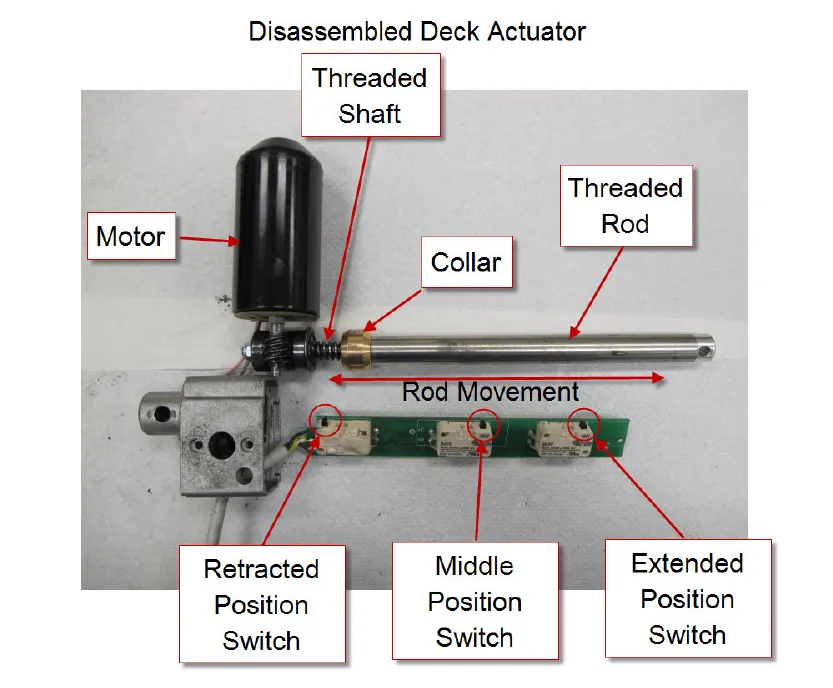
Note: The actuator “extended” position switch circuit is unique because it is also used as a communication line between the Main Machine Controller and the battery charger. The addition of the battery charger on the circuit drops the 5v that is normally seen when the switch is open to approximately 3 volts. This is normal.
When the key is turned off, if the brush head is down, the Main Machine Controller will raise the brush head to the full up position. When the operator requests the scrub mode, the controller drives the actuator down until it sees the Middle Position switch open (5v). When the operator turns off the scrub function, the controller drives the actuator motor up until it sees the Retracted Position switch open again (5v). If more than one position switch is open (5v) at a time, the controller does not know which one to believe. It realizes there must be a problem and will not move the actuator.
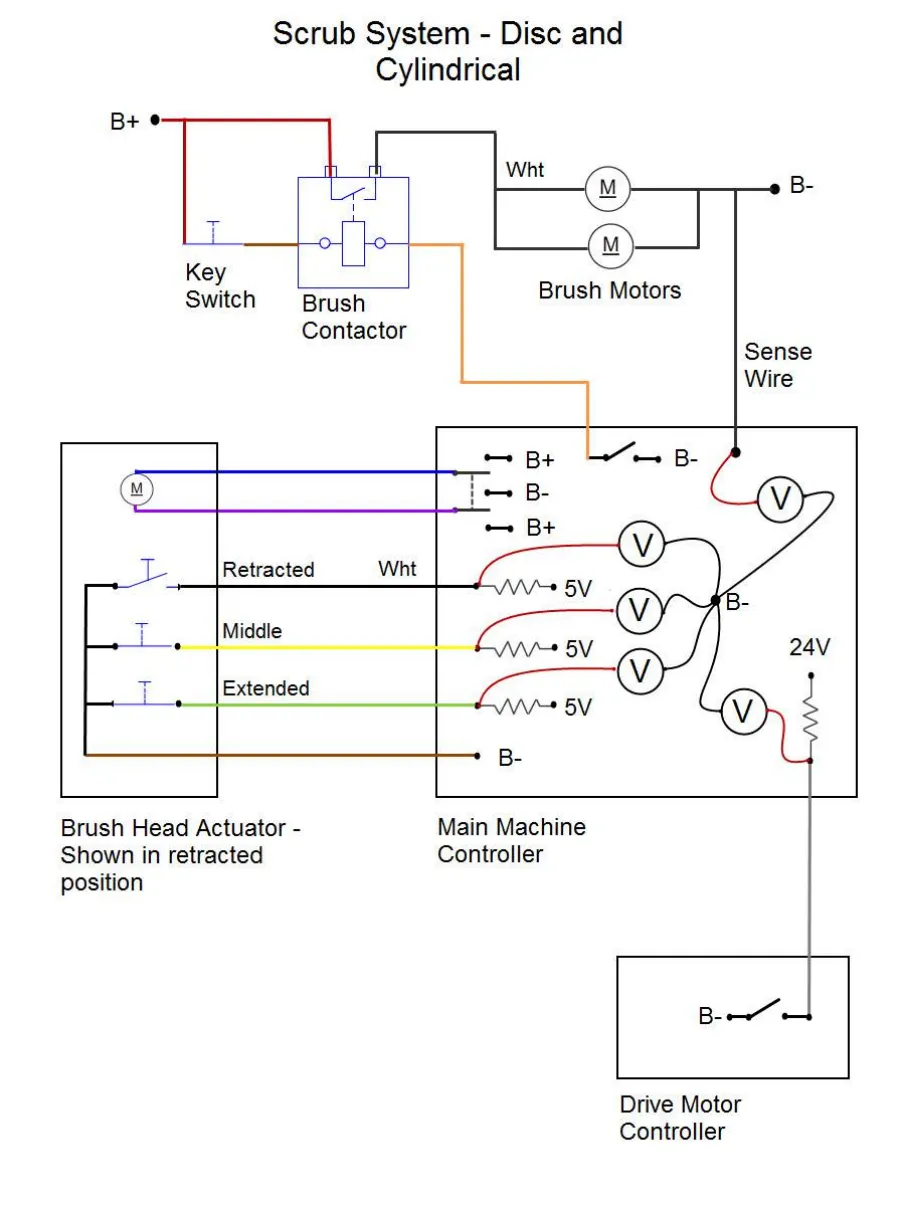
| Area of drawing | Labels printed there |
|---|---|
| Drawing title | Scrub System - Disc and Cylindrical |
| Top of drawing | B+; Key Switch; Brush Contactor; Wht (on the wire to the brush motors); Brush Motors (two, each marked M); B-; Sense Wire |
| Brush Head Actuator box | Brush Head Actuator - Shown in retracted position; M (actuator motor); Retracted; Middle; Extended; Wht (on the Retracted line, between the two boxes) |
| Main Machine Controller box | Main Machine Controller; B+; B-; B+ (left switch contacts); B- (top switch); 5V (printed three times, one beside each of the Retracted, Middle and Extended lines); B- (centre); B- (bottom left); 24V; V in a circle (five voltmeter symbols) |
| Drive Motor Controller box | Drive Motor Controller; B- |
Brush disc remove feature
The brush disc remove feature spins the brushes and then brings them to an abrupt stop to release the brushes from the brush plate retaining springs. To accomplish this, a series of events takes place.
Step #1
First the Main Machine Controller checks to make sure that the scrub deck is fully raised, the charger is not plugged in and that the machine is not moving. If all of this is true, the controller energizes the brush motor contactor to supply battery positive through its normally open (Closed when energized) contacts to power up the brushes. The brush motor contactor has a second set of contacts which are normally closed (Open when energized).
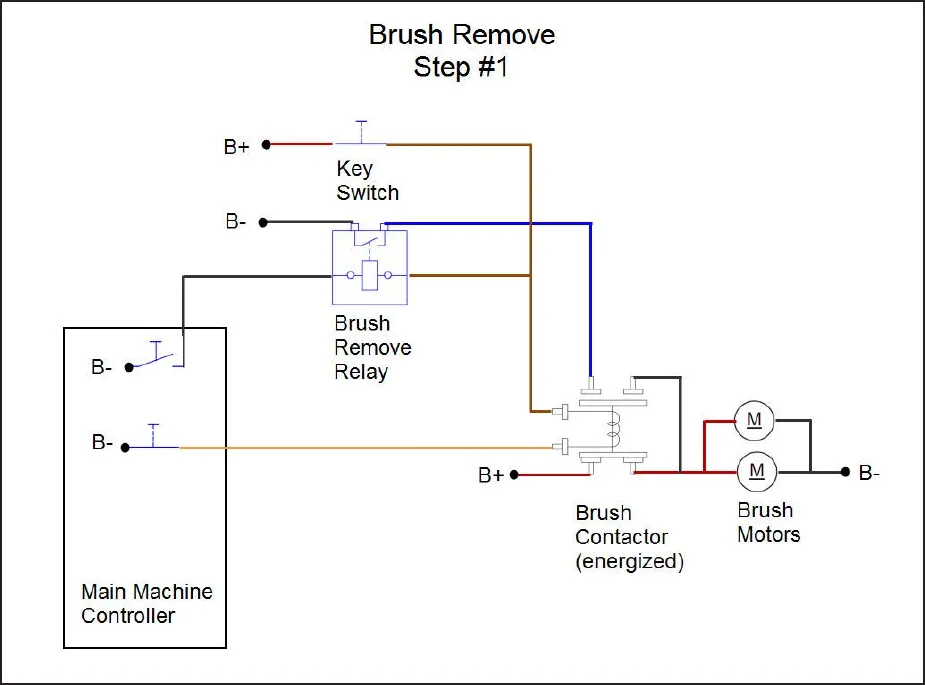
| Area of drawing | Labels printed there |
|---|---|
| Drawing title | Brush Remove Step #1 |
| Top of drawing | B+; Key Switch; B-; Brush Remove Relay |
| Main Machine Controller box | Main Machine Controller; B-; B- |
| Right and bottom of drawing | B+; Brush Contactor (energized); Brush Motors (two, each marked M); B- |
Step #2
While the brushes are running, the Main Machine Controller energizes the brush remove relay. This provides a battery negative connection to one of the “open when energized” contacts. Since that side of the contactor is open at this time, nothing changes but the system is “armed” and ready.
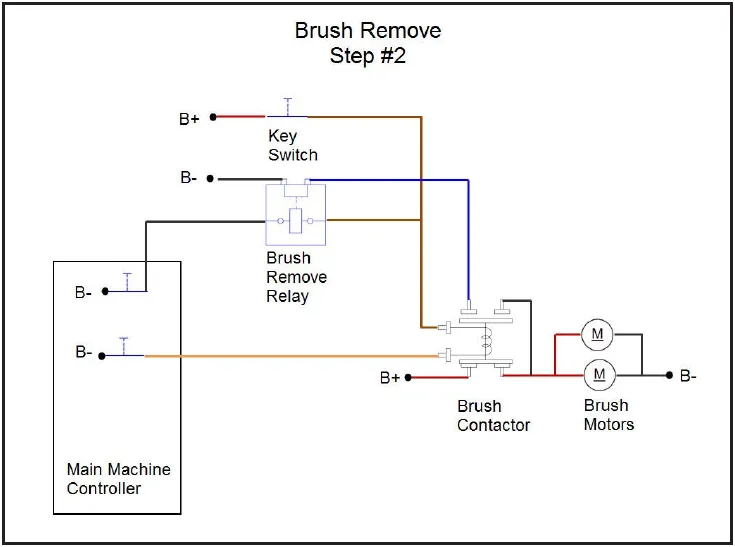
Step #3
Next the brush motor relay is de-energized. This removes the battery positive power source from the motor AND instead connects the motor to battery negative through the normally closed contacts. The motor stops abruptly when both sides are connected to battery negative. It is the abrupt stop that releases the brush lugs from the plate retaining spring. After a time out period the Main Machine Controller de-energizes the brush remove relay.
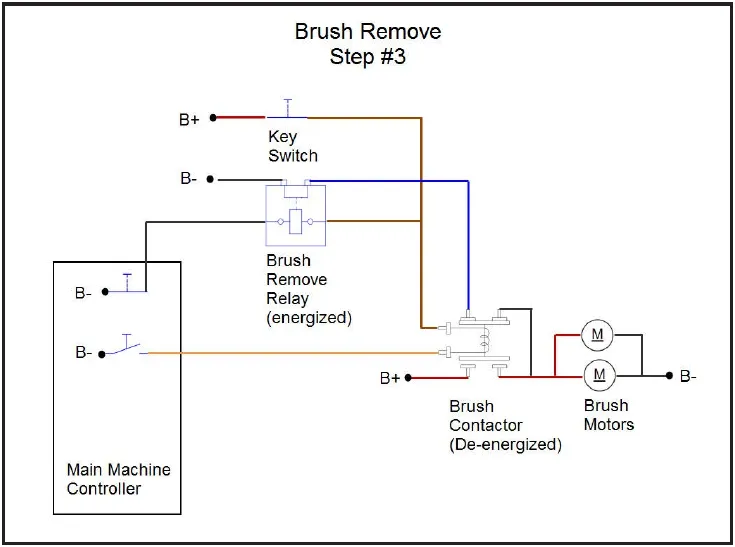
| Label as printed | Step #2 drawing | Step #3 drawing |
|---|---|---|
| Key Switch | Key Switch | Key Switch |
| Brush Remove Relay | Brush Remove Relay | Brush Remove Relay (energized) |
| Brush Contactor | Brush Contactor | Brush Contactor (De-energized) |
| Brush Motors | Brush Motors | Brush Motors |
| Main Machine Controller | Main Machine Controller | Main Machine Controller |
| Terminal labels | B+ (2), B- (4) | B+ (2), B- (4) |
Component locations
- Brush Head (Deck)
- Brush Plate
- Brush Motor
- Gas Spring
- Brush Head Actuator
- Brush Contactor
- Brush Remove Relay
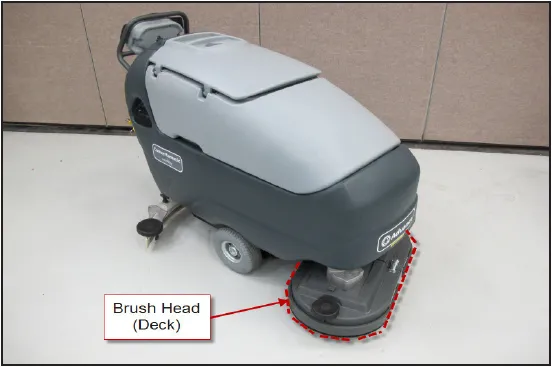
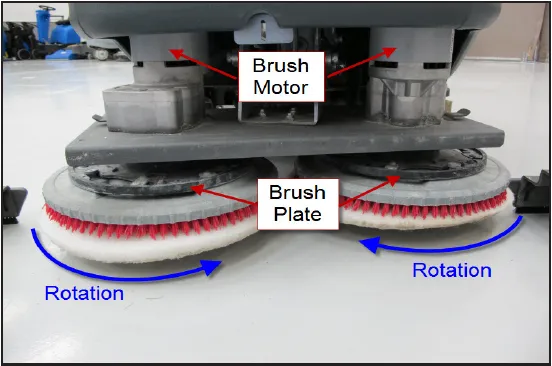
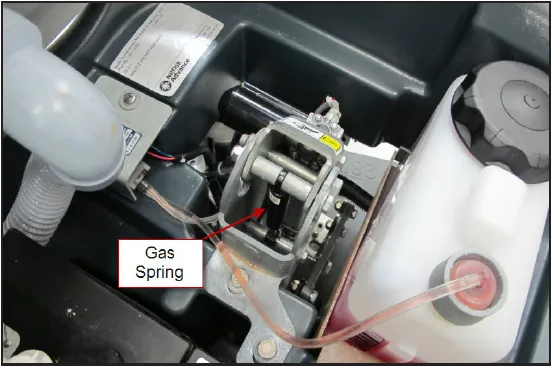
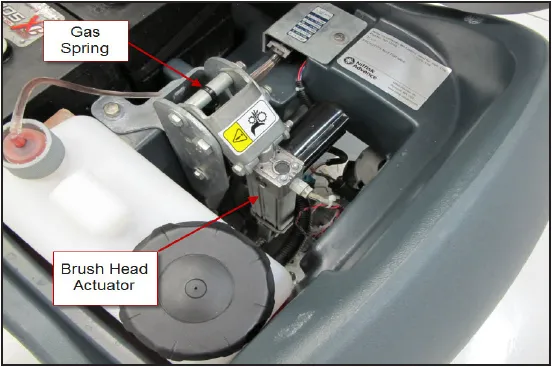
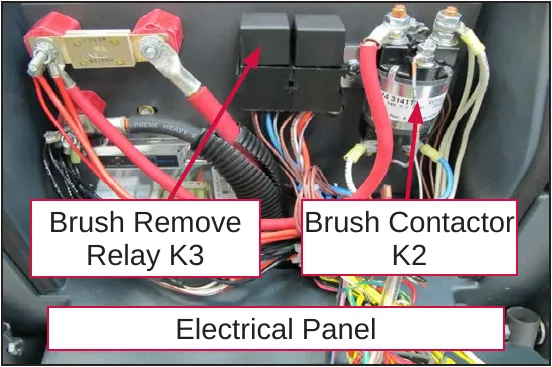
Troubleshooting
Scrub motors do not turn on
Possible causes
- Brush contactor
- Open or shorted winding
- Burned contacts
- Wiring
- Main Machine Controller – Not energizing the brush contactor.
- Drive Motor Controller – Not providing “machine moving signal”
Scrub deck will not raise or lower
Possible causes
- Mechanical binding for the actuator linkage
- Brush Head Actuator – Check both the motor and the position switches. Only one position switch should be open at a time and it should open at the correct position.
- Actuator Motor
- Unplug the actuator connector and momentarily supply fused 24v power and ground to the two motor terminals to see if the motor will operate. (Machine harness wire color Pink wire and Gray wire). Reverse the polarity to drive it in both directions. If the motor will not drive in both directions, replace the actuator. If it does drive in both directions, proceed to check the position switches.
- Position Switches
- Access the Main Machine Controller and unplug the electrical connectors.
- Check the retracted position switch.
- Put the black ohmmeter lead on the Brown wire at the J2 connector pin 2.
- Put the red ohmmeter lead on the White wire at the J2 connector pin 3.
- Drive the actuator motor all the way up and down using jumper wires powered by battery positive and negative. Connect them to the two actuator motor wires at the Main Machine Controller connector. (Pink wire at connector J1 pin 4 and Gray wire at connector J1 pin 5.) Change polarity to change direction. Immediately remove jumper wires at the end of motor travel.
- Monitor the ohmmeter. It should show an open circuit (no continuity) only when the actuator is in the retracted position. In all other positions it should show a closed circuit (continuity).
- Actuator Motor
- Check the middle position switch.
- Put the black ohmmeter lead on the Brown wire at the J2 connector pin 2.
- Put the red ohmmeter lead on the Yellow wire at the J2 connector pin 11.
- Drive the actuator motor all the way up and down using jumper wires powered by battery positive and negative. Connect them to the two actuator motor wires at the Main Machine Controller connector. (Pink wire at connector J1 pin 4 and Gray wire at connector J1 pin 5.) Change polarity to change direction. Immediately remove jumper wires at the end of motor travel.
- Monitor the ohmmeter. It should show an open circuit (no continuity) only when the actuator is in the middle position. In all other positions it should show a closed circuit (continuity).
- Check the extended position switch.
- Put the black ohmmeter lead on the Brown wire at the J2 connector pin 2.
- Put the red ohmmeter lead on the Green wire at the J2 connector pin 12.
- Drive the actuator motor all the way up and down using jumper wires powered by battery positive and negative. Connect them to the two actuator motor wires at the Main Machine Controller connector. (Pink wire at connector J1 pin 4 and Gray wire at connector J1 pin 5.) Change polarity to change direction. Immediately remove jumper wires at the end of motor travel.
- Monitor the ohmmeter. It should show an open circuit (no continuity) only when the actuator is in the extended position. In all other positions it should show a closed circuit (continuity).
- Wiring
- Main Machine Controller
Removal and installation
Scrub brush
Brush head
- Remove plastic brush head covers.
- Remove scrub brushes.
- Loosen, but do not remove the 3 brush head mounting fasteners.
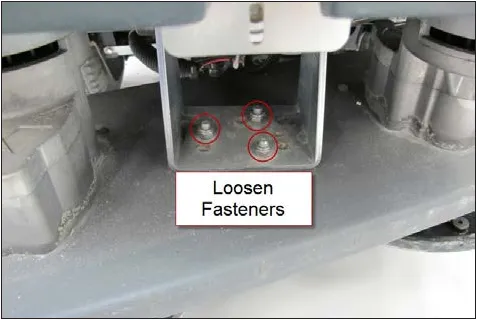
- Turn the key on and press the scrub on/off button to lower the brush head to the floor. Then turn the key off leaving the brush head on the floor.
- Disconnect scrub motor electrical connectors.
- Disconnect the solution hose.
- Remove the 3 brush head mounting fasteners.
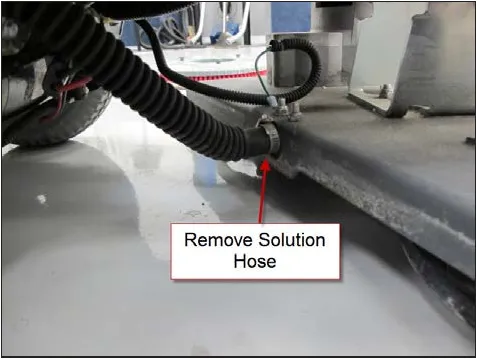
- Pull brush head out from under the machine.
- Reassemble in reverse order.
Scrub motor carbon brushes
Note: Photos in this section were taken with the motor removed from the machine for better clarity.
- Remove the plastic motor cover.
- Remove wiring from motor connectors.
- Remove one of the round plastic brush caps using a large slotted screw driver.
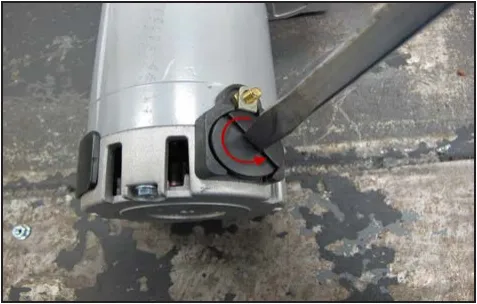
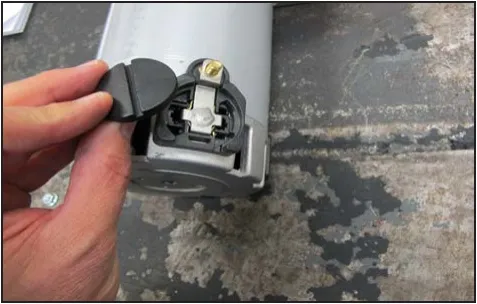
- Pull the brush and spring assembly out.
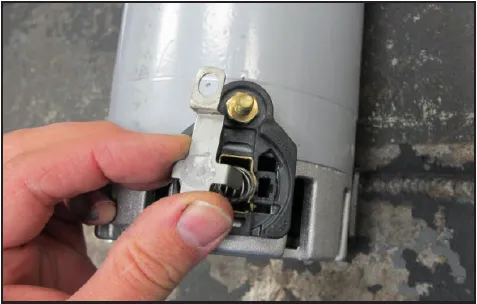
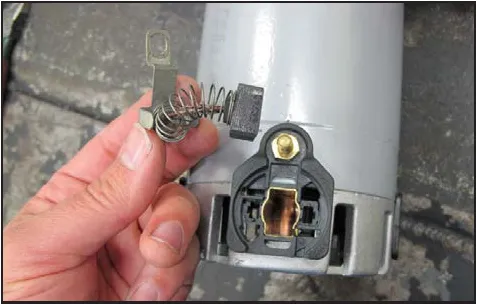
- Reassemble in reverse order lining up the two locking tabs of the brush cap when installing the brush cap. Repeat for second carbon brush.
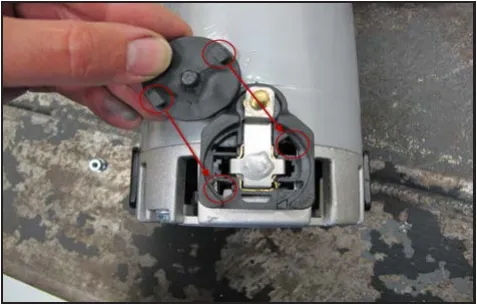
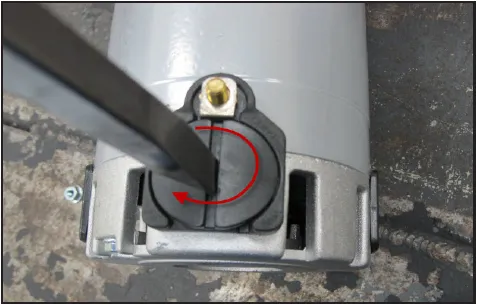
Brush head actuator
- Empty recovery tank.
- Press the scrub button to lower the brush head.
- a. If the actuator does not move, slightly raise the brush head with a jack to take tension off of the mounting hardware.
- Lift recovery tank up.
- Disconnect electrical connector so the actuator will not move and then turn the key off.
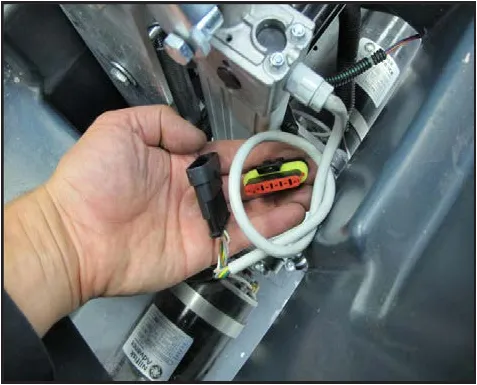
- Remove upper and lower fasteners.
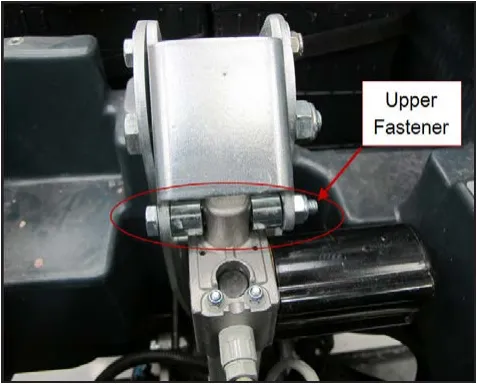
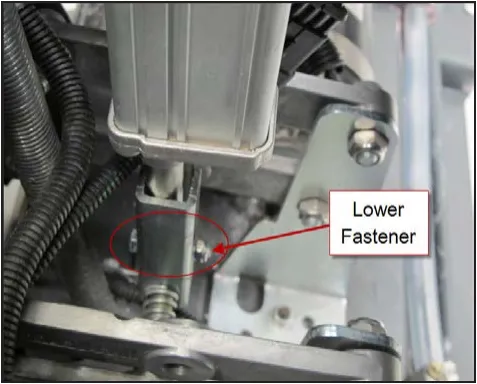
- Remove actuator.
- Reassemble in reverse order.
Specifications
Scrub motor amp draw
No Load - Approximately 4 Amps
Scrub motor total amp draw
Total amp draw in regular scrub mode with low solution flow for all size decks ranges from 15-30 Amps depending on the floor surface. Total amp draw in extreme scrub mode with low solution flow for all size decks ranges from 30-45 Amps depending on the floor surface.
Scrub motor speed
260-270 RPM
Scrub force
Regular Scrub = 80 lb (36.3 kg)
Extreme Scrub = 170 lb (77.1 kg)
Brush head actuator amp draw
Upward with weight of deck – Approximately 2-3 Amps
Brush contactor
Winding Resistance – 55 ohms
Gas spring
Force – 112 lb (500 N)
Scrub system, Rev
Functional description
Scrubbing
The scrub system moves the scrub head up and down and turns the scrub motors on and off at the operator’s request to provide floor scrubbing action. The discs spin toward the center at the front edge of each disc. The head is moved up and down by an electric actuator motor that has integrated position switches. The weight of the scrub head provides the downward pressure in the normal scrub mode. When extreme pressure is requested, the actuator moves down farther causing a gas spring to exert additional downward pressure on the floor.
The Main Machine Controller energizes the brush solenoid to turn on the brush motors when the following inputs have been met:
- Key switch on
- Operator request
- Machine moving signal (FOR/REV) is received from the Drive Motor Controller (A2 PG Drives Speed Controller)
- Approximately 24 volts received from the main controller (J3 Pin 6) is switched to battery negative by the Drive Motor Controller, dropping the voltage to 0 volts.
Here is how the circuit works for the scrub motors. The Main Machine Controller turns on the scrub motors indirectly by energizing the brush contactor. The brush contactor coil is fed battery positive voltage through the key switch. The voltage goes through the coil and on to the controller. Inside the controller, it switches the circuit to battery negative to energize the relay. When the relay energizes, positive battery voltage is applied through its contacts to the brush motors. Since the other side of the motors is connected to battery negative, they turn on.
The Main Machine Controller also monitors the amount of electrical current (Amps) that is flowing through the brush motor ground circuit. If it is higher or lower than expected, a fault code will be set. It monitors the amperage indirectly on a “sense” wire by measuring the difference in voltage (Voltage Drop) between a point near the motors and the main battery negative terminal. As actual current increases, the voltage drop measured increases. The controller then converts the voltage value to “Amps”. The monitoring circuit relies on a calibrated ground wire that is a specific gauge and length.
An electric actuator is used to move the scrub head up and down. The actuator has a DC permanent magnet electric motor which is driven by the Main Machine Controller. The motor turns a threaded shaft. When the threaded shaft turns, it moves a threaded rod up and down. Since the rod is attached to the deck, it moves the deck up and down.
Inside the actuator housing there are also three position switches which are monitored by the Main Machine Controller. One is for the “retracted” position, one for the “middle” position (Normal scrub pressure) and one for the “Extended” position (Extreme scrub pressure). Each switch is normally closed. The threaded rod has a collar on it that opens each switch as it passes by it. When the Main Machine Controller sees the middle position switch open, it knows that the deck is in the normal scrub position. If that was its goal position, the controller turns off the motor to stop the deck in that position.
Here is how the circuit works for the actuator. The Main Machine Controller directly drives the brush head actuator motor. It applies system voltage across the two actuator motor wires to move the motor up. It reverses polarity to move the motor down. Each position switch receives a 5 volt feed through a resistor from the controller, which returns back to battery negative on a common wire to connector J2 pin 2. The controller has “internal voltmeters” which monitor the signal voltage of each switch circuit. When the switch is closed, the voltage signal is approximately 0 volts. When the switch is open, the voltage is approximately 5 volts.
- Deck up - Retracted Position switch = 5v (Other two switches = 0v)
- Normal Scrub mode - Middle Position switch = 5v (Other two switches = 0v)
- Extreme Scrub mode – Extended Position switch = 5v (Other two switches = 0v)
Note: The actuator “extended” position switch circuit is unique because it is also used as a communication line between the Main Machine Controller and the battery charger. The addition of the battery charger on the circuit drops the 5v that is normally seen when the switch is open to approximately 3 volts. This is normal.
When the key is turned off, if the brush head is down, the Main Machine Controller will raise the brush head to the full up position. When the operator requests the scrub mode, the controller drives the actuator down until it sees the Middle Position switch open (5v). When the operator turns off the scrub function, the controller drives the actuator motor up until it sees the Retracted Position switch open again (5v). If more than one position switch is open (5v) at a time, the controller does not know which one to believe. It realizes there must be a problem and will not move the actuator.
Functional circuit diagram, scrub system - REV
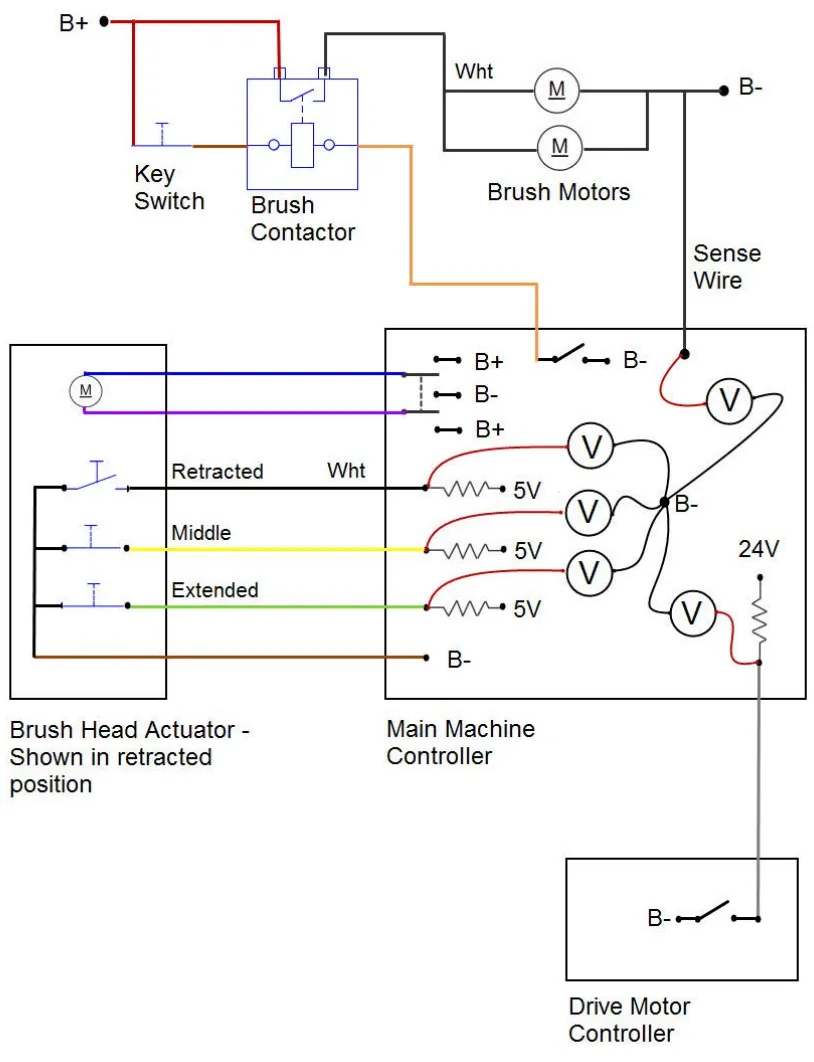
| Area of the drawing | Labels as printed |
|---|---|
| Outside the boxes (top) | B+, Key Switch, Brush Contactor, Wht, Brush Motors, B-, Sense Wire |
| Brush Head Actuator box | M, Retracted, Middle, Extended; Wht (on the Retracted line, between the two boxes); caption: Brush Head Actuator - Shown in retracted position |
| Main Machine Controller box | B+, B-, B+, 5V (three), B- (four), 24V; caption: Main Machine Controller |
| Drive Motor Controller box | B-; caption: Drive Motor Controller |
Component locations
- Brush Head (Deck)
- Brush Motor
- Gas Spring
- Brush Head Actuator
- Brush Contactor (K2)
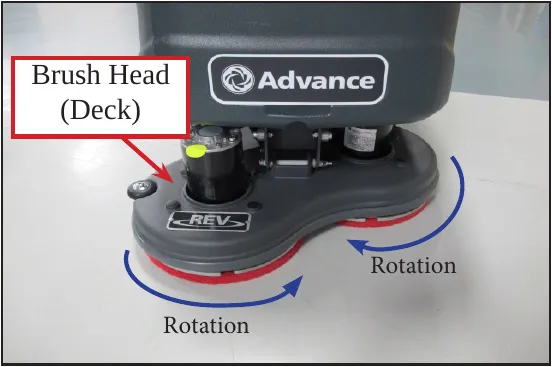
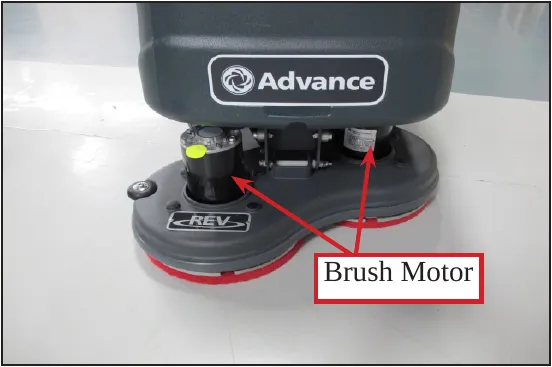
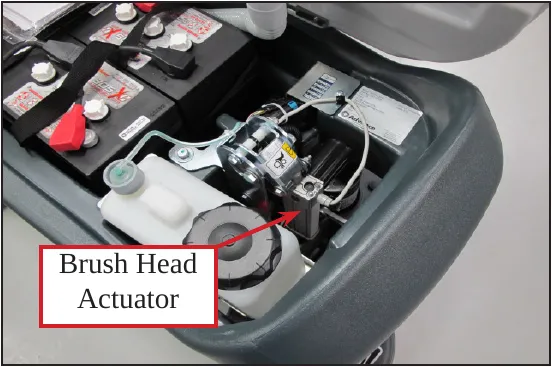
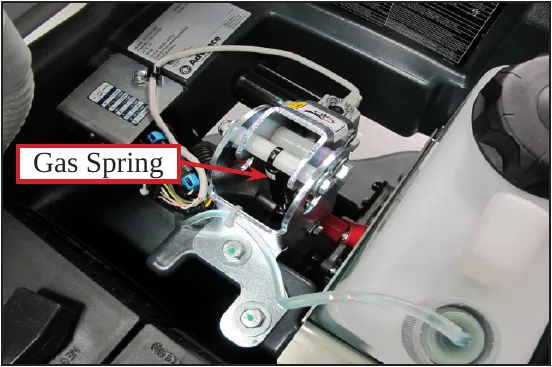
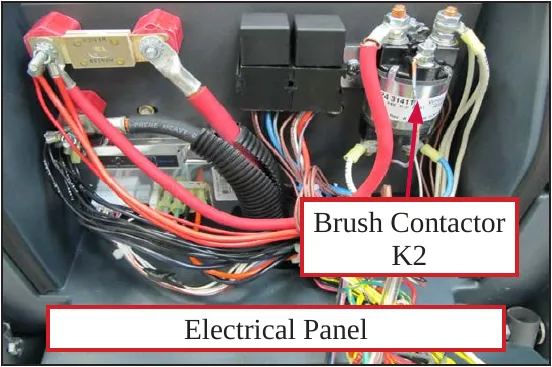
Troubleshooting
Scrub motors do not turn on
Possible causes
- Brush contactor
- Open or shorted winding
- Burned contacts
- Wiring
- Main Machine Controller – Not energizing the brush contactor.
- Drive Motor Controller – Not providing “machine moving signal”
Scrub deck will not raise or lower
Possible causes
- Mechanical binding for the actuator linkage
- Brush Head Actuator – Check both the motor and the position switches. Only one position switch should be open at a time and it should open at the correct position.
- Actuator Motor
- Unplug the actuator connector and momentarily supply fused 24v power and ground to the two motor terminals to see if the motor will operate. (Machine harness wire color Pink wire and Gray wire). Reverse the polarity to drive it in both directions. If the motor will not drive in both directions, replace the actuator. If it does drive in both directions, proceed to check the position switches.
- Position Switches
- Access the Main Machine Controller and unplug the electrical connectors.
- Check the retracted position switch.
- Put the black ohmmeter lead on the Brown wire at the J2 connector pin 2.
- Put the red ohmmeter lead on the White wire at the J2 connector pin 3.
- Drive the actuator motor all the way up and down using jumper wires powered by battery positive and negative. Connect them to the two actuator motor wires at the Main Machine Controller connector. (Pink wire at connector J1 pin 4 and Gray wire at connector J1 pin 5.) Change polarity to change direction. Immediately remove jumper wires at the end of motor travel.
- Monitor the ohmmeter. It should show an open circuit (no continuity) only when the actuator is in the retracted position. In all other positions it should show a closed circuit (continuity).
- Actuator Motor
- Check the middle position switch.
- Put the black ohmmeter lead on the Brown wire at the J2 connector pin 2.
- Put the red ohmmeter lead on the Yellow wire at the J2 connector pin 11.
- Drive the actuator motor all the way up and down using jumper wires powered by battery positive and negative. Connect them to the two actuator motor wires at the Main Machine Controller connector. (Pink wire at connector J1 pin 4 and Gray wire at connector J1 pin 5.) Change polarity to change direction. Immediately remove jumper wires at the end of motor travel.
- Monitor the ohmmeter. It should show an open circuit (no continuity) only when the actuator is in the middle position. In all other positions it should show a closed circuit (continuity).
- Check the extended position switch.
- Put the black ohmmeter lead on the Brown wire at the J2 connector pin 2.
- Put the red ohmmeter lead on the Green wire at the J2 connector pin 12.
- Drive the actuator motor all the way up and down using jumper wires powered by battery positive and negative. Connect them to the two actuator motor wires at the Main Machine Controller connector. (Pink wire at connector J1 pin 4 and Gray wire at connector J1 pin 5.) Change polarity to change direction. Immediately remove jumper wires at the end of motor travel.
- Monitor the ohmmeter. It should show an open circuit (no continuity) only when the actuator is in the extended position. In all other positions it should show a closed circuit (continuity).
- Wiring
- Main Machine Controller
Removal and installation
Brush head
- Turn key on and push scrub on/off switch to lower the brush head to the floor. Then turn the key off and disconnect the main battery pack connector.
- Disconnect the wiring for both brush motors. Note: the wiring connectors near one motor are not both for the same motor. They are one positive for each motor or one negative for each motor, depending on which side you are working.
- Loosen the solution hose clamp and remove the hose from the brush head. Remove the nut and bolt attaching the ground wire to the brush head.
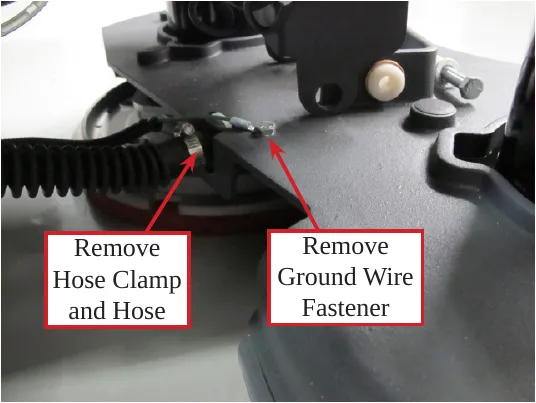
- Remove the through bolt that attaches the brush head to the lift mechanism bracket. Pay attention to the orientation of the washers and bushings.
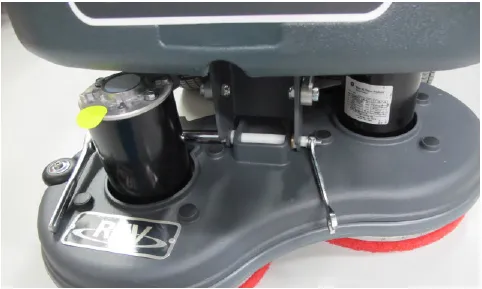
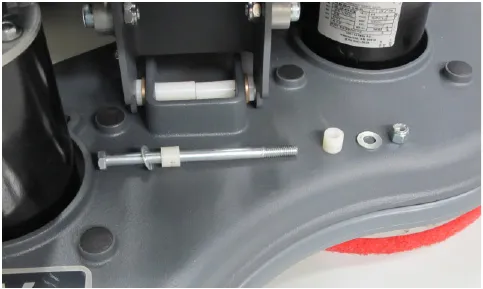
- Carefully cut the tie straps around the brush motor wire loops. (Do not damage the wires)
- Raise the lift bracket mechanism with your hand and slide the brush head assembly forward until it clears the machine.
- Reassemble in reverse order.
Brush motor
- Remove the Brush Head from the machine. (See Removal and Installation, Brush Head.)
- Flip the deck disc side up and remove the pads.
- Remove the pad holder by removing the 6 attaching screws.
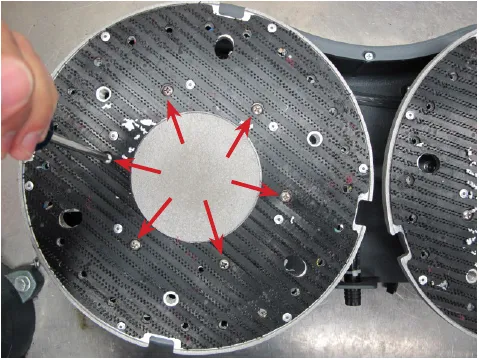
- Remove the counter weight by removing the two attaching bolts.
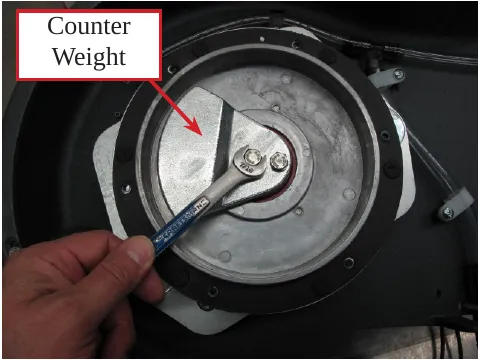
- Lift the driver motor with the eccentric from the brush motor shaft being careful not to lose the square-cut key.
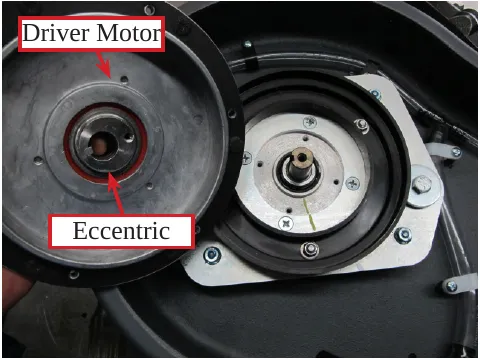
- Note the orientation of the brush motor electrical leads relative to the deck to make sure you install the motor in the same position. You may want to mark the orientation of the brush motor to the motor plate. Then separate the brush motor from the motor plate by removing the 4 attaching screws and remove the motor.
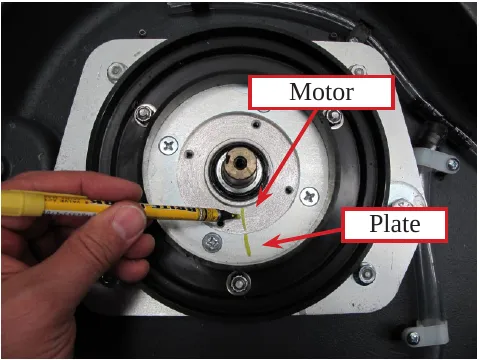
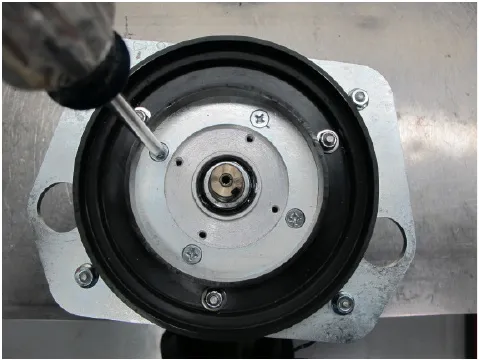
- Reassemble in reverse order noting the following:
- Use a small amount of Loctite Threadlocker blue 243 or equivalent on all fasteners.
- Apply Loctite Anti-seize (90101A) to the bore of the eccentric before installing eccentric on brush motor shaft.
Drive motor, bearing and eccentric
Removal
- Remove the brush head and brush motor according to the previous sections.
- Press the eccentric out of the bearing inner race using an arbor press.
- Remove the bearing retainer by removing the three fasteners.
- Press the bearing out of the driver motor using an arbor press.
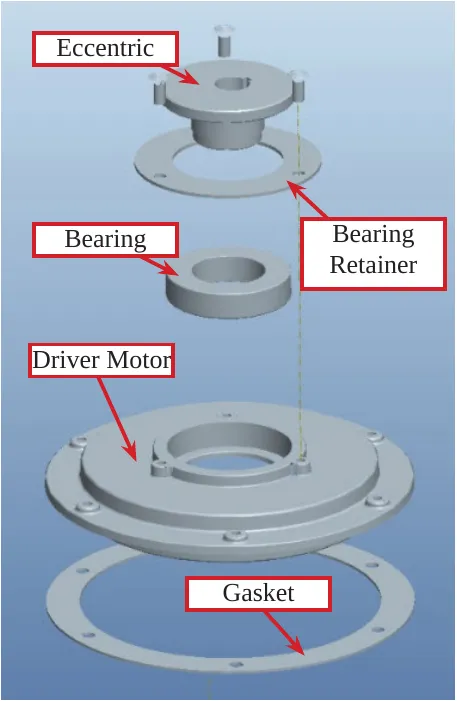
Installation
- Apply Loctite 609 retaining compound to the bearing bore in the driver motor and to the surface of the inner bearing race.
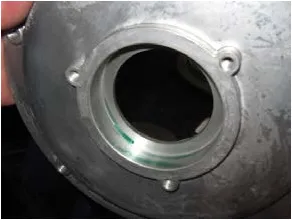
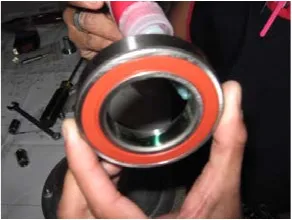
- Press the bearing into the driver motor.
- Install the bearing retainer.
- Press the eccentric into the bearing.
- Install a new gasket on the driver motor with the adhesive side toward the driver motor.
- Apply Loctite Anti-seize (90101A) to the bore of the eccentric.
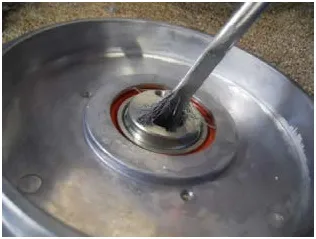
Motor plate and isolators
Removal
- Remove the brush head from the machine.
- Remove the brush motor.
- Remove the retaining bolts, large washers and sleeves.
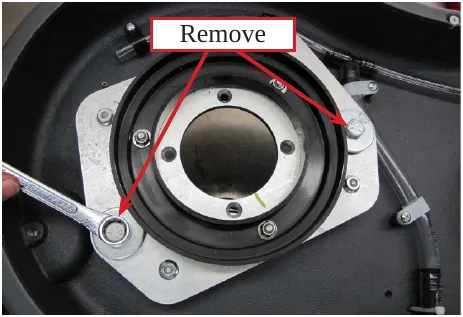
- Remove the motor plate by removing the 4 isolator nuts.
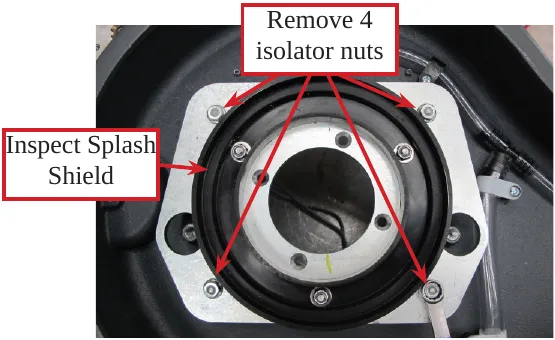
- Inspect the splash shield and replace if damaged.
- Flip the scrub head upright and remove each of the isolators from the brush head by removing the plastic cover and the attaching nut.
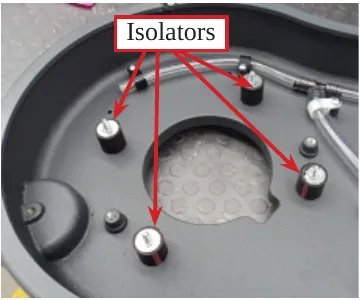
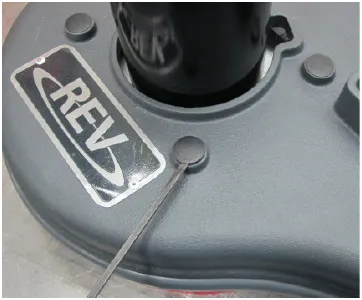
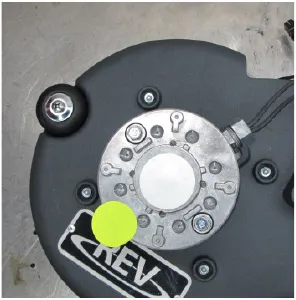
Installation
- Apply Loctite blue 243 threadlocker or equivalent to the threads of each isolator.
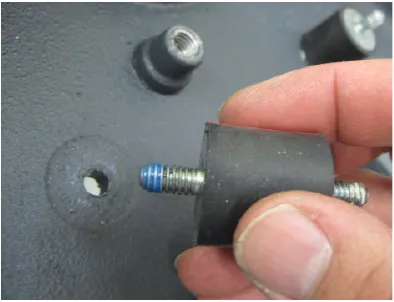
- Install the isolators in the brush head. Position each one so that the color stripe it will be visible when the motor plate is installed. Torque each nut to 8-10 ft-lb (10.8-13.5 N·m). Install the 4 plastic covers over the nuts.
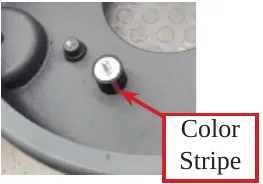
- Apply Loctite blue 243 threadlocker or equivalent to the threads of each isolator. Install the motor plate and 4 isolator nuts. Torque each nut to 8-10 ft-lb (10.8-13.5 N·m). Ensure that the isolator rubber does not twist when you tighten the nuts. Visually inspect the color stripe to make sure that it is straight line and not twisted. If it is twisted, loosen the nut and repeat the procedure. It may be necessary to hold the isolator in position with your hand while tighten the nut.
Scrub motor carbon brushes
- Remove the brush head from the machine.
- Remove wire retaining nut and rubber packing.
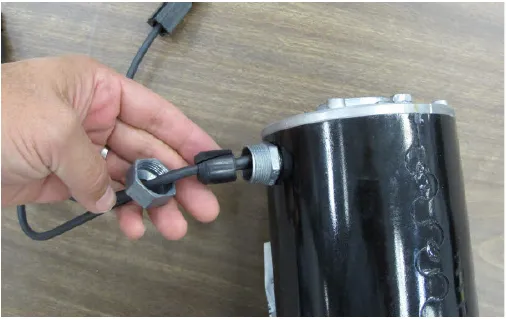
- Mark orientation of end plates to motor housing and remove both through bolts.
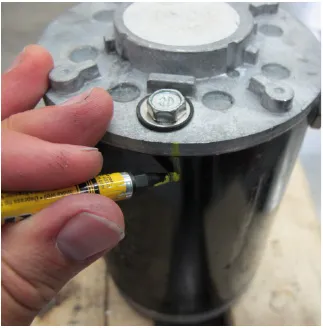
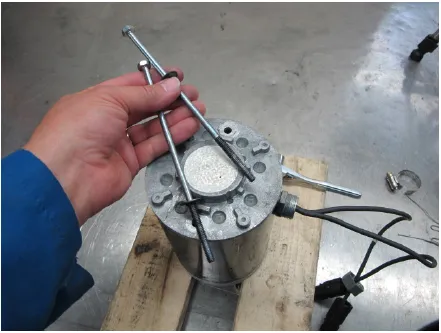
- Remove end plate.
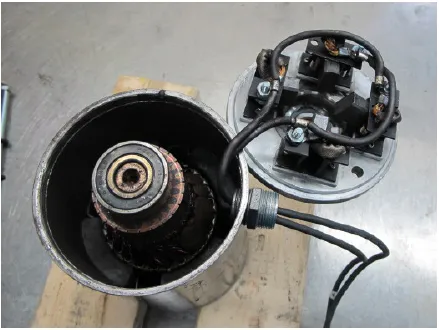
- Replace the carbon brushes.
- a. Observe how the springs roll when the brush is pushed back before taking it apart.
- b. Remove a brush and spring.
- c. Install a new brush and spring into the brush holder. Thread the brush wire lead through the brush holder. Position the back end of the brush in the “cup” of the spring so that the spring will unroll as the brush is pushed back once it is installed.
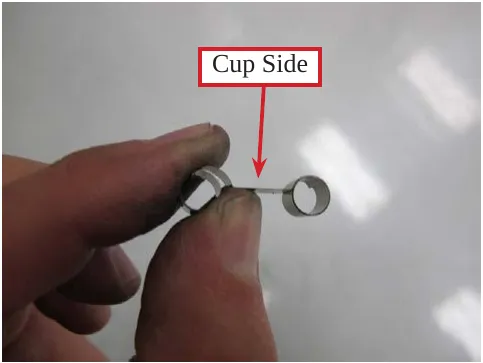
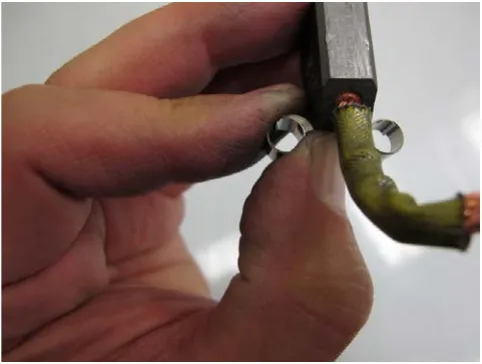
- d. Push brush back against the spring and insert a stiff temporary retaining wire (Paper clip) through the access hole in the end cover. (Remove silicone sealer from the holes) The wire must go through the holes in the brush holder just in front of the brush to hold the brush back against the spring pressure.
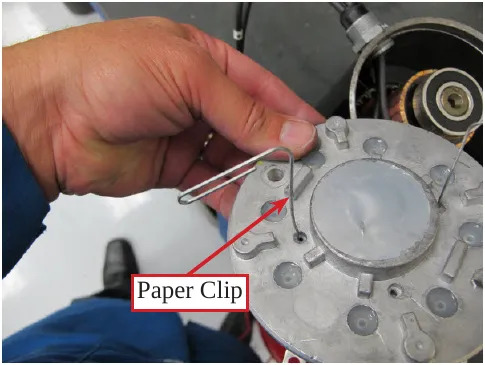
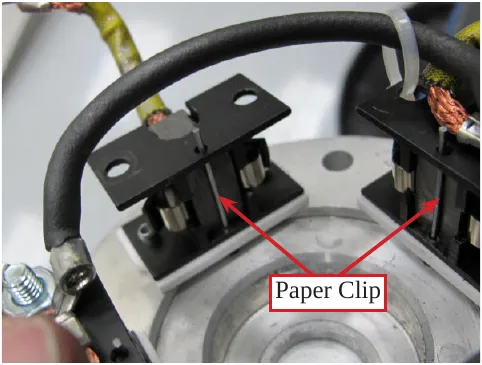
- e. Install the other three brushes.
- Install the spring washer so that the “fingers” will press against the outside bearing race.
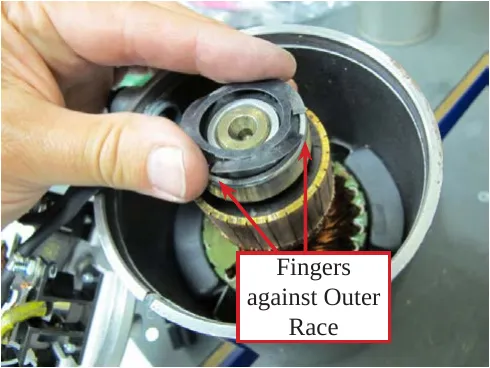
- Install the end cover in stages.
- Install it far enough so that the brushes will contact the commutator when the temporary retaining wires are removed. Then remove the wires.
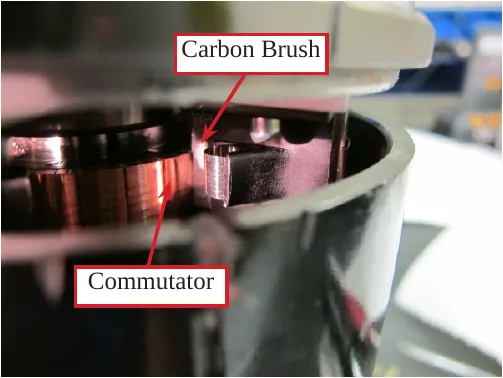
Carbon brush and commutator - Fully seat the end cover.
- Install the through bolts.
- Seal the retaining wire holes in the end cover with silicone sealant.
- Install it far enough so that the brushes will contact the commutator when the temporary retaining wires are removed. Then remove the wires.
Brush head actuator
- Empty recovery tank.
- Press the scrub button to lower the brush head.
- If the actuator does not move, slightly raise the brush head with a jack to take tension off of the mounting hardware.
- Tip the recovery tank up.
- Disconnect electrical connector so the actuator will not move and then turn the key off.
- Remove upper and lower fasteners.
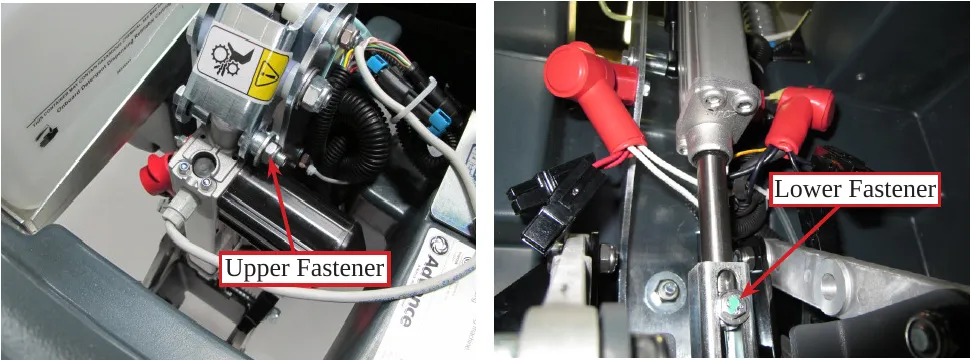
- Remove actuator.
- Reassemble in reverse order.
- Tighten the upper actuator nut and bolt until it is snug and then back off approximately 1/2 turn. This joint must be allowed to move freely.
Specifications
Scrub motor amp draw
No Load - Approximately 16-19 Amps (one motor).
Note: Only run the test for a few seconds. Remove the pads before testing no load amp draw as the motor will spin the pad driver around 2,000 RPM and may throw the pad.
Scrub motor total amp draw
Total amp draw will vary widely based on floor surface, solution flow and pad type. You may see anywhere from 12 - 32 Amps (both motors) when stripping or scrubbing.
Epoxy floor and red pads, normal scrub mode. Measured 25-26 Amps.
Epoxy floor and red pads, extreme scrub mode. Measured 28-10 Amps.
Scrub motor speed
Approximately 2,000 RPM
Scrub force
Regular Scrub = 70.4 lbs. (31.9 kg)
Extreme Scrub = 170 lbs. (77.1 kg)
Brush head actuator amp draw
Upward with weight of deck – Approximately 2 Amps
Brush contactor
Winding Resistance – 55 ohms
Gas spring
Force – 112 pounds (500 N)
Solution system
Functional description
The solution system dispenses water and detergent to the scrub brush head for scrubbing the floor. The solution tank holds the solution and serves as the main body of the scrubber. Solution from the tank flows through a manual shut off valve, filter, solution valve (solenoid), manifold and out to the deck. Disc decks deliver the solution on top of the disc near the center. On Cylindrical decks the solution is delivered through several small holes in manifold hoses along the front of the deck. The solution then drips through holes in the deck in front of the forward brush. The filter protects the solution valve from debris which can damage the valve. The manual shut off valve makes it possible to service plumbing components without draining the solution tank.
The standard solution system requires the operator to mix a cleaning detergent with the water in the solution tank. An electric solenoid valve is used to turn the solution flow on and off as well as to meter the amount of solution used. The solution valve is controlled by the Main Machine Controller.
SC750 and SC800 models report solution tank liquid level information to the operator on the Control Panel LCD. The system does not measure the level of the water directly. It measures the pressure the water exerts on a pressure sensor through a sealed hose. The higher the liquid level, the more pressure is exerted on the sensor. There is a pressure sensor mounted on the main machine control board with a clear hose that connects to a fitting on the solution tank. On the other side of the fitting another hose goes into the tank. When the tank is filled with water/detergent, the liquid tries to fill the hose but since the hose is sealed off it cannot displace the air in the hose and consequently cannot fill the hose with liquid. It does exert pressure on the sensor which is converted to a voltage and “read” by the controller. This is like holding your thumb over the top end of a drinking straw and inserting the straw into your soft drink. The liquid does not enter the straw because the air cannot escape out of the straw. What you don’t notice with your thumb is that the air inside the straw is actually slightly pressurized by the liquid trying to displace the air.
On all machines, the Main Machine Controller turns the solution flow on and off and meters the amount that flows via an electric solenoid valve based on operator request and whether or not the machine is moving. The solution solenoid valve is spring loaded closed and must be energized to pull the valve open and allow solution to flow. To control the amount of solution, the controller cycles the solenoid on and off at a slow rate. For low flow, the valve is on for about 1/3 of the time and off for 2/3 of the time. For medium flow, it is on about 2/3 of the time. For high flow it is on constantly. The solution is intentionally shut off whenever the machine stops moving.
The optional detergent mixing system automatically mixes water from the solution tank with detergent from a separate detergent container. The operator fills the solution tank with water only. The machine then automatically mixes the correct amount of detergent and water and delivers it to the scrub brush head. A piston type detergent pump is used to “inject” the detergent into the solution hose. The controller keeps track of how many times it has stroked the piston pump and can calculate the level of liquid remaining in the detergent tank based on how many strokes it has counted. In order for this to work though, the operator must “tell” the controller when a full detergent tank is installed so that the controller can reset its counter and start again at the beginning. The detergent is injected into the solution hose “before” the solution solenoid valve. The water and detergent mixture is then regulated by the solenoid valve.
Here is how the solution electrical circuit works. In order to understand whether the machine is moving or not, the Main Machine Controller sends 24v out through a resistor on a WHT/RED wire to the drive motor controller. The drive motor controller has an internal switch that switches the circuit to battery negative whenever the machine is moving. The Main Machine Controller has an internal voltmeter that monitors the circuit. When it sees 24 volts, it knows the machine is standing still. When it sees the voltage drop to near zero it knows the machine is moving and it then turns on the solution flow. To make the solution flow, the key switch provides battery positive (B+) voltage to the solution solenoid valve. The voltage goes through the solenoid winding and on to the Main Machine Controller. The controller completes the circuit to battery negative (B-) through an internal switch causing the solenoid to energize and open the valve. If the
machine has the optional detergent mixing system, the Main Machine Controller also operates the additional detergent pump. The two wires for the pump are wired directly to the Main Machine Controller. The Main Machine Controller supplies battery positive on one wire and battery negative on the other for a short period of time to stroke the piston in one direction. It then immediately reverses polarity and does it again to stroke the piston back in the other direction.
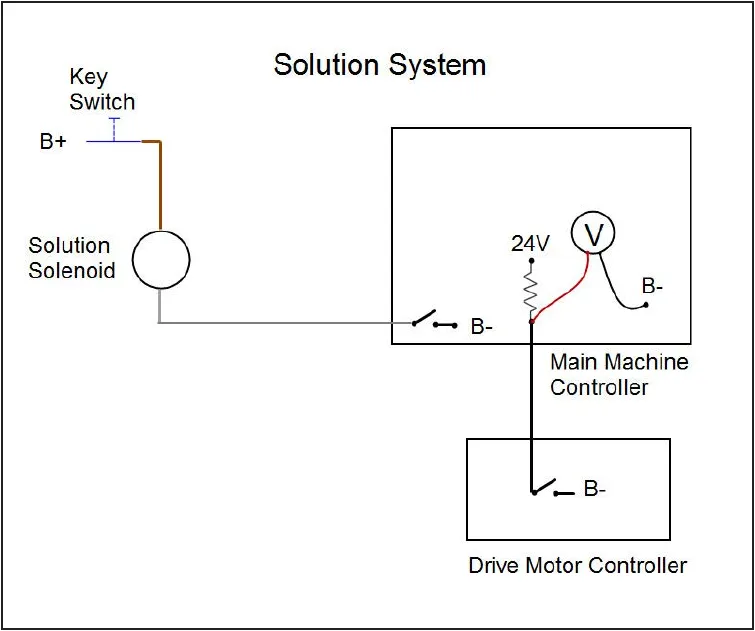
| Label printed on drawing | Kind |
|---|---|
| Solution System | Drawing title |
| Key Switch | Component label |
| B+ | Terminal label |
| Solution Solenoid | Component label |
| Main Machine Controller | Box label |
| 24V | Voltage label |
| B- | Terminal label (shown twice inside the Main Machine Controller box) |
| Drive Motor Controller | Box label |
| B- | Terminal label (inside the Drive Motor Controller box) |
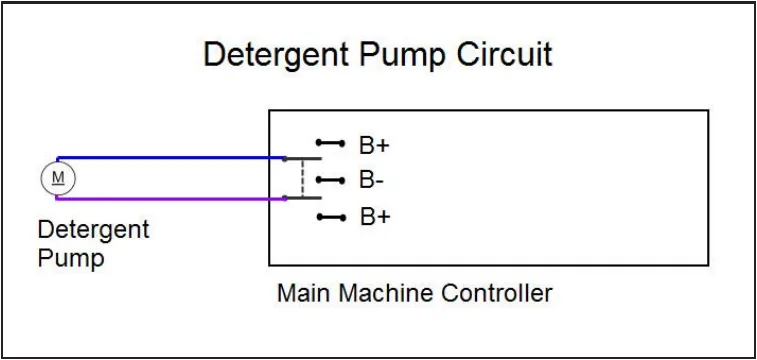
| Label printed on drawing | Kind |
|---|---|
| Detergent Pump Circuit | Drawing title |
| Detergent Pump | Component label |
| Main Machine Controller | Box label |
| B+ | Terminal label (top terminal) |
| B- | Terminal label (middle terminal) |
| B+ | Terminal label (bottom terminal) |
Component locations
- Solution tank
- Shut off valve (Ball Valve)
- Solution filter
- Solution solenoid valve
- Detergent pump
- Detergent tank
- Solution drain hose
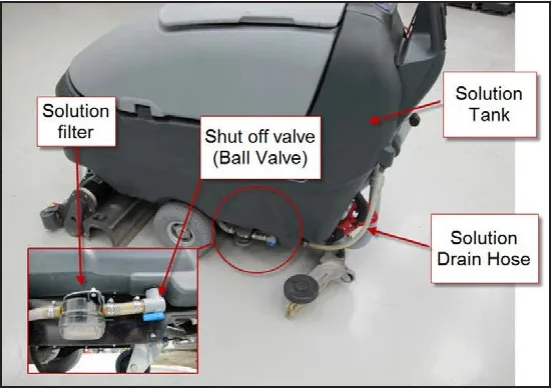
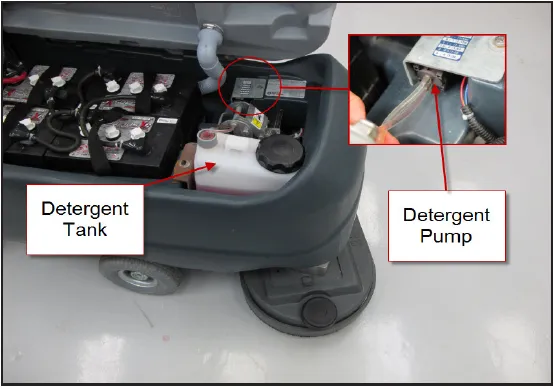
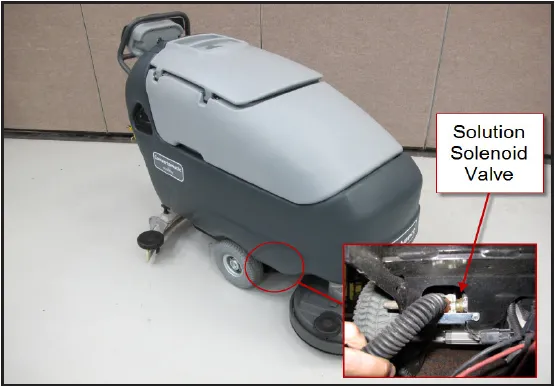
Maintenance and adjustments
Solution filter cleaning
- Work near a floor drain for convenient clean up if possible.
- Turn the key switch off.
- Close the shut off valve (The valve is closed when the lever is NOT in line with the hose).
- Unscrew the solution filter cover.
- Remove and clean the screen.
- Reassemble in reverse order. Note: Over-tightening the cover will cause it to crack.
- Open the shut off valve.
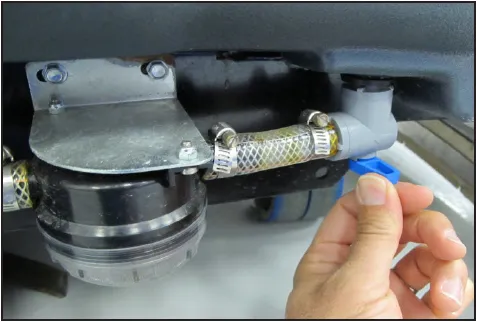
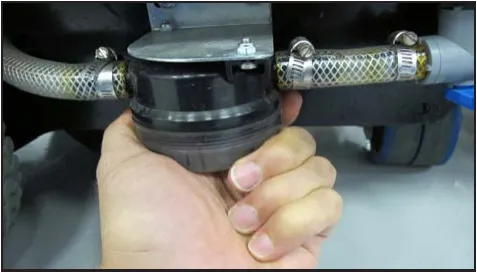
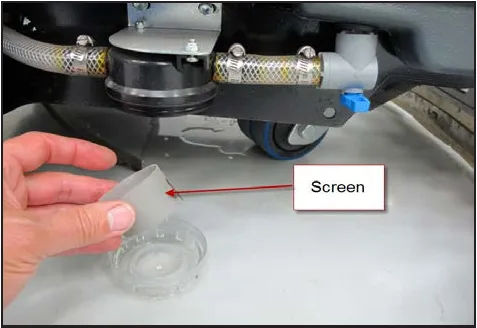
Troubleshooting
Insufficient solution flow
Possible Causes
- Restricted solution filter
- Debris/sludge in solution tank clogging fitting to shut off valve
- Pinched hose
- Restricted solution valve
Solution leaks after machine is shut off
Possible Causes
- Solution valve not sealing (Worn or debris holding it open.)
- Hose or fitting leak before solution valve
Detergent is not being added to the solution (Machines with optional detergent mixing system)
Possible Causes
- Detergent tank empty
- Detergent hose blocked or leaking
- Detergent pump
- Wiring
- Main machine controller
Removal and installation
Solution valve
- Work near a floor drain for convenient clean up if possible.
- Turn the key switch on and lower the brush head by pushing the Scrub On/Off switch.
- Unplug the deck actuator to prevent deck from rising.
- Turn the key switch off.
- Close solution shut off valve.
- Remove solution mounting plate screws.
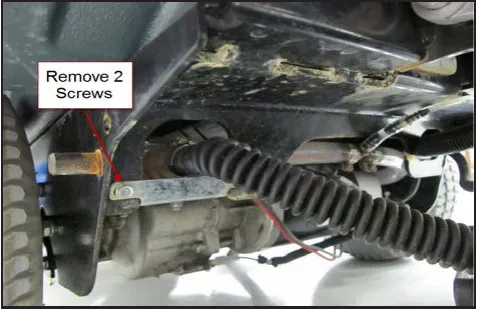
- Remove hose clamps and hoses.
- Disconnect electrical connector.
- Reassemble in reverse order.
Solution tank
- Empty recovery and solution tanks.
- Remove brush head.
- Remove brush head actuator.
- Remove recovery tank.
- Remove batteries.
- Remove brush head actuator support
- Remove two top bolts.
- Remove lower through bolt and nut.
- Remove handle assembly.
- Remove control panel cover.
- Disconnect wiring from electrical components on electrical panel.
- Disconnect the pressure sensor hose at the solution tank end.
- Thread wiring out of solution tank.
- Remove squeegee lift cable.
- Remove solution tank shut off valve elbow from tank.
- Remove 4 solution tank mounting bolts.
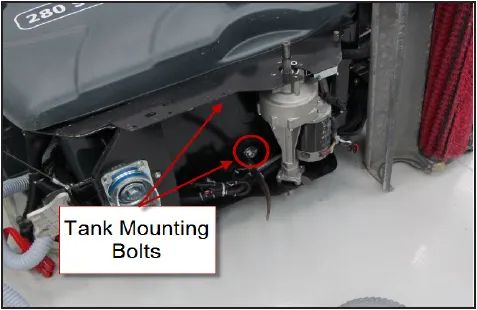
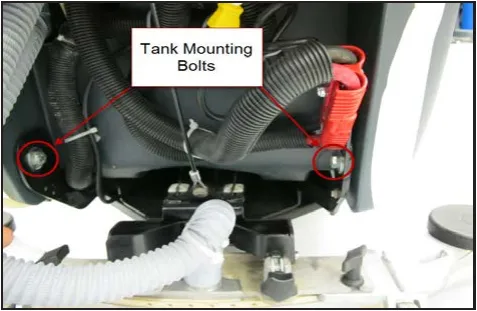
- Separate tank from frame.
Specifications
- Solution valve winding resistance – 54 ohms
- Solution flow – Maximum = 0.75 gallons/minute
- Detergent pump winding resistance –37 ohms
Squeegee system
Functional description
The squeegee collects the water so that the recovery system vacuum can suck it up off the floor and store it in the recovery tank. The squeegee support is spring loaded downward to push the squeegee against the floor, and has a pivot point that allows the squeegee to “swing” around corners. The squeegee tool rides along the floor on two small wheels and is raised and lowered with a hand operated lever. To prevent damage to the squeegee tool in the event that the tool is caught by an obstacle, it is mounted to the support frame in slotted holes and is fastened by two hand tightened “wing nuts”. The squeegee angle can be adjusted for optimum floor wiping. The squeegee tool has a front and a rear blade. Each blade has 4 working edges that can be used before the blade is replaced. The front squeegee blade has slots along the bottom edge to allow the necessary air flow to carry the water. The rear squeegee blade edge is flat.
Component locations
- Squeegee Support
- Squeegee Tool
- Squeegee Lift Lever
- Break Away Slots
- Tilt Adjustment Knob
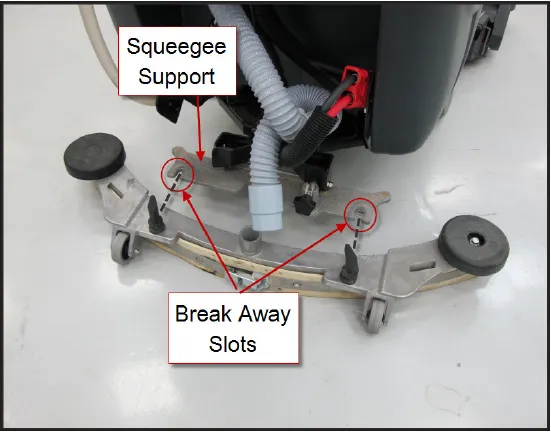
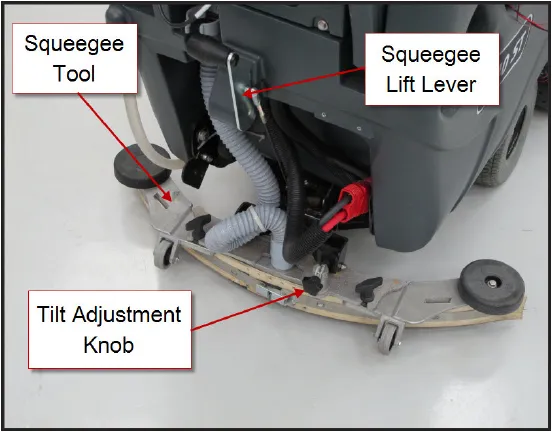
Maintenance and adjustments
Adjusting squeegee tilt
The tilt of the squeegee causes the rear blade to rise up in the center or on the ends, depending on which direction the tilt is changed.
- Park the machine on a flat, even surface and lower the squeegee.
- While moving the machine forward slowly, turn the Squeegee Tilt Adjustment Knob until the rear squeegee blade flares evenly across the entire width of the squeegee.
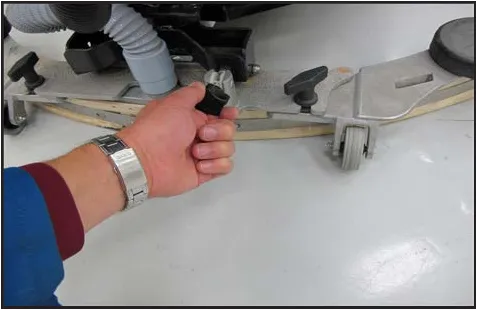
Troubleshooting
Leaving streaks on the floor
Possible Causes
- Debris between squeegee blade and floor
- Squeegee blade edges are torn or worn
- Incorrect squeegee tilt
- Broken squeegee springs
- Bent squeegee support
Removal and installation
Squeegee tool
- Remove vacuum hose from tool.
- Loosen both wing nuts.
- Remove squeegee tool.
- Reassemble in reverse order. Note: Over-tightening the wing nuts can lead to damaging the squeegee tool by defeating the breakaway feature.
Squeegee support
- Remove squeegee tool.
- Remove squeegee lift cable from support.
- Service Tip: The force of the springs against the pivot bolt causes it to tip backwards and makes it difficult to get the assembly removed and back into place. Neutralize the spring force by lifting the support up a bit against the spring tension and tie it up with a wire. See photo.
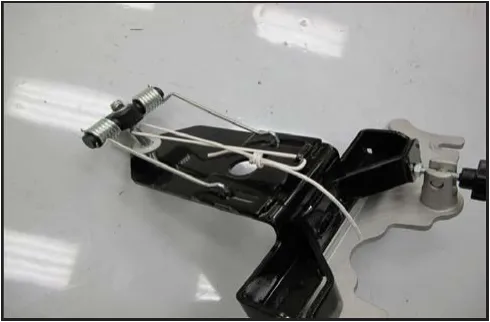
- Remove the lower pivot mounting nut.
- Remove squeegee support assembly.
- Reassemble in reverse order.
- Cut wire used to hold spring tension.
Squeegee blades
Squeegee blades have 4 working edges. As an edge becomes worn, the blade should be removed and rotated so that a new edge is against the floor facing forward.
Front squeegee blade
- Remove squeegee tool.
- Loosen the tension strap screw
- Remove the tension strap.
- Remove the blade.
- Install blade on tool being careful to match the alignment slots.
- Install the tension strap.
- Tighten the tension strap screw.
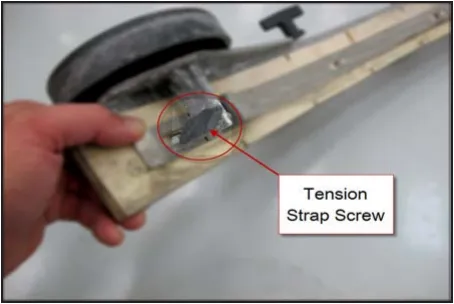
Rear squeegee blade
- Remove squeegee tool.
- Unsnap the center latch.
- Remove the tension straps.
- Remove the blade.
- Install blade on tool, being careful to match the alignment slots.
- Install the tension straps.
- Snap the center latch closed.
Wheel system non-traction
Functional description
A single caster wheel mounted to the back of the frame allows the machine to pivot easily. The wheel is attached with 4 bolts that are screwed into threaded holes in the frame.
Component locations
- Caster Wheel
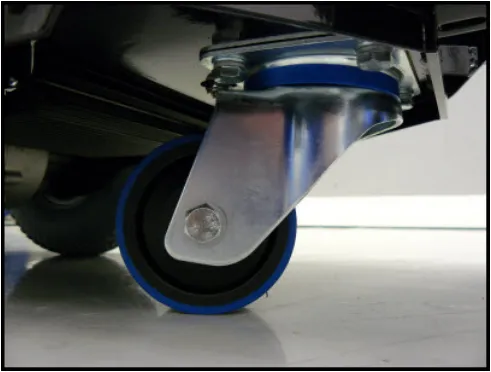
Wheel system, traction
Functional description
A permanent magnet motor transaxle is used to propel the machine in both forward and reverse directions. The controls for forward, reverse and speed are different between the “ST” (SC 750 ST, SC800 ST) and “Non-ST”(SC750, SC800) Models. The SC750 and SC800 models use a drive paddle with an angle sensor (potentiometer) as an input for forward and reverse with a variable speed signal. They also have a separate speed limit potentiometer to control the maximum speed. The SC750 ST and SC800 ST models use a combination of two switches. There are 2 “Palm Drive Buttons” and a Reverse Button. When either palm drive button is pressed, the machine will go forward. If the reverse button is pressed while a palm drive button is pressed the machine will move in reverse. ST models also have a separate speed control potentiometer. It controls the speed of travel. On both models, the speed in reverse is intentionally less than in forward. The Drive Motor Controller varies the amount of voltage it applies to the drive motor to control speed. It reverses the polarity to change direction. The Drive Motor Controller is capable of informing the Main Machine Controller that it sees a problem, but there are no specific drive system codes to retrieve.
Drive motor circuit description - SC750 ST and SC800 ST models
Powering up the drive motor controller:
The controller is connected directly to battery positive (B+) and battery negative (B-). These supply the power that the controller uses to send out to the drive motor. The controller “wakes up” when it receives voltage from the key switch. On machines with an optional on-board battery charger, the voltage first goes through the key switch and then through the interlock circuit in the battery charger when the charger is not plugged into an AC power supply. When the charger is plugged in, the voltage is interrupted by the built in interlock relay and the drive system will not wake up even if the key is turned on.
Drive motor controller inputs
To drive forward, the operator presses either palm drive button and rotates the speed control potentiometer to achieve the desired speed. The drive motor controller has internal “voltmeters” that are monitoring 3 inputs.
- Palm Switches - To know when to move.
- Speed Request - To know how fast to move
- Reverse Switch - To know which direction to move
The palm drive buttons are fed 5 volts from the controller. When either switch closes, the 5 volts goes through the switch and back to the controller where an internal voltmeter “sees” the 5 volts and “recognizes” it as a request to move. (Note: There is an internal “diagnostic voltage” of a little more than 2 volts that will be seen when both switches are open.)
The speed limit potentiometer is fed 5 volts from the controller on one side of its resistive strip. The voltage goes through the resistive strip and returns to battery negative inside the controller. The “wiper” inside the potentiometer will return a voltage back to the controller as a speed request input. If the wiper is close to the supply side, the voltage will be high (4.6v = Maximum speed request). If it is close to the battery negative return side, the voltage will be low (0.2v = Minimum speed request).
The reverse switch provides the “directional request input.” Here is how it works. The Drive Motor Controller sends approximately 2.8v through an internal resistor out to the reverse switch. An “internal voltmeter” monitors the voltage. When the reverse switch is open, 2.8v is seen. This is interpreted as a “forward direction” request. When the reverse switch closes, it connects the voltage to battery negative through the Drive Motor Controller. This drops the voltage from 2.5v to nearly 0v. This is interpreted as a “reverse direction” request.
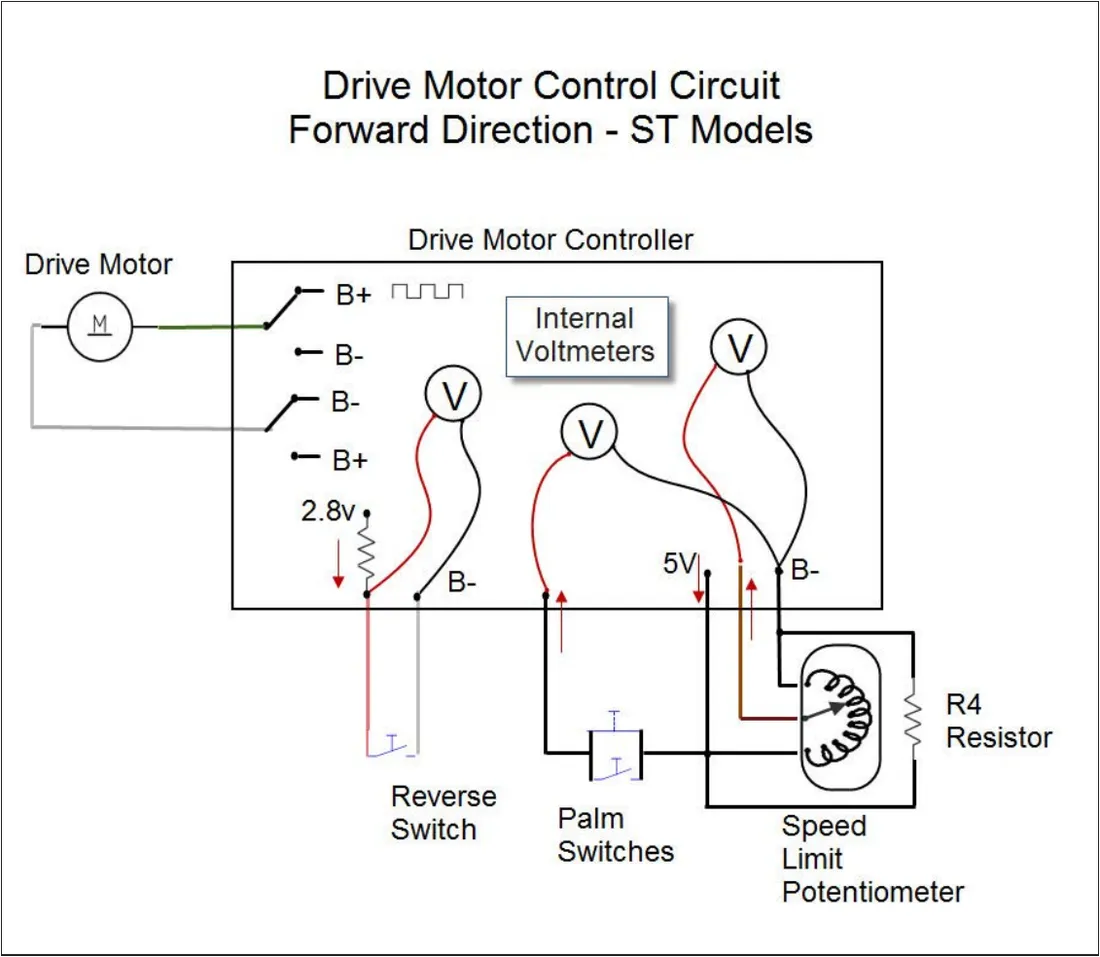
| Label printed on drawing | Kind |
|---|---|
| Drive Motor Control Circuit, Forward Direction - ST Models | Drawing title |
| Drive Motor | Component label |
| Drive Motor Controller | Box label |
| B+ (with pulse symbol), B-, B-, B+ | Terminal labels beside the two switches inside the controller box |
| Internal Voltmeters | Label |
| 2.8v | Voltage label |
| 5V | Voltage label |
| B- | Terminal labels (two, at the bottom of the controller box) |
| Reverse Switch | Component label |
| Palm Switches | Component label |
| Speed Limit Potentiometer | Component label |
| R4 Resistor | Component label |
Drive motor controller outputs
The primary job of the Drive Motor Controller is to operate the electric transaxle drive motor. It does this by regulating current flow through the drive motor to control speed, and by changing polarity to control direction. The secondary job is to notify the Main Machine Controller when the machine is moving and which direction it is moving. The Main Machine Controller uses this information to start and stop the solution flow and scrub functions.
To move the machine forward, the controller connects terminal M2 to battery negative AND connects terminal M1 to battery positive. To regulate the speed, the controller pulses the battery positive voltage out to terminal M1 at a fixed frequency called a “duty cycle”. The greater the percentage of “on” time that the circuit is connected to battery positive, the faster the machine will go.
To move the machine in reverse, terminal M1 is connected to ground and terminal M2 is pulsed to battery positive voltage. The speed in reverse is intentionally reduced.
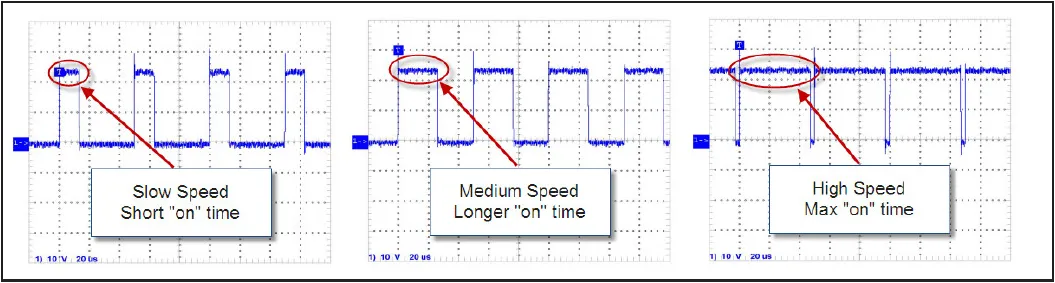
| Trace (left to right) | Label printed |
|---|---|
| 1 | Slow Speed, Short "on" time |
| 2 | Medium Speed, Longer "on" time |
| 3 | High Speed, Max "on" time |
Each trace is marked 10 V and 20 us at its lower left.
The Drive Motor Controller tells the Main Machine Controller when the machine is moving and what direction it is moving. Two circuits are used for this purpose, the FOR/REV and the REV circuit. Here is how the FOR/REV circuit works: The Main Machine Controller sends 24 volts out through an internal resistor to the Drive Motor Controller. The Drive Motor Controller has an internal switch to battery negative (B-). When the machine is not moving, the switch is open. There is an internal voltmeter inside the Main Machine Controller that sees 24 volts on the circuit. When the machine moves in either direction, the switch closes and the voltage drops to 0 volts. This tells the main machine controller that the machine is moving. However, the main machine controller does not know what direction the machine is moving. There is another circuit called the REV circuit that provides direction information. It works similar to the FOR/REV circuit. When the machine is stationary or moving forward, the switch remains open so the main machine controller “sees” 24v. The switch closes when the machine moves in reverse, dropping the voltage to 0v.
- Stationary Machine - Both Inputs=24v
- Machine Moving Forward = FOR/REV=0v, REV = 24v
- Machine Moving in Reverse - FOR/REV=0v, REV = 0v
Drive motor circuit description - SC750 and SC800 models
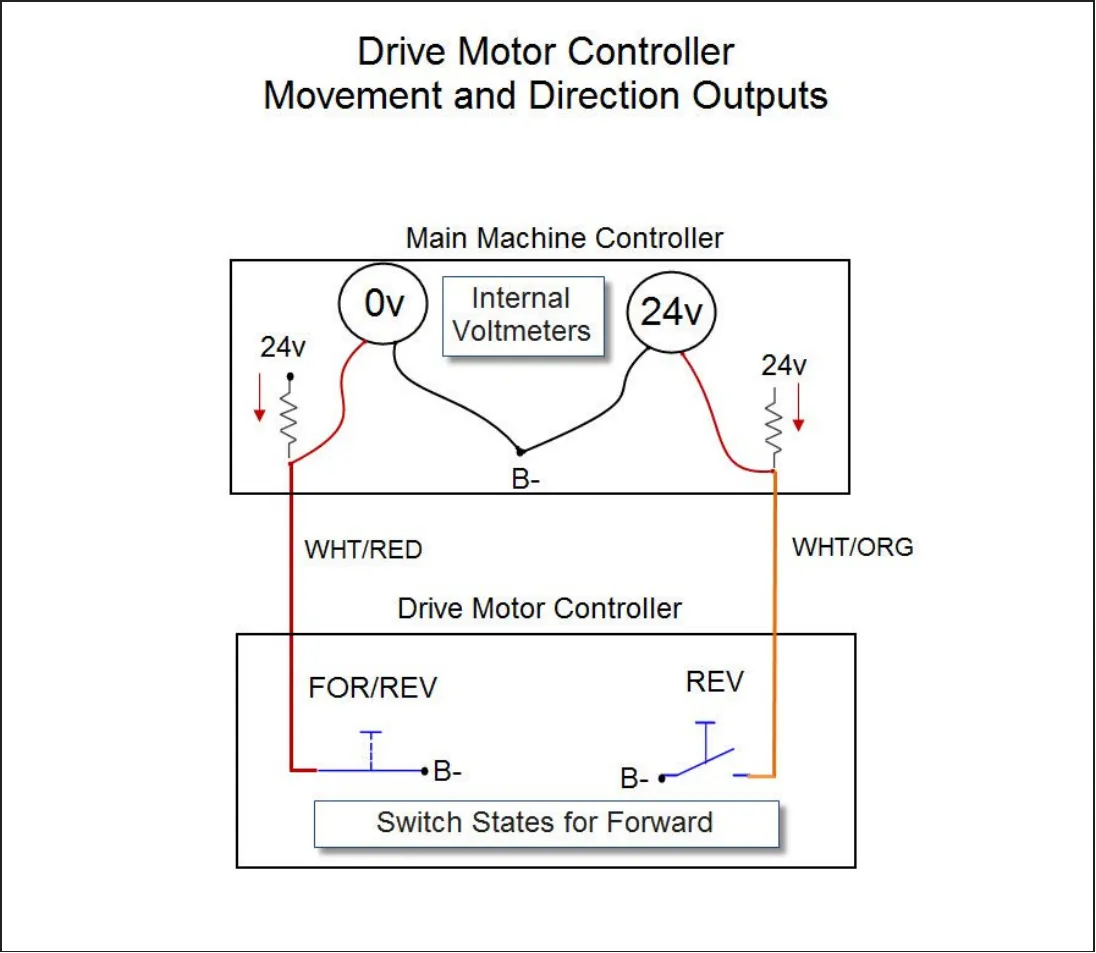
| Label printed on drawing | Kind |
|---|---|
| Drive Motor Controller Movement and Direction Outputs | Drawing title |
| Main Machine Controller | Box label |
| 0v | Voltmeter reading |
| 24v | Voltmeter reading and voltage labels (shown three times) |
| Internal Voltmeters | Label |
| B- | Terminal label |
| WHT/RED | Wire label |
| WHT/ORG | Wire label |
| Drive Motor Controller | Box label |
| FOR/REV | Switch label |
| REV | Switch label |
| B- | Terminal labels (one beside each switch) |
| Switch States for Forward | Label |
Powering up the drive motor controller
This is the same as the “ST” models. See above section.
Drive motor controller inputs
To drive forward, the operator pushes on a drive paddle which rotates the Speed Control Potentiometer inside the paddle. A separate Speed Limit Potentiometer is rotated to control the maximum speed.
The drive motor controller has internal “voltmeters” that are monitoring 2 inputs.
- Drive Paddle Position - To know when to move and which direction.
- Speed Limit - To know what the maximum speed should be.
The drive paddle Position potentiometer is fed 5 volts from the controller on one side of its resistive strip. The voltage goes through the resistive strip and returns to battery negative inside the controller. The “wiper” inside the potentiometer will return a voltage back to the controller as a direction request input. If the wiper is exactly in the middle, as it should be when drive paddle is in the spring loaded position, the return voltage will be ½ of the supply voltage (2.5v). As the paddle is pushed forward, the wiper moves closer to the supply side, resulting in an increase in voltage. Voltage above 2.5v is interpreted as a forward request. The same input is also used for more or less speed. As the paddle is pushed farther forward, the voltage will increase and it will be interpreted as a request for more speed in the forward direction. (When the drive paddle is pulled back, the voltage will drop below 2.5v. and is interpreted as a reverse request).
The Speed Limit Potentiometer is fed 5 volts from the controller on one side of its resistive strip. The voltage goes through the resistive strip and returns to battery negative inside the controller. The “wiper” inside the potentiometer will return a voltage back to the controller as a speed request input. If the wiper is close to the supply side, the voltage will be high (4.6v = Maximum speed request). If it is close to the battery negative return side, the voltage will be low (0.2v = Minimum speed request).
The combination of the drive paddle position potentiometer input and the speed limit potentiometer input allows the operator to hold the paddle all the way forward for normal operation while still being able to adjust the travel speed.
Drive motor controller outputs
- This is the same as the ST models. See section above.
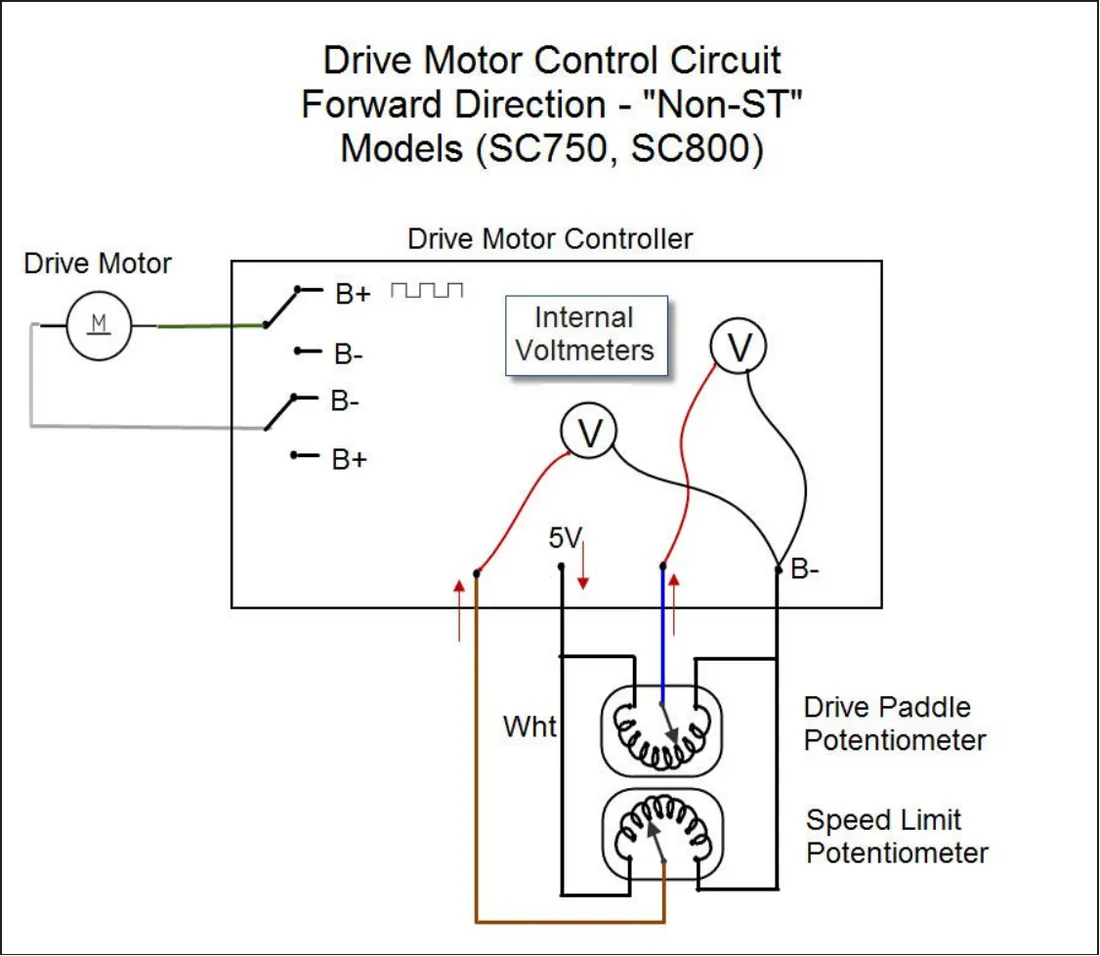
| Label printed on drawing | Kind |
|---|---|
| Drive Motor Control Circuit, Forward Direction - "Non-ST" Models (SC750, SC800) | Drawing title |
| Drive Motor | Component label |
| Drive Motor Controller | Box label |
| B+ (with pulse symbol), B-, B-, B+ | Terminal labels beside the two switches inside the controller box |
| Internal Voltmeters | Label |
| 5V | Voltage label |
| B- | Terminal label |
| Wht | Wire label |
| Drive Paddle Potentiometer | Component label |
| Speed Limit Potentiometer | Component label |
Component locations
- Transaxle (Wheel Drive Motor)
- Drive Motor Controller
- Speed Limit Potentiometer – SC750 and SC800
- Drive Paddle Position Sensor – SC750 and SC800
- Speed Limit Potentiometer – ST
- Palm Drive Switches – ST
- Reverse Switch – ST
- R4 Resistor – ST
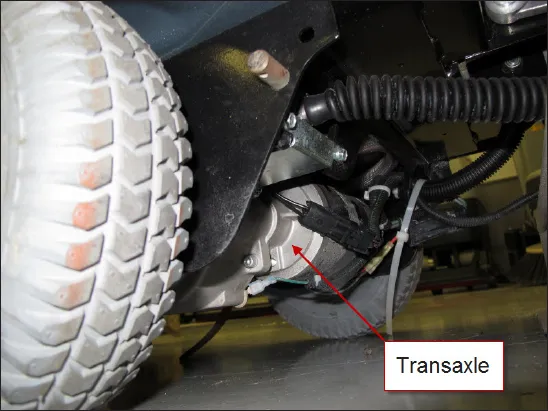
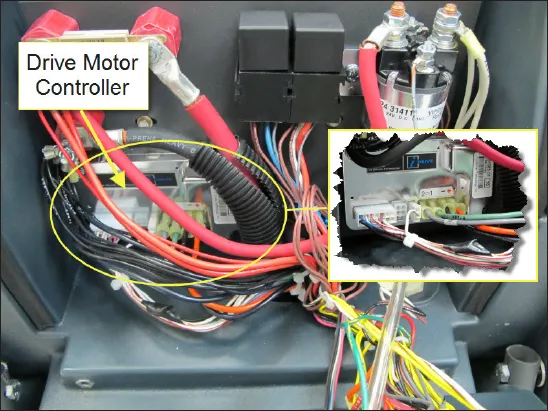
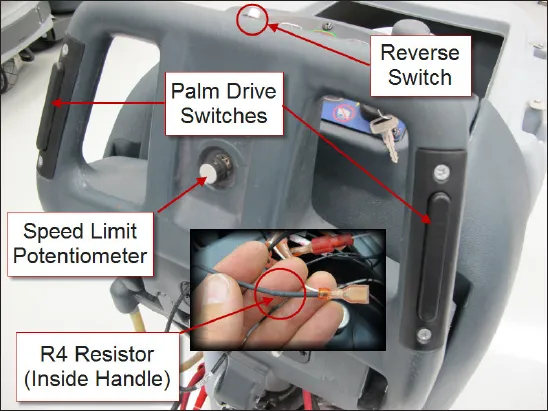
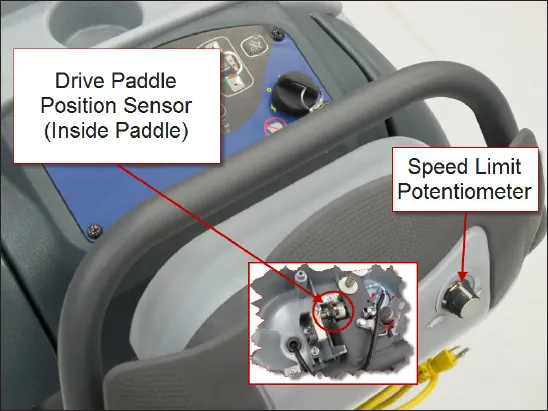
Troubleshooting
The Drive Motor Controller is a PG Drives Technology controller from the I-Drive family. It performs onboard diagnosis of itself and related circuits. If it sees a problem it sets a “Trip Code”. Trip codes are grouped by “Trip Types”. Either the Trip Type or the Trip Code can be used to focus troubleshooting into a certain area. Trip Codes are more specific than Trip Types.
The Drive Motor Controller uses the status wire to inform the Main Machine Controller when it has set a Trip Code and which Trip Type the code belongs to. The main machine controller in turns displays an error code (3 on “Non-ST” models and “1,1” on “ST” models) and it flashes out the Trip TYPE using one of the LEDs on the control panel.
Reading LED trip type values
Trip types are represented by a single digit. “Non-ST” models use the Detergent LED to flash out the Trip Type value and “ST” models use the High Solution flow LED. A trip type 7 will flash the LED 7 times, stay off for a brief pause and then repeat the cycle. The main machine controller turns on the LED whenever the voltage on the status line is low and turns it off when the status voltage is high. These photos of a graphing voltmeter monitoring the status line can help you understand what to expect for the LED flash out.
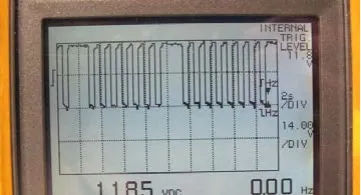
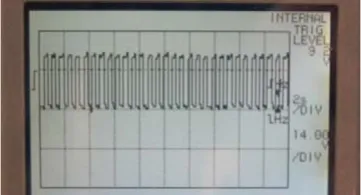
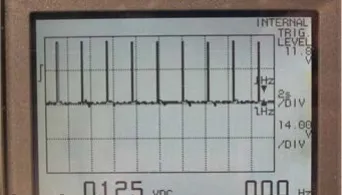
Note: If the Drive Motor Controller sees a “throttle request” at pin 1 when the key is turned on, it will “ignore” the request and tell the Main Machine Controller that there is a problem. The LED used to display the trip type value flashes at a steady rate. It appears to momentarily flash off, then stay on for a bit longer period of time. This should not be confused with a Trip Type 1 where there is more “off time” with a brief “on time”. When the throttle request input is corrected, the LED stops flashing and normal operation is restored without the need to cycle the key off and back on.
Trip code table
Information in the following table is provided by PG Drive Technologies. It includes information on codes that may never be seen in the Nilfisk-Advance machine. For example, the SC750/800 model family does not utilize a solenoid brake, so theoretically you should not ever see a trip type 9 (Solenoid Brake Trip), but in the event that you do, the table will provide you with the information you need.
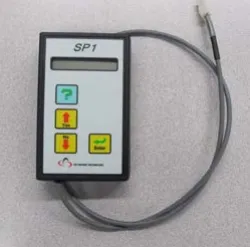
A specific Trip Code can only be obtained by using a PGDT (PG Drives Technology) programmer. This programmer is not required to troubleshoot drive system problems. If you have a drive system problem, check to see if an LED on the control panel is flashing out the “Trip Type” value. Use the table below to find the trip type description. One Trip Type may be related to multiple Trip Codes. You need to refer to the Code Description and Possible Causes for ALL Trip Codes for a given Trip Type.
| Trip Type | Type Description | Trip Code | Code Description and Possible Causes |
|---|---|---|---|
| 1 | Low Battery Voltage | 2C00# | Low Battery Voltage. This occurs when the controller detects that the battery voltage has fallen below approximately 13.5V. Check the condition of the batteries, connectors and relevant wiring to the i-Drive. If the trip is still present after the batteries, connectors and wiring have been checked, the controller may be defective. Refer to Section 3 |
| 1 | Low Battery Voltage | 2C01# | Very Low Battery Voltage. This occurs when the controller detects a sudden drop in battery voltage. Check the condition of the batteries, connectors and relevant wiring to the i-Drive. If the trip is still present after the batteries, connectors and wiring have been checked, the controller may be defective. Refer to Section 3. |
| 2 | Motor Open Circuit | 3B01# | Motor Open Circuit. This occurs when the controller detects that the motor has become disconnected at start-up or in standby. Check the motor, connectors and relevant wiring to the i-Drive. If the trip is still present after the motor, connectors and wiring have been checked, the controller may be defective. Refer to Section 3. |
| 3 | Motor Wiring Trip | 3D02# | Motor Shorted To Battery Positive. This occurs when the controller detects that the motor wiring has been shorted to Battery Positive. Check the motor, connectors and relevant wiring to the i-Drive. If the trip is still present after the motor, connectors and wiring have been checked, the controller may be defective. Refer to Section 3. |
| 3 | Motor Wiring Trip | 3D03# | Motor Shorted To Battery Negative. This occurs when the controller detects that the motor wiring has been shorted to Battery Negative. Check the motor, connectors and relevant wiring to the i-Drive. If the trip is still present after the motor, connectors and wiring have been checked, the controller may be defective. Refer to Section 3. |
| 4 | Not Used |
| Trip Type | Type Description | Trip Code | Code Description and Possible Causes |
|---|---|---|---|
| 5 | Not Used | ||
| 6 | Inhibit Active | 0A00# | Sleep Mode. This occurs when the controller enters Sleep Mode. Turn the controller off and then on to awake the system. To disable Sleep Mode, program the parameter Sleep Timer to 0 minutes. |
| 6 | Inhibit Active | 1E08*# | Inhibit 1 Active. This occurs when the controller detects that the Inhibit 1 input is active, Inhibit 1 Speed has been set to ‘0’ and Inhibit 1 Operation has been set to ‘Latched’. This input is located on pin 6 of the 14-way Tiller Connector. Check the state of the input, Inhibit 1 programming, connectors and relevant wiring to the i-Drive. If the trip is still present after the state of the input, programming, connectors and wiring have been checked, the controller may be defective. Refer to Section 3. |
| 6 | Inhibit Active | 1E09*# | Inhibit 2 Active. This occurs when the controller detects that the Inhibit 2 input is active, Inhibit 2 Speed has been set to ‘0’ and Inhibit 2 Operation has been set to ‘Latched’. This input is located on pin 14 of the 14-way Tiller Connector. Check the state of the input, Inhibit 2 programming, connectors and relevant wiring to the i-Drive. If the trip is still present after the state of the input, programming, connectors and wiring have been checked, the controller may be defective. Refer to Section 3. |
| 7 | Throttle Trip | 0815# | Throttle Trip. This occurs when the controller detects an error with one of the throttle references, either high or low. The throttle references are located on pins 2 and 8 of the 14-way Tiller Connector, respectively. Check the throttle potentiometer, connectors and relevant wiring to the i-Drive. If the trip is still present after the potentiometer, connectors and wiring have been checked, the controller may be defective. Refer to Section 3. |
| Trip Type | Type Description | Trip Code | Code Description and Possible Causes |
|---|---|---|---|
| 7 | Throttle Trip | 0E07# | Throttle Trip. This occurs when the controller detects that the Series Speed Limit Potentiometer Wiper is shorted to one of the throttle references, either high or low. The Series Speed Limit Potentiometer Wiper input is located on pin 1 of the 14-way Tiller Connector. The trip is only applicable if an ISO-test resistor is fitted and programmed correctly. Check the throttle potentiometer, programming, connectors and relevant wiring to the i-Drive. If the trip is still present after the potentiometer, programming, connectors and wiring have been checked, the controller may be defective. Refer to Section 3. |
| 7 | Throttle Trip | 2F01*# | Throttle Displaced At Start-Up. This occurs when the controller detects that the Throttle Potentiometer has been displaced at start-up and the parameter Throttle Operated At Power-Up has been set to ‘Trip’. Check that the operator is not deflecting the throttle at power-up, the throttle potentiometer, connectors and relevant wiring to the i-Drive. If the trip is still present after the operator use, potentiometer, connectors and wiring have been checked, the controller may be defective. Refer to Section 3. |
| 7 | Throttle Trip | 7901# | Belly Button Active At Start-Up. This occurs when the controller detects that the Belly Button Switch has been operated at power-up. The Belly Button Input is located on pin 9 of the 14-way Tiller Connector. Check the Belly Button Switch, connectors and relevant wiring to the i-Drive. If the trip is still present after the switch, connectors and wiring have been checked, the controller may be defective. Refer to Section 3. |
| 8 | Possible Controller Fault | 5300# | Programmable Setting Changed. This occurs whenever the value of a parameter is altered using a programmer. Turn the controller off and then on to reset the trip. |
| Trip Type | Type Description | Trip Code | Code Description and Possible Causes |
|---|---|---|---|
| 8 | Possible Controller Fault | All Other Possible Controller Fault Codes | This occurs when the controller suspects an internal problem. Check the batteries, motor, connectors and wiring to the i-Drive. If the trip is still present after these checks have been conducted, the controller may be defective. Refer to Section 3. |
| 9 | Solenoid Brake Trip | 1500# | Short Circuit In Solenoid Brake. This occurs when the controller detects a short circuit in the solenoid brake. Check the solenoid brake, connectors and relevant wiring to the i-Drive. If the trip is still present after the brake, connectors and wiring have been checked, the controller may be defective. Refer to Section 3. |
| 9 | Solenoid Brake Trip | 1502# | Open Circuit In Solenoid Brake. This occurs when the controller detects an open circuit in the solenoid brake at start-up or in standby. Check the solenoid brake, connectors and relevant wiring to the i-Drive. If the trip is still present after the brake, connectors and wiring have been checked, the controller may be defective. Refer to Section 3. |
| 10 | High Battery Voltage | 1600# | High Battery Voltage. This occurs when the controller detects that the battery voltage has exceeded approximately 35V on 24V i-Drives and approximately 45V on 36V i-Drives. Check the condition of the batteries, connectors and relevant wiring to the i-Drive. If the trip is still present after the batteries, connectors and wiring have been checked, the controller may be defective. Refer to Section 3. |
| 10 | High Battery Voltage | 1601# | Very High Battery Voltage. Refer to Section 2.10.2 This occurs when the controller detects that the battery voltage has exceeded approximately 45V on 24V i-Drives and approximately 49.5V on 36V i-Drives. Check the condition of the batteries, connectors and relevant wiring to the i-Drive. If the trip is still present after the batteries, connectors and wiring have been checked, the controller may be defective. Refer to Section 3. |
| Trip Type | Type Description | Trip Code | Code Description and Possible Causes |
|---|---|---|---|
| Undefined | 300# | Parallel Speed Pot. Wiper Error This occurs when the controller detects that the Parallel Speed Limit Potentiometer Wiper is open circuit or has been shorted to one of the throttle references. The Parallel Speed Limit Potentiometer Wiper input is located on pin 9 of the 14-way Tiller Connector. If this error occurs, the controller will allow drive to continue but at the minimum programmed speed. Check the parallel speed potentiometer, connections and relevant wiring to the i-Drive. If the trip is still present after the potentiometer, connectors and wiring have been checked, the controller may be defective. Refer to Section 3. | |
| Undefined | 4401# | Record Of Possible Control Fault. ‘4401’ is not actually a trip code but rather a historical record of the number of times the i-Drive has tripped with a suspected controller fault. Each time the i-Drive trips with an error not shown in the table above, it records one instance of the code ‘4401’ in the controller’s System Log. The actual controller trip code is also recorded in the i-Drive’s Control Log. The number of ‘4401’ trips shown in the System Log should therefore equal the cumulative number of trip occurrences shown in the Control Log. More information on the i-Drive’s diagnostic logs can be found in Chapter 3, Section 12. Check the batteries, motor, connectors and wiring to the i-Drive. Please contact PGDT for further advice before returning a controller based solely on the presence of historical ‘4401’ trips in the System Log. |
* Dependant on programming
Trip Types 4 and 5 not used for i-Drive
Section 3 Servicing of defective units
There are no serviceable parts within the controller. Opening or making any unauthorized adjustments or modifications to the controller or its components will invalidate any warranty and may result in hazards to the operator and is strictly forbidden.
Does not propel forward or reverse with no trip type set
In the event the machine will not propel and there are no Trip Codes or Trip Types to narrow down the problem area, systematically check the Drive Motor Controller power supplies, inputs and outputs. Use the Service Test Mode to speed your diagnosis. Check to see if the Drive Motor Controller is sending signals to the Main Machine Controller that indicate it is trying to move the machine. If it is, that confirms that the input requests to the Drive Motor Controller are good and that it is trying to respond to them. Next, check to see if there is voltage across the motor terminals. If the voltage is above 6 volts and the motor is not turning, the motor is the problem (Check the carbon brushes). If there is no voltage to the motor, the controller or wiring has failed.
Possible causes
- Battery voltage too low
- Controller not receiving input requests for travel
- Drive motor
- Drive motor controller
- Wiring
Removal and installation
Speed limit potentiometer – ST models
- Loosen set screw and remove knob.
- Remove potentiometer mounting nut and washer.
- Remove upper handle bolts.
- Loosen lower handle bolts and rotate handle down.
- Disconnect handle electrical connector.
- Remove the access plate.
- Disconnect 3 electrical connectors. Make sure you carefully record the wire colors and their positions so that you will be able to reconnect them correctly.
- Remove potentiometer.
- Reassemble in reverse order.
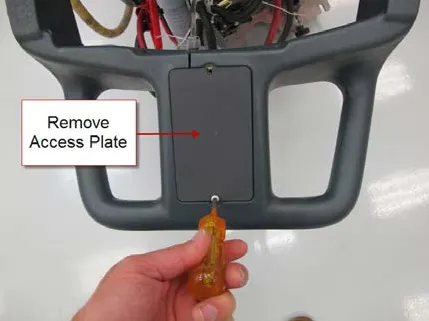
Speed limit potentiometer – Non-ST models
- Remove upper handle bolts.
- Loosen lower handle bolts and rotate handle down.
- From the back side of the paddle, remove the 4 screws securing the front cover. Partially remove the front cover.
- Disconnect the wiring from the speed limit potentiometer. Make sure you carefully record the wire colors and their positions so that you will be able to reconnect them correctly.
- Remove front cover.
- Remove the potentiometer knob and mounting nut.
- Reassemble in reverse order.
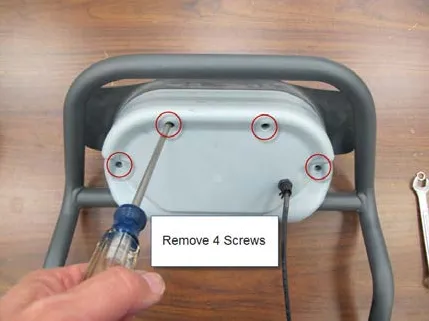
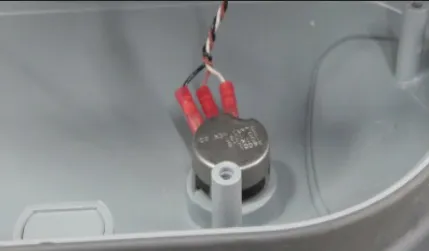
Palm button switches – ST models
- Remove two switch mounting screws.
- Remove upper handle bolts.
- Loosen lower handle bolts and rotate handle down.
- Remove access plate.
- Disconnect wiring. Make sure you carefully record the wire colors and their positions so that you will be able to reconnect them correctly.
- Remove switch and wiring.
- Tip – To make it easier to install a new switch, use a spare piece of wire attached to the wires of the old switch when you pull it out. Attach the new switch wires to the spare wire to pull the wiring back through the handle.
- Reassemble in reverse order.
Reverse switch – ST models
- Remove upper handle bolts.
- Loosen lower handle bolts and rotate handle down.
- Remove access plate.
- From inside the handle area, push the reverse switch out of the handle.
- Disconnect wiring and remove. Make sure you carefully record the wire colors and their positions so that you will be able to reconnect them correctly.
- Reassemble in reverse order.
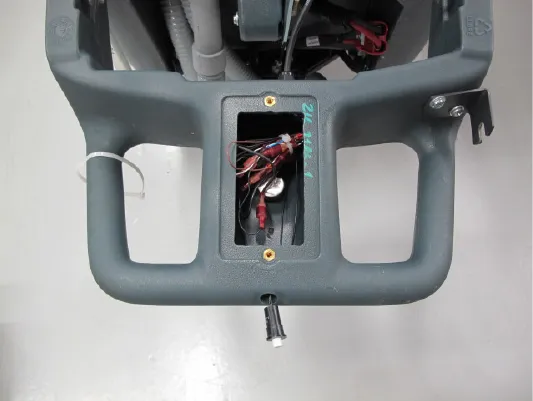
Handle wiring connections – ST models
| Component | Wire color – Component side | Wire color – Harness side | To Main Machine Controller (A1) pin |
|---|---|---|---|
| Reverse Switch | Black | GRA | J4-13 |
| Reverse Switch | Black | PNK | J4-12 |
| Speed Pot. (Low Ref.) | White | BLK, BLK (R4) | J4-8 |
| Speed Pot. (Wiper) | Brown | BRN | J4-9 |
| Speed Pot. (Hi) | Black | WHT, WHT | J4-2 |
| Right Traction Switch | Black | BLU, BLU | J4-1 |
| Right Traction Switch | Black | WHT, WHT | J4-2 |
| Left Traction Switch | Black | BLU | J4-1 |
| Left Traction Switch | Black | WHT, BLK (R4) | J4-2 |
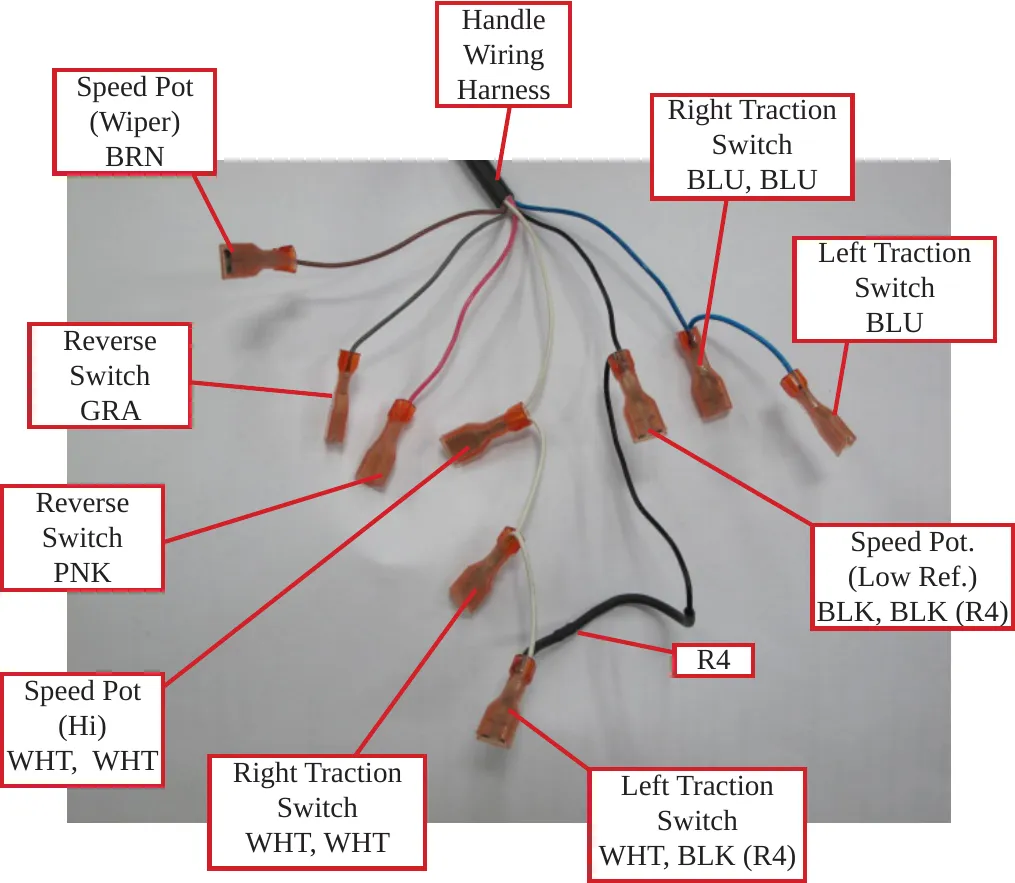
Labels printed on the photo:
| Label | Wire color shown |
|---|---|
| Handle Wiring Harness | |
| Speed Pot (Wiper) | BRN |
| Right Traction Switch | BLU, BLU |
| Left Traction Switch | BLU |
| Reverse Switch | GRA |
| Reverse Switch | PNK |
| Speed Pot. (Low Ref.) | BLK, BLK (R4) |
| R4 | |
| Speed Pot (Hi) | WHT, WHT |
| Right Traction Switch | WHT, WHT |
| Left Traction Switch | WHT, BLK (R4) |
Paddle position sensor – Non-ST models – SC750, SC800
Photos are shown working on a bench top but this can be done on the machine.
- Remove top two handle mounting bolts.
- Loosen the bottom two handle mounting bolts and rotate handle down.
- From the back side of the paddle, remove the 4 screws securing the front cover. Remove the front cover.
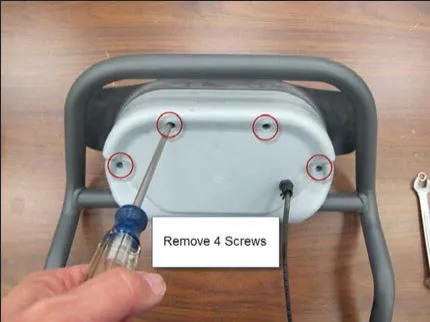
- Disconnect wiring from the potentiometer. Make sure you carefully record the wire colors and their positions so that you will be able to reconnect them correctly.
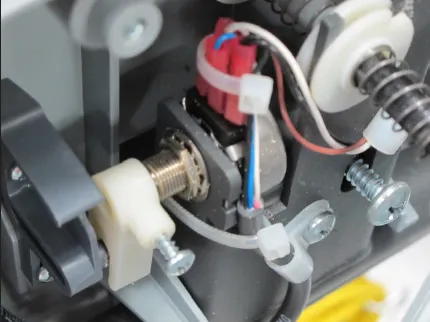
- Remove the cam controller.
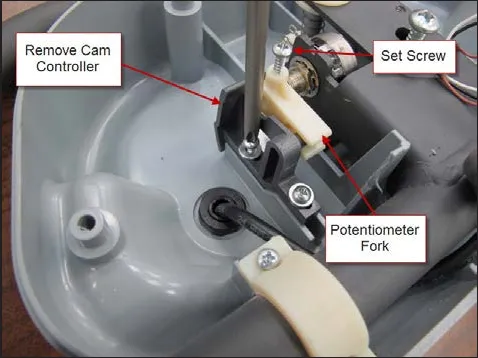
- Loosen set screw and remove the potentiometer fork.
- Remove the potentiometer mounting nut and washer.
- Install the potentiometer.
- Loosely install the potentiometer fork.
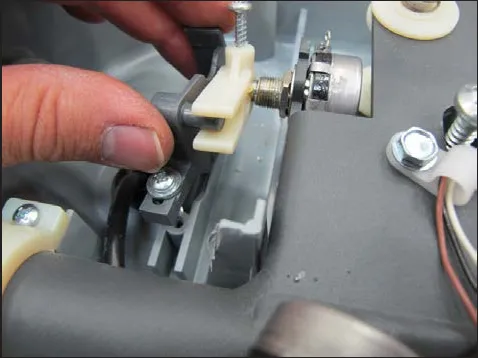
- Install the cam controller inserting the pin end into the fork.
- Adjust the potentiometer position.
- Measure the resistance between the two outer terminals and write the value down.
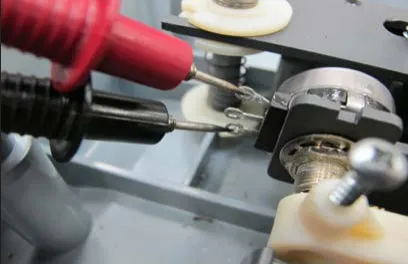
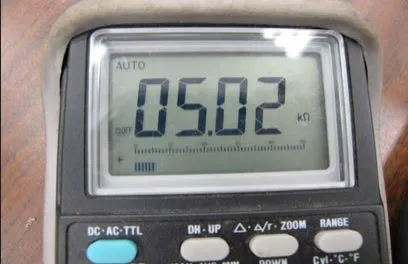
- Hook up your ohmmeter leads between the center terminal and one of the outer terminals. Using a small slotted screwdriver in the end of the potentiometer shaft, rotate the shaft until the value on the ohmmeter is exactly ½ of the value written down in step a.
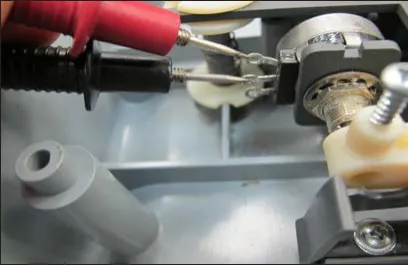
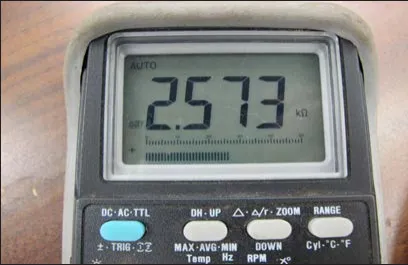
- Tighten the fork set screw.
- Reconnect the wiring.
- Reinstall the paddle cover. (Reconnect the speed limit potentiometer wiring.)
- Rotate the handle assembly back up into position and loosely install the top mounting bolts.
- Tighten all 4 handle mounting bolts.
Paddle centering springs – Non-ST models – SC750, SC800
In the event that the paddle centering springs and hardware need to be replaced, these photos will help you assemble it correctly.
- Carefully remove the attaching screw. Pieces will fly apart if you do not retain the springs.
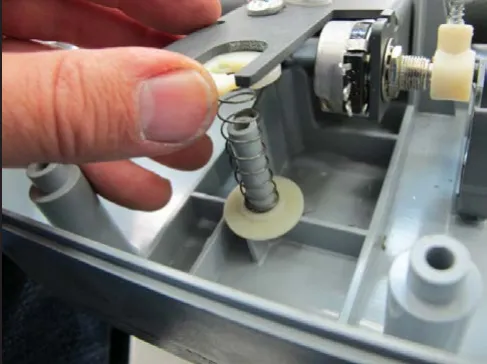
- When reassembling, install the “lower stack” first. The shoulder of the nylon washers goes toward the spring. Carefully position the pieces so that they stay in place.
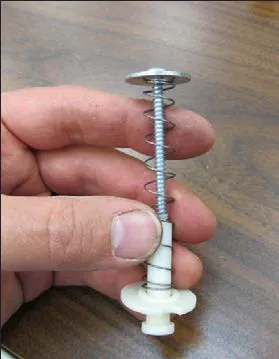
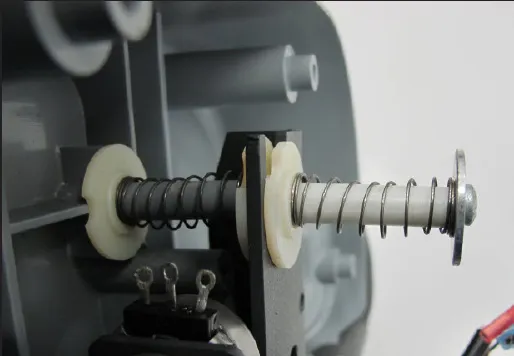
- Next, prepare the upper stack for assembly as shown. Install it and tighten the screw. (Do not over-tighten the screw or it will strip out the tower).
Drive wheel
- Loosen the three nuts securing the wheel to the hub flange.
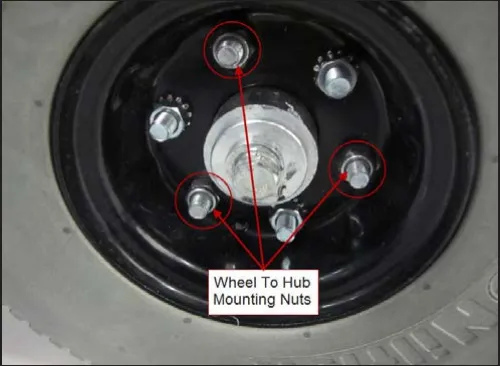
Wheel to hub mounting nuts - There are 6 nuts on the outer rim of the wheel. Three are for holding the two rim halves together. These have standard nuts with “star” lock washers. The other three are for securing the wheel to the hub. These have Nylock style nuts.
- Raise the wheel off the ground with a jack and remove the 3 mounting nuts.
- Remove the wheel.
- Reassemble in reverse order.
Transaxle
- Empty solution and recovery tanks.
- Remove the squeegee tool.
- Remove the batteries.
- Remove one drive wheel and remove the transaxle mounting bolts behind it.
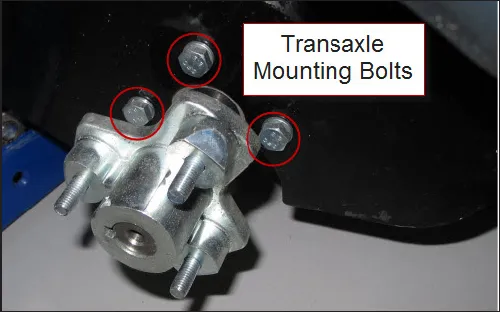
- With the help of an assistant, lay the machine on its side. Lay it on the side that has the wheel off and be sure to protect the side from damage.
- Remove the other drive wheel and the transaxle mounting bolts behind it.
- Disconnect the transaxle motor electrical connector.
- Make a note of how the transaxle is oriented in the frame before removing it so that it is reassembled correctly.
- Remove the transaxle by sliding it out of the frame slots.
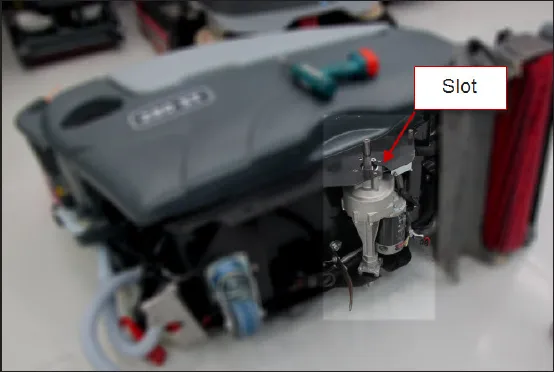
- Reassemble in reverse order.
Transaxle drive motor carbon brushes
- Remove transaxle.
- Remove round black plastic brush cap.
- Remove carbon brush and spring.
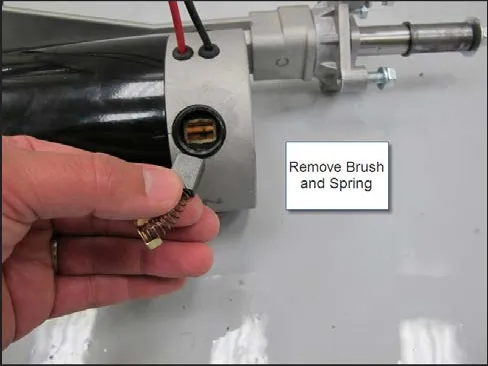
- Install brush and spring. Install and tighten cap with a screwdriver.
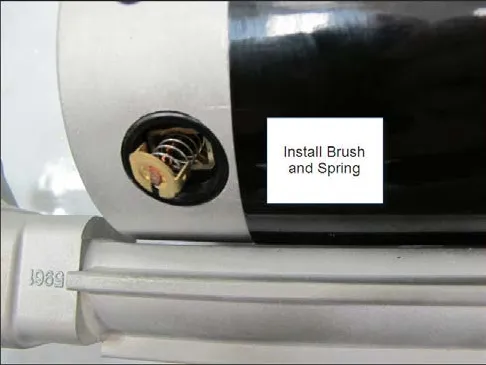
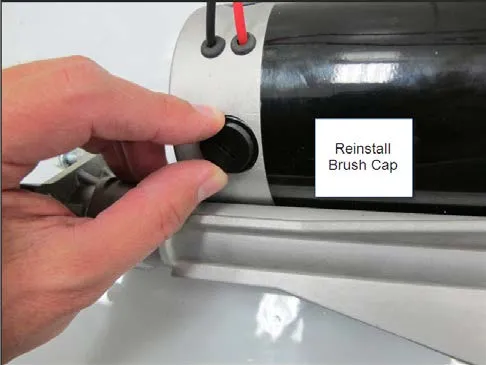
- Repeat steps for all 4 carbon brushes.
Specifications
| Drive Wheels | Diameter: 10 in (25.4 cm) Width: 3 in (7.62 cm) Type/Material: Polyurethane Foam – molded |
| Drive Motor | .4 HP (298 watts) |
| Max. Transport Speed | Fwd: 3.57 mph (5.75 km/h) Rev: 2.71 mph (4.36 km/h) |
Drive motor amp draw measurements
- No load (one wheel jacked up), jumped directly to battery – Approximately 1.8 amps
- Traversing on level floor with empty tanks driven by Drive Motor Controller at highest speed – Approximately 4-5 amps (Note: Amp draw is higher when getting up to speed – approximately 10 – 12 amps.)
Potentiometers
Speed Limit Potentiometer – 100K ohms
Paddle Position Potentiometer – 5K ohms
Advance is a trademark of Nilfisk, Inc. Southeastern Equipment & Supply is an independent dealer.