How to use SES PartFinder
SES PartFinder puts the factory parts manuals and drawings for floor scrubbers, sweepers, burnishers, extractors and vacuums online. Find your machine, tap the part on the drawing, see today's price and add it to your cart. It covers Tennant, Advance, Nobles, Clarke, Kärcher, Minuteman, Nilfisk and more.
Watch: how to find and order parts with SES PartFinder (2:41).
Find and order a part in 5 steps
The example below is an Advance SC6000 rider scrubber, but every machine in PartFinder works the same way.
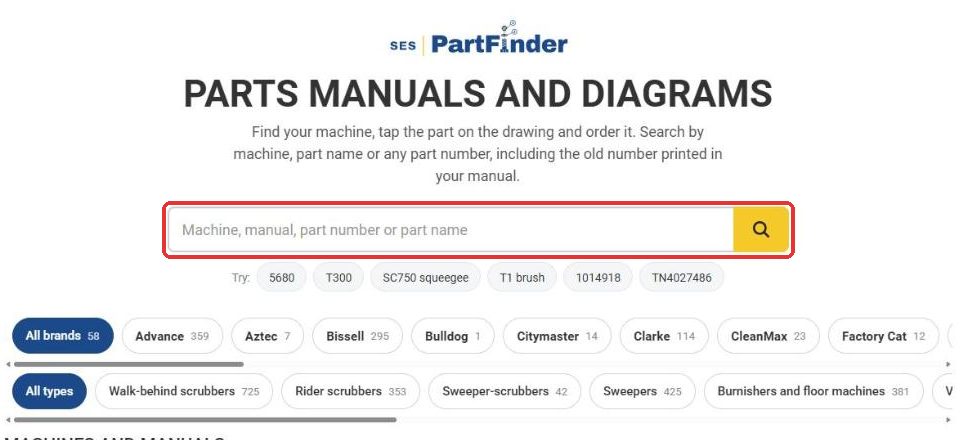
1Find your machine
Go to Parts Manuals and Diagrams, or click Parts in the menu and search from there.
- Search by machine model (T300, SC6000), part name (squeegee) or part number.
- Old part numbers printed in your manual work too.
- Or browse: pick a brand, then a machine type.
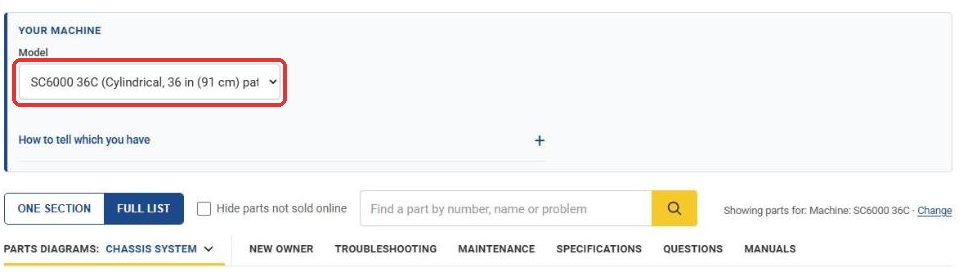
2Pick your exact model
Under Your Machine, choose your model so the list only shows parts that fit it. Many machines come in several sizes or versions, and parts change between them.
- Not sure which you have? Open How to tell which you have.
- Some sections are split by serial number. Match the data plate on your machine.
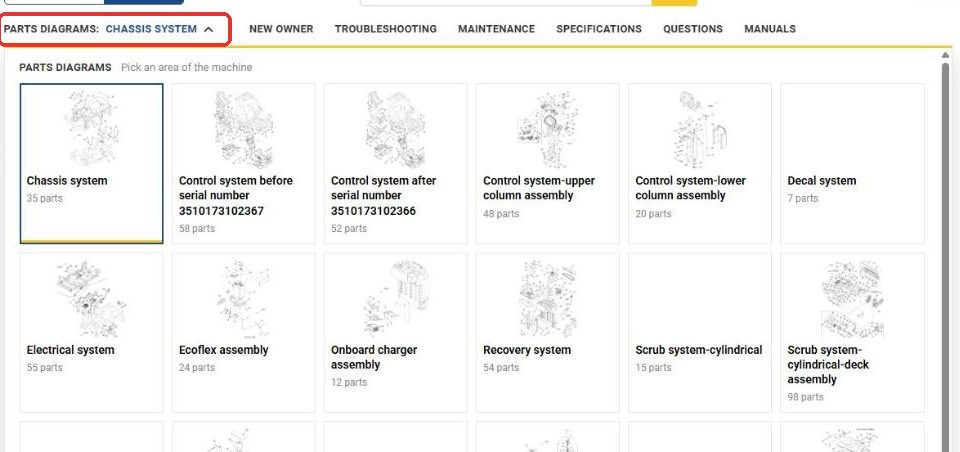
3Open the parts diagrams
Click Parts Diagrams and pick the area of the machine you're working on: squeegee, scrub deck, recovery tank, wheels, electrical and so on.
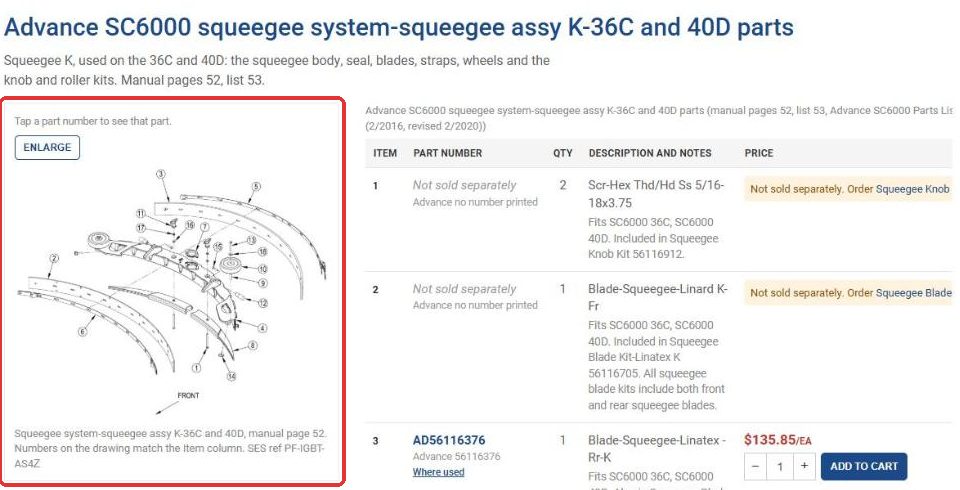
4Match the number on the drawing
The factory drawing sits next to the parts list. Find the number on the drawing, then find that number in the Item column.
- Enlarge opens a full-screen drawing you can zoom into.
- Where used shows every place a part appears.
- Not sold separately means it only comes in a kit. The row names and links the kit.
- Call to confirm part means we're still confirming that number. Call us and we'll get it.
5Add it to your cart
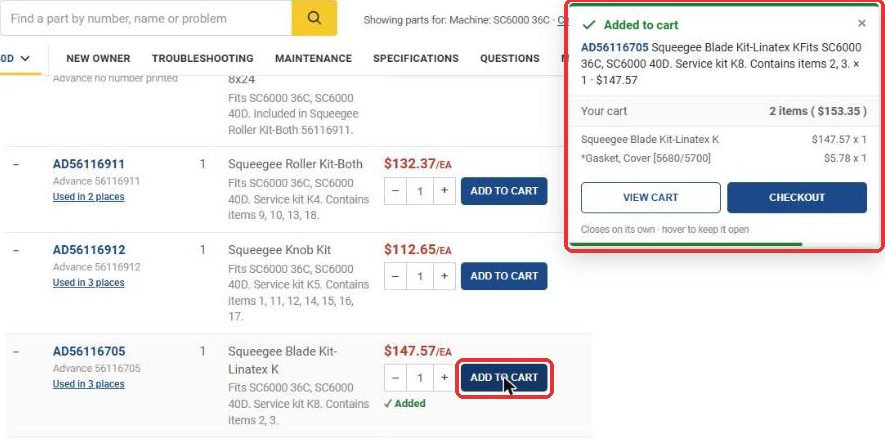
Your price is on every row. Set the quantity, click ADD TO CART, then keep shopping or check out. Sign in first if you have account pricing with us.
More ways PartFinder helps
Wear parts up front
The top of each machine page lists the parts owners reorder most, like squeegee blades and filters.
Search the page
Use Find a part by number, name or problem to jump to every matching part on that machine.
Troubleshooting
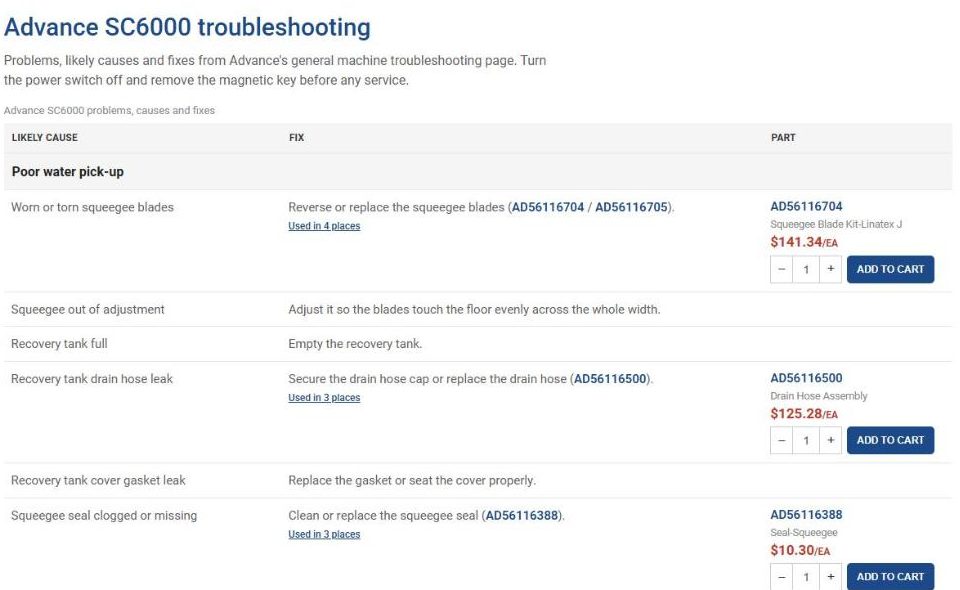
Common problems, likely causes and fixes, with the parts you need linked right there.
Maintenance and specs
The maintenance schedule, specifications and a new owner quick start for each machine.
Manuals
View or download the operator and parts manual PDFs with a free sign-in.
OEM and aftermarket
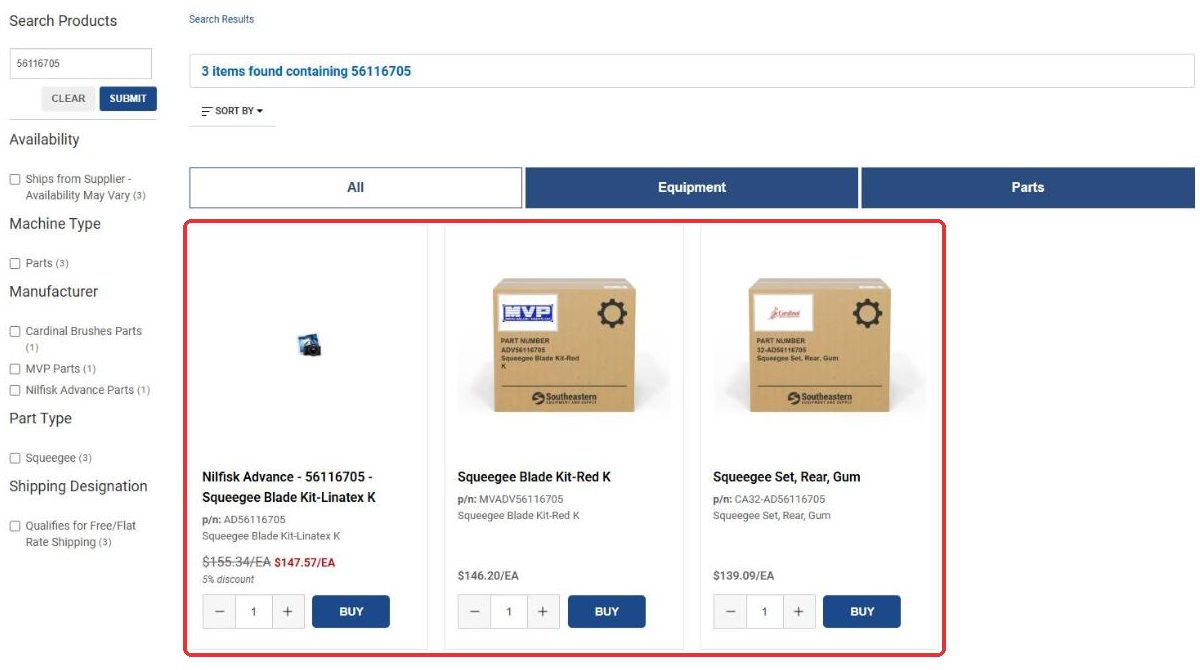
Search a part number in the bar at the top of any page to see the OEM part plus lower-cost aftermarket options.
PartFinder questions
Which brands and machines are in PartFinder?
Tennant, Advance, Nobles, Clarke, Kärcher, Minuteman, Nilfisk, PowerBoss, Viper, Windsor and more, with new machines added regularly. Browse the full list.
Do I need an account?
No. Anyone can search PartFinder, see prices and order. Viewing or downloading the manual PDFs takes a free sign-in, and customers with account pricing should sign in to see it.
My manual shows an old part number. Will it work?
Yes. Search the old number and PartFinder finds the current part. If a row says "Call to confirm part," call us and we'll confirm it.
My machine isn't listed.
Search by part number in the bar at the top of the page, send us a parts or manual request, or call 800-440-6723 with the make, model and serial number.
What's the difference between OEM and aftermarket?
OEM parts come from the machine's manufacturer. Aftermarket parts are made to replace them and usually cost less. Their descriptions list the OEM number they replace.
Does PartFinder work on my phone?
Yes. Pull it up on your phone right at the machine, tap the part on the drawing and add it to your cart.
Can my business use PartFinder on our own website or ERP?
We built PartFinder ourselves, and we're open to adapting it for other businesses. Call us to talk about it.
Find your part now
Questions? A real person on our parts team will help you find it. 800-440-6723, Monday to Friday, 8:30 AM to 5:30 PM ET.