
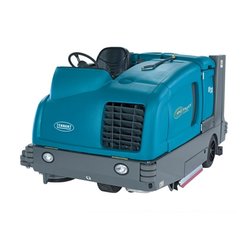
SC6500 service manual
Form No. 56043168. 01/15, revised 12/17. English.
Advance model numbers:
- 56414010 SC6500 40C
- 56414011 SC6500 40C ECOFLEX
- 56414012 SC6500 40D
- 56414013 SC6500 40D ECOFLEX
- 56414014 SC6500 45C
- 56414015 SC6500 45C ECOFLEX
- 56414016 SC6500 45D
- 56414017 SC6500 45D ECOFLEX
- 56414018 SC6500 48C
- 56414019 SC6500 48C ECOFLEX
- 56414020 SC6500 48D
- 56414021 SC6500 48D ECOFLEX
Nilfisk model numbers:
- 56414022 SC6500 1100D
- 56414023 SC6500 1100C
- 56414024 SC6500 1300D
- 56414025 SC6500 1300C
- 56414026 SC6500 1100D ECOFLEX
Contents
General Information
- General Machine Description (p. 9)
- Service Manual Purpose and Application (p. 9)
- Conventions (p. 9)
- Feedback (p. 9)
- Revision History (p. 9)
- Other Manuals and Information Sources (p. 9)
- Electronic Databases (p. 9)
- Manuals (p. 9)
- Parts and Service (p. 10)
- Nameplate (p. 10)
- Transporting the Machine (p. 10)
- Towing (p. 11)
- Caution and Warning Symbols (p. 11)
- General Safety Instructions (p. 11)
- Emergency-stop Switch/Battery Disconnect (p. 13)
- Technical Specifications (As Installed and Tested On The Unit) (p. 14)
- Advance Brand SC6500 Models (p. 14)
- Nilfisk Brand SC6500 Models (p. 16)
- Dimensions (p. 18)
- General Machine Overview (p. 19)
- Major Machine Components (p. 19)
- Control Panel (p. 21)
- Switch and Button Functions (p. 21)
- Control Panel Indicators (p. 24)
- Control Panel Display (p. 26)
- Caution Displays (p. 26)
- Circuit Breakers (p. 27)
- General Maintenance (p. 27)
- Maintenance After Use (p. 27)
- Maintenance Schedule (p. 28)
- Machine Lubrication (p. 29)
- Lubrication Points (p. 29)
- PM Check List - SC6500 (p. 30)
Chassis System
- Major Chassis Components (p. 32)
Control System
- Functional Description (p. 33)
- Overview (p. 33)
- A2 Control Board Assembly (p. 33)
- A3 Switch/Display Panel Assembly (p. 34)
- Circuit Description (p. 34)
- Overview (p. 33)
- Main Control Programming Options (p. 34)
- Fault Recall Mode (p. 34)
- To Select the Battery Used in the Machine (p. 35)
- To Restore the Scrub Pressures to the Factory Default Settings (p. 35)
- To Enable/Disable the Fault Detection (p. 35)
- To Display the Control Board Revision Level (p. 36)
- Monitor Mode (p. 36)
- Scrub Deck Down Time Adjustment (p. 36)
- Normal (Light) Scrub Setting Adjustment (p. 37)
Contents (continued)
- Heavy Scrub Setting Adjustment (p. 38)
- Extreme Scrub Setting Adjustment (p. 38)
- Scrub Speed Switch Lockout (p. 39)
- Detergent System Selection Mode (p. 40)
- EcoFlex™ Mode Selection (p. 40)
- Vacuum Motor Configuration Option (p. 40)
- Recovery Tank Full Detection Enable/Disable (p. 41)
- Solution Flow in Reverse Enable/Disable (p. 41)
- Indicator LED Intensity Selection Option (p. 42)
- Detergent and Solution Pump Purge (p. 42)
- Method 1 (p. 42)
- Method 2 (as described in the Instructions for Use) (p. 42)
- Side Broom Function (p. 43)
- Side Broom Height Adjustment (p. 43)
- Display Mode Selection (p. 44)
- Service Test Mode (p. 44)
- To Enter the Service Test Mode (p. 44)
- Service Test Mode Display (p. 44)
- Control Panel Switch and Button Functions (p. 45)
- Troubleshooting (p. 46)
- Error Indicator and Error Code Display (p. 46)
- Error Codes (p. 47)
- Removal and Installation (p. 53)
- A2 Control Board Assembly (p. 53)
- Specifications (p. 54)
- I/O Table with Shop Measurements (p. 55)
- A2 Control Board Assembly (p. 55)
Electrical System
- Functional Description (p. 59)
- Overview (p. 59)
- Low-voltage Cut-out Feature (p. 59)
- Battery Condition Indicator (p. 59)
- Component Locations (p. 61)
- Battery Location (p. 63)
- Connector Pin-Outs (p. 64)
- Maintenance and Adjustments (p. 74)
- Wet-cell Battery Maintenance (p. 74)
- Checking the Battery Water Level (p. 74)
- Charging Wet-cell Batteries (p. 74)
- To Charge the Batteries (p. 75)
- When Servicing Batteries (p. 75)
- Troubleshooting (p. 76)
- Battery Testing (p. 76)
- General Troubleshooting (p. 76)
- Removal and Installation (p. 77)
- To Install the Batteries (p. 77)
- Specifications (p. 79)
- Special Tools (p. 79)
- Wiring Diagram Tips (p. 80)
- Wiring Diagram PN 56414095 REV C Sheet 1 of 3 (p. 82)
- Wiring Diagram PN 56414095 REV C Sheet 2 of 3 (p. 83)
- Wiring Diagram PN 56414095 REV C Sheet 3 of 3 (p. 84)
- Wiring Harness Diagram 56414096_REV_C (p. 85)
Options and Accessories
Contents (continued)
Recovery System
- Functional Description (p. 90)
- Overview (p. 90)
- Recovery Tank (p. 90)
- Vacuum Motor (p. 90)
- Squeegee and Squeegee Hose (p. 90)
- Float Cage and Ball (p. 91)
- Recovery System Wiring Diagram (p. 91)
- Circuit Description (p. 92)
- Component Locations (p. 92)
- Vacuum Motor and Vacuum Hose (p. 92)
- Top Cover Assembly (p. 93)
- Float Cage and Ball (p. 93)
- Recovery Tank Lid (p. 94)
- Squeegee and Drain Hoses (p. 94)
- Maintenance (p. 95)
- Troubleshooting (p. 96)
- Insufficient Water Pick-up (p. 97)
- Possible Causes: (p. 97)
- Troubleshooting Steps (p. 97)
- Insufficient Water Pick-up (p. 97)
- Removal and Installation (p. 99)
- Recovery Tank (p. 99)
- Vacuum Motor (p. 100)
- Specifications (p. 102)
- Shop Measurements (p. 102)
- K1 Vacuum Contactor (p. 102)
- Vacuum Motor (p. 102)
- Shop Measurements (p. 102)
- Special Tools (p. 102)
Scrub System, Cylindrical
- Functional Description (p. 103)
- Overview (p. 103)
- Cylindrical Scrub System Wiring Diagram (p. 103)
- Circuit Description (p. 104)
- Component Locations (p. 105)
- Maintenance and Adjustments (p. 106)
- General Scrub System Maintenance (p. 106)
- Daily Maintenance (p. 106)
- Weekly Maintenance (p. 106)
- Monthly Maintenance (p. 106)
- Scrub Brush Belt Replacement (p. 106)
- Lift Actuator Adjustment (p. 108)
- Using the Actuator Power Cord Adapter (p. 108)
- Lift Actuator Drive Nut Adjustment (p. 109)
- Side Skirt Replacement and Adjustment (p. 113)
- General Scrub System Maintenance (p. 106)
- Troubleshooting (p. 114)
- Removal and Installation (p. 116)
- Scrub Brushes (p. 116)
- Scrub Brush Deck (p. 117)
- Scrub Deck Lift Actuator (p. 119)
- Scrub Brush Motor (p. 120)
- Specifications (p. 121)
- Shop Measurements (p. 121)
- Brush Contactor (K2, K3 or K4) (p. 121)
- Scrub Brush Motor (p. 121)
- Shop Measurements (p. 121)
Contents (continued)
- Brush Actuator Motor (p. 122)
- Special Tools (p. 122)
Scrub System, Disc
- Functional Description (p. 123)
- Overview (p. 123)
- Disc Scrub System Wiring Diagram (p. 123)
- Circuit Description (p. 124)
- Component Locations (p. 125)
- Maintenance and Adjustments (p. 126)
- Lift Actuator Adjustment (p. 126)
- Using the Actuator Power Cord Adapter (p. 126)
- Lift Actuator Drive Nut Adjustment (p. 127)
- Side Skirt Replacement and Adjustment (p. 131)
- Lift Actuator Adjustment (p. 126)
- Troubleshooting (p. 132)
- Removal and Installation (p. 134)
- Scrub Brush Deck (p. 134)
- Scrub Deck Lift Actuator (p. 135)
- Scrub Brush Motor and Gearbox (p. 136)
- Specifications (p. 137)
- Shop Measurements (p. 137)
- Scrub Brush Motor (p. 137)
- Shop Measurements (p. 137)
- Special Tools (p. 138)
Solution System
- Functional Description (p. 139)
- Overview (p. 139)
- Solution Tank (p. 140)
- Shutoff Valve (p. 140)
- Drain Hose and Hose Cap (p. 140)
- Solution Filter (p. 140)
- Solution Control Pump (p. 140)
- Solution Solenoid Valve (p. 140)
- Solution Manifold (disc decks only) (p. 140)
- Accessory Pump (p. 140)
- Detergent Tank and Pumps (p. 141)
- Solution System Wiring Diagram (p. 141)
- Circuit Description (p. 141)
- Solution System (p. 141)
- Detergent System (p. 142)
- Accessory Pump (p. 142)
- Component Locations (p. 143)
- Shutoff Valve (p. 143)
- Solution Level Switch (p. 143)
- Drain Hose and Hose Cap (p. 144)
- Solution Filter (p. 144)
- Solution Control Pump (p. 144)
- Solution Solenoid Valve (p. 145)
- Solution Manifold (disc decks only) (p. 145)
- Accessory Pump (p. 145)
- Detergent Tank and Pumps (p. 146)
- Maintenance and Adjustments (p. 147)
- To Disassemble and Clean the Solution Solenoid Valve (p. 147)
- Weekly Maintenance (p. 147)
- To Empty and Rinse the Solution Tank (p. 147)
Contents (continued)
- Troubleshooting (p. 150)
- Removal and Installation (p. 152)
- Solution Control Pump (p. 152)
- Solution Solenoid Valve (p. 153)
- Specifications (p. 154)
- Solution Flow Rates (p. 154)
- Component Specifications (p. 154)
- Shop Measurements (p. 154)
Squeegee System
- Functional Description (p. 155)
- Overview (p. 155)
- Squeegee System Wiring Diagram (p. 155)
- Circuit Description (p. 155)
- Squeegee Lift Actuator Reverse Function (p. 156)
- Component Locations (p. 156)
- Maintenance and Adjustments (p. 157)
- To Reverse or Replace the Rear Squeegee Wiping Blade (p. 157)
- To Reverse or Replace the Front Squeegee Blade (p. 157)
- Squeegee Adjustment (p. 158)
- To Adjust the Squeegee Angle (p. 158)
- To Adjust the Squeegee Blade Height (p. 158)
- Lift Actuator Adjustment (p. 159)
- Using the Actuator Power Cord Adapter (p. 159)
- Actuator Drive Nut Adjustment (p. 159)
- Troubleshooting (p. 160)
- Removal and Installation (p. 161)
- Squeegee Lift Actuator (p. 161)
- Specifications (p. 162)
- Shop Measurements (p. 162)
- Squeegee Actuator Motor (p. 162)
- Shop Measurements (p. 162)
- Special Tools (p. 162)
Steering System
- Functional Description (p. 163)
- Drive Wheel Steering Assembly (p. 163)
- Maintenance and Adjustments (p. 164)
- Steering Chain (p. 164)
- Removal and Installation (p. 164)
Sweep System, Side Broom
- Functional Description (p. 166)
- Overview (p. 166)
- Side Broom Sweep System Wiring Diagram (p. 166)
- Circuit Description (p. 167)
- Component Locations (p. 167)
- Maintenance and Adjustments (p. 168)
- Side Broom Height Adjustment (p. 168)
- Lift Actuator Adjustment (p. 169)
- Using the Actuator Power Cord Adapter (p. 169)
- Lift Actuator Drive Nut Adjustment (p. 169)
- Troubleshooting (p. 171)
Contents (continued)
- Removal and Installation (p. 172)
- Side Broom Lift Actuator (p. 172)
- Side Broom Gearmotor (p. 173)
- Specifications (p. 174)
- Shop Measurements (p. 174)
- Side Broom Contactor (K6) (p. 174)
- Side Broom Motor (p. 174)
- Side Broom Actuator Motor (p. 174)
- Shop Measurements (p. 174)
- Special Tools (p. 175)
Wheel System, Non-traction
- Functional Description (p. 176)
- Overview (p. 176)
- Component Locations (p. 176)
- Maintenance and Adjustments (p. 177)
- Brake Cable Adjustment (p. 177)
- Brake Caliper Pad Wear Adjustment (p. 178)
- Troubleshooting (p. 179)
- Removal and Installation (p. 180)
- Brake Cable Replacement (p. 180)
- Rear Wheel and Brake Caliper (p. 181)
Wheel System, Traction
- Functional Description (p. 182)
- Drive Pedal (p. 182)
- Wheel Drive Controller (p. 182)
- Drive Wheel Motor Assembly (p. 182)
- Wheel Motor, Temp Sensor and Encoder (p. 183)
- Circuit Description (p. 184)
- Motor Temperature Sensor (p. 185)
- Component Locations (p. 187)
- Troubleshooting (p. 188)
- Fault Codes (p. 188)
- Summary of LED display formats (p. 189)
- Fault Code Table (Troubleshooting Chart) (p. 190)
- Troubleshooting Chart (p. 190)
- Fault History (p. 201)
- Removal and Installation (p. 202)
- Front Drive Wheel/Tire Removal (p. 202)
- Front Drive Wheel/Tire Installation (p. 204)
- Wheel Drive Assembly (p. 205)
- Potentiometer Testing (p. 207)
- Drive Pedal Installation (p. 207)
- Drive Pedal Neutral Adjustment and Pedal Replacement (p. 207)
- Wheel Drive Controller Replacement (p. 208)
- Specifications (p. 208)
- General Specifications (p. 208)
- Speed Mode Table (p. 209)
- Specifications (p. 210)
- Shop Measurements (p. 210)
- Wheel Drive Controller Voltage Measurements (p. 210)
- Low Current 35 Pin Connector (X6) (p. 210)
- Motor U, V and W Terminal Pair Voltages (p. 211)
- Motor U, V and W Terminal Pair Frequency (p. 212)
- Wheel Speed Controller Current Draw (p. 212)
- Main Contactor (K7) (p. 212)
- Shop Measurements (p. 210)
- Special Tools (p. 213)
This page is intentionally blank.
General information
General machine description
The SC6500 machines are battery powered ride-on scrubbing machines. Specific models may be equipped with either cylindrical or disc style scrub decks in several different sizes.
Service manual purpose and application
This Service Manual a technical resource designed to aid service personnel in maintaining and repairing the SC6500 scrubber to ensure optimum performance and long service life. Please read it thoroughly before servicing the machine.
Conventions
All references to right, left, front and rear in this manual are as seen from the Operator’s seat position.
Feedback
All comments and suggestions for improving this manual should be emailed to [email protected]. Please include the service manual title, form number, revision date found on the front cover with your communication.
Revision history
| Date | Details |
|---|---|
| 01/2015 | First Release |
| 12/2017 | Minor update to deck actuator procedure, and repair headings |
Other manuals and information sources
Electronic databases
The manuals listed below can be found on Advance’s electronic supported databases. They are:
- Advance Dealer Customer Zone
- EzParts service / parts CD-ROM
- Nilfisk-Advance website: www.nilfisk-advance.com
Manuals
- Parts List - Form Number 56042608
- Instructions for Use - Form Number 56091095 (English, Spanish. Portugese, French)
- Curtis Programmer Manual Number 56043101
Parts and service
Repairs should be performed by an Authorized Nilfisk-Advance Service Center, which employs factory-trained service personnel and maintains an inventory of Nilfisk-Advance original replacement parts and accessories.
Nameplate
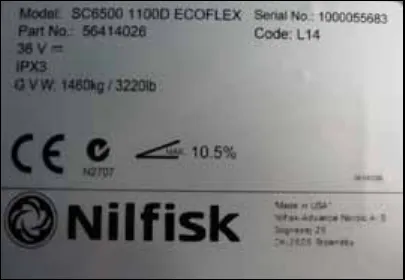
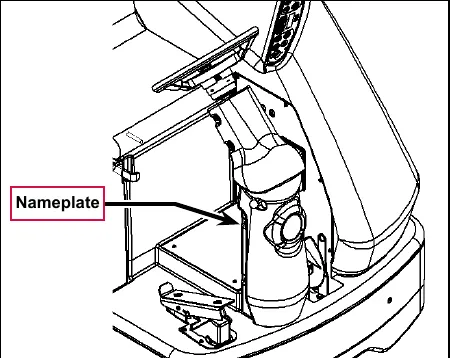
The Model Number and Serial Number of your machine are shown on the machine nameplate. This information is needed for selecting the correct technical documentation and when ordering repair parts for the machine.
“Part No” on the label is equivalent to the machine “Model Number”
Note that the Nameplate is attached to the rear of the steering column.
Transporting the machine
- The machine is tied down securely using approved tie down points.
- All access doors and covers are secured (tape or remove as needed).
- The battery/batteries are disconnected.
- Excessive strap force on rotomold plastic parts will cause permanent damage.
Towing
Note: Disconnecting the wheel drive motor wiring connector will make a disabled machine easier to push.
Caution and warning symbols
Advance uses the symbols below to signal potentially dangerous conditions. Read this information carefully and take the necessary steps to protect personnel and property.
Read all instructions before using.
General safety instructions
Specific Cautions and Warnings are included to warn you of potential danger of machine damage or bodily harm.
- This machine is to be used only by correctly trained and authorized persons.
- Avoid sudden stops while on ramps or inclines when the tanks are full. Avoid abrupt sharp turns. Use low speed down hills. Clean only while ascending (driving up) the ramp.
- Keep sparks, flame and smoking materials away from batteries. Explosive gases are vented during normal operation.
- Charging the batteries produces highly-explosive hydrogen gas. Charge batteries only in well-ventilated areas, away from open flame. Do not smoke while charging the batteries.
- Remove all jewelry when working near electrical components.
- Turn the key switch off (O) and disconnect the batteries before servicing electrical components.
- Never work under a machine without safety blocks or stands to support the machine.
- Do not dispense flammable cleaning agents, operate the machine on or near these agents, or operate in areas where flammable liquids exist.
- Only use the brushes provided with the machine or those specified in the instruction manual. The use of other brushes may impair safety.
- This machine is not approved for use on public paths or roads.
- This machine is not suitable for picking up hazardous dust.
- Do not use scarifier discs and grinding stones. Advance will not be held responsible for any damage to floor surfaces caused by scarifiers or grinding stones. (This can also damage the brush drive system.)
- When operating this machine, ensure that third parties, particularly children, are not endangered.
- Before performing any service function, carefully read all instructions pertaining to that function.
- Do not leave the machine unattended without first turning the key switch off (O), removing the key and applying the parking brake.
- Turn the key switch off (O) and remove the key before changing the brushes, and before opening any access panels.
- Take precautions to prevent hair, jewelry or loose clothing from becoming caught in moving parts.
- Use caution when moving this machine in below-freezing temperature conditions. Any water in the solution, recovery or detergent tanks, or in the hose lines could freeze, causing damage to valves and fittings. Drain the tanks and purge with windshield washer fluid.
- The batteries must be removed from the machine before the machine is scrapped. The disposal of the batteries should be done safely and in accordance with your local environmental regulations.
- Do not use on surfaces having a gradient exceeding that marked on the machine.
- All doors and covers are to be positioned as indicated in the instruction manual before using the machine.
Emergency-stop switch/battery disconnect
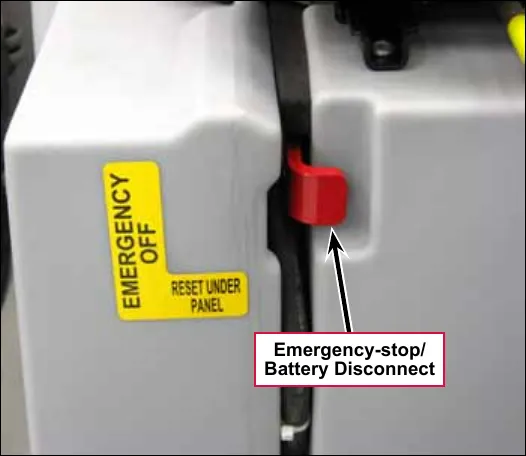
The Emergency-stop/Battery Disconnect is the red lever located to the right of the Operator’s seat. In the event of an emergency, press the Emergency-stop/Battery Disconnect in (toward the rear of the machine) to disconnect the battery from the machine. This will stop all machine functions.
Save These Instructions
Technical specifications (as installed and tested on the unit)
Advance brand SC6500 models
Footnote * is on page 15 and footnote ** on pages 16 and 17.
| Model (with and without EcoFlex) | Unit | 40C / 40D | 45C / 45D | 48C / 48D |
|---|---|---|---|---|
| Model No. | 56414010, 56414011, 56414012, 56414013 | 56414014, 56414015, 56414016, 56414017 | 56414018, 56414019, 56414020, 56414021 | |
| Voltage, Batteries | V | 36V | 36V | 36V |
| Battery Capacity (max) | Ah | 450 | 450 | 450 |
| Protection Grade | IPX3 | IPX3 | IPX3 | |
| Sound Pressure Level, IEC 60335-2-72: 2002 Amend. 1:2005, ISO 11201 | dB(A)/20µPa | 70 | 70 | 70 |
| Sound Pressure level - KpA (IEC 60335-2-72, ISO 11201) Uncertainty | dB(A) | 3.0 | 3.0 | 3.0 |
| Gross Weight* - Cylindrical | lbs / kg | 3325 / 1508 | 3365 / 1526 | 3410 / 1547 |
| Transportation Weight** - Cylindrical | lbs / kg | 2897 / 1314 | 2937 / 1332 | 2982 / 1353 |
| Gross Weight* - Disc | lbs / kg | 3220 / 1460 | 3270 / 1483 | 3320 / 1506 |
| Transportation Weight** - Disc | lbs / kg | 2792 / 1266 | 2842 / 1289 | 2892 / 1312 |
| Maximum Wheel Floor Loading (center front) | psi / kg/cm2 | 116 / 8.15 | 116 / 8.15 | 116 / 8.15 |
| Maximum Wheel Floor Loading (right rear) | psi / kg/cm2 | 81 / 5.69 | 81 / 5.69 | 81 / 5.69 |
| Maximum Wheel Floor Loading (left rear) | psi / kg/cm2 | 86 / 6.04 | 86 / 6.04 | 86 / 6.04 |
| Vibrations at the Hand Controls (ISO 5349-1) | m/s2 | <1.12m/s2 | <1.12m/s2 | <1.12m/s2 |
| Vibrations at the Hand Controls (ISO 5349-1) Uncertainty | m/s2 | .11 m/s2 | .11 m/s2 | .11 m/s2 |
| Vibrations at the Seat (EN 1032) | m/s2 | <0.35m/s2 | <0.35m/s2 | <0.35m/s2 |
| Vibrations at the Seat (EN 1032) Uncertainty | m/s2 | 0.035m/s2 | 0.035m/s2 | 0.035m/s2 |
| Gradeability Transport | 16% (9°) | 16% (9°) | 16% (9°) | |
| Gradeability Cleaning | 10.5% (6°) | 10.5% (6°) | 10.5% (6°) | |
| Machine Length | inch / cm | 73.5 / 187 | ||
| Machine Height | inch / cm | 58.5 / 148.6 | ||
| Machine Height (w/overhead guard) | inch / cm | 84 / 213 | ||
| Machine Width at Rollers - Cylindrical | inch / cm | 47.5 / 121 | 53.5 / 136 | 55.5 / 141 |
| Machine Width at Rollers - Disc | inch / cm | 42.5 / 108 | 51.5 / 131 | 52.5 / 133 |
| Machine Width with Squeegee | inch / cm | 49 / 125 “F” | 54 / 137 “G” | 57 / 145 “H” |
| Minimum Aisle Turn Width | inch / cm | 84 / 214 | ||
| Model (with and without EcoFlex) | Unit | 40C / 40D | 45C / 45D | 48C / 48D |
|---|---|---|---|---|
| Model No. | 56414010, 56414011, 56414012, 56414013 | 56414014, 56414015, 56414016, 56414017 | 56414018, 56414019, 56414020, 56414021 | |
| Solution Tank Capacity | Gallon / L | 70 / 265 | ||
| Recovery Tank Capacity | Gallon / L | 70 / 265 | ||
| Transport Speed (Fwd. Maximum) | mph / kph | 6.0 / 9.5 | ||
| Transport Speed (Rev. Maximum) | mph / kph | 3.0 / 5.0 | ||
| Battery Compartment Size (approximate) | ||||
| Height (maximum) | inch / cm | 19 / 48.2 | ||
| Width (maximum) | inch / cm | 20 / 50.8 | ||
| Length (maximum) | inch / cm | 31.75 / 80.6 | ||
| Scrub brush size | ||||
| Outside Scrub Brush Diameter - Cylindrical (inside core is 5 in (12.7 cm)) | inch / cm | 8.5 / 21.6 | ||
| Scrub Brush Length - Cylindrical (two brushes per machine) | inch / cm | 38.37 / 97.4 | ||
| Brush Diameter - Disc | inch / cm | (Quantity of 2) 20 / 50.8 | (Quantity of 3) at 16 / 40.6 | (Quantity of 3) at 17 / 43 |
| Scrub Brush Speed Cylindrical | RPM | 630 | 630 | 630 |
| Scrub Brush Speed Disc | RPM | 240 | 225 | 225 |
| Brush Motor Power | hp / kW | 40C - 2 x 1.5/1.13; 40D - 1 x 3.0/2.24 | 45C - 2 x 1.5/1.13; 45D - 3 x 1.5 / 1.13 | 48C - 2 x 1.5/1.13; 48D - 3 x 1.5/1.13 |
| Hopper Capacity - Cylindrical | ft3 / L | 0.40 / 11 | 0.44 / 12.5 | 0.50 / 14 |
| Cleaning Path Width (scrubbing path) | inch / cm | 40 / 101 | 45 / 114 | 48 / 122 |
| Sweeping Path with side brooms - Cylindrical | inch / cm | 57 / 145 | ||
| Vacuum Motor | hp / kW | 0.8 / 0.6 - dual vac optional | ||
| Waterlift | in / cm | Single Vac - 64 / 163, Dual Vac - 67/170 | ||
| Propulsion System | Variable speed AC brushless drive | |||
| Propel motor (peak) | hp / kW | 3.0 / 2.25 | ||
*Gross Weight: Standard machine without options, full solution tank and empty recovery tank, with removable scrub brushes and batteries installed.
**Transportation Weight: Standard machine without options, empty solution and recovery tanks, with batteries installed and no operator.
Nilfisk brand SC6500 models
| Model (with and without EcoFlex) | Unit | 1100C / 1100D | 1300C / 1300D |
|---|---|---|---|
| Model No | 56414023, 56414022 | 56414025, 56414024 | |
| Voltage, Batteries | V | 36V | 36V |
| Battery Capacity | Ah | 480 | 480 |
| Protection Grade | IPX3 | IPX3 | |
| Sound Pressure Level, IEC 60335-2-72: 2002 Amend. 1:2005, ISO 11201 | dB(A)/20µPa | 70 | 70 |
| Sound Pressure level - KpA (IEC 60335-2-72, ISO 11201) Uncertainty | dB(A) | 3.0 | 3.0 |
| Gross Weight* - Cylindrical | lbs / kg | 3325 / 1508 | 3410 / 1547 |
| Transportation Weight** - Cylindrical | lbs / kg | 2897 / 1314 | 2982 / 1353 |
| Gross Weight* - Disc | lbs / kg | 3220 / 1460 | 3320 / 1506 |
| Transportation Weight** - Disc | lbs / kg | 2792 / 1266 | 2892 / 1312 |
| Maximum Wheel Floor Loading (center front) | psi / kg/cm2 | 116 / 8.15 | 116 / 8.15 |
| Maximum Wheel Floor Loading (right rear) | psi / kg/cm2 | 81 / 5.69 | 81 / 5.69 |
| Maximum Wheel Floor Loading (left rear) | psi / kg/cm2 | 86 / 6.04 | 86 / 6.04 |
| Vibrations at the Hand Controls (ISO 5349-1) | m/s2 | <1.12m/s2 | <1.12m/s2 |
| Vibrations at the Hand Controls (ISO 5349-1) Uncertainty | m/s2 | .11 m/s2 | .11 m/s2 |
| Vibrations at the Seat (EN 1032) | m/s2 | <0.35m/s2 | <0.35m/s2 |
| Vibrations at the Seat (EN 1032) Uncertainty | m/s2 | 0.035m/s2 | 0.035m/s2 |
| Gradeability - Transport | 16% (9°) | 16% (9°) | |
| Gradeability - Cleaning | 10.5% (6°) | 10.5% (6°) | |
| Machine Length | inch / cm | 73.5 / 187 | |
| Machine Height | inch / cm | 58.5 / 148.6 | |
| Machine Height (w/overhead guard) | inch / cm | 84 / 213 | |
| Machine Width at Rollers - Cylindrical | inch / cm | 47.5 / 121 | 55.5 / 141 |
| Machine Width at Rollers - Disc | inch / cm | 42.5 / 108 | 52.5 / 133 |
| Machine Width with Squeegee | inch / cm | 49 / 125 “F” | 57 / 145 “H” |
| Minimum Aisle Turn Width | inch / cm | 84 / 214 | |
| Solution Tank Capacity | Gallon / L | 70 / 265 | |
| Recovery Tank Capacity | Gallon / L | 70 / 265 | |
| Transport Speed (Fwd. Maximum) | mph / kph | 6.0 / 9.5 | |
| Transport Speed (Rev. Maximum) | mph / kph | 3.0 / 5.0 | |
| Model (with and without EcoFlex) | Unit | 1100C / 1100D | 1300C / 1300D |
|---|---|---|---|
| Model No | 56414023, 56414022 | 56414025, 56414024 | |
| Battery Compartment Size (approximate) | |||
| Height (maximum) | inch / cm | 19 / 48.2 | |
| Width (maximum) | inch / cm | 20 / 50.8 | |
| Length (maximum) | inch / cm | 31.75 / 80.6 | |
| Scrub brush size | |||
| Outside Scrub Brush Diameter - Cylindrical (inside core is 5 in (12.7 cm)) | inch / cm | 8.5 / 21.6 | |
| Scrub Brush Length - Cylindrical (two brushes per machine) | inch / cm | 38.37 / 97.4 | |
| Brush Diameter - Disc | inch / cm | (Quantity of 2) 20 / 50.8 | (Quantity of 3) at 17 / 43 |
| Scrub Brush Speed Cylindrical | RPM | 630 | 630 |
| Scrub Brush Speed Disc | RPM | 240 | 225 |
| Hopper Capacity - Cylindrical | ft3 / L | 0.40 / 11 | 0.50 / 14 |
| Cleaning Path Width (scrubbing path) | inch / cm | 40 / 101 | 48 / 122 |
| Sweeping Path with side brooms - Cylindrical | inch / cm | 57 / 145 | |
*Gross Weight: Standard machine without options, full solution tank and empty recovery tank, with removable scrub brushes and batteries installed.
**Transportation Weight: Standard machine without options, empty solution and recovery tanks, with batteries installed and no operator.
Dimensions
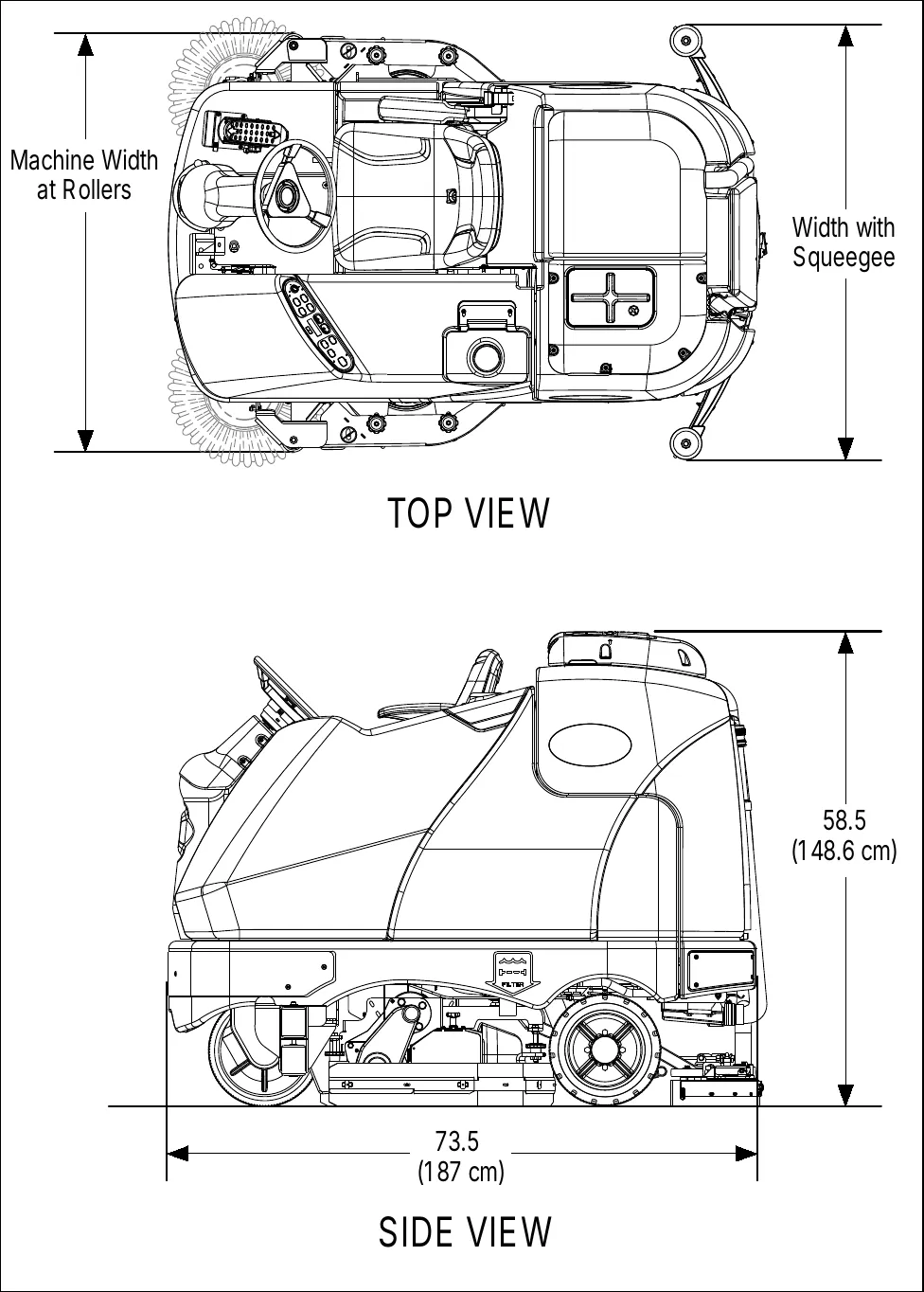
- Machine length: 73.5 in (187 cm)
- Machine height: 58.5 in (148.6 cm)
- Machine width at rollers and width with squeegee: see the table on page 14.
General machine overview
Major machine components
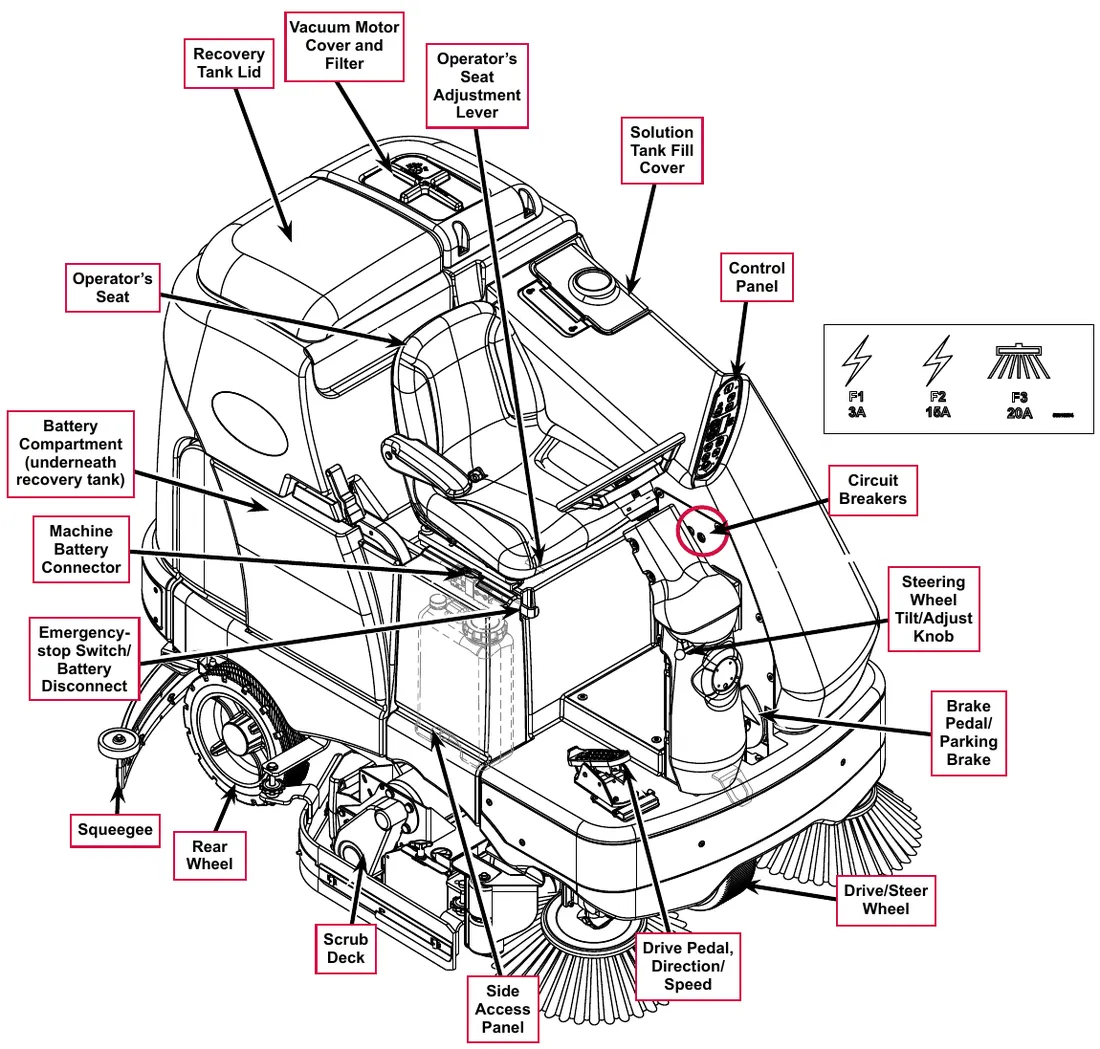
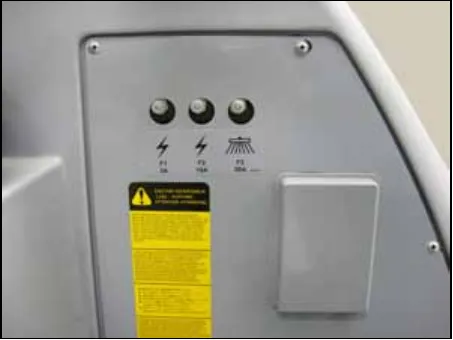
The label shown at the right of the drawing marks the circuit breakers: F1 3A, F2 15A and F3 20A.
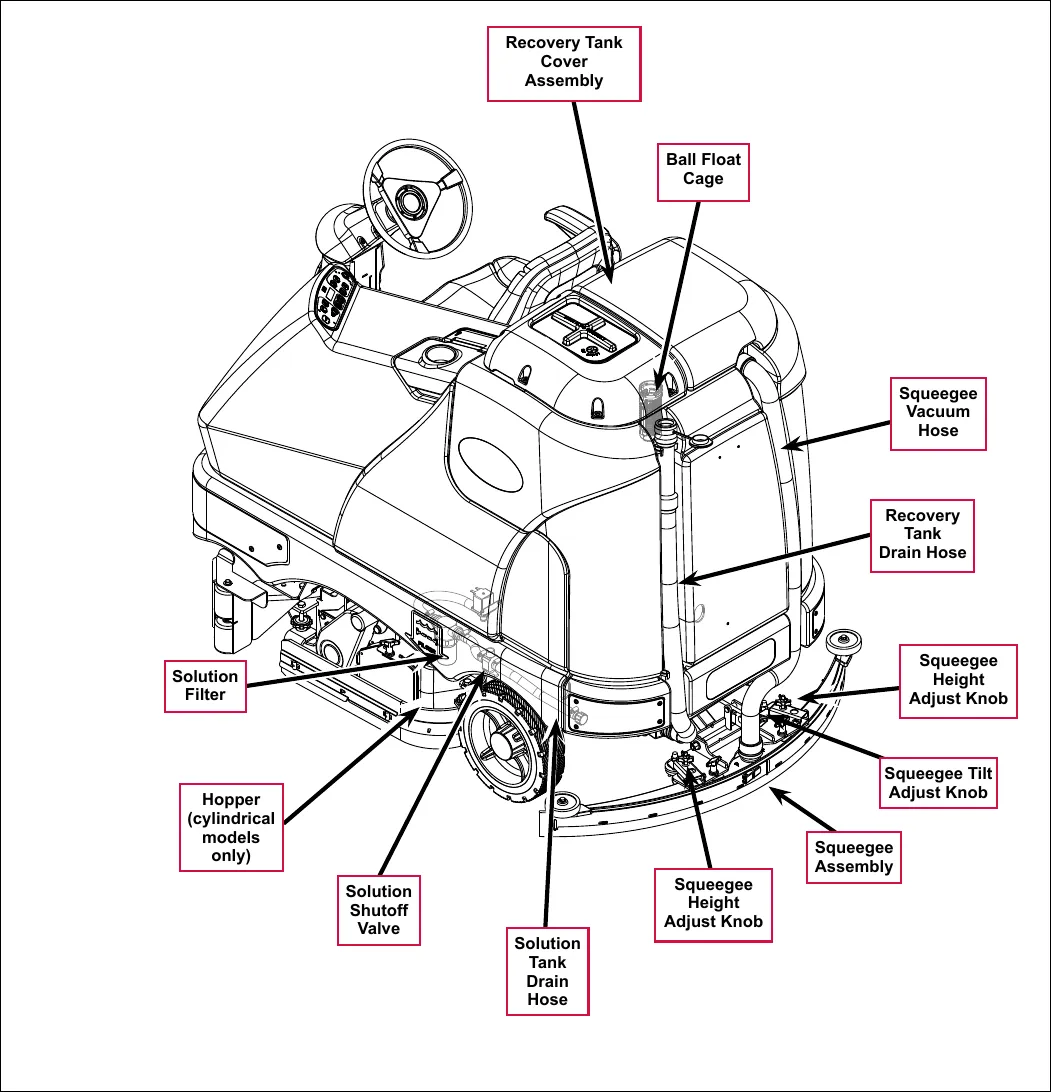
Control panel
Switch and button functions
The controls on your rider scrubber were designed with one-touch operation in mind. For single-pass scrubbing, the user can simply depress one switch and all systems on will be activated. For most single-pass scrubbing operations, the operator should only need to use the middle switches on the control panel. These are the red Scrub Off and the green Scrub On/Pressure Increase Switches.
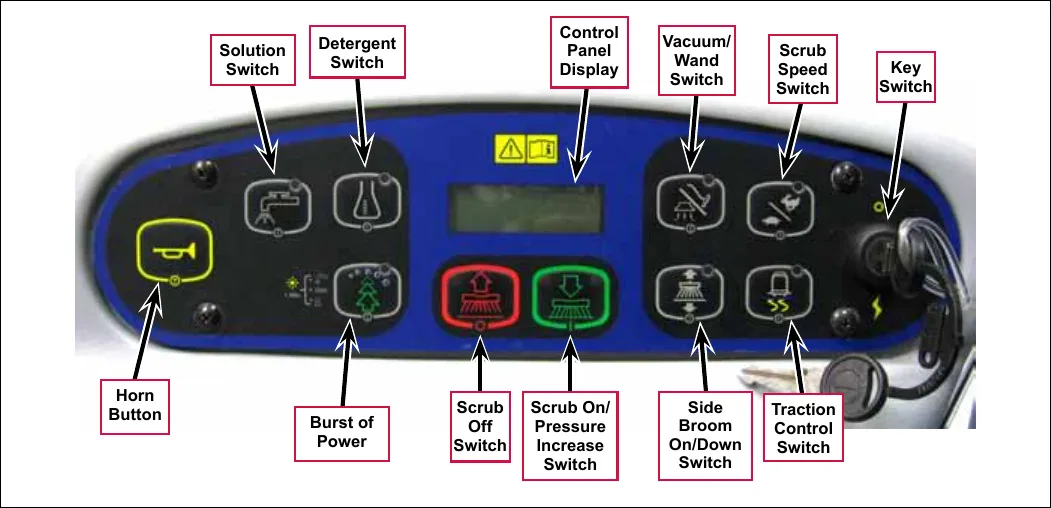
- Key Switch – main power switch; controls the battery input to the machine’s main control board and the wheel drive speed control.
- Scrub On/Pressure Increase Switch – functions as follows:
If the scrub system is off, pressing this switch once will put the machine into the Auto Scrub mode. The following will occur:
- The scrub system will be enabled with the scrub pressure set to the #1 normal setting.
Note: Press the switch twice for #2 heavy scrub setting, and three times for the #3 extreme scrub setting. Pressing the switch a fourth time will return the system to the normal scrub setting.
- The scrub deck and squeegee will automatically be lowered. On cylindrical models equipped with side brooms, the side brooms will be lowered.
- The vacuum system will be enabled.
- The solution and detergent systems will be enabled. Note that both the solution and detergent flow rates will correspond to the selected scrub pressure mode.
- As soon as the drive pedal is moved from its neutral position, the scrub brushes and side brooms (if installed) will start turning, and the solution, detergent and vacuum systems will switch on.
- The scrub system will be enabled with the scrub pressure set to the #1 normal setting.
- If the direction is forward, the solution and detergent flow will also start automatically.
- If the direction is reverse, the solution and detergent flow will be stopped and the squeegee will be raised just enough to clear the floor surface.
Note: The solution, vacuum and detergent systems are automatically enabled when the Scrub On Switch is pressed to put the machine into the Auto Scrub mode. Any individual system can be toggled off and on by simply pressing the corresponding system switch at any time during scrubbing.
If the machine is already scrubbing, pressing the Scrub On/Pressure Increase Switch will increase the scrub pressure to the next higher setting (toggling from regular to heavy, heavy to extreme, then back to normal). The Scrub Pressure Indicator will show the selected scrub pressure (one, two or three bars) in the Control Panel Display.
- Scrub Off Switch – Pressing this switch when the machine is in the scrub mode will cause the following to occur:
- The scrub brushes will turn off and the scrub deck will be raised to the up position. On cylindrical models equipped with side brooms, the side brooms will shut off and be raised.
- The solution and detergent flow will be stopped.
- Once forward machine motion stops, the vacuum/wand switch indicator light will start to blink. After a user-programmable time delay, the squeegee will be raised and the vacuum motors will shut off. Pressing the switch a second time before the vacuum time delay is complete will raise the squeegee and turn off the vacuum motors immediately.
- Solution Switch – functions as follows:
- If the scrub system is off, pressing and holding this switch will switch on the solution flow to pre-wet the floor. The solution flow will stop when the switch is released. Note this must be done prior to pressing the Scrub On Switch and putting the machine into the Auto Scrub mode.
- If the machine is in the Auto Scrub mode, pressing this switch will disable the solution system. This is used if you wish to scrub without adding additional solution to the floor.
- If the machine is in the Auto Scrub mode, you can press and hold the Solution Switch to actuate the solution flow override function. This override function allows you to select a different solution flow rate without changing the scrub pressure. Note that the machine is programmed for two additional higher solution flow rates plus the three normal default flow rates, for a total of five solution flow rates.
To actuate the solution flow override function, press and hold the Solution Switch for three seconds until the Solution System Indicator flashes, then release it. You’ll have three seconds to select the desired solution flow rate by pressing the Solution Switch. The Solution Flow Indicator will show the selected solution flow rate (one through five bars) in the Control Panel Display. Note that if any scrub pressure change is made while in the solution override mode, the solution flow will return to its default solution flow rate.
- Detergent Switch – functions as follows:
- If the solution system is enabled, pressing this switch will toggle the detergent system off and on. When the detergent system is on, the detergent pumps will be activated at a specific rate when the drive pedal is actuated. The detergent pump will turn off when the drive pedal is in neutral or reverse.
- If the solution system is off, the detergent pump will not turn on.
- Vacuum/Wand Switch – functions as follows:
- If the machine is in the Auto Scrub mode, pressing this switch once will raise the squeegee. The vacuum motors will run for a short time delay, then shut off. If you press the switch twice, the vacuum motors will shut off immediately. This is used if you wish to double-scrub (scrub without recovering the solution).
- If the scrub system is off, the Vacuum/Wand Switch functions differently depending on whether the seat switch is open (no operator in the seat) or closed (operator in the seat).
- If the operator is in the seat, pressing the switch will lower the squeegee and switch on the vacuum motors. When the machine is moved into reverse, the squeegee will be raised, then lowered when the machine is again moved forward. This mode is used to pickup water from the floor without scrubbing or adding solution.
- If the operator is not in the seat, pressing the switch will toggle the vacuum motors on and off to allow use of the vacuum wand. In this mode, the squeegee will not move up or down and the recovery tank full indicator is ignored.
- Scrub Speed Switch – When the machine is operating in any one of its scrub settings, the machine’s travel speed is reduced to 80 percent of the maximum transport speed pre-programmed into the speed controller. Pressing the Scrub Speed Switch overrides the 80 percent of transport speed limit and increases the scrub speed to 100 percent of transport speed.
- Traction Control Switch – regulates the drive wheel motor torque to minimize drive wheel slippage in limited traction conditions.
- Side Broom On/Down Switch – lowers and raises the side brooms (only functional on cylindrical models equipped with side brooms). Note that when the scrub system is switched on, the side brooms are lowered to the same position they were in when the scrub system was last turned off (auto memory operating position).
Note: You can raise or lower the side broom height to maintain the correct broom contact patterns and compensate for normal broom wear. Refer to the Sweep System, Side Broom section for instructions on setting the side broom height.
- Burst of Power Button – The Burst of Power Button functions differently depending on whether the EcoFlex™ mode is set to Mode 1 or Mode 2. (Also refer to the Control System/Main Programming Options/EcoFlex™ Mode Selection section, page 40.) Note that in Mode 1 the detergent concentration is displayed as a ratio. In Mode 2 the detergent concentration is displayed as a percent.
- In EcoFlex™ Mode 1, the minimum detergent concentration is displayed as a ratio. Pressing the Burst of Power Button in Mode 1 will do the following:
- The detergent ratio will change to the maximum concentration programmed ratio. (Also refer to the Solution System/Maintenance and Adjustments/To Program the Detergent Ratio section.)
- The scrub pressure will increase to the next highest pressure.
- The solution flow rate will increase to the next highest level.
After 60 seconds, or after you press the Burst of Power Button again, the detergent ratio will revert to the minimum concentration ratio, and the scrub pressure and solution rate will return to their previous settings.
- In EcoFlex™ Mode 1, the minimum detergent concentration is displayed as a ratio. Pressing the Burst of Power Button in Mode 1 will do the following:
- In EcoFlex™ Mode 2, the minimum detergent concentration is displayed as a percent.. Pressing the Burst of Power Button in Mode 2 will do the following:
- The detergent ratio will change to the maximum concentration programmed percentage. (Also refer to the Solution System/Maintenance and Adjustments/To Program the Detergent Ratio section.)
- The scrub pressure will increase to the next highest pressure.
- The solution flow rate will increase to the next highest level.
After 60 seconds, or after you press the EcoFlex™ Button again, the detergent ratio will revert to the programmed ratio, and the scrub pressure and solution rate will return to their previous settings.
- Horn Button – sounds the horn when pressed.
- Control Panel Display – displays the various icons that indicate scrub pressure, solution flow rate, detergent ratio, battery charge state and a recovery tank full condition. The display also shows any error conditions detected by the main control board.
Control panel indicators
In general the following guidelines apply to the control panel indicators:
- When the key switch is first turned on all of the blue or green control panel indicator lights will turn on for one second for an operational test.
- A light indicator means that a system is on and running, or has been enabled and is ready to switch on when the drive pedal is moved into forward or reverse.
- The indicators will be off when the system is disabled or switched off.
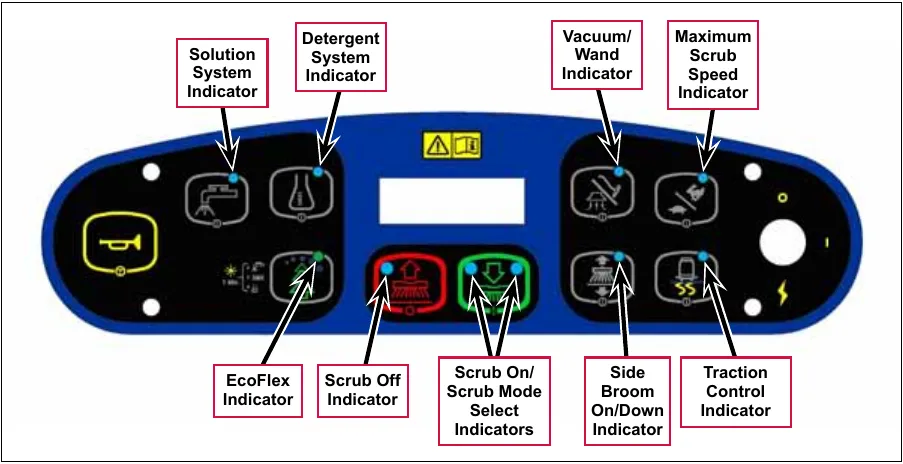
- Scrub On/Scrub Mode Select Indicator:
- The left side indicator will light when the normal scrub mode is selected.
- The right side indicator will light when the heavy scrub mode is selected.
- Both the right and left indictors will light when the extreme scrub mode is selected.
- Both the right and left indictors will be off when the scrub system is off.
- Scrub Off Indicator:
- The indicator will light to indicate that the scrub system is off and is ready to be activated.
- The indicator will be off when the scrub system is enabled and/or switched on.
- Solution System Indicator:
- The indicator will light when the solution system is enabled and/or is switched on.
- The indicator will be off when the solution system is off.
- The indicator will flash when the solution tank (liquid level) float switch senses a low solution level.
- Detergent System Indicator:
- The indicator will light when the detergent system is enabled and/or is switched on.
- The indicator will be off when the detergent system is off.
Note: The control board automatically recognizes that the machine has an operational detergent system through its wiring harness connection.
- Vacuum/Wand Indicator:
- The indicator will light when the vacuum system is enabled and/or is switched on.
- The indicator will be off when the vacuum system is off.
- The indicator will flash when the vacuum system is operating in the time delay shutdown mode (normally five to 10 seconds).
- Maximum Scrub Speed Indicator:
- The indicator will light when the maximum 100% transport speed during scrubbing is enabled.
- The indicator will be off when normal scrub speed is enabled.
- Traction Control Indicator:
- The indicator will light when the traction control mode is enabled.
- The indicator will be off when the traction control mode is disabled.
- Side Broom On/Down Indicator:
- The indicator will be on when the side brooms are in the down working position, enabled and switched on.
- The indicator will be off when the scrub system is switched off and the brooms are in the raised position.
- EcoFlex Indicator:
- The (green) indicator will be on when the EcoFlex™ low-concentration detergent mode is enabled.
- The (green) indicator will flash when the EcoFlex™ burst of power mode is enabled.
- The (green) indicator will be off when the EcoFlex™ full-concentration detergent mode is enabled.
Note: When the recovery tank becomes full (when in the auto scrub mode), the vacuum motors and all other systems shut off except the drive motor. The LCD on the dash panel will display the full tank icon.
Control panel display
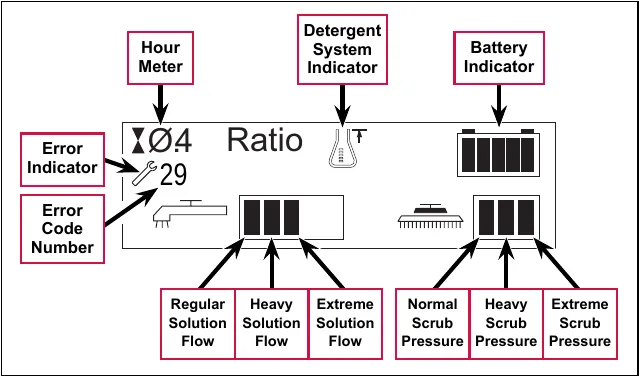
The control panel display is a liquid crystal display (LCD) that shows the hour meter, battery charge indicator, solution flow rate and scrub pressure. If the detergent system is enabled, the display will also show the detergent system indicator and the current detergent/solution ratio.
If an A2 Control Board error occurs, the display will show a wrench icon to indicate an error, and display a two-digit error code number. If more than one error exists, the display will sequence through the error codes at one-second intervals. (Refer to the Control System section for a list of the A2 Control Board error codes.)
Caution displays
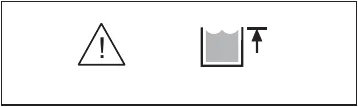
If the recovery tank is full, the display will show a caution symbol and the tank full icon.
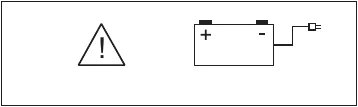
If the battery charge level falls to a critical level, the display will show a caution symbol and the battery-low icon.
Circuit breakers
The machine circuit breakers are located on the panel to the left of the Operator seat.
General maintenance
Maintenance after use
- When finished scrubbing, press the Scrub Off Switch. This will automatically raise the scrub deck and squeegee, and switch off the solution, detergent and vacuum systems.
- Drive the machine to a service area for daily maintenance, and check the machine for any additional maintenance or service that may be needed.
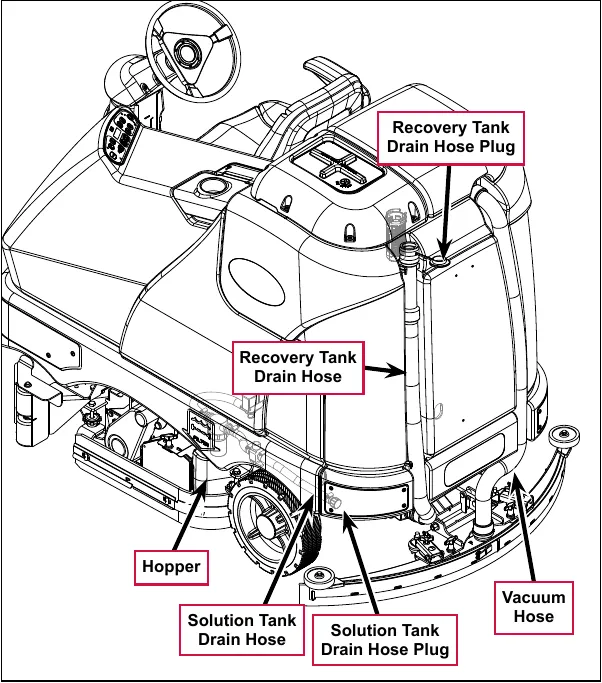
- To empty and clean the solution tank:
- a. Remove the Solution Tank Drain Hose from its storage clamp.
- b. Direct the Solution Tank Drain Hose to a designated disposal site and remove the Solution Tank Drain Hose Plug.
- c. Rinse the tank with clean water.
- To empty and clean the recovery tank:
- a. Pull the Recovery Tank Drain Hose from its storage area.
- b. Direct the Recovery Tank Drain Hose to a designated disposal site and remove the Recovery Tank Drain Hose Plug. (Hold the end of the Recovery Tank Drain Hose above the water level in the tank to avoid sudden, uncontrolled wastewater flow.) The Recovery Tank Drain Hose can be squeezed to regulate the flow.
- c. Rinse the recovery tank with clean water.
-
- d. Inspect the Solution Tank Drain Hose, Recovery Tank Drain Hose and Vacuum Hose for wear or damage. Replace the if kinked or damaged.
- Remove the brushes or pad holders. Rinse the brushes or pads in warm water and hang up to dry.
- Remove the squeegee, rinse it with warm water, then reinstall.
- Remove the Hopper on cylindrical systems and clean thoroughly. You can remove the Hopper from either side of the machine by removing the side skirt, tilting the Hopper up and away from housing, then pulling the Hopper out.
- Check the following maintenance schedule and perform any required maintenance before you store the machine.
Maintenance schedule
| Maintenance Item | Daily | Weekly | Monthly | Yearly |
|---|---|---|---|---|
| Charge Batteries | X | |||
| Check/Clean Tanks and Hoses | X | |||
| Check/Clean/Rotate the Brushes/Pads | X | |||
| Check/Clean the Squeegee | X | |||
| Check/Clean Vacuum Shutoff Float | X | |||
| Check/Clean the Vacuum Motor Foam Filter(s) | X | |||
| Clean Hopper on Cylindrical System | X | |||
| Check the Water Level in each Battery Cell | X | |||
| Inspect Scrub Housing Skirts | X | |||
| Inspect and Clean Solution Filter | X | |||
| Check Foot/Parking Brake For Wear and Adjustment | X | |||
| Clean Solution Dispensing Trough on Cylindrical System | X | |||
| Purge Detergent System | X | |||
| Side Broom Maintenance | X | |||
| Lubrication - Grease Fittings | X | |||
| * Check Carbon Brushes | X |
* Inspect the vacuum motor carbon brushes every 300 operating hours. Check the brush and drive motor carbon brushes every 500 operating hours.
Note: Refer to the individual machine sections in this manual for more detail on maintenance and service repairs.
- Store the machine indoors in a clean, dry place. Keep the machine from freezing. Leave the tanks open to air them out.
- Turn the key switch off (O) and remove the key.
Machine lubrication
Once a month:
- Pump a small amount of grease into each grease fitting on the machine as shown until grease seeps out around the bearings.
- Apply light machine oil to the components shown.
Apply grease to:
- Squeegee Caster Wheel Axle and Pivot
- Steering Wheel Shaft Universal joint
- Steering Chain
- Squeegee mount angle adjustment knob threads
Apply light machine oil to:
- Squeegee tool end wheels
- Recovery Tank release latch
- Brake Pedal (parking brake) linkage
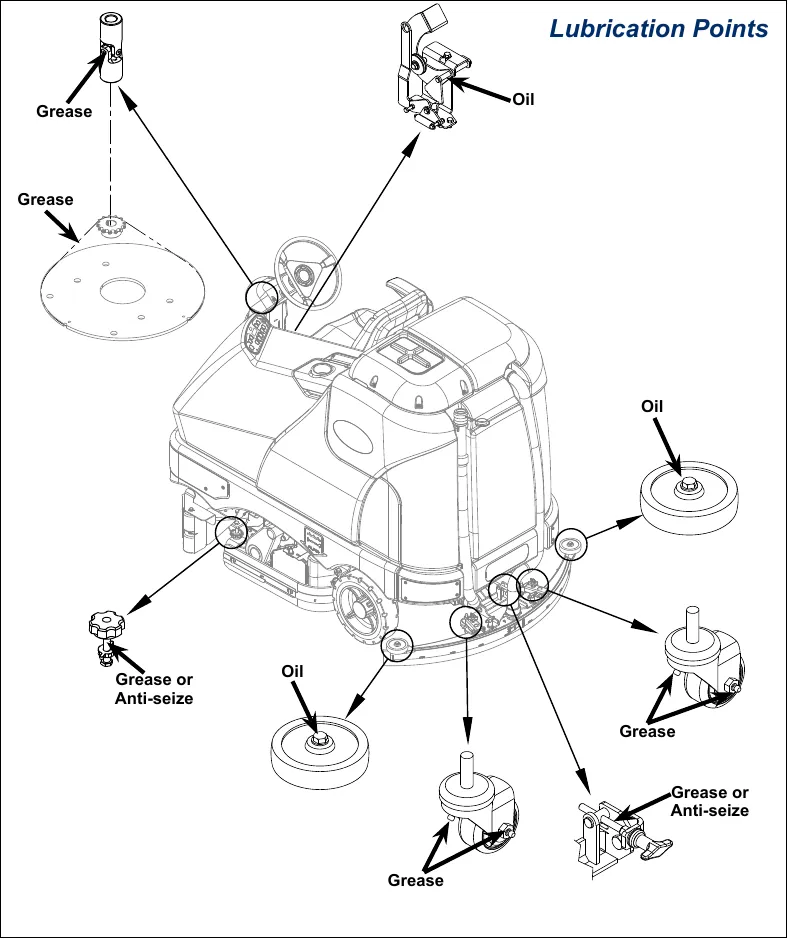
The Lubrication Points drawing carries these labels: Grease (four places), Oil (three places) and Grease or Anti-seize (two places).
PM check list - SC6500
Form fields: Customer, Address, City, ST, Zip, Model, Serial, Hours (blank lines to fill in).
| Defect Code | |
|---|---|
| A | needs adjustment |
| B | binding |
| C | dirty or contaminated |
| D | damaged, bent or torn |
| L | leaks |
| M | missing |
| W | worn out |
| Ref | Operational Inspection Items | OK | Defect Codes (Circle) | Does Not Work |
|---|---|---|---|---|
| 1 | Steering | A B W | ||
| 2 | Drive Pedal Operation (check for Fwd/Rev drive and any neutral creep) | A B D | ||
| 3 | Seat Safety Switch (when operator stands up machine is to stop) | A D | ||
| 4 | Brakes (service and parking) | A B W | ||
| 5 | Drive System Performance (reference Service Manual for Curtis drive programmer speed changes) | noisy sluggish | ||
| 6 | Scrub System (Raise/Lower and auto scrubbing functions) | A B | ||
| 7 | Scrub Brush Pressure Settings (see Service Manual programming, 3 different modes) | A B | ||
| 8 | Squeegee System (Raise/Lower and auto lift in reverse function) | A B | ||
| 9 | Vacuum Performance (sealed water lift 70” and 1-inch open hole adapter 15 inches) | C L W | ||
| 10 | Solution Control (On/Off and flow volume Min/Max) | A B L | ||
| 11 | Solution Control (On/Off and flow volume Min/Max) | B D | ||
| 12 | Emergency Battery Disconnect Control Lever | A B D | ||
| 13 | Side broom Sweep System, Raise/Lower and auto sweep functions (cylindrical only) | A B D | ||
| 14 | Tilt Steering Mechanism and Seat | D | ||
| 15 | Main Control Board Special Program Options (check all applicable program settings); Example, Fault Recall Mode, etc. | Program as needed | ||
| 16 | Battery Charger Operation | D | ||
| 17 | Chemical Detergent System Functions | C L |
| Ref | Visual Inspection Items | Comments | OK | Defect Codes (Circle) | Does Not Work |
|---|---|---|---|---|---|
| 18 | Scrub Brushes, check for wear and rotate | A B D W | |||
| 19 | Scrub Brush Motor(s) and disc machine gearboxes | Carbon Brushes | B L W | ||
| 20 | Scrub Brush Drive Belt, wear (cylindrical only) | 1000 hours then every 500 hours | A D W | ||
| 21 | Scrub Brush Deck Actuator Motor | A B D W | |||
| 22 | Brush Driver Plates (flex coupler and retainer clips) (disc only) | D M | |||
| 23 | Brush Idler Bearing Plate and Driver (cylindrical only) | C W | |||
| 24 | Scrub Deck Skirts | A B W | |||
| 25 | Solution Solenoid Valve | Inspect Poppet | C L | ||
| 26 | Solution Tank, Delivery Hoses and Filter | Clean Filter Screen | C L | ||
| 27 | Vacuum Motor Carbon Brushes | Wear Limit 3/8” | W | ||
| 28 | Vacuum Motor Cover Gasket and Filters | Clean filter and screen | L W | ||
| 29 | Vacuum Float Ball and Cage Assembly | Clean Float | C M | ||
| 30 | Recovery Tank Cover Gasket | Air leaks | C D L | ||
| 31 | Recovery Tank Drain Hose and Cap | Flush | C L | ||
| 32 | Squeegee Pick-Up Tool and Hose | Back flush | C L | ||
| 33 | Squeegee Blades (clean and rotate) | A C D W | |||
| 34 | Squeegee Mount Wheels (lubricate) | 4 Grease Fittings | A C W | ||
| 35 | Squeegee Lift Actuator Motor and Lifting Bar | A B D | |||
| 36 | Battery Pack Condition (clean and water) | Load Test | C W | ||
| 37 | Front Drive Wheel Motor | Carbon Brushes | C W | ||
| 38 | Front Drive Tire | Tread Wear | W | ||
| 39 | Rear Brake Rotors and Disc Wear | Adjust Free Play | A B W | ||
| 40 | Drive Pedal Linkage (neutral return) | Hydroback Spring | A B | ||
| 41 | Steering Chain (lubricate and tension) | 1/4” Deflection | A B C | ||
| 42 | Steering Column (knob and plunger spring) also Universal Joint | Grease | A D | ||
| 43 | Rear Wheels | Tread and bearings | C W | ||
| 44 | Sweep Debris Hopper (cylindrical only) | Rinse | C |
Work Completed By: ____________ Acknowledged By: ____________
Date: ____________ Date: ____________
Corrected an obvious misprint: the column heading on page 31 is printed as “(Circult)” (now “Circle”, as on page 30).
Chassis system
Major chassis components
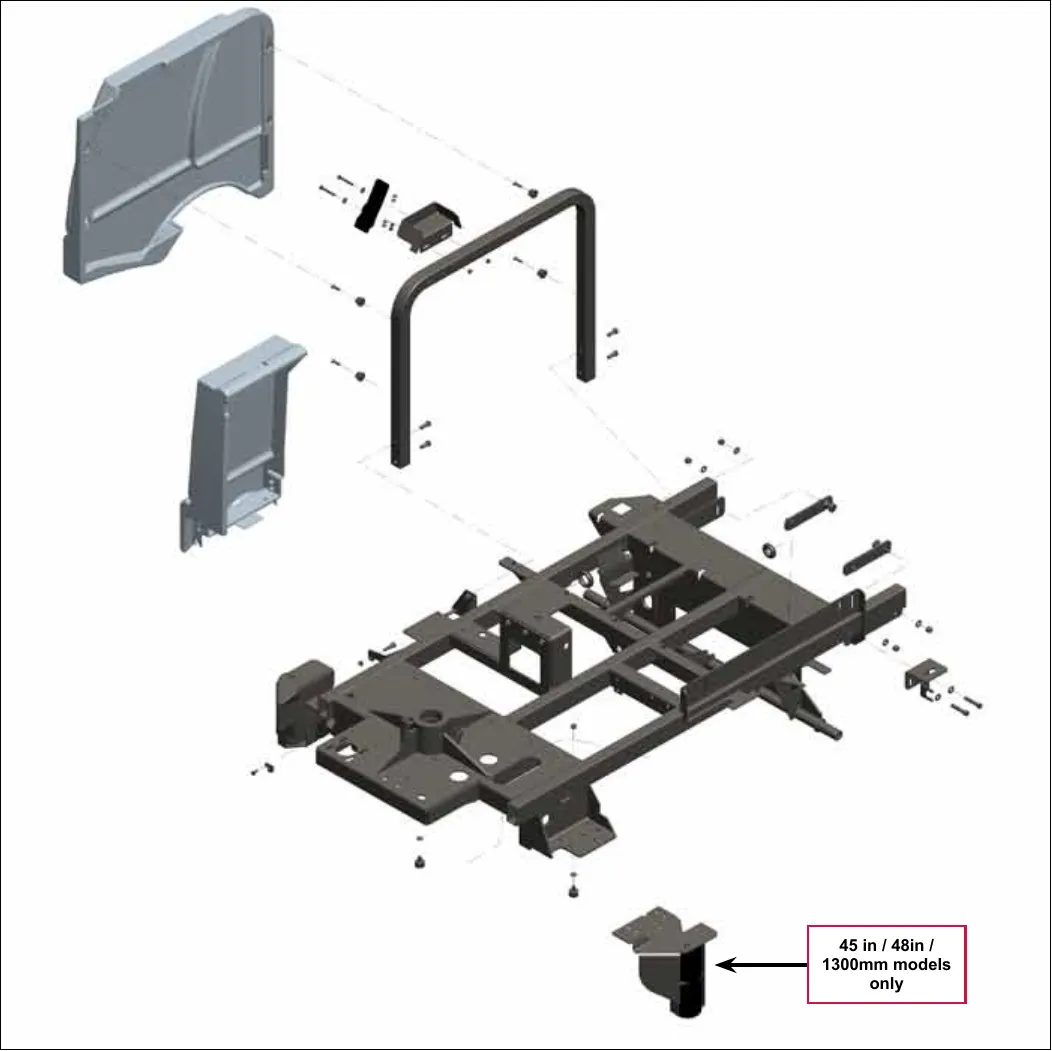
The part shown at the bottom of the drawing is for 45 in / 48 in / 1300mm models only.
Control system
Functional description
Overview
The control system consists of the A2 Control Board Assembly, the A3 Switch/Display Panel Assembly and associated sensors and circuitry.
A2 control board assembly
The A2 Control Board Assembly, sometimes referred to the main controller, communicates with the Curtis A1 Speed Controller and the A3 Switch/Display Panel Assembly to coordinate the operation of the various machine systems. The A2 Control Board Assembly is fastened to the Electrical Mount behind the electrical panel cover assembly to the left of the Operator seat.
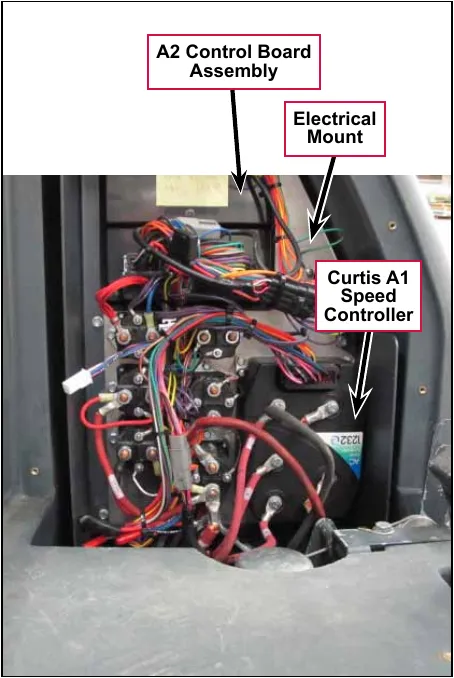
One primary function of the A2 Control Board Assembly is to position the scrub brushes relative to the floor surface using a lift actuator motor. The A2 Control Board Assembly continuously monitors the brush motor current draw to maintain the desired scrub pressure on the floor.
- If the brush motor current drops below the desired range, the A2 Control Board Assembly switches on the lift actuator motor to move the scrub deck downward until the brush motor current draw is within the correct range for the scrub pressure selected.
- If the brush motor current rises above the desired range, the A2 Control Board Assembly switches on the lift actuator motor to lift the scrub deck upward until the brush motor current draw is again within the correct range for the scrub pressure selected.
Note: Refer to the Scrub System section in this manual for a complete explanation of scrub deck operation.
A secondary function of the A2 Control Board Assembly is to detect any system failures and display the corresponding error code on the display panel, or store it in the control board’s recall memory mode. The error codes are used to help service technicians determine the fault and to guide in repairing a specific system malfunction quickly.
Note: See the Troubleshooting section for further information.
The A2 Control Board Assembly also allows you to change program settings for a set of specific machine functions. See the Main Control Programming Options section in this manual for further information.
A3 switch/display panel assembly
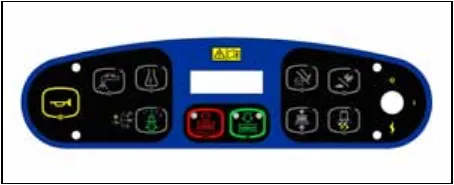
The A3 Switch/Display Panel Assembly is the user interface that includes the various system switches and buttons, and the control panel display. The A3 Switch/Display Panel Assembly sends the operator inputs via a CAN BUS to the A2 Control Board Assembly.
Circuit description
The A2 Control Board Assembly is connected by several inputs to battery negative:
The A2 Control Board Assembly gets positive battery voltage from two inputs:
- When the key switch, seat switch and battery interlock are closed, positive voltage is supplied to the A2 Control Board Assembly.
- When the key switch is closed, positive voltage is supplied to the coil side of contactor K5. When K5 contacts close, positive voltage is supplied to the A2 Control Board Assembly.
The A3 Switch/Display Panel Assembly gets voltage from two outputs on the A2 Control Board Assembly. The A3 Switch/Display Panel Assembly communicates with the A2 Control Board Assembly via a CAN BUS connection (CAN H and CAN L).
Main control programming options
Fault recall mode
Whenever the A2 Control Board Assembly detects an electrical system error or fault, one or more error codes are displayed and stored by the A2 Control Board Assembly. You can recall error codes (if any) from previous machine operation for troubleshooting purposes, To recall stored error codes:
- Turn the key switch off.
- Press and hold the solution switch.
- While holding the solution switch, turn the key switch on.
- Continue to hold the solution switch until the solution system indicator turns on.
- Release the solution switch. The solution system indicator turns off and the scrub off indicator will light. The display will show a wrench icon indicating that you are in fault recall mode.
- If there are no previous error codes stored, the display will show the no-fault wrench icon (a wrench with a short line through it) asking you to reset the machine (no fault). Skip to step 7.
- If error codes have been stored, the display will show the wrench icon and error number(s) next to the wrench. If more than one error code is stored, the display will toggle through all the errors stored.
-
- If you want to save the codes, skip to step 7.
- To clear the stored error codes, press the scrub off switch. The display will now show key switch icon asking you to reset the machine.
- To exit the fault recall mode, turn the key switch off.
To select the battery used in the machine
Note that the factory default is Standard (LVC = 31V)
- Turn the key switch off.
- Press and hold the scrub off switch.
- While holding the scrub off switch, turn the key switch on.
- Continue to hold the scrub off switch until the Scrub Off LED indicator turns on.
- Release the switch. The display will now show BATTERY.
- Press the scrub on switch to select the type of battery that is in the machine.
- Press the scrub off switch to save the new setting and display the key switch icon.
- Turn the key switch off. The new setting will be saved until changed again.
To restore the scrub pressures to the factory default settings
- Turn the key switch off.
- Press and hold the scrub on switch.
- While holding the scrub on switch, turn the key switch on.
- Continue to hold the scrub on switch until the display shows key switch icon. The factory default scrub pressures have now been restored.
- Turn the key switch off.
To enable/disable the fault detection
Note that the factory default for fault detection is OFF.
You can enable or disable “open circuit” fault detection with this setting. If the setting is set to “off” the controller will still detect and set faults for over current conditions.
To turn the fault checking on or off:
- Turn the key switch off.
- Press and hold both the scrub off switch and solution switch.
- While holding both switches, turn the key switch on.
- Continue to hold both switches until both switch indicators turn on. The display will show a wrench icon indicating fault detection mode.
- Release both switches. The solution system indictor light will blink and the scrub off indicator will stay on.
- Press the solution switch to toggle the fault detection between enabled/on (wrench icon with no cross) or disabled/off (wrench icon with cross).
- Press the scrub off switch to save the new setting and display the key switch icon.
- Turn the key switch off. The new setting will be saved until changed again.
To display the control board revision level
- Turn the key switch off.
- Press and hold both the scrub off switch and traction control switch.
- While holding both switches, turn the key switch on.
- Continue to hold both switches until the scrub off and traction control indicators light.
- Release both switches. The scrub off and traction control indicators will switch off. The display will show the MAIN REVISION of the A2 control board assembly, the DISPLAY REVISION of the A3 switch/display panel assembly and the key switch icon.
- Turn the key switch off.
Monitor mode
The control system allows the five machine settings listed below to be quickly checked in the monitor mode to view the machine’s specific setup. To enter the monitor mode and view the current machine settings:
- Turn the key switch off.
- Press and hold the detergent switch.
- While holding the detergent switch, turn the key switch on.
- Continue to hold the detergent switch until the detergent system indicator switches on.
- Release the detergent switch. The display will show the following current machine programmed settings:
- Scrub deck type and size,
- Detergent mode on/off,
- Fault detection on/off,
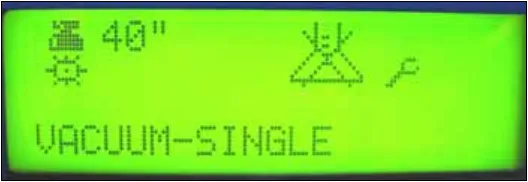
- Vacuum motor selection – VACUUM–SINGLE (one motor) or VACUUM–DUAL (two motors).
- To exit the monitor mode, turn the key switch off.
Scrub deck down time adjustment
Note that the factory default deck down time is two seconds.
When scrub on switch is pressed, the control board will automatically lower the deck for two seconds. The time that the deck is lowered is adjustable from one second to three seconds in 0.1-second increments.
To adjust the scrub deck down time:
- Turn the key switch off.
- Press and hold the scrub on and solution switches.
- While holding both switches, turn the key switch on.
- Continue to hold both switches until both switch indicators turn on.
- Release both switches. The display will now show a clock icon in the upper left corner with a number indicating the scrub deck down time period.
- Press the scrub on switch to increment the time period. Each press of the switch increments the scrub deck down time 0.1 seconds. For example, the time will increment from 2.0 seconds to 2.1 seconds, and so on. The deck down times range from 1.0 to 3.0 seconds.
- Press the scrub off switch to save the new setting and display the key switch icon.
- Turn the key switch off. The new setting will be saved until changed again.
Normal (light) scrub setting adjustment
Note that the factory default settings for the normal scrub setting are: Scrub pressure – one bar, Solution flow rate – one bar.
The scrub pressure and solution flow rate for the normal scrub setting can be programmed to better suit a particular application. This allows you to select a higher solution flow rate with normal scrub pressure, or a normal solution rate with heavier scrub pressure, etc., as the normal scrub setting. To change the normal scrub settings:
- Turn the key switch off.
- Press and hold the scrub on and scrub speed switches.
- While holding both switches, turn the key switch on.
- Continue to hold both switches until the scrub speed indicator turns on and the normal scrub on indicator blinks.
- Release both switches. The display will now show a scrub icon (either disc or cylindrical) with the current scrub pressure setting.
- Press the scrub on switch to increment the scrub pressure setting as shown by the number of bars in the display.
- Press the scrub off switch to save the new scrub pressure setting and move to the solution flow rate setting. The display will now show the solution icon with gauge. The normal scrub indicator will stop blinking and the solution system indicator will blink.
- Press the solution switch to increment the solution flow rate as shown by the number of bars in the display.
- Press the scrub off switch to save the new solution flow rate setting and move to the detergent concentration setting. The display will now show the detergent icon with a 0, + or – next to it. The solution system indicator will stop blinking and the detergent indicator will blink.
- Press the detergent switch to scroll through and select the 0, + or – character in the display.
- Selecting 0 will not change the detergent concentration in the detergent ratios.
- Selecting + will increase the detergent concentration in the detergent ratios by 10 percent.
- Selecting – will decrease the detergent concentration in the detergent ratios by 10 percent.
- Press the scrub off switch to save the detergent concentration setting and display the key switch icon.
- Turn the key switch off. The new settings will be saved until changed again.
Heavy scrub setting adjustment
Note that the factory default settings for the heavy scrub setting are: Scrub pressure – two bars, Solution flow rate – two bars.
The scrub pressure and solution flow rate for the heavy scrub setting can be programmed to better suit a particular application. This allows you to select a higher solution rate with heavy scrub pressure, or a normal solution rate with heavy scrub pressure, etc., as the heavy scrub setting. To change the heavy scrub settings:
- Turn the key switch off.
- Press and hold the scrub on and detergent switches.
- While holding both switches, turn the key switch on.
- Continue to hold both switches until the detergent indicator turns on and the heavy scrub indicator blinks.
- Release both switches. The display will now show a scrub icon (either disc or cylindrical) with the current scrub pressure setting.
- Press the scrub on switch to increment the scrub pressure setting as shown by the number of bars in the display.
- Press the scrub off switch to save the new scrub pressure setting and move to the solution flow rate setting. The display will now show the solution icon with gauge. The solution system indicator will blink.
- Press the solution switch to increment the solution flow rate as shown by the number of bars in the display.
- Press the scrub off switch to save the new solution flow rate setting and move to the detergent concentration setting. The display will now show the detergent icon with a 0, + or – next to it. The solution system indicator will stop blinking and the detergent indicator will blink.
- Press the detergent switch to scroll through and select the 0, + or – character in the display.
- Selecting 0 will not change the detergent concentration in the detergent ratios.
- Selecting + will increase the detergent concentration in the detergent ratios by 10 percent.
- Selecting – will decrease the detergent concentration in the detergent ratios by 10 percent.
- Press the scrub off switch to save the detergent concentration setting and display the key switch icon.
- Turn the key switch off. The new settings will be saved until changed again.
Extreme scrub setting adjustment
Note that the factory default settings for the extreme scrub setting are: Scrub pressure – three bars, Solution flow rate – three bars.
The scrub pressure and solution flow rate for the extreme scrub setting can be programmed to better suit a particular application. This allows you to select a higher solution rate with extreme scrub pressure, or a normal solution rate with extreme scrub pressure, etc., as the extreme scrub setting. To change the extreme scrub settings:
- Turn the key switch off.
- Press and hold the scrub on and vacuum/wand switches.
- While holding both switches, turn the key switch on.
- Continue to hold both switches until the vacuum/wand indicator turns on, and the normal and heavy scrub indicators blink.
- Release both switches. The display will now show a scrub icon (either disc or cylindrical) with the current scrub pressure setting.
- Press the scrub on switch to increment the scrub pressure setting as shown by the number of bars in the display.
- Press the scrub off switch to save the new setting and move to the solution flow rate setting. The display will now show the solution icon with gauge. The normal and heavy scrub indicators will stop blinking and the solution indicator will blink.
- Press the solution switch to increment the solution flow rate as shown by the number of bars in the display.
- Press the scrub off switch to save the new solution flow rate setting and move to the detergent concentration setting. The display will now show the detergent icon with a 0, + or – next to it. The solution system indicator will stop blinking and the detergent indicator will blink.
- Press the detergent switch to scroll through and select the 0, + or – character in the display.
- Selecting 0 will not change the detergent concentration in the detergent ratios.
- Selecting + will increase the detergent concentration in the detergent ratios by 10 percent.
- Selecting – will decrease the detergent concentration in the detergent ratios by 10 percent.
- Press the scrub off switch to save the detergent concentration setting and display the key switch icon.
- Turn the key switch off. The new settings will be saved until changed again.
Scrub speed switch lockout
Note that the factory default setting for the scrub speed switch is FAST/SLOW - ENABLE.
The control system is programmed to limit the maximum travel speed while scrubbing to a value less than that allowed when driving and not scrubbing. Pressing the scrub speed switch on the control panel will override this speed limiting feature and allow scrubbing at a the higher speed. If you wish to prevent scrubbing at this faster speed, you can disable the scrub speed switch override feature. To disable the scrub speed switch override feature:
- Turn the key switch off.
- Press and hold the scrub speed switch.
- While holding the scrub speed switch, turn the key switch on.
- Continue to hold the scrub speed switch until the scrub speed and scrub off indicators both turn on.
- Release the scrub speed switch. The scrub speed indictor light will blink.
- Press the scrub speed switch to enable or disable the scrub speed switch override feature. FAST/SLOW - ENABLE means that the high-speed scrub feature is turned on. FAST/SLOW - DISABLE means that the high-speed scrub feature is turned off.
- Press the scrub off switch to save the setting and display the key switch icon.
- Turn the key switch off. The new setting will be saved until changed again.
Detergent system selection mode
- Turn the key switch off.
- Press and hold the scrub off switch and the detergent switch.
- While holding both switches, turn the key switch on.
- Continue to hold both switches until both switch indicators turn on.
- Release both switches. The scrub off indicator will stay lit and the detergent system indicator will blink. The display will now show a detergent bottle in the upper left corner indicating the detergent selection mode.
- Press the detergent switch to select between a normal detergent bottle icon indicating that the detergent system is activated, or a detergent bottle with a cross through it indicating that the detergent system is not activated.
- Press the scrub off switch to save the new setting and display the key switch icon.
- Turn the key switch off. The new setting will be saved until changed again.
EcoFlex™ mode selection
Note that the factory default setting for the EcoFlex™ Mode is OFF.
- Turn the key switch off.
- Press and hold the EcoFlex™ button.
- While holding the button, turn the key switch on.
- Continue to hold the button for two seconds until the EcoFlex™ and scrub off indicators turn on.
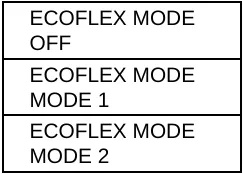
- Release the EcoFlex™ button. The display will now show the ECOFLEX MODE/OFF, ECOFLEX MODE/MODE 1 and ECOFLEX MODE/MODE 2 menu.
- Press the EcoFlex™ button to scroll through the menu and select the desired ECOFLEX MODE. On the SC6500, there is no difference in machine operation whether Mode 1 or Mode 2 is selected.
- Press the scrub off switch to save the setting and display the key switch icon.
- Turn the key switch off. The new setting will be saved until changed again.
Vacuum motor configuration option
Note that the factory default setting for the vacuum motor configuration is SINGLE (one vacuum motor).
All rider scrubber models covered in this manual can be equipped with optional dual vacuum motors. The A2 control board assembly must be programmed for the number of vacuum motors installed so that the current overload protection will function correctly. To select the vacuum motor configuration:
- Turn the key switch off.
- Press and hold the scrub system off and vacuum/wand switches.
- While holding both switches, turn the key switch on until the scrub off and vacuum/wand indicators light.
- Release both switches. The vacuum/wand indictor will flash. The control panel display will now indicate the vacuum motor setting.
- Press the vacuum/wand switch to toggle between VACUUM - SINGLE for a single vacuum motor or VACUUM - DUAL for two vacuum motors.
- Press the scrub off switch to save the setting and display the key switch icon.
- Turn the key switch off. The new setting will be saved until changed again.
Recovery tank full detection enable/disable
Note that the factory default setting for the recovery tank full detection is ENABLE.
The SC6500 is equipped with a feature that will automatically shut off the vacuum and scrub systems and display a recovery tank full icon on the control panel display when the recovery tank becomes full. If problems are encountered with the vacuum shutoff feature, such as the vacuum shutting off even when the recovery tank is not full, this feature can be turned off. To turn this feature on (enable) or off (disable):
- Turn the key switch off.
- Press and hold the vacuum/wand switch.
- While holding the vacuum/wand switch, turn the key switch on.
- Continue to hold the vacuum/wand switch until the vacuum/wand indicator turns on.
- Release the vacuum/wand switch. The vacuum/wand indictor will blink and the scrub off indicator will turn on. The display will now show a text message REC TANK FULL DETECT/ENABLE or DISABLE.
- Press the vacuum/wand switch to toggle between ENABLE or DISABLE. ENABLE means that the automatic shutoff feature is turned on. DISABLE means that the automatic shutoff feature is turned off.
- Press the scrub off switch to save the setting and display the key switch icon.
- Turn the key switch off. The new setting will be saved until changed again.
Solution flow in reverse enable/disable
Note that the factory default setting for the solution flow in reverse option is ENABLE.
The solution flow is programmed to dispense solution when the machine backing up. To disable solution flow when the machine moves in reverse:
- Turn the key switch off.
- Press and hold the EcoFlex™ button and the solution switch.
- While holding both the button and switch, turn the key switch on.
- Continue to hold the button and switch until the solution system and vacuum/wand indicators turn on.
- Release the button and switch. The vacuum/wand indicator will turn off, the solution system indictor will blink and the scrub off indicator will turn on. The display will now show the message SOLUTION IN REVERSE/ENABLE or DISABLE.
- Press the solution switch to toggle between SOLUTION IN REVERSE ENABLE or DISABLE. If you select ENABLE, the solution flow will stay on when the machine is moving in reverse. If you select DISABLE, solution flow will stop when the machine is moving in reverse.
- Press the scrub off switch to save the setting and display the key switch icon.
- Turn the key switch off. The new setting will be saved until changed again.
Indicator LED intensity selection option
Note that the factory default setting for the indicator LED intensity is normal.
To change the intensity of the LEDs in the control panel indicators.
- Turn the key switch off.
- Press and hold the vacuum/wand and scrub speed switches.
- While holding both switches, turn the key switch on.
- Continue to hold both switches until the vacuum/wand and scrub speed indicators turn on. The display will now show a light bulb icon in the upper left corner indicating the LED light intensity selection.
- Release both switches. The scrub speed and scrub off indicators will light and the vacuum/wand indicator will blink.
- Press the vacuum/wand switch to select between the normal intensity or extra bright intensity levels.
- Press the scrub off switch to save the setting and display the key switch icon.
- Turn the key switch off. The new setting will be saved until changed again.
Detergent and solution pump purge
The EcoFlex™ detergent system has two purge (flush) programs to ensure that the detergent delivery hoses and related components are kept open and clean. A general operational description in how the system functions is found in the Solution System section. To activate the maintenance purge functions:
Method 1
- Turn the key switch off.
- Press and hold both the detergent and solution switches.
- While holding the switches, turn the key switch on. The display will show the purge icon, the detergent and solution pumps will run for approximately 20 seconds, then the pumps will shut off.
- When the purge cycle is complete, turn the key switch off.
Method 2 (as described in the Instructions for Use)
- Turn the key switch on.
- Press and hold both the detergent and solution switches for three seconds. The detergent and solution pumps will run for approximately 10 seconds.
- When the purge cycle is complete, turn the key switch off.
Side broom function
- Turn the key switch off.
- Press and hold the side broom on/down switch.
- While holding the switch, turn the key switch on.
- Continue to hold the switch until the side broom on/down indicator turns on.
- Release the switch. The display will now show SIDE BROOM/ENABLE or DISABLE.
- Press the side broom on/down switch to toggle between SIDE BROOM ENABLE or SIDE BROOM DISABLE.
- Press the scrub off switch to save the setting and display the key switch icon.
- Turn the key switch off. The new setting will be saved until changed again.
Side broom height adjustment
The height of the side brooms is determined by the length of time the side broom actuator runs as it lowers the side brooms. Note that:
- Increasing the side broom actuator run time lowers the side broom height.
- Decreasing the side broom actuator run time raises the side broom height.
To adjust the side broom height:
- Turn the key switch off.
- Press and hold the side broom on/down and scrub off switches.
- While holding the switches, turn the key switch on.
- Continue to hold the switches until the side broom on/down indicator, scrub off indicator and both scrub on indicators turn on.
- Release the switches. The indicators will stay on and the display will now show the side broom actuator down run time in seconds.
-
- Press the scrub on switch to increase the side broom actuator run time and lower the position of side brooms.
- Press the side broom on/down switch to decrease the side broom actuator run time and raise the position of side brooms.
Note that the side broom actuator run times range from 1.0 to 3.0 seconds.
- Press the scrub off switch to save the side broom height. The actuator will raise the brooms to their up position and the display will show a key switch icon.
- Turn the key switch off. The machine is now reprogrammed to work with the new side broom height setting.
Display mode selection
- Turn the key switch off.
- Press and hold the detergent switch and EcoFlex™ button.
- While holding the detergent switch and EcoFlex™ button, turn the key switch on.
- Continue to hold the button and switch for two seconds until the EcoFlex™ and detergent system indicators turn on.
- Release the button and switch. The EcoFlex™ indicator will blink and the display will show DISPLAY MODE.
- Press the EcoFlex™ button to toggle between 1. US DISPLAY and 2. GLOBAL DISPLAY.
- Press the scrub off switch to save the new setting and display the key switch icon.
- Turn the key switch off. The new setting will be saved until changed again.
Service test mode
The purpose of the service test mode is to assist the service technician with numerous quick shortcut troubleshooting procedures. The service test mode allows you to control individual system components independent of the normal machine operator inputs.
To enter the service test mode
- Turn the key switch off.
- Press and hold the scrub speed and traction control switches.
- While holding the scrub speed and traction control switches, turn the key switch on.
- Continue to hold the scrub speed and traction control switches until the traction control indicator lights.
- Release the scrub speed and traction control switches. The scrub speed indicator will turn off and the display will show NEUTRAL/SC-NO FAULT (speed controller - no fault). The display, switch and indicator functions in the service test mode are described below.
- To exit the service test mode, turn the key switch off.
Service test mode display
- Speed Control Status
- This indicator will read SC–NO FAULT (speed controller - no fault) if the status signal from the speed control is normal.
- If a speed control fault exists, this indicator will read SC-FAULT (speed control fault). Refer to the Wheel System, Traction section for details on these codes.
- Speed Control Foot Throttle Status
- The control panel display will read NEUTRAL when the operator foot pedal is at rest.
- The control panel display will read FORWARD when the foot pedal is depressed in the forward direction to activate its forward drive mode functions.
Control panel switch and button functions
- The control panel display will read REVERSE when the operator foot pedal is depressed in the reverse direction to activate its reverse drive mode functions.

Scrub System Off Switch – This switch controls the scrub brush motor(s). Pressing and releasing this switch will alternately turn the brush motor(s) on and off. The scrub off indicator provides the following status information:
- Off - Brush motor output is off and there is no brush motor current sensed.
- Steady Blue - Brush motor output is on and there is normal brush motor current sensed.

Scrub ON/Pressure Select Switch – This switch controls the scrub deck lift actuator as follows:
- Pressing the switch the first time will switch on the actuator to lower the scrub deck. The normal scrub indicator (left blue LED) will light as the actuator is running. Once the deck reaches the down position, the normal scrub indicator will blink.
- Pressing the switch a second time will switch off the normal scrub indicator.
- Pressing the switch a third time will switch on the actuator to raise the scrub deck. The normal scrub indicator will light as the actuator is running. Once the deck reaches the up position, the normal scrub indicator will blink.
- Pressing the switch a fourth time will switch off the normal scrub indicator.

Vacuum/Wand Switch – This switch controls the squeegee lift actuator and vacuum motor(s) as follows:
- Pressing the switch the first time will switch on vacuum motor(s) and switch on the actuator to lower the squeegee. The vacuum/wand indicator will light as the actuator is running. Once the squeegee reaches the down position, the vacuum/wand indicator will blink.
- Pressing the switch a second time will switch off the vacuum/wand indicator.
- Pressing the switch a third time will switch off the vacuum motor(s) and switch on the actuator to raise the squeegee. The vacuum/wand indicator will light as the actuator is running. Once the squeegee reaches the up position, the vacuum/wand indicator will blink.
- Pressing the switch a fourth time will switch off the vacuum/wand indicator.

Side Broom On/Down Switch – This switch controls the side broom motors and side broom lift actuator as follows:
- Pressing the switch the first time will switch on side broom motors and switch on the actuator to lower the side brooms. The side broom on/down indicator will light as the actuator is running. Once the side brooms reach the down position, the side broom on/down indicator will blink.
- Pressing the switch a second time will switch off the side broom on/down indicator.
Troubleshooting
- Pressing the switch a third time will switch off the side broom motors and switch on the actuator to raise the side brooms. The side broom on/down indicator will light as the actuator is running. Once the side brooms reach the up position, the side broom on/down indicator will blink.
- Pressing the switch a fourth time will switch off the side broom on/down indicator.

Solution Switch – This switch controls the solution solenoid and solution control pump. Pressing and releasing this switch will alternately turn the solution solenoid and solution pump on and off. The solution system indicator provides the following status information:
- Off – Solenoid and solution pump outputs are off.
- Steady Blue – Solenoid and solution pump outputs are on.
Detergent Switch – This switch controls the detergent pumps. Pressing and releasing this switch will alternately turn the detergent pumps on and off. The detergent system indicator provides the following status information:
- Off – Detergent pump output is off.
- Steady Blue – Detergent pump output is on.
Error indicator and error code display
Any error codes detected by A2 Control Board Assembly will be displayed on the control panel display as they occur. If more than one error exists, the display will sequence through the error codes at one-second intervals. The error will display as a mechanical wrench symbol followed by a two-digit code. For example, wrench symbol 29 as shown in the adjacent drawing would be an open vacuum motor error.
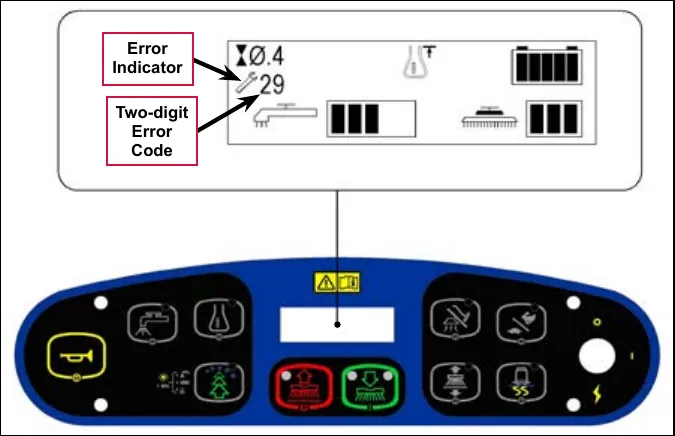
Error codes
| Display code | Error/fault description | Correction |
|---|---|---|
| 01# | Scrub deck sense R2 resistor fault | A fault will occur if scrub deck sensor resistor is unplugged or damaged. Check the resistor wiring for an open and substitute a new resistor and test scrub deck for correct operation. Note that there are four different resistor values used on the different deck types. See the electrical diagram decal for the correct specification for the resistor to replace. |
| 03# | Speed control fault | Observe the blue flashing light detergent indicator light, then refer to the Wheel Drive, Traction section to troubleshoot the drive system. |
| 04# | Scrub motor overload Note that some models use one, two or three scrub motors. Refer to the Specifications section for detailed load current values for the different decks. |
|
| 05# | Left brush motor contactor coil overload Contactor K4 is for the left motor on the three-motor decks. The nominal coil resistance is 94 ohms for all three motor contactors. |
|
| 06# | Center brush motor contactor coil overload Contactor K3 is for the center motor on three-motor decks. K3 is for the left motor on two-motor decks. |
|
| 07# | Right brush motor contactor coil overload Contactor K2 is for the right motor on two- or three-motor decks. K2 is the only contactor on a single-motor decks. |
|
| 08# | Scrub deck actuator overload
|
To test the actuator, disconnect the motor plug and attach the actuator power cord adapter (p/n 56407502) and perform an amp draw test. Compare readings to the current load specifications. |
Error codes
| Display code | Error/fault description | Correction |
|---|---|---|
| 09# | Vacuum motor overload Normal current load for one motor is 16-20 amps. Normal current load for two motors is 32-40 amps. |
|
| 10# | K1 Vacuum motor contactor coil overload. The nominal coil resistance is 100 ohms. |
|
| 11# | Squeegee actuator overload
|
To test the actuator, disconnect the motor plug and attach the actuator power cord adapter (p/n 56407502) and perform an amp draw test. Compare readings to the current load specifications. |
| 12# | L1 Solution solenoid overload The nominal coil resistance is 74 ohms. |
|
| 13# | Solution control pump overload
|
|
| 16# | K6 Side broom motor contactor coil overload The nominal coil resistance is 100 ohms. |
|
| 17# | Side broom actuator overload
|
To test the actuator, disconnect the motor plug and attach the actuator power cord adapter (p/n 56407502) and perform an amp draw test. Compare readings to the current load specifications. |
| 18# | K5 Auxiliary contactor coil overload The nominal coil resistance is 100 ohms. |
|
Error codes
| Display code | Error/fault description | Correction |
|---|---|---|
| 19# | Back-up alarm overload Specifications:
|
|
| 20# | Horn output fault Current load spec. 1.2 amps |
|
| 21# | Scrub motor open |
|
| 22# | Left brush motor contactor coil open |
|
| 23# | Left brush motor contactor coil short to ground |
|
| 24# | Center brush motor contactor coil open |
|
| 25# | Center brush motor contactor coil short to ground |
|
| 26# | Right brush motor contactor coil open |
|
Error codes
| Display code | Error/fault description | Correction |
|---|---|---|
| 27# | Right brush motor contactor coil short to ground |
|
| 28# | Scrub deck actuator open |
|
| 29# | Vacuum motor open |
|
| 30# | Vacuum motor contactor coil open |
|
| 31# | K1 Vacuum motor contactor coil short to ground |
|
| 32# | Squeegee actuator open |
|
| 33# | L1 Solution solenoid open |
|
Error codes
| Display code | Error/fault description | Correction |
|---|---|---|
| 34# | L1 Solution solenoid short to ground |
|
| 35# | Solution control pump open |
|
| 36# | Side broom motor contactor coil open |
|
| 37# | K6 Side broom motor contactor coil short to ground |
|
| 38# | Side broom actuator motor open |
|
| 39# | Auxiliary motor contactor coil open |
|
| 40# | K5 Auxiliary motor contactor coil short to ground |
|
Error codes
| Display code | Error/fault description | Correction |
|---|---|---|
| 41# | Back-up alarm open |
|
| 42# | Back-up alarm short to ground |
|
* Short Circuit definition:
- A short circuit is a parallel path of very low resistance, often caused accidentally.
- With low resistance there is an excessive amount of current.
- The excessive current will either melt the wires or open a fusible link.
** See Service Test Mode in this manual for further troubleshooting information.
*** See the Main Control Programming Options section to activate the Brush Type Selection function.
Removal and installation
A2 control board assembly
- Remove the electrical panel cover assembly (located to the left of the operator position). Make sure to unplug the fan assembly before removing the electrical panel cover assembly from the machine.
- Disconnect the electrical connectors from the A2 Control Board Assembly.
- Remove the five screws holding the A2 Control Board Assembly to the Electrical Mount and remove the A2 Control Board Assembly from the machine.
- Install the A2 Control Board Assembly by following the above steps in reverse order.
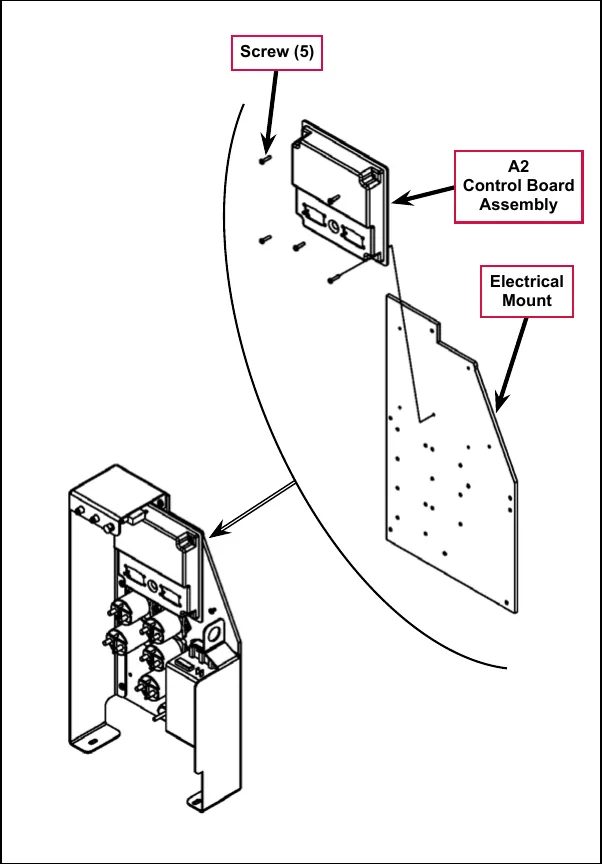
Specifications
| Scrub Mode | Scrub Pressure Indicator | Deck Type | |||
|---|---|---|---|---|---|
| Disc 40” | Cyl. 40” | Disc 45”/48” | Cyl. 45”/48” | ||
| Normal Scrub | 1 bar (#1) | 40 amps | 35 amps | 50 amps | 35 amps |
| Heavy Scrub | 2 bars (#2) | 50 amps | 45 amps | 60 amps | 45 amps |
| Extreme Scrub | 3 bars (#3) | 65 amps | 55 amps | 80 amps | 55 amps |
| Deck | Standard flow rates | Override flow rates | |||
|---|---|---|---|---|---|
| 1 bar | 2 bars | 3 bars | 4 bars | 5 bars | |
| 40” Disc | 0.84 GPM | 1.00 GPM | 1.50 GPM | 2.00 GPM | 2.50 GPM |
| 40” Cylindrical | 0.70 GPM | 0.84 GPM | 1.00 GPM | 1.50 GPM | 2.50 GPM |
| 45”/48” Disc | 1.00 GPM | 1.50 GPM | 2.00 GPM | 2.25 GPM | 2.50 GPM |
| 45”/48” Cylindrical | 0.84 GPM | 1.00 GPM | 1.50 GPM | 2.00 GPM | 2.50 GPM |
I/O table with shop measurements
A2 control board assembly
| Designation | Pin ID | Wire ID/ Color | Description | Signal Characteristics | Nominal Value (when activated) | Reference To: | Acceptable Range | Measured | Comments |
|---|---|---|---|---|---|---|---|---|---|
| Output | J1-1 | BLU/GRA | Detergent Pump2 (+) | Pulsed Voltage | 0 or 36V | B- (ground) | see comment below * | 18-23V | Complex pulsed PWM signal Measured in service test mode. |
| Bidirectional | J1-2 | BRN/BLU | CAN-L | Digital Communication | see comment | see comment | 2.37V | Protocol analyzer needed to verify connection | |
| Bidirectional | J1-3 | GRN/BLU | CAN-H | Digital Communication | see comment | see comment | 2.64V | Protocol analyzer needed to verify connection | |
| Input | J1-4 | ORN/RED | Speed Control - Fault | Voltage | see comment | B- (ground) | see comment | Pulsed signal equal to the fault code flashed by the speed controllers built-in status LED | |
| Input | J1-5 | GRN | Battery + | Voltage | +36V | B- (ground) | 31V - 38V | 36.7V | Downstream of circuit breaker F1, Key switch S1, Diode D1, Seat Switch S2 and Battery Interlock Switch S3 |
| Output | J1-6 | TAN/BRN | Detergent Pump1 (-) | Pulsed Voltage | 0 or 36V | B- (ground) | see comment below * | 11-17V | Line should alternate between 0V and 36V when detergent pump is activated. Measured in service test mode. |
| Output | J1-7 | BLK/GRA | Detergent Pump1 (+) | Pulsed Voltage | 0 or 36V | B- (ground) | see comment below * | 18-23V | Line should alternate between 0V and 36V when detergent pump is activated |
| Input | J1-8 | ORN | Battery + | Voltage | +36V | B- (ground) | 31V - 38V | 37.46V | Downstream of circuit breaker F1, switched through key switch S1 |
| Output | J1-9 | ORN/GRA | Detergent Pump2 (-) | Pulsed Voltage | 0 or 36V | B- (ground) | see comment below * | 11-17V | Line should alternate between 0V and 36V when detergent pump is activated. Measured in service test mode |
| Input | J1-10 | BLK | Battery - | Voltage | 0V | B- (ground) | 0 - 1V | 0.04V | Vacuum motor running |
| Input | J1-11 | RED/WHT | Speed Control - Motion | Voltage | 0V (moving), 36V (not moving) | B- (ground) | 0 - 1V (moving), 31 - 38V (not moving) | 24.8V N 0.006V FWD or REV |
| Designation | Pin ID | Wire ID/ Color | Description | Signal Characteristics | Nominal Value (when activated) | Reference To: | Acceptable Range | Measured | Comments |
|---|---|---|---|---|---|---|---|---|---|
| Input | J1-12 | YEL/RED | Speed Control - Direction | Voltage | 0V (reverse), 36V (forward) | B- (ground) | 0 - 1V (reverse), 31 - 38V (forward) | 33.4V N or FWD 0.004V REV | |
| Output | J1-13 | GRA | UI Panel - Ground | Voltage | 0V | B- (ground) | 0 - 1V | 0.04V | Provides ground to User Interface panel. Vacuum motor running. |
| Input | J1-14 | BLK | Battery - | Voltage | 0V | B- (ground) | 0 - 1V | 0.04V | Vacuum motor running. |
| Input | J1-15 | VIO | Battery + | Voltage | 36V | B- (Ground) | 31V - 38V | 37.3V | Downstream of circuit breaker F2, switched through contactor K5 |
| Output | J1-16 | WHT/VIO | K3 Center Brush Contactor | Voltage | 0V | B- (ground) | 0 - 1V | 37.4V Off 0.11V On | |
| Output | J1-17 | GRA/RED | K4 Left Brush Contactor | Voltage | 0V | B- (ground) | 0 - 1V | Not measured. Should be same as J1-16 or J1-19 | |
| Output | J1-18 | YEL/GRN | L1 Solenoid Valve | Pulsed Voltage | 0 or 36V | B- (ground) | see comment | 37.4V off 0.1V on | Line should alternate between 0V and 36V when solenoid is activated |
| Output | J1-19 | YEL/BLU | K2 Right Brush Contactor | Voltage | 0V | B- (ground) | 0 - 1V | 37.4V off 0.1v on | |
| Output | J1-20 | BLU/RED | Horn (-) | Voltage | 0V | B- (ground) | 0 - 1V | 37.4V off 0.4V on | |
| Output | J1-21 | BLU/ORN | Solution Pump (-) | PWM | 0 or -36V | B- (ground) | see comment below ** | 37.4V off 32.06V on | Pulsed PWM signal. Switched ground return for pump. |
| Output | J1-22 | WHT/BRN | UI Panel - Power Supply | Voltage | +8V | B- (ground) | 7 - 9V | 7.98V | Provides power to User Interface panel |
| Input | J1-23 | VIO | Battery + | Voltage | 36V | B- (Ground) | 31V - 38V | 37.4V | Downstream of circuit breaker F2, switched through contactor K5 |
| Output | J2-1 | WHT/GRN | Squeegee Actuator + | Voltage | 36V | B- (ground) | see comment | 36.5V down 0.3V up 2.9V rest | +36V while lowering, -36V while raising |
| Input | J2-2 | BRN | Scrub Brush Motor Shunt | Voltage | .03 - .3V | B- (ground) | .03 - .3V | 0.042V | Measured 48 inch cylindrical deck no load |
| Designation | Pin ID | Wire ID/ Color | Description | Signal Characteristics | Nominal Value (when activated) | Reference To: | Acceptable Range | Measured | Comments |
|---|---|---|---|---|---|---|---|---|---|
| Input | J2-3 | ORN/BLU | Vacuum Motor Shunt | Voltage | .10V (Single Vac) .20V (Dual Vac) | B- (ground) | .07 - .12V (Single Vac. Motor) .15 - .24V (Dual Vac. Motor) | 0.136V Single Vac Motor running | Recovery Tank Full voltage = .083V (Single Vacuum Motor) Recovery Tank Full voltage = .166V (Dual Vacuum Motor) |
| Output | J2-4 | ORN/BLK | Battery - | Voltage | 0V | B- (ground) | 0 - 1V | 0.04V | Return path for Scrub Deck Resistor.Vacuum motor running. |
| Output | J2-5 | YEL/GRA | Brush Actuator - | Voltage | 36V | B- (ground) | see comment | 0.4V down 37.1V up 2.9V rest | -36V while lowering, +36V while raising |
| Output | J2-6 | RED/BLK | Brush Actuator + | Voltage | 36V | B- (ground) | see comment | 37.1V down 0.4V up 2.9V rest | +36V while lowering, -36V while raising |
| Output | J2-7 | GRN/ORN | Side Broom Actuator - | Voltage | 36V | B- (ground) | see comment | 36.4V up 0.4V down 2.9V rest | -36V while lowering, +36V while raising |
| Output | J2-8 | GRA/VIO | Side Broom Actuator + | Voltage | 36V | B- (ground) | see comment | 36.8V down 4-1.4V up 2.8V rest | +36V while lowering, -36V while raising |
| Output | J2-9 | BLU/BRN | Squeegee Actuator - | Voltage | 36V | B- (ground) | see comment | 36.8V up 0.5v down 2.9V rest | -36V while lowering, +36V while raising |
| Input | J2-10 | BLK | Battery - | Voltage | 0V | B- (ground) | 0 - 1V | 0.04V | Vacuum motor running. |
| Input | J2-14 | BLK | Battery - | Voltage | 0V | B- (ground) | 0 - 1V | 0.04V | |
| Output | J2-15 | BRN/BLK | Side Broom Contactor | Voltage | 0V | B- (ground) | 0 - 1V | 37.2V off 0.1V on | |
| Input | J2-16 | GRN/WHT | Scrub Deck Sense Resistor | Voltage | 1.78V, 2.5V, 3.0V, 3.57V | B- (ground) | 1.78V = 40” Disk 2.50V = 40” Cylindrical 3.0V = 45”/48” Disk 3.57V = 45”/48” Cylindrical | ||
| Input | J2-17 | VIO/YEL | Solution Empty Switch | Voltage | 0V | B- (ground) | 0 - 1V | 2.8v | Active when tank is empty |
| Output | J2-18 | ORN/BRN | Backup Alarm (+) | Voltage | +15V | B- (ground) | 14.9V | ||
| Output | J2-19 | BLU/BLK | Speed Control - Mode Sel 1 | Voltage | 0 or 36V | B- (ground) | 18.6V 0.03V | Scrub on, speed increase off Scrub on, speed increase on |
| Designation | Pin ID | Wire ID/ Color | Description | Signal Characteristics | Nominal Value (when activated) | Reference To: | Acceptable Range | Measured | Comments |
|---|---|---|---|---|---|---|---|---|---|
| Output | J2-20 | BLK/WHT | Speed Control - Mode Sel 2 | Voltage | 0 or 36V | B- (ground) | 18.6V 0.03V | Traction on Traction off | |
| Output | J2-21 | BLK/ORN | Auxiliary Contactor | Voltage | 0V | B- (ground) | 0 - 1V | 37.4V key off 0.08v key on | |
| Output | J2-22 | BLU | Vacuum Contactor | Voltage | 0V | B- (ground) | 0 - 1V | 37.4V off 0.13V on | |
| Output | J2-23 | BLU/WHT | Backup Alarm (-) | Voltage | 0V | B- (ground) | 12.6V off 0.1V on |
* It is difficult to validate the signal using a voltmeter. An LED test light such as a logic probe is a better indicator.
** The Solution Pump (-) line provides a switched ground return for the pump. When the solution pump is on, a 5KHz signal with a varying duty cycle and a peak voltage of 36 volts will appear between this pin and B+. Measuring with a DC voltmeter will give a signal in the range of 6 to 27 volts. Changing the flow rate solution bars on the LCD should produce a relative increase or decrease of the meter reading.
Electrical system
The electrical system chapter contains information on the battery and electrical components which are foundational such as circuit protection, wiring harnesses and electrical items that do not have a more clear home in another chapter. For instance, see the solution system chapter for information on the solution solenoid.
Functional description
Overview
This section includes information on battery installation and maintenance, a description of the low-voltage cut-out function, and descriptions of the battery condition displays.
- For information on the A2 Control Board Assembly, refer to the Control System section.
- For information on the A1 (Curtis) Speed Controller, refer to the Wheel System, Traction section.
Low-voltage cut-out feature
All models discussed in this manual are equipped with a low-voltage cutout feature to prevent over-discharging of the batteries. When a machine’s battery pack voltage falls below a specifically defined threshold (voltage settings), the scrub system automatically shuts down. The drive motor will still operate in the low-voltage cut-out mode to allow the machine to be driven to a charging location.
The low-voltage cut-out level is adjustable. The standard lead-acid battery (wet cell) setting is 1.72 volts per cell. The alternate maintenance-free battery (gel cell) setting is 1.81 volts per cell. The standard lead-acid battery setting is factory-selected and should be used unless the battery manufacturer specifies the higher cut-out voltage.
Service Note: A minimum recharge voltage of 2.13 volts per cell must be reached to allow the scrub and solution systems to function again (reset). A 36-volt battery pack must increase to a 38.6-volt minimum.
Battery condition indicator
The battery indicator displays the state of battery charge. Five vertical bars indicates a fully-charged battery after a complete charging cycle. The battery indicator will retain the state-of-charge even if the key switch has been turned off. The state-of-charge indicator is reset to full charge when the batteries have been recharged. It is also possible to choose between two different low-voltage thresholds depending on whether maintenance-free or standard (lead-acid) batteries are being used (Have a qualified service engineer perform this selection*.)
Note: The following table represents how many “bars” are displayed in the battery indicator icon based on the actual battery voltage.
| Battery Indicator | Standard | Alternate |
|---|---|---|
| 5 vertical indicator bars | 36.1+ | 36.1+ |
| 4 vertical indicator bars | 35.5-36.1 | 35.5-36.1 |
| 3 vertical indicator bars | 34.4-35.5 | 34.4-35.5 |
| 2 vertical indicator bars | 33.9-34.4 | 33.9-34.4 |
| 1 vertical indicator bars | 32.2-33.9 | 33.3-33.9 |
| 0 vertical indicator bars | 30.9-32.2 | 32.8-33.3 |
| Low-voltage Cut-out | <30.9 | <32.8 |
Component locations
- F1 Circuit Breaker, 3 Amp (Control Circuit)
- F2 Circuit Breaker, 15 Amp (Auxiliary Circuit)
- F3 Circuit Breaker, 20 Amp (Side Brooms)
- F4 Fuse, 250 Amp
- H1 Backup Alarm (optional)
- H2 Strobe Light (optional) Not shown
- H3 Headlight (optional) Not shown
- H4 Horn - Inboard of solution filter
- K1 Contactor, Vacuum
- K2 Contactor, Right Brush (all models)
- K3 Contactor, Center Brush (45”/48” disk and all cyl.)
- K4 Contactor, Left Brush (45”/48” disk only)
- K5 Contactor, Auxiliary
- K6 Contactor, Side Brooms
- K7 Contactor, Main (Speed Controller)
- S1 Switch, Key
- S2 Switch, Seat
- S3 Switch, Battery Interlock (with battery roll out option)
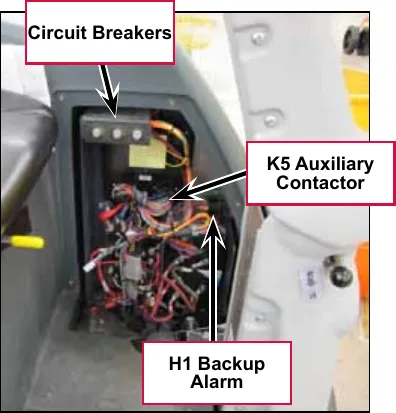
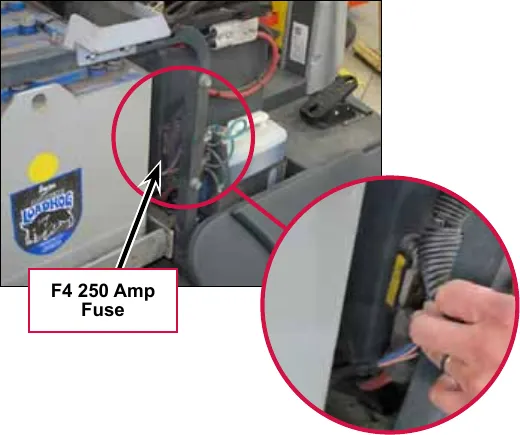
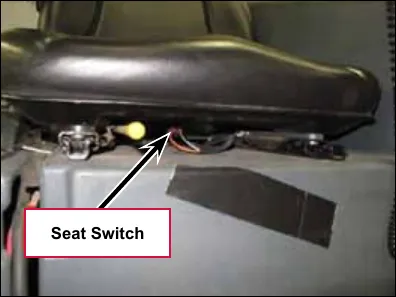
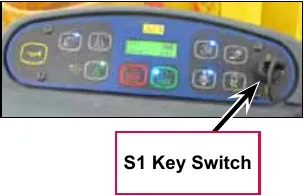
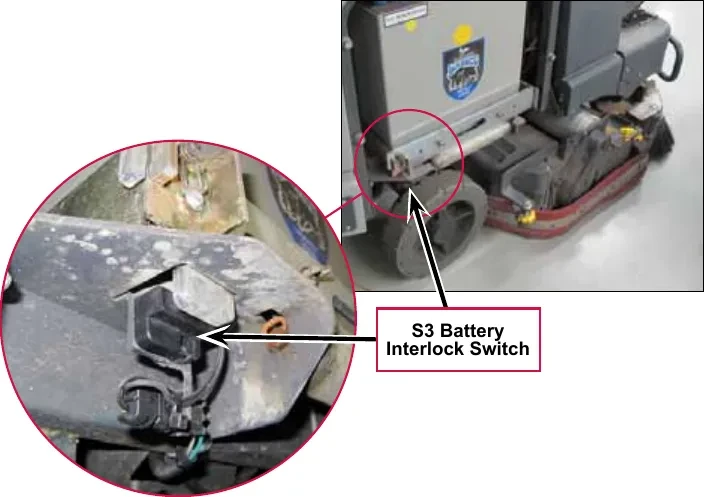
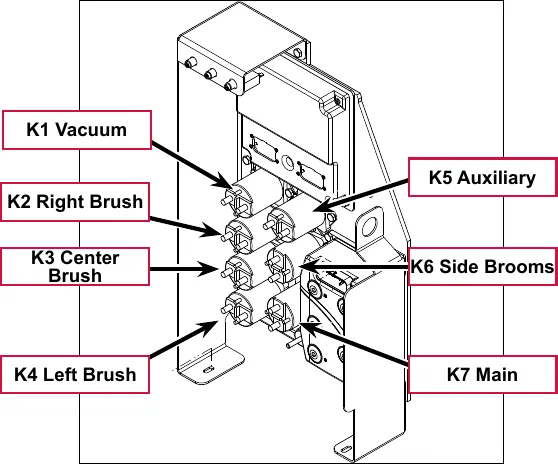
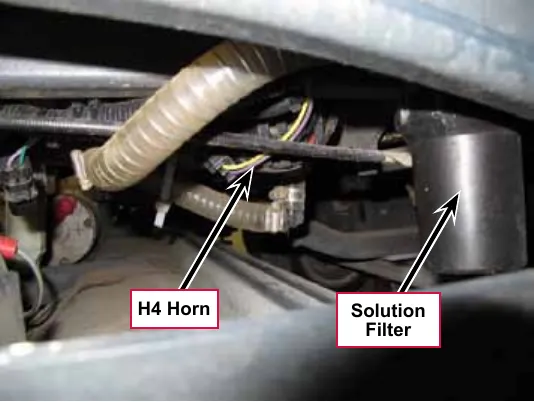
Battery location
The Batteries are located in the battery compartment behind the operator seat and underneath the recovery tank.
The Battery Disconnect is mounted on the right side of the operator seat.
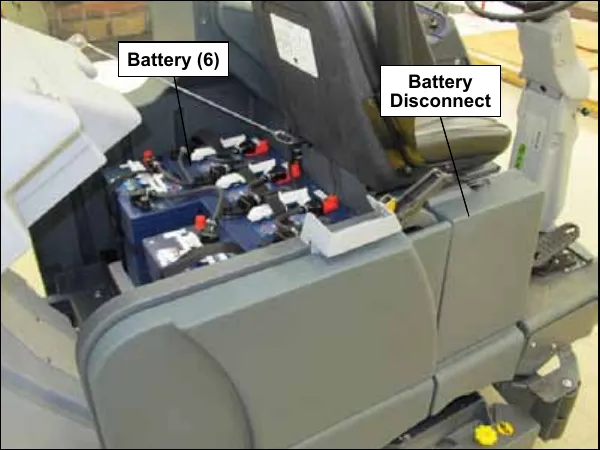
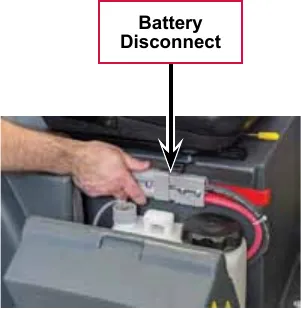
Connector pin-outs
J1 connects to A2 control board
| Pin No. | Wire ID |
|---|---|
| 1 | BLU/GRA 18-1 |
| 2 | BRN/BLU 18-1 |
| 3 | GRN/BLU 18-1 |
| 4 | ORN/RED 18-1 |
| 5 | GRN 18-2 |
| 6 | TAN/BRN 18-1 |
| 7 | BLK/GRA 18-1 |
| 8 | ORN 18-3 |
| 9 | ORN/BRA 18-1 |
| 10 | BLK 16-3 |
| 11 | RED/WHT 18-1 |
| 12 | YEL/RED 18-1 |
| 13 | GRA 18-1 |
| 14 | BLK 16-4 |
| 15 | VIO 16-1 |
| 16 | WHT/VIO 18-1 |
| 17 | GRA/RED 18-1 |
| 18 | YEL/GRN 18-1 |
| 19 | YEL/BLU 18-1 |
| 20 | BLU/RED 18-1 |
| 21 | BLU/ORN 18-1 |
| 22 | WHT/BRN 18-1 |
| 23 | VIO 16-2 |
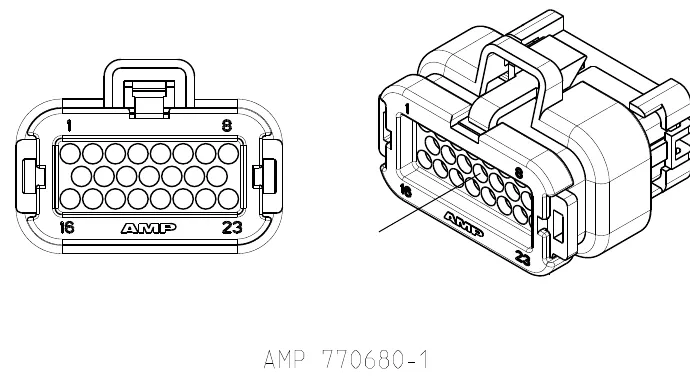
Connector shown: AMP 770680-1.
J2 connects to A2 control board
| Pin No. | Wire ID |
|---|---|
| 1 | WHT/GRN 18-1 |
| 2 | BRN 18-1 |
| 3 | ORN/BLU 18-1 |
| 4 | ORN/BLK 18-1 |
| 5 | YEL/GRA 18-1 |
| 6 | RED/BLK 18-1 |
| 7 | GRN/ORN 18-1 |
| 8 | GRA/VIO 18-1 |
| 9 | BLU/BRN 18-1 |
| 10 | BLK 16-1 |
| 11 | |
| 12 | |
| 13 | |
| 14 | BLK 16-2 |
| 15 | BRN/BLK 18-1 |
| 16 | GRN/WHT 18-1 |
| 17 | VIO/YEL 18-1 |
| 18 | ORN/BRN 18-1 |
| 19 | BLU/BLK 18-1 |
| 20 | BLK/WHT 18-1 |
| 21 | BLK/ORN 18-1 |
| 22 | BLU 18-1 |
| 23 | BLU/WHT 18-1 |
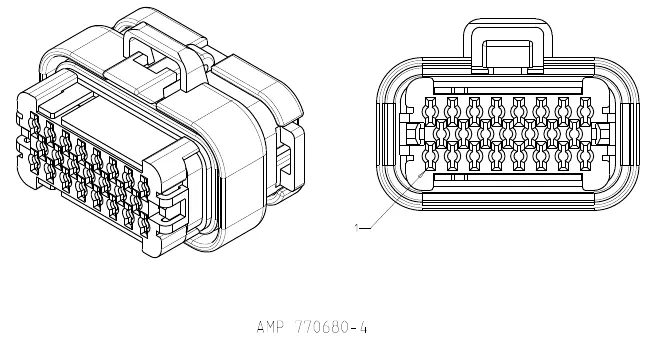
Connector shown: AMP 770680-4.
J3 connects to A3 display panel
| Pin No. | Wire ID |
|---|---|
| 1 | WHT/BRN 18-1 |
| 2 | GRA 18-1 |
| 3 | GRN/BLU 18-1 |
| 4 | BRN/BLU 18-1 |
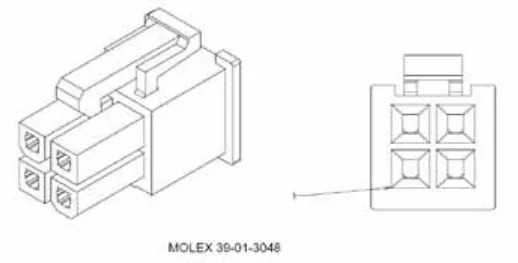
Connector shown: MOLEX 39-01-3048.
X6 connects to A1 speed controller
| Pin No. | Wire ID |
|---|---|
| 1 | ORN |
| 2 | |
| 3 | ORN/RED |
| 4 | YEL/RED |
| 5 | RED/WHT |
| 6 | BLK/YEL |
| 7 | BLK/PINK |
| 8 | TAN/RED |
| 9 | GRN |
| 10 | BLU/BLK |
| 11 | BLK/WHT |
| 12 | |
| 13 | |
| 14 | |
| 15 | VIO/BLK |
| 16 | BRN/RED |
| 17 | |
| 18 | WHT/BLK |
| 19 | |
| 20 | |
| 21 | |
| 22 | |
| 23 | |
| 24 | |
| 25 | VIO/WHT |
| 26 | PINK/RED |
| 27 | |
| 28 | WHT/ORN |
| 29 | BLU/GRN |
| 30 | |
| 31 | PINK/WHT |
| 32 | PINK/BLU |
| 33 | |
| 34 | |
| 35 |
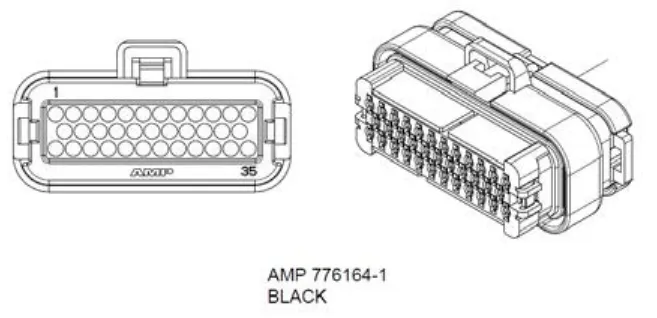
Connector shown: AMP 776164-1, black.
X7 connects to drive motor
| Pin no. | Wire ID |
|---|---|
| 1 | PNK-RED W006 |
| 2 | PNK-BLU W005 |
| 3 | BLK-PNK W004 |
| 4 | TAN-RED W003 |
| 5 | PNK-WHT W002 |
| 6 | BLK-PNK W001 |
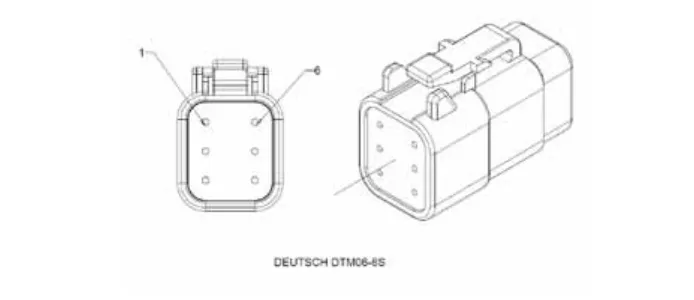
X8 connector for Curtis programmer
| Pin no. | Wire ID |
|---|---|
| 1 | BLU/GRA 18-1 |
| 2 | BLK/PINK 18-6 |
| 3 | WHT/ORN 18-1 |
| 4 | VIO/WHT 18-1 |
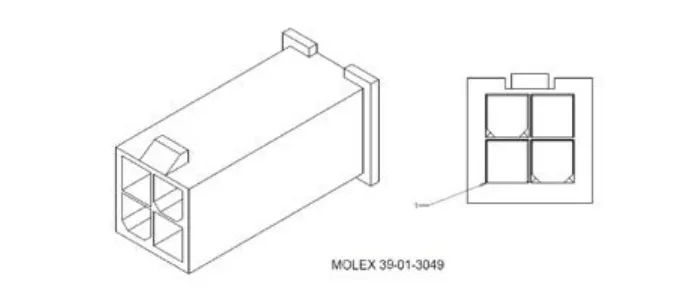
X10
Connects to S3 Battery Interlock Switch X9 if equipped. If not, connects to X51 Jumper
| Pin no. | Wire ID |
|---|---|
| A | GRY/ORN 18-1 |
| B | GRN 18-1 |
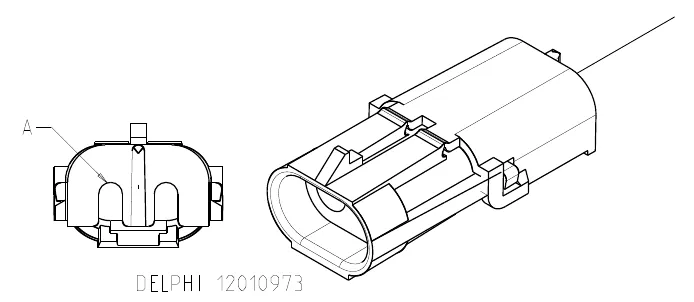
X12 connects to H2 flashing lamp X11
| Pin no. | Wire ID |
|---|---|
| A | BLK 18-7 |
| B | ORN 18-6 |
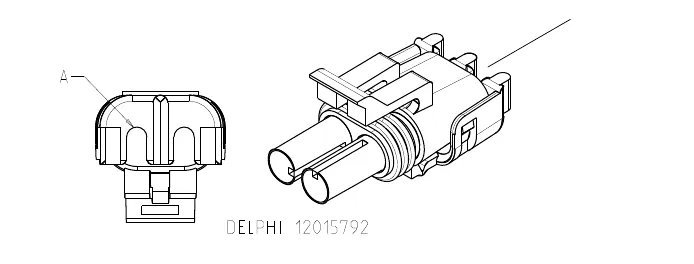
X13 connects to M12 solution control pump X14
| Pin no. | Wire ID |
|---|---|
| A | VIO 18-13 |
| B | BLU/ORN 18-1 |
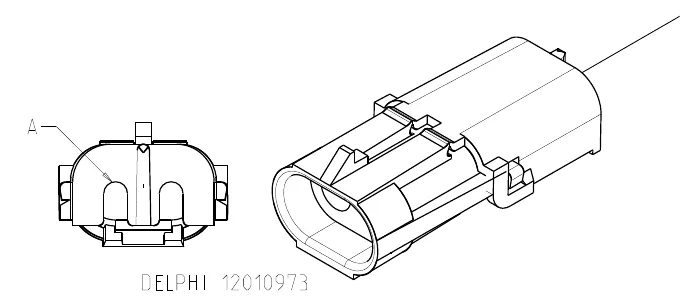
X16 connects to L1 solution solenoid valve X15
| Pin no. | Wire ID |
|---|---|
| A | YEL/GRN 18-1 |
| B | VIO 18-9 |
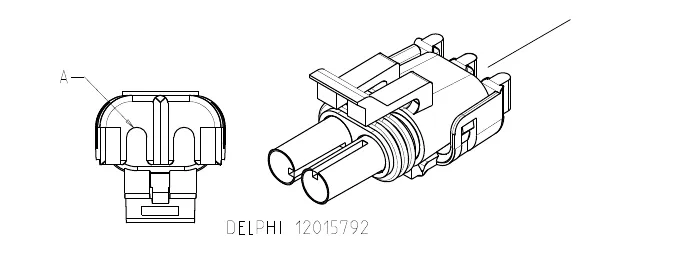
X18 connects to M2 brush actuator X17
| Pin no. | Wire ID |
|---|---|
| A | RED/BLK 18-1 |
| B | YEL/GRA 18-1 |
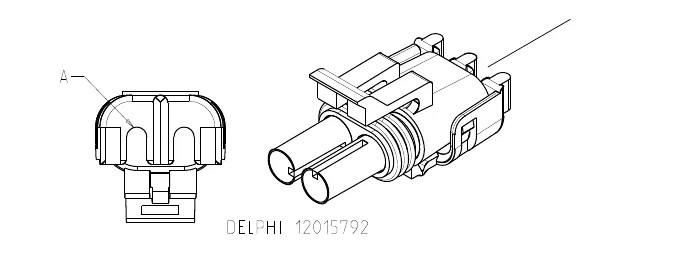
X20 connects to M3 squeegee actuator X19
| Pin no. | Wire ID |
|---|---|
| A | WHT/GRN 18-1 |
| B | BLU/BRN 18-1 |
X22 connects to M4 side broom actuator X21
| Pin no. | Wire ID |
|---|---|
| A | GRAB/VIO 18-1 |
| B | GRN/ORN 18-1 |
X29 connects to M7 left side broom motor X27
| Pin no. | Wire ID |
|---|---|
| A | BLK 18-3 |
| B | WHT/RED 18-1 |
X30 connects to M8 right side broom motor X28
| Pin no. | Wire ID |
|---|---|
| A | BLK 18-5 |
| B | WHT/RED 18-2 |
X32
| Pin no. | Wire ID |
|---|---|
| A | VIO/BLK 18-1 |
| B | BRN/RED 18-1 |
| C | WHT/BLK 18-1 |
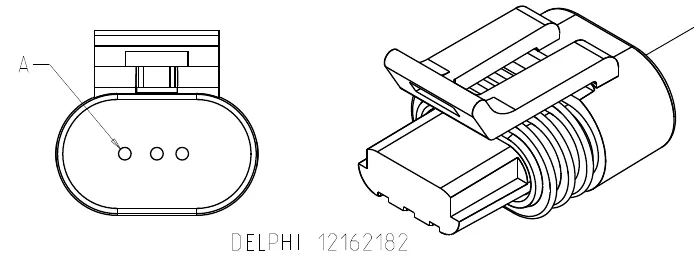
X41 connects to R2 scrub deck sensing resistor X40
| Pin no. | Wire ID |
|---|---|
| A | GRN/WHT 18-1 |
| B | ORN/BLK 18-1 |
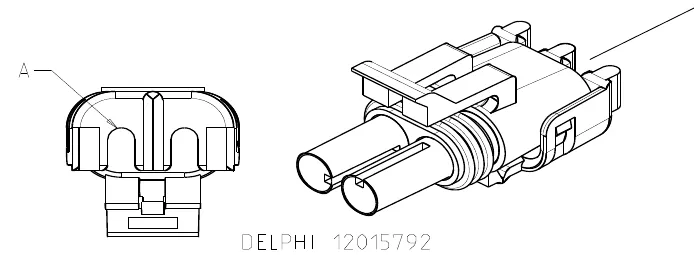
X43 connects to S5 solution tank float switch X42
| Pin no. | Wire ID |
|---|---|
| A | VIO/YEL 18-1 |
| B | BLK 18-2 |
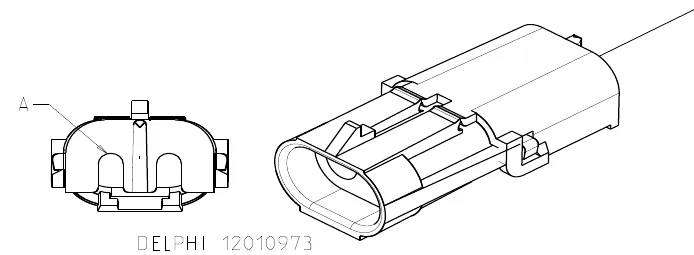
X49 connects to X48 connector of vacuum motor wiring harness
| Pin no. | Wire ID |
|---|---|
| A | BLU/GRN 10-1 |
| B | BLK 10-8 |
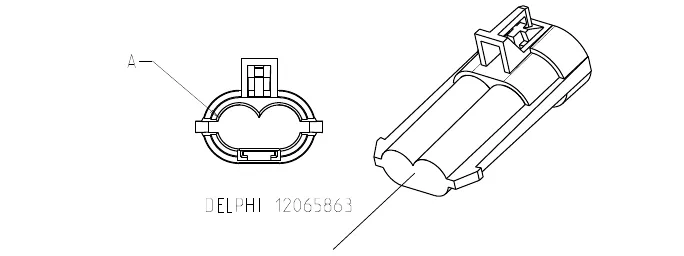
X51
Connector, Battery Interlock Switch Jumper (used when there is not an optional interlock switch)
| Pin no. | Wire ID |
|---|---|
| A | BLK 18-8 |
| B | BLK 18-8 |
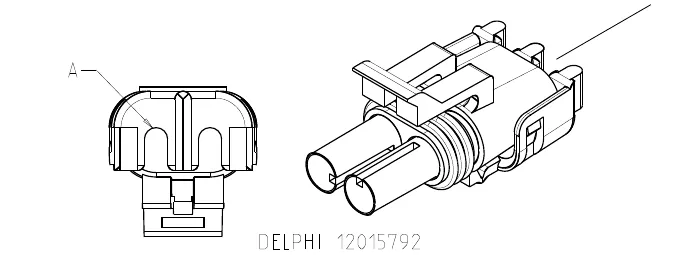
X55 connects to M15 accessory pump (optional) X54
| Pin no. | Wire ID |
|---|---|
| A | VIO 18-15 |
| B | BLK 18-11 |
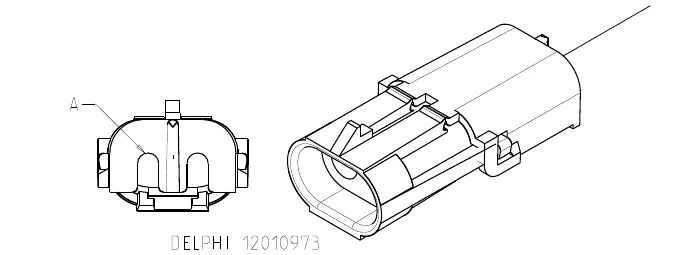
X59 connects to telematics connector jumper X59A
| Pin no. | Wire ID |
|---|---|
| A | ORN/YEL 18-1 |
| B | ORN 18-1 |
| C | YEL BRN 18-3 |
| D | BLU 18-2 |
| E | YEL/BLU 18-2 |
| F | RED/WHT 18-3 |
| G | |
| H | BLK 18-12 |
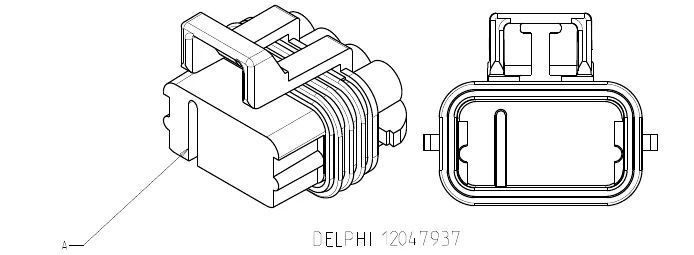
X59A telematics connector jumper
| Pin no. | Wire ID |
|---|---|
| A | BLK 18-13 |
| B | BLK 18-13 |
| C | |
| D | |
| E | |
| F | |
| G | |
| H |
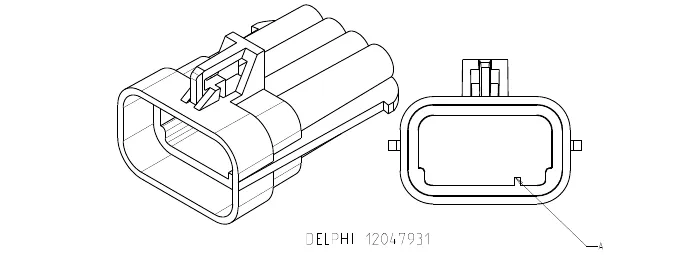
X60 (Deutsch DTM04-6P) connects to X61
| Pin no. | Wire ID |
|---|---|
| 1 | PNK-RED W006 |
| 2 | PNK-BLU W005 |
| 3 | BLK-PNK W004 |
| 4 | TAN-RED W003 |
| 5 | PNK-WHT W002 |
| 6 | BLK-PNK W001 |
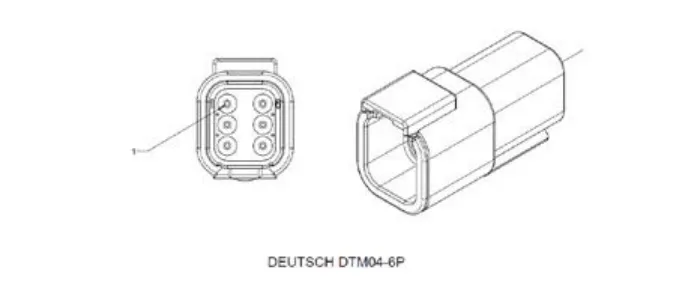
X61 (Deutsch DT M06-6s) connects to X60
| Pin no. | Wire ID |
|---|---|
| 1 | PNK-RED W006 |
| 2 | PNK-BLU W005 |
| 3 | BLK-PNK W004 |
| 4 | TAN-RED W003 |
| 5 | PNK-WHT W002 |
| 6 | BLK-PNK W001 |
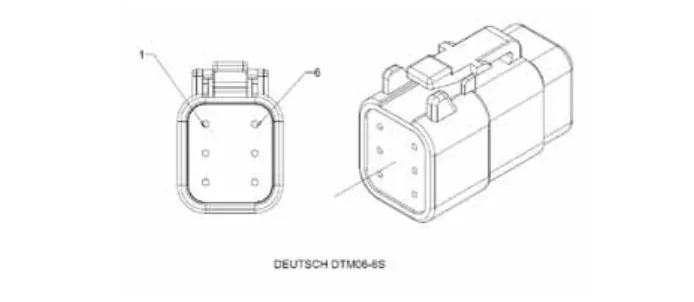
Maintenance and adjustments
Wet-cell battery maintenance
Correct maintenance of electric vehicle batteries can greatly extend their life. Well-maintained batteries may last up to three years, but failure after one year is common if maintenance has been inadequate.
There are three simple rules for good battery maintenance:
- Maintain the correct electrolyte level (check weekly). Use distilled water in batteries whenever possible. If batteries are discharged, add just enough water to cover the plates in each cell. If batteries are fully-charged, fill each cell to the bottom of the filler tube. Do not overfill the batteries! Do not add acid to batteries!
- Keep the batteries charged (charge weekly). Batteries should be charged each time that a machine is used for more than one hour. The battery compartment cover should be open during charging to avoid a concentrated buildup of hydrogen gas. Operators should follow the instructions provided with their specific battery charger to determine how long the batteries should be charged. Even when a machine is stored, the batteries should be charged once a month to prevent the batteries from “sulfating”. Almost all battery caps are vented, so there’s no need to loosen or remove them for charging.
- Keep the batteries clean (check and clean monthly). Use a damp cloth to wipe dirt from the top of the batteries. Battery terminals must be clean and tight. If the tops of the batteries are wet after charging, the batteries have probably been overfilled or overcharged.
Note: If there is acid on the batteries, wash the tops of the batteries with a solution of two tablespoons of baking soda to one quart (about 1 liter) of water.
Checking the battery water level
- Check the water level of the batteries at least once a week.
- After charging the batteries, remove the vent caps and check the water level in each battery cell. Use distilled or demineralized water in a battery filling dispenser (available at most auto parts stores) to fill each cell to the level indicator (or to approximately 3/8 in (10 mm) over the top of the separators). Do not overfill the batteries!
CAUTION! Acid can spill onto the floor if the batteries are overfilled.
- Tighten the vent caps.
- Wash the tops of the batteries with a solution of baking soda and water. Use a mixture of two tablespoons of baking soda to one quart (about 1 liter) of water).
Charging wet-cell batteries
Charge the batteries each time the machine is used, or when the battery indicator is reading less than full.
To charge the batteries
- Disconnect the machine battery connector.
- Open the side access panel and push the connector from the charger into the battery connector.
- Follow the instructions on the battery charger.
- After charging the batteries, check the fluid level in all battery cells. Add distilled water if necessary to bring the fluid level up to the bottom of the filler tubes.
WARNING!
- Do not fill the batteries before charging.
- Charge the batteries in a well-ventilated area.
- Do not smoke while servicing the batteries.
When servicing batteries
- Remove all jewelry.
- Do not smoke.
- Wear safety glasses, rubber gloves and a rubber apron.
- Work in a well-ventilated area.
- Do not allow tools to touch more than one battery terminal at a time.
- ALWAYS disconnect the negative (ground) cable first when replacing batteries to prevent sparks.
- ALWAYS connect the negative cable last when installing batteries.
Troubleshooting
Battery testing
A battery problem is usually recognized by the machine operator as a decrease in the machine’s running time. This condition is usually caused by one or more “dead cells” in the battery system – that is, one or more cells that are putting out less voltage than the other cells.
Note: Always charge batteries before testing.
There are two ways to find a dead cell:
- Use a voltmeter to check the voltage of each battery with the scrub and drive motors running. The battery with the dead cell will read 1 or 2 volts lower than the other batteries in the system.
- Use a hydrometer to check the specific gravity (or “state of charge”) of the fluid in each cell. A dead cell is one that reads 50 points (or more) lower than the other cells.
If the batteries in the machine are more than one year old, it’s usually best to replace the whole set rather than replacing just one battery.
| Approximate state of charge corresponding to electrolyte specific gravity | |
|---|---|
| State of charge | Specific gravity |
| Charged | 1.265 Initial Full Charge |
| 100% | 1.265 |
| 75% | 1.225 |
| 50% | 1.190 |
| 25% | 1.155 |
| Discharged | 1.120 |
General troubleshooting
| Problem | Cause | Correction |
|---|---|---|
| No power to the machine | The emergency stop switch/battery disconnect by the Operator seat is not connected. | Connect the emergency stop switch/battery disconnect. |
| There is a problem on the battery wiring or connections. | Check the wiring and connections and clean/repair as necessary. | |
| The 250-amp fuse (F4) is blown. | Replace the fuse. | |
| Short machine run time. | Weak batteries or battery/batteries with a dead cell. | Charge and test the batteries. Replace as necessary. |
Removal and installation
To install the batteries
- Use extreme caution when working with batteries. Sulfuric acid in batteries can cause severe injury if allowed to contact the skin or eyes.
- Explosive hydrogen gas is vented from the batteries through openings in the battery caps. This gas can be ignited by any spark, flame or electrical arc. Do not install any lead-acid battery in a sealed container or enclosure. Hydrogen gas from overcharging must be allowed to escape.
- Electrical components in this machine can be severely damaged if the batteries are not installed and connected correctly.
- The batteries must be installed only by an Advance representative or dealer, a qualified electrician or the battery manufacturer.
- Remove the batteries from their shipping crate and carefully inspect them for cracks or other damage. If damage is evident, contact the carrier that delivered them, or the battery manufacturer, to file a damage claim.
- Turn the key switch off and remove the key.
- Remove the recovery tank from the machine. (Refer to the Recovery System/Removal and Installation/Recovery Tank section.)
- Your machine comes from the factory with enough battery cables to install six 6-volt batteries. Using at least two people and an appropriate lifting strap, carefully lift the batteries into the battery compartment and arrange them exactly as shown. Secure the batteries as close to the front of the machine as possible. If installing a monoblock battery, use an overhead hoist.
- Install the battery cables as shown. Position the cables so the battery caps can be removed easily for battery service.
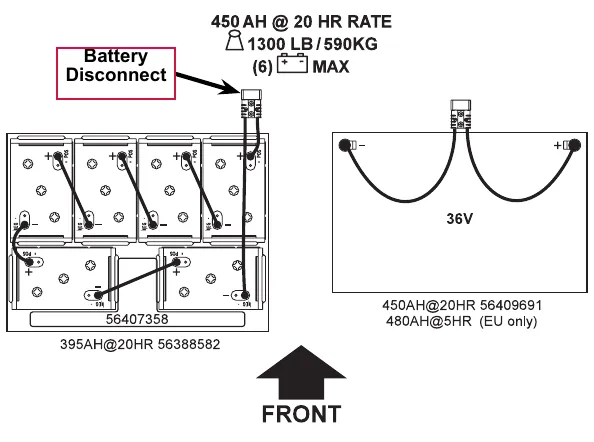
Text printed above the layouts: “450 AH @ 20 HR RATE, 1300 lb (590 kg), (6) max”. “Battery Disconnect” is marked. Six-battery layout labels: 56407358 and “395AH@20HR 56388582”. Monoblock layout: “36V”, “450AH@20HR 56409691” and “480AH@5HR (EU only)”. The arrow marks the front of the machine.
- Carefully tighten the nut in each battery terminal until the terminal will not turn. Do not overtighten the terminals or they will be very difficult to remove for future service.
- Coat the terminals with spray-on battery terminal coating (available at most auto parts stores).
- Put one of the black rubber boots over each of the terminals and connect the Battery Disconnect.
Specifications
| Component | Specifications |
|---|---|
| Wet cell batteries | Use a combination of multiple 2-volt cell units to construct a 36-volt DC battery pack system. |
| Advance-recommended battery pack capacity is a 395 AH @ 20 Hour Rate deep cycle battery system. Note that the battery pack must fit the battery compartment size listed in the Technical Specifications. | |
| Wet cell battery charger | Use a 36-volt DC output charger matching the DC battery pack voltage and the input AC line voltage supply being used. |
| When selecting a battery charger always follow the recommendation of the battery supplier to match the correct charger DC output amperage to the amp-hour rating batteries being installed. This will prevent the battery pack from being overcharged or undercharged. | |
| The recommended 395 AH battery should be matched to a 36-volt, 36-amp output charger on machines using six 6-volt batteries. | |
| The optional 450 AH battery should be matched to the Advance 36-volt, 38-amp output charger. |
Special tools
A hydrometer can be used to check the specific gravity of the battery electrolyte. A typical example is shown here.
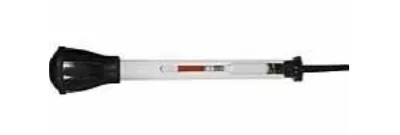
Wiring diagram tips
Wiring diagrams show how electrical components are connected together and to a large degree “how things work”. They do not show where things are located. Here are some tips when using these diagrams.
Wiring diagrams may have multiple pages or sheets. The perimeter of each sheet defines a “grid” like a map; with A-G printed across the top and bottom margins of the sheet to define vertical columns and 1-5 printed on the right and left margins of the sheet to define rows. The sheet number and grid coordinates make up an “address” and are used for locating an area on the sheet where an item may be found. The address begins with the sheet number followed by the letter and number that define the coordinates on the sheet. In the example below, the address for the red circle is 2E3.
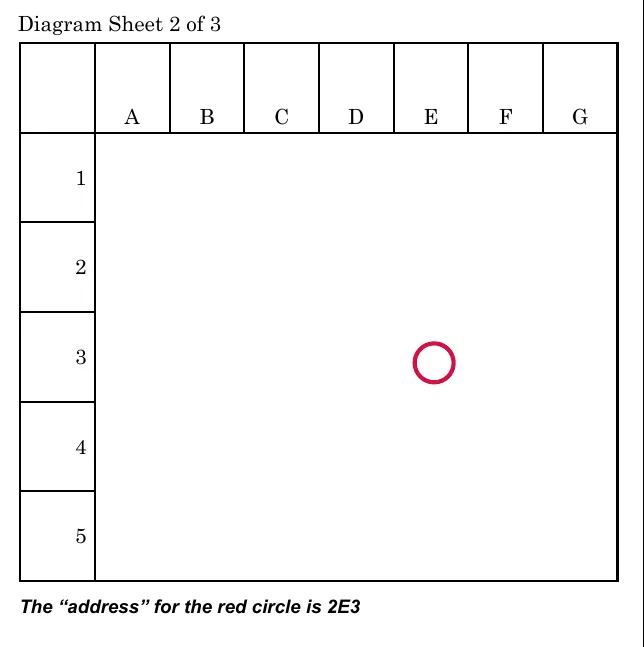
Every component has both an “ID” and a “name” on the sheet.
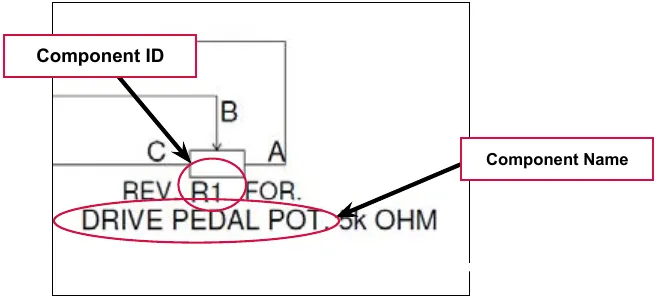
Typically relays (and contactors) are “split up” so that the relay winding is separated from the contacts. The “control” side of the relay is shown in one location and the “load” side of the relay is shown in another location. The two pieces may or may not be on the same page. The location of the contacts is described next to the winding and vice versa.
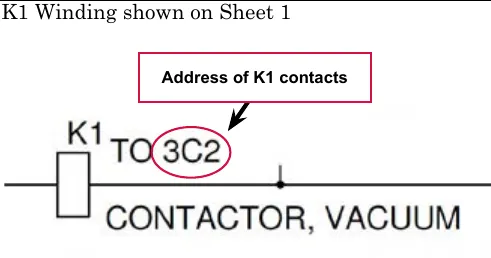
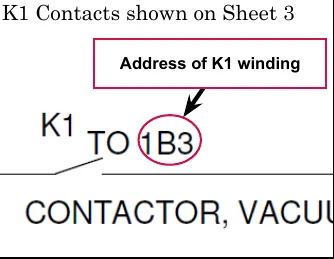
Sometimes a circuit line is interrupted and is continued on another sheet or another location on the same sheet. When this occurs you will need to match two termination points. At each termination point you will see a “continued” symbol. Near the symbol the circuit will be identified by a wire color, a description of the circuit or a unique letter. The circuit identification must be used to match the mating termination point. There is also an address of where to find the mating termination point. See examples below.
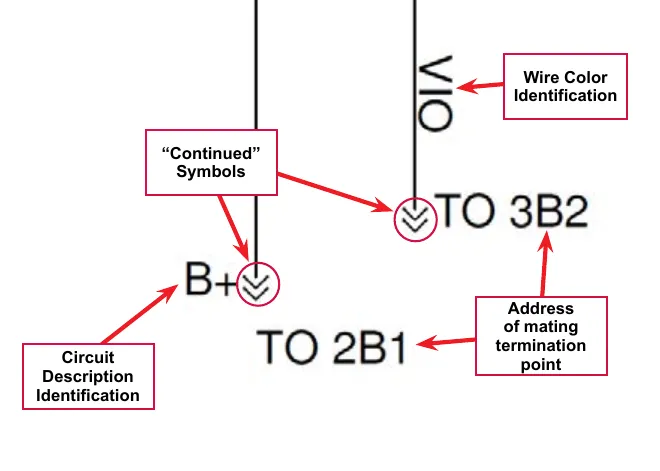
To find a connector that plugs into a component, see the Component Locations section to locate the component then follow the wire lead (if there is one) to the connector. If you need more detailed information about what a multi-pin connector looks like and where the wires are located in the connector, see the Connector Pin-Outs section.
Wiring diagram PN 56414095 REV C sheet 1 of 3
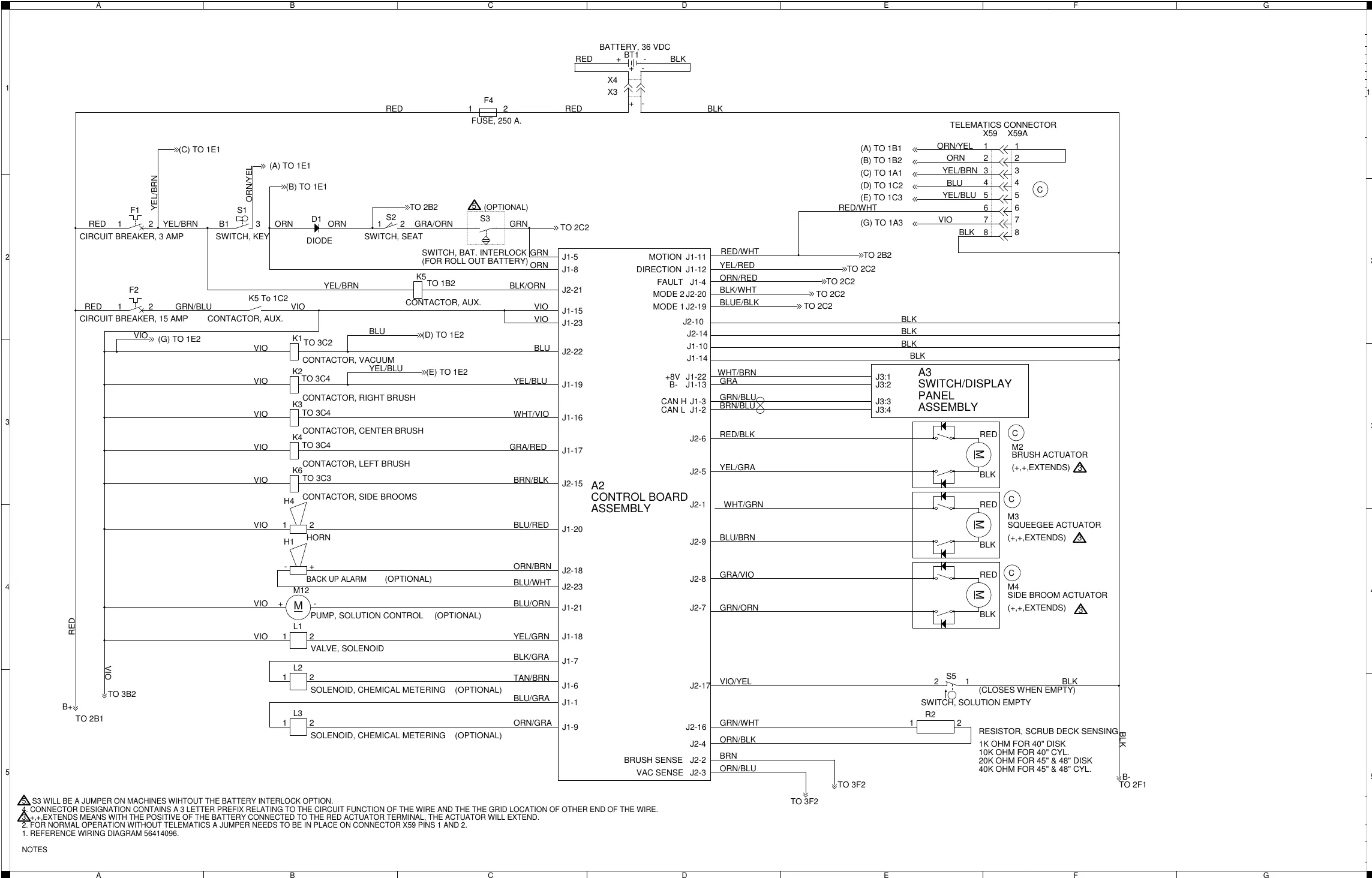
Components shown on sheet 1
| ID | Name as printed | Other text printed on the drawing |
|---|---|---|
| BT1 | Battery, 36 VDC | RED + / BLK - |
| X3, X4 | (connectors at the battery, no name printed) | |
| F4 | Fuse, 250 A. | |
| F1 | Circuit breaker, 3 amp | |
| F2 | Circuit breaker, 15 amp | |
| S1 | Switch, key | |
| D1 | Diode | |
| S2 | Switch, seat | |
| S3 | Switch, bat. interlock (for roll out battery) | (Optional); see note 5 |
| K5 | Contactor, aux. | |
| K1 | Contactor, vacuum | |
| K2 | Contactor, right brush | |
| K3 | Contactor, center brush | |
| K4 | Contactor, left brush | |
| K6 | Contactor, side brooms | |
| H4 | Horn | |
| H1 | Back up alarm | (Optional) |
| M12 | Pump, solution control | (Optional) |
| L1 | Valve, solenoid | |
| L2 | Solenoid, chemical metering | (Optional) |
| L3 | Solenoid, chemical metering | (Optional) |
| A2 | Control board assembly | |
| A3 | Switch/display panel assembly | |
| M2 | Brush actuator | (+,+,EXTENDS); see note 3 |
| M3 | Squeegee actuator | (+,+,EXTENDS); see note 3 |
| M4 | Side broom actuator | (+,+,EXTENDS); see note 3 |
| S5 | Switch, solution empty | (Closes when empty) |
| R2 | Resistor, scrub deck sensing | 1K ohm for 40 in disk; 10K ohm for 40 in cyl.; 20K ohm for 45 in and 48 in disk; 40K ohm for 45 in and 48 in cyl. |
| X59 / X59A | Telematics connector |
Control board signal labels
| Label | Terminal |
|---|---|
| Motion | J1-11 |
| Direction | J1-12 |
| Fault | J1-4 |
| Mode 2 | J2-20 |
| Mode 1 | J2-19 |
| +8V | J1-22 |
| B- | J1-13 |
| CAN H | J1-3 |
| CAN L | J1-2 |
| Brush sense | J2-2 |
| Vac sense | J2-3 |
Notes printed on the sheet
| No. | Note |
|---|---|
| 1. | Reference wiring diagram 56414096. |
| 2. | For normal operation without telematics a jumper needs to be in place on connector X59 pins 1 and 2. |
| 3. | +,+,EXTENDS means with the positive of the battery connected to the red actuator terminal, the actuator will extend. |
| 4. | Connector designation contains a 3 letter prefix relating to the circuit function of the wire and the grid location of other end of the wire. |
| 5. | S3 will be a jumper on machines without the battery interlock option. |
Corrected an obvious misprint: note 5 is printed “WIHTOUT” (now “without”) and note 4 prints “THE THE” (now “the”).
Wiring diagram PN 56414095 REV C sheet 2 of 3
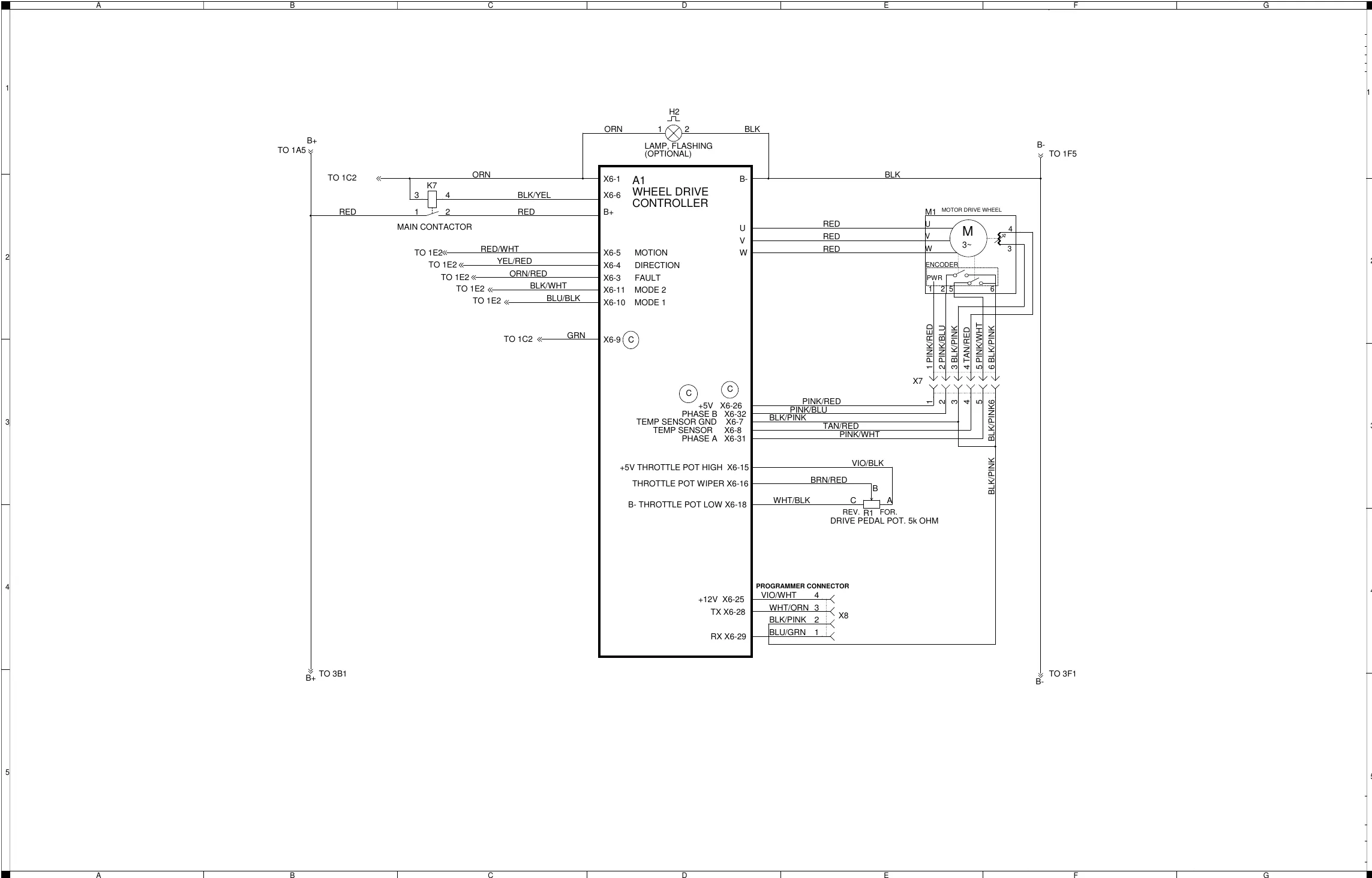
Components shown on sheet 2
| ID | Name as printed | Other text printed on the drawing |
|---|---|---|
| A1 | Wheel drive controller | |
| K7 | Main contactor | |
| H2 | Lamp, flashing | (Optional) |
| M1 | Motor drive wheel (3~) | Encoder, PWR |
| R1 | Drive pedal pot., 5k ohm | REV. / FOR. |
| X7 | (connector, no name printed) | Pins 1 to 6 |
| X8 | Programmer connector | Pins 1 to 4 |
Wheel drive controller terminal labels
| Terminal | Label |
|---|---|
| X6-5 | Motion |
| X6-4 | Direction |
| X6-3 | Fault |
| X6-11 | Mode 2 |
| X6-10 | Mode 1 |
| X6-26 | +5V |
| X6-32 | Phase B |
| X6-7 | Temp sensor GND |
| X6-8 | Temp sensor |
| X6-31 | Phase A |
| X6-15 | +5V throttle pot high |
| X6-16 | Throttle pot wiper |
| X6-18 | B- throttle pot low |
| X6-25 | +12V |
| X6-28 | TX |
| X6-29 | RX |
X7 wire labels
| Pin | Wire label |
|---|---|
| 1 | PINK/RED |
| 2 | PINK/BLU |
| 3 | BLK/PINK |
| 4 | TAN/RED |
| 5 | PINK/WHT |
| 6 | BLK/PINK |
X8 programmer connector wire labels
| Pin | Wire label |
|---|---|
| 4 | VIO/WHT |
| 3 | WHT/ORN |
| 2 | BLK/PINK |
| 1 | BLU/GRN |
The drawing prints BLU/GRN for X8 pin 1; the pin-out table on page 67 prints BLU/GRA 18-1.
Wiring diagram PN 56414095 REV C sheet 3 of 3
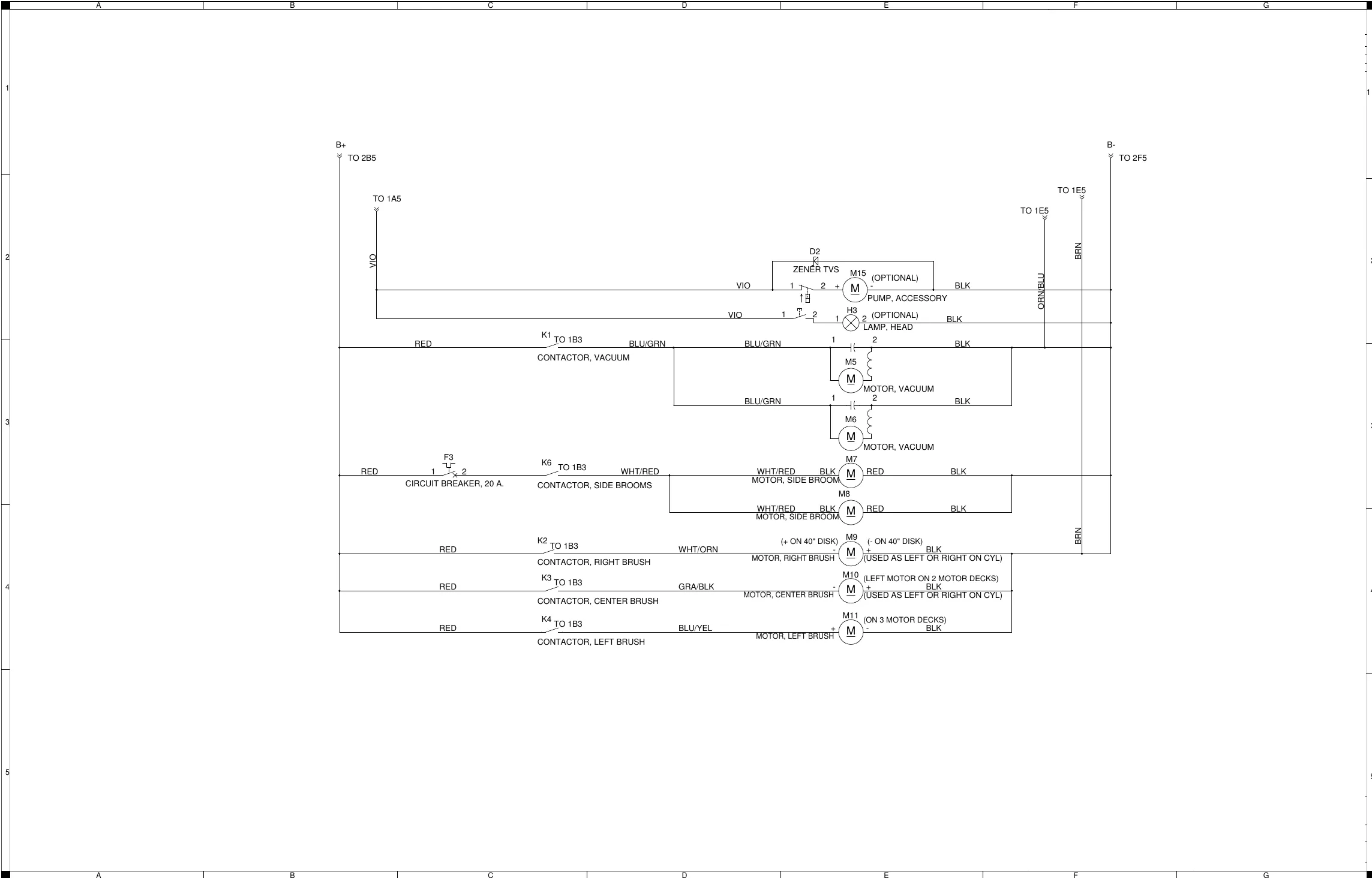
Components shown on sheet 3
| ID | Name as printed | Other text printed on the drawing |
|---|---|---|
| F3 | Circuit breaker, 20 A. | |
| K1 | Contactor, vacuum | |
| K6 | Contactor, side brooms | |
| K2 | Contactor, right brush | |
| K3 | Contactor, center brush | |
| K4 | Contactor, left brush | |
| D2 | Zener TVS | |
| M15 | Pump, accessory | (Optional) |
| H3 | Lamp, head | (Optional) |
| M5 | Motor, vacuum | |
| M6 | Motor, vacuum | |
| M7 | Motor, side broom | |
| M8 | Motor, side broom | |
| M9 | Motor, right brush | (+ on 40 in disk) (- on 40 in disk) (used as left or right on cyl) |
| M10 | Motor, center brush | (left motor on 2 motor decks) (used as left or right on cyl) |
| M11 | Motor, left brush | (on 3 motor decks) |
Wiring harness diagram 56414096_REV_C
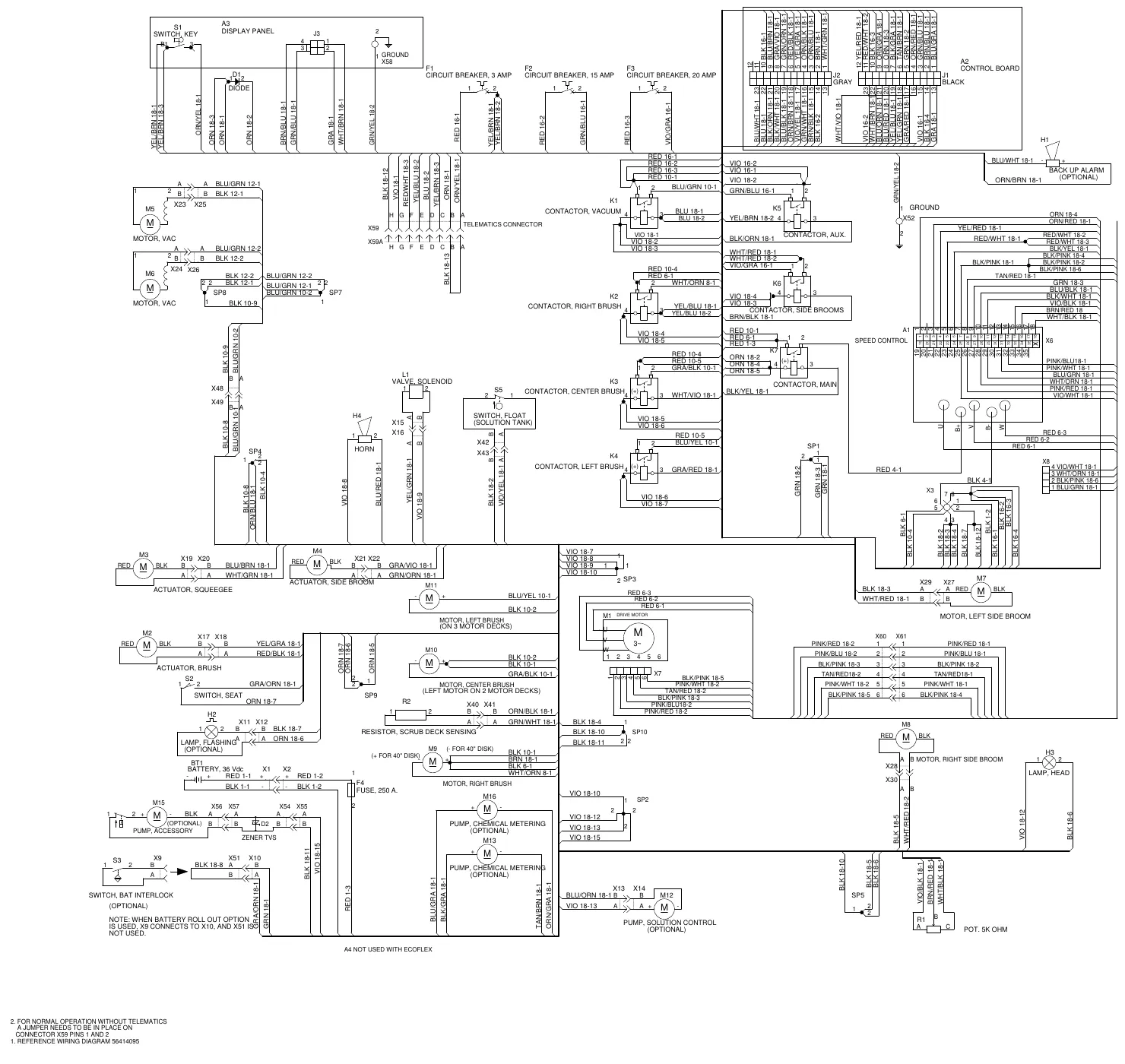
Components named on the harness diagram
| ID | Name as printed |
|---|---|
| S1 | Switch, key |
| A3 | Display panel |
| D1 | Diode |
| F1 | Circuit breaker, 3 amp |
| F2 | Circuit breaker, 15 amp |
| F3 | Circuit breaker, 20 amp |
| A2 | Control board (connectors J2 gray and J1 black) |
| H1 | Back up alarm (optional) |
| K1 | Contactor, vacuum |
| K5 | Contactor, aux. |
| K2 | Contactor, right brush |
| K6 | Contactor, side brooms |
| K7 | Contactor, main |
| K3 | Contactor, center brush |
| K4 | Contactor, left brush |
| A1 | Speed control |
| L1 | Valve, solenoid |
| H4 | Horn |
| S5 | Switch, float (solution tank) |
| M5 | Motor, vac |
| M6 | Motor, vac |
| M3 | Actuator, squeegee |
| M4 | Actuator, side broom |
| M2 | Actuator, brush |
| S2 | Switch, seat |
| H2 | Lamp, flashing (optional) |
| R2 | Resistor, scrub deck sensing |
| M11 | Motor, left brush (on 3 motor decks) |
| M10 | Motor, center brush (left motor on 2 motor decks) |
| M9 | Motor, right brush (+ for 40 in disk) (- for 40 in disk) |
| M1 | Drive motor |
| M7 | Motor, left side broom |
| M8 | Motor, right side broom |
| H3 | Lamp, head |
| BT1 | Battery, 36 Vdc |
| F4 | Fuse, 250 A. |
| M15 | Pump, accessory (optional) |
| D2 | Zener TVS |
| S3 | Switch, bat interlock (optional) |
| M16 | Pump, chemical metering (optional) |
| M13 | Pump, chemical metering (optional) |
| M12 | Pump, solution control (optional) |
| R1 | Pot. 5K ohm |
| X59 / X59A | Telematics connector |
| X52 | GROUND |
| X58 | GROUND |
Notes printed on the harness diagram
| Item | Text |
|---|---|
| A4 | Not used with EcoFlex. |
| S3 / X9 / X10 / X51 | Note: When battery roll out option is used, X9 connects to X10, and X51 is not used. |
| Note 1. | Reference wiring diagram 56414095 |
| Note 2. | For normal operation without telematics a jumper needs to be in place on connector X59 pins 1 and 2 |
Options and accessories
| Description | Illustration |
|---|---|
| Heavy duty front bumper | 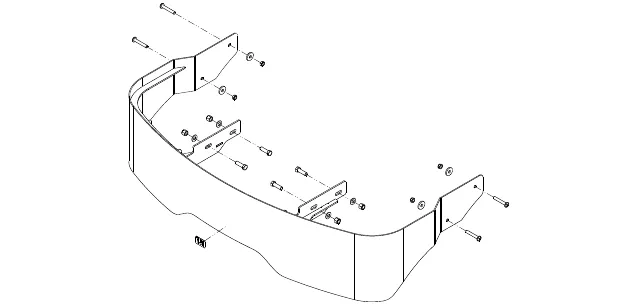 |
| Tube Bumper Kit | 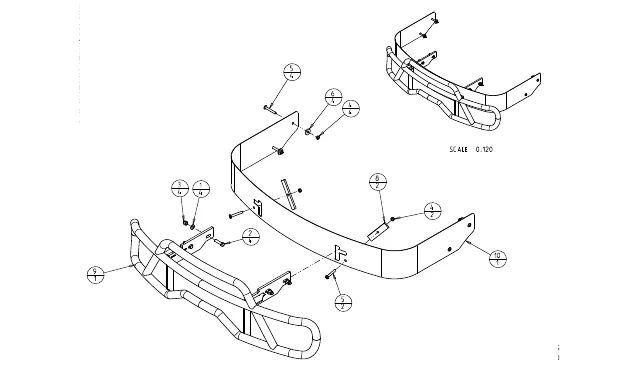 |
| Spray Wand | 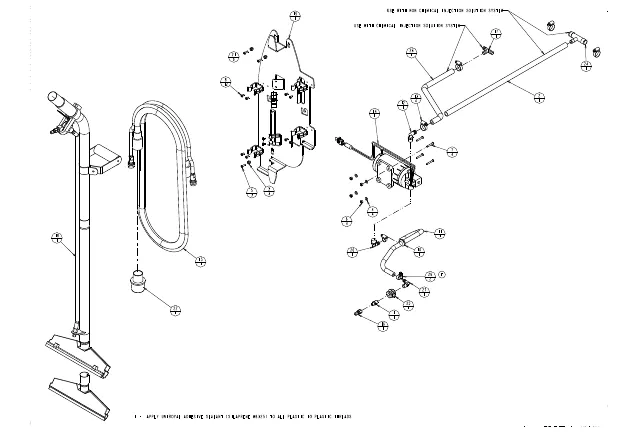 |
| Description | Illustration |
|---|---|
| Warning Beacon | 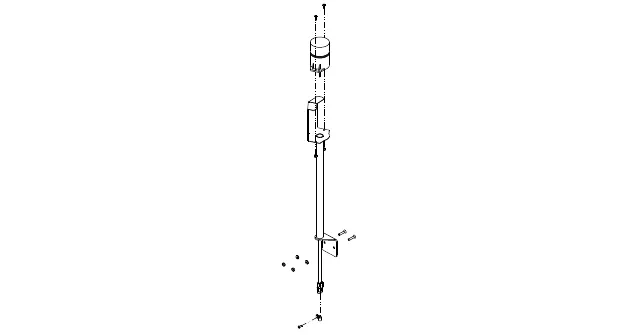 |
| Back-Up Alarm | 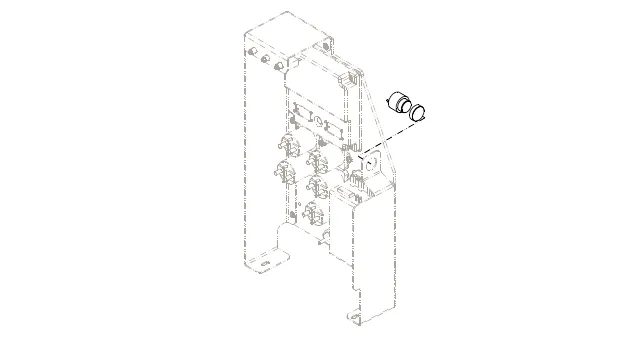 |
| Overhead Guard | 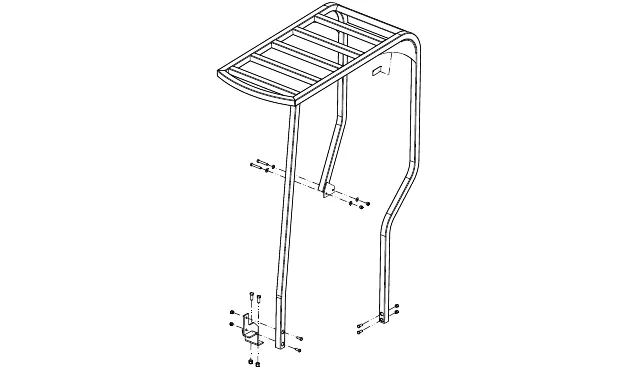 |
| Description | Illustration |
|---|---|
| Seat Belt - Standard Seat | 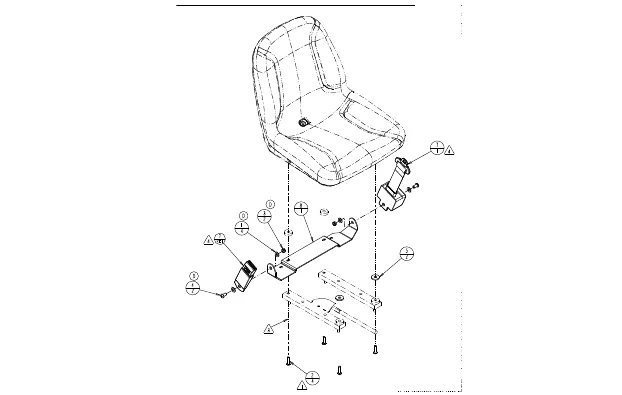 |
| Deluxe Grammer Seat | 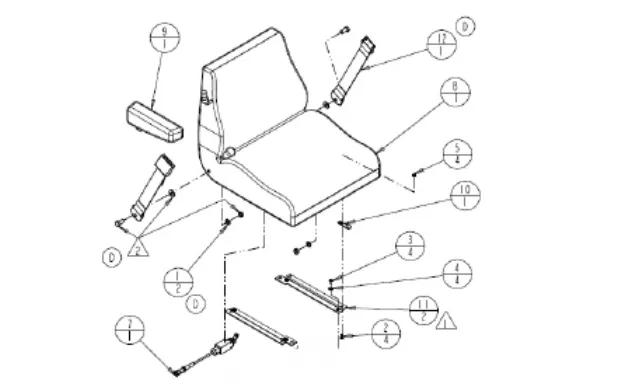 |
| 2nd vacuum motor kit | 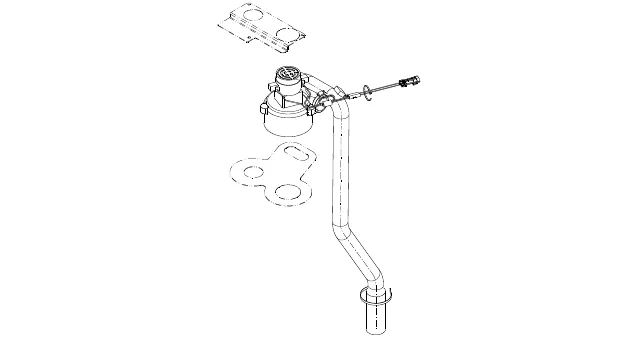 |
| Description | |
|---|---|
| Headlight | 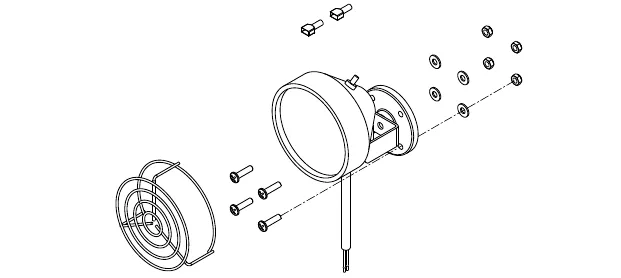 |
| Operator Foot Guard | 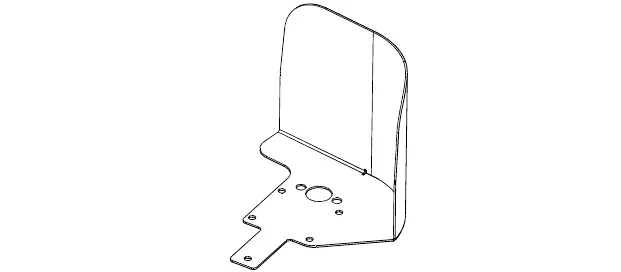 |
| Solution Auto-Fill | 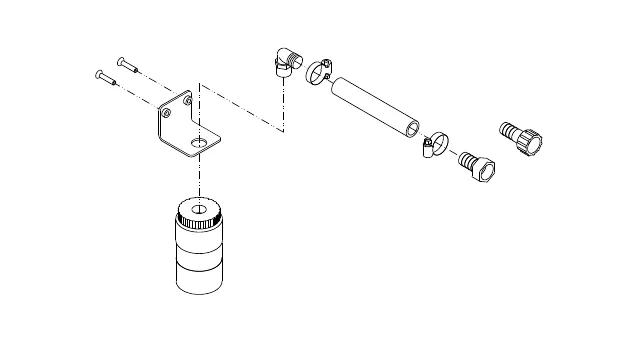 |
| Recovery Drain Hose Extension | 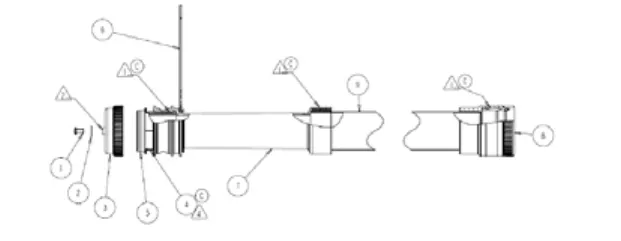 |
Recovery system
Functional description
Overview
The recovery system picks up the scrubbing solution from the squeegee tool and directs it to the Recovery Tank.
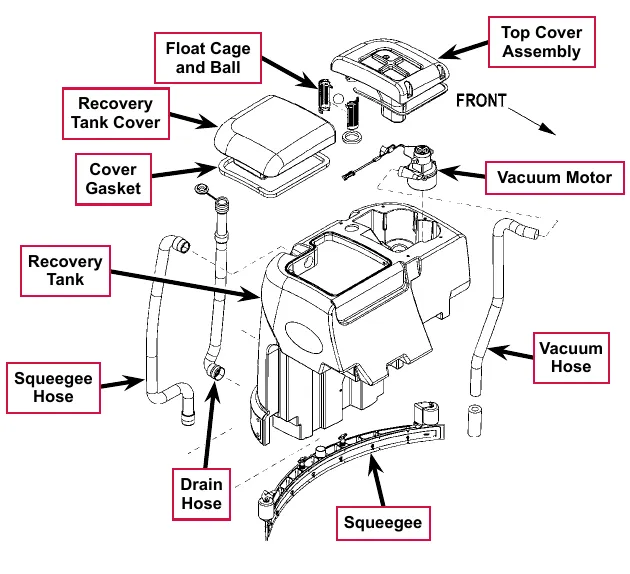
Recovery tank
The Recovery Tank holds 70 gal (265 L) of wastewater and supports the Vacuum Motor, Recovery Tank Lid and Top Cover Assembly.
Vacuum motor
The Vacuum Motor draws air from the Recovery Tank to create a vacuum in the tank and at the Squeegee.
The Vacuum Motor switches on automatically when the scrub system is enabled and the machine moves forward. The Vacuum Motor will switch off after a predetermined time delay once machine motion stops.
The Vacuum Motor can also be switched on independent of the scrub system by pressing the vacuum/wand switch. This is used to pick up solution already on the floor, or when using a wand on the Squeegee Hose.
A current sensor monitors the Vacuum Motor current and will display a fault if the Vacuum Motor current draw is too high.
Squeegee and squeegee hose
The wastewater and air enter the vacuum system at the Squeegee tool through small openings (notches) located in the front Squeegee blade. The small openings are the entrance points for the water and air and help speed up the airflow, producing the suction to lift the wastewater off of the floor. The solution travels through the Squeegee Hose at high speed and into the Recovery Tank. The airflow continues through the Recovery Tank, vacuum fan inlet screen and Vacuum Motor, then is exhausted out of the Vacuum Hose. No wastewater ever actually moves through the Vacuum Motor, just the working air.
Float cage and ball
A shutoff Float Cage and Ball prevent the Recovery Tank from being overfilled and stops any water from being sucked into the Vacuum Motor. When the Float Ball rises (to full-tank level) it will seat itself inside the Cage assembly and block off the Vacuum Motor airflow. This causes a reduced Vacuum Motor current load which is sensed by the A2 control board which automatically shuts off the vacuum and scrub systems.
The LCD will then display the recovery tank full indicator icon to alert the operator that the recovery tank needs to be drained.

Recovery system wiring diagram
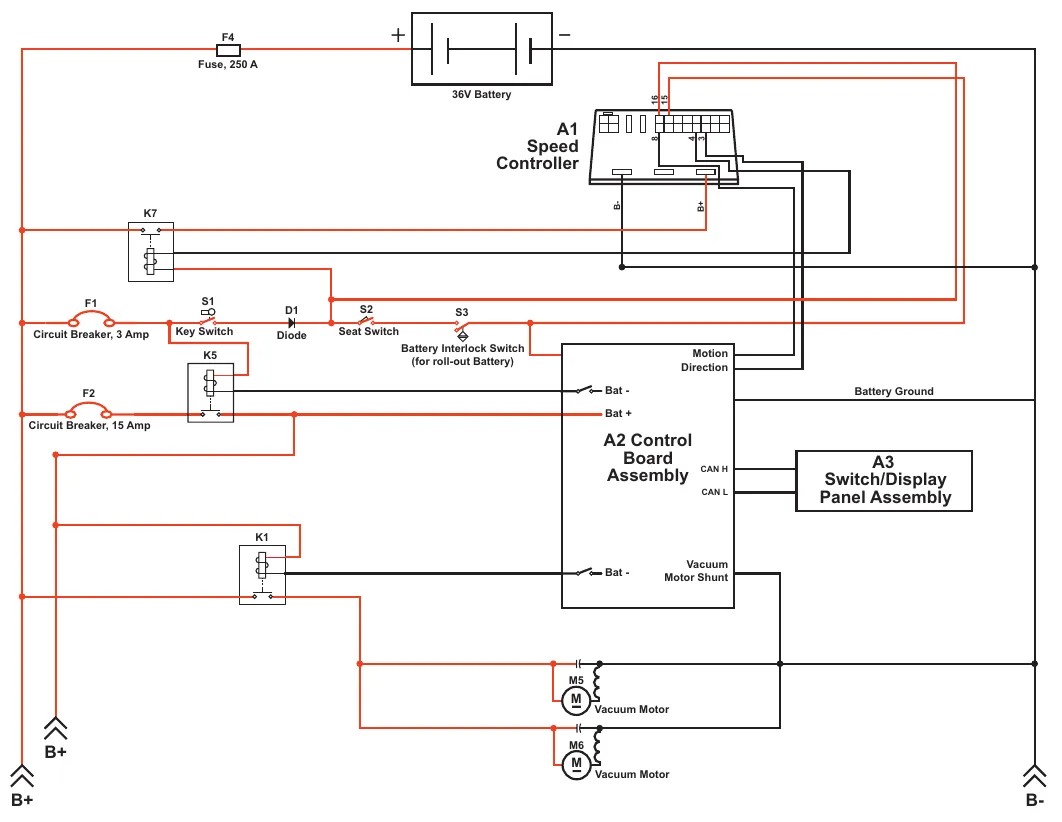
| Label | Printed text |
|---|---|
| F4 | Fuse, 250 A |
| (battery symbol) | 36V Battery |
| A1 | Speed Controller (connector pins marked 16, 15, 8, 4, 3; terminals marked B- and B+) |
| K7 | (no description printed) |
| F1 | Circuit Breaker, 3 Amp |
| S1 | Key Switch |
| D1 | Diode |
| S2 | Seat Switch |
| S3 | Battery Interlock Switch (for roll-out Battery) |
| K5 | (no description printed) |
| F2 | Circuit Breaker, 15 Amp |
| A2 | Control Board Assembly (terminals marked Bat - (two), Bat +, Motion Direction, CAN H, CAN L, Vacuum Motor Shunt; line marked Battery Ground) |
| A3 | Switch/Display Panel Assembly |
| K1 | (no description printed) |
| M5 | Vacuum Motor |
| M6 | Vacuum Motor |
| B+ | Printed twice, at lower left |
| B- | Printed at lower right |
Circuit description
Vacuum Motors M5 and M6 get positive voltage from the Battery when the load sides of contactors K5 and K1 are closed. Contactors K5 and K1 close when the A2 Control Board Assembly connects the K5 and K1 contactor coils to battery ground. Vacuum Motors M5 and M6 are connected directly to battery ground.
The A2 Control Board Assembly connects the K5 and K1 contactor coils to battery ground when:
- The A3 Switch/Display Panel Assembly sends the A2 Control Board Assembly a signal via the CAN BUS that the vacuum system has been switched on, or,
- The A1 Speed Controller sends the A2 Control Board Assembly a signal that the wheel drive is switched on, the scrub system is enabled and the vacuum system has not been switched off.
Note: The A2 Control Board Assembly monitors the voltage input from the Vacuum Motor Shunt wire connected to the ground side of Vacuum Motors M5 and M6. If the voltage is out of the acceptable range (.07 - .12 volts for a single vacuum motor or .15 - .24 volts for dual vacuum motors), the A2 Control Board Assembly will sense that the float ball is sealed against the float cage and that the recovery tank is full. The A2 Control Board Assembly will then shut down the vacuum and scrub systems and display a recovery tank full icon on the LCD.
Component locations
Vacuum motor and vacuum hose
The Vacuum Motor sits in a cavity in the Recovery Tank. To access the Vacuum Motor, remove the five Phillips screws and washers holding the top cover assembly on the recovery tank and remove the top cover assembly.
Note that there is room in the Recovery Tank for an optional second Vacuum Motor.
The Vacuum Hose is clamped to the outlet side of the Vacuum Motor and exhausts the airflow from the Vacuum Motor through to the underside of the machine.
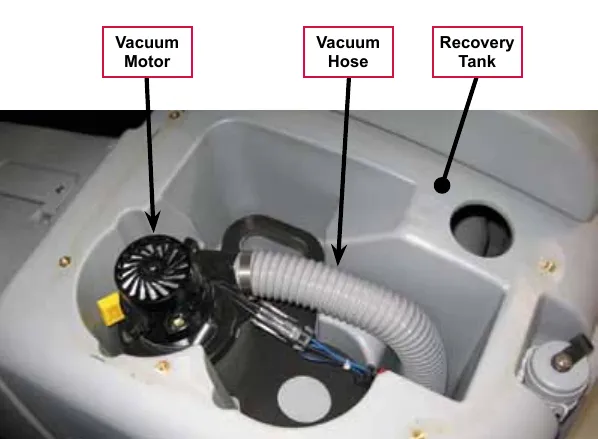
Top cover assembly
The Top Cover Assembly is fastened to the top of the recovery tank and includes the Vacuum Filter Lid, Filter, Filter Screen and Recovery Tank Top. The Vacuum Cover Plate, Float Cage and contained Float Ball attach to the bottom of the Recovery Tank Top. The Vacuum Fan Top Gasket seals the Top Cover Assembly to the recovery tank.
Float cage and ball
The Float Ball is retained inside the two-piece interlocking Float Cage. The assembled Float Cage and Float Ball attach to the bottom of the Recovery Tank Top.
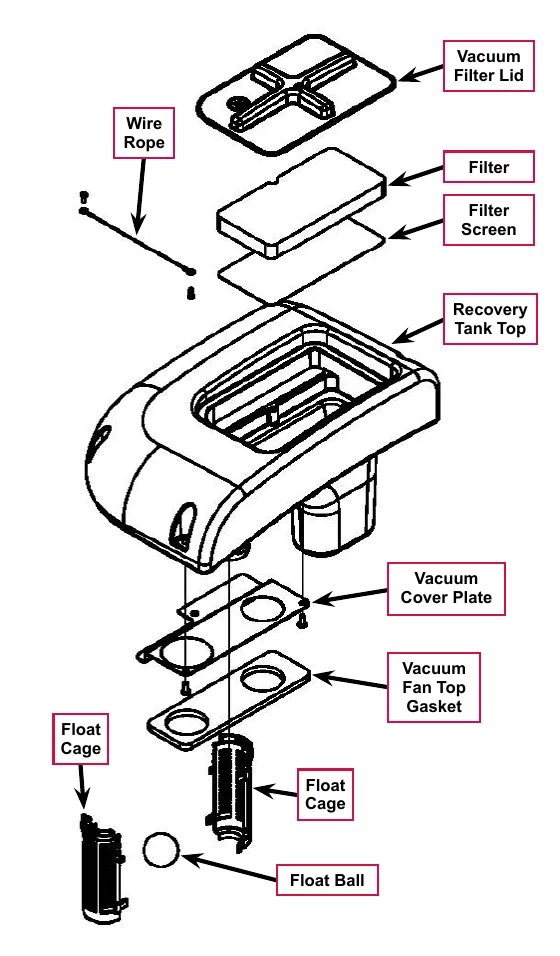
Recovery tank lid
The Recovery Tank Lid is hinged and opens to allow access to the Recovery Tank.
Squeegee and drain hoses
The Squeegee Hose and Drain Hoses are mounted on the rear of the Recovery Tank.
The Squeegee Hose connects the squeegee to the inlet port on the Recovery Tank.
The Drain Hose allows you to drain the Recovery Tank by removing the Drain Hose Cap.
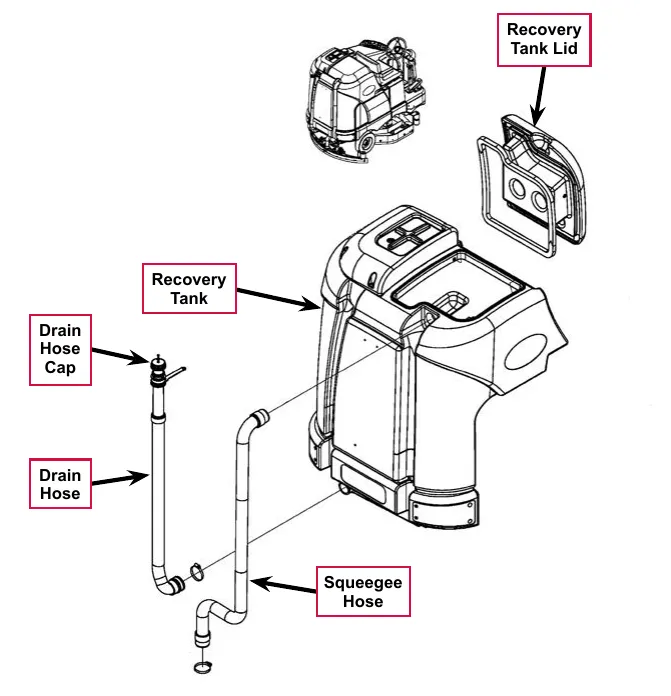
Maintenance
To inspect and clean the vacuum filter and inlet screen
- Open the tethered Vacuum Filter Lid.
- Remove the Filter and Filter Screen by pulling them out of the recess in the Recovery Tank Top.
- Clean the Filter and Filter Screen with vacuum or by washing them in warm water.
- When the Filter and Filter Screen are clean and dry, reinstall them into the Recovery Tank Top.
Service Note: The Filter and Filter Screen must be completely dry before reinstalling.
- Replace the Vacuum Filter Lid.
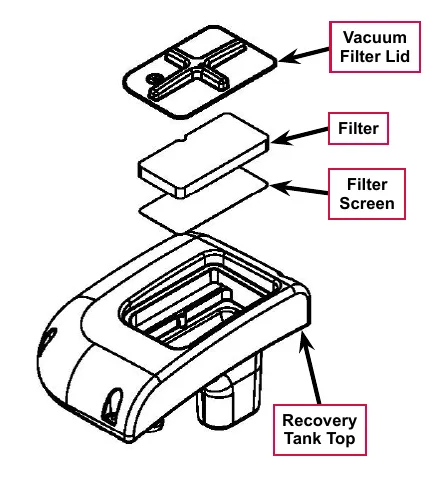
To inspect and clean the vacuum motor float cage
- Lift the Recovery Tank Lid to access the Float Cage and captive float ball. The Float Cage is attached to the underside of the Top Cover Assembly.
- Carefully remove the Float Cage from the Top Cover Assembly. Note that the Float Cage is a two-piece design and can be snapped apart to separate for cleaning.
- Clean any debris from the Float Cage slots with a rag, or by flushing the Float Cage with water. The Float Cage slots must be kept clean to prevent any airflow restriction.
- Reassemble the Float Cage and captive float ball and reinstall into the Top Cover Assembly.
- Inspect the Recovery Lid Gasket to make sure it is not damaged and is sealing correctly.
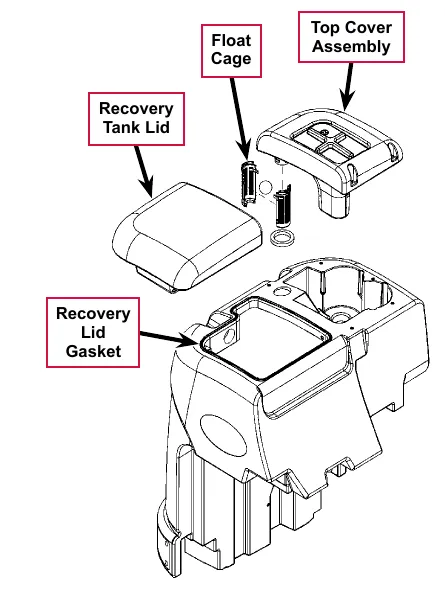
Troubleshooting
If water flows around the ends of the squeegee tool instead of being pulled into the tool, the vacuum system is not working correctly. This is usually due to either vacuum leaks, or restrictions in the squeegee tool, vacuum hoses or float cage.
| Problem | Cause | Correction |
|---|---|---|
| Poor water pickup | * Vacuum leak(s) due to:
|
|
| Restrictions due to built-up debris in the squeegee tool, vacuum hoses or float cage |
| |
| Vacuum motor(s) will not run. | Vacuum motor overload (error code 09 displayed) |
|
| Vacuum motor contactor coil overload (error code 10 displayed) |
| |
| Vacuum motor open (error code 29 displayed) |
| |
| Vacuum motor contactor coil open (error code 30 displayed) |
| |
| K1 Vacuum motor contactor coil short to ground (error code 31 displayed) |
|
* A vacuum leak below the waterline will create turbulence in the recovery tank, causing water to enter the vacuum motor(s).
Insufficient water pick-up
Good water pick up performance depends on the proper amount of air flowing through the squeegee pickup tool. Air entering the vacuum system before the pickup tool will reduce its ability to pick up water. Anything that restricts the movement of air through the system will also reduce its ability to pick up water.
Possible causes:
- Damaged squeegees
- Restricted air flow
- Clogged or kinked squeegee vacuum hose
- Clogged vacuum motor inlet or outlet port
- Air leaks
- Recovery tank lid gasket is not sealing
- Cracked squeegee vacuum hose
- Cracked recovery tank
- Vacuum motor is weak
Troubleshooting steps
Begin with a good visual inspection of the system. Check the condition of the squeegees and the recovery hose. Take the recovery hose off and rinse it out. Check the recover tank cover gasket condition. Repair any problems found.
If no visual problems are found, test the system using a vacuum gauge PN 56205281 and open-hole adapter. (See the Special Tools Section below. The adapter can be made from a piece of PVC pipe.)
- Remove the vacuum hose from the squeegee tool.
- Hold the vacuum gauge against the end of the hose and turn on the vacuum motor. Note the reading on the gauge. If it is within 10% of specs, go to the next step. If it is too low, check for air leaks in the system.
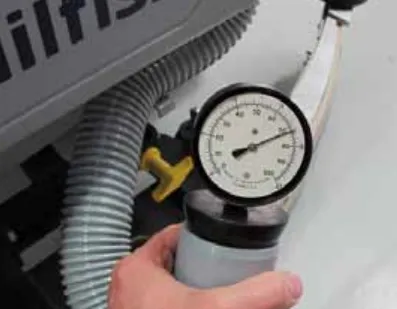
- Install a one inch open-hole adapter between the hose end and the vacuum gauge.
- Turn the vacuum motor on and measure the vacuum. If it is within 10% of the specs, the vacuum system is working properly. If the reading is too low, check for a restriction in the system.
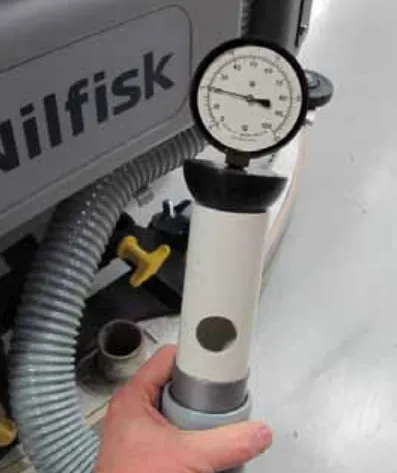
Removal and installation
Recovery tank
- Drain the recovery tank.
- Disconnect the squeegee hose from the squeegee tool, and from the top of the recovery tank (twist the hose to remove).
Note: Removing the squeegee tool at the mount will allow more room to maneuver when removing the recovery tank.
- Disconnect the Vacuum Motor Wiring Connector located underneath the left rear bottom of the recovery tank.
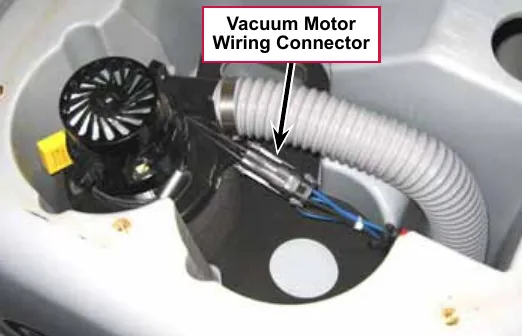
- Release the Tank Latch and tilt the tank toward the rear.
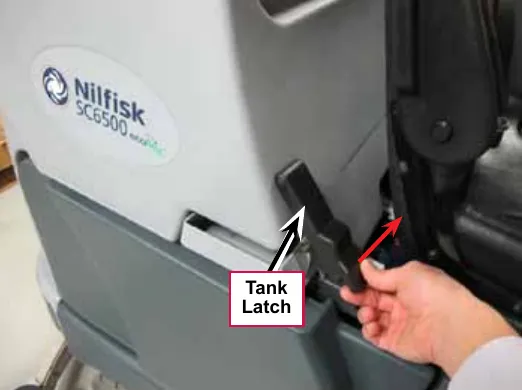
- Disconnect the Tank Tether from the back of the operator seat.
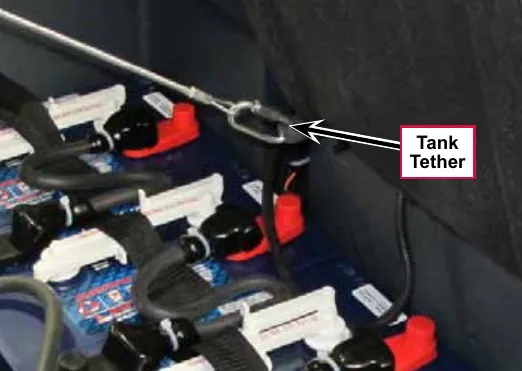
- Carefully lower the tank to the floor level.
- Note that the tank is attached to the chassis by two pins. Lift up on the tank ends to separate and pull the tank free from the machine.
- To reinstall the tank:
- a. Align each side of the tank bracket with the chassis pins one at a time.
- b. Grip the opening of the tank cover at the rear and quickly lift up to set (engage) the tank in its upright position.
- c. Reconnect the Tank Tether to the back of the operator seat.
- d. Swing the tank up to the vertical position to reengage the Tank Latch.
- e. Reconnect the vacuum motor wiring connector and squeegee hose.
Vacuum motor
- Drain the recovery tank.
- Release the Tank Latch and tilt the tank to the rear.
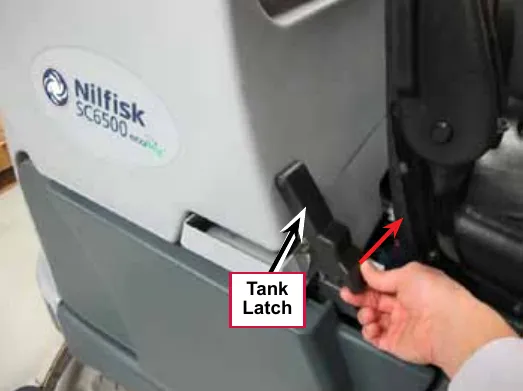
- Remove the five Screws from the Top Cover Assembly, then lift the Top Cover Assembly, straight up while guiding the float cage up through the opening in the recovery tank.
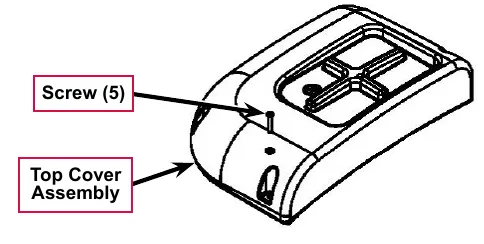
- Disconnect the Vacuum (exhaust) Hose from the Vacuum Motor.
- Disconnect the wiring harness connector from the Vacuum Motor and lift the Vacuum Motor out from its mounting cavity.
- Inspect the following vacuum system gaskets and replace as necessary:
- Vacuum Filter Lid Gasket
- Vacuum Fan Top Gasket
- RS Strip Gasket
- Vacuum Fan Gaskets
- Clean the vacuum motor Filter, Filter Screen and Vacuum (exhaust) Hose.
- Inspect the carbon motor brushes. If the carbon brushes are less than 3/8 in (10 mm) in length, replace the brushes.
- Reinstall the Vacuum Motor by following the above steps in reverse order.
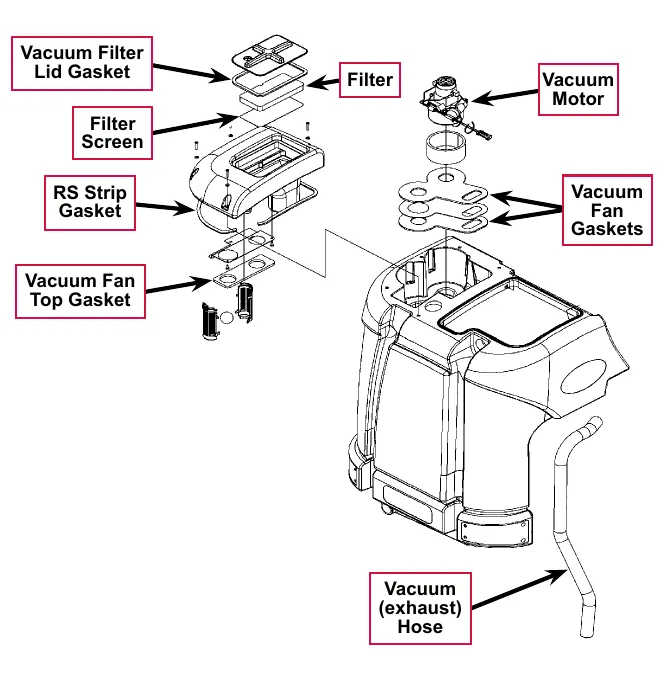
Specifications
| Component | Specifications | ||
|---|---|---|---|
| Vacuum Motor | 36 VDC, Insulation Class: A | ||
| Vacuum Lift | One Vacuum Motor | (Sealed) | 68 in. H2O |
| (Open Hole Adapter 1 in) | 14 in. H2O | ||
| Two Vacuum Motors | (Sealed) | 74 in. H2O | |
| (Open Hole Adapter 1 in) | 27 in. H2O | ||
Shop measurements
Shop measurements are values that were measured on a real machine. While they are not “specifications”, they can help you recognize normal vs abnormal.
K1 vacuum contactor
Resistance at room temperature: 93 ohms
Vacuum motor
Current draw for one motor with open squeegee hose: 18.7 Amps
Special tools
| Vacuum water lift gauge, Nilfisk-Advance part number 56205281 |  |
Scrub system, cylindrical
Functional description
Overview
The SC6500 cylindrical scrub deck models use two cylindrical brushes that counter-rotate to sweep up light debris into a removable hopper, and scrub at the same time. The two scrub brushes are powered on opposing ends by 1-1/2 HP permanent-magnet motors and drive belts.
The scrub deck actuator raises and lowers the scrub deck, and automatically adjusts the deck height while scrubbing to maintain the desired scrub pressure.
Cylindrical scrub system wiring diagram
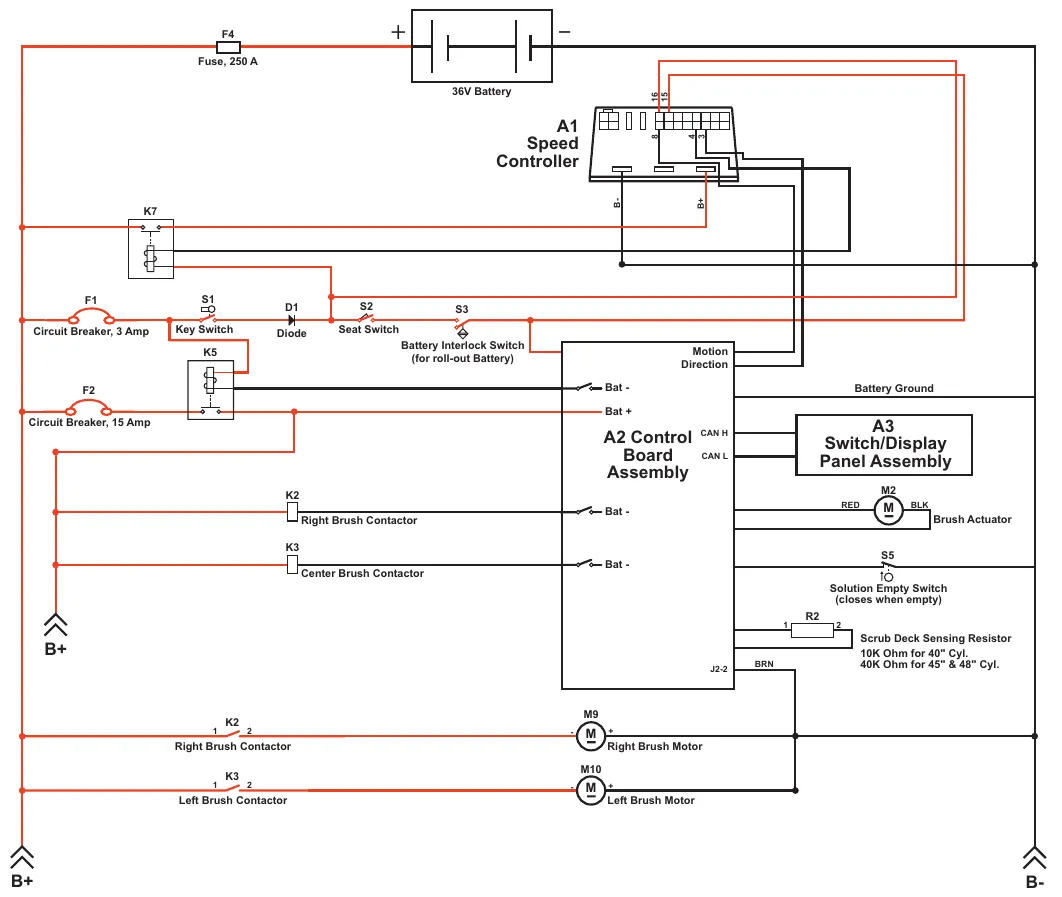
| Label | Printed text |
|---|---|
| F4 | Fuse, 250 A |
| (battery symbol) | 36V Battery |
| A1 | Speed Controller (connector pins marked 16, 15, 8, 4, 3; terminals marked B- and B+) |
| K7 | (no description printed) |
| F1 | Circuit Breaker, 3 Amp |
| S1 | Key Switch |
| D1 | Diode |
| S2 | Seat Switch |
| S3 | Battery Interlock Switch (for roll-out Battery) |
| K5 | (no description printed) |
| F2 | Circuit Breaker, 15 Amp |
| A2 | Control Board Assembly (terminals marked Bat - (three), Bat +, Motion Direction, CAN H, CAN L, J2-2; line marked Battery Ground) |
| A3 | Switch/Display Panel Assembly |
| K2 (coil) | Right Brush Contactor |
| K3 (coil) | Center Brush Contactor |
| K2 (contacts, terminals 1 and 2) | Right Brush Contactor |
| K3 (contacts, terminals 1 and 2) | Left Brush Contactor |
| M2 | Brush Actuator (leads marked RED and BLK) |
| S5 | Solution Empty Switch (closes when empty) |
| R2 | Scrub Deck Sensing Resistor (terminals 1 and 2): 10K Ohm for 40" Cyl.; 40K Ohm for 45" & 48" Cyl. |
| BRN | (wire label next to A2 terminal J2-2) |
| M9 | Right Brush Motor |
| M10 | Left Brush Motor |
| B+ | Printed twice, at lower left |
| B- | Printed at lower right |
Circuit description
The coil sides of contactors K2 and K3 get positive voltage from the Battery when the load side of contactor K5 is closed. Contactor K5 closes when the A2 Control Board Assembly connects the K5 coil to battery ground. Contactors K2 and K3 are connected to battery ground through the A2 Control Board Assembly.
The Right Brush Motor M9 and Left Brush Motor M10 get positive voltage from the Battery when the load sides of contactors K2 and K3 are closed respectively. Contactors K2 and K3 close when the A2 Control Board Assembly connects the K2 and K3 coils to battery ground. The Right Brush Motor M9 and Left Brush Motor M10 are connected directly to battery ground.
The Brush Actuator M2 gets voltage from the A2 Control Board Assembly which switches the polarity to move the scrub deck up or down. When the A2 Control Board Assembly receives a signal from the A3 Switch/Display Panel Assembly via the CAN BUS that the operator has pressed the scrub on switch, the A2 Control Board Assembly sends the appropriate voltage to the Brush Actuator M2 to lower the scrub deck to the operating position.
The Scrub Deck Sensing Resistor R2 senses the deck size so the operator does not need to program the deck size into the hidden menu.
As the brush motor current passes through the BRN current sense wire, which is in effect a low-value resistor, a small voltage drop is developed across it which is proportional to the motor current. This voltage change is inputted to pin J2-2 on the A2 Control Board Assembly. Any surrounding temperature change in the BRN current sense wire affects its resistance, so the temperature is sensed by a thermistor built into the A2 Control Board Assembly. This allows error correction for the temperature resistance changes in the BRN current sense wire. When A2 Control Board Assembly senses a current draw out of the desired range it automatically turns on the M2 actuator motor to raise or lower the scrub deck. This process is ongoing in maintaining the operator’s selected scrub motor current load setting to sustain the desired brush working pressure.
Component locations
The 1-1/2 HP permanent-magnet Scrub Motors drive Poly V Sheaves and Drive Belts that drive the broom drive lug assemblies coupled to the brushes.
The Scrub Deck Actuator Assembly raises and lowers the scrub deck and automatically adjusts the deck height during scrubbing to maintain the correct scrub pressure.
The Hopper Assembly holds the dust and debris swept up by the scrub brushes, and can be removed for dumping and cleaning.
The Side Skirts direct the waste water to the squeegee and help keep the water confined within the cleaning path. The Side Skirt height is adjustable, and the Side Skirts can be removed for cleaning or replacement.
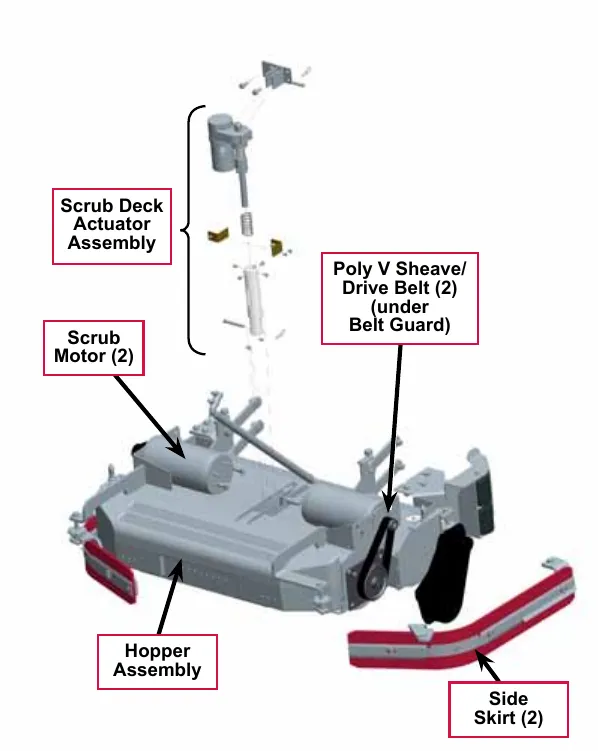
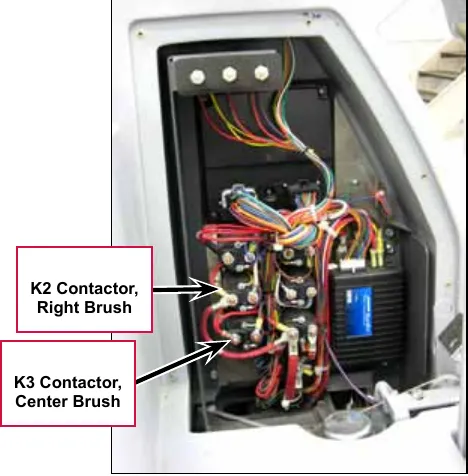
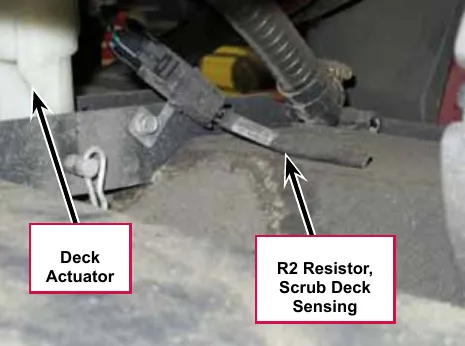
Maintenance and adjustments
General scrub system maintenance
The scrubbing system must be serviced at regular intervals to maintain good scrubbing performance. Follow the maintenance steps listed below.
Daily maintenance
- Dump the sweeping debris from the hopper.
- Rinse and clean any built-up debris from the hopper drain holes.
Weekly maintenance
- Clean the drain holes in the solution delivery trough on top of the scrub deck.
- Clean any built-up dirt from the inside of the scrub brush housing.
- Remove any string wrapped around the scrub brushes, drive hubs and idler hubs.
- Remove both the scrub brushes and rotate end-for-end. Refer to the Removal and Installation/Scrub Brushes section.
Monthly maintenance
- Inspect the scrub brush bristles for wear, the brushes should be replaced when the bristle length is 1 in (26 mm) or less.
Scrub brush belt replacement
The drive belt is a “stretch” belt. There is no tension adjustment. The belt is rolled on and off the pulleys.
- Remove the Side Skirt Assembly on the side needing belt replacement.
- Remove the two hex nuts (10 mm socket) and Phillips screw holding the Belt Guard, then remove the Belt Guard.
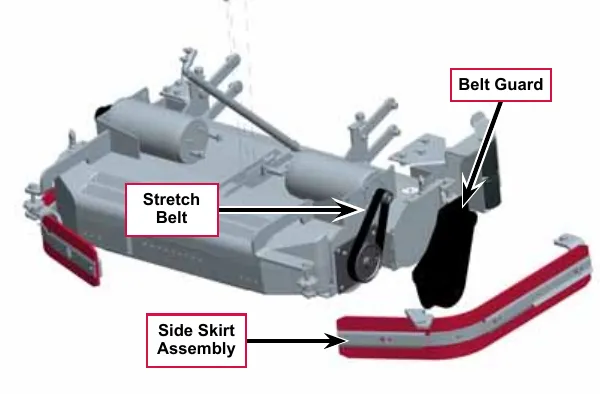
- Use a 1/2 in drive extension and ratchet in the large pulley slot, to rotate the pulley while pulling outward on the belt to roll the belt off of the pulleys.
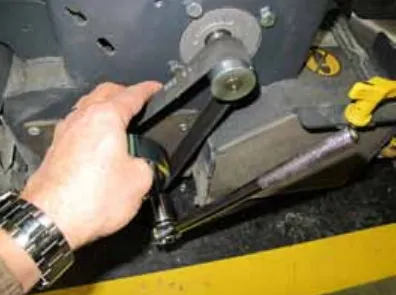
- Place the new belt on the large pulley and then use a plastic wire tie to hold the belt on the pulley.
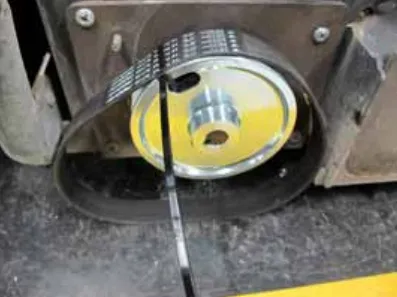
- Loop the belt over the small pulley and hold it on.
- Use a 1/2 in drive extension and ratchet in the large pulley slot, to rotate the pulley to roll the belt onto the pulley.
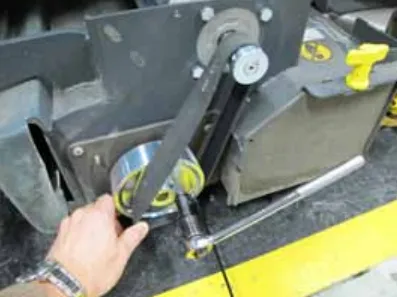
- If the belt is not seated properly in the pulley grooves, gently push or pull in the direction that the belt must move while rotating the belt.
- Reinstall the Belt Guard and Side Skirt Assembly, then test the scrub system for correct operation.
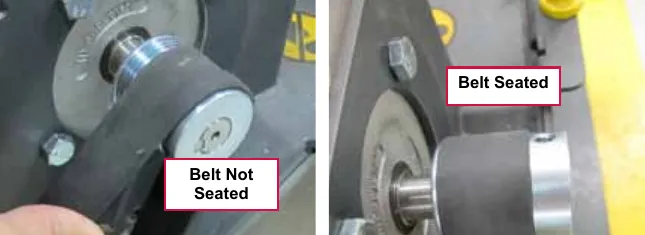
Lift actuator adjustment
The lift actuator adjustment makes sure that the deck can be properly positioned when extended for scrubbing operations and when retracted for machine transport. The adjustment sets the position of the drive nut on the actuator lead screw when either of the internal travel limit switches open in order to stop the motor rotation. The retracted position is set by running the motor in the retracted position until the motor stops and then screwing the drive nut onto the lead screw until it is in the correct location. Once the retracted position is established, the extended position is set by adjusting an internal cam under the rubber cover of the actuator motor.
Using the actuator power cord adapter
The adjacent drawing shows the special actuator power cord adapter (p/n 56407502) that is needed to connect the machine’s battery pack and actuator motor for setting the actuator drive nut limit settings. To connect the actuator power cord adapter:
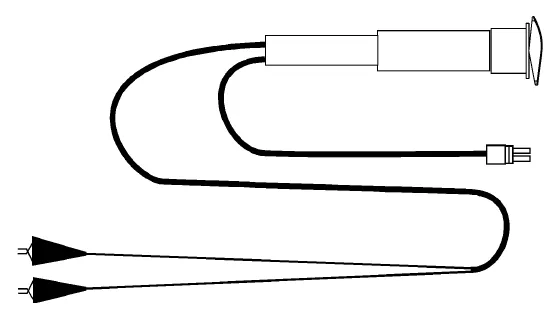
- Open the machine battery compartment and disconnect the battery connector. The battery pack is needed to power the scrub deck actuator motor to correctly set the IN and OUT limit switches.
- Connect the actuator motor to be tested to the power cord adapter end.
- Connect the alligator clips from the cord adapter (red clip to the positive and black to negative) to battery connector or battery posts. Use the rocker switch on the actuator power cord adapter to change the motor rotation when setting the correct actuator drive nut dimensions.
Service Note: You can also use the above actuator power cord adapter to help position the drive nut/spring housing assembly (in or out) for ease in actuator motor installations.
Lift actuator drive nut adjustment
This procedure sets the relative position between the drive nut on the actuator lead screw and the base of the actuator motor assembly.
- Make a note of how the actuator housing assembly should be mounted on the machine.
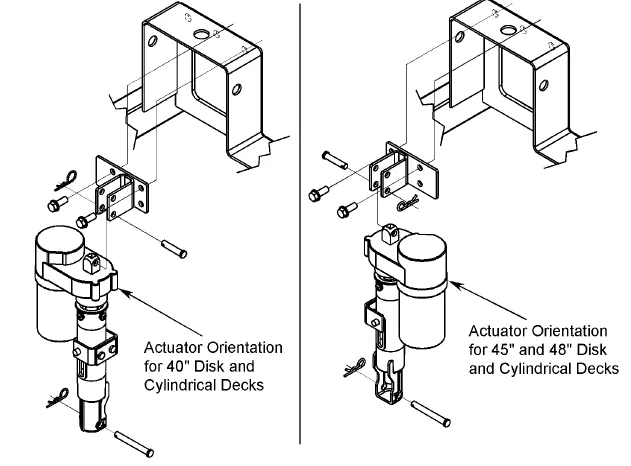
Left drawing: actuator orientation for 40 in disk and cylindrical decks. Right drawing: actuator orientation for 45 in and 48 in disk and cylindrical decks.
- Familiarize yourself with the actuator assembly pieces and the assembly order of the springs, drive nut and spring housing. Refer to the photo below. If the housing and springs are already assembled, disassemble them.
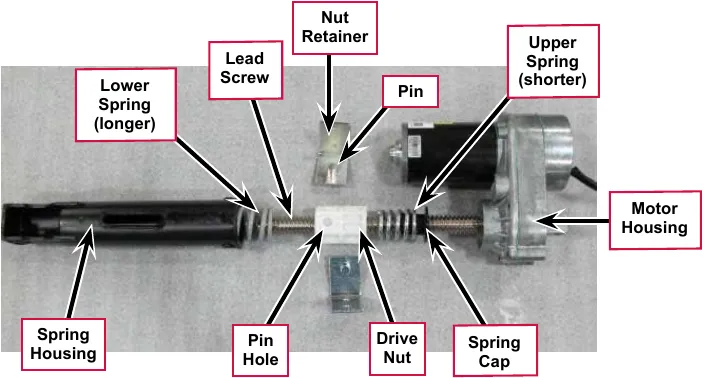
- Lubricate the lead screw threads using bearing grease.
- Install the spring cap into the upper spring. (The upper spring is shorter and lighter than the lower spring). Then install the upper spring and cap onto the lead screw with the cap toward the motor housing.
- Rotate the drive nut onto the lead screw threads a few turns with the pin hole away from the motor housing as shown in the above photo.
- Hold the drive nut to prevent it from rotating, then using the actuator power cord adapter (p/n 56407502), run the motor toward the retracted position until the motor stops. This establishes the location where the retracted travel limit switch opens. Now, rotate the nut on the lead screw until the distance between the nut and the motor housing is 1 3/4 in (4.5 cm).
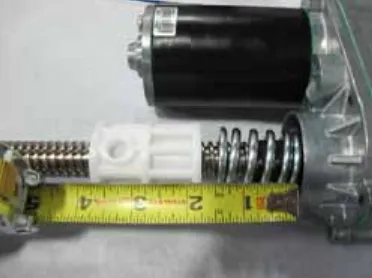
- Hold the drive nut to prevent it from rotating, then using the actuator power cord adapter (p/n 56407502), run the motor toward the extended position until the motor stops. This establishes the location where the extended travel limit switch opens.
- a. Measure the distance between the nut on the lead screw and the motor housing. It should be 5 1/2 in (14 cm).
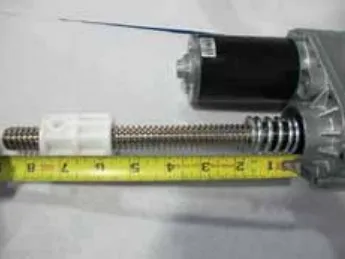
- b. If the distance is not correct, remove the rubber cam adjuster cover with a screwdriver in the motor housing to gain access to the cam adjustment.
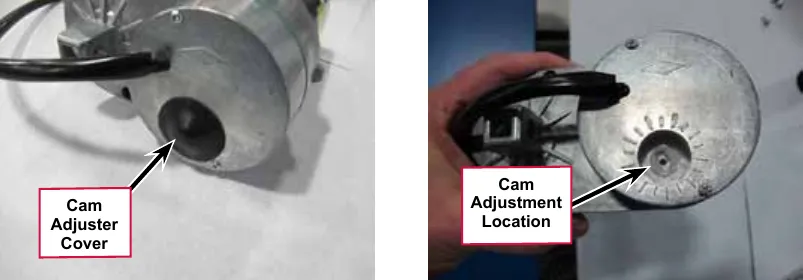
- c. Rotate the cam using a 1/2 in or 13 mm socket (Not a screw driver!). Each click of the cam position will change the drive nut distance by about 1/16 in (1.6 mm). Rotate the cam clockwise to increase the distance and counterclockwise to decrease the distance.
- Recheck the retracted and extended position adjustments by holding on to the drive nut to prevent it from rotating and driving the motor to each limit position using the actuator power cord adapter. Repeat adjustments until correct.
- Once the drive nut adjustment is complete, finish assembling the spring housing being careful not to turn the drive nut.
- a. Install the lower spring onto the lead screw.
- b. Install the housing over the lead screw, springs and drive nut. Align the slotted holes in the housing with the pin holes in the drive nut.
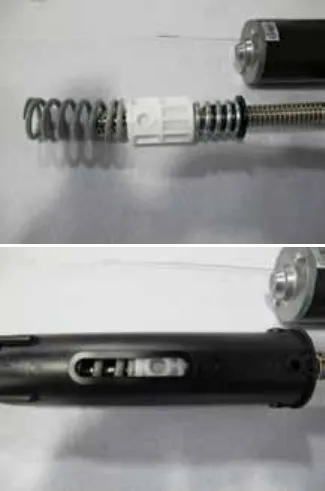
- c. Install the two nut retainers; inserting their pins into the drive nut pin holes. Secure the two nut retainers together using two screws.
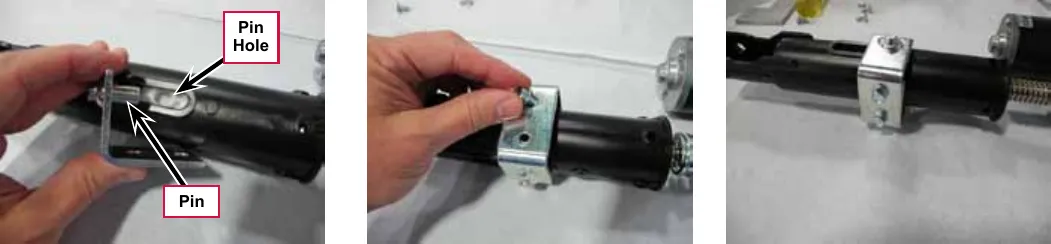
- d. Slightly compress the upper spring and install the 4 spring housing retaining screws. You can compress the spring by holding the assembly on a stable surface and pushing down on the housing or by using a small “pry bar” through the retaining screw holes. Be careful that the screws go above the spring cap and do not damage it!
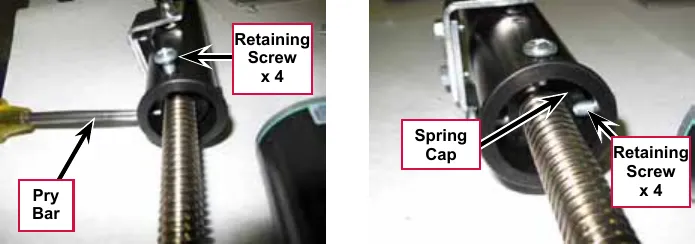
- Reinstall the Cam Adjuster Cover.
- After adjusting the actuator Spring Housing Assembly dimensions, refer to the Removal and Installation/Scrub Deck Lift Actuator section to reassemble it in the machine. Refer to the adjacent drawing to correctly mount the top of actuator motor to the chassis by model size.
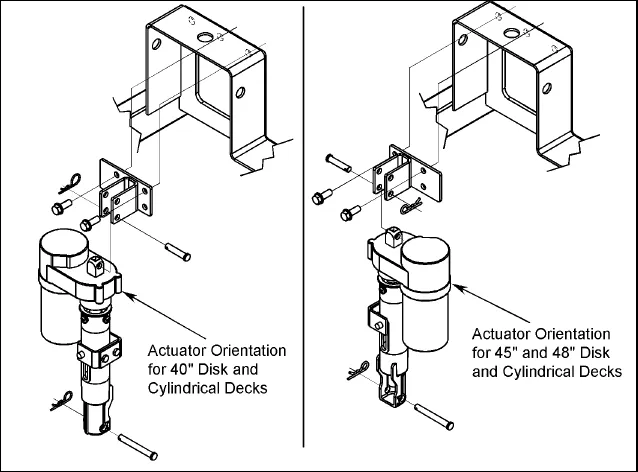
- Actuator orientation for 40 in disc and cylindrical decks (left drawing)
- Actuator orientation for 45 in and 48 in disc and cylindrical decks (right drawing)
Service Note: Note the correct orientation of the Spring Housing Assembly when installing the complete motor assembly and also run the Spring Housing Assembly to the Retracted (in) position before you install it in the machine.
Side skirt replacement and adjustment
During normal use the side skirt blades will wear in time. The operator will notice a small amount of water leaking out underneath the side skirts. You can easily adjust the side skirt height to lower the blades to allow the squeegee to pick up the water more effectively.
To reverse or replace the scrub system side skirt blade(s):
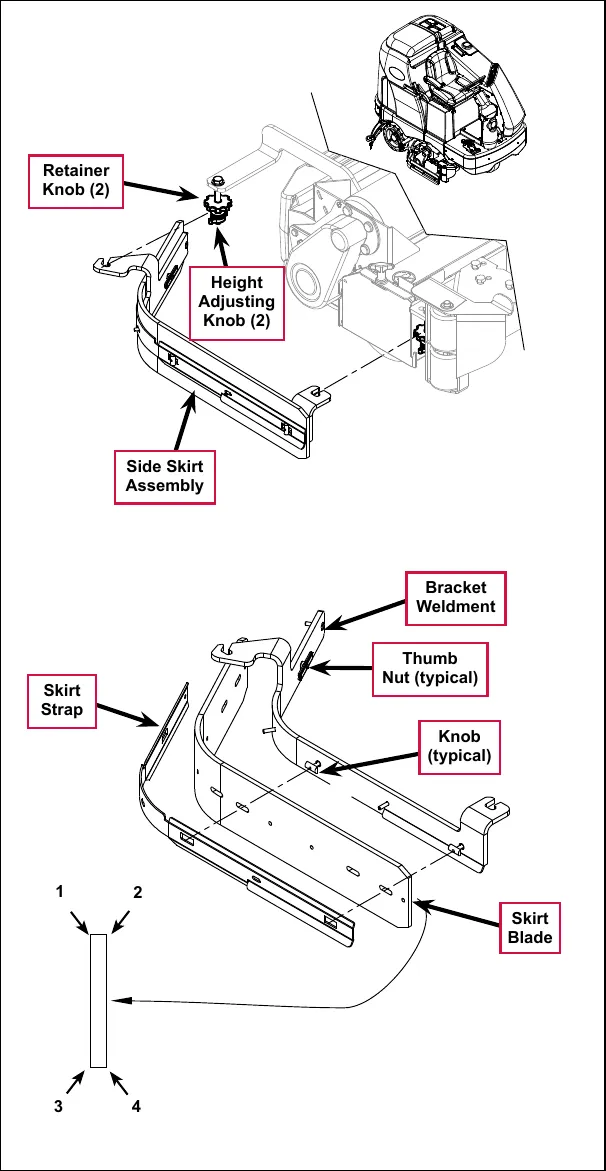
- Loosen the two side skirt Retainer Knobs (two per side) and remove the Side Skirt Assemblies from the scrub deck. Remove the Side Skirt Assemblies by first sliding them forward, then pulling them off.
- Remove all the hardware that holds the Skirt Blades to the Bracket Weldments. Note that the Skirt Blade is held on with tool-less retainers. Simply loosen the large Thumb Nuts, then turn the Knobs on the outside of the Skirt Strap until they are horizontal, then push them through the slots.
- The main Skirt Blade has four working edges as shown. Turn the Skirt Blade so a clean, undamaged edge faces toward the center of the machine. Replace the Skirt Blades as a set if all four edges are nicked, torn or worn beyond their ability to be adjusted.
- Reinstall the Side Skirt Assemblies onto the machine and check the height of the Skirt Blades for correct contact on the floor when the brush deck is lowered to the scrub position. The Skirt Blades should fold over just enough when scrubbing that all the waste water is contained inside the skirting. If necessary, adjust the height of the Side Skirt Assemblies as follows:
- a. Loosen the Retainer Knobs.
- b. Rotate the Height Adjusting Knobs to raise or lower the Side Skirt Assembly as necessary.
- c. When the Skirt Blade contact is correct, tighten the Retainer Knobs.
Note: Make small adjustments to obtain good blade wiping. Do not lower the blades too much to where they fold over excessively as this can cause excessive blade wear.
Troubleshooting
| Problem | Cause | Correction |
|---|---|---|
| The scrub system will not operate | Scrub deck sense R2 resistor fault (error code 01 displayed) | Scrub deck sensor resistor is unplugged or damaged.
|
| Scrub motor overload (error code 04 displayed) |
| |
| Center brush motor contactor coil overload (error code 06 displayed) |
| |
| Right brush motor contactor coil overload (error code 07 displayed) |
| |
| Scrub motor open (error code 21 displayed) |
| |
| Center brush motor contactor coil open (error code 24 displayed) |
| |
| Center brush motor contactor coil short to ground (error code 25 displayed) |
|
| Problem | Cause | Correction |
|---|---|---|
| The scrub system will not operate (continued) | Right brush motor contactor coil open (error code 26 displayed) |
|
| Right brush motor contactor coil short to ground (error code 27 displayed) |
| |
| The scrub deck actuator doesn’t raise or lower the scrub deck | Scrub deck actuator overload (error code 08 displayed)
|
|
| Scrub deck actuator open (error code 28 displayed) |
|
Removal and installation
Scrub brushes
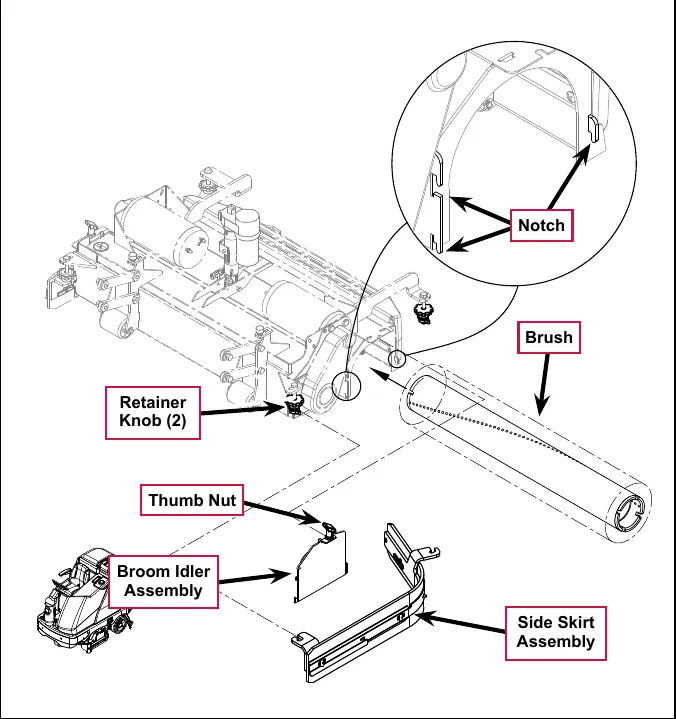
- Make sure the scrub deck is in the raised position and the key switch is off.
- Loosen the Retainer Knobs, then slide the Side Skirt Assembly forward slightly, then off of the scrub deck.
- Loosen the Thumb Nut on top of the Broom Idler Assembly until the Broom Idler Assembly drops down far enough to disengage it from the Notches, then remove the Broom Idler Assembly.
- Remove the Brush from the housing.
- To reinstall a Brush, slide it into the housing, lift it slightly, then push and turn the Brush until it seats.
- Reinstall the Broom Idler Assembly and Side Skirt Assembly.
Scrub brush deck
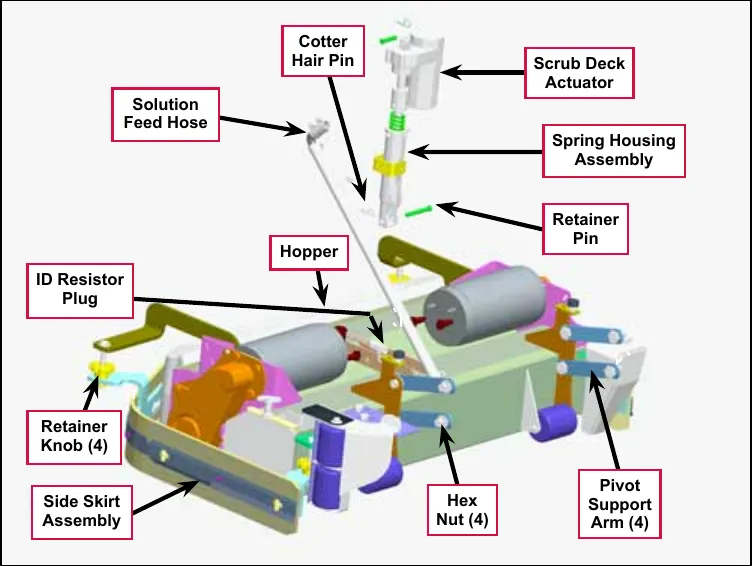
- Loosen the four side skirt Retainer Knobs (two per side) and remove the Side Skirt Assemblies from the deck.
- Slide out the Hopper.
- With the scrub brushes installed in the deck, press the Scrub On button to lower the deck to the floor.
Service Note: Once the brush deck is in the lowered position, don’t turn the key switch off until you disconnect the battery pack (push in the Emergency Disconnect). This will prevent the scrub deck from automatically rising when the key is turned off.
- Turn the key switch off.
- Remove the Solution Feed Hose at the solution solenoid valve located underneath the left side of the machine ahead of the rear wheel.
- Remove bottom lift actuator Cotter Hair Pin, then push the Retainer Pin from its housing and mount bracket holes.
- Disconnect the actuator wire harness connector. Note that this will prevent the actuator from being switched on and rising when it is disconnected from its deck mount.
Service Note: Connect the Advance power cord adapter (p/n 56407502) to the lift motor harness, then position (relieve the pressure on) the Retainer Pin for ease of removal.
- Note the correct brush motor wire connections at each individual motor, then remove all the wiring from the motor terminals.
- Locate the ID (identification) Resistor Plug on the scrub brush deck and separate its connector.
- Remove the four Hex Nuts, hex screws and bushings from the left and right front deck supports, then swing the Pivot Support Arms away from their mounting holes.
Service Note: Removing both the left and right side brooms and both front chassis corner rollers will allow easier access to the mounting hardware on the four front scrub deck support arms.
- Run the Scrub Deck Actuator to its retracted (up) position to get the clearance needed to pull the scrub deck assembly out from underneath the machine.
Service Note: Connect the power cord adapter (p/n 56407502) to the actuator motor and use the adapter to shorten the Scrub Deck Actuator length. Hold the Spring Housing Assembly when you run the Scrub Deck Actuator motor to maintain the correct retracted and extended position settings. See the Lift Actuator Adjustment section in this manual for additional details.
An alternate method to get the needed actuator clearance to slide the deck out from under the machine would be to safely jack up the front of the machine.
- Carefully slide the complete deck assembly out from underneath the machine from either side.
Note: Observe the position of the disconnected lift actuator housing and swing it to the rear to clear its mount bracket pocket.
Scrub deck lift actuator
Note: All new replacement actuator motors are not shipped with the lift nut pre-adjusted for any specific machine model application.
Note: The scrub deck must be removed to access the top mount bracket on the scrub deck lift motor.
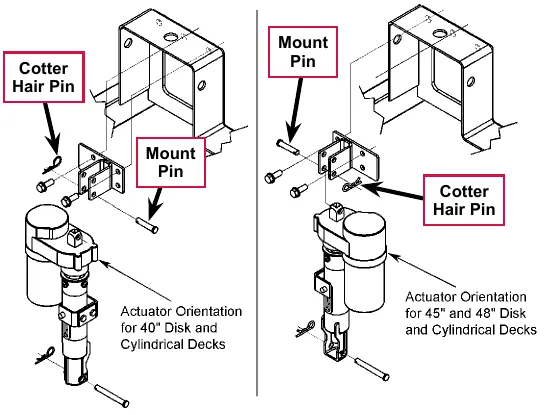
- Remove the scrub deck by following the steps in the Scrub Brush Deck section.
- Locate and remove the upper Cotter Hair Pin from underneath the middle of the machine.
- Slide the actuator Mount Pin from the housing and frame mounting bracket holes allowing the motor to drop down completing its removal.
- Refer to the Drive Nut Adjustment section for instructions on how to install a new drive nut and set the extended and retracted positions.
- Install the scrub deck actuator by following the above steps in reverse order.
- Actuator orientation for 40 in disc and cylindrical decks (left drawing)
- Actuator orientation for 45 in and 48 in disc and cylindrical decks (right drawing)
Service Note: You can use the actuator power cord adapter (p/n 56407502) to help position (extend or retract) the lift actuator housing for ease in installing the bottom Mount (clevis) Pin.
Scrub brush motor
Note: It is not necessary to remove the complete scrub deck assembly from the machine to service an individual scrub brush motor.
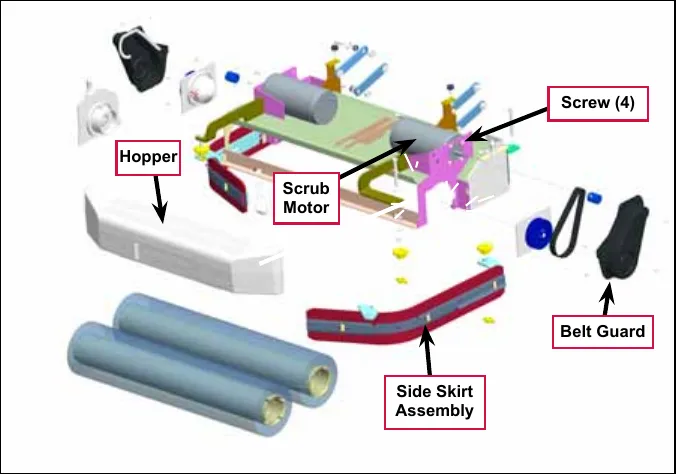
- Remove the Side Skirt Assembly on the side of the deck that needs the scrub motor replaced.
- Slide out the Hopper.
- With the scrub brushes installed in the deck, press the Scrub On button to lower the deck to the floor.
Service Note: Once the brush deck is in the lowered position, don’t turn the key switch off until you disconnect the battery pack (push in the Emergency Disconnect). This will prevent the scrub deck from automatically rising when the key is turned off.
- Turn the key switch off.
- Remove the two hex nuts (0.39 in socket, 10 mm) and Phillips screw holding the Belt Guard and remove the Belt Guard.
- Remove the four motor mount Screws holding the Scrub Motor to its deck mount. Also note that the Scrub Motor may stick to the motor mount, so be careful and watch your fingers as the motor will drop.
- Turn the Scrub Motor clockwise to access the motor terminal studs. Note the wire connections for correct reassembly, then remove both motor wires.
- Lower the deck assembly to the deck actuator’s maximum down position (travel) to get the clearance needed to remove the motor from the machine. You can do this either of two ways:
- Reconnect the battery, then lower the scrub deck in the service test mode. (Refer to the Control System/Service Test Mode section.)
- Connect the actuator power cord adapter to the deck actuator motor and run (lower) the deck housing. (Refer to the Drive Nut Adjustment section for details.)
- Pull and push the Scrub Motor back toward the rear of the machine to clear the chassis supports and remove it at the Hopper.
- To install a Scrub Brush Motor:
- a. Follow the above steps in reverse order with the exception that the drive belt tension must be reduced to allow the installation of the four motor mount Screws.
- b. Refer to the Scrub Brush Belt Replacement section and follow the instructions on how to replace or tension the belt.
Specifications
| Component | Specifications |
|---|---|
| Scrub Brush Motor | Voltage – 36 VDC |
| Power – 1100 Watt | |
| Speed – 2200 RPM | |
| Current – 30 Amps | |
| UP Rating – 55 | |
| Deck Actuator Motor | Type – permanent magnet, 36 VDC, 1/5 HP, reversible |
| Motor-to-drive-screw ratio – 19.1:1 | |
| Performance Data | |
| No Load – Thrust 0 lbs., Speed 36 ±4 in/min, 1.0 ±0.5 Amps | |
| Full Load – Thrust 600 lbs., Speed 29 ±3 in/min, 5.0 ±1 Amps | |
| Stall Current – 25 Amps max. | |
| Start Thrust – 600 lbs. min. |
Shop measurements
Shop measurements are values that were measured on a real machine. While they are not “specifications”, they can help you recognize normal vs abnormal.
Brush contactor (K2, K3 or K4)
Resistance at room temperature: 93 ohms
Scrub brush motor
- 40C and 1100C deck with no load (brushes out): Not measured
- 45C deck with no load (brushes out): 6.1-6 Amps
- 45C deck working on dry epoxy floor: 25-45 Amps
- 48C 1300C deck not measured
Brush actuator motor
- 45 inch cylindrical deck
- Current draw going up: 3.5-4.0 Amps
- Current draw going down: 1.2-2.2 Amps
Special tools
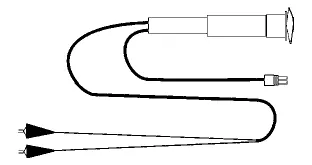
Actuator Power Cord Adapter, p/n 56407502
Scrub system, disc
Functional description
Overview
The SC6500 disc models use rotary brushes powered by permanent-magnet motors and gearbox assemblies. The 40” decks have two scrub brushes that are both powered by one 3 HP motor/gearbox assembly. The 45” and 48” decks have three brushes, each powered by a separate 1-1/2 HP motor/gearbox assembly.
The scrub deck lift actuator raises and lowers the scrub deck, and automatically adjusts the deck height while scrubbing to maintain the desired scrub pressure.
Disc scrub system wiring diagram
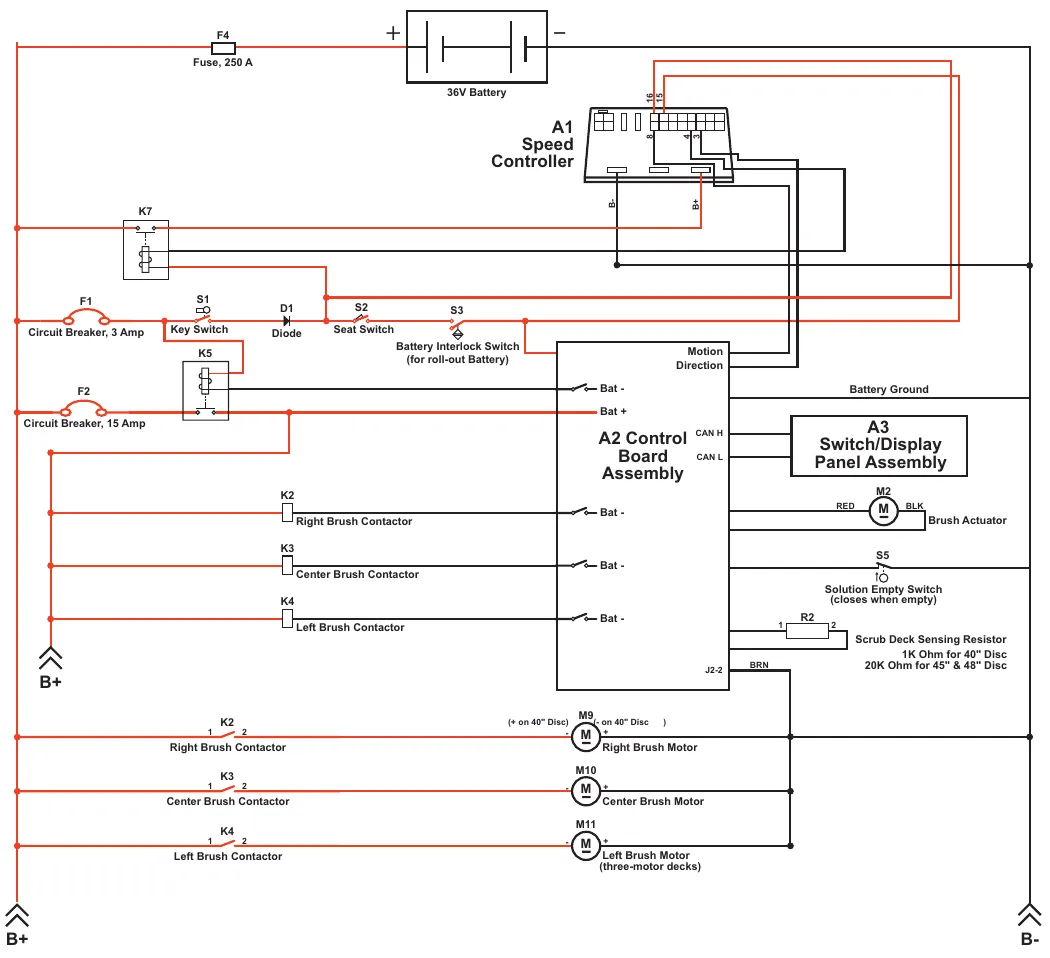
| Reference | Label as printed on the drawing |
|---|---|
| F4 | Fuse, 250 A |
| 36V Battery | + and − terminals as drawn |
| A1 Speed Controller | terminals B-, B+ and numbered pins 16, 15, 8, 4, 3 |
| K7 | (no other label printed) |
| F1 | Circuit Breaker, 3 Amp |
| S1 | Key Switch |
| D1 | Diode |
| S2 | Seat Switch |
| S3 | Battery Interlock Switch (for roll-out Battery) |
| K5 | (no other label printed) |
| F2 | Circuit Breaker, 15 Amp |
| A2 Control Board Assembly | Bat +, Bat -, Motion Direction, CAN H, CAN L, J2-2 (wire label BRN); Battery Ground line |
| A3 | Switch/Display Panel Assembly |
| M2 | Brush Actuator (leads RED and BLK) |
| S5 | Solution Empty Switch (closes when empty) |
| R2 | Scrub Deck Sensing Resistor (terminals 1 and 2): 1K Ohm for 40" Disc; 20K Ohm for 45" & 48" Disc |
| K2 | Right Brush Contactor (printed twice on the drawing) |
| K3 | Center Brush Contactor (printed twice on the drawing) |
| K4 | Left Brush Contactor (printed twice on the drawing) |
| M9 | Right Brush Motor; terminal notes printed: (+ on 40" Disc) and (- on 40" Disc ) |
| M10 | Center Brush Motor |
| M11 | Left Brush Motor (three-motor decks) |
| B+ / B- | B+ printed twice at left (one above the lower-left corner); B- printed at lower right |
Circuit description
The coil sides of contactors K2, K3 and K4 get positive voltage from the Battery when the load side of contactor K5 is closed. Contactor K5 closes when the A2 Control Board Assembly connects the K5 coil to battery ground. Contactors K2, K3 and K4 are connected to battery ground through the A2 Control Board Assembly.
The Right Brush Motor M9, Center Brush Motor M10 and Left Brush Motor M11 get positive voltage from the Battery when the load sides of contactors K2, K3 and K4 are closed respectively. Contactors K2, K3 and K4 close when the A2 Control Board Assembly connects the K2, K3 and K4 coils to battery ground. The Right Brush Motor M9, Center Brush Motor M10 and Left Brush Motor M11 are connected directly to battery ground.
The Brush Actuator M2 gets voltage from the A2 Control Board Assembly which switches the polarity to move the scrub deck up or down. When the A2 Control Board Assembly receives a signal from the A3 Switch/Display Panel Assembly via the CAN BUS that the operator has pressed the scrub on switch, the A2 Control Board Assembly sends the appropriate voltage to the Brush Actuator M2 to lower the scrub deck to the operating position.
The Scrub Deck Sensing Resistor R2 senses the deck size so the operator does not need to program the deck size into the hidden menu.
As the brush motor current passes through the BRN current sense wire, which is in effect a low-value resistor, a small voltage drop is developed across it which is proportional to the motor current. This voltage change is inputted to pin J2-2 on the A2 Control Board Assembly. Any surrounding temperature change in the BRN current sense wire affects its resistance, so the temperature is sensed by a thermistor built into the A2 Control Board Assembly. This allows error correction for the temperature resistance changes in the BRN current sense wire. When A2 Control Board Assembly senses a current draw out of the desired range it automatically turns on the M2 actuator motor to raise or lower the scrub deck. This process is ongoing in maintaining the operator’s selected scrub motor current load setting to sustain the desired brush working pressure.
Component locations
On the 45” and 48” decks, three 1-1/2 HP Gearmotors drive the scrub brushes directly. The 40” decks have a single 3 HP Gearmotor with two gearboxes (one on either end) that power the two scrub brushes.
The Scrub Deck Actuator Assembly raises and lowers the scrub deck, and automatically adjusts the deck height during scrubbing to maintain the correct scrub pressure.
The Side Skirts direct the waste water to the squeegee and help keep the water confined within the cleaning path. The Side Skirt height is adjustable and the Side Skirts can be removed for cleaning or replacement.
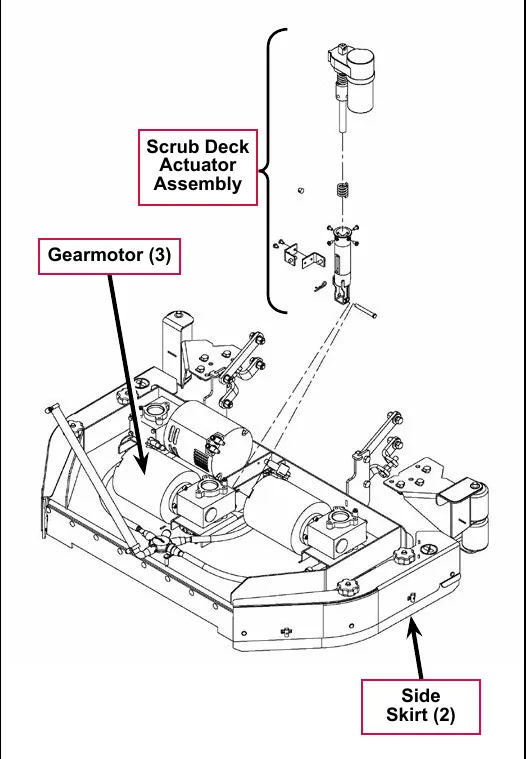
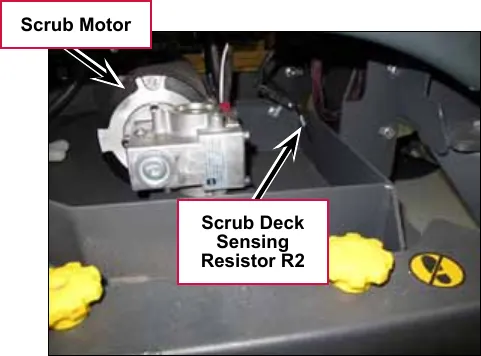
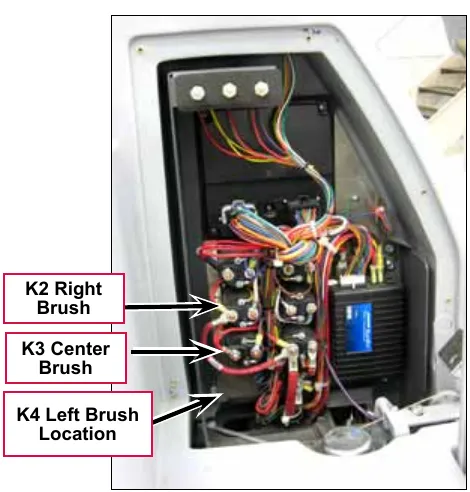
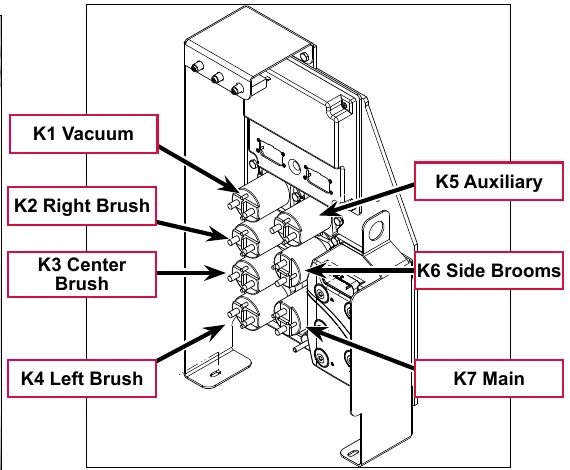
Maintenance and adjustments
Lift actuator adjustment
The lift actuator adjustment makes sure that the deck can be properly positioned when extended for scrubbing operations and when retracted for machine transport. The adjustment sets the position of the drive nut on the actuator lead screw when either of the internal travel limit switches open in order to stop the motor rotation. The retracted position is set by running the motor in the retracted position until the motor stops and then screwing the drive nut onto the lead screw until it is in the correct location. Once the retracted position is established, the extended position is set by adjusting an internal cam under the rubber cover of the actuator motor.
Using the actuator power cord adapter
The adjacent drawing shows the special actuator power cord adapter (p/n 56407502) that is needed to connect the machine’s battery pack and actuator motor for setting the actuator drive nut limit settings. To connect the actuator power cord adapter:
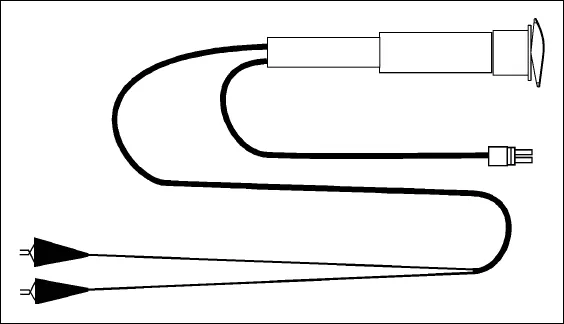
- Open the machine battery compartment and disconnect the battery connector. The battery pack is needed to power the scrub deck actuator motor to correctly set the IN and OUT limit switches.
- Connect the actuator motor to be tested to the power cord adapter end.
- Connect the alligator clips from the cord adapter (red clip to the positive and black to negative) to battery connector or battery posts. Use the rocker switch on the actuator power cord adapter to change the motor rotation when setting the correct actuator drive nut dimensions.
Service Note: You can also use the above actuator power cord adapter to help position the drive nut/spring housing assembly (in or out) for ease in actuator motor installations.
Lift actuator drive nut adjustment
This procedure sets the relative position between the drive nut on the actuator lead screw and the base of the actuator motor assembly.
- Make a note of how the actuator housing assembly should be mounted on the machine.
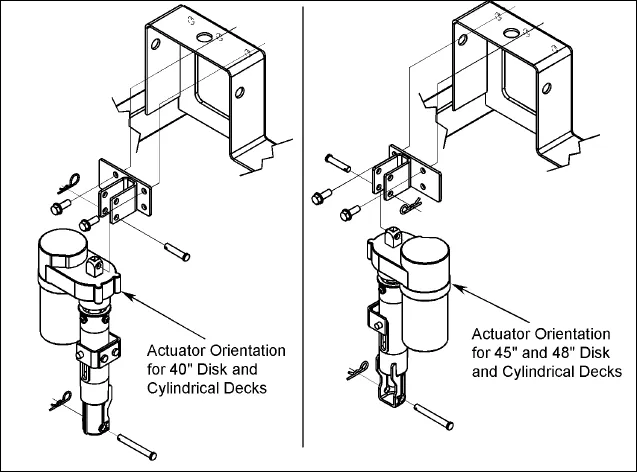
- Actuator orientation for 40 in disc and cylindrical decks (left drawing)
- Actuator orientation for 45 in and 48 in disc and cylindrical decks (right drawing)
- Familiarize yourself with the actuator assembly pieces an the assembly order of the springs, drive nut and spring housing. Refer to the photo below. If the housing and springs are already assembled, disassemble them.
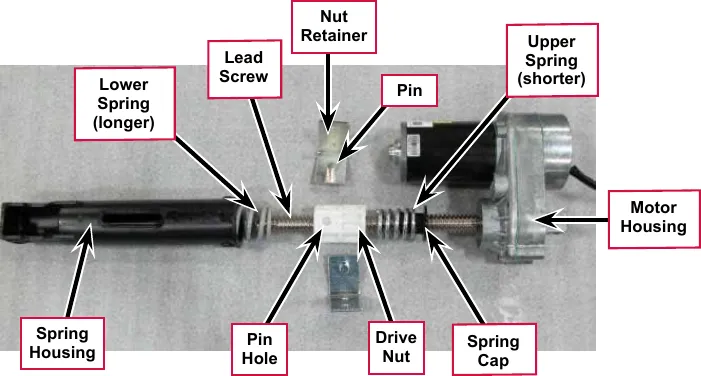
- Lubricate the lead screw threads using bearing grease.
- Install the spring cap into the upper spring. (The upper spring is shorter and lighter than the lower spring). Then install the upper spring and cap onto the lead screw with the cap toward the motor housing.
- Rotate the drive nut onto the lead screw threads a few turns with the pin hole away from the motor housing as shown in the above photo.
- Hold the drive nut to prevent it from rotating, then using the actuator power cord adapter (p/n 56407502), run the motor toward the retracted position until the motor stops. This establishes the location where the retracted travel limit switch opens. Now, rotate the nut on the lead screw until the distance between the nut and the motor housing is 1 3/4” (4.5 cm).
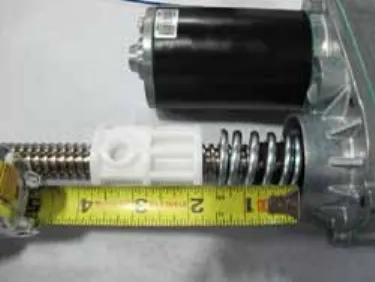
- Hold the drive nut to prevent it from rotating, then using the actuator power cord adapter (p/n 56407502), run the motor toward the extended position until the motor stops. This establishes the location where the extended travel limit switch opens.
- a. Measure the distance between the nut on the lead screw and the motor housing. It should be 5 1/2 inches (14 cm).
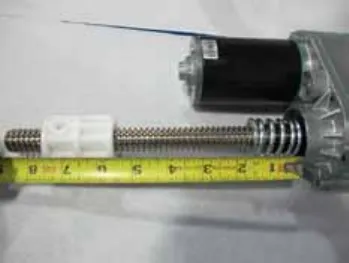
- b. If the distance is not correct, remove the rubber cam adjuster cover with a screwdriver in the motor housing to gain access to the cam adjustment.
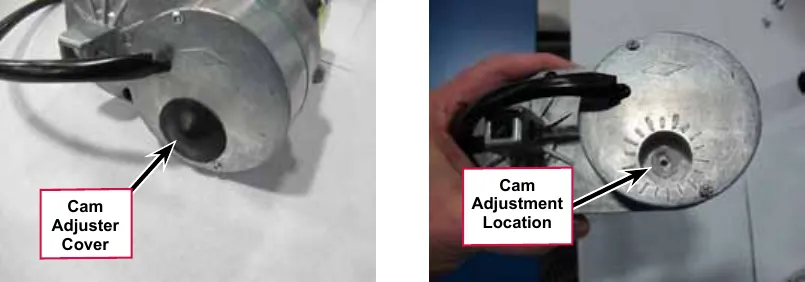
- c. Rotate the cam using a 1/2 in (13 mm) socket (Not a screw driver!). Each click of the cam position will change the drive nut distance by about 1/16” (1.6mm). Rotate the cam clockwise to increase the distance and counterclockwise to decrease the distance.
- Recheck the retracted and extended position adjustments by holding on to the drive nut to prevent it from rotating and driving the motor to each limit position using the actuator power cord adapter. Repeat adjustments until correct.
- Once the drive nut adjustment is complete, finish assembling the spring housing being careful not to turn the drive nut.
- a. Install the lower spring onto the lead screw.
- b. Install the housing over the lead screw, springs and drive nut. Align the slotted holes in the housing with the pin holes in the drive nut.
- c. Install the two nut retainers; inserting their pins into the drive nut pin holes. Secure the two nut retainers together using two screws.
- d. Slightly compress the upper spring and install the 4 spring housing retaining screws. You can compress the spring by holding the assembly on a stable surface and pushing down on the housing or by using a small “pry bar” through the retaining screw holes. Be careful that the screws go above the spring cap and do not damage it!
- After each adjustment, hold the Spring Housing Assembly, run the actuator in and out and check both dimensions.
- Reinstall the Cam Adjuster Cover.
- After adjusting the actuator Spring Housing Assembly dimensions, refer to the Removal and Installation/Scrub Deck Lift Actuator section to reassemble it in the machine. Refer to the adjacent drawing to correctly mount the top of actuator motor to the chassis by model size.
- Actuator orientation for 40 in disc and cylindrical decks (left drawing)
- Actuator orientation for 45 in and 48 in disc and cylindrical decks (right drawing)
Service Note: Note the correct orientation of the Spring Housing Assembly when installing the complete motor assembly and also run the Spring Housing Assembly to the Retracted (in) position before you install it in the machine.
Side skirt replacement and adjustment
During normal use the side skirt blades will wear in time. The operator will notice a small amount of water leaking out underneath the side skirts. You can easily adjust the side skirt height to lower the blades to allow the squeegee to pick up the water more effectively.
To reverse or replace the scrub system side skirt blade(s):
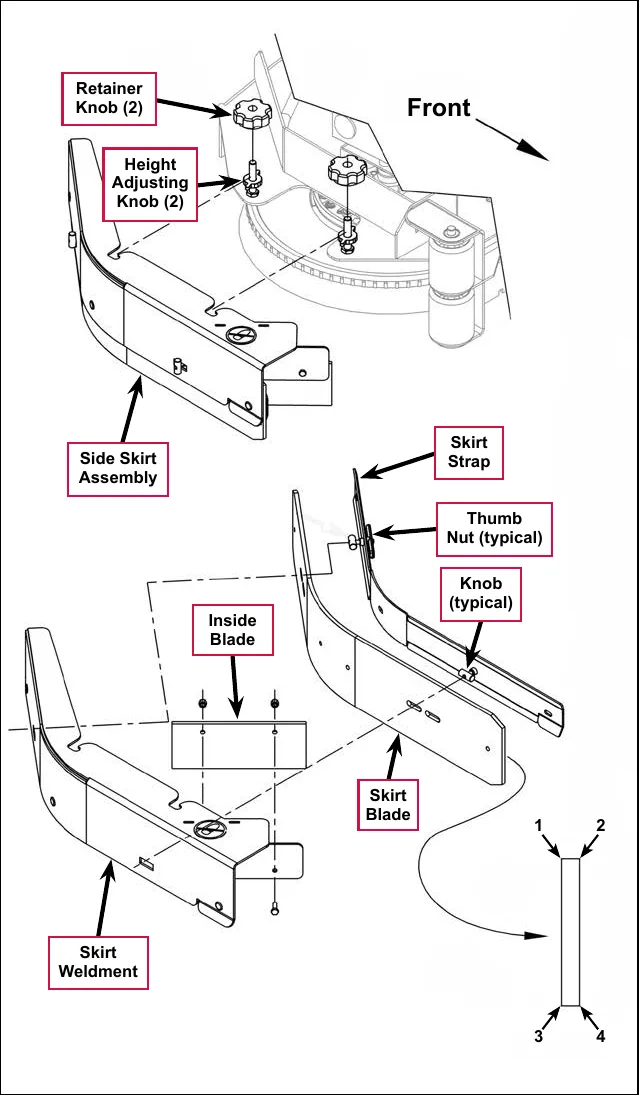
- Loosen the two side skirt Retainer Knobs (two per side) and remove the Side Skirt Assemblies from the scrub deck. Remove the Side Skirt Assemblies by first sliding them forward, then pulling them off.
- Remove all the hardware that holds the Skirt Blades to the Skirt Weldments. Note that the Skirt Blade is held on with tool-less retainers. Simply loosen the large Thumb Nuts, then turn the Knobs on the outside of the Skirt Strap until they are horizontal, then push them through the slots. The small Inside Blade is held on by two screws and nuts and has two working edges.
- The main Skirt Blade has four working edges as shown. Turn the Skirt Blade so a clean, undamaged edge faces toward the center of the machine. Replace the Skirt Blades as a set if all four edges are nicked, torn or worn beyond their ability to be adjusted.
- Reinstall the Side Skirt Assemblies onto the machine and check the height of the Skirt Blades for correct contact on the floor when the brush deck is lowered to the scrub position. The Skirt Blades should fold over just enough when scrubbing that all the waste water is contained inside the skirting. If necessary, adjust the height of the Side Skirt Assemblies as follows:
- a. Loosen the Retainer Knobs.
- b. Rotate the Height Adjusting Knobs to raise or lower the Side Skirt Assembly as necessary.
- c. When the Skirt Blade contact is correct, tighten the Retainer Knobs.
Note: Make small adjustments to obtain good blade wiping. Do not lower the blades too much to where they fold over excessively as this can cause excessive blade wear.
Troubleshooting
| Problem | Cause | Correction |
|---|---|---|
| The scrub system will not operate | Scrub deck sense R2 resistor fault (error code 01 displayed) | Scrub deck sensor resistor is unplugged or damaged.
|
| Scrub motor overload (error code 04 displayed) |
| |
| Left brush motor contactor coil overload (error code 05 displayed) Contactor K4 is for the left motor on the three-motor decks. |
| |
| Center brush motor contactor coil overload (error code 06 displayed) |
| |
| Right brush motor contactor coil overload (error code 07 displayed) |
| |
| Scrub motor open (error code 21 displayed) |
|
Troubleshooting (continued)
| Problem | Error code | Cause | Correction |
|---|---|---|---|
| The scrub system will not operate (continued) | 22# | Left brush motor contactor coil open (error code 22 displayed) |
|
| 23# | Left brush motor contactor coil short to ground (error code 23 displayed) |
| |
| 24# | Center brush motor contactor coil open (error code 24 displayed) |
| |
| 25# | Center brush motor contactor coil short to ground (error code 25 displayed) |
| |
| 26# | Right brush motor contactor coil open (error code 26 displayed) |
| |
| 27# | Right brush motor contactor coil short to ground (error code 27 displayed) |
|
Troubleshooting (continued)
| Problem | Error code | Cause | Correction |
|---|---|---|---|
| The scrub deck actuator doesn’t raise or lower the scrub deck | 08# | Scrub deck actuator overload (error code 08 displayed)
|
To test the actuator, disconnect the motor plug and attach the actuator power cord adapter (p/n 56407502) and perform an amp draw test. Compare readings to the current load specifications to the left. |
| 28# | Scrub deck actuator open (error code 28 displayed) |
|
Removal and installation
Scrub brush deck
- Loosen the four side skirt Retainer Knobs (two per side) and remove the Side Skirt Assemblies from the deck.
- Remove the scrub brushes from the brush holders.
- Place wood blocking (2x4) under both outside brush drive discs (brush holders) and lower the deck to the floor by pressing the Scrub On button.
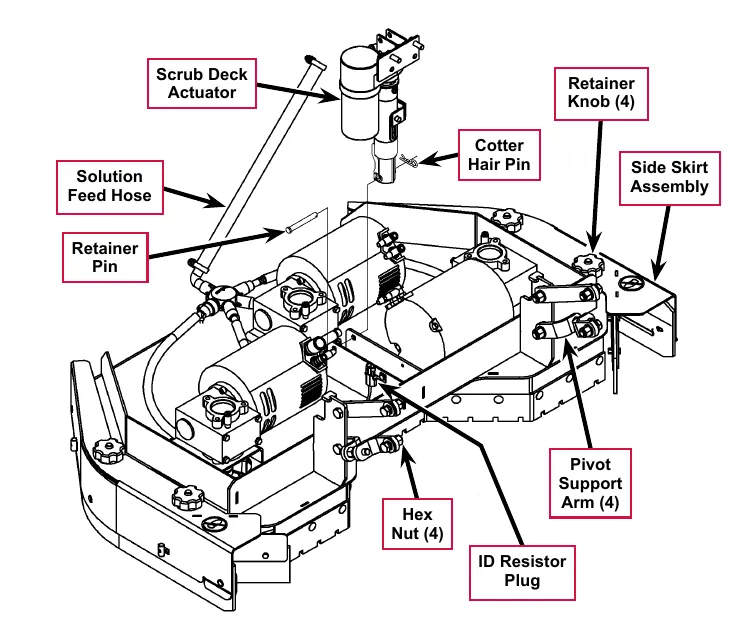
Service Note: Once the brush deck is in the lowered position, don’t turn the key switch off until you disconnect the battery pack (push in the Emergency Disconnect). This will prevent the scrub deck from automatically rising when the key is turned off.
- Turn the key switch off.
- Remove the Solution Feed Hose at solution distribution bladder located on the scrub deck.
- Remove bottom Scrub Deck Actuator Cotter Hair Pin, then push the Retainer Pin from its housing and mount bracket holes.
- Disconnect the Scrub Deck Actuator wire harness connector. Note that this will prevent the Scrub Deck Actuator from being switched on and rising when it is disconnected from its deck mount.
- Note the correct brush motor wire connections at each individual motor, then remove all the wiring from the motor terminals.
- Locate the ID (identification) Resistor Plug on the scrub brush deck and separate its connector.
- Remove the four Hex Nuts, hex screws and bushings from the left and right front deck supports, then swing the Pivot Support Arms away from their mounting holes.
- Remove the previously-installed wood blocking from underneath the drive discs. Note that this must be done to get the needed clearance to remove the scrub deck.
- Carefully slide the complete deck assembly out from underneath the machine from its left side.
Note: Observe the position of the disconnected lift actuator housing and swing it to the rear to clear its mount bracket pocket.
Scrub deck lift actuator
Note: All new replacement actuator motors are not shipped with the lift nut pre-adjusted for any specific machine model application.
Note: The scrub deck must be removed to access the top mount bracket on the scrub deck lift motor.
- Remove the scrub deck by following the steps in the Scrub Brush Deck section.
- Locate and remove the upper Cotter Hair Pin from underneath the middle of the machine.
- Slide the actuator Mount Pin from the housing and frame mounting bracket holes allowing the motor to drop down completing its removal.
- Refer to the Drive Nut Adjustment section for instructions on how to install a new drive nut and set the extended and retracted positions.
- Follow the above steps in reverse order to install the scrub deck actuator.
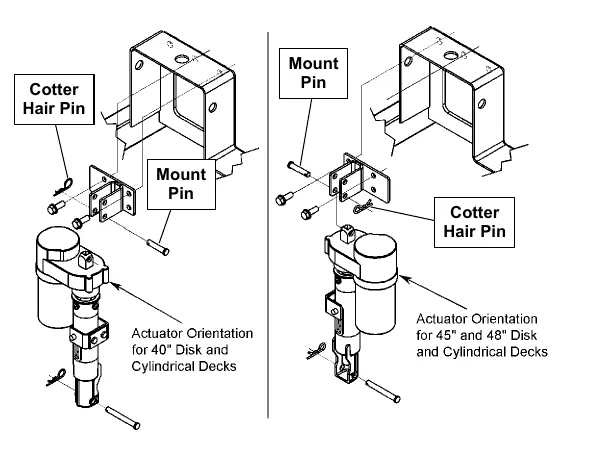
Scrub brush motor and gearbox
To remove and install a gearbox assembly
- Remove the scrub brushes from the Brush Holder(s).
- Use a 0.51 in (13 mm) socket wrench to remove the three Screws from each Thermoid Disk (flexible coupler), then remove the Brush Holder(s) from the Drive Hub(s).
- Remove the hex screw and hardened washer holding the Drive Hub onto the Gearbox Assembly, then pull the Drive Hub off of the Gearbox Output Shaft. Make sure you save the key stock.
- Remove the three Hex Screws that secure each Gearbox Assembly to the deck mounting plate.
- Separate the Gearbox Assembly from the Deck Weldment by pulling it straight up.
- Reassemble the Gearbox Assembly to the Deck Weldment by following the above steps in reverse order. Make sure to reinstall the key stock.
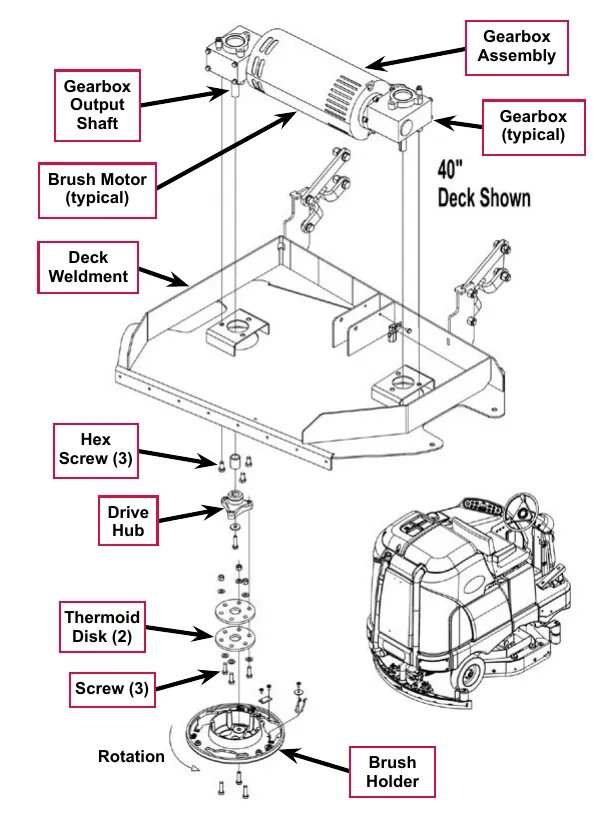
To disassemble and reassemble a gearbox assembly
- Remove the three socket head cap screws securing the Gearbox to the Brush Motor, then separate the Gearbox from the Brush Motor. Make sure to save the internal Gearbox key stock for reassembly.
- Reassemble the Gearbox and Brush Motor by following the above steps in reverse order.
Service Note: Apply a small amount of grease or Never-Seez® anti-seize compound to the Gearbox input and output shafts when you reassemble or install a Gearbox Assembly. This will aid future disassembly and Drive Hub removal.
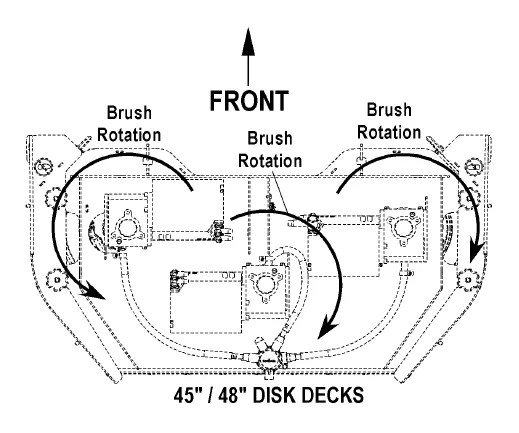
Specifications
| Component | Specifications | |
|---|---|---|
| Scrub Brush Motors | 40” deck | Type – Permanent Magnet |
| Voltage – 36 VDC | ||
| Power – 3 HP | ||
| Speed – 2400 RPM | ||
| Current – 75 Amps | ||
| 45” and 48” decks | Voltage – 36 VDC | |
| Power – 1.5 HP | ||
| Speed – 4000 RPM | ||
| Current – 45 Amps | ||
| Deck Actuator Motor | Type – permanent magnet, 36 VDC, 1/5 HP, reversible | |
| Motor-to-drive-screw ratio – 19.1:1 | ||
| Performance Data | ||
| No Load – Thrust 0 lbs., Speed 36 ±4 in/min, 1.0 ±0.5 Amps | ||
| Full Load – Thrust 600 lbs., Speed 29 ±3 in/min, 5.0 ±1 Amps | ||
| Stall Current – 25 Amps max. | ||
| Start Thrust – 600 lbs. min. | ||
Shop measurements
Brush Contactor (K2, K3 or K4) resistance at room temperature: 93 ohms
Scrub brush motor
- 40D and 1100D deck with no load (brushes out): 11.7-12.2 Amps
- 45D and 1300D deck with no load (brushes out): Not measured
Special tools
| Actuator Power Cord Adapter, p/n 56407502 | 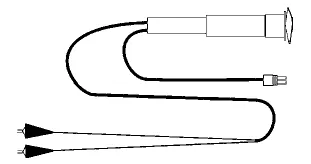 |
Solution system
Functional description
Overview
The solution system provides the Water and detergent mixture to the scrub brushes. Water and detergent are added to the solution tank for Standard (non-EcoFlex) SC6500 models. EcoFlex models have a separate detergent tank. On both standard and EcoFlex models the Drain Hose allows you to drain the Solution Tank by removing the Drain Plug.
On standard (non-EcoFlex) models, the solution is gravity fed through the plumbing to the scrub deck. The solution solenoid is spring loaded closed to block the fluid. The A2 Control Board provides pulsed-width-modulated (PWM) voltage to the Solution Solenoid to regulate the solution flow rate.
On EcoFlex models, a solution pump is used to move fluid from the solution tank to the scrub deck. The A2 Control Board provides pulsed-width-modulated (PWM) voltage to the Solution Control Pump to regulate the solution flow rate. Note that the Solution Solenoid Valve is full-open whenever the solution system is switched on.
On EcoFlex models, when the detergent system is switched on, the solenoid style Detergent Pumps inject detergent into the solution sytem plumbing. The A2 Control Board provides PWM voltage to the Detergent Pumps to regulate the detergent flow.
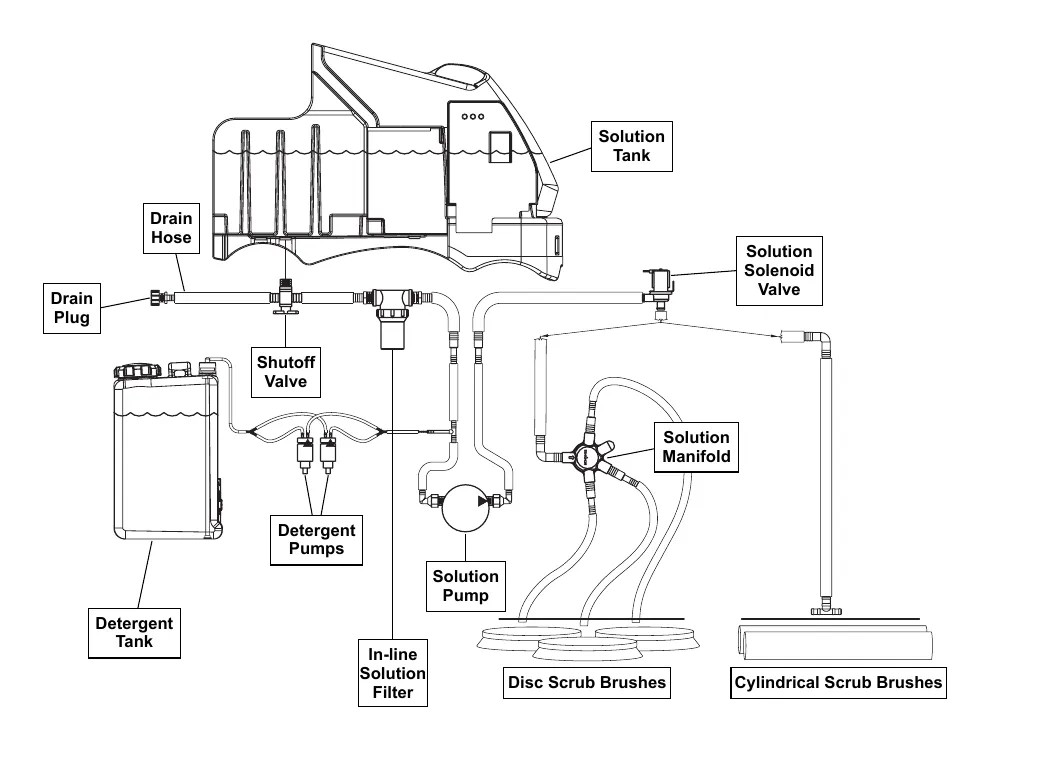
Solution tank
The Solution Tank holds 70 gallons (265 L) of solution. The solution fill cover opens to allow you to fill the Solution Tank. The solution empty switch is a float switch that closes and sends a signal to the A2 Control Board Assembly when the solution level in the Solution Tank falls to two to three inches from the bottom of the tank. The solution system indicator will flash to remind the operator of the low-solution condition, but the machine will continue to function.
Shutoff valve
The Shutoff Valve allows you to shut off the solution flow from the Solution Tank for cleaning and maintenance.
Drain hose and hose cap
The Drain Hose allows you to drain the solution tank. To drain the tank, remove the Drain Hose Cap.
Solution filter
The in-line Solution Filter prevents any sediment or debris from reaching the solution control pump and solution solenoid valve. The Solution Filter can be disassembled for cleaning.
Solution control pump
The Solution Control Pump pumps the solution through the solution solenoid valve to the nozzles adjacent to the scrub brushes. The Solution Control Pump gets PWM voltage from the A2 Control Board to regulate the Solution Control Pump speed and the corresponding solution flow.
Solution solenoid valve
The Solution Solenoid Valve opens to allow solution flow to the scrub brushes. Although the Solution Solenoid Valve gets PWM voltage from the A2 Control Board, it remains full-open when the solution pump is switched on.
Solution manifold (disc decks only)
The Solution Manifold distributes the solution from the solution pump to the nozzles adjacent to the scrub brushes.
Accessory pump
The accessory pump is included in the optional Spray Wand Kit and pumps solution to the spray wand. The pump has its own pressure switch that switches the pump on or off automatically when the wand trigger is pressed or released.
Detergent tank and pumps
The Detergent Pumps pump detergent from the Detergent Tank to the tee fitting upstream of the solution pump. The Detergent Pumps get PWM voltage from the A2 Control Board to regulate the speed of the Detergent Pumps and the subsequent detergent flow.
Solution system wiring diagram
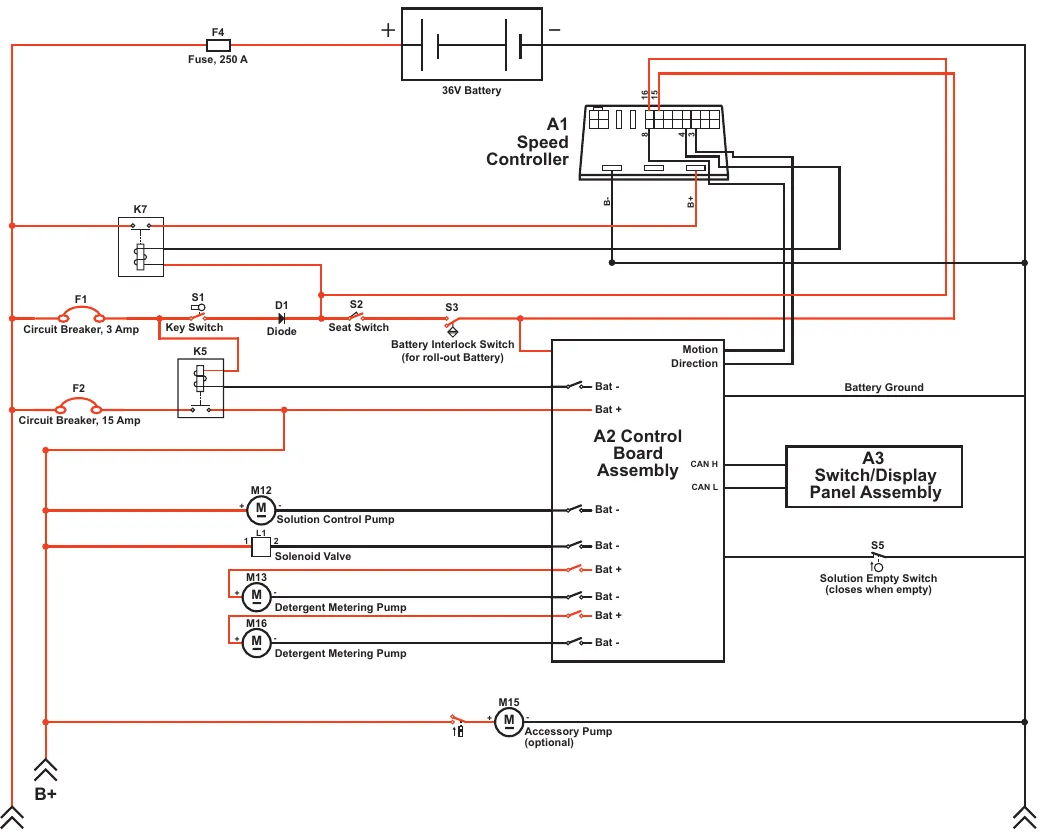
| Label on drawing | Printed text |
|---|---|
| F4 | Fuse, 250 A |
| (battery) | 36V Battery |
| A1 | Speed Controller (terminal numbers 16, 15, 8, 4, 3; terminals B-, B+) |
| K7 | (label only) |
| F1 | Circuit Breaker, 3 Amp |
| S1 | Key Switch |
| D1 | Diode |
| S2 | Seat Switch |
| S3 | Battery Interlock Switch (for roll-out Battery) |
| K5 | (label only) |
| F2 | Circuit Breaker, 15 Amp |
| A2 | Control Board Assembly (terminals printed: Motion, Direction, Bat -, Bat +, CAN H, CAN L) |
| A3 | Switch/Display Panel Assembly |
| M12 | Solution Control Pump |
| L1 | Solenoid Valve (terminals 1 and 2) |
| M13 | Detergent Metering Pump |
| M16 | Detergent Metering Pump |
| M15 | Accessory Pump (optional) |
| S5 | Solution Empty Switch (closes when empty) |
| (arrows) | B+ (printed once, under the inner lower-left arrow; the corner arrows at lower left and lower right carry no label) |
| (line) | Battery Ground (printed on the line to the right of the A2 box) |
Circuit description
Solution system
The Solution Control Pump M12 and solution Solenoid Valve L1 get positive voltage from the Battery when the load side of contactor K5 is closed. The contactor K5 closes when the A2 Control Board Assembly connects the K5 coil to battery ground.
The Solution Control Pump M12 and solution Solenoid Valve L1 are connected to battery ground through the A2 Control Board Assembly. The A2 Control Board Assembly connects the Solution Control Pump M12 and solution Solenoid Valve L1 to ground to run the Solution Control Pump M12 and switch on the Solenoid Valve L1 when:
- The A3 Switch/Display Panel Assembly sends the A2 Control Board Assembly a signal via the CAN BUS that the solution system has been enabled, and,
- The A1 Speed Controller sends the A2 Control Board Assembly a signal that the wheel drive is switched on. Note that you can select whether the solution system will switch on when the machine is moving in both forward and reverse, or when moving forward only. This option is described in the Control System/Main Control Programming Options section.
Note that the ground voltage from the A2 Control Board Assembly to the Solution Control Pump M12 is pulse-width-modulated (PWM) voltage that varies in frequency to control the solution flow from the Solution Control Pump M12. The ground voltage from the A2 Control Board Assembly to the Solenoid Valve L1 is also PWM voltage, but is always at full voltage when the Solution Control Pump M12 is on.
Detergent system
The Detergent Metering Pumps M13 and M16 are powered directly by the A2 Control Board Assembly. The A2 Control Board Assembly sends the Detergent Metering Pumps voltage to run the Detergent Metering Pumps when:
- The A3 Switch/Display Panel Assembly sends the A2 Control Board Assembly a signal via the CAN BUS that the detergent system has been enabled, and,
- The solution system is switched on.
Note that the voltage from the A2 Control Board Assembly to the Detergent Metering Pumps is PWM voltage that varies in frequency to control the detergent flow from the Detergent Metering Pumps into the solution system.
Accessory pump
The Accessory Pump M15 gets positive voltage from the Battery when the load side of contactor K5 is closed. When the internal Accessory Pump pressure switch is closed, it connects the negative side of the Pump motor to battery ground. The pressure switch works as follows:
- When the wand trigger is pressed and the pressure in the wand solution hose drops to a predetermined level, the pressure switch switches on the Accessory Pump.
- When the wand trigger is released, the Accessory Pump will continue to run momentarily. When the pressure in the wand solution hose increases to a predetermined level, the pressure switch switches off the Accessory Pump.
Component locations
Shutoff valve
The Shutoff Valve is located underneath the solution tank on the left rear side of the machine.
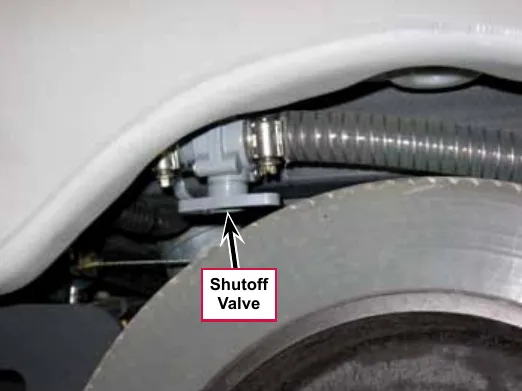
Solution level switch
The solution level switch is a float switch in the bottom of the solution tank. It reports when the tank is nearly empty. The solution system indicator will flash to remind the operator of the low-solution condition, but the machine will continue to function.
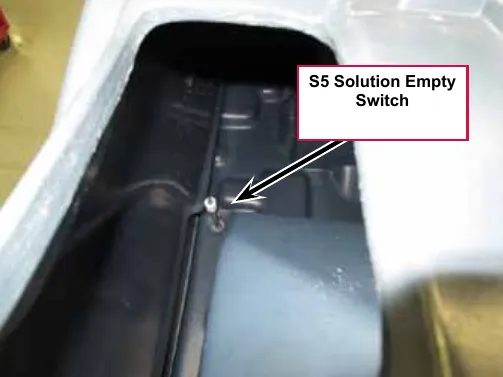
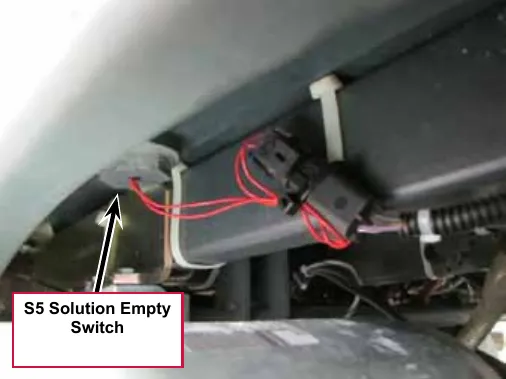
Drain hose and hose cap
The Drain Hose and Drain Hose Cap are attached to the shutoff valve and are located above the left rear tire.
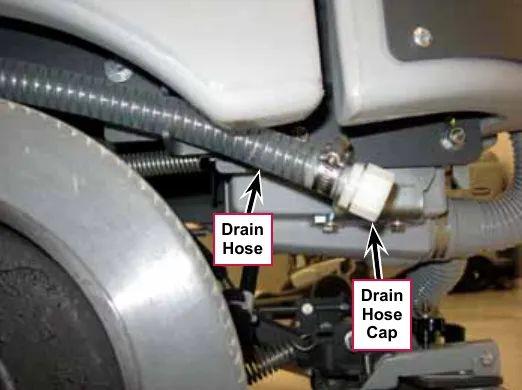
Solution filter
The in-line Solution Filter is located between the shutoff valve and the solution pump underneath the left side of the machine. The Solution Filter is below the FILTER location arrow molded into the machine body panel.

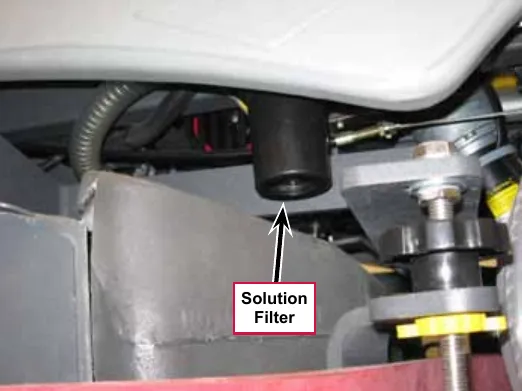
Solution control pump
The Solution Control Pump pumps the solution through the solution solenoid valve to the nozzles adjacent to the scrub brushes. The Solution Control Pump gets PWM voltage from the A2 Control Board to regulate the Solution Control Pump speed and the subsequent solution flow.
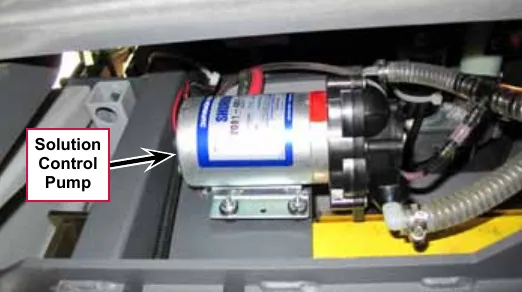
Solution solenoid valve
The Solution Solenoid Valve opens to allow solution flow to the scrub brushes. Although the Solution Solenoid Valve gets PWM voltage from the A2 Control Board, it remains full-open when the solution pump is switched on.
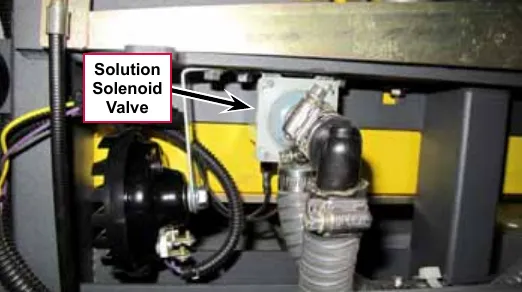
Solution manifold (disc decks only)
The Solution Manifold distributes the solution from the solution pump and solenoid valve to the nozzles adjacent to the scrub brushes.
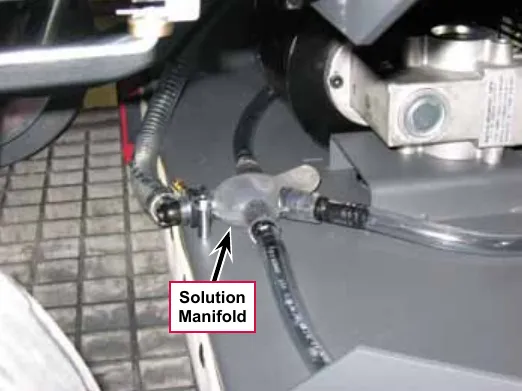
Accessory pump
The Accessory Pump is included in the optional Spray Wand Kit. The pump mounts on the underside of the chassis,
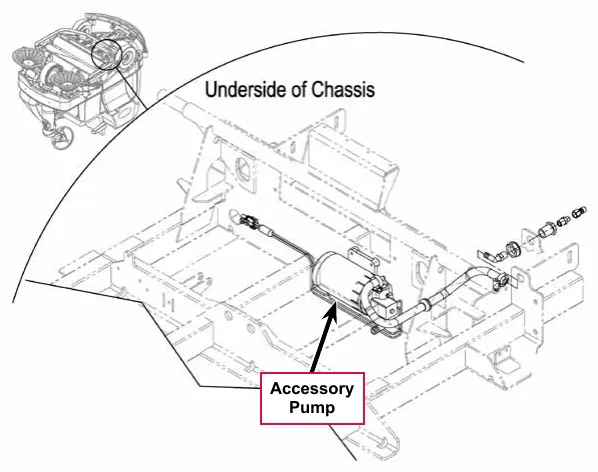
Detergent tank and pumps
The Detergent Tank and Detergent Pumps are located behind the side access panel on the right-hand side of the machine.
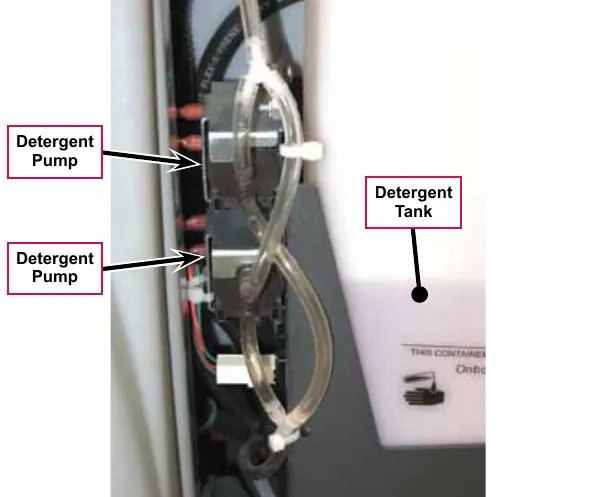
Maintenance and adjustments
To disassemble and clean the solution solenoid valve
- Remove the solution solenoid valve from the machine. (Refer to the Removal and Installation/Solution Solenoid Valve section.)
- Remove the four Screws and disassemble the solenoid valve. Be careful not to lose any internal parts.
- Thoroughly wash any dirt or sediment from the Block and Diaphragm.
- After you reassemble the solenoid valve, check the valve for correct operation.
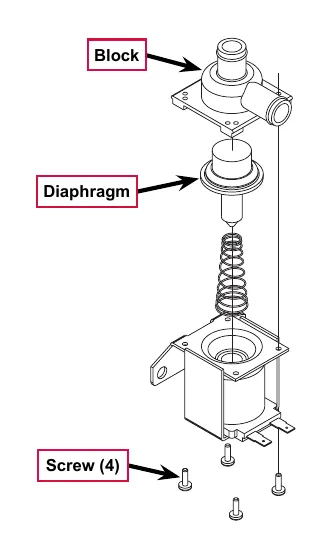
Weekly maintenance
To empty and rinse the solution tank
- Remove the solution drain hose from its storage area (located above the left rear tire).
- Remove the drain hose cap and direct the hose to a designated disposal site and flush the tank with clean water.
- Replace the drain hose cap and replace the drain hose in its storage area.
To clean the solution filter
- Close the solution shutoff valve to prevent solution from draining from the solution tank when servicing the filter with a partial or full solution tank.
Note: Place a suitable container underneath the filter to catch any solution that may leak from the hoses.
The adjacent photo shows the Solution Filter removed from the machine to more clearly show the individual components.
- Unscrew the Filter Cover and remove the Filter Cover and Screen from the Filter Base.
- Clean any accumulated dirt or debris from the Screen.
- Reinstall the Screen into the Filter Base.
- Make sure the Rubber Washer is installed correctly in the Filter Cover, then reinstall and hand-tighten the Filter Cover.
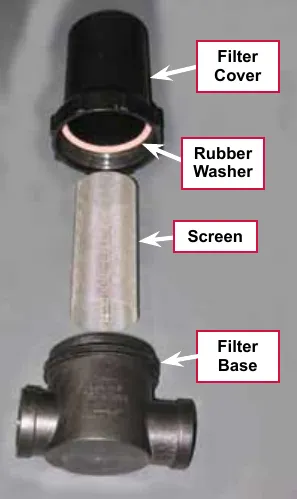
To clean the solution delivery trough (cylindrical scrub decks only)
Clean the holes in the Delivery Trough to ensure even solution distribution.
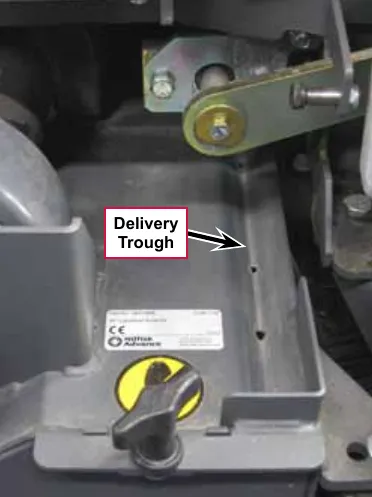
To purge the detergent system
- Disconnect and remove the detergent tank.
- Install and connect a tank filled with clean water.
- Turn the key switch off.
- Press and hold both the detergent and solution switches.
- While holding the switches, turn the key switch on. The display will show the purge icon, the detergent and solution pumps will run for 20 seconds, then the pumps will shut off.
- When the purge cycle is complete, turn the key switch off. Normally one purge cycle is adequate to purge the system.
To purge the detergent system when changing detergents
- Disconnect and remove the detergent tank.
- Turn the key switch off.
- Press and hold both the detergent and solution switches.
- While holding the switches, turn the key switch on. The display will show the purge icon, the detergent and solution pumps will run for 20 seconds, then shut off.
- When the purge cycle is complete, turn the key switch off.
- Install and connect the new detergent tank.
To program the detergent ratio
There are 10 available detergent ratios. Select the desired detergent ratio as follows:
- Press the detergent switch to turn the detergent system off (if not already off).
- Press and hold the detergent switch for two seconds to enter the ratio programming mode. The detergent system indicator will blink while in the programming mode.
- Press the detergent switch to cycle through the available detergent ratios as follows:
- Advance Brand Display: 1:400, 1:300, 1:256, 1:200 (shown here), 1:150, 1:128, 1:100, 1:64, 1:50, and 1:32.
- Nilfisk Brand Display: 0.25%, 0.3%, 0.4%, 0.5%, 0.66%, 0.8%, 1%, 1.5%, 2%, and 3%.
- When the desired ratio is displayed, stop pressing the detergent switch. After five seconds the machine will lock in the displayed detergent ratio setting.
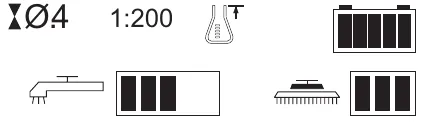
Troubleshooting
Note: You can use the Service Test Mode to toggle the various system components on and off to check for function. Refer to the Control System/Service Mode section for information on how to enter and use the Service Test Mode.
| Problem | Error code | Cause | Correction |
|---|---|---|---|
| Problem | Cause | Solution | |
| Inadequate or no solution flow | The solution shutoff valve is in the off position. | Open the solution shutoff valve. | |
| Clogged solution filter, solenoid valve, hoses. Clogged solution delivery trough (cylindrical decks only) |
| ||
| 33# | L1 Solution solenoid open (Main Controller Error Code 33) |
| |
| 34# | L1 Solution solenoid short to ground (Main Controller Error Code 34) |
| |
| 12# | Solution solenoid L1 overload (Main Controller Error Code 12) |
| |
| 35# | Solution pump open (Main Controller Error Code 35) |
| |
| 13# | Solution pump overload (Main Controller Error Code 13) |
|
Troubleshooting (continued)
| Problem | Cause | Correction |
|---|---|---|
| Inadequate or no detergent flow | The detergent system has not been selected in the main control programming. | Check that the detergent system has been selected in the main control programming. |
| Blockage in or damage to the detergent lines | Check detergent lines for blockage or damage and repair/replace as necessary. | |
| The detergent tank cap is not sealed on the tank. | Tighten the tank cap. The detergent tank cap must be seated securely and tight to pull (draw detergent) from the tank. | |
| The detergent pumps are not operating. |
|
Removal and installation
Solution control pump
Note: Access the solution control pump from underneath the machine.
- Drain the solution tank or turn the solution shutoff valve to the off position to prevent solution loss.
- Disconnect the battery from the machine.
Note: Place a suitable container underneath the solution control pump to catch any solution that may leak from the pump or hoses.
- Disconnect the pump Electrical Connector from the machine harness.
- Remove the four #10-24 Screws, Nyloc™ nuts and flat washers holding the Solution Control Pump to the bottom of the machine.
- Loosen the Clamps holding the Hoses to the Elbows and disconnect (pry) the Hoses off of the Elbows.
- Remove the Solution Control Pump from the machine.
- Reinstall the Solution Control Pump by following the above steps in reverse order.
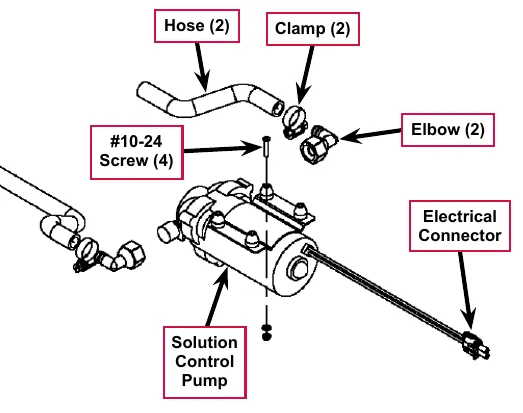
Solution solenoid valve
- Drain the solution tank or turn the solution shutoff valve to the off position to prevent solution loss.
- Disconnect the battery from the machine.
Note: Place a suitable container underneath the filter to catch any solution that may leak from the solenoid valve or hoses.
- Disconnect the L1 solenoid valve Electrical Connector from the machine harness.
- Loosen the Hose Clamps on the Inlet and Outlet Hoses.
- Separate (pry) the Outlet Hose off of the barbed fitting on the Valve Body.
- Remove the two Hex Screws holding the Valve Body to the underside of the chassis, then pull the Valve Body toward the front of the machine to separate it from the Outlet Hose.
- Reinstall the solenoid valve by following the above steps in reverse order.
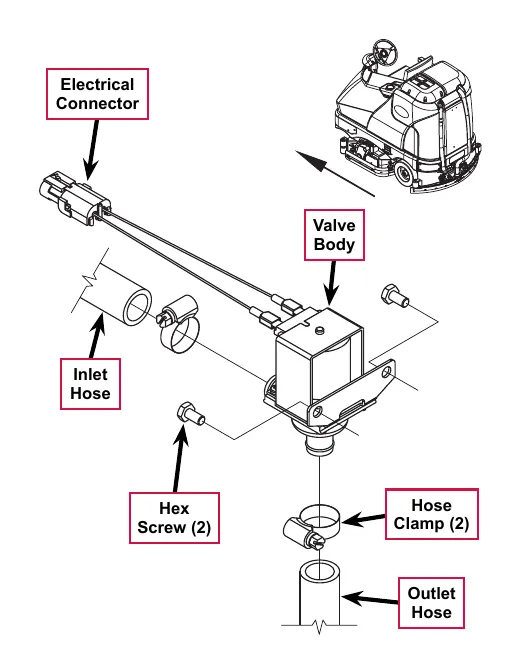
Specifications
Solution flow rates
| Standard Flow Rates | Override Flow Rates | ||||
|---|---|---|---|---|---|
| 1 bar | 2 bars | 3 bars | 4 bars | 5 bars | |
| 40” Disc | .84 GPM | 1.00 GPM | 1.50 GPM | 2.00 GPM | 2.50 GPM |
| 40” Cylindrical | .70 GPM | .84 GPM | 1.00 GPM | 1.50 GPM | 2.50 GPM |
| 45”/48” Disc | 1.00 GPM | 1.50 GPM | 2.00 GPM | 2.25 GPM | 2.50 GPM |
| 45”/48” Cylindrical | .84 GPM | 1.00 GPM | 1.50 GPM | 2.00 GPM | 2.50 GPM |
Component specifications
| Component | Specifications |
|---|---|
| Solution Control Pump | Voltage - 36 VDC |
| Current Draw - 3.9 amps max. | |
| Flow Rate - 3.3 GPM @ 2.75 amps with 20 psi inlet pressure | |
| Solution Solenoid Valve | Coil Voltage - 36 VDC |
| Coil Resistance - 74 ohms | |
| Accessory Pump | Voltage - 36 VDC |
| Current Draw - 3.0 amps max. | |
| Pressure Control Setting - 100 ±5 psi | |
| Maximum Flow Rate - 1.6 gal/min | |
| Detergent Pump | Voltage - 24 VDC |
| Flow Rate - 2.9 ±0.1 fl oz/min (87 ±3 ml/min) |
Shop measurements
Solultion Solenoid (L1) resistance at room temperature: 93 ohms
Chemical Metering Pump (M13, M16): 36.6 ohms
Squeegee system
Functional description
Overview
The squeegee system includes the squeegee tool and the squeegee lift actuator.
The squeegee tool picks up the wastewater from the floor. The recovery system vacuum lifts the wastewater from the squeegee and directs it to the recovery tank.
The squeegee lift actuator, controlled by the A2 control board assembly, raises and lowers the squeegee tool.
Squeegee system wiring diagram
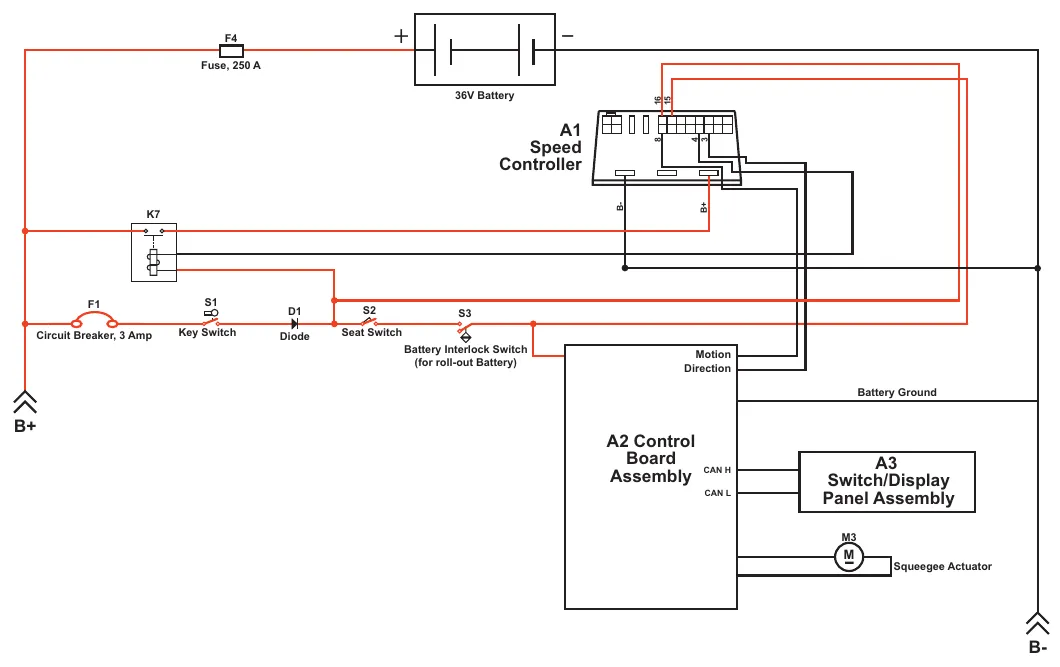
| Reference | Label printed on the drawing |
|---|---|
| F4 | Fuse, 250 A |
| Battery | 36V Battery |
| A1 | Speed Controller (terminals marked 16, 15, 8, 4, 3, B-, B+) |
| K7 | K7 (no other label printed) |
| F1 | Circuit Breaker, 3 Amp |
| S1 | Key Switch |
| D1 | Diode |
| S2 | Seat Switch |
| S3 | Battery Interlock Switch (for roll-out Battery) |
| A2 | Control Board Assembly (terminals marked Motion, Direction, CAN H, CAN L; line marked Battery Ground) |
| A3 | Switch/Display Panel Assembly |
| M3 | Squeegee Actuator |
| Terminals | B+ and B- |
Circuit description
The Squeegee Actuator M3 gets voltage from the A2 Control Board Assembly which switches the polarity to move the squeegee tool up or down. When the A2 Control Board Assembly receives a signal from the A3 Switch/Display Panel Assembly via the CAN BUS that the operator has pressed the scrub on switch, the A2 Control Board Assembly sends the appropriate voltage to the Squeegee Actuator M3 to lower the squeegee to the operating position.
Squeegee lift actuator reverse function
The squeegee actuator operates in the automatic mode when scrubbing and will automatically lower to its normal operating position when the scrub system is enabled. To prevent squeegee blade damage and excessive wear, the Squeegee Actuator M3 will lift the squeegee tool from the floor when the machine is operated in reverse.
To get the squeegee tool to lift in reverse, the drive pedal must be moved off its neutral or forward position, which triggers the needed reverse direction output from the A1 Speed Controller to the A2 Control Board Assembly. The A2 Control Board Assembly sends voltage to the Squeegee Actuator M3 at the appropriate polarity, and for a specified time, to lift the squeegee to a position that is half the upward distance that the squeegee moves when the scrub system is switched off.
Moving the drive pedal back to the neutral/forward switches off the reverse direction output from the A1 Speed Controller to the A2 Control Board Assembly. The A2 Control Board Assembly then sends voltage to the Squeegee Actuator M3 at the appropriate polarity to lower the squeegee tool back onto the floor.
Component locations
The Squeegee Assembly is attached to the Squeegee Mount Weldment, which is attached to the Squeegee Lift Arm Weldment. The Squeegee Assembly is fastened to the Squeegee Mount Weldment with two Thumb Nuts.
The Squeegee Lift Actuator raises and lowers the Squeegee Assembly, and is mounted horizontally in the left rear of the chassis underneath the recovery tank. The Squeegee Lift Actuator is attached to the machine frame and to the Squeegee Lift Arm Weldment.
The Ball Joint attaches the Squeegee Lift Arm Weldment to the frame and allows the Squeegee Assembly to move as necessary.
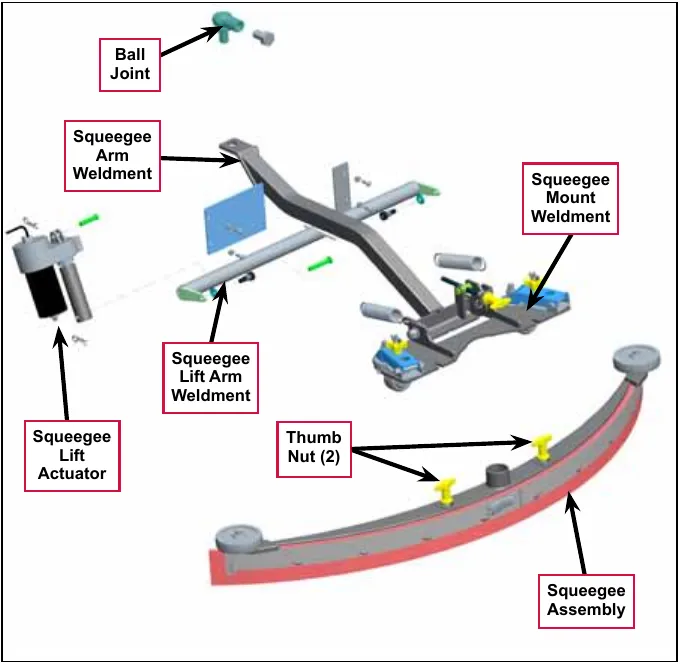
Maintenance and adjustments
To reverse or replace the rear squeegee wiping blade
- Raise the squeegee tool off the floor, then unsnap the Center Latch on the squeegee tool.
- Swing out the Tension Straps at both ends, disengage the Tension Strap slots from the Front Strap and remove the Tension Straps.
- Slip the Rear Blade off the alignment pins.
- The Rear Blade has four working edges. Turn the Rear Blade so a clean, undamaged edge points toward the front of the machine. Replace the blade if all four edges are nicked, torn or worn to a large radius.
- Install the Rear Blade, following the above steps in reverse order, then adjust the squeegee as necessary.
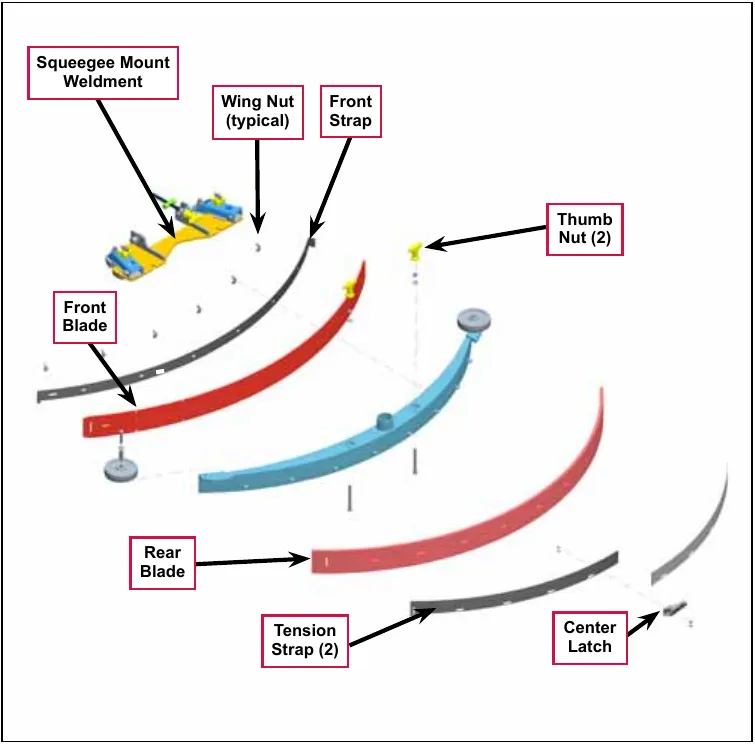
To reverse or replace the front squeegee blade
- Raise the squeegee tool off the floor, then loosen the two Thumb Nuts on top of the squeegee and remove the squeegee tool from the Squeegee Mount Weldment.
- Remove both Tension Straps, then remove the Wing Nuts holding the Front Blade in place as shown, then remove the Front Strap and Front Blade.
- The Front Blade has four working edges. Turn the Front Blade so a clean, undamaged edge points toward the front of the machine. Replace the Front Blade if all four edges are nicked, torn or worn to a large radius.
- Install the Front Blade, following the above steps in reverse order, then adjust the squeegee as necessary.
Squeegee adjustment
There are two major squeegee tool adjustments–height and angle. The recommended procedure is to set the squeegee angle first, then adjust the squeegee blade height.
To adjust the squeegee angle
Adjust the squeegee angle whenever a blade is reversed or replaced, or if the squeegee is not wiping the floor dry.
- Park the machine on a flat, even surface and lower the squeegee.
- Drive the machine forward enough to have the squeegee blades fold over to the rear as shown in the detail drawing.
- Turn the Tilt Adjustment Knob to tilt the tool forward or backward until the rear squeegee wiping blade touches the floor evenly across its entire width.
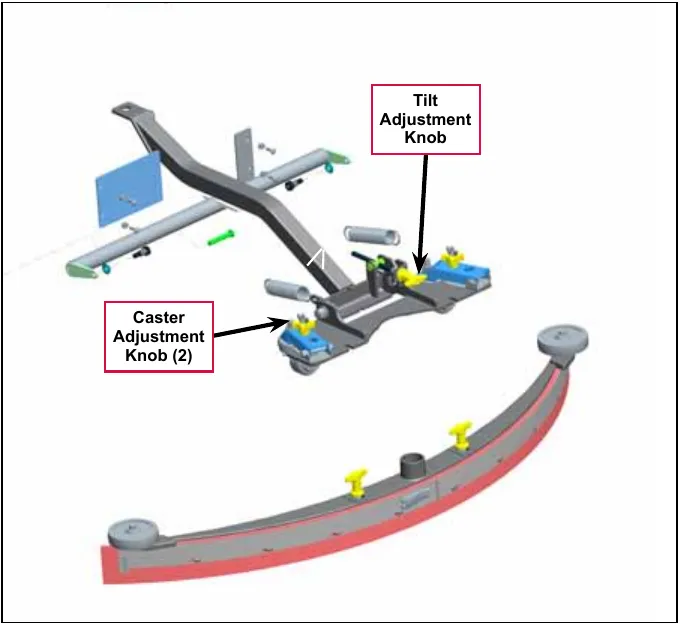
To adjust the squeegee blade height
Adjust the squeegee height whenever a blade is reversed or replaced, or if the squeegee is not wiping the floor dry. The squeegee blade height is easily adjustable at the caster wheels. To adjust the squeegee blade height:
- Park the machine on a flat, even surface and lower the squeegee.
- Drive the machine forward enough to have the squeegee blades fold over to the rear as shown in the detail drawing.
- Rotate the Caster Adjustment Knobs clockwise to lift the squeegee, or counterclockwise to lower it. A starting point when replacing the blades is to adjust the caster-mounting bracket so it is level (parallel) to the top of the squeegee tool.
Note: The right and left caster wheels must be adjusted equally to maintain level and even blade pressure.
Lift actuator adjustment
Using the actuator power cord adapter
The adjacent drawing shows the special actuator power cord adapter (p/n 56407502) that is needed to connect the machine’s battery pack and actuator motor for setting the actuator drive nut limit settings. To connect the actuator power cord adapter:
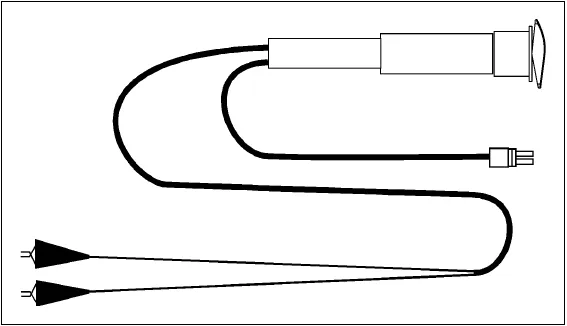
- Open the machine battery compartment and disconnect the battery connector. The battery pack is needed to power the lift actuator motor to correctly set the IN and OUT limit switches.
- Connect the actuator motor to be tested to the power cord adapter end.
- Connect the alligator clips from the cord adapter (red clip to the positive and black to negative) to battery connector or battery posts. Use the rocker switch on the actuator power cord adapter to change the motor rotation when setting the correct actuator drive nut dimensions.
Service Note: You can use the above actuator power cord adapter to help position the drive nut/spring housing assembly (in or out) for ease in actuator motor installations.
Actuator drive nut adjustment
- Hold onto the Actuator Drive Nut and press the rocker switch on the actuator power cord adapter to run the drive motor and retract the Actuator Drive Nut toward the motor housing (the IN limit).
- Measure the position of the Actuator Drive Nut on the actuator shaft. Manually turn the Actuator Drive Nut (steel tube) to the IN position as shown in the table on the following page for the specific actuator motor needing adjustment.
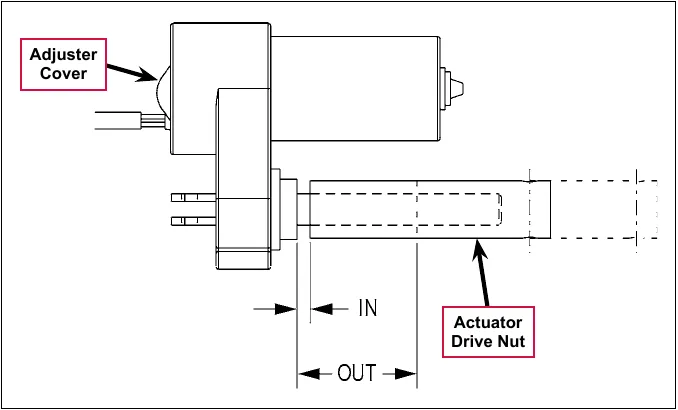
Note: All adjustment settings are measured out of the machine (not attached).
- Hold the Actuator Drive Nut then press the adapter cord rocker switch to run the drive motor to the OUT position (wait until the motor stops).
- Measure the position of the Actuator Drive Nut on the shaft and compare the measurement with the OUT position shown in the table below.
| Part # | Actuator Motor | Actuator Drive Nut IN Position | Actuator Drive Nut OUT Position | Models |
|---|---|---|---|---|
| 56413111 | Squeegee Lift | 1-1/4 in (3.17 cm) | 3-1/8 in (7.93 cm) | All |
- If the OUT measurement doesn’t match the dimension shown in the table, remove the Adjuster Cover and adjust the OUT position as follows:
- To increase the travel of the Actuator Drive Nut, turn the adjuster clockwise.
- To decrease the travel of the Actuator Drive Nut, turn the adjuster counterclockwise.
Note: Use a 1/2 in (13 mm) socket to turn the adjuster. Each click of the adjuster will change the Actuator Drive Nut 1/16 inch (1.6 mm).
- Hold the Actuator Drive Nut, run the actuator in and out and check both dimensions after each adjustment.
- When the Actuator Drive Nut limits are set correctly, replace the Adjuster Cover.
Troubleshooting
| Problem | Cause | Correction |
|---|---|---|
| Problem | Cause | Solution |
| Poor water pick-up | Clogged vacuum hose | Check the vacuum hose and clear/clean as necessary. |
| Vacuum leaks | Check the squeegee tool and vacuum hose for leaks or cracks and repair/replace as necessary. | |
| The squeegee tilt and/or height is set incorrectly, | Adjust the squeegee tilt and/or height as necessary. | |
| The squeegee leaves narrow streaks of water. | The blades are dirty or damaged | Remove the squeegee, rinse it under warm water and inspect the blades. Reverse or replace the blades if they are cut, torn, wavy or worn. |
| The squeegee lift actuator will not raise or lower the squeegee. | Squeegee actuator overload (error code 11 displayed)
|
To test the actuator, disconnect the motor plug and attach the actuator power cord adapter (p/n 56407502) and perform an amp draw test. Compare readings to the current load specifications. |
Removal and installation
Squeegee lift actuator
- Remove the Squeegee Tool from the Squeegee Mount Weldment.
- Lower the squeegee mount to the floor by pressing the Vacuum/Wand Switch on the control panel.
- Once the brush deck is in the lowered position, disconnect the battery pack (push in the Emergency Disconnect) before you turn the key switch off. This will prevent the squeegee from automatically rising when the key is turned off.
- Turn the key switch off.
- Unplug the squeegee lift motor wiring connector from the machine harness.
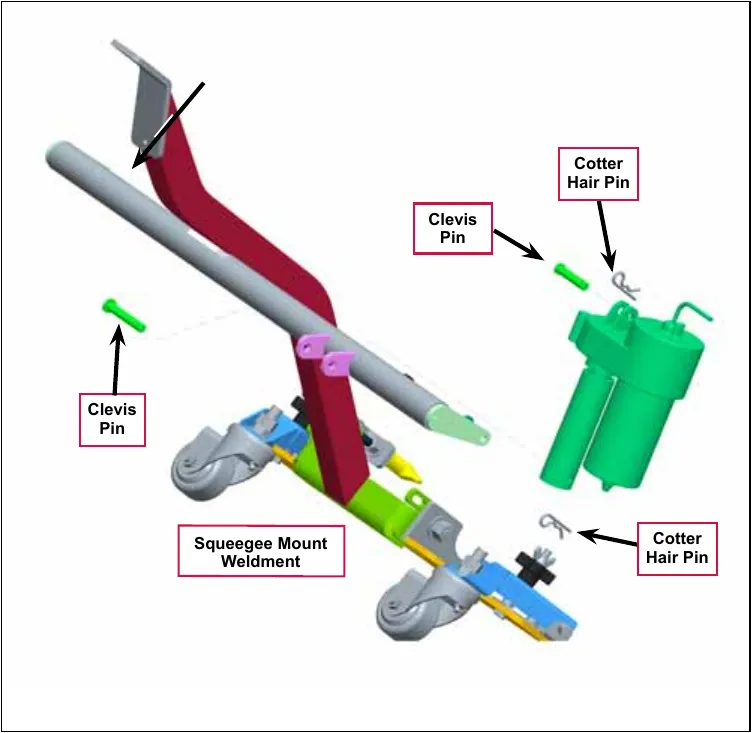
- Go underneath the machine and remove the two Hair Cotter Pins, then slide out (push) both Clevis Pins from their mounting holes to remove the lift actuator from the machine.
Note: New replacement lift actuator motors do not come with the lift drive nut pre-adjusted.
Service Note: After removing the lift actuator, and before installing a new actuator or drive nut, the drive nut and limit switches must be set (or checked) to their correct specifications. Refer to the Lift Actuator Adjustment section (page 159).
- After checking or setting the correct actuator lift drive nut dimensions, install the squeegee lift actuator by following the above steps in reverse order.
Service Note: Connect the special actuator power cord adapter to the lift motor as shown in the Lift Actuator Adjustment section to help position the lift actuator for an easier installation.
Specifications
| Component | Specifications |
|---|---|
| Squeegee Actuator Motor | Type – permanent magnet, 36 VDC, 1/6 HP, reversible |
| Motor-to-drive-screw ratio – 27.1:1 | |
| Performance Data | |
| No Load – Thrust 0 lbs., Speed 39 in/min, 1.4 Amps max. | |
| Full Load – Thrust 600 lbs., Speed 30 in/min, 6.7 ±1 Amps | |
| Start Thrust – 600 lbs. |
Shop measurements
Shop measurements are values that were measured on a real machine. While they are not “specifications”, they can help you recognize normal vs abnormal.
Squeegee actuator motor
- Current draw going up: 2.2 Amps
- Current draw going down: 1.2 Amps
Special tools
Actuator Power Cord Adapter, p/n 56407502
Steering system
Functional description
Drive wheel steering assembly
The steering assembly transfers the steering wheel rotation through the steering shafts and universal joint to the Steer Sprocket at the bottom of the assembly. The Steer Sprocket runs a chain connected to the front spindle weldment to turn the drive wheel left and right.
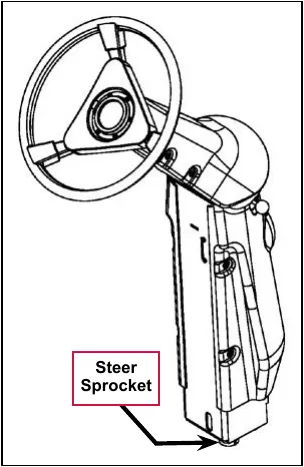
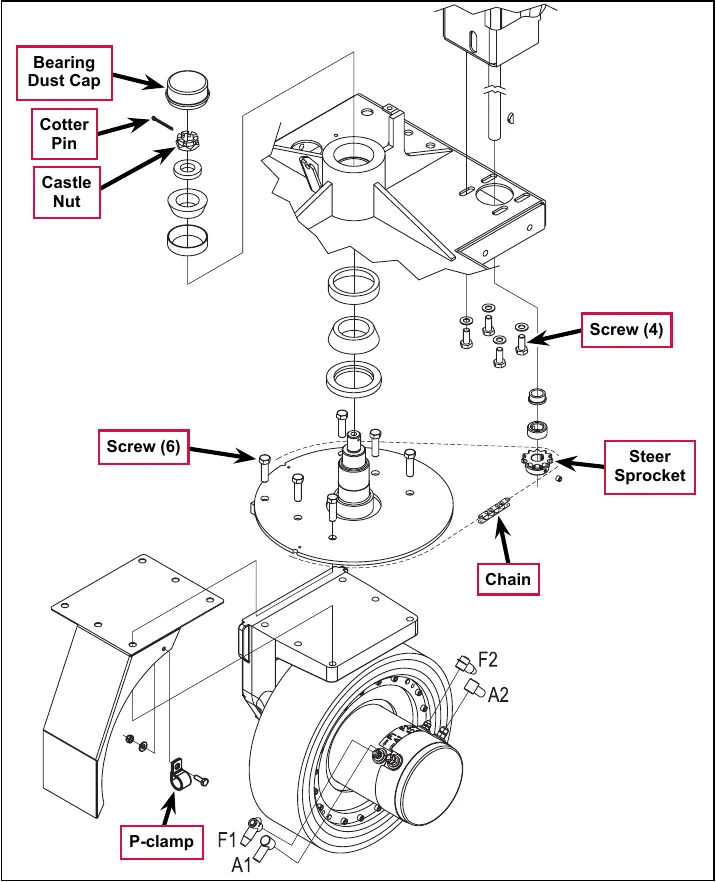
Maintenance and adjustments
Steering chain
- Inspect the chain for looseness and binding.
- Adjust the chain tension to 3/16 in – 1/4 in (4.7 – 6.4 mm) deflection by following the instructions in the Removal and Installation/Steering Chain Removal and Tensioning section.
- Keep all of the steer chain links greased to prevent excessive wear and binding.
Removal and installation
Steering chain removal and tensioning
- Turn the master key switch off and disconnect the battery pack emergency-stop/battery disconnect.
- Loosen the four Screws from underneath the front of the machine and push the Lower Steering Column toward the rear of the machine. This will allow you to separate the Chain from the Steer Sprocket.
- Remove both Master Links that secure the Chain to the Steer Plate then remove the Chain from the chassis.
- Reinstall the Chain by following the above steps in reverse order.
- Adjust the Chain tension so there is about 3/16 in – 1/4 in (4.7 – 6.4 mm) total deflection with moderate pressure applied at the Midpoint as shown.
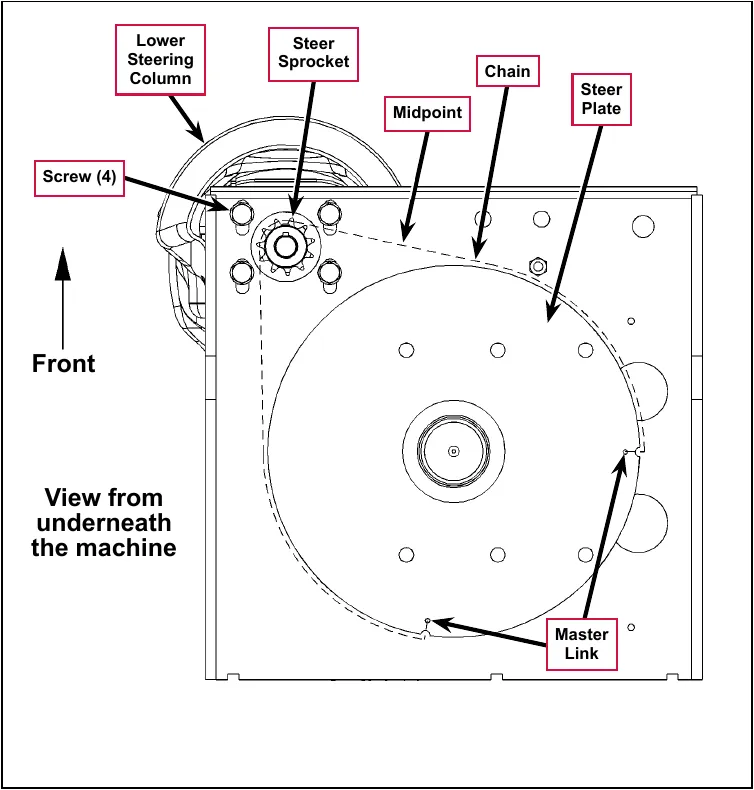
Service Note: Use a pry bar or shims between the chassis and steer column to help secure the tension adjustment when tightening the four steering column mounting Screws.
Sweep system, side broom
Functional description
Overview
The optional side brooms are available on cylindrical deck machines only. The two 20 in (50.8 cm) side brooms are mounted at the front corners of the machine and rotate in opposite directions to sweep dirt and debris into the main cylindrical brushes. The main cylindrical brushes then sweep the dirt and debris into a removable hopper.
The side broom lift actuator raises and lowers the side brooms via a pivoting arm linkage assembly. The side brooms will be lowered automatically when the scrub system is enabled. Note that this automatic side broom function can be enabled or disabled in the main control programming options. The broom motors will switch on when the drive pedal is moved from the neutral position.
Side broom sweep system wiring diagram
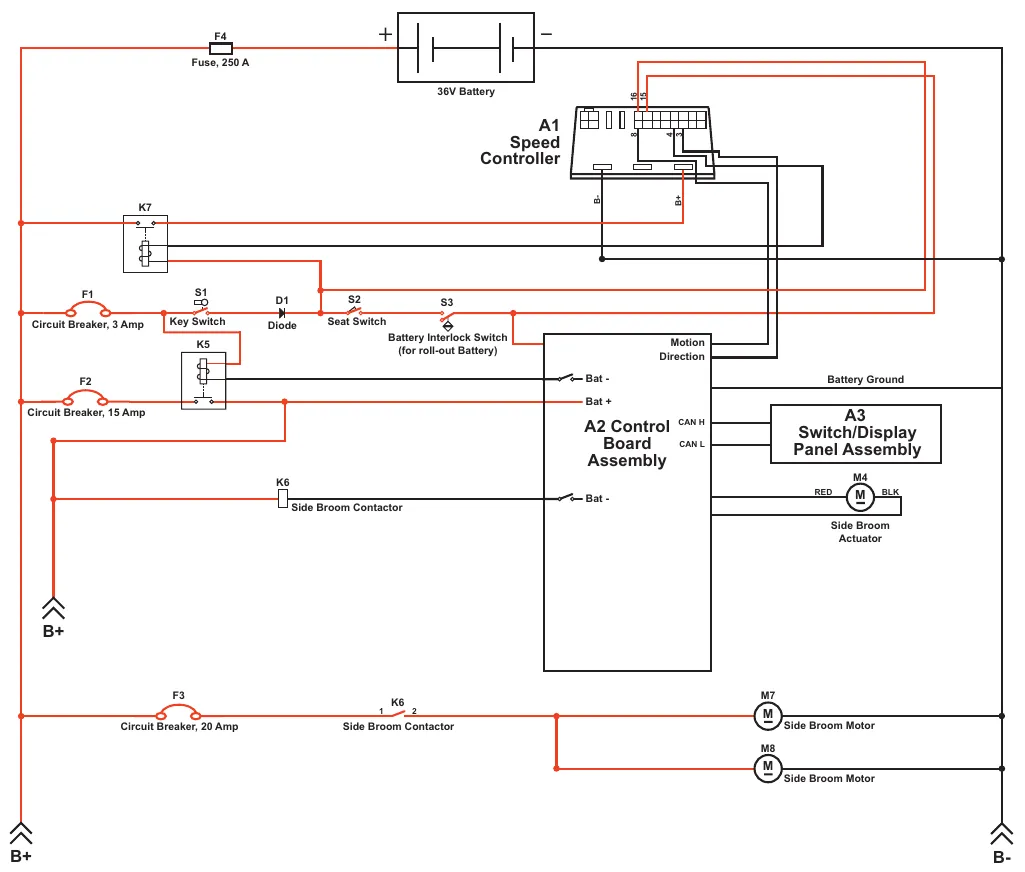
| Reference | Label printed on the drawing |
|---|---|
| F4 | Fuse, 250 A |
| Battery | 36V Battery |
| A1 | Speed Controller (terminals marked 16, 15, 8, 4, 3, B-, B+) |
| K7 | K7 (no other label printed) |
| F1 | Circuit Breaker, 3 Amp |
| S1 | Key Switch |
| D1 | Diode |
| S2 | Seat Switch |
| S3 | Battery Interlock Switch (for roll-out Battery) |
| K5 | K5 (no other label printed) |
| F2 | Circuit Breaker, 15 Amp |
| K6 (lower left) | Side Broom Contactor |
| A2 | Control Board Assembly (terminals marked Motion, Direction, Bat - (two), Bat +, CAN H, CAN L; line marked Battery Ground) |
| A3 | Switch/Display Panel Assembly |
| M4 | Side Broom Actuator (leads marked RED and BLK) |
| F3 | Circuit Breaker, 20 Amp |
| K6 (bottom, terminals 1 and 2) | Side Broom Contactor |
| M7 | Side Broom Motor |
| M8 | Side Broom Motor |
| Terminals | B+ (two) and B- |
Circuit description
The coil side of contactor K6 gets positive voltage from the Battery when the load side of contactor K5 is closed. Contactor K5 closes when the A2 Control Board Assembly connects the K5 coil to battery ground. Contactor K6 is connected to battery ground through the A2 Control Board Assembly.
The Side Broom Motors M7 and M8 get positive voltage from the Battery when the load side of contactor K6 is closed. Contactor K6 closes when the A2 Control Board Assembly connects the K6 coil to battery ground. The Side Broom Motors M7 and M8 are connected directly to battery ground.
The Side Broom Actuator M4 gets voltage from the A2 Control Board Assembly which switches the polarity to move the side brooms up or down. When the A2 Control Board Assembly receives a signal from the A3 Switch/Display Panel Assembly via the CAN BUS that the operator has pressed the scrub on switch, the A2 Control Board Assembly sends the appropriate voltage to the Side Broom Actuator M4 to lower the side brooms to the operating position.
Component locations
The Side Broom Assemblies are mounted onto the Side Broom Bracket Weldments using parallel Links, sleeve bearings, bushings and fasteners.
The Side Broom Lift Actuator is mounted horizontally is attached to the machine frame and Lift Arm with clevis pins. The Lift Arm is connected via short chains to the Side Broom Assemblies. As the Side Broom Lift Actuator retracts and extends, it pivots the Lift Arm to raise and lower the Side Broom Assemblies.
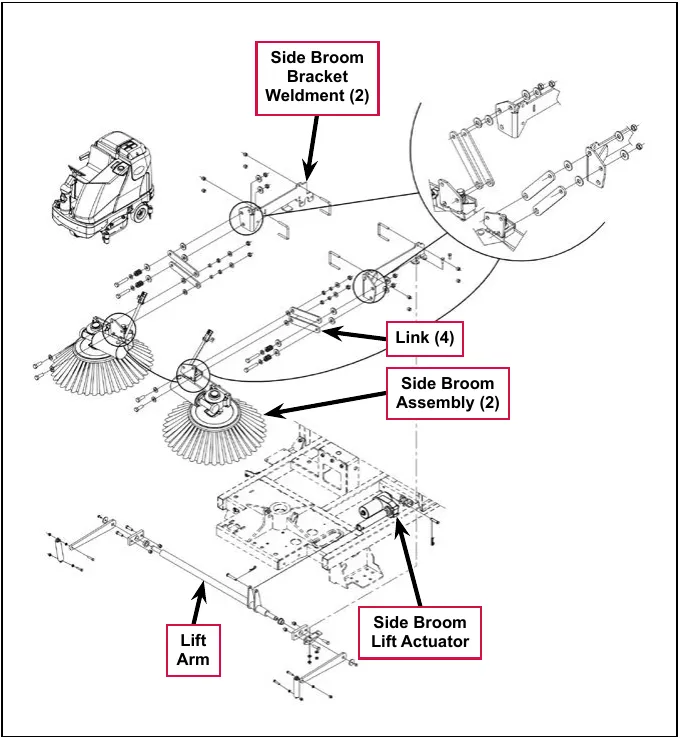
Maintenance and adjustments
Side broom height adjustment
The height of the side brooms is determined by the length of time the side broom actuator runs as it lowers the side brooms. Note that:
- Increasing the side broom actuator run time lowers the side broom height.
- Decreasing the side broom actuator run time raises the side broom height.
To adjust the side broom height:
- Turn the key switch off.
- Press and hold the side broom on/down and scrub off switches.
- While holding the switches, turn the key switch on.
- Continue to hold the switches until the side broom on/down indicator, scrub off indicator and both scrub on indicators turn on.
- Release the switches. The indicators will stay on and the display will now show the side broom actuator down run time in seconds.
- Press the scrub on switch to increase the side broom actuator run time and lower the position of side brooms.
- Press the side broom on/down switch to decrease the side broom actuator run time and raise the position of side brooms.
- Press the scrub off switch to save the side broom height. The actuator will rise to its up position and the display will show a key switch icon.
- Turn the key switch off. The machine is now reprogrammed to work with the new side broom height setting.
Lift actuator adjustment
This section explains the steps for adjusting the actuator drive nut (Spring Housing Assembly) setting for the lift actuator motor.
Using the actuator power cord adapter
The adjacent drawing shows the special actuator power cord adapter (p/n 56407502) that is needed to connect the machine’s battery pack and actuator motor for setting the actuator drive nut limit settings. To connect the actuator power cord adapter:
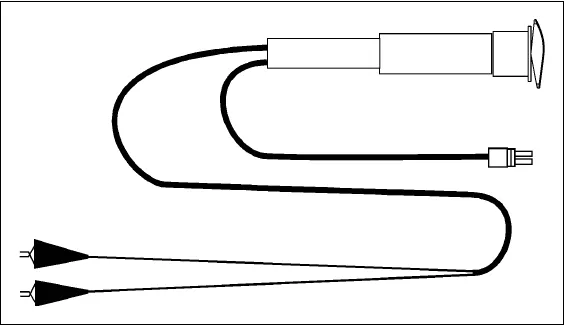
- Open the machine battery compartment and disconnect the battery connector. The battery pack is needed to power the lift actuator motor to correctly set the IN and OUT limit switches.
- Connect the actuator motor to be tested to the power cord adapter end.
- Connect the alligator clips from the cord adapter (red clip to the positive and black to negative) to battery connector or battery posts. Use the rocker switch on the actuator power cord adapter to change the motor rotation when setting the correct actuator drive nut dimensions.
Service Note: You can use the above actuator power cord adapter to help position the drive nut/spring housing assembly (in or out) for ease in actuator motor installations.
Lift actuator drive nut adjustment
- Hold onto the Actuator Drive Nut and press the rocker switch on the actuator power cord adapter to run the drive motor and retract the Actuator Drive Nut toward the motor housing (the IN limit) until the motor stops.
- Measure the position of the Actuator Drive Nut on the actuator shaft. Manually turn the Actuator Drive Nut (steel tube) to the IN position as shown in the table on the following page for the specific actuator motor needing adjustment.
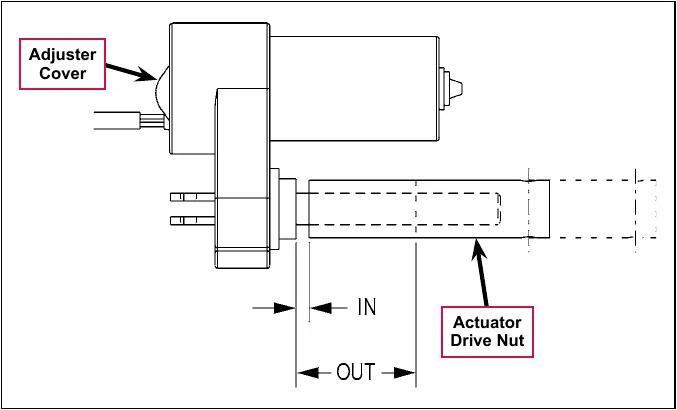
Note: All adjustment settings are measured out of the machine (not attached).
- Hold the Actuator Drive Nut then press the adapter cord rocker switch to run the drive motor to the OUT position (wait until the motor stops).
- Measure the position of the Actuator Drive Nut on the shaft and compare the measurement with the OUT position shown in the table below.
| Part # | Actuator Motor | Actuator Drive Nut IN Position | Actuator Drive Nut OUT Position | Models |
|---|---|---|---|---|
| 56413129 | Side Broom Lift | 1-5/8 in (4.12 cm) | 3-1/8 in (7.93 cm) | Cylindrical w/side brooms |
- If the OUT measurement doesn’t match the dimension shown in the table, remove the Adjuster Cover and adjust the OUT position as follows:
- To increase the travel of the Actuator Drive Nut, turn the adjuster clockwise.
- To decrease the travel of the Actuator Drive Nut, turn the adjuster counterclockwise.
Note: Use a 1/2 in (13 mm) socket to turn the adjuster. Each click of the adjuster will change the Actuator Drive Nut 1/16 inch (1.6 mm).
- Hold the Actuator Drive Nut, run the actuator in and out and check both dimensions after each adjustment.
- When the Actuator Drive Nut limits are set correctly, replace the Adjuster Cover.
Troubleshooting
| Problem | Cause | Correction |
|---|---|---|
| Poor sweeping performance | Brushes are worn or damaged | Check and replace the brushes as necessary. |
| The broom height is not set correctly. | Check and reset the broom height. Refer to the Side Broom Height Adjustment section (page 168). | |
| The brush gearmotor is not operating correctly. | Check the gearmotor current draw with no load (6 amps nominal). Replace the gearmotor if necessary. | |
| A side broom motors will not run. | K6 Side broom motor contactor coil overload (error code 16 displayed) The nominal coil resistance is 100 ohms. |
|
| Side broom motor contactor coil open (error code 36 displayed) |
| |
| K6 Side broom motor contactor coil short to ground (error code 37 displayed) |
| |
| The side brooms will not extend or retract. | Side broom actuator overload (error code 17 displayed)
|
To test the actuator, disconnect the motor plug and attach the actuator power cord adapter (p/n 56407502) and perform an amp draw test. Compare readings to the current load specifications. |
| Side broom actuator motor open (error code 38 displayed) |
|
Removal and installation
Side broom lift actuator
Note: New replacement lift actuator motors do not come with the lift drive nut pre-adjusted.
- Remove the scrub deck. (Refer to the Removal and Installation/Scrub Brush Deck instructions in the Scrub System, Cylindrical section of this manual.)
- The side broom lift actuator motor is located underneath the left front of the machine ahead of its side skirt. Cut the wiring tie strap if needed, then disconnect the wiring connector at the motor.
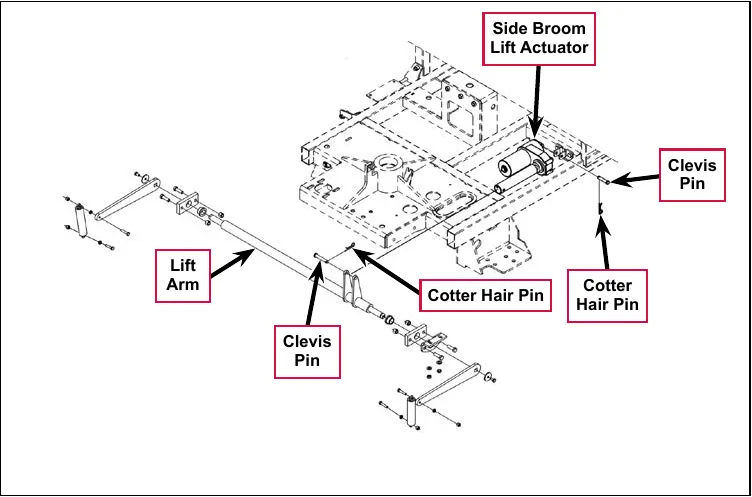
- Pull out the two Cotter Hair Pins, then remove the two Clevis Pins holding the motor at the frame and Lift Arm mounts.
Service Note: It may be helpful to lift up and down on the Lift Arm to relieve any preload pressure on the Clevis Pins when removing the front Clevis Pin.
- Drop the Side Broom Lift Actuator out from underneath the machine to remove it.
Note: New replacement lift actuator motors do not come with the lift drive nut pre-adjusted.
Service Note: After removing the lift actuator, and before installing a new actuator or drive nut, the drive nut and limit switches must be set (or checked) to their correct specifications. Refer to the Lift Actuator Adjustment section (page 169).
- After checking or setting the correct actuator lift drive nut dimensions, install the side broom lift actuator by following the above steps in reverse order.
Service Note: Connect the special actuator power cord adapter to the lift motor as shown in the Lift Actuator Adjustment section to help position the lift actuator for an easier installation of the Clevis Pins.
Side broom gearmotor
- Remove the Side Broom Retainer Pin, then pull down on the Side Broom and remove it from the motor shaft.
- Disconnect the motor wiring connector from the main machine harness. Note that you may need to cut the tie straps to do this.
- Remove the fasteners holding the Gearmotor Assembly to the Side Broom Bracket Weldment.
- Install the Side Broom Motor by following the above steps in reverse order.
- Note that the position of the mounting screws inside the three Die Springs set the spring tension for the side broom front and side impact breakaway.
Once you’ve reinstalled the Gearmotor Assembly, adjust the mounting screws inside the Die Springs to the dimensions shown in the detail drawing above.
- Test the side broom Gearmotor Assembly for correct operation.
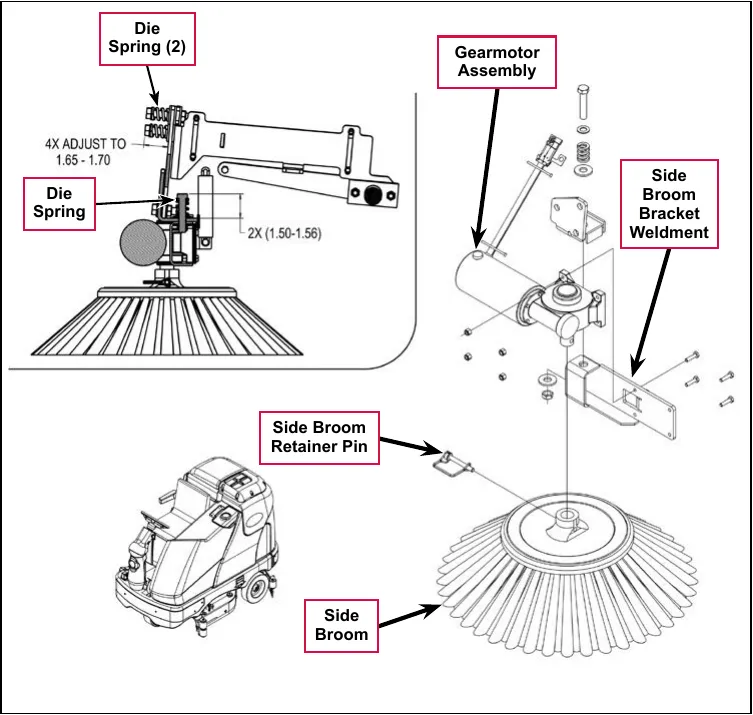
Detail drawing dimensions as printed (no units are printed on the drawing): 4X ADJUST TO 1.65 - 1.70; 2X (1.50-1.56).
Specifications
| Component | Specifications |
|---|---|
| Side Broom Gearmotor | Type – permanent magnet, 36 VDC |
| Gearbox – 27:1 ratio | |
| Power – 162 Watts | |
| Output – 105 in-lbs. @ 84 RPM | |
| Current – 6 Amps | |
| Side Broom Actuator Motor | Type – permanent magnet, 36 VDC, 1/6 HP, reversible |
| Motor-to-drive-screw ratio – 21.7:1 | |
| Performance Data | |
| No Load – Thrust 0 lbs., Speed 39 ±4 in/min, 1.4 Amps max. | |
| Full Load – Thrust 600 lbs., Speed 30 ±3 in/min, 6.7 ±1 Amps | |
| Start Thrust – 600 lbs. |
Corrected an obvious misprint: “Gearnotor” printed in the component column (now Gearmotor, as on page 173).
Shop measurements
Shop measurements are values that were measured on a real machine. While they are not “specifications”, they can help you recognize normal vs abnormal.
Side broom contactor (K6)
Resistance at room temperature: 93 ohms
Side broom motor
Current draw for one motor with no load (broom off): 1.5-1.8 Amps
Current draw in use on dry floor: 4.0-4.2 Amps
Side broom actuator motor
- Current draw going up: 2.4 Amps
- Current draw going down: 1.2 Amps
Special tools
Actuator Power Cord Adapter, p/n 56407502
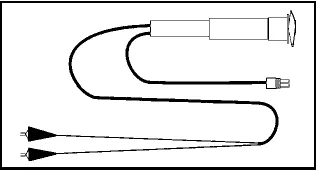
Wheel system, non-traction
Functional description
Overview
The non-traction wheel system supports the rear of the machine and includes the braking system.
Component locations
The Non-traction (rear) Wheels are attached to the brake Spindles and are held on the frame shafts by a M10-1.5 x 0.79 in (20 mm) hex screw and washer.
The Brake Pedal Assembly actuates the Brakes via a Cable Assembly. The Brake Pedal Assembly can be locked with the Brakes engaged to act as a parking brake.
The Cable Assembly actuates an Equalizer that ensures the tension from the Cable Assembly is applied equally to both brakes.
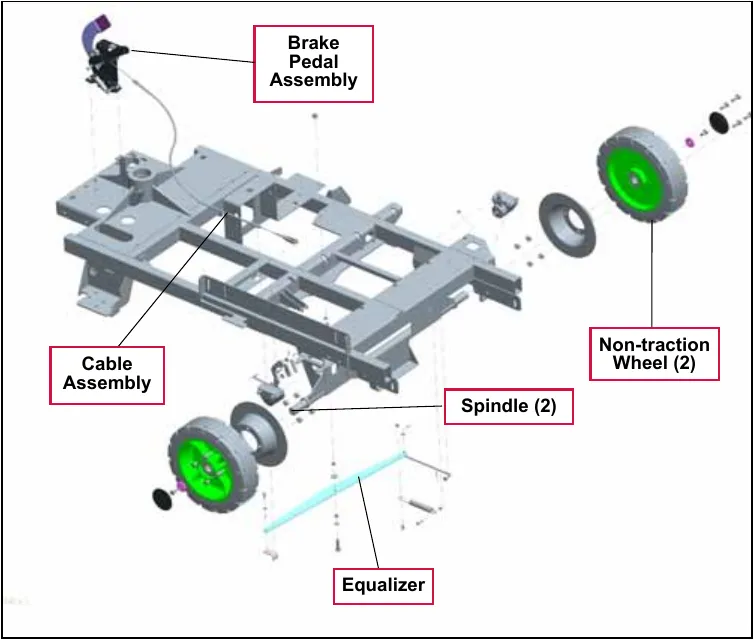
Maintenance and adjustments
Brake cable adjustment
- Make sure the parking brake lever is in the released (off) position.
- Adjust the front brake cable Anchor Nuts so approximately 3/8 in (10 mm) of the threads is exposed as shown, then tighten Anchor Nuts.
- Install a new Tie Strap to the chassis as a cable guide. Allow a small amount of cable movement through the Tie Strap. There should be about 1/2 in (13 mm) of clearance between the Tie Strap and the chassis as shown.
- Check that the left rear brake housing threaded end is about flush with the end of the threads in the (adjustable) Clevis Yoke.
- Adjust the cable at the Equalizer Yoke so 1/4 in (6 mm) of the threads is exposed.
- Adjust the connection at the Equalizer Yoke to obtain a snug brake pedal with no free play, then tighten the Anchor Locknuts.
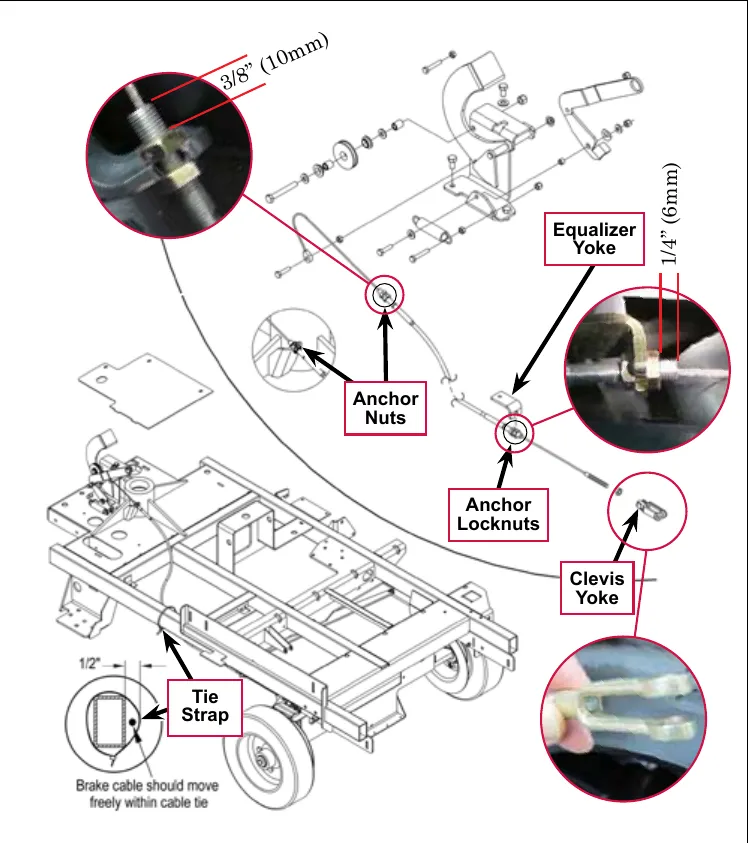
Brake caliper pad wear adjustment
Note: The Brake Arm must not bottom out against the front slot on the caliper.
- Loosen the large outer Locknut.
- Insert a flat 0.035 in (0.89 mm) feeler gauge between one of the brake pads and the brake disc.
- Loosen the locknut, then turn the inner caliper Adjustment Screw in until the pad is lightly touching the feeler gauge.
- Tighten the Locknut.
- After making the adjustment, make sure the machine can be pushed easily when the brake pedal is not engaged.
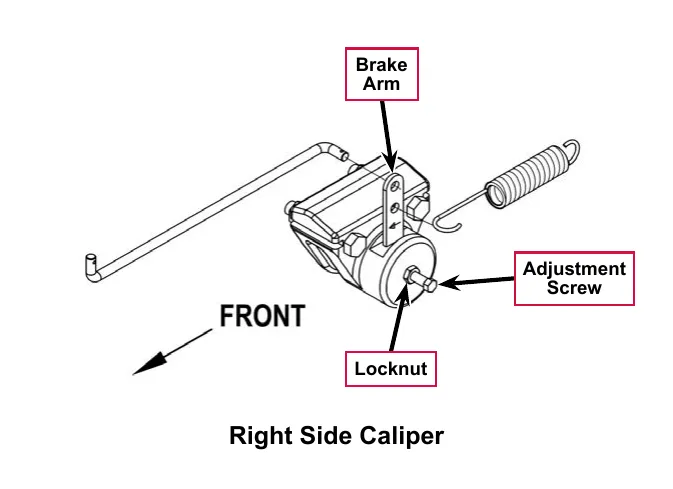
Troubleshooting
| Problem | Cause | Correction |
|---|---|---|
| Poor braking performance | The brakes are out of adjustment | Adjust the brake cable as necessary. (Refer to the Brake Cable Adjustment section.) If the brake cable is stretched to the point where it cannot be adjusted to provide good braking performance, replace the brake cable assembly. Adjust the brake caliper to compensate for pad wear. (Refer to the Brake Caliper Pad Wear Adjustment section.) If the brake pads are worn to the point where the brake calipers cannot be adjusted to provide good braking performance, replace the brake pads. |
| Contamination on the brake pads | Clean or replace the brake pads as necessary. |
Removal and installation
Install wood blocking or chocks in front of and behind the front drive wheel to prevent the machine from rolling.
Brake cable replacement
- Remove the floor plate to access the cable assembly at the brake pedal.
- Loosen the Locknut on the cable end Mounting Bolt, then remove the Mounting Bolt and cable end.
- Loosen the cable casing Anchor Nuts and pull the cable free from its mount bracket on the chassis.
- Locate a plastic Tie Strap on the lower left side of the chassis at midpoint, then cut the Tie Strap to free the cable at that point.
- Unclip the cable Clevis Yoke at the left brake caliper at the arm and separate.
- Loosen the cable Anchor Locknuts at the Equalizer Yoke mounting bracket. The cable assembly is now completely disconnected.
- Attach a new cable to the end of the old cable at the brake pedal, then pull the old cable out and pull the new cable through the chassis.
- Follow the above steps in reverse to reconnect the cable.
- Follow the steps in the Brake Cable Adjustment section below to adjust the brake for correct operation.
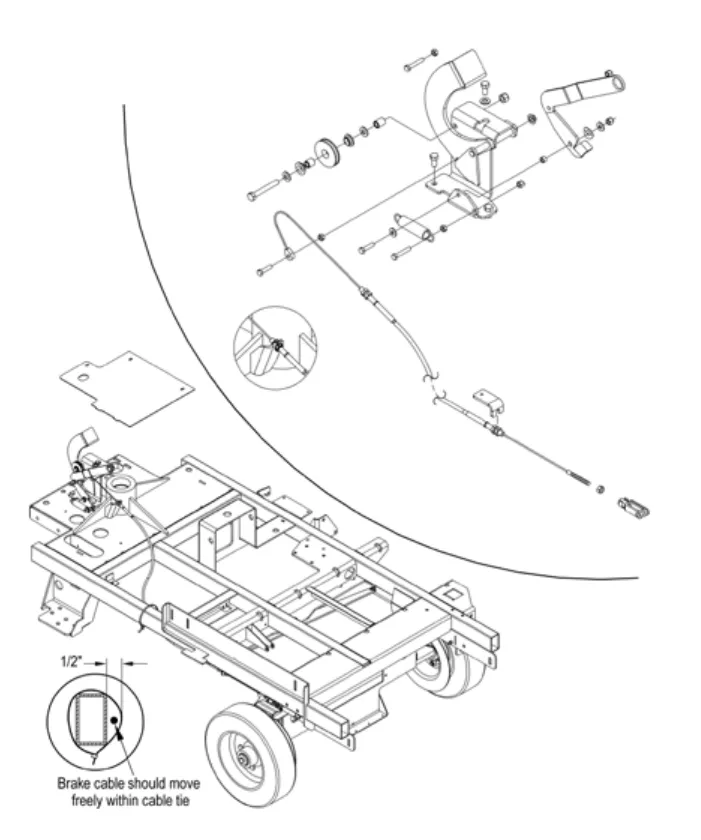
Rear wheel and brake caliper
- Remove the Cotter Pin and washer from the Brake Linkage Rod and disconnect the Brake Linkage Rod from the top brake arm mounting hole.
- Remove the Cotter Pin and washer from the Brake Linkage Rod and disconnect the Brake Linkage Rod from the brake arm mounting hole.
- Loosen the M10-1.5 x 20mm Hex Screw holding the Rear Wheel to the axle.
- Position a suitable jack underneath the wheel axle and jack up the machine so the wheel is approximately 1 in (2.5 cm) off the floor.
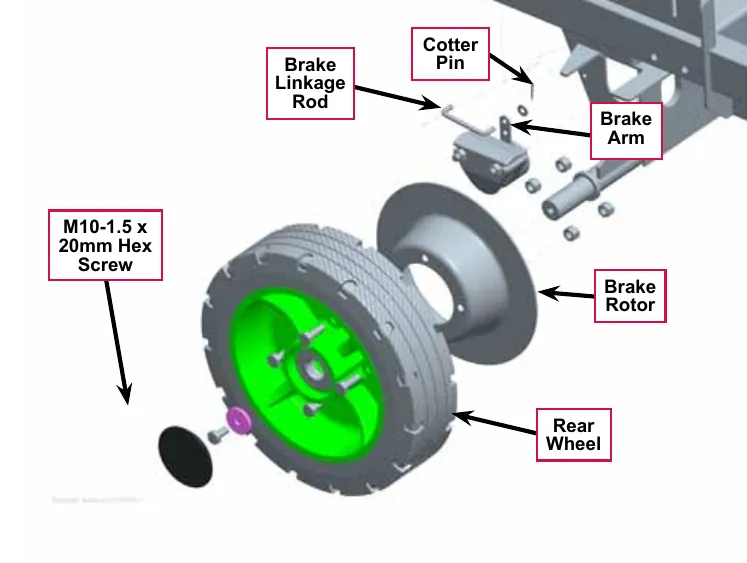
- Remove the M10-1.5 x 20mm Hex Screw and washer and carefully pull the complete wheel and brake assembly off the axle.
- If you are replacing the wheel:
- Remove the four M10-1.5 x 30mm Hex Screws and nuts holding the Brake Rotor to the Rear Wheel hub.
- Reattach the salvaged Brake Rotor to the new Rear Wheel hub.
- To reinstall the wheel and brake assembly:
- Place the brake caliper onto the rotor. Adjust the gap between the pads and the rotor to 0.035 in (0.89 mm) using a feeler gauge. See Brake Caliper Pad Wear Adjustment.
- While holding the caliper on the rotor, and aligning the caliper slots with the chassis, slide the wheel and brake assembly onto the axle.
- Install the M10-1.5 x 20mm Hex Screw and washer to fasten the Rear Wheel to the axle.
Service Note: Apply a small amount of Loctite 242 (blue) thread sealant to the M10-1.5 x 20mm Hex Screw to prevent the screw from loosening.
- Remove the wood blocking from the rear axle, then lower the jack.
- Reconnect the Brake Linkage Rod to the brake arm top hole and reinstall the washer and Cotter Pin.
Wheel system, traction
Functional description
A single front wheel provides both traction drive and steering. The major components of the drive wheel system are the drive pedal, wheel drive controller and drive wheel motor assembly. The drive wheel is mounted to a front spindle which carries the vehicle load and provides a steering pivot. The gearbox is driven by a brush-less three phase AC motor. The drive wheel controller directly operates the drive motor based on input requests from the drive pedal sensor (potentiometer) which is mounted on the side of the drive pedal. If you push the pedal forward, the machine will move forward. If you push it farther forward, the machine will increase speed. If you push the pedal backward, the machine will move in reverse. The drive pedal is spring loaded in the center or “neutral” position.
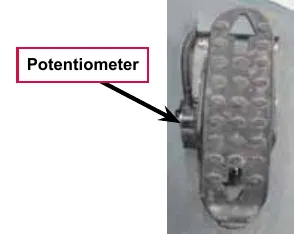
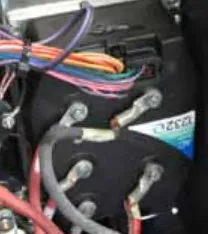
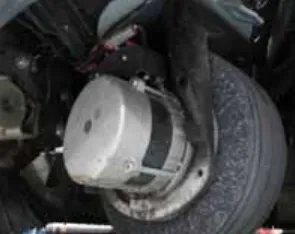
Drive pedal
The drive pedal is spring loaded in the neutral position. The drive pedal position sensor is a potentiometer mounted on the side of the pedal that tracks the pedal position. The sensor is pre-adjusted and comes with the pedal assembly.
Wheel drive controller
The wheel drive controller is a self contained sealed unit. It controls when and how the current flows to the stator windings to rotate the motor based primarily on the drive pedal sensor input, but it also monitors rotational speed sensors and a temperature sensor inside the motor.
The wheel drive controller has 5 bolt-on connector lugs. Two for battery positive and negative supply and three for the motor U, V and W circuits. There is also a single “low current” connector.
Drive wheel motor assembly
The drive wheel motor assembly consists of a wheel, gear box and a brush-less three phase AC motor. The motor drives the wheel through a gearbox. The wheel drive motor can change rotation direction to propel the machine both forward and backward.
Wheel motor, temp sensor and encoder
The drive wheel motor assembly contains an AC motor, temperature sensor and an encoder. The AC motor consists of an outer stator and a rotor. The temperature sensor is embedded in the stator windings. There is a magnetic ring attached to the rotor. The encoder is attached to the gearbox case and “reads” the magnetic ring as it spins with the rotor.
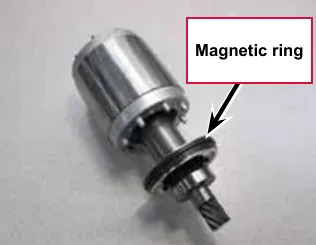
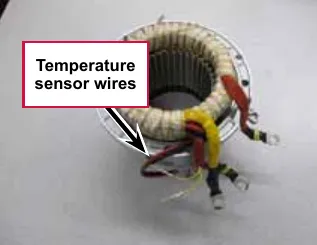
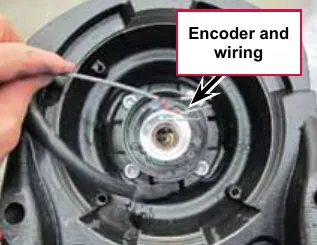
The motor stator windings are connected to the U, V and W cables, which are attached directly to the wheel drive controller. The wheel drive controller energizes the motor stator windings in a timed sequence to simulate a magnetic field moving around the outer perimeter of the motor. This moving magnetic field acts upon the armature causing it to rotate.
An encoder inside the drive wheel motor serves as the “eyes” of the wheel drive controller so that it can see if the motor turned in the direction that it was trying to move it and how fast it is moving. The encoder is a solid state “sensor” which converts motor rotation into a pair of 5 volt square wave patterns. The encoder reads the magnetic ring that is attached to the rotor and spins with the rotor. The patterns are offset so that the controller can “see” which direction the motor is rotating. See Figure 7 showing the blue pattern to the right of the red one when moving forward. See Figure 8 showing the blue pattern to the left fo the red one when moving in reverse. As the motor speed increases, the frequency of the patterns increase. See Figure 9.
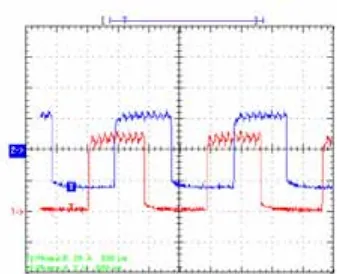
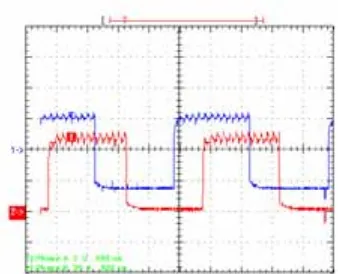
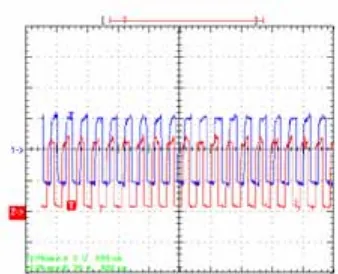
Circuit description
The wheel drive controller takes in DC power at the battery positive and negative lugs and converts it to an AC output to rotate the wheel drive motor. The drive pedal potentiometer is the primary input to the controller, but it also looks at the wheel drive motor temperature and encoder signals. In addition to driving the motor, the wheel drive controller also provides outputs to communicate with the “main” (A2) Control Board.
Wheel drive controller power-up
The battery negative connection is “hard-wired”. The battery positive connection is switched on by the Main Contactor (K7). The initial power up sequence begins when key on positive voltage is received at X6-1. This “wakes up” the controller. If there is a positive voltage on the “interlock” circuit X6-9, from the seat switch and the battery interlock switch, the controller turns on the main relay by providing a path to battery negative on X6-6 for the main contactor winding. The main contactor switches on a high current capacity battery positive feed to the B+ lug on the wheel drive controller.
The controller must receive a positive voltage on the “interlock” circuit X6-9 before it will engage the motor. The interlock circuit is supplied through the seat switch and the battery interlock switch. If either of these is open, it will disable the wheel drive motor for safety purposes.
Note: The battery interlock switch is only used when the machine is equipped with a single large “mono-block” battery. However, the interlock switch connector will be bridged by a “jumper” if the switch is not used on the machine.
Motion and direction circuits
The wheel drive controller informs the “main” (A2) Control Board when the vehicle is moving. This MOTION circuit uses a dedicated wire that runs between the two controllers to communicate this information.
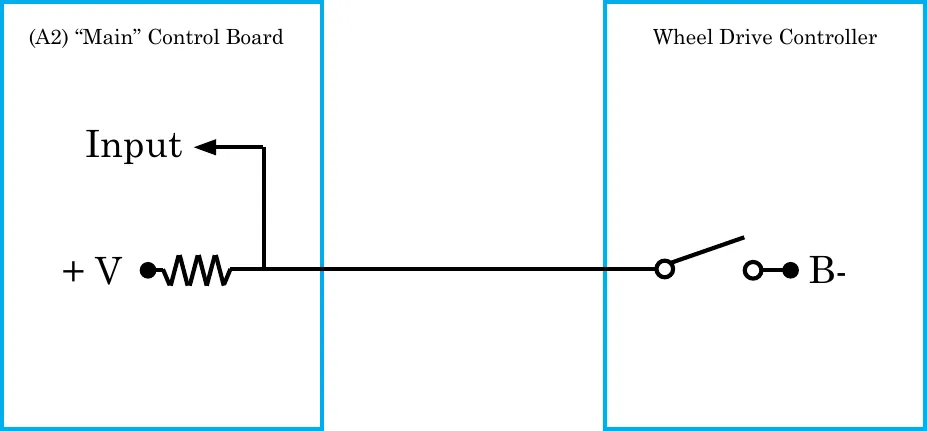
The main controller provides a positive voltage, through a resistor to a switch inside the wheel drive controller. The other side of the switch is connected to battery negative. When the vehicle is stationary, the switch is open and the input voltage is “high”. When the vehicle is in MOTION, the switch closes, which drains the voltage supply to battery negative, causing the input to drop to “low”.
The wheel drive controller also tells the “main” controller which direction the vehicle is moving. There is an additional dedicated wire for this circuit and it works in the same way as the “Motion” circuit. When the vehicle is moving forward, the switch is open and the input is high. When the vehicle is moving in reverse, the switch closes, causing the input to go low.
Fault circuit
The wheel drive controller informs the “main” (A2) Control Board when it has set a fault code using a single wire that functions much like the motion and direction circuits.
Mode 1 and mode 2 circuits
The (A2) “main” Control Board informs the wheel drive controller how it wants it to control the drive wheel using two circuits “mode 1” and “mode 2”. Each circuit is a logic circuit where the voltage is either low or high. The drive speed is normally slowed down while scrubbing unless the operator chooses to press the scrub speed switch to increase the speed. The operator can also request reduced torque and speed on slippery surfaces using the traction control switch.
Potentiometer
The drive pedal has a three wire potentiometer attached to its side. The potentiometer tracks the angle or “position” of the drive paddle. The A1 Wheel drive controller supplies a 5 volt potential across the resistive strip of the potentiometer on the “POT high” and “POT low” wires. The “POT wiper” circuit returns a portion of the voltage back to the A1 wheel drive controller as an analog input which is proportional to the position of the pedal. The potentiometer is part of a new drive pedal assemble and comes pre-adjusted from the factory.
Motor temperature sensor
The motor temperature sensor is a negative temperature coefficient thermistor It has two wires. One is connected to battery negative inside the wheel drive controller. The other is a 5 volt supply through a resistor from the controller. The controller reads the voltage between the internal resistor and the temperature sensor.
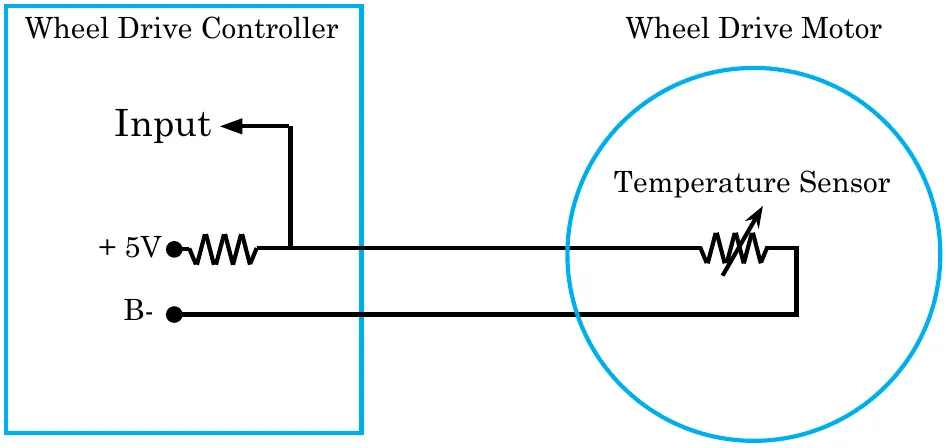
Encoder
The encoder is a solid state device and requires a power supply in order to work. The power supply is provided by the wheel drive controller. It has two transistor switches that open and close as the magnetic ring rotates. Each switch is provided a 5 volt supply from the controller, through a resistor. The controller monitors the voltage between the internal resistor and the encoder switch. When the switch is open, the input is 5v or “high”. When the switch closes, the input is 0v or “low”.
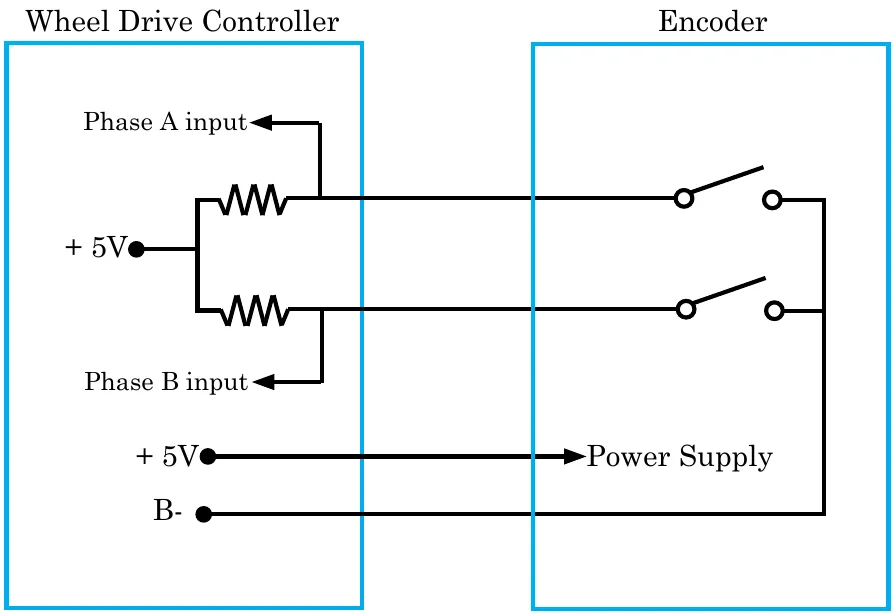
Component locations
- Drive Wheel Assembly
- Wheel Drive Controller
- Drive Pedal with potentiometer
- Seat Switch S2
- Battery Interlock Switch S3
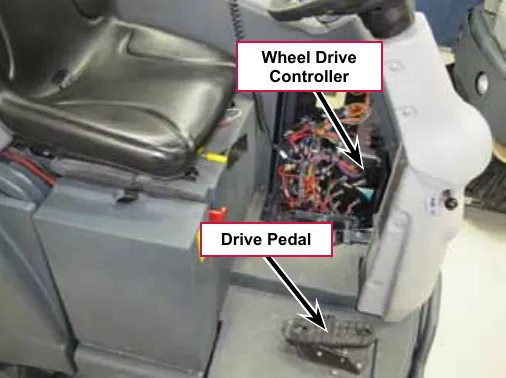
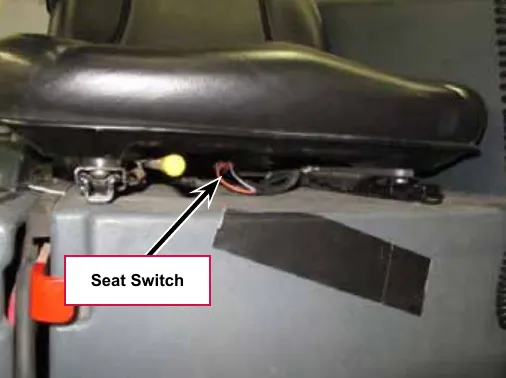
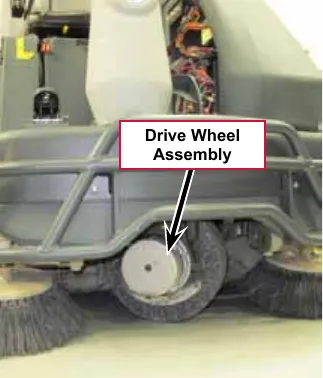
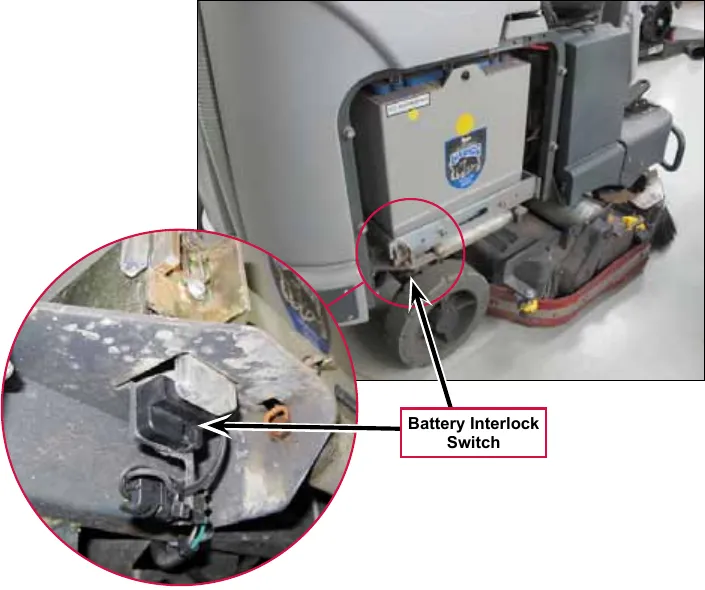
Troubleshooting
If there is a problem with the wheel drive system, begin by checking for any fault codes. If there is a fault code, diagnose the cause of the code. If there are no fault codes, check the wheel drive controller status LED for clues and use the shop measurements in the specifications section to systematically check the voltage at every low current connector wire looking for something abnormal. And remember that the system is intentionally disabled if the interlock circuit (seat switch and battery interlock switch) is open.
Fault codes
The drive controller has very robust fault code capabilities. When the wheel drive controller sets a fault, it communicates the fault to the “main” control board. The main control board displays an error 03 message on the LCD display and flashes out the specific wheel drive controller fault code using the control panel detergent switch LED.
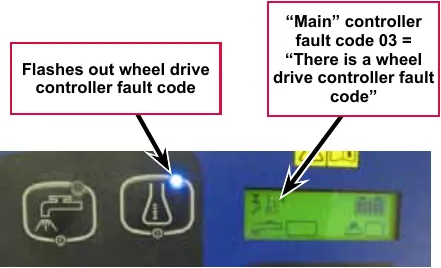
Since most problems will result in setting a fault code, whenever there is a problem with the drive system, the first thing you should do is check for fault codes. Fault codes can be obtained by counting the flash out code of the detergent LED, counting the flash code of the Status LED on the wheel drive controller or by using a Curtis hand-held programmer.
- Counting the detergent LED flash code
- The codes consist of two digits. The LED flashes the first digit, followed by a short pause, then flashes the second digit followed by a long pause before flashing out the next code. All active codes will continue to flash out. You count each “on” flash of the LED. The key is to watch until you get the rhythm and can identify the long pause. Start counting immediately after the long pause. Example: (long pause) is a code 23 that has repeated.
- Counting the wheel drive controller status LED flash code
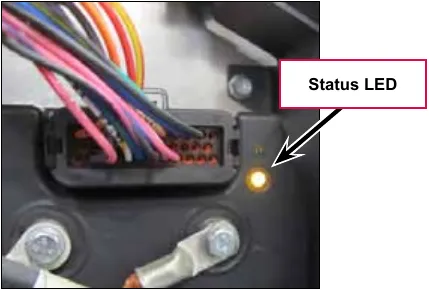
Fig. 10: Status LED 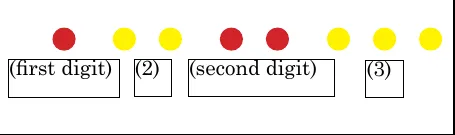
Fig. 11: Example: Fault Code 23 - A single Status LED on the wheel drive controller is used to flash out all currently active codes. The Status LED illuminates either red or yellow color light. Each code consists of two digits. The
LED flashes RED once to indicate that the first digit of the code will follow; the LED then flashes YELLOW the appropriate number of times for the first digit. The LED flashes RED twice to indicate that the second digit of the code will follow; the LED flashes YELLOW the appropriate number of times for the second digit.
- The numerical codes used by the yellow LED are listed in the troubleshooting chart, which also lists possible fault causes and describes the conditions that set and clear each fault.
- Using a Curtis hand-held programmer.
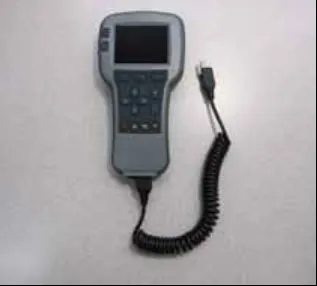
Fig. 12: 1313 programmer 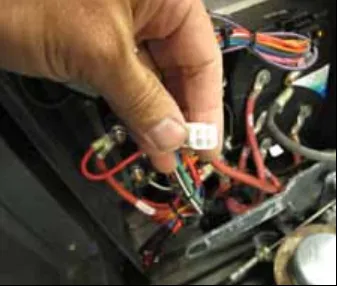
Fig. 13: Programmer connector - The 1313 programmer or the 1311 programmer will display all faults that are currently set as well as a history of the faults that have been set since the history log was last cleared. The programmer displays the faults by name. To use the programmer, connect it to the programmer connector located in the electrical panel by the bank of contactors. Refer to a Curtis industries operator’s manual for the programmer you are using for more information.
Summary of LED display formats
The status LED has four different display modes, indicating the type of information they are providing.
| Display | Status |
|---|---|
| Neither LED illuminated | Controller is not powered on; or vehicle has dead battery; or severe damage. |
| Yellow LED flashing | Controller is operating normally. |
| Yellow and red LEDs both on solid | Controller is in Flash program mode. |
| Red LED on solid | No software loaded, or an internal hardware fault detected by the Supervisor or Primary microprocessor. Cycle KSI to clear. Reload software or replace controller if necessary. |
| Red LED and yellow LED flashing alternately | Controller has detected a fault. 2-digit code flashed by yellow LED identifies the specific fault; one or two flashes by red LED indicate whether first or second code digit will follow. |
Fault code table (troubleshooting chart)
The troubleshooting chart, provides the following information on each wheel drive controller fault:
- Fault code
- Fault name as displayed on the programmer’s LCD
- The effect of the fault
- Possible causes of the fault
- Fault set conditions
- Fault clear conditions.
Whenever a fault is encountered and no wiring or vehicle fault can be found, shut off KSI (Key Switch) and turn it back on to see if the fault clears. If it does not, shut off KSI and remove the low current 35-pin connector from the drive controller. Check the connector for corrosion or damage, clean it if necessary, and re-insert it.
Note: Some of the codes listed in the table are for circuits that are not utilized on the SC6500.
| Flash code # | Programmer LCD display / effect of fault | Possible cause(s) | Set / clear conditions |
|---|---|---|---|
| 12# | Controller Overcurrent ShutdownMotor; ShutdownMainContactor; ShutdownEMBrake; ShutdownThrottle; FullBrake; ShutdownPump |
| Set: Phase current exceeded the current measurement limit. Clear: Cycle KSI. |
| 13# | Current Sensor Fault ShutdownMotor; ShutdownMainContactor; ShutdownEMBrake; ShutdownThrottle; FullBrake; ShutdownPump. |
| Set: Controller current sensors have invalid offset reading. Clear: Cycle KSI. |
| 14# | Precharge Failed ShutdownMotor; ShutdownMainContactor; ShutdownEMBrake; ShutdownThrottle; FullBrake; ShutdownPump. |
| Set: Precharge failed to charge the capacitor bank to the KSI voltage. Clear: Cycle Interlock input or use VCL function Enable_Precharge. |
| 15# | Controller Severe Undertemp ShutdownMotor; ShutdownMainContactor; ShutdownEMBrake; ShutdownThrottle; FullBrake; ShutdownPump. |
| Set: Heatsink temperature below -40 °F (-40 °C). Clear: Bring heatsink temperature above -40 °F (-40 °C), and cycle interlock or KSI. |
Troubleshooting chart
| Flash code # | Programmer LCD display / effect of fault | Possible cause(s) | Set / clear conditions |
|---|---|---|---|
| 16# | Controller Severe Overtemp ShutdownMotor; ShutdownMainContactor; ShutdownEMBrake; ShutdownThrottle; FullBrake; ShutdownPump. |
| Set: Heatsink temperature above +203 °F (+95 °C) Clear: Bring heatsink temperature below +203 °F (+95 °C), and cycle interlock or KSI. |
| 17# | Severe Undervoltage Reduced drive torque. |
| Set: Capacitor bank voltage dropped below the Severe Undervoltage limit with FET bridge enabled. Clear: Bring capacitor voltage above Severe Undervoltage limit. |
| 18# | Severe Overvoltage ShutdownMotor; ShutdownMainContactor; ShutdownEMBrake; ShutdownThrottle; FullBrake; ShutdownPump. |
| Set: Capacitor bank voltage exceeded the Severe Overvoltage limit with FET bridge enabled. Clear: Bring capacitor voltage below Severe Overvoltage limit, and then cycle KSI. |
| 22# | Controller Overtemp Cutback Reduced drive and brake torque. |
| Set: Heatsink temperature exceeded 185 °F (85 °C). Clear: Bring heatsink temperature below 185 °F (85 °C). |
Troubleshooting chart
| Flash code # | Programmer LCD display / effect of fault | Possible cause(s) | Set / clear conditions |
|---|---|---|---|
| 23# | Undervoltage Cutback Reduced drive torque. |
| Set: Capacitor bank voltage dropped below the Undervoltage limit with the FET bridge enabled. Clear: Bring capacitor voltage above the Undervoltage limit. |
| 24# | Overvoltage Cutback Note: This fault is declared only when the controller is running in regen. Reduced brake torque. |
| Set: Capacitor bank voltage exceeded the Overvoltage limit with the FET bridge enabled. Clear: Bring capacitor voltage below the Overvoltage limit. |
| 25# | +5V Supply Failure None, unless a fault action is programmed in Vehicle Control Language. |
| Set: +5V supply (pin 26) outside the +5V±10% range. Clear: Bring voltage within range. |
| 26# | Digital Out 6 Overcurrent Digital Out 6 driver will not turn on. |
| Set: Digital Output 6 (pin 19) current exceeded 15 mA. Clear: Remedy the overcurrent cause and use the VCL function Set_DigOut() to turn the driver on again. |
Troubleshooting chart
| Flash code # | Programmer LCD display / effect of fault | Possible cause(s) | Set / clear conditions |
|---|---|---|---|
| 27# | Digital Out 7 Overcurrent Digital Out 7 driver will not turn on. |
| Set: Digital Output 7 (pin 20) current exceeded 15 mA. Clear: Remedy the overcurrent cause and use the VCL function Set_DigOut() to turn the driver on again. |
| 28# | Motor Temp Hot Cutback Reduced drive torque. |
| Set: Motor temperature is at or above the Temperature Hot parameter setting. Clear: Bring the motor temperature within range. |
| 29# | Motor Temp Sensor Fault MaxSpeed reduced (LOS, Limited Operating Strategy), and motor temperature cutback disabled. |
| Set: Motor thermistor input (pin 8) is at the voltage rail (0 or 10V). Clear: Bring the motor thermistor input voltage within range. |
| 31# | Main Open/Short ShutdownDriver1. |
| Set: Driver 1(pin 6) is either open or shorted. This fault can be set only when Main Enable = Off. Clear: Correct open or short, and cycle driver. |
| 31# | Main Open/Short ShutdownMotor; ShutdownMainContactor; ShutdownEMBrake; ShutdownThrottle; FullBrake; ShutdownPump. |
| Set: Main contactor driver (pin 6) is either open or shorted. This fault can be set only when Main Enable = On. Clear: Correct open or short, and cycle driver |
Troubleshooting chart
| Flash code # | Programmer LCD display / effect of fault | Possible cause(s) | Set / clear conditions |
|---|---|---|---|
| 32# | Coil2 Driver Open/Short ShutdownDriver2. |
| Set: Driver 2 (pin 5) is either open or shorted. This fault can be set only when EM Brake Type = 0. Clear: Correct open or short, and cycle driver. |
| 32# | EMBrake Open/Short ShutdownEMBrake; ShutdownThrottle; FullBrake. |
| Set: Electromagnetic brake driver (pin 5) is either open or shorted. This fault can be set only when EM Brake Type > 0. Clear: Correct open or short, and cycle driver. |
| 33# | Coil3 Driver Open/Short ShutdownDriver3. |
| Set: Driver 3 (pin 4) is either open or shorted. Clear: Correct open or short, and cycle driver. |
| 34# | Coil4 Driver Open/Short ShutdownDriver4. |
| Set: Driver 4 (pin 3) is either open or shorted. Clear: Correct open or short, and cycle driver. |
| 35# | PD Open/Short ShutdownPD. |
| Set: Proportional driver (pin 2) is either open or shorted. Clear: Correct open or short, and cycle driver. |
| 36# | Encoder Fault ShutdownEMBrake; ShutdownThrottle. |
| Set: Motor encoder phase failure detected. Clear: Cycle KSI. |
| 37# | Motor Open ShutdownMotor; ShutdownMainContactor; ShutdownEMBrake; ShutdownThrottle; FullBrake; ShutdownPump. |
| Set: Motor phase U, V, or W detected open. Clear: Cycle KSI. |
| 38# | Main Contactor Welded ShutdownMotor; ShutdownMainContactor; ShutdownEMBrake; ShutdownThrottle; FullBrake; ShutdownPump. |
| Set: Just prior to the main contactor closing, the capacitor bank voltage (B+ connection terminal) was loaded for a short time and the voltage did not discharge. Clear: Cycle KSI |
Troubleshooting chart
| Flash code # | Programmer LCD display / effect of fault | Possible cause(s) | Set / clear conditions |
|---|---|---|---|
| 39# | Main Contactor Did Not Close ShutdownMotor; ShutdownMainContactor; ShutdownEMBrake; ShutdownThrottle; FullBrake; ShutdownPump. |
| Set: With the main contactor commanded closed, the capacitor bank voltage (B+ connection terminal) did not charge to B+. Clear: Cycle KSI. |
| 41# | Throttle Wiper High ShutdownThrottle. |
| Set: Throttle pot wiper (pin 16) voltage is higher than the high fault threshold (can be changed with the VCL function Setup_Pot_Faults). Clear: Bring throttle pot wiper voltage below the fault threshold. |
| 42# | Throttle Wiper Low ShutdownThrottle. |
| Set: Throttle pot wiper (pin 16) voltage is lower than the low fault threshold (can be changed with the VCL function Setup_Pot_Faults). Clear: Bring throttle pot wiper voltage above the fault threshold. |
| 43# | Pot2 Wiper High FullBrake. |
| Set: Pot2 wiper (pin 17) voltage is higher than the high fault threshold (can be changed with the VCL function Setup_Pot_Faults()). Clear: Bring Pot2 wiper voltage below the fault threshold. |
| 44# | Pot2 Wiper Low FullBrake. |
| Set: Pot2 wiper (pin 17) voltage is lower than the low fault threshold (can be changed with the VCL function Setup_Pot_Faults()). Clear: Bring Pot2 wiper voltage above the fault threshold. |
Troubleshooting chart
| Flash code # | Programmer LCD display / effect of fault | Possible cause(s) | Set / clear conditions |
|---|---|---|---|
| 45# | Pot Low Overcurrent ShutdownThrottle; FullBrake. |
| Set: Pot low (pin 18) current exceeds 10 mA. Clear: Clear pot low overcurrent condition and cycle KSI. |
| 46# | EEPROM Failure ShutdownMotor; ShutdownMainContactor; ShutdownEMBrake; ShutdownThrottle; ShutdownInterlock; ShutdownDriver1; ShutdownDriver2; ShutdownDriver3; ShutdownDriver4; ShutdownPD; FullBrake; ShutdownPump. |
| Set: Controller operating system tried to write to EEPROM memory and failed. Clear: Download the correct software (OS) and matching parameter default settings into the controller and cycle KSI. |
| 47# | HPD/Sequencing Fault ShutdownThrottle. |
| Set: HPD (High Pedal Disable) or sequencing fault caused by incorrect sequence of KSI, interlock, direction, and throttle inputs. Clear: Reapply inputs in correct sequence. |
| 47# | Emer Rev HPD ShutdownThrottle; ShutdownEMBrake. |
| Set: At the conclusion of Emergency Reverse, the fault was set because various inputs were not returned to neutral. Clear: If EMR_Interlock = On, clear the interlock, throttle, and direction inputs. If EMR_Interlock = Off, clear the throttle and direction inputs. |
| 49# | Parameter Change Fault ShutdownMotor; ShutdownMainContactor; ShutdownEMBrake; ShutdownThrottle; FullBrake; ShutdownPump. |
| Set: Adjustment of a parameter setting that requires cycling of KSI. Clear: Cycle KSI. |
| 51–67# | OEM Faults |
| Set: Not Applicable. Clear: Not Applicable. |
Troubleshooting chart
| Flash code # | Programmer LCD display / effect of fault | Possible cause(s) | Set / clear conditions |
|---|---|---|---|
| 68# | VCL (Vehicle Control Language) Run Time Error ShutdownMotor; ShutdownMainContactor; ShutdownEMBrake; ShutdownThrottle; ShutdownInterlock; ShutdownDriver1; ShutdownDriver2; ShutdownDriver3; ShutdownDriver4; ShutdownPD; FullBrake; ShutdownPump. |
| Set: Runtime VCL code error condition. Clear: Edit VCL application software to fix this error condition; flash the new compiled software and matching parameter defaults; cycle KSI. |
| 69# | External Supply Out of Range None, unless a fault action is programmed in VCL. |
| Set: The external supply current (combined current used by the 5V supply [pin 26] and 12V supply [pin 25]) is either greater than the upper current threshold or than the lower current threshold. The thresholds are defined by the External Supply Max and External Supply Min parameter settings. Clear: Bring the external supply current within range. |
| 71# | OS General ShutdownMotor; ShutdownMainContactor; ShutdownEMBrake; ShutdownThrottle; ShutdownInterlock; ShutdownDriver1; ShutdownDriver2; ShutdownDriver3; ShutdownDriver4; ShutdownPD; FullBrake; ShutdownPump. |
| Set: Internal controller fault detected. Clear: Cycle KSI. |
| 72# | PDO Timeout ShutdownInterlock; CAN NMT State set to Pre-operational. |
| Set: Time between CAN PDO messages received exceeded the PDO Timeout Period. Clear: Cycle KSI or receive CAN NMT message. |
Troubleshooting chart
| Flash code # | Programmer LCD display / effect of fault | Possible cause(s) | Set / clear conditions |
|---|---|---|---|
| 73# | Stall Detected ShutdownEMBrake; Control Mode changed to LOS (Limited Operating Strategy). |
| Set: No motor encoder movement detected. Clear: Either cycle KSI, or detect valid motor encoder signals while operating in LOS mode and return Throttle Command = 0 and Motor RPM = 0. |
| 74# | Fault On Other Traction Controller |
| |
| 75# | Dual Severe Fault |
| |
| 77# | Supervisor Fault ShutdownMotor; ShutdownMainContactor; ShutdownEMBrake; ShutdownThrottle; ShutdownInterlock; ShutdownDriver1; ShutdownDriver2; ShutdownDriver3; ShutdownDriver4; ShutdownPD; FullBrake; ShutdownPump |
| Set: Mismatched redundant readings; damaged Supervisor; illegal switch inputs. Clear: Check for noise or voltage drift in all switch inputs; check connections; cycle KSI. |
| 78# | Supervisor Incompatible ShutdownMotor; ShutdownMainContactor; ShutdownEMBrake; ShutdownThrottle; ShutdownInterlock; ShutdownDriver1; ShutdownDriver2; ShutdownDriver3; ShutdownDriver4; ShutdownPD; FullBrake; ShutdownPump |
| Set: Incompatible software. Clear: Load properly matched OS code or update the Supervisor code; cycle KSI. |
Troubleshooting chart
| Flash code # | Programmer LCD display / effect of fault | Possible cause(s) | Set/clear conditions |
|---|---|---|---|
| 87# | Motor characterization fault
|
| Set: Motor characterization failed during the motor characterization process. Clear: Correct fault; cycle KSI. |
| 88# | Encoder pulse error
|
| Set: Motor lost IFO control and accelerated without throttle command. Clear: Ensure the Encoder Steps parameter matches the actual encoder; cycle KSI. |
| 89# | Motor type fault
|
| Set: Motor_Type parameter is set to an illegal value. Clear: Set Motor_Type to correct value and cycle KSI. |
Troubleshooting chart
| Flash code # | Programmer LCD display / effect of fault | Possible cause(s) | Set/clear conditions |
|---|---|---|---|
| 91# | VCL/OS mismatch
|
| Set: VCL and OS software do not match; when KSI cycles, a check is made to verify that they match and a fault is issued when they do not. Clear: Download the correct VCL and OS software into the controller. |
| 92# | EM brake failed to set
|
| Set: After the EM Brake was commanded to set and time has elapsed to allow the brake to fully engage, vehicle movement has been sensed. Clear: Activate the throttle. |
| 93# | Encoder LOS (Limited Operating Strategy)
|
| Set: Encoder Fault (Code 36) or Stall Detect Fault (Code 73) was activated, and Brake or Interlock has been applied to activate LOS control mode, allowing limited motor control. Clear: Cycle KSI or, if LOS mode was activated by the Stall Fault, clear by ensuring encoder senses proper operation, Motor RPM = 0, and Throttle Command = 0. |
| 94# | Emer rev timeout
|
| Set: Emergency Reverse was activated and ran until the EMR Timeout timer expired. Clear: Turn the emergency reverse input Off. |
| 98# | Illegal model number
|
| Set: Illegal Model_Number variable; when KSI cycles, a check is made to confirm a legal Model_Number, and a fault is issued if one is not found. Clear: Download appropriate software for your controller model. |
Troubleshooting chart
| Flash code # | Programmer LCD display / effect of fault | Possible cause(s) | Set/clear conditions |
|---|---|---|---|
| 99# | Dualmotor parameter mismatch |
|
Fault history
The 1313 programmer can be used to access the controller’s fault history file. The programmer will read out all the faults the controller has experienced since the last time the fault history file was cleared. Faults such as contactor faults may be the result of loose wires; contactor wiring should be carefully checked. Faults such as over temperature may be caused by operator habits or by overloading.
Removal and installation
Front drive wheel/tire removal
Note: It is not necessary to remove the complete wheel drive/spindle assembly to service the drive tire only.
Engage the machine parking brake and block both rear wheels so machine can’t roll.
Never work under machine without safety stands or blocking to support the machine.
- Jack up the front of the vehicle so that the front wheel is off the ground and support the vehicle safely on jack stands.
- Turn the wheel so that the drive hub is facing forward. Remove the 4 fasteners in the center.
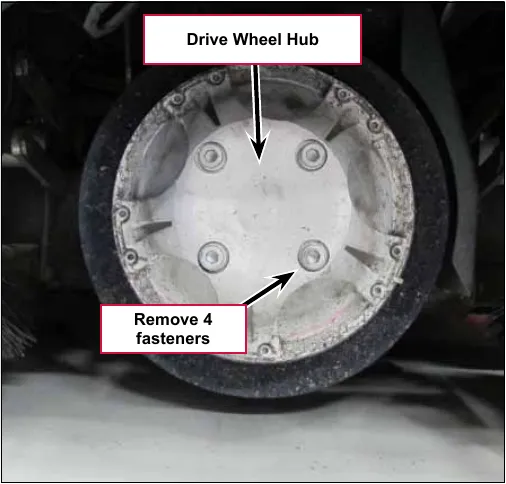
- Turn the wheel so that the motor is facing forward. Remove the tire/wheel assembly using special Tire Puller Kit 56422174
- Insert the “puller” extractor screws in the casting threaded holes as shown and turn them in until each screw touches the rim of the tire. Then turn all of them evenly in small increments until the wheel is pushed off the support bearing.
- Remove puller screws
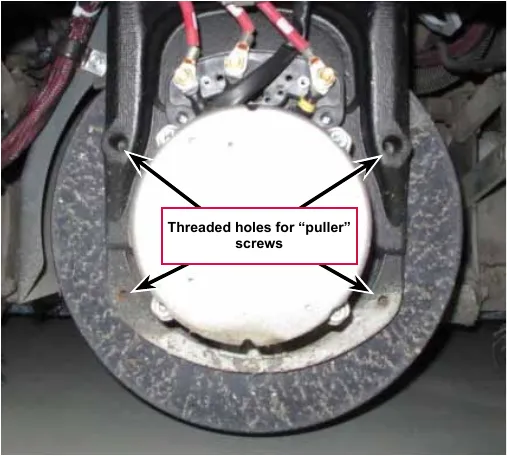
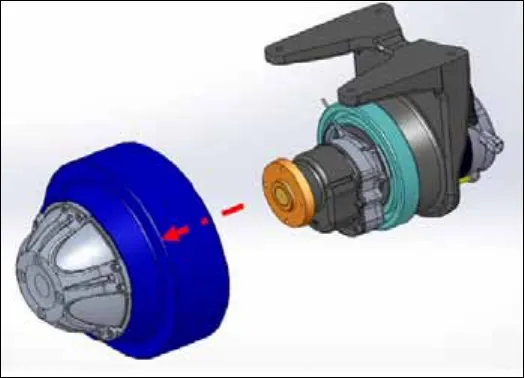
- Remove 10 fasteners around the perimeter of the drive wheel hub and separate the drive wheel hub from the wheel/tire.
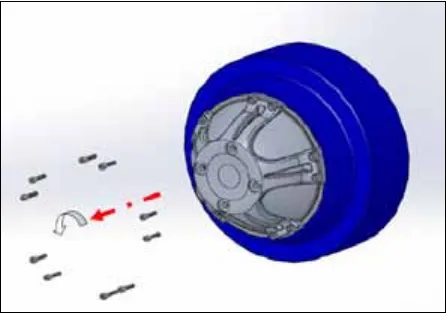
Front drive wheel/tire installation
- Install the drive hub to the new wheel/tire using the 10 fasteners. Apply Loctite 648 (or equivalent) on the fasteners. Torque to 16 ft-lb (20-22 N·m).
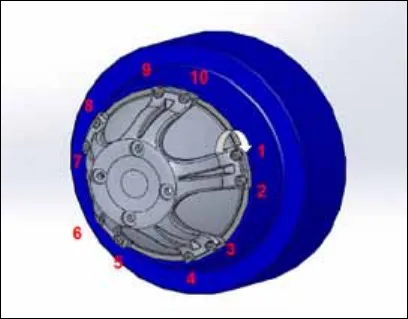
- Lightly install the two alignment pins from the tire puller kit into two of the threaded holes of the gearbox hub flange.
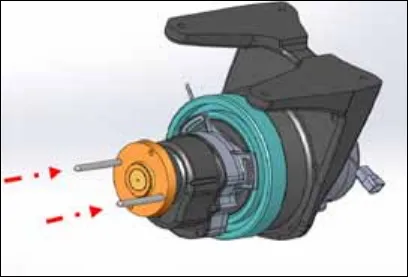
- Slide the drive hub with the wheel/tire over the alignment pins.
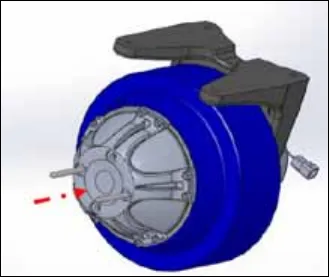
- Apply Loctite 243 (or equivalent) to the 4 hub center fasteners. Remove the alignment pins, and install the 4 fasteners.
- In small increments, simultaneously tighten all four screws. Torque to 55 ft-lb (75 N·m).
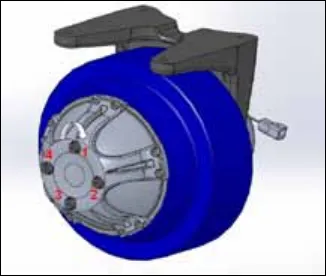
Wheel drive assembly
Engage the machine parking brake and block both rear wheels so machine can’t roll.
- Disconnect the battery pack.
- Jack up the front of the vehicle so that the front wheel is off the ground and support the vehicle safely on jack stands.
- Turn the wheel so that the motor is facing forward.
- Remove the two screws securing the plastic cover over the motor cable connections and remove the cover.
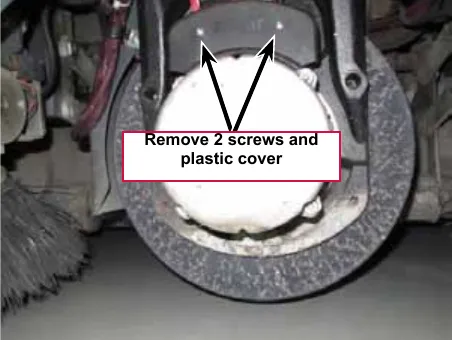
- Mark the U, V and W cables for correct reassembly. Disconnect the small motor sensor connector
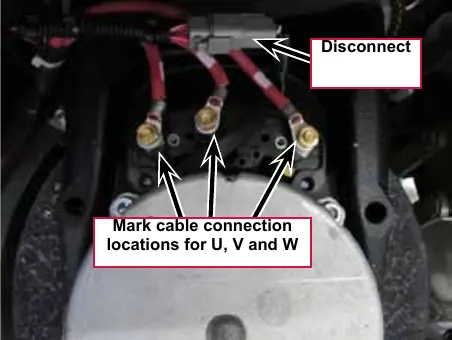
- Disconnect the U, V and W cables from the motor using a “back-up” wrench on the nut behind the cable to prevent the stud from rotating.
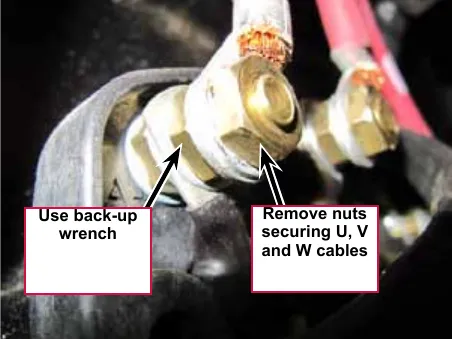
- Loosen the four Screws from underneath the front of the machine and push the lower steering column toward the rear of the machine. This will allow you to separate the Chain from the Steer Sprocket
- Remove the P clamp securing the wiring harness to the splash guard and move the wiring harness aside.
- Remove the false floor plate in the operator compartment (held with three screws) to allow access to the top spindle mounting hardware.
- Remove the Bearing Dust Cap, Cotter Pin and Castle Nut from the spindle shaft.
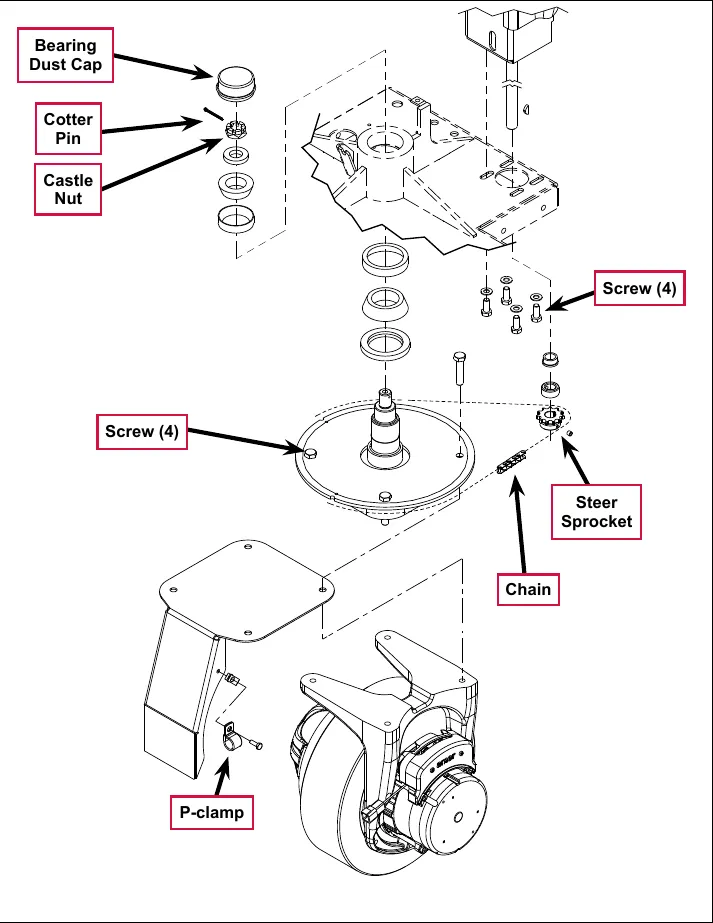
Labels on the drawing: Bearing Dust Cap; Cotter Pin; Castle Nut; Screw (4) (two places); Steer Sprocket; Chain; P-clamp.
- Safely jack up or lift up the front of the machine 8-10 in (20-25 cm) from the center bottom edge of the solution tank.
- Carefully guide the wheel motor assembly down and out of its frame opening. Tilt the wheel motor assembly to the side while raising the machine, then pull it out from underneath the machine.
Note: Be careful not to damage the threads and bearing surfaces when dropping the spindle shaft down through the frame when removing it from the chassis.
- Inspect the bearings and seal and replace as needed. If further service work is needed, remove the six Screws to separate the spindle/steer plate weldment and splash fender from the gear box housing.
- Reassemble the steering spindle and wheel drive assembly by following the above steps in reverse order.
Note: Tighten the Castle Nut to eliminate any bearing play, then back off the Castle Nut enough to install a new Cotter Pin.
Potentiometer testing
Note: Do not remove the potentiometer from the pedal assembly.
- Test the Potentiometer using an ohmmeter (the pot specification is 5K Ohms).
- Connect the meter leads to each of the outside connections on the Potentiometer. The meter should read approximately 5000 Ohms (plus or minus 500 Ohms).
- Move one of the test leads to the middle connection and move the pedal in both directions. The resistance value should change smoothly and proportionally as the pedal angle changes.
- If you do not get these results, replace the Pedal Assembly.
Drive pedal installation
- Remove the pedal assembly mounting screws and remove the pedal.
- Install the new drive pedal and mounting screws.
- The potentiometer comes pre-adjusted and does not require adjustment.
Drive pedal neutral adjustment and pedal replacement
The drive pedal comes with the potentiometer attached and pre-adjusted. However, if the potentiometer position on the pedal changes it can be adjusted.
- Block the rear wheels and jack the front wheel up off the floor.
- Back-probe the potentiometer throttle wiper input signal wire at the Speed Controller with your red voltmeter lead.
- Back-probe the pot low wire at the Speed Controller with your black voltmeter lead.
- Turn the key on.
- Slightly loosen the potentiometer mounting screws, just enough so that you will be able to rotate the potentiometer on the pedal.
- With the drive pedal in the spring loaded center (neutral) position, rotate the potentiometer until the voltmeter reads 2.48 to 2.52 volts, then tighten the mounting screws.
Service Note: Also confirm that the Hourmeter/Status Display is free of the error code 03 (drive system fault). If error 03 is shown, the throttle is not set correctly for the potentiometer and/or drive pedal neutral position. Check both again and readjust.
Wheel drive controller replacement
- Disconnect the main power connector.
- Remove the electrical panel cover to gain access to the controller.
- Label the power and motor cables to aid in correct reassembly.
- Remove the bolts securing the motor and power cables to their respective controller lugs.
- Disconnect the low current connector.
- Remove controller attaching screws and remove the controller.
- Reassemble in reverse order. When attaching cables use the correct hardware in the correct order to avoid damage caused from a loose connection. Torque to 90 in-lb (10.17 N·m).
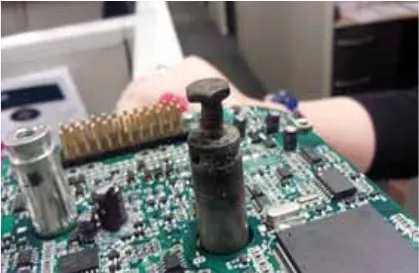
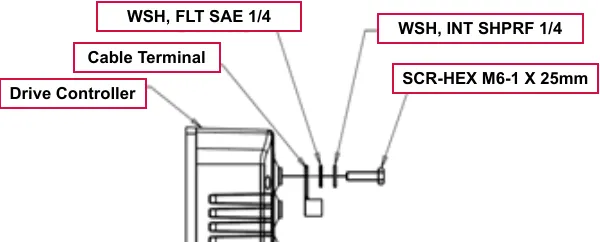
Labels on Fig. 15: Drive Controller; Cable Terminal; WSH, FLT SAE 1/4; WSH, INT SHPRF 1/4; SCR-HEX M6-1 X 25mm.
- Check for proper operation of the wheel drive system with the wheel off the ground first, before operating the vehicle
Specifications
General specifications
| Component | Specifications |
|---|---|
| Drive motor assembly | Speed – 5.9 mph (9.5 km/h) |
| Wheel load (solution tank full) – 1133 lb (523 kg) |
Speed mode table
| Mode 1, pin 10 | Mode 2, pin 11 | Effect |
|---|---|---|
| Low – 0V | Low – 0V | Transport Mode (Mode #1) |
| High – 19V | Low – 0V | Scrub Mode (Mode #2) |
| Low – 0V | High – 19V | Traction Mode (Mode #3) |
| High – 19V | High – 19V | N/A |
Specifications
Shop measurements
Shop measurements are values that were measured on a real machine. While they are not “specifications”, they can help you recognize normal vs. abnormal.
Wheel drive controller voltage measurements
All voltages are DC unless otherwise stated and were measured with the negative (black) voltmeter lead on battery negative and the key switch on. Battery voltage was 38.52 V at time of testing.
Low current 35 pin connector (X6)
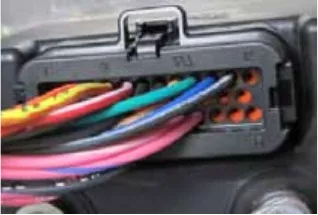
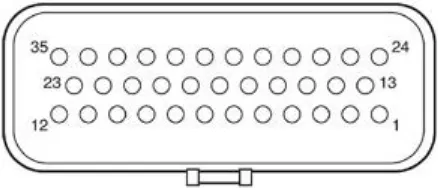
| Pin | Wire color | Circuit | Voltage |
|---|---|---|---|
| 1 | ORN | Key switch input. Provides logic power for the controller and power for the coil drivers. | 37.67 V |
| 2 | Not used | ||
| 3 | ORN/RED | Fault (Curtis Driver 4) | 34.37 V with no current faults |
| 4 | YEL/RED | Direction (Curtis Driver 3) | 34.37 V Forward or Stationary 0.004 V Reverse |
| 5 | RED/WHT | Motion (Curtis Driver 2) | 25.85 V Stationary 0.005 V Moving (Forward or Reverse) |
| 6 | BLK/YEL | K7 Main Contactor Driver (Curtis Driver 1) | 37.7 V key on (contactor off) When seat switch closes, momentary drop to 1.7 V to turn on contactor. Then stabilizes at 9.1 V to hold contactor on. |
| 7 | BLK/PINK | Sensor ground reference. (Internal connection to B-) (Curtis I/O ground) | 0.018 V with motor running |
| 8 | TAN/RED | Motor Temperature Sensor (Curtis Analog 2 or Switch 2) | 1.24 V (Room Temp) 12 7 V (open circuit) |
| 9 | GRN | Interlock Switch Input (Curtis Switch 3) | 37.65 V |
| Pin | Wire color | Circuit | Voltage |
|---|---|---|---|
| 10 | BLU/BLK | Mode 1 (Curtis Switch 4) | 0.003 V Key on 19.2 V Scrub on 0.09 V Scrub on and (“Rabbit” speed or Traction Control on.) |
| 11 | BLK/WHT | Mode 2 (Curtis Switch 5) | 0.003 V Traction Control off 19.1 V Traction Control on |
| 12 | Not used | ||
| 13 | Not used | ||
| 14 | Not used | ||
| 15 | VIO/BLK | Throttle POT High (5 V supply) | 5.31 V |
| 16 | BRN/RED | Throttle POT wiper (Pedal potentiometer Input) | 4.91 V Full Forward 2.72 V Neutral 0.51 V Full Reverse |
| 17 | Not used | ||
| 18 | WHT/BLK | Throttle POT Low | 0.21 V |
| 19 | Not used | ||
| 20 | Not used | ||
| 21 | Not used | ||
| 22 | Not used | ||
| 23 | Not used | ||
| 24 | Not used | ||
| 25 | VIO/WHT | Unregulated low power +12 V output. (Power for Programmer Connector) | 12.99 V |
| 26 | PINK/RED | Regulated low power +5v output | 5.03 V |
| 27 | Not used | ||
| 28 | WHT/ORN | Serial Transmit for Programmer Connector | 0.11 V |
| 29 | BLU/GRN | Serial Receive for Programmer Connector | 0.002 V Momentary jump to 4 V when programmer is connected |
| 30 | Not used | ||
| 31 | PINK/WHT | Drive Motor Encoder Signal - Phase A | 4.80 V or 0.12 V stationary 2.3 V wheel spinning any speed |
| 32 | PINK/BLU | Drive Motor Encoder Signal - Phase B | 4.84 V or 0.12 V stationary 2.3 V wheel spinning any speed |
| 33 | Not used | ||
| 34 | Not used | ||
| 35 | Not used |
Motor U, V and W terminal pair voltages
- U to V, V to W or W to U - 63 mVAC with stationary motor. 11.8 VAC with wheel off ground and full forward speed maintained.
Motor U, V and W terminal pair frequency
- U to V, V to W or W to U - 130 Hz at full forward speed.
Wheel speed controller current draw
Measured with amp clamp around battery negative feed to wheel drive controller.
- Key on - 0.40 Amps DC
- Full forward speed, wheel off ground - 5.9 Amps DC
- Transport - Heavy acceleration up to around 68 Amps DC. Maintain full forward speed on level floor around 30 Amps DC
Main contactor (K7)
Winding resistance at room temperature: 100 ohms
Special tools
| Tool | Photo |
|---|---|
| Curtis hand-held programmer, model 1311-1101, part number 56409441 | 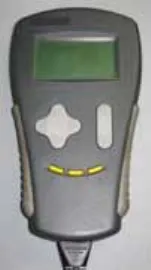 |
| Curtis hand-held programmer, model 1313-1101, part number 56383571 | 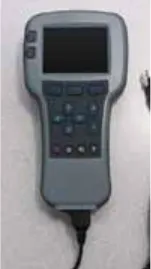 |
Tire Puller Kit 56422174 Consists of threaded screws to push the wheel off the bearing and pilot studs for aligning drive hub threads during installation. | 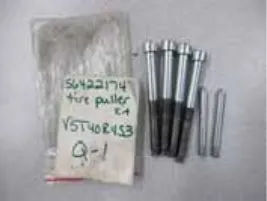 |
Advance is a trademark of Nilfisk, Inc. Southeastern Equipment & Supply is an independent dealer.