
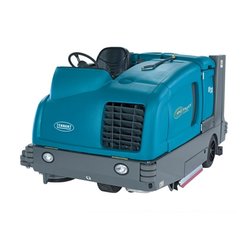
SC1500 service manual
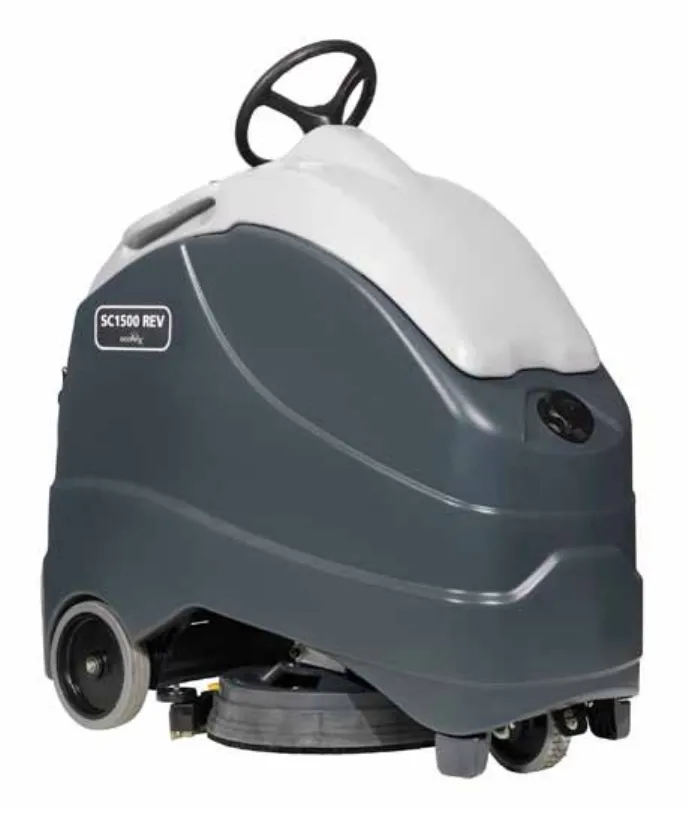
Advance SC1500 Models: 56104000 (X20D), 56104001 (X20R)
Nilfisk SC1500 Models: 56104002 (SC1500-51D)
English
5/2013 Revised 11/2017, Form No. 56043166
Contents
- General Information – 6
- Machine Configurations – 6
- Service Manual Purpose and Application – 6
- Revision History – 6
- Other Reference Manuals and Information Sources – 6
- Diagnostic and Service Tools – 7
- Conventions – 7
- Parts and Service – 7
- Modifications – 7
- Nameplate – 7
- Cautions and Warning Symbols – 8
- General Safety Instructions – 8
- Prop Rod – 10
- Moving the Machine – 10
- Transporting the Machine – 11
- Specifications – 11
- General Specifications – 11
- Overall Dimensions – 12
- Fastener Torque Specifications – 12
- Maintenance – 13
- Lubrication Locations – 14
- Major Machine Components – 15
- Machine Controls – 16
- Key Switch, Emergency Stop and Horn Switch – 16
- Circuit Breakers – 17
- Speed and Direction Controls and Indicators – 18
- Scrub Controls and Indicators – 19
- Solution Controls and Indicators – 19
- Detergent System Controls and Indicators – 20
- Burst of Power Switch and Indicator – 20
- Vacuum Power Adjustment Switch and Indicators – 21
- Information Switch – 22
- Battery Status and Charger Screens – 22
- Chassis System – 23
- Control System – 25
Contents, continued
- Programming Options – 31
- Main Menu Access – 31
- Submenu Functions – 32
- Deck Type – 32
- Low Battery Voltage Cutout – 32
- Battery Charger – 33
- Burst Of Power Operation – 33
- Detergent (EcoFlex™) Option – 34
- Chemical Rate Bias – 34
- Open Fault Detect – 34
- Display Rev Level – 34
- Lock Out Brush Pressure – 35
- Lock Out Solution Flow Rate – 35
- Backup Alarm Volume – 36
- Forward Alarm Volume – 36
- Horn Volume – 36
- Restore Defaults – 37
- Fault Recall – 37
- Service Test Mode – 37
- Extra Information on the Graphic Display – 38
- Frozen Parameters – 39
- Panel Test – 41
- Save Scrub Settings – 41
- Removal and Installation – 42
- A1 Control Board Shop Measurements – 45
- Electrical System – 47
- Recovery System – 66
Contents, continued
- Scrub System – 76
- Solution System – 95
- Squeegee System – 106
- Steering System – 109
Contents, continued
- Wheel System - Traction – 112
General information
Machine configurations
The SC1500 machines are battery-powered commercial floor scrubbing machines suitable for use in hotels, schools, hospitals, factories, shops, offices, rental businesses and similar applications.
The SC1500 is available in two scrub system configurations:
- The 20D models have a 20 in brush plate assembly to accommodate a variety of disc brushes. The 20D models can also be used with several grades of pads by using the optional pad holder.
- The 20R models have a 20 in REV™ scrub system that uses a pad driver for use with REV™ deck pads only.
The machine is powered by either four 6-volt batteries or two 12-volt batteries, connected in series, to provide 24 VDC to the motors and controls.
Service manual purpose and application
This Service Manual is a technical resource designed to aid service personnel in maintaining and repairing the Advance SC1500 Scrubbers to ensure optimum performance and long service life. Please read it thoroughly before servicing your machine.
Revision history
| Date | Revisions |
|---|---|
| 6/13 | Initial publication |
| 7/13 |
|
| 11/13 |
|
| 8/14 |
|
| 4/16 |
|
| 11/17 |
|
Other reference manuals and information sources
| Model name | Model number | Parts list form number | Instructions for use form number |
|---|---|---|---|
| Advance SC1500 | 56104000, 56104001 | 56042591 | 56091047 - English, Español, Français Português |
| Nilfisk SC1500 | 56104002 (SC1500-51D) | 56042592 |
These manuals can be found on the following Nilfisk-Advance’s electronic supported databases:
- Nilfisk-Advance Dealer Customer Zone
- Advance website: www.advance-us.com
- Nilfisk website: www.nilfisk.com
- EzParts service/parts CD-ROM
Diagnostic and service tools
In addition to a full set of metric and standard tools, the following items are required in order to successfully and quickly perform troubleshooting and repair of Advance commercial floor cleaning equipment.
- Digital voltmeter (DVM) with DC current clamp
- Hydrometer
- Battery load tester for checking batteries
- Set of torque wrenches
These tools are also available from Nilfisk-Advance, Inc.:
- Curtis 1311 hand held programmer, p/n 56409441,
- Vacuum water lift gauge, p/n 56205281.
Conventions
All references to right, left, front and rear in this manual are as seen from the Operator’s position.
Parts and service
Repairs should be performed by an Authorized Advance Service Center that employs factory-trained service personnel and maintains an inventory of Advance original replacement parts and accessories.
Call the Advance Dealer named below for repair parts or service. Please specify the Model Number (same as the Part Number) and Serial Number when discussing your machine.
Modifications
Modifications and additions to the cleaning machine which affect capacity and safe operation shall not be performed by the customer or user without prior written approval from Nilfisk-Advance Inc. Unapproved modifications will void the machine warranty and make the customer liable for any resulting accidents.
Nameplate
The Model Number (Part No.) and Serial Number of the machine are shown on the Nameplate located on the inside of the battery compartment.
This information is needed when ordering repair parts for the machine.
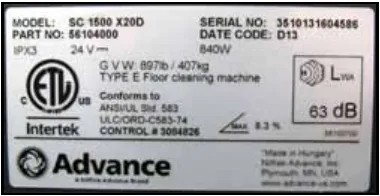
The example nameplate in the photo reads: Model SC 1500 X20D, Part No. 56104000, IPX3, 24 V, 840 W, G.V.W. 897 lb (407 kg), Type E floor cleaning machine, maximum slope 8.3 %, sound level 63 dB, Date Code D13.
Cautions and warning symbols
Nilfisk-Advance uses the symbols below to signal potentially dangerous conditions. Read this information carefully and take the necessary steps to protect personnel and property.
- Danger! Is used to warn of immediate hazards that will cause severe personal injury or death.
- Warning! Is used to call attention to a situation that could cause severe personal injury.
- Caution! Is used to call attention to a situation that could cause minor personal injury or damage to the machine or other property.
Read all instructions before using.
General safety instructions
Specific Cautions and Warnings are included to warn you of potential danger of machine damage or bodily harm. This machine is for commercial use, for example in hotels, schools, hospitals, factories, shops and offices other than normal residential housekeeping purposes.
- This machine should only be used by properly-trained and authorized personnel.
- This machine is not intended for use by persons (including children) with reduced physical, sensory or mental capabilities, or lack of experience and knowledge.
- Avoid sudden stops when on ramps or inclines. Avoid abrupt sharp turns. Use low speed down ramps.
- Observe the Gross Vehicle Weight, GVW, of the machine when loading, driving, lifting or supporting the machine.
- Keep sparks, flame and smoking materials away from batteries. Explosive gases are vented during normal operation.
- Charging the batteries produces highly-explosive hydrogen gas. Charge the batteries only in well-ventilated areas away from open flame. Do not smoke while charging the batteries.
- Remove all jewelry when working near electrical components.
- Turn the Key Switch off (O) and disconnect the batteries before servicing electrical components.
- Never work underneath a machine without safety blocks or stands to support the machine.
- Do not dispense flammable cleaning agents, operate the machine on or near these agents, or operate in areas where flammable liquids exist.
- Only use the brushes provided with the machine or those specified in the Instructions for Use. The use of other brushes may impair safety.
- Do not clean this machine with a pressure washer.
- This machine is not approved for use on public paths or roads.
- This machine is not suitable for picking up hazardous dust.
- Do not use scarifier discs and grinding stones. Advance will not be held responsible for any damage to floor surfaces caused by scarifiers or grinding stones (can also cause damage to the brush drive system).
- When operating this machine, ensure that individuals in close proximity, particularly children, are not endangered.
- Before performing any service function, carefully read all instructions pertaining to that function.
- Do not leave the machine unattended without first turning the Key Switch off (O), removing the key and applying the parking brake.
- Turn the Key Switch off (O) and remove the key before changing the brushes, and before opening any access panels.
- Take precautions to prevent hair, jewelry or loose clothing from becoming caught in moving parts.
- Use caution when moving this machine in below-freezing temperature conditions. Any water in the solution, recovery or detergent tanks, or in the hose lines could freeze, causing damage to valves and fittings. Flush with windshield washer fluid.
- The batteries must be removed from the machine before the machine is scrapped. The disposal of the batteries should be safely done in accordance with your local environmental regulations.
- Do not use on surfaces having a gradient exceeding that marked on the machine.
- All doors and covers are to be positioned as indicated in the Instructions for Use before using the machine.
- This machine should only be used and stored indoors.
Prop rod
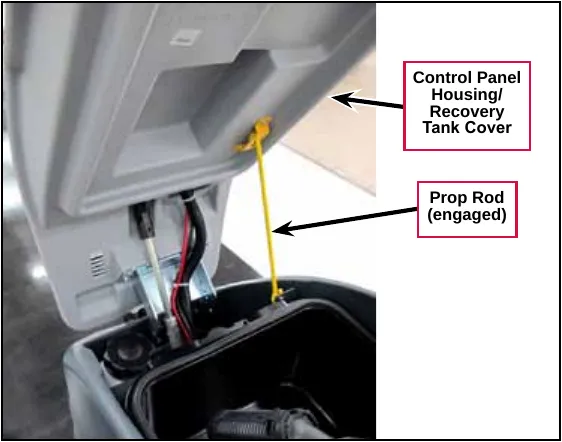
To prevent the Control Panel Housing / Recovery Tank Cover from dropping unexpectedly and causing injury, always engage the Prop Rod as shown before working under the Panel Housing / Recovery Tank Cover.
Moving the machine
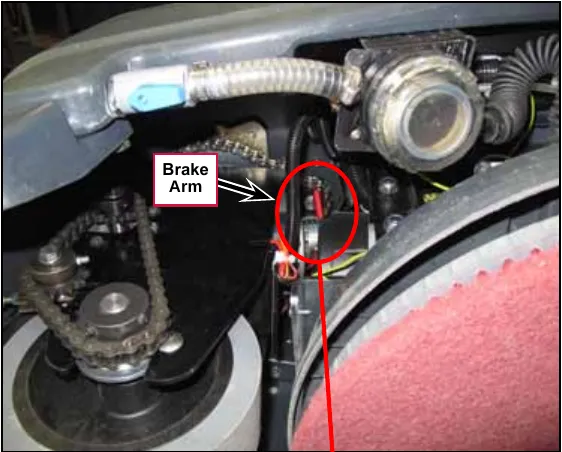
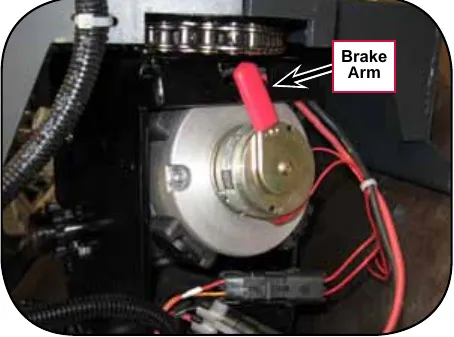
The drive wheel motor has a built-in electromagnetic brake that engages whenever the Key Switch is Off or the Go Pedal is released. You can manually override this brake if necessary by reaching up around the back of the front drive wheel and rotating the Brake Arm up as shown. This should only be done if you need to push or pull the machine. Remember to reengage the Brake Arm once you finish moving the machine.
Note: Turn the drive wheel 45° to the right for easier access to the Brake Arm.
Transporting the machine
- All tanks are empty.
- The recovery tank cover is latched securely.
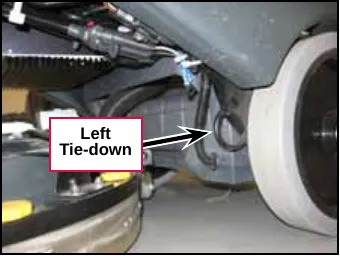
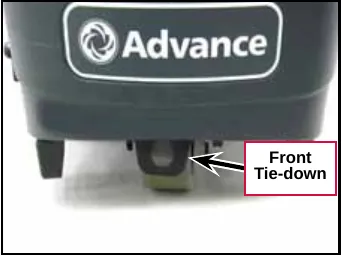
- The machine is tied down securely. (Refer to the Tie-down Locations below.
- The machine’s electromagnetic brake is engaged (not manually overridden).
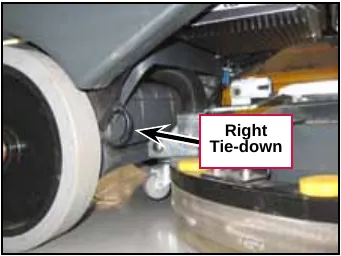
Specifications
General specifications
| Model | SC1500-X20D | SC1500-X20R |
|---|---|---|
| Model No. | 56104000 | 56104001 |
| Battery Voltage | 24V | |
| Battery Capacity - Amp Hours | 260 | |
| Protection Grade | IPX3 | |
| Sound Pressure Level IEC 60335-2-72: 2002 Amend. 1:2005, ISO 11201 dB(A) | 63 dB LpA, ±3 dB KpA | 62 dB LpA, ±3 dB KpA |
| Gross Vehicle Weight (w/full solution tank, empty recovery tank, heaviest batteries, no Operator | 718 lb (326 kg) | |
| Net Weight ((w/empty solution and recovery tanks, no batteries or brushes | 354 lb (161 kg) | |
| Maximum Operator/Rider Weight | 250 lb (113.4 kg) | |
| Scrub Deck Width | 20 in (50.8 cm) | |
| Squeegee Width | 26.5 in (67.3 cm) | |
| Tank Capacities | Solution Tank: 11.7 gal (44.28 L) | |
| Recovery Tank: 13.5 gal (46.67 L) | ||
| Static Wheel Loading with 179 lb. rider | Front: 362 lb (164 kg) | Rear: 275 lb (125 kg) |
| Static Wheel Pressure with 175 lb. rider | Front: 116 psi (8.2 kg/cm²) | Rear: 139 psi (9.8 kg/cm²) |
| Sound Pressure Level (IEC 60704-1)TR12116 | 63.33 dB(A)/.029344 µPa | |
| Vibrations at the Hand Controls (ISO 5349-1) | <1.6 ft/s² (<.5 m/s²) | |
| Vibrations at the Seat (EN 1032) | <8.2 ft/s² (<2.5 m/s²) | |
| Gradeability | Transport: 14.5 percent / 8.2 degrees | |
| Cleaning: 8.0 percent / 4.5 degrees | ||
Overall dimensions
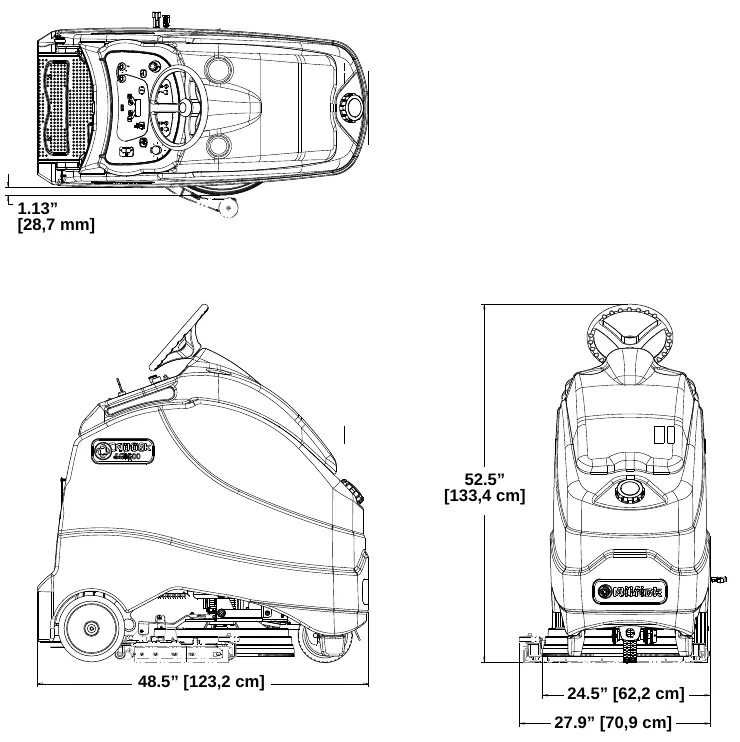
Dimensions shown on the drawing: 1.13 in (28.7 mm); 48.5 in (123.2 cm); 52.5 in (133.4 cm); 24.5 in (62.2 cm); 27.9 in (70.9 cm).
Fastener torque specifications
| Size | Plated Steel | Stainless Steel | |
|---|---|---|---|
| Standard Torque Specifications (unless otherwise specified) | #10 | 42 in-lb (4.75 N·m) | 28 in-lb (3.17 N·m) |
| 1/4" | 100 in-lb (11.3 N·m) | 67 in-lb (7.57 N·m) | |
| 5/16" | 17 ft-lb (23.05 N·m) | 11 ft-lb (14.91 N·m) | |
| 3/8" | 31 ft-lb (42.03 N·m) | 20 ft-lb (27.12 N·m) | |
| 1/2" | 75 ft-lb (101.69 N·m) | 50 ft-lb (67.79 N·m) | |
| 3/4" | 270 ft-lb (366.07 N·m) | 180 ft-lb (244.05 N·m) | |
| M5 | 61 in-lb (6.89 N·m) | 36 in-lb (4.07 N·m) | |
| M6 | 9 ft-lb (12.2 N·m) | 62 in-lb (7.0 N·m) | |
| M8 | 22 ft-lb (29.83 N·m) | 13 ft-lb (17.63 N·m) | |
| M10 | 44 ft-lb (59.66 N·m) | 25 ft-lb (33.9 N·m) | |
| M12 | 70 ft-lb (94.91 N·m) | 40 ft-lb (54.23 N·m) |
Maintenance
General maintenance information
Keep the machine in top condition by closely following the maintenance schedule. Maintenance intervals given are for average operating conditions. Machines used in severe environments may require service more often.
Maintenance schedule
| Maintenance Item | Daily | Weekly | Monthly | Yearly |
|---|---|---|---|---|
| Charge Batteries | X | |||
| Check/Clean Tanks & Hoses | X | |||
| Check/Clean the Brushes/Pads Parts › | X | |||
| Check/Clean the Squeegee Parts › | X | |||
| Check/Clean Vacuum Shutoff Float Parts › | X | |||
| Empty/Clean Debris Catch Tray in Recovery Tank Parts › | X | |||
| Check Each Battery Cell(s) Water Level | X | |||
| Inspect Scrub Housing Skirt Parts › | X | |||
| Inspect and Clean Solution Filter Parts › | X | |||
| Purge Detergent System | X | |||
| Lubricate Machine | X | |||
| * Check Carbon Brushes Parts › | X | |||
| ** Replace vibration damping isolators (REV model only) | X |
* Have an Authorized Advance Service Center check the vacuum motor carbon motor brushes once a year or after 300 operating hours. The brush and drive motor carbon brushes should be checked every 500 hours or once a year.
** This maintenance procedure must be performed by an authorized Advance Service Center.
Lubrication locations
- Once a month apply Lubriplate® 730-2 or equivalent grease to, or grease the fitting on, the following components. Avoid using too much grease.
- Hex Shaft/Steering Tube Assembly
- Drive Wheel Chain
- Drive Chain Idler Sprocket (grease fitting)
- Steering Chain
- Once a month apply light machine oil to the Upper and Lower Steering Shaft Universal Joints.
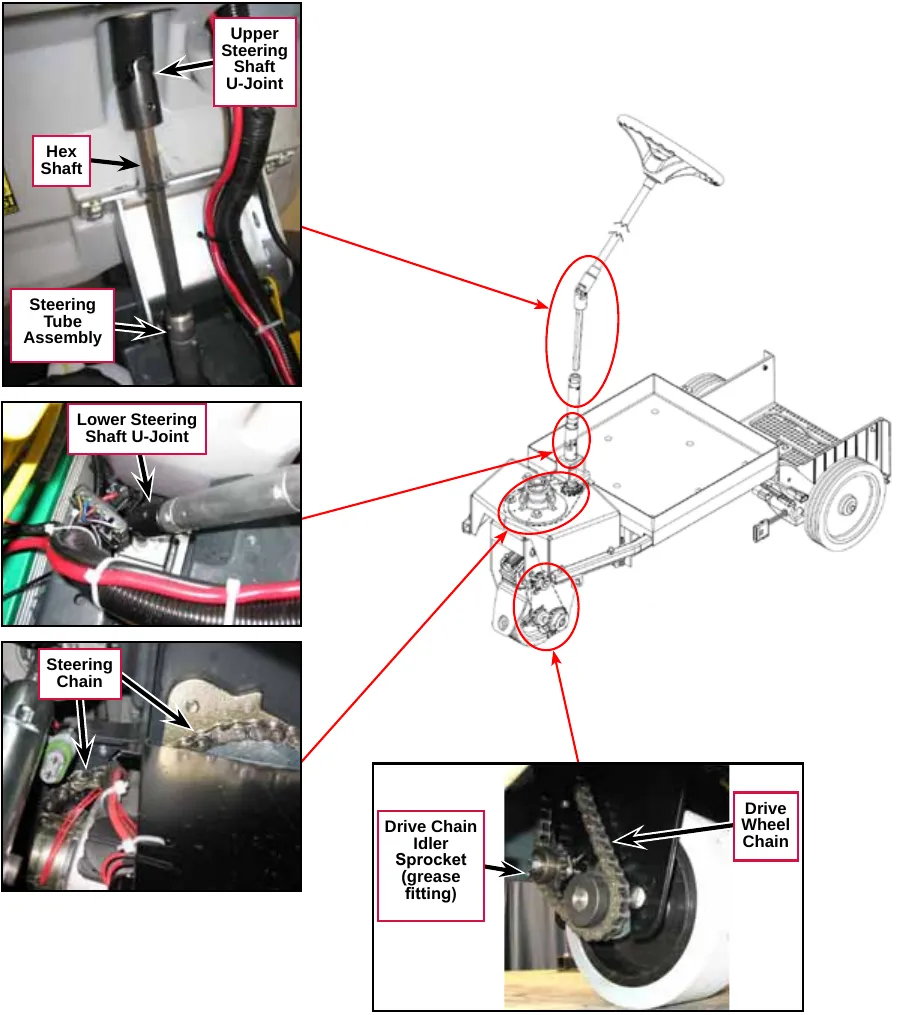
Major machine components
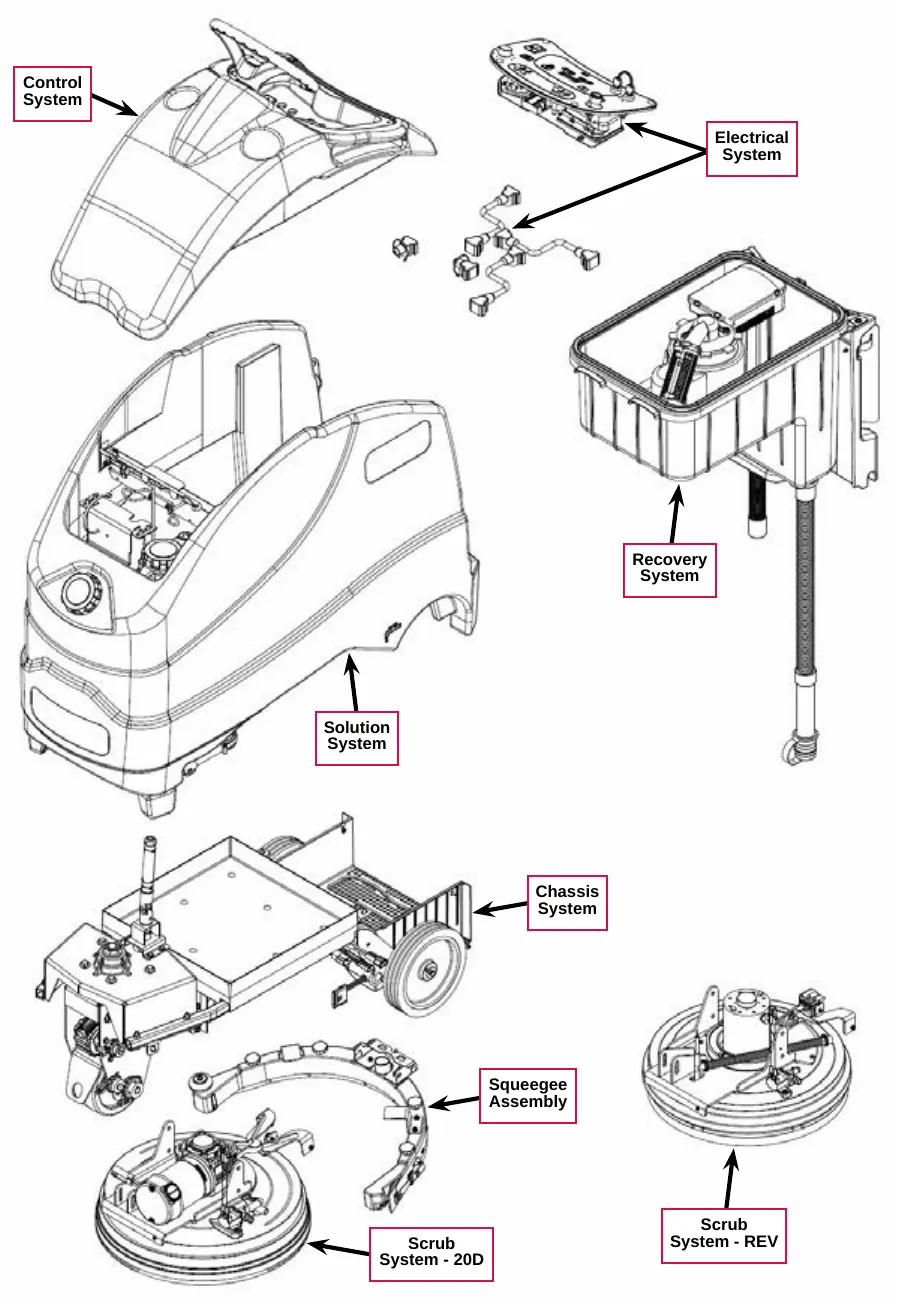
The drawing labels these major assemblies:
- Control System
- Electrical System
- Recovery System
- Solution System
- Chassis System
- Squeegee Assembly
- Scrub System - 20D
- Scrub System - REV
Machine controls
Key switch, emergency stop and horn switch
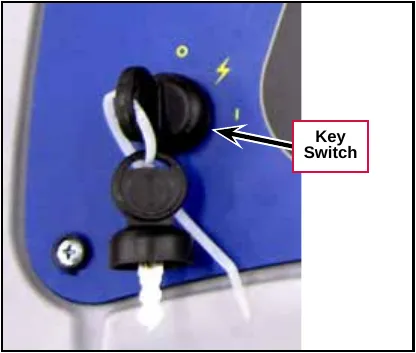
- Key Switch – controls the battery power to the machine. Note that you must turn the Key Switch to the on (I) position before stepping onto the machine platform.
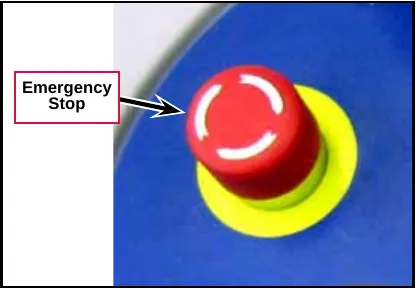
- Emergency Stop – shuts off all battery power to the machine when pressed. To reset the Emergency Stop, rotate the red knob clockwise.
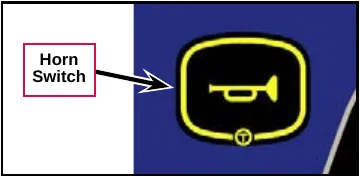
- Horn Switch – sounds the horn when pressed.
Circuit breakers
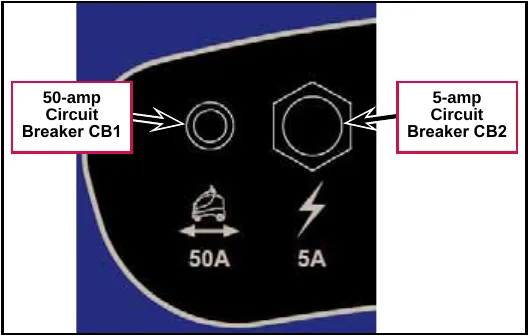
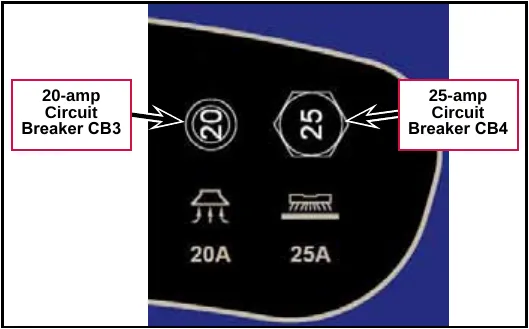
The Circuit Breakers are mounted on the top of the control panel. To reset a Circuit Breaker, press the corresponding reset button
- 50-amp Circuit Breaker – labeled CB1 in the Ladder Diagram; controls the positive voltage to the E1 Curtis 1210 Speed Controller.
- 5-amp Circuit Breaker – labeled CB2 in the Ladder Diagram; controls the positive voltage to the key switch and to the battery positive inputs J3-1 and J3-8 on the A1 Control Board.
- 20-amp Circuit Breaker – labeled CB3 in the Ladder Diagram; controls the positive voltage to the contacts on solid state relay K1. Relay K1 controls the positive voltage to the vacuum motor, M4.
- 25-amp Circuit Breaker – labeled CB4 in the Ladder Diagram; controls the positive voltage to the contacts on relay K2. Relay K2 controls the positive voltage to the brush motor, M5/M6.
Speed and direction controls and indicators
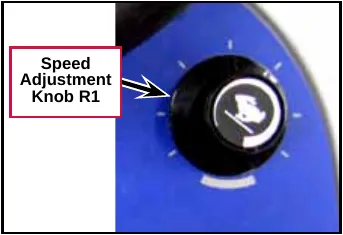
- The Speed Adjustment Knob – labeled R1 in the Ladder Diagram; 100K potentiometer that controls the machine speed in both forward and reverse.
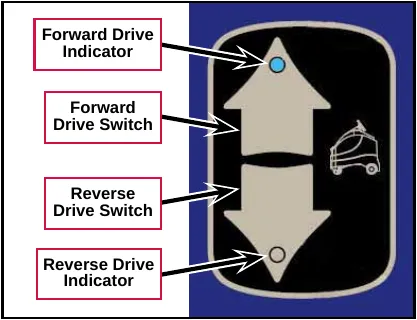
- The Forward and Reverse Drive Switches select the direction the machine will move when the Go Pedal is pressed. The corresponding Drive Indicator will light when a Drive Switch is selected.
- Forward Drive Switch – selects the forward direction.
- Forward Drive Indicator – lights to indicate that the Forward Drive Switch has been selected. Note that this indicator is lighted in the adjacent drawing.
- Reverse Drive Switch – selects the reverse direction.
- Reverse Drive Indicator – lights to indicate that the Reverse Drive Switch has been selected.
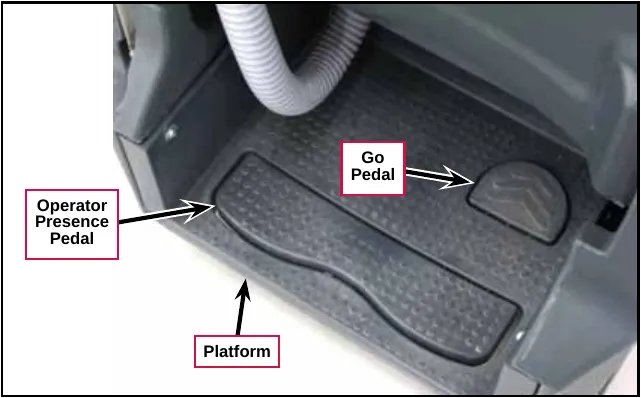
- Operator Presence Pedal – ensures that the Operator is standing on the Platform before the Go Pedal will drive the machine forward or reverse.
- Go Pedal – drives the machine in the direction selected with the Forward Drive or Reverse Drive Switches.
Scrub controls and indicators
Note: The scrub pressure, recovery vacuum power, solution flow rate and detergent strength settings that will be in effect when the One-touch™ Scrub On/Off Switch is pressed is determined by the Save Scrub Settings submenu in the Programming Options.
- If SAVE SCRUB SETTINGS/YES is selected, the machine will use the scrub settings that were in use when the key switch was switched off.
- If SAVE SCRUB SETTINGS/NO is selected, the machine will use the default settings.
(Refer to the Save Scrub Settings subsection in the Control System section.)
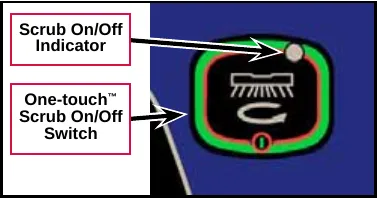
- One-touch™ Scrub On/Off Switch – lowers the scrub deck and squeegee to the floor and enables the scrub, vacuum, solution and detergent systems. The scrub motor, solution system, detergent pump and vacuum motor will start when you press the Go Pedal.
- Scrub On/Off Indicator – lights to indicate that the scrub system is active.
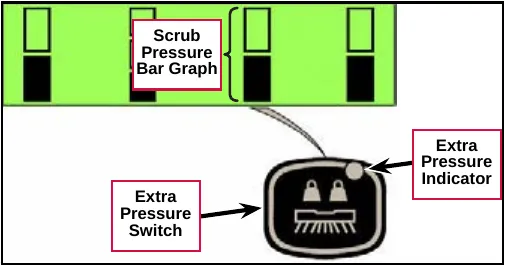
- Extra Pressure Switch – toggles the scrub pressure between standard pressure (bottom box filled as shown) and extra pressure (both top and bottom boxes filled).
- Extra Pressure Indicator – lights to indicate that the scrub system is active.
- Scrub Brush Pressure Bar Graph – displays the scrub pressure on the graphic display as follows:
- Bottom box filled – standard scrub pressure (as shown).
- Top and bottom boxes filled – extra scrub pressure.
Solution controls and indicators
- Solution Flow Adjustment Switch – functions as follows:
- When the scrub system is enabled, pressing the Solution Flow Adjustment Switch will cycle the solution flow rates from low (bottom box filled as shown), to medium (bottom two boxes filled), to high (all three boxes filled), then to off (no boxes filled).
- When the scrub system is not enabled (machine in transport mode), pressing and holding the Solution Flow Adjustment Switch will dispense solution at the high flow rate to pre-wet the floor. The solution will continue to dispense as long as the Solution Flow Adjustment Switch is pressed.
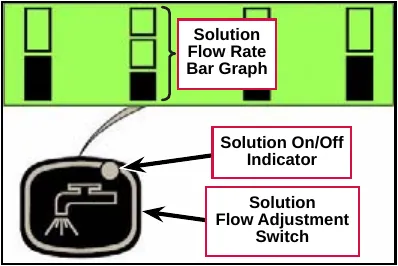
- Solution On/Off Indicator – lights to indicate that the solution system is active.
- Solution Flow Rate Bar Graph – displays the solution flow rate on the graphic display as follows:
- Bottom box filled – low solution flow rate (as shown).
- Bottom two boxes filled – medium solution flow rate.
- All three boxes filled – high solution flow rate.
- All three boxes empty – solution system off.
Detergent system controls and indicators
- Detergent Strength Switch – functions as follows:
- When the scrub system is enabled, pressing the Detergent Strength Switch will cycle the detergent flow rate from weak (bottom box filled as shown), to strong (top and bottom boxes filled), then to off (no boxes filled).
- When the scrub system is not enabled (machine in transport mode), pressing and holding the Detergent Strength Switch and Solution Flow Adjustment Switch simultaneously will enable the purge mode.
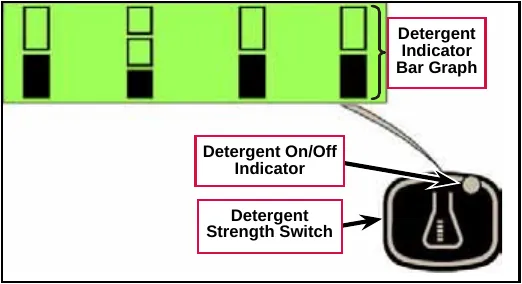
- Detergent On/Off Indicator – indicates that the detergent flow rate is a rate other than zero.
- Detergent Indicator Bar Graph – displays the detergent flow rate, ratio and percentage on the graphic display as follows:
- Bottom box filled – weak detergent flow rate (as shown).
- Top and bottom boxes filled – strong detergent flow rate.
- Both boxes empty – detergent system off.
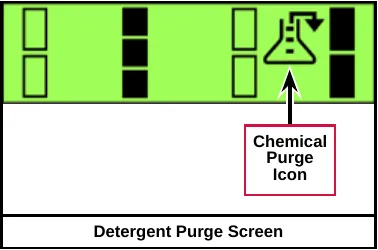
- Detergent Purge Screen – displays the Chemical Purge Icon to indicate that the detergent purge cycle is active. To start the purge cycle and display the Detergent Purge Screen, press and hold the Detergent Strength Switch and the Solution Flow Adjustment Switch simultaneously for three seconds. The Detergent On/Off Indicator will flash and the purge cycle will last for approximately 10 seconds.
Burst of power switch and indicator
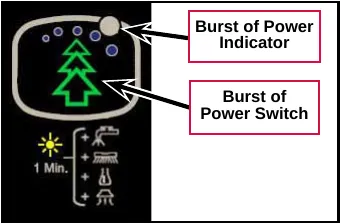
- Burst of Power Switch – temporarily overrides the current machine settings to increase the machine’s cleaning aggressiveness by performing the following:
- Increases the scrub pressure from standard pressure to extra pressure.
- Increases the solution flow rate by one level (off to low, low to medium or medium to high).
- Increases the detergent flow rate to the strong level (off to weak or weak to strong). Note that this will only happen if the detergent option is installed.
- Increases the vacuum power from low/quiet to high/standard. Note that the vacuum motor will not switch from off to low/quiet because of the assumption that if the vacuum is off, the user must be in double-scrubbing mode and wishes to stay in that mode.
If any one of the functions listed above is already performing at its maximum possible rate, the Burst of Power Switch will have no effect on that function but will still affect the other functions. If the detergent option is not installed, the Burst of Power will not affect detergent flow but will still affect the other functions.
The Burst of Power mode lasts for a maximum duration of 60 seconds but can be terminated early by pressing the Information Switch, Burst of Power Switch, Scrub On/Off Switch, Detergent Strength Switch, Solution Flow Adjustment Switch, Extra Pressure Switch or the Vacuum Power Adjustment Switch.
When the Burst of Power period expires or is terminated, all scrubbing parameters that were changed return to their original state before the Burst of Power Switch was pressed.
- Burst of Power Indicator – indicates the following:
- The Burst of Power Indicator will be off when the Burst of Power Switch switch is not functional because it has not been enabled in the Hidden Menu, or because the machine is operating in a mode for which the Burst of Power option does not apply.
- The Burst of Power Indicator will be solid green when the machine is operating in a reduced/normal scrubbing mode but the Burst of Power option is available.
- The Burst of Power Indicator will change color from green to yellow and flash for 60 seconds while the Burst of Power option is active. The Burst of Power Indicator will flash at a rate of 1 Hz for the first 50 seconds, then at a rate of 2 Hz for the last 10 seconds to indicate that the Burst of Power option is about to end.
Vacuum power adjustment switch and indicators
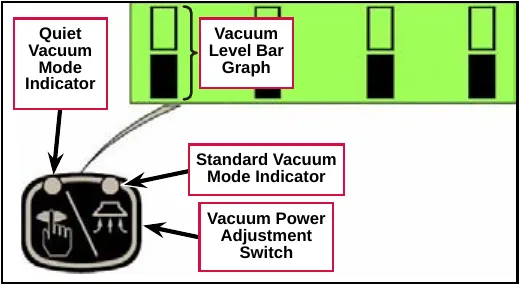
- Vacuum Power Adjustment Switch – functions as follows:
- Pressing the Vacuum Power Adjustment Switch while in the scrub mode will cycle the vacuum mode from low/quiet (bottom box filled as shown), to high/standard (both top and bottom boxes filled), then to off (no boxes filled). Note that the vacuum motor will switch on when the machine is driven forward. When the machine is driven in reverse or stops, or if the Vacuum Power Adjustment Switch is pressed while the vacuum motor is running, the vacuum motor will continue to run for 10 seconds, then switch off.
Pressing the Vacuum Power Adjustment Switch during this 10-second delay period will shut off the vacuum motor immediately.
- When the scrub system is not enabled (machine in transport mode), the Vacuum Power Adjustment Switch functions as follows:
- Pressing the Vacuum Power Adjustment Switch once will enable the wet vacuuming mode. The vacuum power will default to the low/quiet mode and the deck actuator will drive the deck to the “vacuum only” position.
- Pressing the Vacuum Power Adjustment Switch a second time will switch the vacuum motor to high/standard mode.
- Pressing the Vacuum Power Adjustment Switch a third time will disable the wet vacuuming mode. The actuator will immediately raise the deck, and the vacuum motor will turn off after a 10-second delay.
Note: If the One-touch™ Scrub On/Off Switch is pressed while wet vacuuming, the wet vacuuming mode will be disabled. The scrub deck and vacuum motor control will revert to the standard scrub mode operation.
- Quiet Vacuum Mode Indicator – indicates that the vacuum motor is in the low/quiet mode.
- Standard Vacuum Mode Indicator – indicates that the vacuum motor is in the high/standard mode.
- Vacuum Level Bar Graph – displays the vacuum motor power mode as follows:
- Bottom box filled – low/quiet mode (as shown).
- Top and bottom boxes filled – high/standard mode.
- Both boxes empty – vacuum motor off.
Information switch
- Information Switch – displays the Information Screen on the graphic display. The Information Screen will also be displayed if a significant error occurs that results in the shutdown of some machine system. The graphic display will then display the Information screen until next key switch cycle.
The Information Screen shows the Hour Meter, Fault Codes and the Battery Charge Level Indicator.
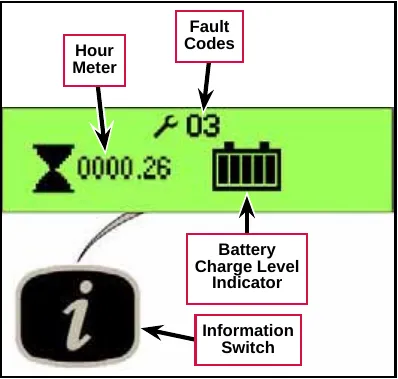
- Hour Meter – displays the total number of run hours on the machine.
- Fault Codes – displays the wrench icon and any active two-digit fault code. If more than one error exists, the display will sequence through the error codes at one-second intervals. (Refer to the Fault Codes subsection in the Control System section.)
- Battery Charge Level Indicator – indicates the charge level of the batteries according to the number of filled “bars” in the battery icon.
- Five solid bars indicates a full battery charge.
- No solid bars (empty battery icon) indicates that the batteries are discharged.
Battery status and charger screens
- Battery Low Voltage Screen – displayed when the battery voltage drops to approximately 21.75 volts. The graphic display will alternate between the Battery Status Screen and the “normal” display at five-second intervals to alert the Operator that the batteries need charging and the remaining battery time is very short.
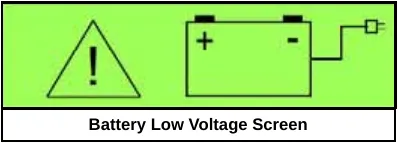
Note that:
- When the voltage in AGM or Gel batteries drops to 21.75 volts, the A1 Control Board switches off the scrub motor, solution system and detergent pump, and raises the scrub deck. The vacuum motor can still remain on.
- When the voltage in AGM or Gel batteries drops to 21.6 volts, the A1 Control Board switches off the vacuum motor.
- When the voltage in Wet batteries drops to 20.55 volts, the A1 Control Board switches off the scrub motor, solution system and detergent pump, and raises the scrub deck. The vacuum motor can still remain on.
- When the voltage in Wet batteries drops to 20.4 volts, the A1 Control Board switches off the vacuum motor.
Chassis system
Major chassis components
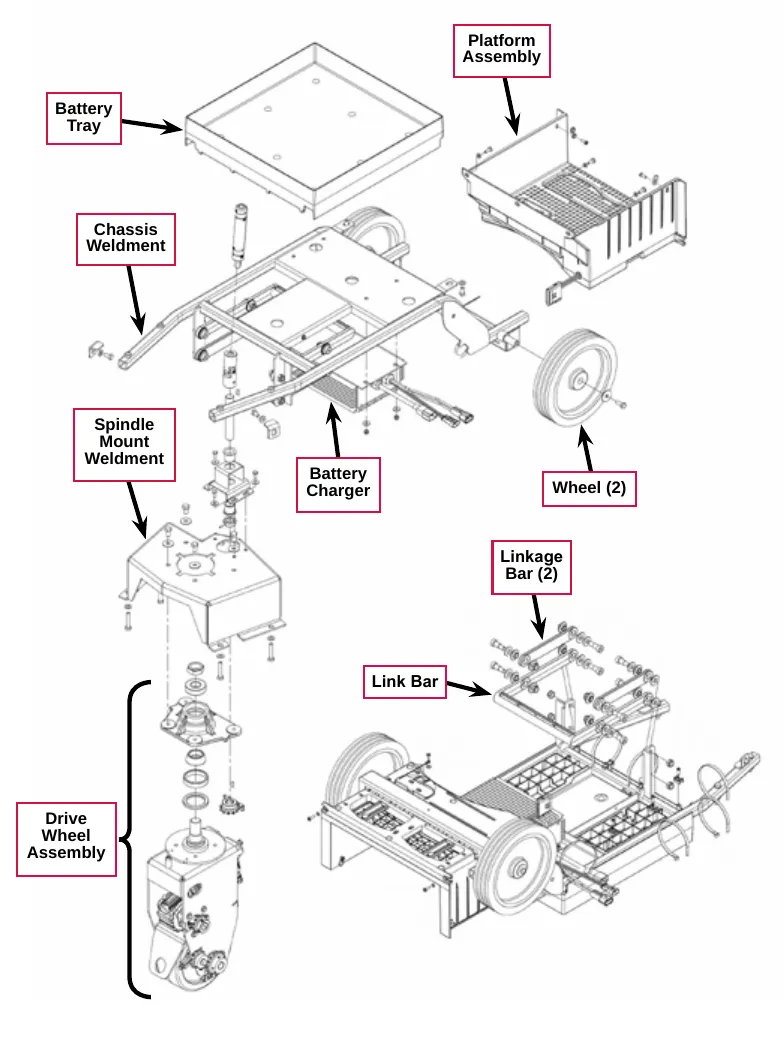
The Chassis System provides the framework on which the machine components are mounted.
The Battery Tray contains the batteries and connectors and is mounted to the top of the Chassis Weldment.
The Platform Assembly provides a place for the Operator to stand and houses the Operator Presence Pedal and Go Pedal.
The Battery Charger is mounted to the bottom of the Chassis Weldment.
The non-traction Wheels are held by flat washers and M8 x 20 screws that thread into the axle in the Chassis Weldment.
The Drive Wheel Assembly is fastened to the Spindle Mount Weldment which bolts to the Chassis Weldment.
The Link Bar and the two Linkage Bars are bolted to vertical plates on the bottom of the Chassis Weldment and support the Scrub Deck.
Platform switches
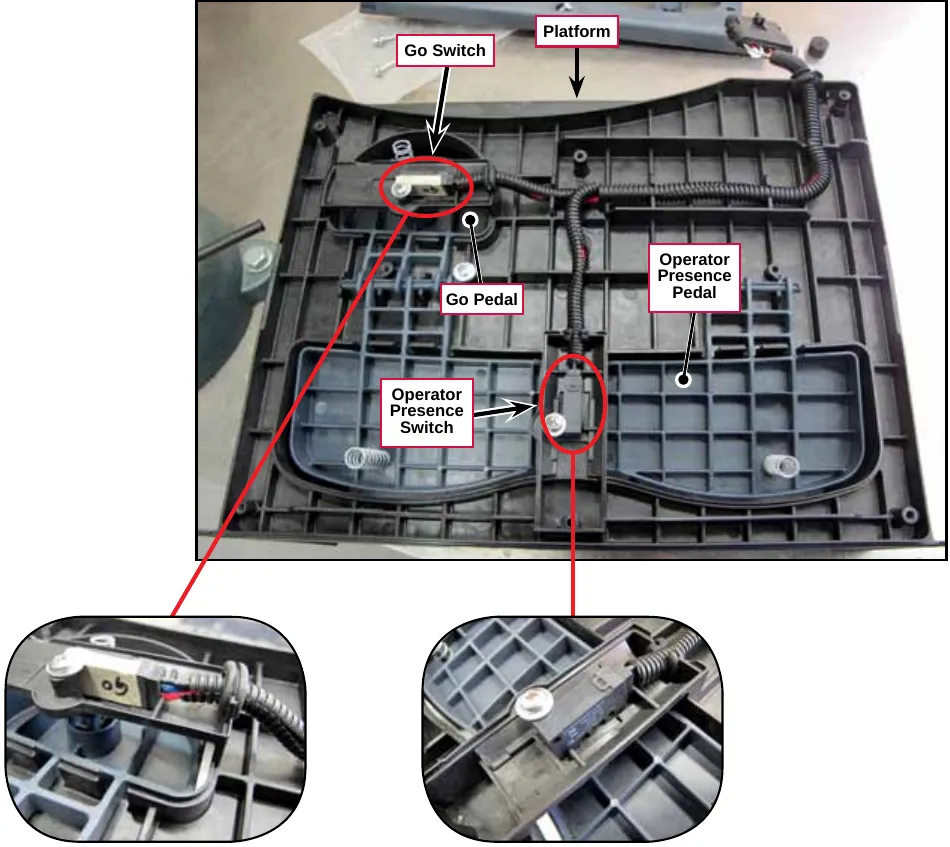
The Operator Presence Pedal and Go Pedal are mounted on the top of the Platform.
- When the Operator stands on the Platform, he/she presses the Operator Presence Pedal which actuates the Operator Presence Switch (called the “Deadman Switch S2” in the Wiring Diagram). The Operator Presence Switch must be actuated before the Go Pedal will drive the machine forward or reverse.
- When the Operator presses the Go Pedal it actuates the Go Switch to drive the machine in the direction selected with the Forward Drive or Reverse Drive Switches.
Control system
Functional description
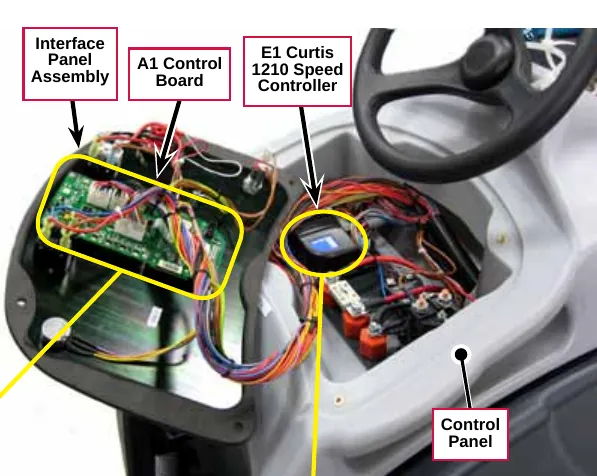
The Control System consists of the A1 Control Board (Main Machine Controller) and the E1 Curtis 1210 Speed Controller.
The A1 Control Board controls the scrubbing and wastewater recovery functions based on Operator requests, and motion and direction inputs from the E1 Curtis 1210 Speed Controller. The A1 Control Board can store and display a variety of fault codes to inform the Operator of any machine fault conditions. The A1 Control Board also supports special modes of operation called the “Programming Mode” and the “Service Test Mode”. The Programming Mode is used primarily for “telling” the A1 Control Board how the machine is equipped so that it can operate accordingly. The Service Test Mode allows you to operate various machine components regardless of current inputs.
The E1 Curtis 1210 Speed Controller controls the drive motor that propels the machine based on Operator requests. (Refer to the Wheel System, Traction section for more information.)
Component locations
The following components are included in this section:
- A1 Control Board
- E1 Curtis 1210 Speed Controller
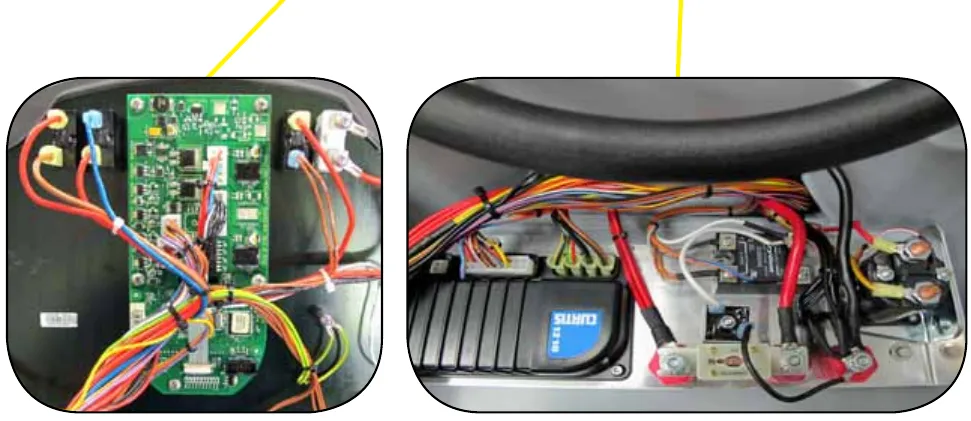
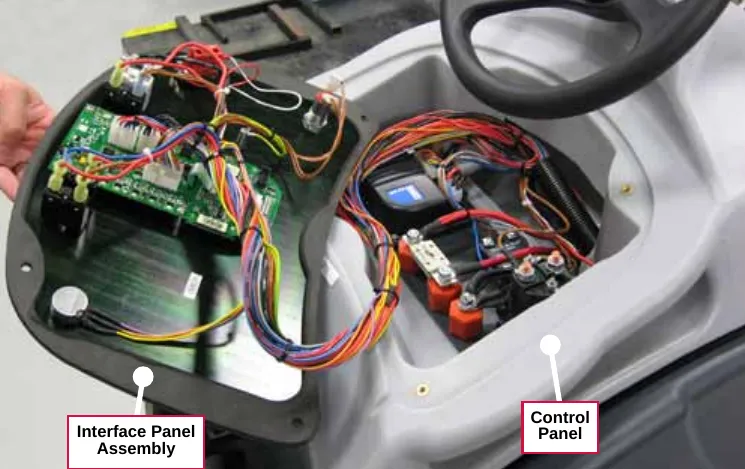
The A1 Control Board is mounted to the rear of the Interface Panel Assembly.
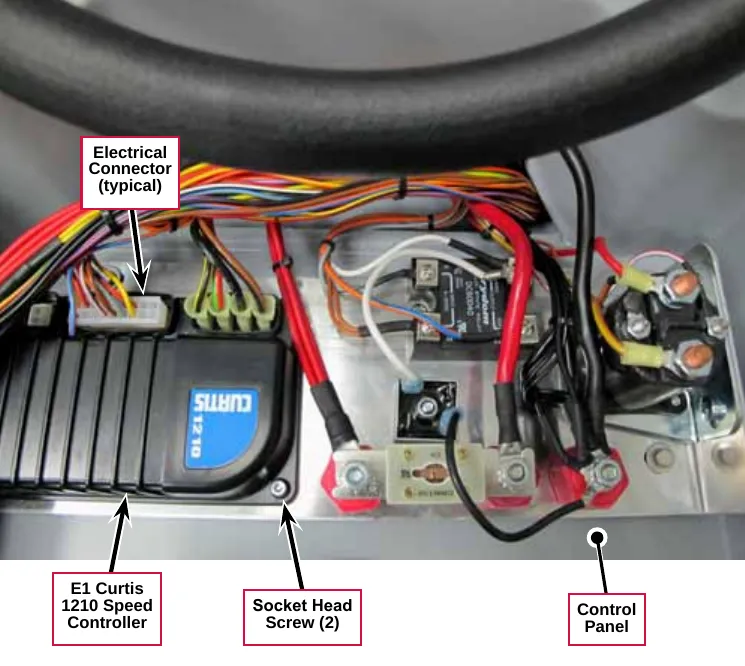
The E1 Curtis 1210 Speed Controller is mounted inside of the Control Panel.
Troubleshooting
Fault codes

The graphic display will show any error codes detected by the A1 Control Board on the Information Screen as they occur. The display will show the wrench icon and the two-digit fault code number. The example shown here, 03, is a speed control fault.
If more than one fault exists, the display will sequence through the fault codes at one-second intervals. If the error is significant and results in a machine system shutdown, the graphic display will show the Information Screen until next key switch cycle. Otherwise the Information Screen will be active only when the Information Switch is pressed.
Fault code table
| Display Code | Fault Description | Conditions Needed to Set the Fault Code |
|---|---|---|
| 03# | Speed Control fault | The E1 Curtis Speed Controller is communicating a problem to the A1 Control Board. |
| 04# | Scrub Deck Actuator overload | The Scrub Deck Actuator has drawn more than 4.5 amps. |
| 08# | Solution Solenoid overload | The Solution Solenoid Valve has drawn more than approximately 1 amp. |
| 09# | Vacuum Contactor (SSR1) coil overload | The Vacuum Contactor has drawn more than approximately 1 amp. |
| 10# | Brush Contactor (K2) coil overload | The Brush Contactor has drawn more than approximately 1 amp. |
| 11# | Detergent Pump overload | The Detergent Pump has drawn more than approximately 1 amp. |
| 21# | Detergent Pump driver fault | The driver IC for the Detergent Pump is reporting a fault; current limiting or shutdown is in effect due to either a detected over-current or over-temperature condition. |
| 24# | Deck Actuator driver fault | The driver IC for the Deck Actuator is reporting a fault; current limiting or shutdown is in effect due to either a detected over-current or over-temperature condition |
| 30# | Solution Solenoid open | The measured current was below the minimum value while the Solution Solenoid should have been on. |
| 32# | Scrub Deck Actuator open | The measured current never exceeded the minimum threshold while moving from one deck position to another (only valid when the target position and the starting position switch states should be different). |
| 35# | Brush Contactor (K2) coil open | The measured current was below the minimum value while the Brush Contactor should have been on. |
| 36# | Vacuum Contactor (SSR1) coil open | The measured current was below the minimum value while the Vacuum Contactor should have been on. |
| 37# | Detergent Pump open | The measured current was below the minimum value while the Detergent Pump should have been on. |
| Display Code | Fault Description | Conditions Needed to Set the Fault Code |
|---|---|---|
| 52# | Scrub Deck Actuator position fault | The measured current was greater than or equal to the minimum threshold value while the deck was moving, but the software timed out looking for the new position (never saw the actuator switch states read the target values). |
| 62# | Solution Solenoid driver on | The measured current was above the minimum value while the Solution Solenoid driver should have been off. |
| 63# | Brush Contactor (K2) driver stuck on | The measured current was above the minimum value while the Brush Contactor driver should have been off. |
| 64# | Vacuum Contactor (SSR1) driver stuck on | The measured current was above the minimum value while the Vacuum Contactor driver should have been off. |
| 65# | Detergent Pump driver stuck on | The measured current was above the minimum value while the Detergent Pump driver should have been off. |
| 70# | On-board Battery charger fault | An error has been generated via the serial communications between the charger and the A1 Control Board due to an incorrect charging profile code being repeatedly sent by the charger, or the bit timing being severely out of spec. |
System disabled by fault codes
| Display Code | Fault Description | Disable System | Flash Indicator | |||||||
|---|---|---|---|---|---|---|---|---|---|---|
| Disable Detergent | Disable Solution | Disable Brush Motor | Disable Recovery Vacuum Motor | Scrub Deck Actuator Disable | Detergent Indicator | Solution Indicator | Brush Motor Indicator | Vacuum Indicator | ||
| 03 | Speed Control fault | x | ||||||||
| 04 | Scrub Deck Actuator overload | x | x | x | x | x | ||||
| 08 | Solution Solenoid overload | x | x | x | ||||||
| 09 | Vacuum Contactor (SSR1) coil overload | x | x | x | x | x | x | |||
| 10 | Brush Contactor (K2) coil overload | x | x | x | x | x | ||||
| 11 | Detergent Pump overload | x | x | |||||||
| 21 | Detergent Pump driver fault | x | x | |||||||
| 24 | Deck Actuator driver fault | x | x | x | x | |||||
| 30 | Solution Solenoid open | x | x | x | ||||||
| 32 | Scrub Deck Actuator open | x | x | x | x | |||||
| 35 | Brush Contactor (K2) coil open | x | x | x | x | x | ||||
| 36 | Vacuum Contactor (SSR1) coil open | x | x | x | x | x | x | |||
| 37 | Detergent Pump open | x | x | |||||||
| Display Code | Fault Description | Disable System | Flash Indicator | |||||||
|---|---|---|---|---|---|---|---|---|---|---|
| Disable Detergent | Disable Solution | Disable Brush Motor | Disable Recovery Vacuum Motor | Scrub Deck Actuator Disable | Detergent Indicator | Solution Indicator | Brush Motor Indicator | Vacuum Indicator | ||
| 52 | Scrub Deck Actuator position fault | x | ||||||||
| 62 | Solution Solenoid stuck closed | x | ||||||||
| 63 | Brush Contactor (K2) coil stuck closed | x | x | x | x | |||||
| 64 | Vacuum Contactor (SSR1) coil stuck closed | x | x | x | x | x | ||||
| 65 | Detergent Pump stuck closed | x | ||||||||
| 70 | On-board Battery charger fault | |||||||||
Service test mode
The Service Test Mode allows you to switch the individual electrical system components on and off independent of the normal Operator inputs. This serves as a “shortcut” when troubleshooting the machine systems. Service Test Mode is accessed through the hidden menu system which is described in “Programming Options” on page 31.
Note: Service Test Mode is not available if the machine is being charged.
To access the service test mode
- With the machine off, press and hold the solution switch and brush pressure switch while turning the machine on, and continue to hold the switches.
- Continue to hold the switches until the display shows “Programming Options”.
- Press the Forward or Reverse switches to scroll through the menu options until “16. Service Test Mode” is visible.
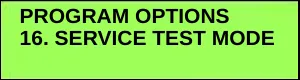
- Press the Burst Of Power Switch to enter the Service Test Mode. The display will show the Service Test Mode submenu.
- Refer to “Service Test Mode Functions” below for a description of the available functions.
- To exit service test mode, turn off the key switch.
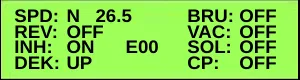
Service test mode functions
The control panel switches are used to control various A1 Control Board output functions. The table below lists the control panel switches, and their corresponding Service Test Mode functions and displays:
| Control Panel Switch | Service Test Mode Function | Graphic Display Descriptions |
|---|---|---|
| Forward Drive Switch | The Forward Drive Switch enables the machine to drive forward. The blue LED indicator will be lit when the Switch is active. For the machine to move forward, the Emergency Stop must be reset, the Operator Presence Pedal must be pressed and the Go Pedal must be pressed. Note that the Inhibit (INH) output must be off (via the Information Switch – see below). | 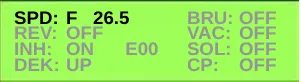
|
| Reverse Drive Switch | The Reverse Drive Switch enables the machine to drive in reverse. The blue LED indicator will be lit when the Switch is active. For the machine to move backward, the Emergency Stop must be reset, the Operator Presence Pedal must be pressed and the Go Pedal must be pressed. Note that the Inhibit (INH) output must be off (via the Information Switch – see below). | 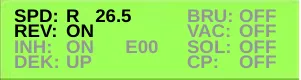
|
| Information Switch | Pressing the Information Switch toggles the Inhibit output (INH) from the A1 Control Board to the E1 Curtis Speed Controller ON and OFF. Note that INH must be OFF in order to test the forward and reverse drive in the Service Test Mode. | 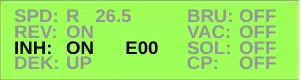
|
| Extra Pressure and Horn Switches | Pressing the Extra Pressure Switch scrolls the DEK: field through the four available deck positions:
Pressing the Horn Switch will move the deck to the selected position. Note that the Extra Pressure Switch is locked out while the deck is moving. The DEK: line will be highlighted and inverted. | 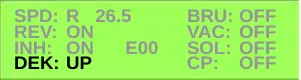 DEK: – indicates the scrub deck position. In this case the deck would be in the UP (transport) position. |
| Control Panel Switch | Service Test Mode Function | Graphic Display Descriptions |
|---|---|---|
| Scrub On/Off Switch | Pressing the Scrub On/Off Switch toggles the brush motor contactor and scrub deck motor ON and OFF. | 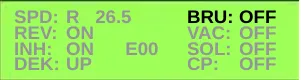 BRU: – indicates the state of the brush motor. In this case the motor would be OFF. |
| Vacuum Power Adjustment Switch | Pressing the Vacuum Power Adjustment Switch scrolls the Solid State Relay (K1) and Vacuum Motor among the three states: OFF (0V), LOW (16.8V) and HI (battery voltage). | 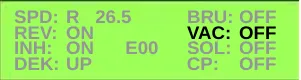 VAC: – indicates the state of the vacuum motor. In this case the motor would be OFF. |
| Solution Flow Adjustment Switch | Pressing the Solution Flow Adjustment Switch toggles the solution solenoid ON and OFF. When the solenoid is ON it will operate at 50% duty cycle (1 cycle = 3 seconds ON, 3 seconds OFF). | 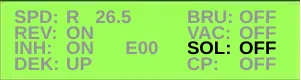 SOL: – indicates the state of the solution solenoid. In this case the solenoid would be OFF. |
| Detergent Strength Switch | Pressing the Detergent Strength Switch toggles the Detergent Pump ON and OFF. When the Detergent Pump is ON, the Pump will be driven at a rate equivalent to 1:128 (0.8%). | 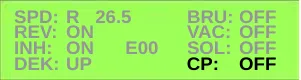 CP: – indicates the state of the detergent (chemical) pump. In this case the pump would be OFF. |
Programming options
The SC1500 graphic display has two “layers” of hidden menus that allow you to view and change the various programmable machine configurations, system settings and parameters. The top “layer” is the main menu from which you can navigate to the 20 submenus. The second “layer” is the submenus that display the programmable options. These submenus are the screens on which you can change the configurations and settings.
Main menu access
- Turn the key switch to the Off position. (If the optional on-board battery charger is installed, it must be unplugged from the AC power).
- Press and hold in the Solution Flow Adjustment Switch and Extra Pressure Switch simultaneously.
- While holding both switches, turn the key switch to the On position.
- Continue to hold the switches until the display shows “Programming Options”.
- Release both switches.
- Press the Forward (up) or Reverse (down) Drive Switches to scroll through the links in the main menu.
- Press the Burst of Power Switch to enter a submenu.
- Within a submenu, press the forward/reverse switches to scroll through the options.
- Press the Scrub switch to save and exit the submenu.
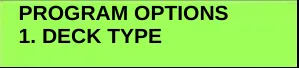
The main menu contains the following links to the corresponding programming option submenus:
- 1. DECK TYPE
- 2. LOW VOLTAGE CUTOUT
- 3. BATTERY CHARGER
- 4. BURST OF POWER
- 5. DETERGENT OPTION
- 6. DETERGENT RATE BIAS
- 7. OPEN FAULT DETECT
- 8. DISPLAY REV LEVEL
- 9. LOCKOUT BRUSH
- 10. LOCKOUT SOLUTION
- 11. BACKUP ALARM VOL
- 12. FWD ALARM VOL
- 13. HORN VOL
- 14. RESTORE DEFAULTS
- 15. FAULT RECALL
- 16. SERVICE TEST MODE
- 17. XTRA INFO ON DISPLAY
- 18. FROZEN PARAMETERS
- 19. PANEL TEST
- 20. SAVE SCRUB SETTINGS
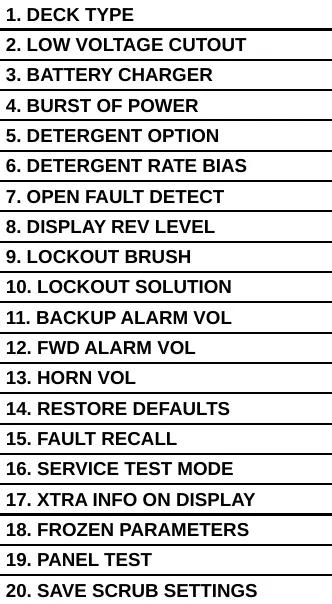
Service Note: Not all menu entries listed will be functional, depending on the machine configuration.
Service Note: The A1 Control Board will automatically display the main menu upon machine power-up if no scrub deck has been selected and saved in the DECK TYPE submenu. This will occur when a new Control Board is installed into a machine, or the RESTORE DEFAULTS has been performed. The purpose of this is to prompt the Operator to select the appropriate deck type before using the Control Board in the machine. Once the deck type has been selected, the controller will no longer automatically display the main menu at machine power-up.
Submenu functions
Deck type
The SC1500 can be equipped with two different deck options. The 1. DECK TYPE submenus allow you to specify the type of deck installed in your machine. Note that the type of deck selected configures the solution flow rate settings corresponding to the deck type.
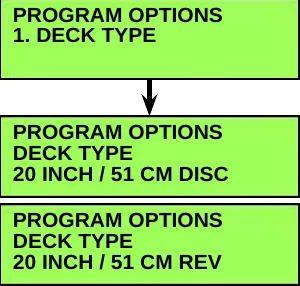
- 20 INCH / 51 CM DISC
- 20 INCH / 51 CM REV
Low battery voltage cutout
The purpose of the low battery voltage cutout is to help prolong battery life. The A1 Control Board will raise the deck, and switch off the brush and vacuum motors, solution solenoid valve and detergent pump automatically when the batteries discharge to the selected cutout level. The 2. LOW VOLT CUTOUT submenus allow you to select the voltage cutout level for the type of battery installed in your machine:
- The standard cutout setting for wet cell/lead acid batteries is 20.55 volts (80% discharged or 20% charge remaining).
- The alternate cutout setting for gel/maintenance free batteries is 21.75 volts (70% discharged or 30% charge remaining).
The default setting is WET BATTERY 80% / LVC=20.55V.
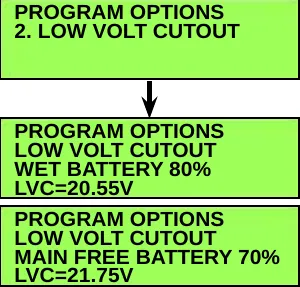
- WET BATTERY 80%, LVC=20.55V
- MAIN FREE BATTERY 70%, LVC=21.75V
Battery charger
The current battery chargers do not communicate with the A1 control board. So this menu function is not applicable. However, for older model chargers this submenu allows you to specify the battery type in your machine so the on-board charger will use the charging algorithm that is compatible with the battery type. If your machine is not equipped with an older model, SPE, onboard charger, select NONE (the default setting).
Corrected an obvious misprint: “control boad” printed as “control board” (the board is named “A1 Control Board” throughout this section).
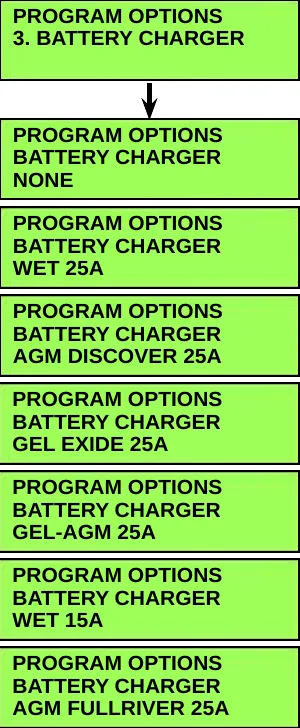
- NONE
- WET 25A
- AGM DISCOVER 25A
- GEL EXIDE 25A
- GEL-AGM 25A
- WET 15A
- AGM FULLRIVER 25A
Burst of power operation
The 4. BURST OF POWER submenus allow you to enable or disable the burst-of-power function. When the burst-of-power function is enabled (YES), pressing the Burst Of Power Switch while scrubbing will attempt to make a temporary increase in the solution flow rate, brush pressure, vacuum level and detergent flow rate.
The default setting is NO.
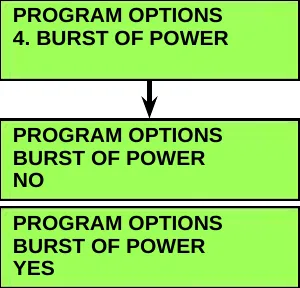
- NO
- YES
Detergent (EcoFlex™) option
The 5. ECOFLEX INSTALLED submenus allow you to enable or disable the detergent system.
- If the menu setting is YES, the controller will expect a Detergent Pump to be installed. If no Detergent Pump is installed, eventually the Control Board could generate an error code.
- If the menu setting is NO, the Detergent Strength Switch has no effect on machine operation, and the graphic display will not show the Detergent Indicator Bar Graph. Note that if the machine has a detergent system installed, it will not work when the menu setting NO is selected.
The default setting is NO.
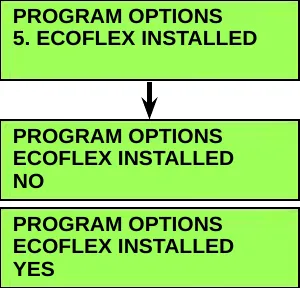
- NO
- YES
Chemical rate bias
The 6. CHEMICAL RATE BIAS submenus allow you to increase or decrease the detergent/chemical mix rate by 10 percent to achieve a higher or lower mix concentration than the selected programmed ratio.
- The -10% LESS CHEMICAL setting will increase the wait time between Detergent Pump delivery pulses 10 percent to decrease detergent flow.
- The +10% MORE CHEMICAL setting will decrease the wait time between Detergent Pump delivery pulses 10 percent to increase detergent flow.
Note that the 6. CHEMICAL RATE BIAS submenus only have an effect if the ECOFLEX INSTALLED / YES option is selected (see above).
The default setting is NONE.
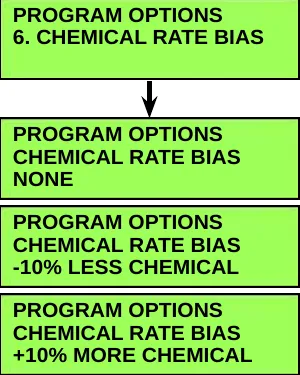
- NONE
- -10% LESS CHEMICAL
- +10% MORE CHEMICAL
Open fault detect
Normally, the A1 Control Board will perform checks of the electrical system during operation. If a fault occurs in a particular system, that system (and possibly others) will be shut down. This can make troubleshooting the system difficult. The 7. OPEN FAULT DETECT submenus allow service personnel to disable all of the open circuit faults to facilitate troubleshooting. Note that selecting OPEN FAULT DETECT / OFF will not disable the over-current protection on any of the systems.
The default setting is OFF.
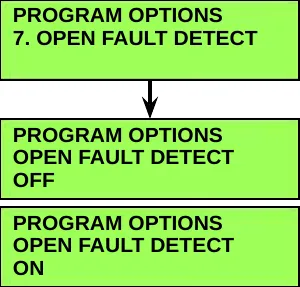
- OFF
- ON
Display rev level
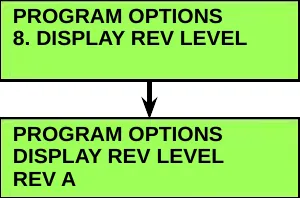
The 8. DISPLAY REV LEVEL submenu displays the revision level of the software in the A1 Control Board. This revision level is a parameter hard-coded in the software.
Lock out brush pressure
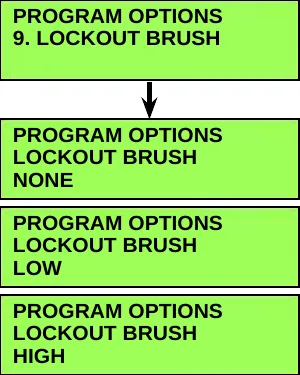
The 9. LOCKOUT BRUSH submenus allow you to lock out the low or high scrub pressure settings. The Operator will not be able to select a scrub pressure setting that is locked out.
The default setting is NONE.
- NONE
- LOW
- HIGH
Lock out solution flow rate
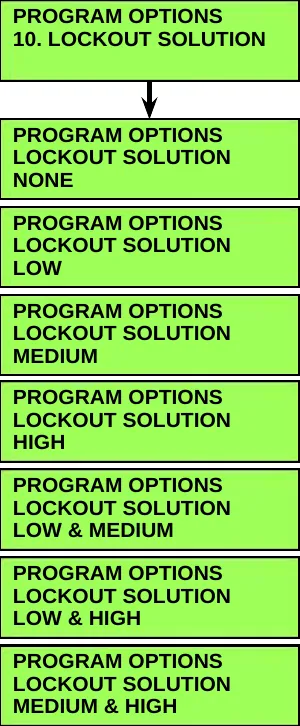
The 10. LOCKOUT SOLUTION submenus allow you to lock out single or multiple solution flow rate settings. The Operator will not be able to select flow rate(s) that are locked out during normal operation.
The default setting is NONE.
- NONE
- LOW
- MEDIUM
- HIGH
- LOW & MEDIUM
- LOW & HIGH
- MEDIUM & HIGH
Backup alarm volume
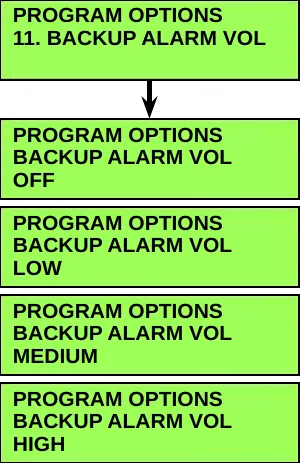
The 11. BACKUP ALARM VOL (volume) submenus allow you to set the backup alarm volume.
The default setting is MEDIUM.
- OFF
- LOW
- MEDIUM
- HIGH
Forward alarm volume
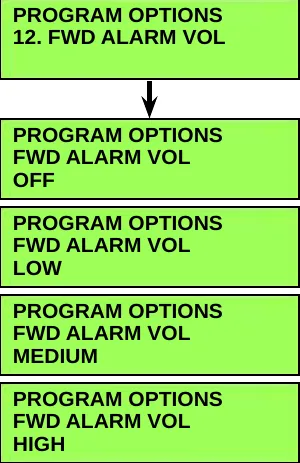
The 12. FWD (forward) ALARM VOL (volume) submenus allow you to set the forward alarm volume.
The default setting is OFF.
- OFF
- LOW
- MEDIUM
- HIGH
Horn volume
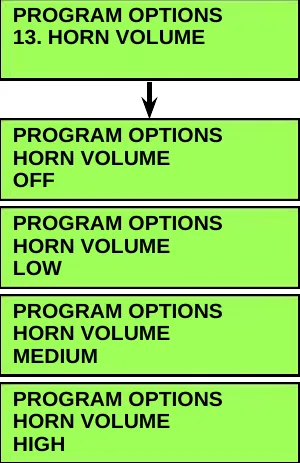
The HORN VOLUME submenus allow you to set the horn volume.
The default setting is HIGH.
- OFF
- LOW
- MEDIUM
- HIGH
Restore defaults
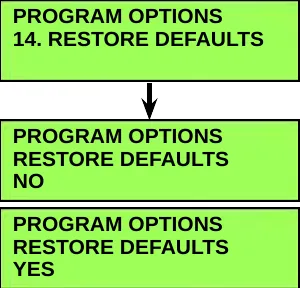
The 14. RESTORE DEFAULTS submenus allow you to reset the programmed options/parameters stored in the A1 Control Board EEPROM to their factory default values. Note that selecting RESTORE DEFAULTS / YES will not reset the hour meter.
The default setting is NO.
Note: If you select YES to restore the defaults, it will be like installing a new “out of the box” controller. The first time you turn on the key switch, the graphic display will automatically bring you to the programming options menu. Also any “user preferences” like brush pressure lock out or solution flow rate lock out will be lost.
- NO
- YES
Fault recall
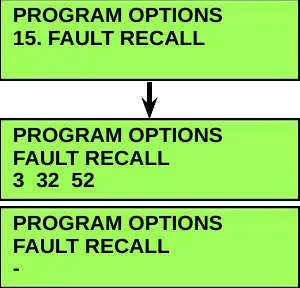
Whenever the A1 Control Board detects an electrical system fault, one or more error codes are displayed and stored in the Board EEPROM. The 15. FAULT RECALL submenu allows you to recall any error code(s) that had been logged from previous machine operation. This can be useful for troubleshooting the machine.
- Any logged fault codes will be shown on the display. (Fault codes 3, 32 and 52 are shown here in this example.)
- If no fault code is present, the display will show a “-“
Pressing the Burst Of Power Switch with the FAULT RECALL submenu displayed will erase the fault history and the entire Frozen Parameters memory. (Refer to “Frozen Parameters” on page 39)
Note that there may be a slight delay after pressing the Burst Of Power Switch before the “-“ symbol appears to confirm that the memory has been cleared. This is normal and is due to the large amount of Frozen Parameter data that is being erased.
- 3 32 52 (logged fault codes)
- - (no fault code present)
Service test mode
The 16. SERVICE TEST MODE allows you to switch the individual electrical system components on and off independent of the normal Operator inputs. This function is described in the Troubleshooting section on page 28.
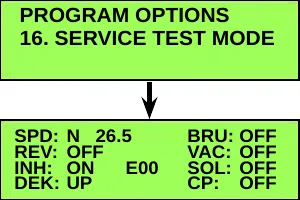
Extra information on the graphic display
The 17. EXTRA INFO ON LCD submenus allow you to display additional information on the graphic display. This additional information is displayed in real time on both the Scrubbing and Information screens and can aid in troubleshooting the machine in normal operation.
The extra information is displayed in a two-letter or three-letter code that identifies the information. A number below the letter code indicates the unit value in amps or volts.
Only one type of extra information can be displayed at any time, but the selected information can be changed at will via the 17. EXTRA INFO ON LCD submenus. Descriptions of the letter codes are as follows:
- BV = Battery Voltage
- LOK = Battery Lock Level
- ACT = Deck Actuator Current
- SOL = Solution Solenoid Current
- BRU = Brush Motor Contactor Current
- VAC = Vacuum Motor Contactor Current
- DET = Detergent/Chemical Pump Current
The default setting is NONE.
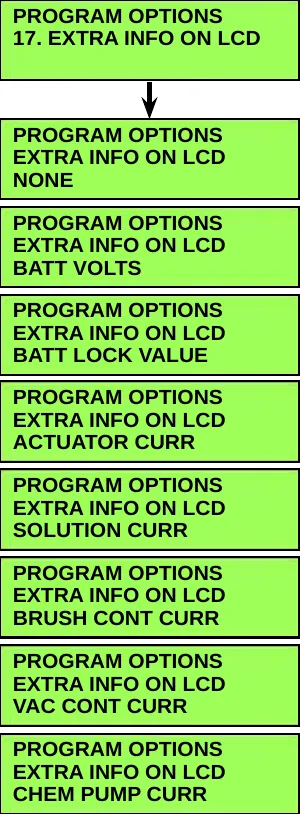
- NONE
- BATT VOLTS
- BATT LOCK VALUE
- ACTUATOR CURR
- SOLUTION CURR
- BRUSH CONT CURR
- VAC CONT CURR
- CHEM PUMP CURR
Frozen parameters
The 18. FROZEN PARAMETER first and second-level submenus allow you to view the machine parameters that were saved prior to when an error code was detected. This can be helpful when troubleshooting intermittent problems that are causing a code to set.
Note: Frozen parameters are only saved for the first code that is set, not for any subsequent codes.
Eleven different machine parameters are logged, and all but the error code number and hour meter time are saved at 0.1 second intervals for the 12.8 seconds leading up to the time of the error code. This results in a total of 128 data points (one every 0.1 seconds) for each parameter. These data points are displayed in a second-level of submenus.
The first-level ERROR CODE submenu displays the error code number (32 in this example). The first-level HOUR METER submenu displays the time on the hour meter when the error code occurred (12:15 in this example). The other nine first-level submenus are links to the next (second) layer of submenus that display the 128 data points corresponding to the functions listed on the submenus.
Note that in the second-level submenus, data point #1 is the newest value and #128 is the oldest value (that occurred 12.7 seconds earlier).
Pressing the Forward (up) or Reverse (down) Drive Switches will scroll through the 18. FROZEN PARAMETER first-level submenus shown here.
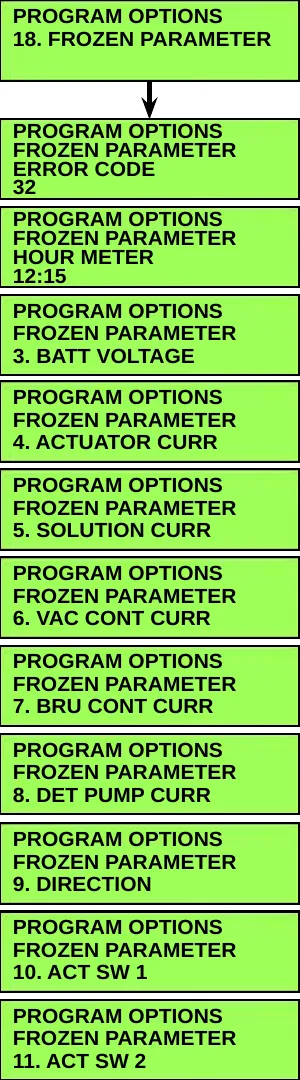
- ERROR CODE (example: 32)
- HOUR METER (example: 12:15)
- 3. BATT VOLTAGE
- 4. ACTUATOR CURR
- 5. SOLUTION CURR
- 6. VAC CONT CURR
- 7. BRU CONT CURR
- 8. DET PUMP CURR
- 9. DIRECTION
- 10. ACT SW 1
- 11. ACT SW 2
To display the parameter data points in a second-level submenu:
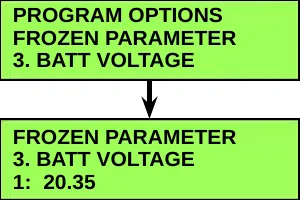
- Press the Forward (up) or Reverse (down) Drive Switch to scroll through the available first-level submenus. (The first-level submenu 3. BATT VOLTAGE is selected in this example.)
- Press the Burst of Power Switch to display the second-level submenu. (The second-level submenu 3. BATT VOLTAGE / 1: 20.35 is shown in this example.) This submenu tells you that at data point 1 (0.1 seconds prior to the error code), the battery voltage was 20.35 volts.
- Note that if the selected first-level submenu has no second-level submenu, the Burst of Power Switch will have no effect.
- To go back one level from a second-level submenu to a first-level submenu, press the Scrub On/Off Switch.
To scroll through the data points on a second-level submenu:
When you display a first-level submenu, the Detergent On/Off Indicator (LED) will turn on.
When you display a second-level submenu, pressing the Detergent Strength Switch will toggle the data point scrolling mode between the fast and slow scrolling modes. The two scrolling modes work as follows:
- In the slow scrolling mode the increment/decrement value is 1 (0.1 seconds). Pressing the Forward Drive Switch will step you from data record 1 to 2, 2 to 3, etc. Pressing the Reverse Drive Switch will step you from data record 128 to 127, 127 to 126, etc.
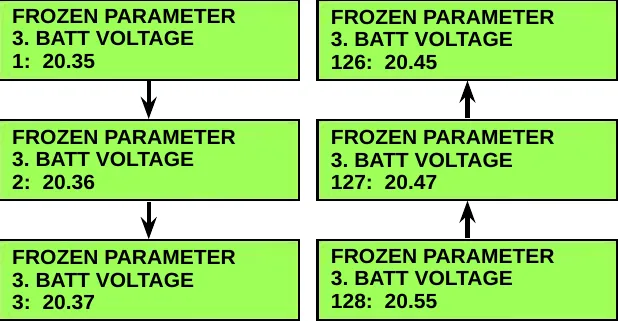
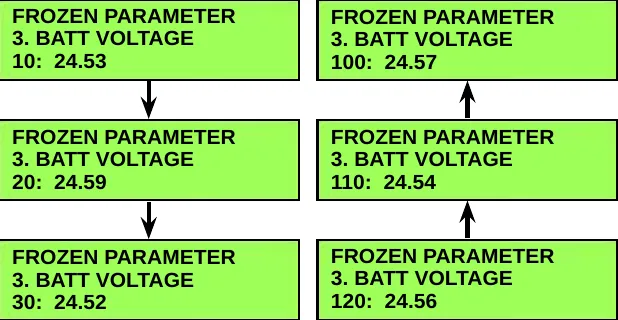
- In the fast scrolling mode the increment/decrement value is 10 (one second). Pressing the Forward Drive Switch will step you from data record 10 to 20, 20 to 30 etc. Pressing the Reverse Drive Switch will step you from data record 120 to 110, 110 to 100, etc.
The purpose of the fast-scrolling feature is to reduce the number of switch presses required to cycle through all 128 data points if you choose to do so.
This fast-scrolling feature will automatically end when you press the Scrub On/Off Switch to leave a second-level submenu.
The Detergent On/Off Indicator will turn off when you press the Scrub On/Off Switch again to leave the first-level submenu.
To capture the parameters prior to another fault condition, you’ll need to clear the current fault from the 15. FAULT RECALL submenu. (Refer to “Fault Recall” on page 37.)
Panel test
The 19. PANEL TEST submenus allow you to verify the function of the control panel membrane switches and LEDs, This will help identify any intermittent or non-functioning switches or LEDs. When the submenu is first entered, all LED will turn off
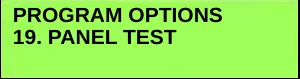
When you press a membrane switch, the display will show the name of the switch on the line below PANEL TEST. The display shows that the HORN Switch has been pressed twice in this example.

When a switch is pressed, its associated LED will illuminate. The LED will remain illuminated until a different switch is pressed or the menu is exited. Because the Horn and Information Switches do not have LED indicators, other indicators are used, as described in the table below.
| Membrane Switch | Resulting LED Indicators (Legacy Machines) | Resulting LED Indicators (Newer Control Boards) |
|---|---|---|
| Horn Switch | Burst Of Power Amber LED. | Burst Of Power Amber LED. And Quiet Vacuum Mode LED |
| Information Switch | Quiet Vacuum Mode LED | Standard Vacuum Mode LED |
| Vacuum Power Adjustment Switch | Standard Vacuum Mode LED | Both Vacuum Mode LEDs |
| Burst of Power Switch | Burst of Power Green LED | Same |
| Scrub On/Off Switch | Scrub On/Off LED | Scrub On/Off LED And Extra Pressure LED |
| All Other Switches | Their respective On/Off Indicator | |
Save scrub settings
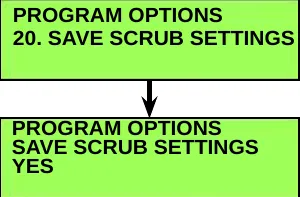
The 20. SAVE SCRUB SETTINGS submenus allow you determine whether the machine uses the scrub settings that were in use when the key switch was switched off, or the default settings.
Removal and installation
A1 control board
- Disconnect the batteries.
- Remove the four Phillips Screws and Flat Washers holding the Interface Panel Assembly to the Control Panel.
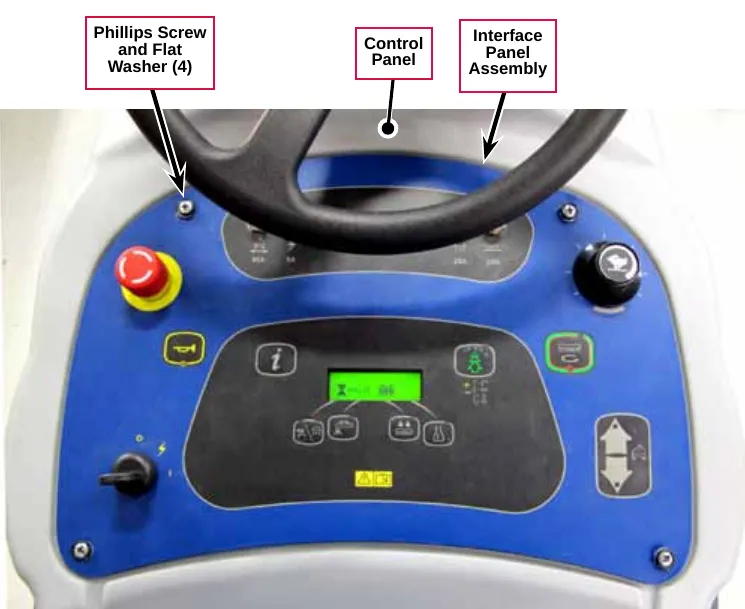
- Carefully lift the Interface Panel Assembly out of the Control Panel.
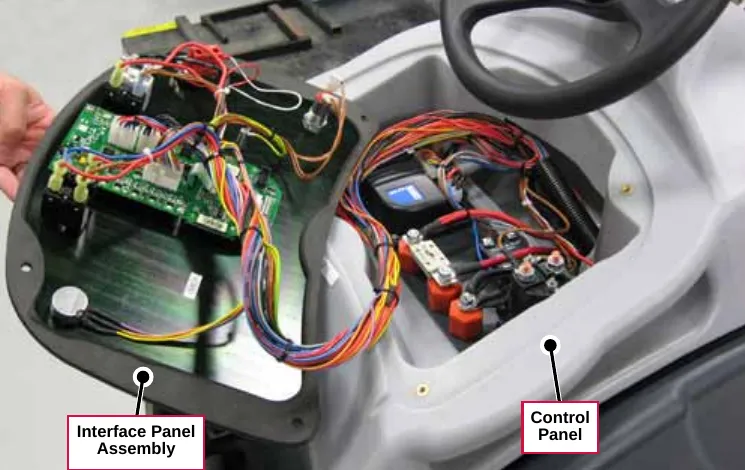
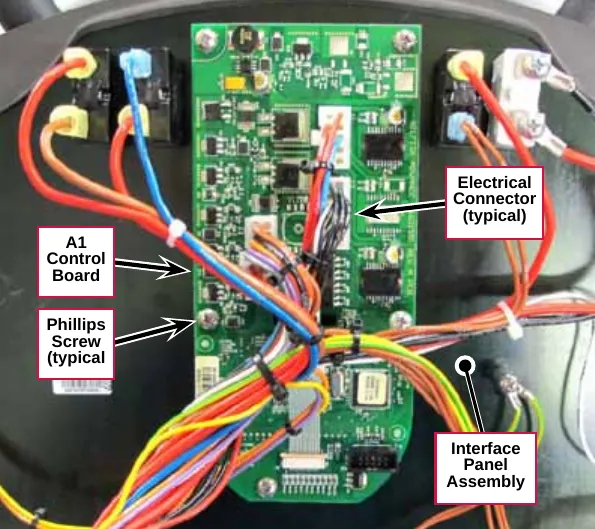
- Carefully disconnect the Electrical Connectors from the A1 Control Board.
- Remove the Phillips Screws and grounding strap, then remove the A1 Control Board from the Interface Panel Assembly.
- Reinstall the A1 Control Board by following the above steps in reverse order.
E1 Curtis 1210 Speed Controller
- Disconnect the batteries.
- Remove the four Phillips Screws and Flat Washers holding the Interface Panel Assembly to the Control Panel.
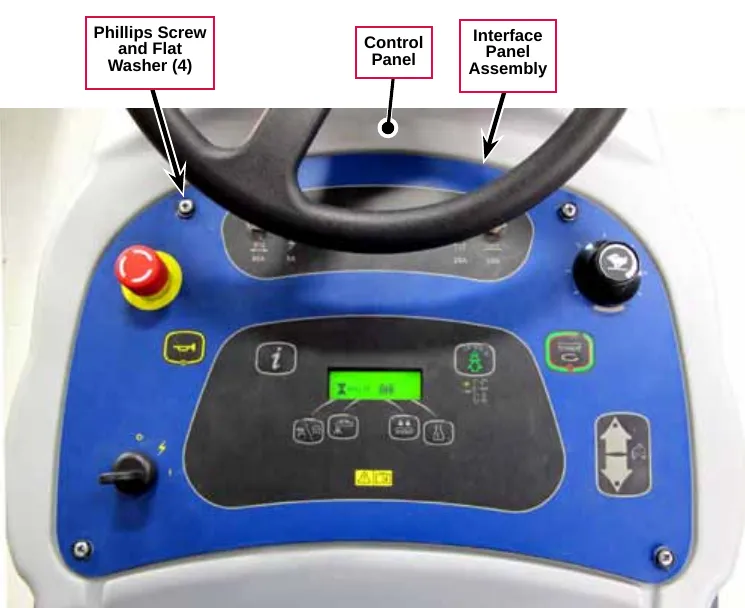
- Carefully lift the Interface Panel Assembly out of the Control Panel.
- Carefully disconnect the Electrical Connectors from the E1 Curtis 1210 Speed Controller.
- Remove the two Socket Head Screws and remove the E1 Curtis 1210 Speed Controller from the Control Panel.
- Reinstall the E1 Curtis 1210 Speed Controller by following the above steps in reverse order.
A1 control board shop measurements
The following table lists measurements taken from one SC1500. While these are not “specifications”, they can help you recognize abnormal vs. normal conditions.
Note that the black voltmeter lead is on B- unless otherwise indicated.
| Pin | Color | Description | Ref. | Measurements |
|---|---|---|---|---|
| J1-1 | RED/YEL | Chemical Pump + | B- | 2.1v not on |
| J1-2 | - | |||
| J1-3 | BLU/GRY | Chemical Pump | B- | 2.1v not on |
| J1-4 | - | |||
| J1-5 | - | |||
| J1-6 | - | |||
| J1-7 | RED/YEL | Inhibit SPC | B- |
|
| J1-8 | BLK | B- | 0.09v Vacuum on | |
| J1-9 | BLU | Brush Act. - | B- |
|
| J1-10 | ORN/BLK | Brush Act. + | B- |
|
| J2-1 | BLK | B- | B- | 0.09v Vacuum On |
| J2-2 | BLK | B- | B- | 0.09v Vacuum On |
| J2-3 | ORN | Batt. Chg. Comm. | B- |
|
| J2-4 | - | |||
| J2-5 | - | |||
| J2-6 | - | |||
| J2-7 | BLK | B- | B- | 0.09v Vacuum On |
| J2-8 | BLK | B- | B- | 0.09v Vacuum On |
| J2-9 | - | |||
| J2-10 | - | |||
| J2-11 | BLK/WHT | Act. Position 2 | B- |
|
| J2-12 | RED/VIO | Act. Position 1 | B- |
|
| J3-1 | BRN/VIO | B+ | B- | 24.5v key off or on |
| J3-2 | - | |||
| J3-3 | RED/BRN | Reverse | B- |
|
| J3-4 | BRN | Dead Man Switch | B- | 24.4v when pressed (Key and Emergency Switch also closed) |
| J3-5 | BLU/BLK | Rev. Alarm | B- |
|
| J3-6 | RED/WHT | Motion | B- |
|
| Pin | Color | Description | Ref. | Measurements |
|---|---|---|---|---|
| J3-7 | ORN/BLU | Status | B- |
|
| J3-8 | BRN | B+ | B- | 24.4v key off or on |
| J3-9 | GRN/BLK | Horn - | B- |
|
| J3-10 | ORN/RED | Horn + | B- | 14.9v horn off or on |
| J3-11 | VIO/BLK | Solution Solenoid | B- |
|
| J3-12 | GRA/BLK | Vacuum Control | B- |
|
| J3-13 | WHT/RED | Brush Contacator | B- |
|
| J3-14 | BRN | Key Switch | B- |
|
Electrical system
Functional description
Overview
The electrical system consists of the switches, circuit breakers and contactors mounted on and underneath the control panel assembly, the 150-amp main fuse, on-board battery charger (if so equipped) and the batteries.
The electrical system is powered by two 12-volt or four 6-volt batteries for a total of 24 volts. Heavy cables connect the batteries in series. On machines without an on-board battery charger, a large red main battery pack connector is used for connecting the batteries to a “shelf” battery charger unit.
The control system will turn off the scrub system and recovery systems if the battery voltage drops too low to prevent damage to the batteries due to excessive discharging.
The circuit breakers and a 150-amp fuse protect various circuits from excessive current.
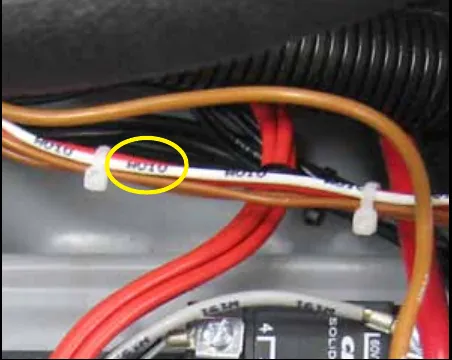
The machine wiring is color coded, and the wires are marked corresponding to their location on the “Wiring Harness Diagram (Current)” on page 57. (Wire W010 to the Brush Contactor K2 is shown in this example.)
On-board battery charger
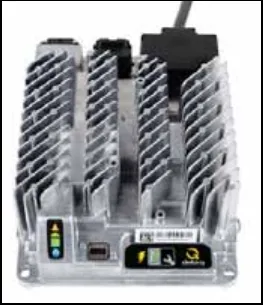
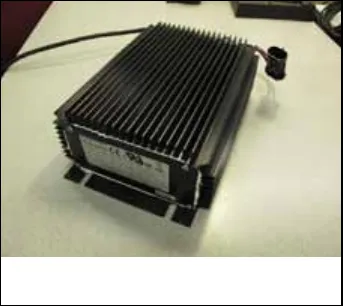
An optional on-board battery charger is mounted on the bottom of the machine. Early models used an S.P.E. charger and later models use a Delta-Q IC650 charger.
Interlock circuit
The battery charger has an “interlock circuit” which consists of an internal relay that interrupts the “Deadman” signal to the main control board, and the Keyswitch Input (KSI) signal to the drive speed controller when the charger is plugged into an AC power outlet. This prevents the machine from being propelled while the batteries are charging.
Here is how the battery charger interlock circuit works. The interlock relay contacts inside the charger are normally closed, allowing positive control voltage to be present in the Keyswitch, E-Stop, and Deadman circuit. When all switches are closed, positive voltage is applied to the enabling inputs of the A1 Control Board and the Speed Controller. When the AC power cord is plugged in, the relay is energized and opens the relay contacts opening the circuit.
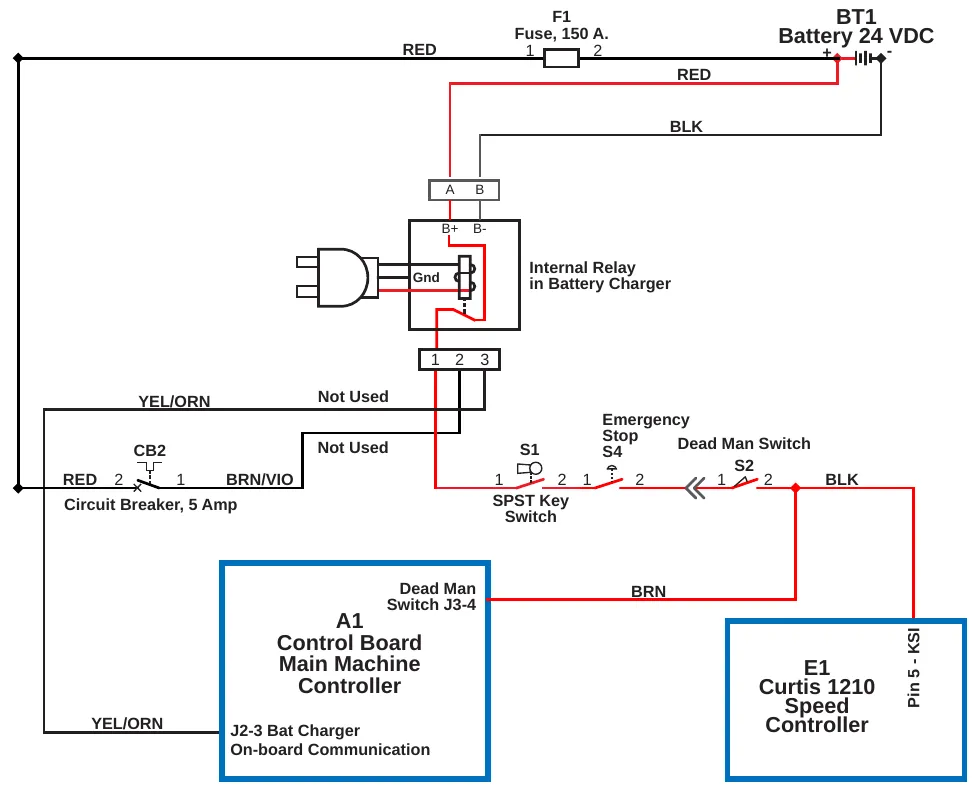
| Label | As printed on the drawing |
|---|---|
| F1 | Fuse, 150 A. |
| BT1 | Battery 24 VDC |
| A B / B+ B- | A B; B+ B- |
| Internal Relay in Battery Charger | 1 2 3; Not Used (two); Gnd |
| CB2 | Circuit Breaker, 5 Amp (terminals 2 and 1) |
| S1 | SPST Key Switch |
| S4 | Emergency Stop |
| S2 | Dead Man Switch |
| A1 | Control Board Main Machine Controller; Dead Man Switch J3-4; J2-3 Bat Charger On-board Communication |
| E1 | Curtis 1210 Speed Controller; Pin 5 - KSI |
| Wire labels | RED, BLK, BRN, BRN/VIO, YEL/ORN |
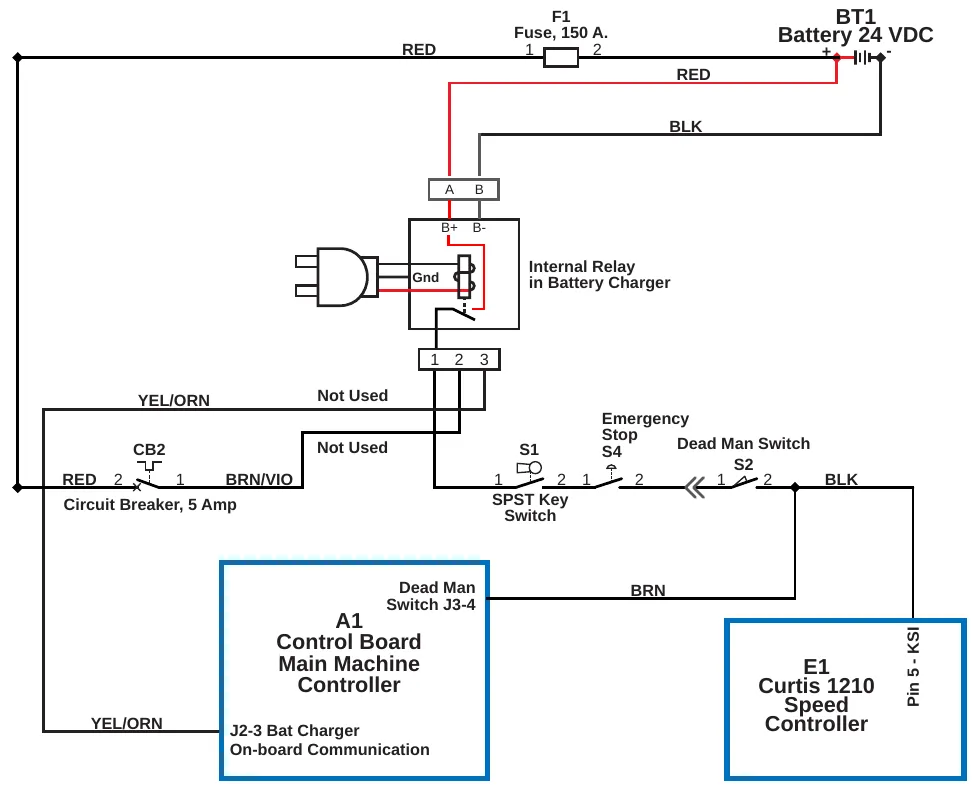
| Label | As printed on the drawing |
|---|---|
| F1 | Fuse, 150 A. |
| BT1 | Battery 24 VDC |
| A B / B+ B- | A B; B+ B- |
| Internal Relay in Battery Charger | 1 2 3; Not Used (two); Gnd |
| CB2 | Circuit Breaker, 5 Amp (terminals 2 and 1) |
| S1 | SPST Key Switch |
| S4 | Emergency Stop |
| S2 | Dead Man Switch |
| A1 | Control Board Main Machine Controller; Dead Man Switch J3-4; J2-3 Bat Charger On-board Communication |
| E1 | Curtis 1210 Speed Controller; Pin 5 - KSI |
| Wire labels | RED, BLK, BRN, BRN/VIO, YEL/ORN |
S.P.E. charging profiles and charging progress
When the S.P.E. battery charger is plugged in, the graphic display will show the charging profile in use, and a battery icon with 0 to 5 bars to show the charging progress.
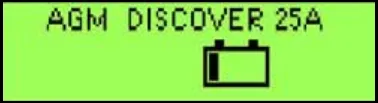
The S.P.E. battery charger and A1 Control Board communicate with one another on the YEL/ORN wire that runs between them. Each time the battery charger is plugged in, the charger contacts the Controller by sending out a positive voltage on the communication wire to find out what kind of batteries are in the machine. It needs to know this in order to use the correct charging profile. The Controller responds and provides the battery type information it has stored in memory. The charger then tells the Controller which charging profile it will use and begins charging the batteries.
Refer to the Control System/Programming Options section for information on how to tell the controller what kind of batteries are used in the machine. If the charger is unable to communicate with the controller it will use the profile for a wet battery at a 25-amp rate as a default.
Delta-Q charging profiles and charging progress
The Delta-Q battery charger does not communicate with the main machine controller. It is a “stand-alone” unit. Models that have the Delta-Q charger have a separate LED to communicate charging progress. By pressing a button on the charger you can see what charging profile is in use. If you replace the batteries with a different type of battery or replace the battery charger, you must select the correct charging profile to be compatible with the batteries. There are a set of profiles stored inside the charger. You can interface directly with the charger to select the profile to be used from that set. See the Delta-Q IC650 Product Manual (710-0138-Delta-Q.pdf) for complete instructions on selecting the profile. Use the Delta-Q Battery Charging Profile Table below to choose the profile to match the batteries that are in the machine.
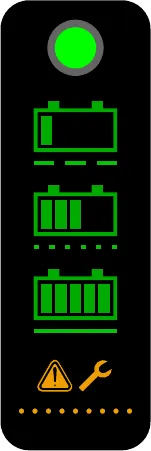
Delta-Q battery charging profile table
| Battery Manufacturer | Volts | Battery Model # | 20 Hour Rating | N-A P/N | Use Profile |
|---|---|---|---|---|---|
| DISCOVER | 6 | EV250A-AGM | 260 | 40953A | P-0-4-3 |
| DISCOVER | 6 | EV305A-A | 312 | 56112546 | P-0-4-3 |
| DISCOVER | 6 | EV305A-A | 312 | 56315959 | P-0-4-3 |
| DISCOVER | 6 | EV305A-AGM | 312 | 40964A | P-0-4-3 |
| DISCOVER | 6 | EVGT6A | 255 | 56112545 | P-0-4-3 |
| DISCOVER | 6 | EVGT6A | 255 | 56315772 | P-0-4-3 |
| DISCOVER | 6 | EVL 16A-A | 390 | 56388582 | P-0-4-3 |
| DISCOVER | 12 | EV12A-A | 140 | 56380239 | P-0-4-2 |
| DISCOVER | 12 | EV185A- A | 234 | 56393912 | P-0-4-3 |
| DISCOVER | 12 | EV185A-A | 234 | 41023A | P-0-4-3 |
| EAST PENN MFG. CO. | 6 | 8GGC 2/T881 (GEL CELL) | 180 | 56206987 | P-0-2-6 |
| EAST PENN MFG. CO. | 12 | 8G27MM/T876 | 86.4 | 56206988 | P-0-2-6 |
| FULL RIVER | 6 | DC 250-6 | 250 | 56112545 | P-1-5-1 |
| FULL RIVER | 6 | DC 335-6 | 335 | 56112546 | P-1-4-1 |
| TROJAN | 6 | J -305G | 285 | 56391391 | P-0-0-7 |
| TROJAN | 6 | J-250-2992-41 | 250 | 56026200 | P-0-0-3 |
| TROJAN | 6 | L16-5592-41 | 395 | 56388582 | NOT RECOMMENDED |
| TROJAN | 6 | T-125LPT | 235 | 56206079 | P-0-0-3 |
| TROJAN | 6 | T-605LPT | 195 | 56206117 | P-0-0-3 |
| TROJAN | 12 | J185-2292-42 | 195 | 56206078 | P-0-0-3 |
| US BATTERY | 6 | L16 | 375 | 40602A | P-0-7-3 |
| US BATTERY | 6 | L16 | 375 | 40704A | P-0-7-3 |
| US BATTERY | 6 | L16HC | 415 | 56388582 | P-0-7-3 |
| US BATTERY | 6 | US-125 | 235 | 331318 | P-0-1-1 |
| US BATTERY | 6 | US-125 | 235 | 881317 | P-0-1-1 |
| Battery Manufacturer | Volts | Battery Model # | 20 Hour Rating | N-A P/N | Use Profile |
|---|---|---|---|---|---|
| US BATTERY | 6 | US-125 | 235 | 56206079 | P-0-1-1 |
| US BATTERY | 6 | US-125 | 235 | 40136A | P-0-1-1 |
| US BATTERY | 6 | US-125 | 235 | 40136B | P-0-1-1 |
| US BATTERY | 6 | US-14 5XC | 251 | 56317154 | P-0-7-2 |
| US BATTERY | 6 | US1800 | 201 | 56206117 | P-0-1-1 |
| US BATTERY | 6 | US250HC | 275 | 56026200 | P-0-1-1 |
| US BATTERY | 6 | US-305 | 305 | 891384 | P-0-7-2 |
| US BATTERY | 6 | US-305 | 305 | 891385 | P-0-7-2 |
| US BATTERY | 6 | US-305 | 305 | 56391391 | P-0-7-2 |
| US BATTERY | 12 | UB27 | 86 | 40070A | P-0-0-6 |
| US BATTERY | 12 | US-185 | 195 | 871334 | P-0-1-1 |
| US BATTERY | 12 | US-185 | 195 | 871335 | P-0-1-1 |
| US BATTERY | 12 | US-185 | 195 | 56206078 | P-0-1-1 |
| US BATTERY | 12 | US-31TMX | 130 | 40605A | P-0-7-1 |
| US BATTERY | 12 | US-31TMX | 130 | 40606A | P-0-7-1 |
Component locations
The following electrical components are included in this section:
- Batteries
- Switches
- Contactors/Relays
- Optional On-board battery charger
- Circuit Breakers
- 150-amp Fuse
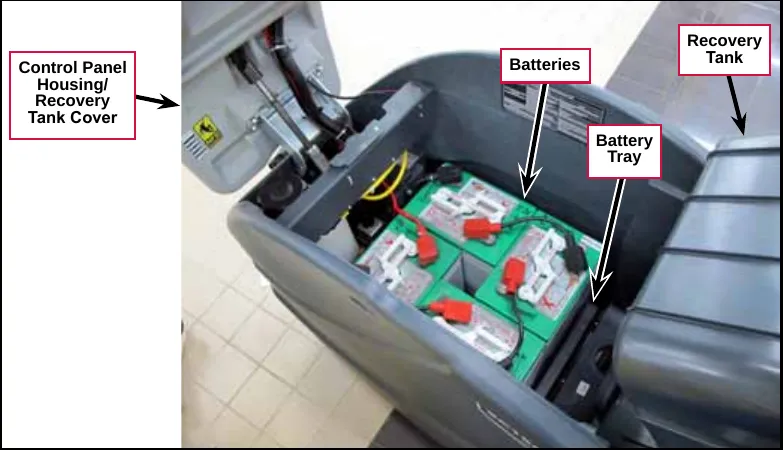
The Batteries sit in the Battery Tray. To access the Batteries, lift up the Control Panel Housing / Recovery Tank Cover, engage the Prop Rod, then tilt the Recovery Tank back.
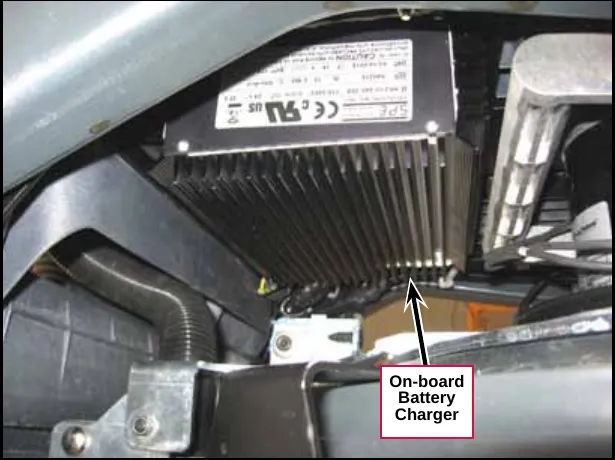
The On-board Battery Charger is mounted on the underside of the machine above the scrub deck.
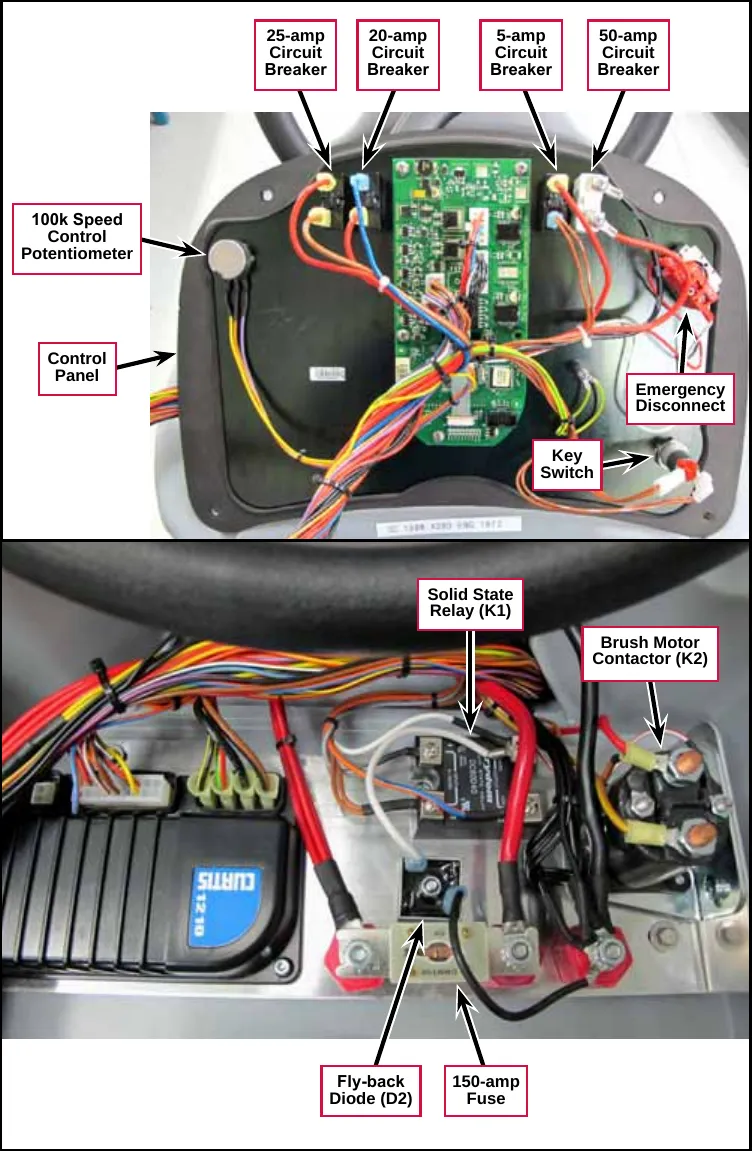
The 25-amp Circuit Breaker (CB4), 20-amp Circuit Breaker (CB3), 5-amp Circuit Breaker (CB2) and 50-amp Circuit Breaker (CB1), 100k Speed Control Potentiometer (R1), Emergency Disconnect and Key Switch (S1) are all mounted on the back of the Control Panel.
The Solid State Relay (K1), Brush Motor Contactor (K2), Fly-back Diode (D2) and 150-amp Fuse are located inside the control panel assembly.
Troubleshooting
Note: Refer to the individual machine system sections for electrical troubleshooting procedures.
| Problem | Cause | Correction |
|---|---|---|
| No power to the machine. | Discharged batteries. | Check the battery voltage and charge as necessary. |
| Poor battery connection(s). | Check the battery cables, terminals and connections and tighten/repair/replace as necessary. | |
| Batteries need to be replaced. | Perform a load test on the batteries and replace if necessary. | |
| Insufficient machine run time. | Incorrect low-voltage cutout setting. | Make sure the low battery voltage cutout setting is correct for the battery type in the machine. (Refer to the Control System/Programming Options/Low Battery Voltage Cutout subsection.) |
| Batteries not fully charged. | If there is any question whether the batteries are fully charged, they should be charged for at least 16 hours. | |
| One or more weak batteries. |
| |
| Poor battery connection(s). | Check the battery cables, terminals and connections and tighten/repair/replace as necessary. | |
| The battery charger does not charge. | Battery charger not operating correctly. |
|
| There’s a problem with the charger wiring and/or connections. | Check the charger connections to the machine and repair as necessary. | |
| One or more weak batteries | Check and replace the batteries as necessary. |
Note: The optional S.P.E. on-board battery charger will charge, even if it cannot communicate with the A1 Control Board.
Wiring diagrams
Wiring (ladder) diagram
Drawing 56104446, Rev. C
Note: Machine models with a Serial Number below 3510143206293 are functionally the same, but have the keyswitch connection upstream from the optional battery charger, instead of downstream as shown.
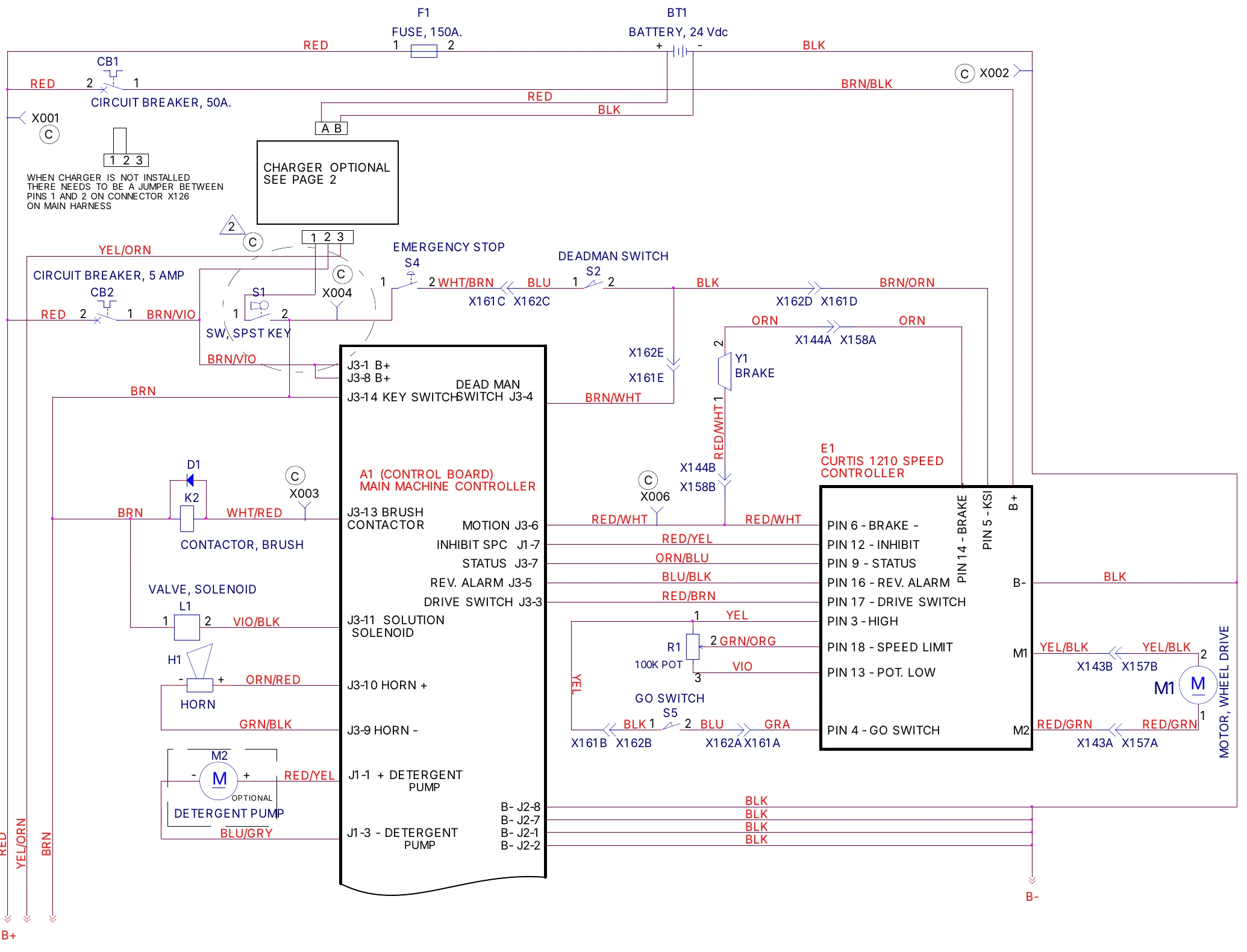
| Designator | Name as printed |
|---|---|
| F1 | FUSE, 150A. |
| BT1 | BATTERY, 24 Vdc |
| CB1 | CIRCUIT BREAKER, 50A. |
| CB2 | CIRCUIT BREAKER, 5 AMP |
| S1 | SW, SPST KEY |
| S4 | EMERGENCY STOP |
| S2 | DEADMAN SWITCH |
| S5 | GO SWITCH |
| K2 | CONTACTOR, BRUSH |
| D1 | (no name printed) |
| L1 | VALVE, SOLENOID |
| H1 | HORN |
| M1 | MOTOR, WHEEL DRIVE |
| M2 | DETERGENT PUMP (OPTIONAL) |
| Y1 | BRAKE |
| R1 | 100K POT |
| A1 | (CONTROL BOARD) MAIN MACHINE CONTROLLER |
| E1 | CURTIS 1210 SPEED CONTROLLER |
| Terminal | Label as printed |
|---|---|
| J3-1 | B+ |
| J3-8 | B+ |
| J3-14 | KEY SWITCH |
| J3-4 | DEAD MAN SWITCH |
| J3-13 | BRUSH CONTACTOR |
| J3-6 | MOTION |
| J1-7 | INHIBIT SPC |
| J3-7 | STATUS |
| J3-5 | REV. ALARM |
| J3-3 | DRIVE SWITCH |
| J3-11 | SOLUTION SOLENOID |
| J3-10 | HORN + |
| J3-9 | HORN - |
| J1-1 | + DETERGENT PUMP |
| J1-3 | - DETERGENT PUMP |
| J2-8, J2-7, J2-1, J2-2 | B- |
| Terminal | Label as printed |
|---|---|
| PIN 6 | BRAKE - |
| PIN 12 | INHIBIT |
| PIN 9 | STATUS |
| PIN 16 | REV. ALARM |
| PIN 17 | DRIVE SWITCH |
| PIN 3 | HIGH |
| PIN 18 | SPEED LIMIT |
| PIN 13 | POT. LOW |
| PIN 4 | GO SWITCH |
| PIN 14 | BRAKE |
| PIN 5 | KSI |
| B+ | B+ |
| B- | B- |
| M1 | M1 |
| M2 | M2 |
Printed on the drawing: “WHEN CHARGER IS NOT INSTALLED THERE NEEDS TO BE A JUMPER BETWEEN PINS 1 AND 2 ON CONNECTOR X126 ON MAIN HARNESS”. The block marked “CHARGER OPTIONAL SEE PAGE 2” continues on the next page.
Trackclean connections
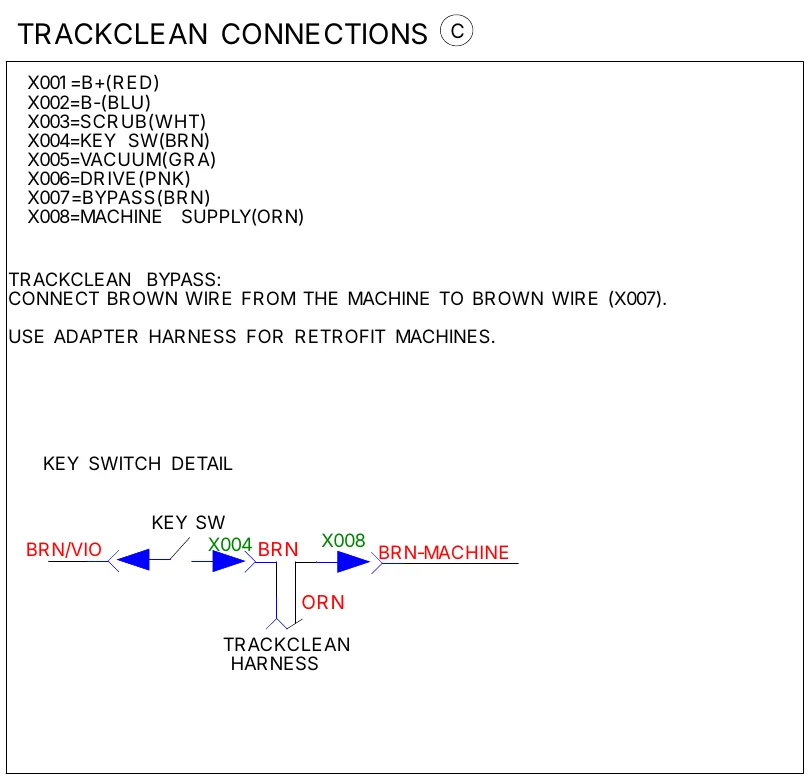
- X001=B+(RED)
- X002=B-(BLU)
- X003=SCRUB(WHT)
- X004=KEY SW(BRN)
- X005=VACUUM(GRA)
- X006=DRIVE(PNK)
- X007=BYPASS(BRN)
- X008=MACHINE SUPPLY(ORN)
TRACKCLEAN BYPASS: CONNECT BROWN WIRE FROM THE MACHINE TO BROWN WIRE (X007).
USE ADAPTER HARNESS FOR RETROFIT MACHINES.
Wiring (ladder) diagram, continued
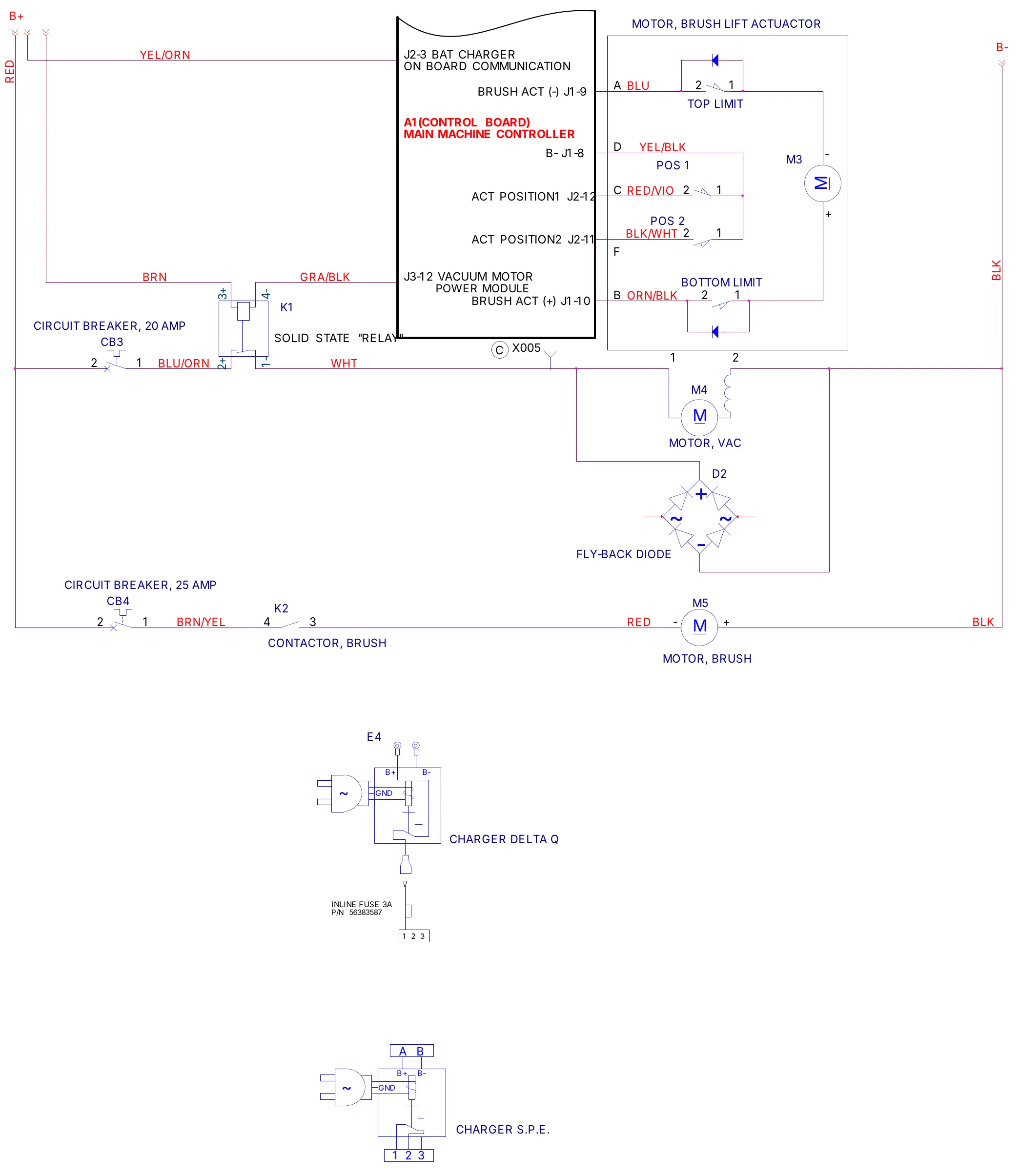
| Designator | Name as printed |
|---|---|
| M3 | MOTOR, BRUSH LIFT ACTUACTOR (switches: TOP LIMIT, POS 1, POS 2, BOTTOM LIMIT) |
| M4 | MOTOR, VAC |
| D2 | FLY-BACK DIODE |
| K1 | SOLID STATE "RELAY" |
| K2 | CONTACTOR, BRUSH |
| M5 | MOTOR, BRUSH |
| CB3 | CIRCUIT BREAKER, 20 AMP |
| CB4 | CIRCUIT BREAKER, 25 AMP |
| E4 | CHARGER DELTA Q (INLINE FUSE 3A, P/N 56383587) |
| (unlabeled) | CHARGER S.P.E. |
| A1 | (CONTROL BOARD) MAIN MACHINE CONTROLLER |
| Terminal | Label as printed |
|---|---|
| J2-3 | BAT CHARGER ON BOARD COMMUNICATION |
| J1-9 | BRUSH ACT (-) |
| J1-8 | B- |
| J2-12 | ACT POSITION1 |
| J2-11 | ACT POSITION2 |
| J3-12 | VACUUM MOTOR POWER MODULE |
| J1-10 | BRUSH ACT (+) |
Wiring harness diagram (current)
Drawing 56104447, Rev. B (for machines with Serial Numbers above 3510143206293)
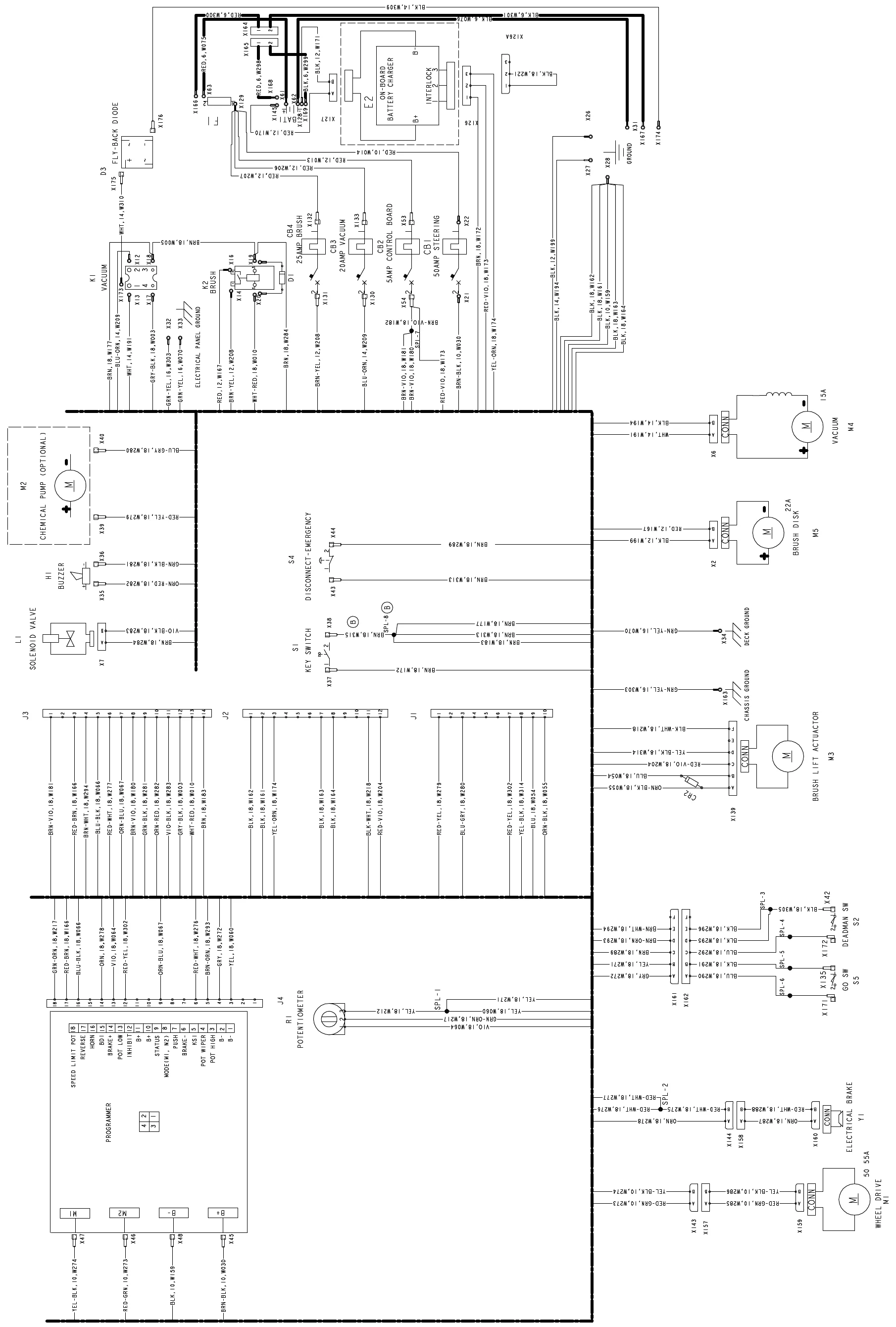
| Designator | Name as printed |
|---|---|
| K1 | VACUUM |
| K2 | BRUSH |
| D1 | (no name printed) |
| D3 | FLY-BACK DIODE |
| CB4 | 25AMP BRUSH |
| CB3 | 20AMP VACUUM |
| CB2 | 5AMP CONTROL BOARD |
| CB1 | 50AMP STEERING |
| E2 | ON-BOARD BATTERY CHARGER |
| M2 | CHEMICAL PUMP (OPTIONAL) |
| H1 | BUZZER |
| L1 | SOLENOID VALVE |
| S4 | DISCONNECT-EMERGENCY |
| S1 | KEY SWITCH |
| M4 | VACUUM, 15A |
| M5 | BRUSH DISK, 22A |
| M3 | BRUSH LIFT ACTUATOR |
| S2 | DEADMAN SW |
| S5 | GO SW |
| Y1 | ELECTRICAL BRAKE |
| M1 | WHEEL DRIVE, 50 55A |
| R1 | POTENTIOMETER |
| CR2 | (no name printed) |
| (programmer) | PROGRAMMER |
Wiring harness diagram (legacy)
Drawing 56104082, Rev. C (for machines with Serial Numbers below 3510143206293)
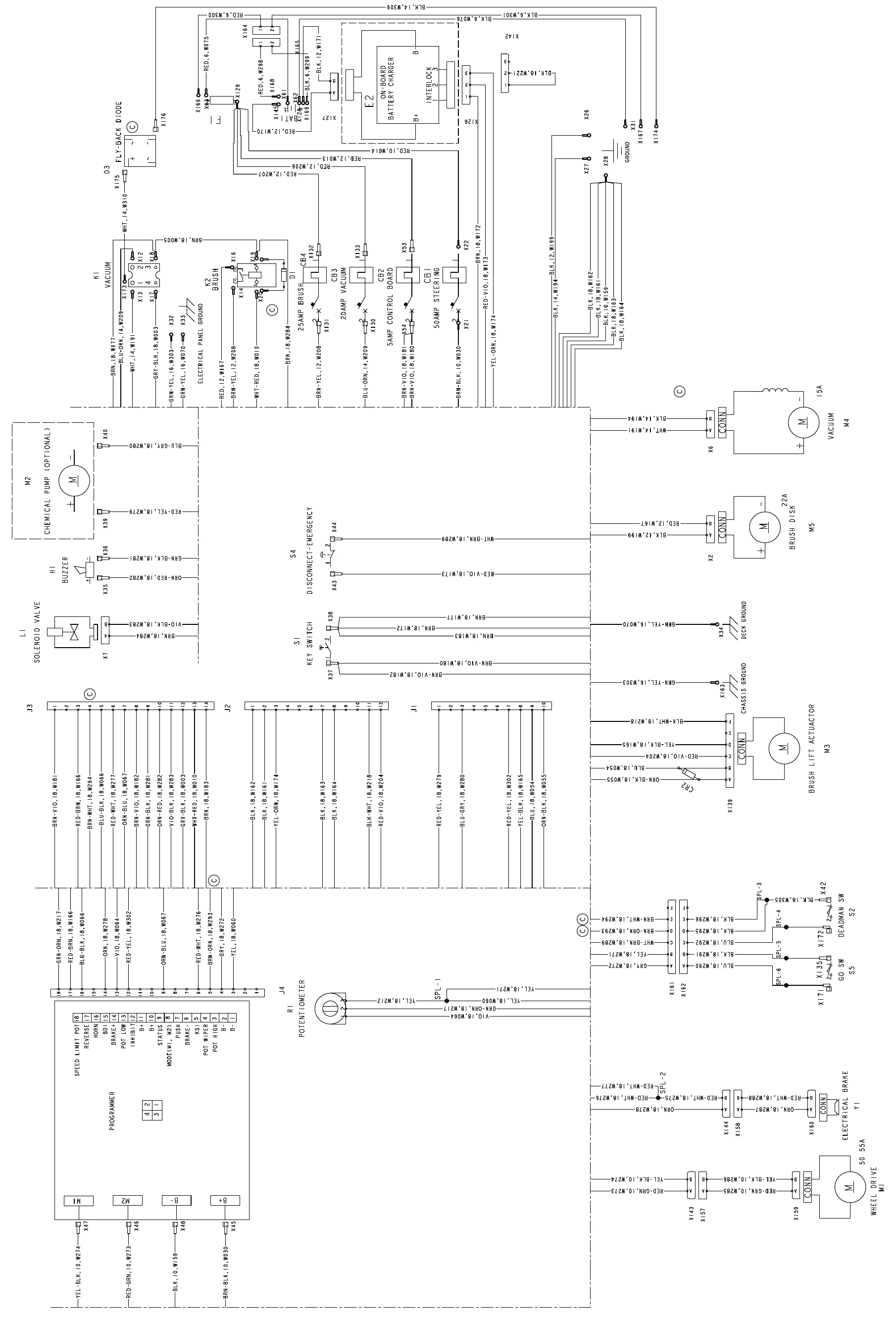
| Designator | Name as printed |
|---|---|
| K1 | VACUUM |
| K2 | BRUSH |
| D1 | (no name printed) |
| D3 | FLY-BACK DIODE |
| CB4 | 25AMP BRUSH |
| CB3 | 20AMP VACUUM |
| CB2 | 5AMP CONTROL BOARD |
| CB1 | 50AMP STEERING |
| E2 | ON-BOARD BATTERY CHARGER |
| M2 | CHEMICAL PUMP (OPTIONAL) |
| H1 | BUZZER |
| L1 | SOLENOID VALVE |
| S4 | DISCONNECT-EMERGENCY |
| S1 | KEY SWITCH |
| M4 | VACUUM, 15A |
| M5 | BRUSH DISK, 22A |
| M3 | BRUSH LIFT ACTUATOR |
| S2 | DEADMAN SW |
| S5 | GO SW |
| Y1 | ELECTRICAL BRAKE |
| M1 | WHEEL DRIVE, 50 55A |
| R1 | POTENTIOMETER |
| CR2 | (no name printed) |
| (programmer) | PROGRAMMER |
Electrical connector pin-out assignments
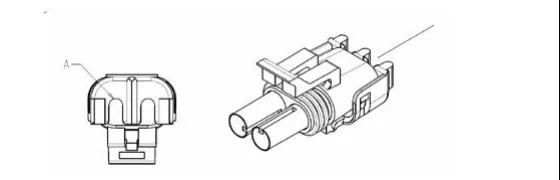
The following tables list the individual connector pin-out assignments. The tables include connector illustrations to help you identify the various connectors on the machine. The connector pin-out information is organized by connector ID in alphabetical order.
To locate and identify a connector
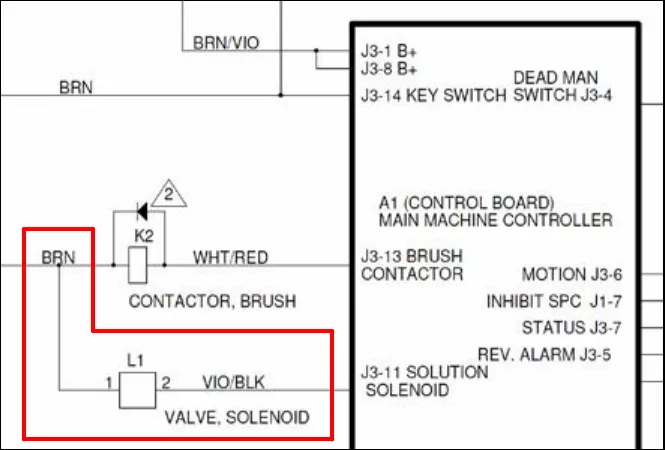
For example, if you need to find out which connector is on the L1 (solution) Solenoid Valve and what it looks like, refer to the Wiring Harness Diagram. The Wiring Harness Diagram shows that connector X7 is on the L1 (solution) Solenoid Valve. Refer to the Wiring (Ladder) Diagram and the appropriate table below, X7 (Delphi 12015792) in this example, for the corresponding wire colors, and wire and connector pin assignments.
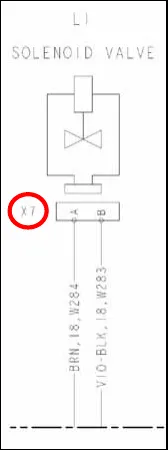
X7 (Delphi 12015792)
| Pin# | Conductor | Wire Color |
|---|---|---|
| A | W284 | BRN |
| B | W283 | VIO/BLK |
Connector pin-out assignment tables
J1 (Molex Mini Fit Jr. 39012105)
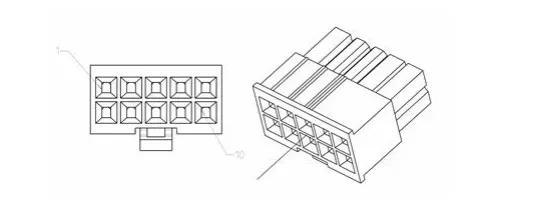
| Pin# | Conductor | Wire Color |
|---|---|---|
| 1 | W279 | RED/YEL |
| 2 | – | – |
| 3 | W280 | BLU/GRA |
| 4 | – | – |
| 5 | – | – |
| 6 | ||
| 7 | W302 | RED/YEL |
| 8 | W165 | YEL/BLK |
| 9 | W054 | BLU |
| 10 | W055 | ORN/BLK |
J2 (Molex Mini Fit Jr. 39012125)
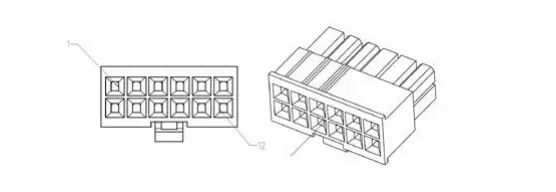
| Pin# | Conductor | Wire Color |
|---|---|---|
| 1 | W162 | BLK |
| 2 | W161 | BLK |
| 3 | W174 | YEL/ORN |
| 4 | – | – |
| 5 | – | – |
| 6 | – | – |
| 7 | W163 | BLK |
| 8 | W164 | BLK |
| 9 | – | – |
| 10 | – | – |
| 11 | W218 | BLK/WHT |
| 12 | W204 | RED/VIO |
J3 (Molex Mini Fit Jr. 39012145)
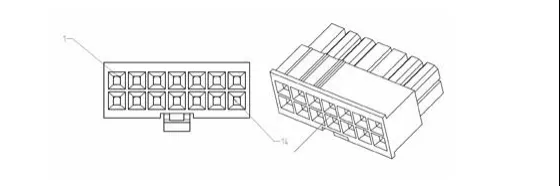
| Pin# | Conductor | Wire Color |
|---|---|---|
| 1 | W181 | BRN/VIO |
| 2 | – | – |
| 3 | W166 | RED/BRN |
| 4 | W294 | BRN |
| 5 | W066 | BLU/BLK |
| 6 | W277 | RED/WHT |
| 7 | W067 | ORN/BLU |
| 8 | W182 | BRN/VIO |
| 9 | W281 | GRN/BLK |
| 10 | W282 | ORN/RED |
| 11 | W283 | VIO/BLK |
| 12 | W003 | GRA/BLK |
| 13 | W010 | WHT/RED |
| 14 | W183 | BRN |
J4 (39012185)
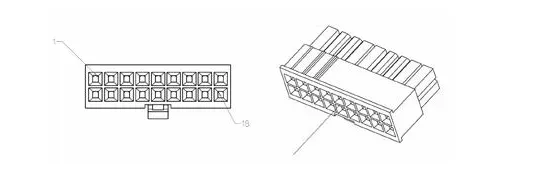
| Pin# | Conductor | Wire Color |
|---|---|---|
| 1 | – | – |
| 2 | – | – |
| 3 | W060 | YEL |
| 4 | W272 | GRA |
| 5 | W293 | BRN |
| 6 | W276 | RED/WHT |
| 7 | – | – |
| 8 | – | – |
| 9 | W067 | ORN/BLU |
| 10 | – | – |
| 11 | – | – |
| 12 | W302 | RED/YEL |
| 13 | W064 | VIO |
| 14 | W278 | ORN |
| 15 | – | – |
| 16 | W066 | BLU/BLK |
| 17 | W166 | RED/BRN |
| 18 | W217 | GRN/ORN |
X2 (Ducon 12147067)
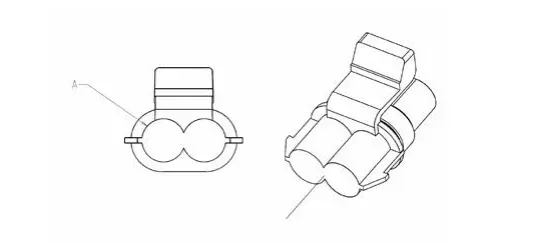
| Pin# | Conductor | Wire Color |
|---|---|---|
| A | W199 | BLK |
| B | W167 | RED |
X6 (Delphi 12052613)
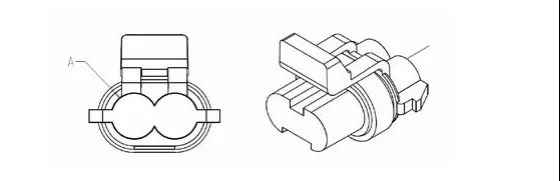
| Pin# | Conductor | Wire Color |
|---|---|---|
| A | W191 | WHT |
| B | W194 | BLK |
X7 (Delphi 12015792)
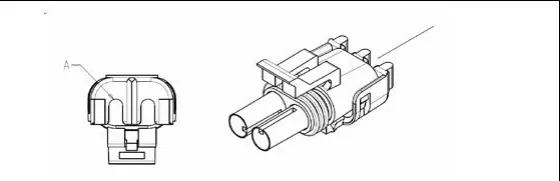
| Pin# | Conductor | Wire Color |
|---|---|---|
| A | W284 | BRN |
| B | W283 | VIO/BLK |
X126 (AMP 282087-1)
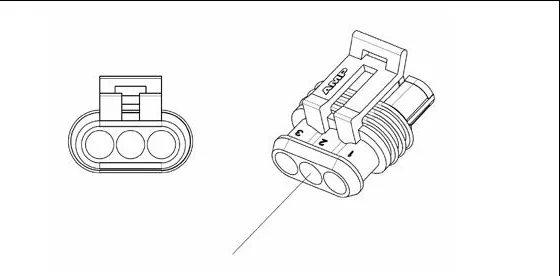
| Pin# | Conductor | Wire Color |
|---|---|---|
| 1 | W172 | BRN |
| 2 | W173 | RED-VIO |
| 3 | W174 | YEL-ORN |
X127 (Delphi 15363990)
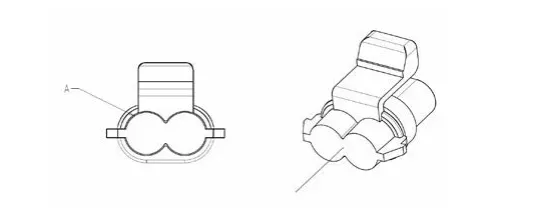
| Pin# | Conductor | Wire Color |
|---|---|---|
| A | W170 | RED |
| B | W171 | BLK |
X139 (Delphi 12020786)
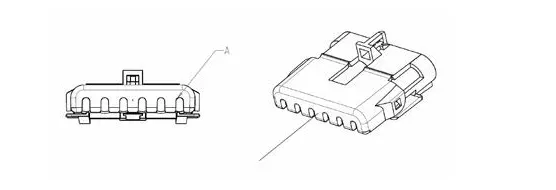
| Pin# | Conductor | Wire Color |
|---|---|---|
| A | W055 | ORN/BLK |
| B | W054 | BLU |
| C | W204 | RED/VIO |
| D | W165 | YEL/BLK |
| E | – | – |
| F | W218 | BLK/WHT |
X143 (Ducon 12147067)
| Pin# | Conductor | Wire Color |
|---|---|---|
| A | W273 | RED/GRN |
| B | W274 | YEL/BLK |
X144 (Delphi 12015792)
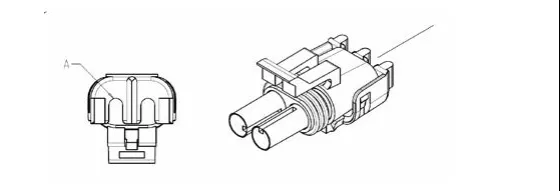
| Pin# | Conductor | Wire Color |
|---|---|---|
| A | W278 | ORN |
| B | W275 | RED/WHT |
X161 (Delphi 12020926)
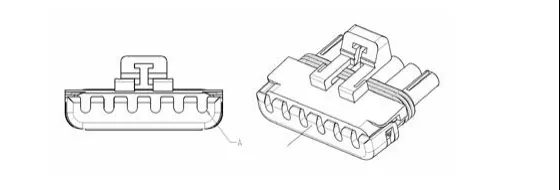
| Pin# | Conductor | Wire Color |
|---|---|---|
| A | W272 | GRA |
| B | W271 | YEL |
| C | W289 | WHT/BRN |
| D | W293 | BRN |
| E | W294 | BRN |
Recovery system
Functional description
The Recovery System pulls the wastewater from the squeegee and directs it into the recovery tank. The 24-volt, three-stage electric vacuum motor creates a vacuum in the recovery tank with sufficient airflow to lift the used cleaning solution from the squeegee and into the vacuum hose assembly, which then directs the water into the recovery tank.
The Operator can select from two vacuum power levels – standard and quiet vacuum.
The Recovery System includes the Vacuum Hose Assembly, Debris Cage, Recovery Tank, Vacuum Motor, Solid State Relay, Float Cage Assembly and Drain Hose.
- The Vacuum Hose Assembly attaches to the squeegee assembly and directs the wastewater from the squeegee to the Debris Cage and Recovery Tank.
- The Vacuum Motor creates a vacuum inside of the Recovery Tank to pull the wastewater from the squeegee into the Recovery Tank.
- The Float Cage Assembly contains two internal plastic float balls that will rise to shut off the air intake to the Vacuum Motor if the wastewater level in the Recovery Tank gets too high. This is to prevent water from getting into the Vacuum Motor and possibly damaging the Vacuum Motor.
- The Debris Cage inside the Recovery Tank catches any large debris or particulates to keep these materials out of the Recovery Tank. The debris tray cover can be removed to clean out the Debris Cage.
- The Recovery Tank holds the wastewater picked up by the squeegee. Note that the Recovery Tank is hinged at the rear and tips back for access to the Vacuum Motor. The Drain Hose is used to drain the wastewater from the Recovery Tank.
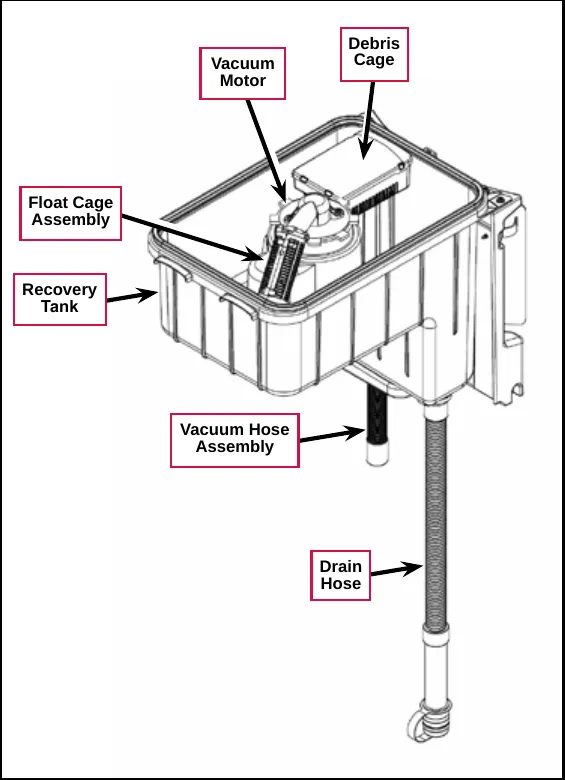
- The Solid State Relay (K1) controls the voltage to the Vacuum Motor. Note that the Solid State Relay has an LED that lights when the Relay is on.
- The Flyback Diode (D2) reduces the high-voltage spike through the Solid State Relay that can occur when the Vacuum Motor is switched off. The inductive nature of the motor can cause a large, reverse polarity voltage spike across the solid state relay. The flyback diode permits this energy to be dissipated through the motor windings without the large voltage buildup at the relay. The flyback diode uses a bridge rectifier simply for its power handing capabilities.
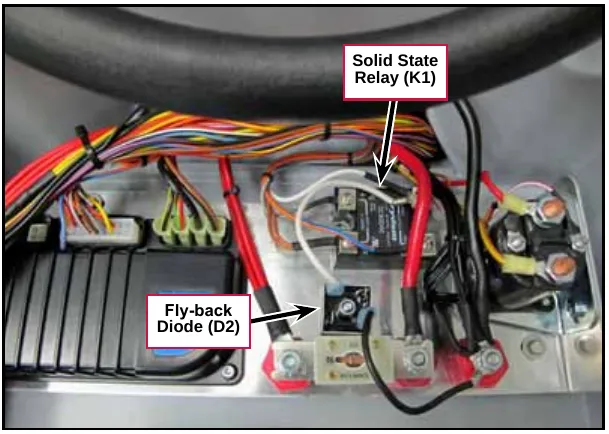
Also refer to “Squeegee System” on page 106 for more information on the squeegee components and operation.
Circuit descriptions
Vacuum Motor off
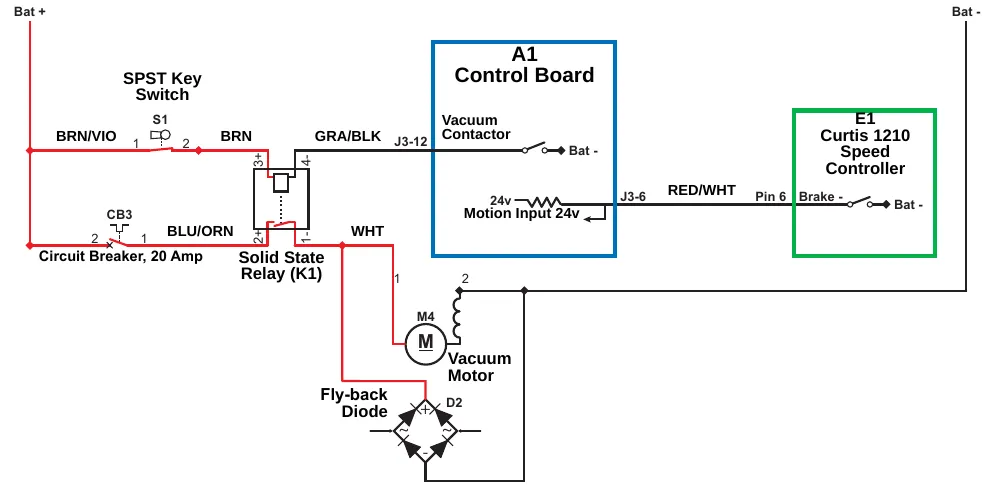
| Item | Printed on the drawing |
|---|---|
| Power | Bat + ; Bat - |
| A1 Control Board | Vacuum Contactor (J3-12, Bat -); Motion Input 24v (J3-6) |
| E1 Curtis 1210 Speed Controller | Pin 6, Brake - (Bat -) |
| Key switch | SPST Key Switch, S1 (terminals 1, 2) |
| Circuit breaker | CB3, Circuit Breaker, 20 Amp (terminals 2, 1) |
| Relay | Solid State Relay (K1), terminals 3+, 4-, 2+, 1- |
| Motor | M4 Vacuum Motor (terminals 1, 2) |
| Diode | Fly-back Diode, D2 |
| Wire colors | BRN/VIO, BRN, GRA/BLK, BLU/ORN, WHT, RED/WHT |
When the Vacuum Motor is off:
- The Brake - switch on Pin 6 in the E1 Curtis Speed Controller is open and is not sending the drive signal to the Motion Input line on pin J3-6 on the A1 Control Board.
- The Vacuum Contactor switch on pin J3-12 is open, the Solid State Relay (K1) is de-energized and open, and the M4 Vacuum Motor is off.
Vacuum Motor on
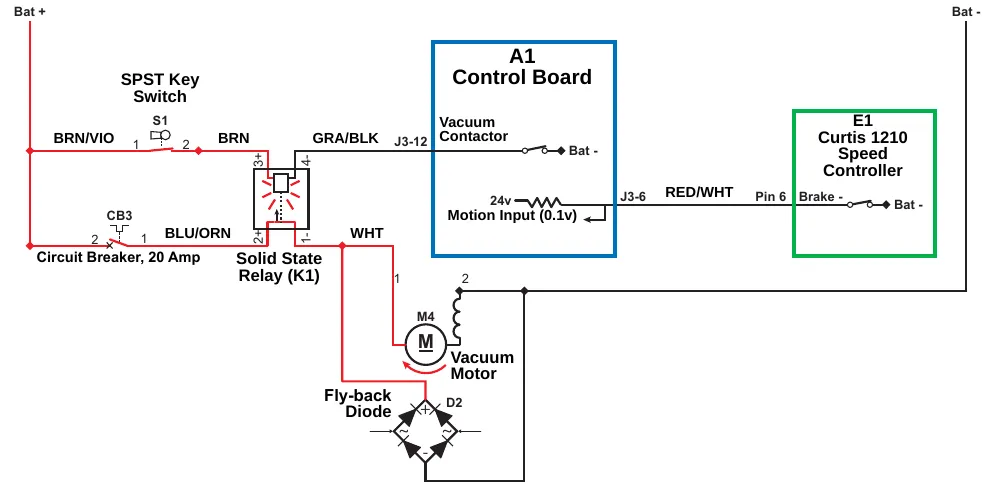
| Item | Printed on the drawing |
|---|---|
| Power | Bat + ; Bat - |
| A1 Control Board | Vacuum Contactor (J3-12, Bat -); Motion Input (0.1v) (J3-6) |
| E1 Curtis 1210 Speed Controller | Pin 6, Brake - (Bat -) |
| Key switch | SPST Key Switch, S1 (terminals 1, 2) |
| Circuit breaker | CB3, Circuit Breaker, 20 Amp (terminals 2, 1) |
| Relay | Solid State Relay (K1), terminals 3+, 4-, 2+, 1- |
| Motor | M4 Vacuum Motor (terminals 1, 2) |
| Diode | Fly-back Diode, D2 |
| Wire colors | BRN/VIO, BRN, GRA/BLK, BLU/ORN, WHT, RED/WHT |
The following conditions must be met before the Vacuum Motor can start:
- There can be no major faults active.
- The machine must not be in a low-voltage condition.
- The Scrub System or vacuum mode must be activated (the Vacuum Mode Indicator will be on or flashing).
- The A1 Control Board must have recently detected a motion signal from the E1 Curtis Speed Controller. (The A1 Control Board will switch off the Vacuum Motor after a maximum 10 second delay once it loses the drive signal from the E1 Curtis Speed Controller.)
When the Operator selects a drive direction and presses the go pedal:
- The Brake - switch on Pin 6 in the E1 Curtis Speed Controller closes to ground. This drops the voltage on the Motion Input line on pin J3-6 from 24v down to nearly 0 volts to signal the A1 Control Board that the machine is now in motion.
- The A1 Control Board switches the Vacuum Contactor line on pin J3-12 to battery ground to energize the Solid State Relay (K1) and switch on the Vacuum Motor.
Note that the output from the Vacuum Contactor line on pin J3-12 drives the Solid State Relay at 100 Hz with either a 100% duty cycle for the high/standard vacuum mode, or a modulated (60%) duty cycle to provide an average of 16.8V to the Vacuum Motor in the low/quiet vacuum mode.
| “Field” Voltage Measurements with Reference to Battery Negative | |||
|---|---|---|---|
| Pin Number | Wire Color | Description | Voltage |
| J3-12 | GRA/BLK | Vacuum Contactor | 23.4v - Vacuum Off |
| 6.9v - Vacuum Low/Quiet | |||
| 0.104v - Vacuum High/Standard | |||
Component locations
The following components are included in this section:
- Recovery Tank
- Vacuum Motor
- Debris Cage
- Float Cage Assembly
- Vacuum Hose Assembly
- Drain Hose
- Solid State Relay (K1)
- Fly-back Diode (D2)
The Recovery Tank is located underneath the control panel.
The Vacuum Motor is mounted below the Recovery Tank.
The Debris Cage filters any debris out of the wastewater before it can enter the Recovery Tank.
The Vacuum Hose Assembly carries the wastewater from the squeegee to the Debris Cage.
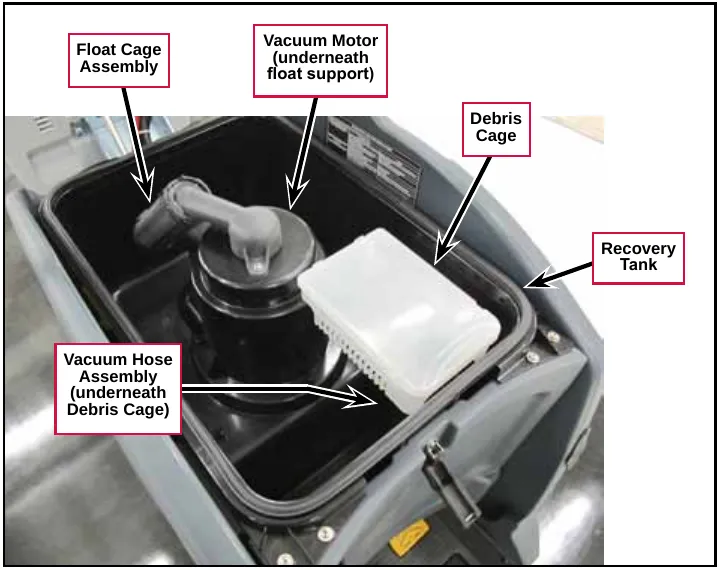
The Drain Hose allows you to drain the wastewater from the Recovery Tank.
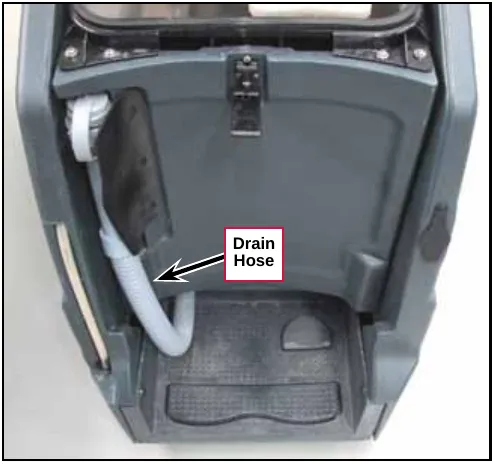
The Solid State Relay (K1) and Fly-back Diode (D2) (rectifier bridge) are located inside the control panel assembly
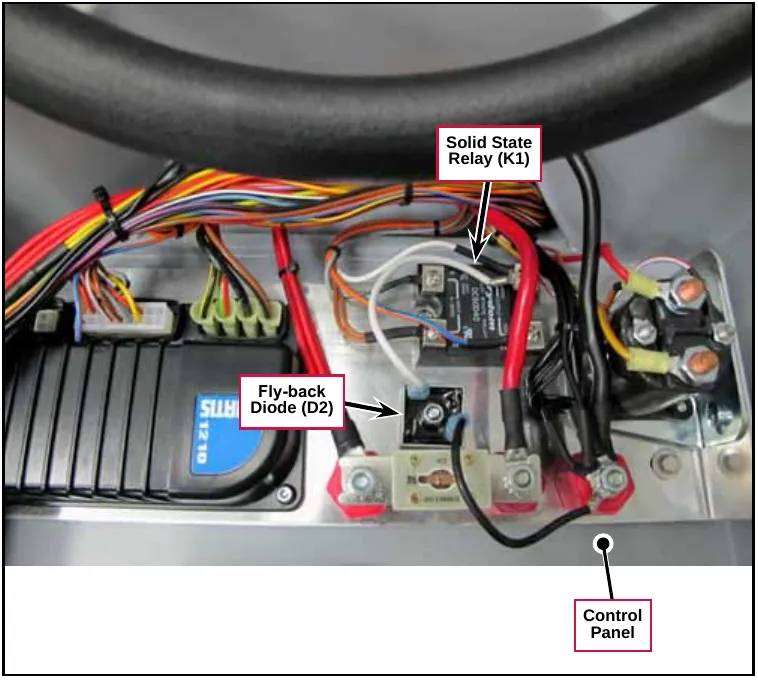
Troubleshooting
General troubleshooting
| Problem | Cause | Correction |
|---|---|---|
| Vacuum motor not running - the LED on relay SSR1 is not on. | No voltage from the Key Switch S1 to terminal 3+ on relay SSR1. | Check the wiring from the Key Switch S1 to terminal 3+ on relay SSR1 and repair as necessary. |
| Terminal 4- on relay SSR1 is not getting ground from the Vacuum Contactor, pin J3-12, on the A1 Control Board. | Check the wiring from pin J3-12 on the A1 Control Board to terminal 4- on relay SSR1 and repair as necessary. | |
| Relay SSR1 is faulty. | Replace relay SSR1. | |
| Vacuum motor not running - the LED on relay SSR1 is on. | No voltage to terminal 2+ on relay SSR1. |
|
| No voltage from terminal 1- on relay SSR1 to the Vacuum Motor M4. | Check the wiring from SSR1 to the Vacuum Motor M4 and repair as necessary. | |
| The Vacuum Motor M4 is not connected to battery ground. | Check the ground connection to the Vacuum Motor M4 and repair as necessary. | |
| Relay SSR1 is faulty. | Replace relay SSR1. | |
| Poor water pickup. | Vacuum leak(s) due to:
|
|
| Restrictions due to built-up debris in the squeegee tool or vacuum hose. |
| |
| Squeegee blades worn or out of adjustment. |
(Refer to the Squeegee Maintenance and Squeegee Adjustments sections in the Instructions For Use). |
Bench-testing the Fly-back Diode (bridge rectifier)
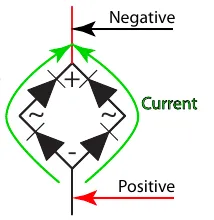
When functioning properly, the flyback diode should conduct only when the voltage gets reversed by the vacuum motor. To test the bridge rectifier, use a DC continuity tester or an ohm meter (on the R x 100 scale) as follows. If any of the internal diodes are shown to be defective in any of the following steps the rectifier must be replaced. (Refer to steps 8 and 9 for the correct mounting position and wire connections.)
Note that the positive tab on the Flyback Diode is rotated 90 degrees from the other three tabs.
- Disconnect the two wires from the Flyback Diode.
Reverse bias test
In the reverse bias direction, none of the internal diodes should conduct.
- Connect the negative test lead to the negative terminal on the rectifier.
- One at a time, touch the positive test lead to the remaining 3 terminals.
- If the meter beeps or reads continuity for any of the 3, then the rectifier is defective.
- If the meter does not beep, continue with the next step.
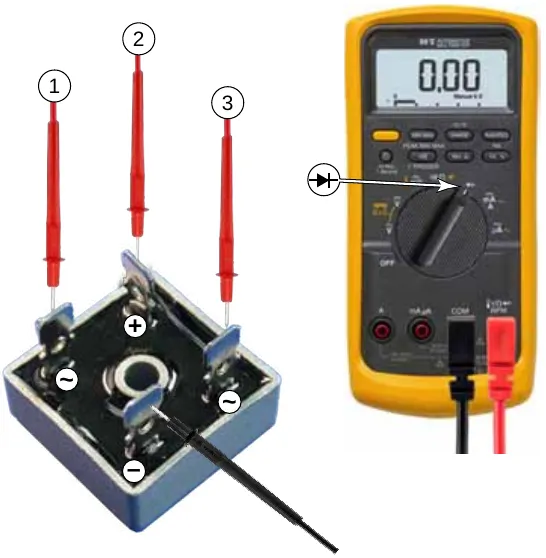
Forward bias test
In the forward bias direction, all of the diodes should conduct. Due to parallel paths, the positive and negative terminals have to be checked separately.
- Connect the negative test lead to the positive terminal on the rectifier.
- One at a time, touch the positive test lead to the 2 AC terminals (1&2).
- Connect the positive test lead to the negative terminal on the rectifier.
- One at a time, touch the negative test leads to the 2 AC terminals (3&4).
- If the meter does not beep or reads open circuit for any of the 4, then the rectifier is defective.
- If the meter beeps for all 4, then the rectifier is good.
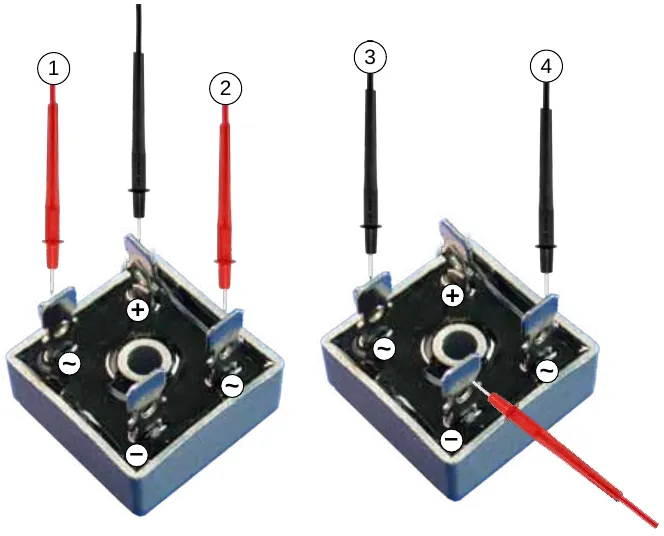
- If you replace the Fly-back Diode, make sure the Positive Tab is in the upper left position as shown, then fasten the Fly-back Diode to the electrical panel with the Screw and Nut.
- Connect the White Wire to the Positive Tab and the Black Wire to the opposite tab as shown.
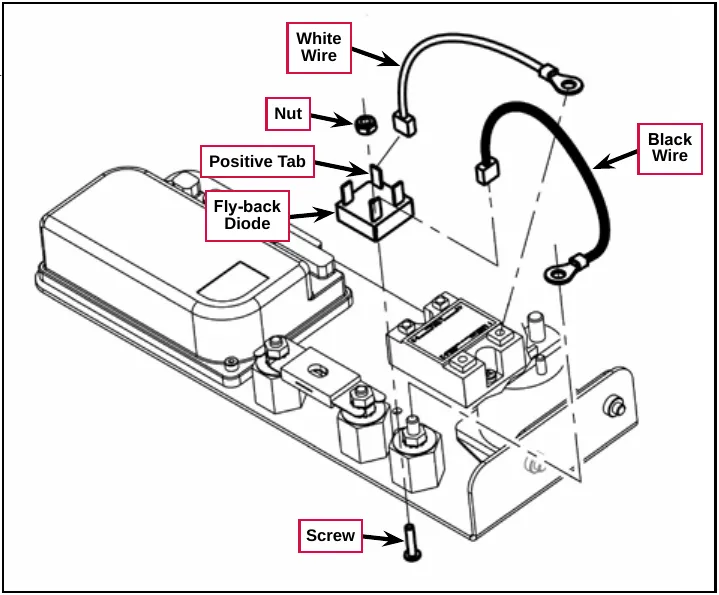
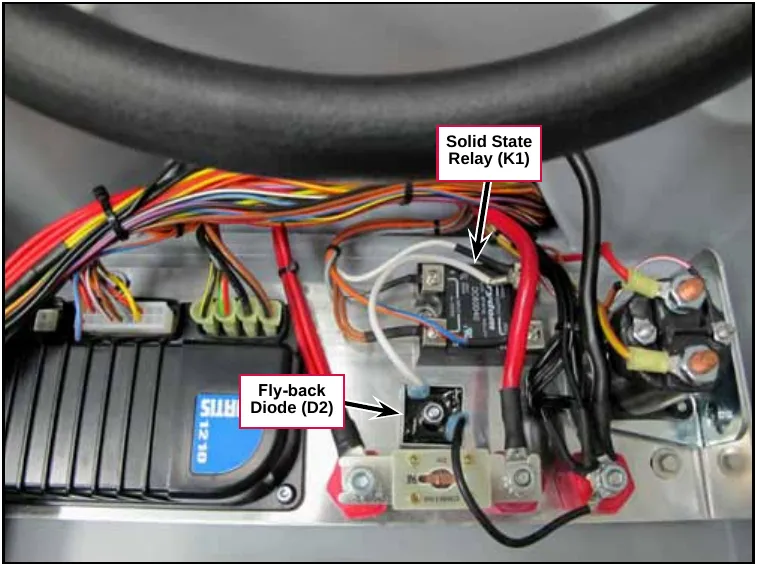
Removal and installation
Vacuum Motor
- Drain the recovery tank.
- Lift the recovery tank to access the Vacuum Cover.
- Remove the three M6 Screws, Flat Washers and Cover Plates and remove the Vacuum Cover to access the vacuum motor.
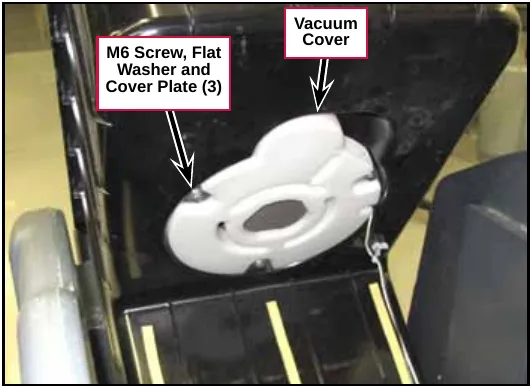
- Disconnect the Vacuum Motor Electrical Connector.
- Remove the Vacuum Motor from the Recovery Tank.
- Reinstall the Vacuum Motor by following the above steps in reverse order.
Note: Make sure you install the Acoustic Insulation correctly around the Vacuum Motor when you reinstall the Vacuum Motor.
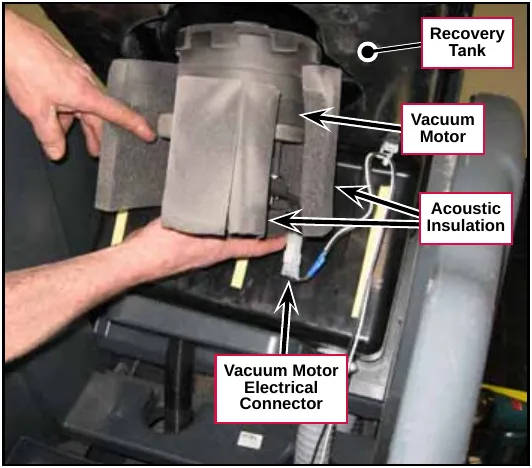
Note: Before you reinstall the Vacuum Cover, make sure the top of the Vacuum Motor is centered in the matching cutout in the Recovery Tank as shown.
If you remove the float cage, torque the screws to 10.6 in-lb (1.2 N·m) during reassembly.
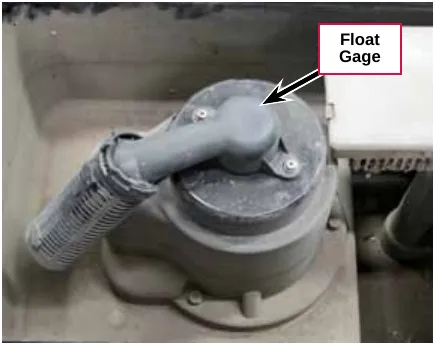
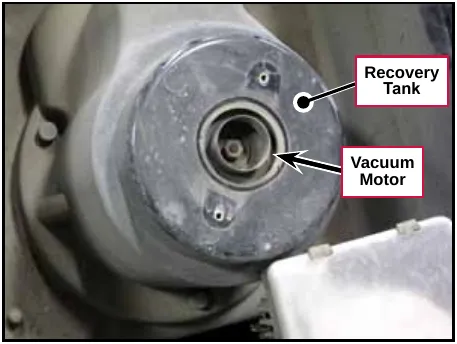
Specifications
| Component | Specifications | |
|---|---|---|
| Vacuum Motor | Current Draw | Low Speed: 11 - 12 Amps |
| High Speed: 16 - 17 Amps | ||
| Vacuum Water Lift | Sealed | 40 - 44 inches of water |
| 1 in open hole | 9.5 inches of water | |
| Vacuum Motor Mounting Screws | 26 in-lb (3 N·m) | |
Special tools
Vacuum water lift gauge, p/n 56205281
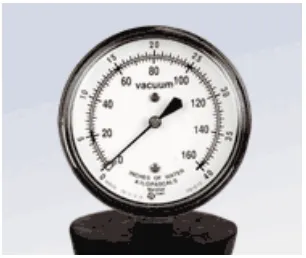
Scrub System
Functional description
The Scrub System includes the Scrub Deck, Brush or Pad Motor, Brush Motor Contactor (K2 relay) and Deck Actuator Assembly. The Scrub System uses either disc scrub brushes or REV™ deck pads depending on the scrub deck configuration. A 24-volt electric motor powers the brush/pad.
The scrub deck has four vertical positions:
- The scrub deck is in the fully-retracted (up) position when the machine is in the transport mode (no scrubbing or vacuuming).
- The vacuum-only position lowers the scrub deck so the attached squeegee contacts the floor, but the brush/pad is raised slightly above the floor. This position is used for wet vacuuming of wastewater from the floor with no scrubbing.
- The “normal” scrub pressure position lowers the scrub deck so the brush/pad contacts the floor with normal scrub pressure.
- The “extra” scrub pressure position lowers the scrub deck to its extension limit so the brush/pad contacts the floor with greater than normal scrub pressure.
The SC1500 can be configured with two different scrub decks:
- The 20D Scrub Decks have a 20 in brush plate assembly to accommodate a variety of disc brushes. The 20D models can also be used with several grades of pads by using the optional pad holder. The brush is driven by a Brush Motor connected to a 90-degree Gearbox.
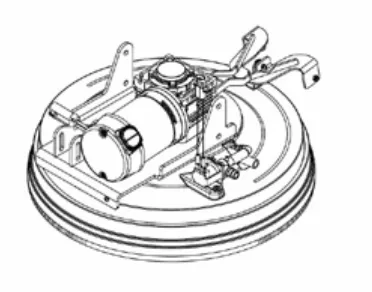
- The 20R REV™ Scrub Decks have a 20 in pad driver for use with REV™ deck pads only. The pad is driven directly by a 24 VDC Motor.
Note that the two types of Scrub Decks use different Motors, but use the same Deck Actuator Assembly and mounting hardware.
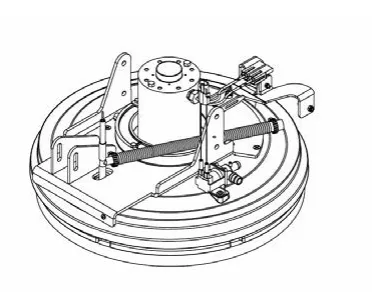
Scrub Deck and Motor
20D Scrub Deck
The 20D Scrub Decks use a horizontally-mounted Brush Motor with an integral gearbox to drive the Brush Plate Assembly and attached Brush. The Brush Motor is fastened to the Motor Spacer, which is bolted to the Deck Lift Plate Weldment, Brush Housing and Lower Deck Plate.
The Solution Solenoid Valve Assembly controls the solution flow to the Brush.
The squeegee assembly snaps onto the Squeegee Link Weldment.
The Brush Skirt helps contain the cleaning solution.
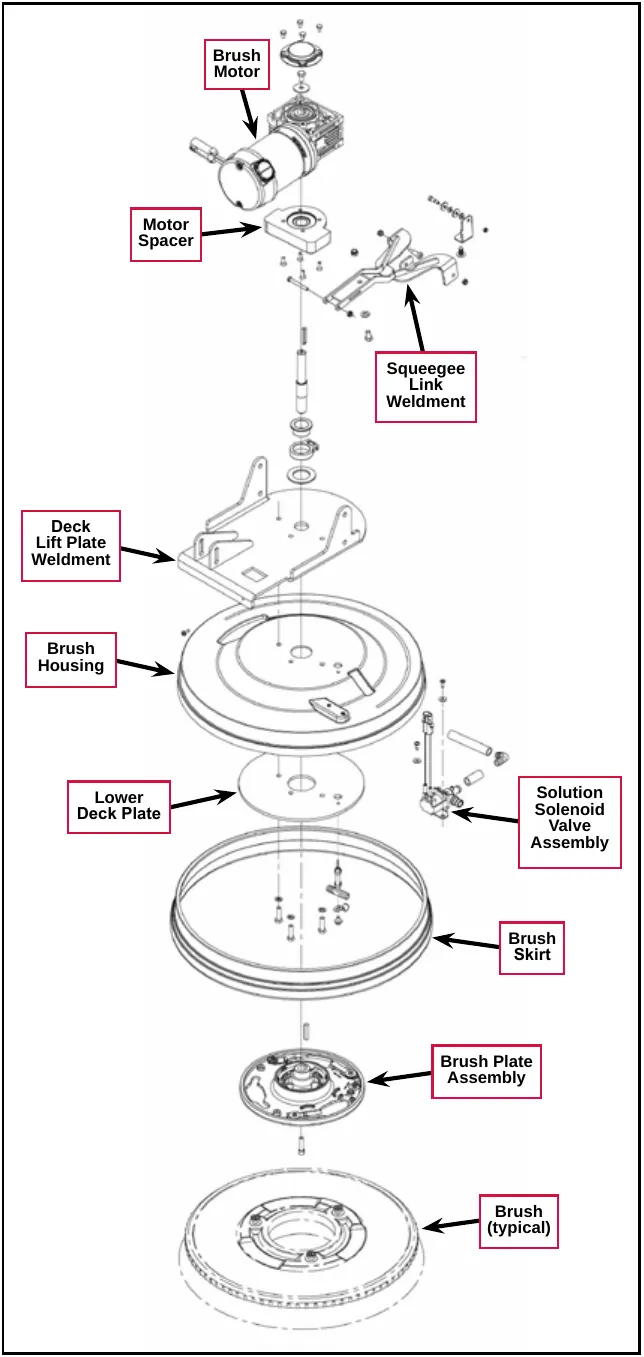
20R REV™ Deck
The 20R REV™ Scrub Decks use a vertically-mounted Motor to drive the Pad Driver Assembly and attached Pad directly. The Motor is fastened to the Motor Plate and attached Rev Lift Plate Weldment and Rev Housing.
The Solution Solenoid Valve Assembly controls the solution flow to the Pad.
The squeegee assembly snaps onto the Squeegee Link Weldment.
Note that the 20R REV™ Scrub Decks require an additional connector adaptor to plug into the scrub motor wiring harness.
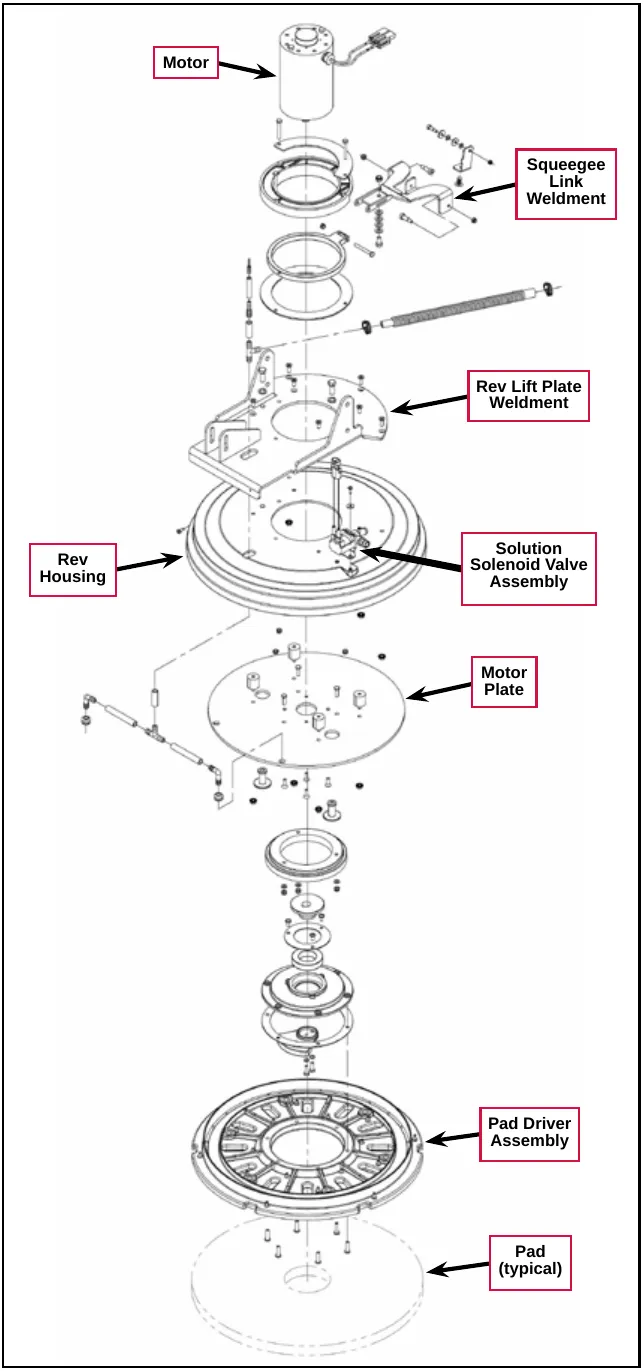
Brush Motor Contactor
The Brush Motor Contactor (K2) controls the power to the Brush/Pad Motor.
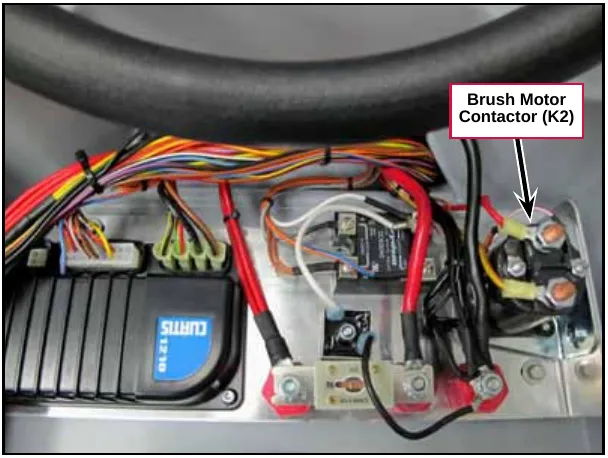
Deck Actuator Assembly
The Deck Actuator Assembly uses an electric Motor to run a lead screw that extends and retracts the Tube and attached Plunger. The Plunger is connected to the Scrub Deck to raise and lower the Scrub Deck to any of four different positions:
- The fully-retracted (up) position is the Scrub Deck transport position and is used when the Scrub and Recovery Systems are not active.
- Scrub Deck position 1 is the vacuum-only position. In this position the Deck Actuator lowers the Scrub Deck just far enough for the squeegee to contact the floor to pick up wastewater with the Scrub, Solution and Detergent Systems off.
- Scrub Deck position 2 is the standard scrub pressure position.
- The fully-extended (down) position is the extra scrub pressure position.
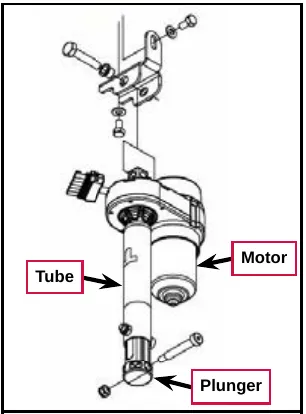
Two internal Position Switches, actuated by rotating Cams, provide actuator position feedback to the A1 Control Board.
Two internal Limit Switches (top and bottom), also actuated by rotating Cams, switch off the actuator Motor at the fully-retracted and fully-extended positions.
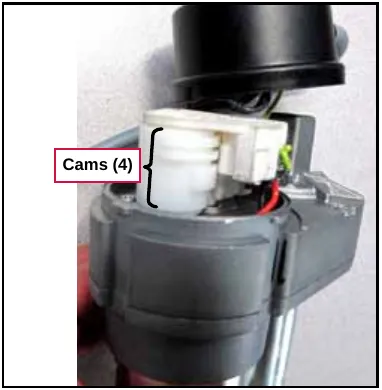
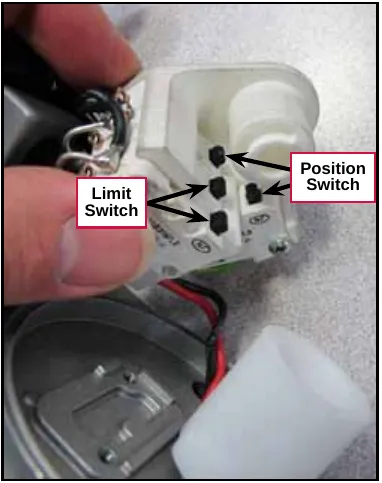
Circuit descriptions
Scrub Brush Motor
Scrub Brush Motor off
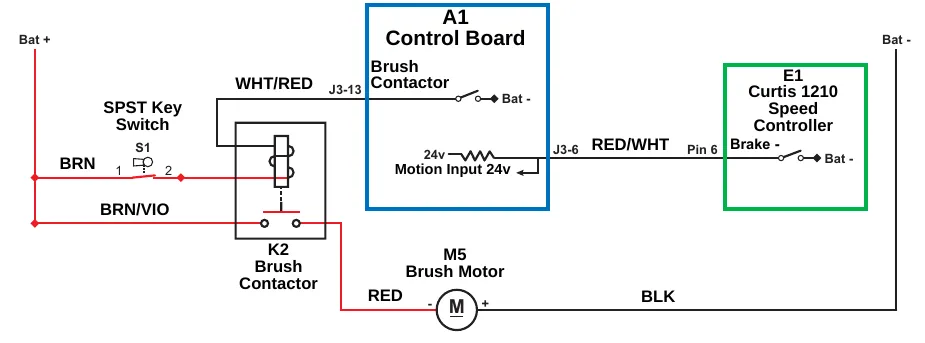
| Item | Printed on the drawing |
|---|---|
| Power | Bat + ; Bat - |
| A1 Control Board | Brush Contactor (J3-13, Bat -); Motion Input 24v (J3-6) |
| E1 Curtis 1210 Speed Controller | Pin 6, Brake - (Bat -) |
| Key switch | SPST Key Switch, S1 (terminals 1, 2) |
| Contactor | K2 Brush Contactor |
| Motor | M5 Brush Motor (terminals -, +) |
| Wire colors | WHT/RED, BRN, BRN/VIO, RED, BLK, RED/WHT |
When the machine is stationary:
- The Brake - switch on Pin 6 in the E1 Curtis Speed Controller is open and is not sending the drive signal to the Motion Input line on pin J3-6 on the A1 Control Board.
- The Brush Contactor switch on pin J3-13 is open, the K2 Brush Contactor is de-energized and open, and the M5 Brush Motor is off.
Scrub Brush Motor on
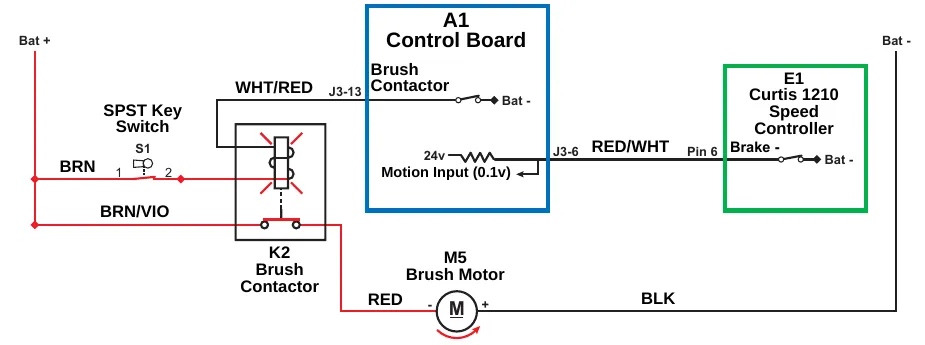
| Item | Printed on the drawing |
|---|---|
| Power | Bat + ; Bat - |
| A1 Control Board | Brush Contactor (J3-13, Bat -); Motion Input (0.1v) (J3-6) |
| E1 Curtis 1210 Speed Controller | Pin 6, Brake - (Bat -) |
| Key switch | SPST Key Switch, S1 (terminals 1, 2) |
| Contactor | K2 Brush Contactor |
| Motor | M5 Brush Motor (terminals -, +) |
| Wire colors | WHT/RED, BRN, BRN/VIO, RED, BLK, RED/WHT |
The following conditions must be met before the Brush Motor can start:
- There can be no major faults active.
- The machine must not be in a low-voltage condition.
- The Scrub System must be enabled (the Solution On/Off Indicator is lighted).
- The S7 POS 1 limit switch on the scrub deck actuator must be closed to indicate that the scrub deck is below the vacuum-only position.
- The A1 Control Board must receive a motion signal from the E1 Curtis Speed Controller.
When the Operator selects a drive direction and presses the go pedal:
- The Brake - switch on Pin 6 in the E1 Curtis Speed Controller closes to ground. This drops the voltage on the Motion Input line on pin J3-6 from 24v down to nearly 0 volts to signal the A1 Control Board that the machine is now in motion.
- The A1 Control Board switches the Brush Contactor line on pin J3-13 to battery ground to energize the coil side of the K2 Brush Contactor to close the contacts and switch on the Brush Motor.
| “Field” Voltage Measurements with Reference to Battery Negative | |||
|---|---|---|---|
| Pin Number | Wire Color | Description | Voltage |
| J3-13 | WHT/RED | Brush Contactor | 24.3v - Brush Motor Off |
| 0.2v Brush Motor On | |||
Deck Actuator Assembly
Scrub Deck up
When the Scrub System is switched from active to not active, the Gang Switch in the A1 Control Board switches on the power to the Brush Lift Actuator Motor M3.
Note: The Gang Switch position determines the polarity to run the Brush Lift Actuator Motor in the appropriate direction to raise or lower the scrub deck. The Gang Switch is, in reality, a “virtual” switch that is a type of transistor driver circuit in the A1 Control Board.
The Deck Actuator Assembly raises the scrub deck until the Cam opens the Upper Limit Switch. This shuts off the power to the Brush Lift Actuator Motor.
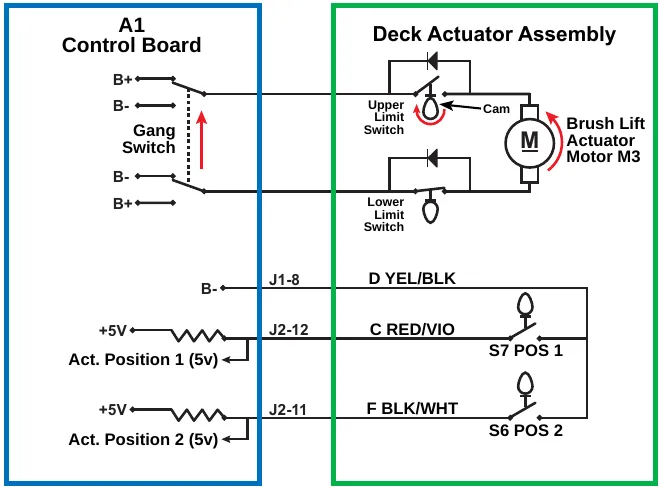
| Item | Printed on the drawing |
|---|---|
| A1 Control Board | B+, B-, Gang Switch (terminals B+, B-, B-, B+) |
| Deck Actuator Assembly | Upper Limit Switch, Lower Limit Switch, Cam, Brush Lift Actuator Motor M3 |
| Pin J1-8 | D YEL/BLK, B- |
| Pin J2-12 | C RED/VIO, S7 POS 1; +5V, Act. Position 1 (5v) |
| Pin J2-11 | F BLK/WHT, S6 POS 2; +5V, Act. Position 2 (5v) |
Scrub Deck in Vacuum-only position
When the Scrub System is not active and the Vacuum Power Adjustment Switch is pressed to enable the wet vacuuming mode, the Gang Switch in the A1 Control Board switches on the power to the Brush Lift Actuator Motor M3. The Deck Actuator Assembly lowers the scrub deck to POS (position) 1.
When the deck reaches POS 1 the Cam closes the S7 POS 1 switch, which drops the voltage seen at the Act. Position 1 input from 5v to 0v. The Gang Switch then switches polarity to run the Brush Lift Actuator Motor in the opposite direction for a predetermined period of time to compensate for “overshoot” and position the deck at just the right height. The A1 Control Board then shuts off the power to the Brush Lift Actuator Motor.
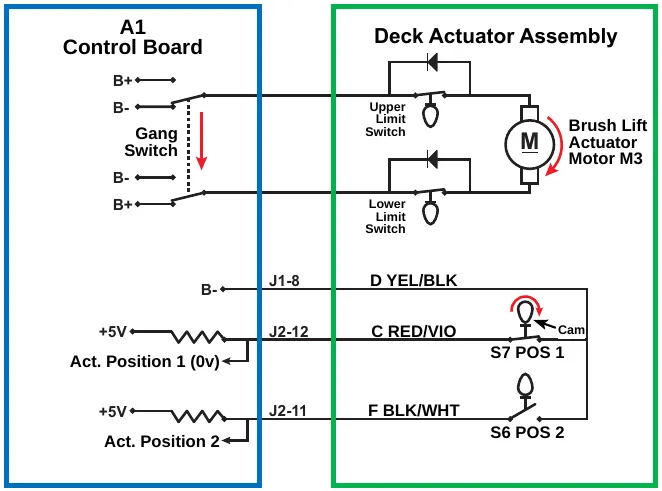
| Item | Printed on the drawing |
|---|---|
| A1 Control Board | B+, B-, Gang Switch (terminals B+, B-, B-, B+) |
| Deck Actuator Assembly | Upper Limit Switch, Lower Limit Switch, Cam, Brush Lift Actuator Motor M3 |
| Pin J1-8 | D YEL/BLK, B- |
| Pin J2-12 | C RED/VIO, S7 POS 1; +5V, Act. Position 1 (0v) |
| Pin J2-11 | F BLK/WHT, S6 POS 2; +5V, Act. Position 2 |
Scrub Deck at normal scrub pressure
When the Scrub System is active, the Gang Switch in the A1 Control Board switches on the power to the Brush Lift Actuator Motor M3. The Deck Actuator Assembly lowers the scrub deck to the normal scrub pressure position, POS (position) 2.
When the deck reaches POS 2 the Cam closes the S6 POS 2 switch, which drops the voltage seen at the Act. Position 2 input from 5v to 0v. The A1 Control Board then shuts off the power to the Brush Lift Actuator Motor.
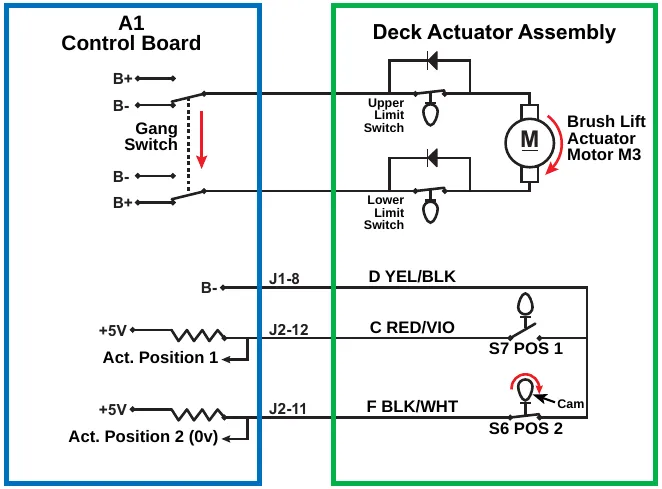
| Item | Printed on the drawing |
|---|---|
| A1 Control Board | B+, B-, Gang Switch (terminals B+, B-, B-, B+) |
| Deck Actuator Assembly | Upper Limit Switch, Lower Limit Switch, Cam, Brush Lift Actuator Motor M3 |
| Pin J1-8 | D YEL/BLK, B- |
| Pin J2-12 | C RED/VIO, S7 POS 1; +5V, Act. Position 1 |
| Pin J2-11 | F BLK/WHT, S6 POS 2; +5V, Act. Position 2 (0v) |
Scrub Deck at extra scrub pressure
When the Scrub System is active and either the Extra Pressure Switch or Burst of Power switch is pressed, the Gang Switch in the A1 Control Board switches on the power to the Brush Lift Actuator Motor. The Deck Actuator Assembly lowers the scrub deck to the extra scrub pressure position.
When the deck reaches its lower travel limit, the Cam opens the Lower Limit Switch. This shuts off the power to the Brush Lift Actuator Motor.
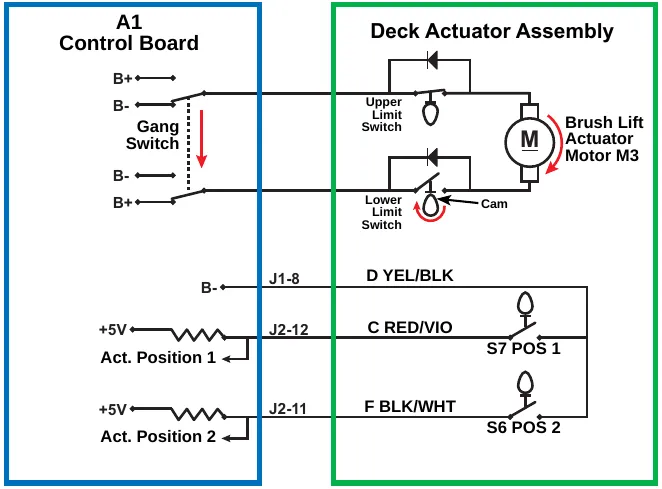
| Item | Printed on the drawing |
|---|---|
| A1 Control Board | B+, B-, Gang Switch (terminals B+, B-, B-, B+) |
| Deck Actuator Assembly | Upper Limit Switch, Lower Limit Switch, Cam, Brush Lift Actuator Motor M3 |
| Pin J1-8 | D YEL/BLK, B- |
| Pin J2-12 | C RED/VIO, S7 POS 1; +5V, Act. Position 1 |
| Pin J2-11 | F BLK/WHT, S6 POS 2; +5V, Act. Position 2 |
Component locations
The following components are included in this section:
- Scrub Deck
- Scrub Deck Motor
- Brush Motor Contactor (K2)
- Scrub Deck Actuator Assembly
The Scrub Deck is suspended underneath the machine and pivots up and down on a mechanical mount.
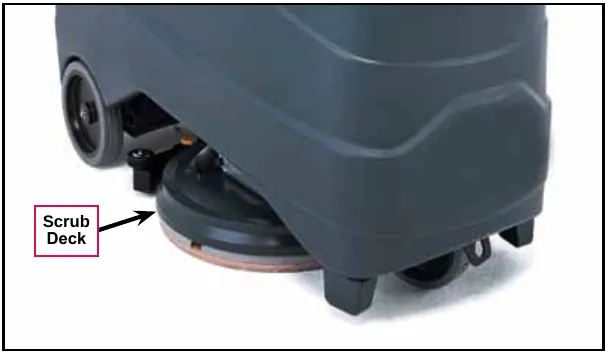
The Scrub Deck Motor is mounted on the top of the Scrub Deck. Note that the 20D Scrub Deck and Brush Motor are shown here.
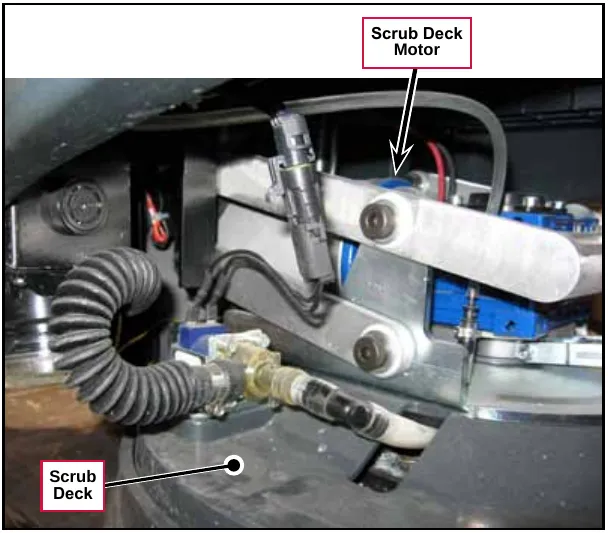
The Brush Motor Contactor (K2) controls the power to the scrub deck motor and is located inside the control panel assembly.
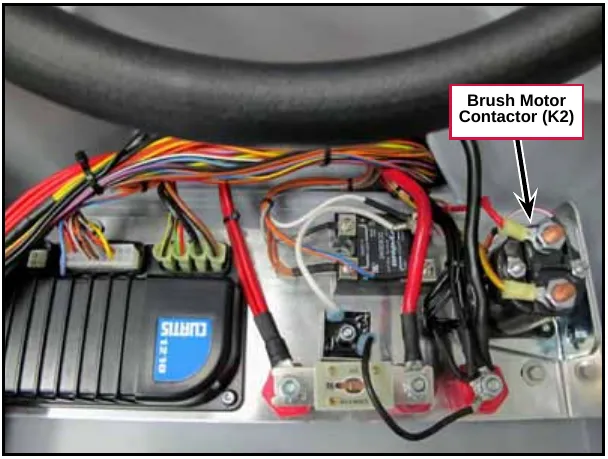
The Scrub Deck Actuator Assembly is attached to the Scrub Deck and machine frame and lowers and raises the Scrub Deck.
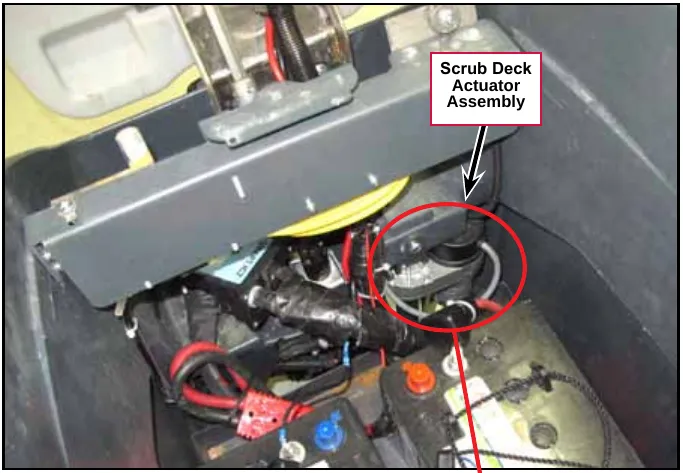
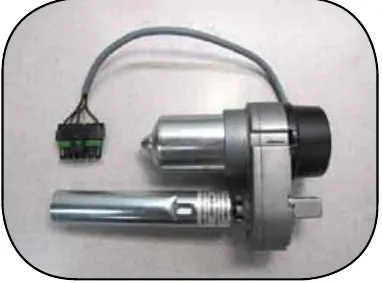
Troubleshooting
| Problem | Cause | Correction |
|---|---|---|
| Brush Motor not running | No voltage to the K2 Brush Contactor coil |
|
| No voltage through the contacts on the K2 Brush Contactor |
| |
| Scrub Deck Actuator not running. | No voltage to the Deck Actuator Motor | Check the voltage on pins J1-9 and J1-10 on the A1 Control Board. The signals, referenced to ground, should be as follows: Pin J1-9:
Pin J1-10:
|
| Scrub Deck not being lowered to the vacuum-only position | No signal from Position Switch 1, S7, to pin J2-12 on the A1 Control Board. | Check the voltage on pin J2-12 on the A1 Control Board. The signals, referenced to ground, should be 4.99v with the switch open and 0.03v with the switch closed. |
| Scrub Deck not being lowered to the normal scrub position. | No signal from Position Switch 2, S6, to pin J2-11 on the A1 Control Board. | Check the voltage on pins J2-11 on the A1 Control Board. The signals, referenced to ground, should be 4.99v with the switch open and 0.03v with the switch closed. |
Removal and installation
Scrub Deck
- Turn the key switch on, then press the Scrub On/Off Switch to lower the scrub deck to the normal scrub position. This will relieve the tension between the scrub deck actuator and the scrub deck.
- With the scrub deck down and the key switch on, disconnect the Actuator Electrical Connector. Note that you may need to cut a wire tie to do this.
- Turn the key switch off.
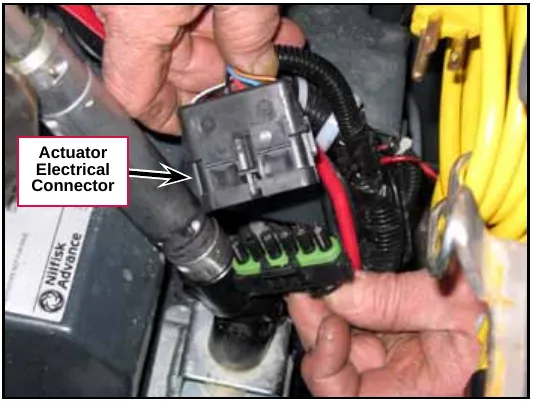
- Make sure the Ball Valve from the solution tank to the Filter is set to the off position.
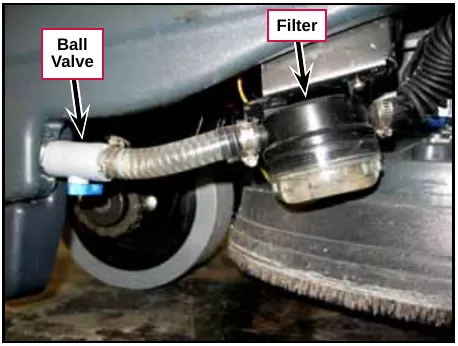
- Loosen the Clamp and remove the Solution Hose from the Solution Solenoid Valve. Note that a small amount of solution may leak out from the Solution Hose when you disconnect it from the Solution Solenoid Valve.
- Disconnect the Solenoid Electrical Connector.
- Disconnect the Detergent Hose from the Scrub Deck.
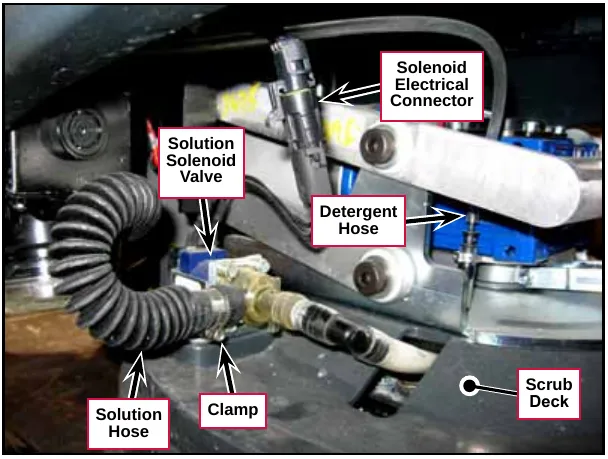
- Remove the Vacuum Hose from the Scrub Deck.
- Press the rear of the Squeegee Mount Bracket to disengage it from the pins on the Squeegee Link Weldment and remove the Squeegee from the Scrub Deck.
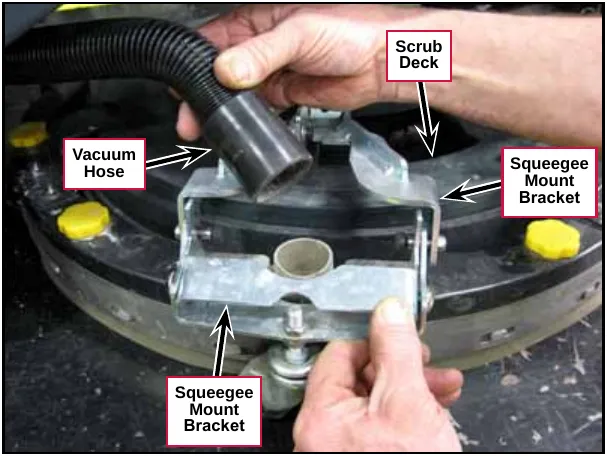
- Remove the four Shoulder Screws holding the Lift Plate Weldment to the Link Bar and the two Linkage Bars. Note that you’ll need to hold the M10 Nyloc® nuts with a 0.67 in (17 mm) wrench while you remove the Shoulder Screws.
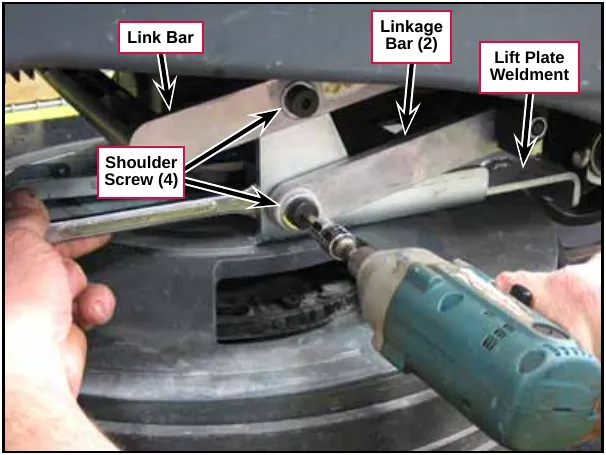
- Remove the Shoulder Screw and nut that connect the scrub deck actuator to the Lift Plate Weldment on the scrub deck. Note that you’ll need to hold the M8 Nyloc® nut with a 0.51 in (13 mm) wrench while you remove the Shoulder Screw.
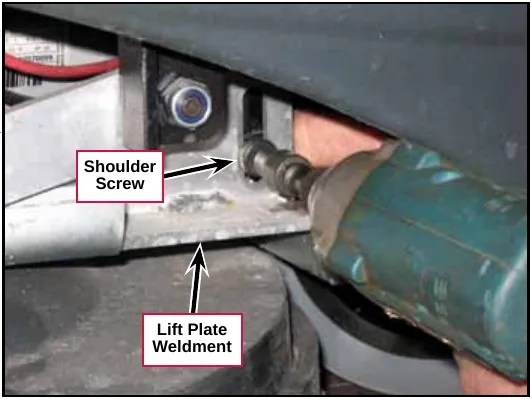
Service tip: Note of the rotational position of the screw hole in the Plunger when you remove the Shoulder Screw. Be careful not to rotate the Tube and Plunger once the Scrub Deck Actuator is disconnected from the scrub deck. This can cause the Scrub Deck Actuator to get out of adjustment.
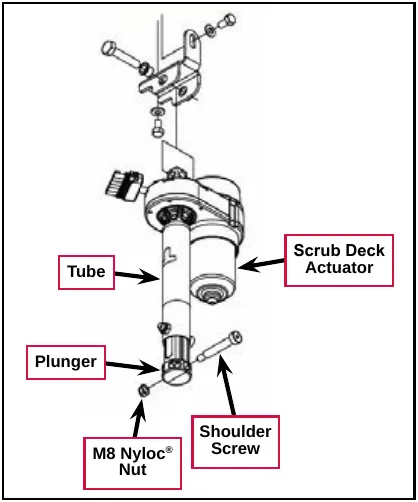
- Lift up the link bar and rotate the scrub deck slightly (counterclockwise as viewed from the top) to get some slack in the Scrub Deck Ground Wire.
- Disconnect the Scrub Deck Ground Wire from the scrub deck.
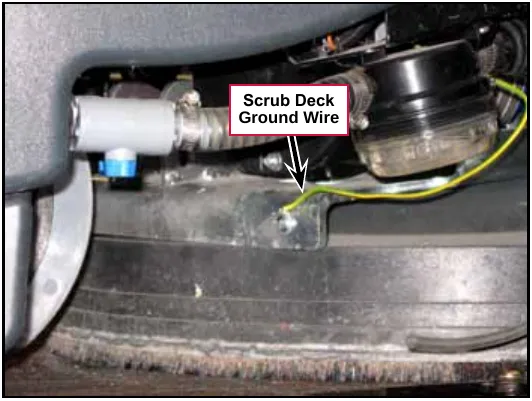
- Disconnect the Scrub Deck Motor Electrical Connector.
- Carefully slide the deck out of the machine.
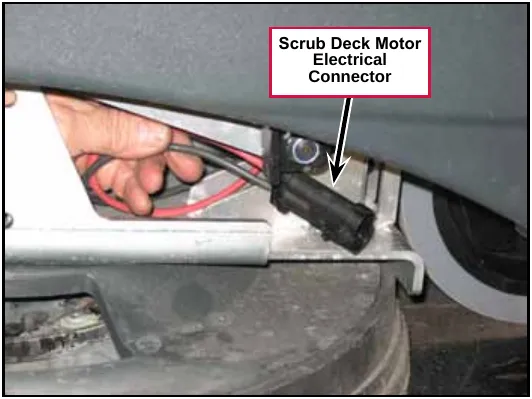
Service tip: The scrub motors on the 20R REV™ scrub decks are slightly taller than the motors on 20D decks. When you remove a 20R REV™ scrub deck you’ll need to jack up and block the front of the machine slightly in order to get adequate clearance to remove the deck from the machine.
- Reinstall the deck by following the above steps in reverse order.
Service tip: When you reinstall the scrub deck, make sure you have all 16 Link Arm Bushings and all eight 0.47 in (12 mm) Flat Washers installed in the Link Bar and Linkage Bars before reinstalling the Shoulder Bolts and Nyloc® Nuts.
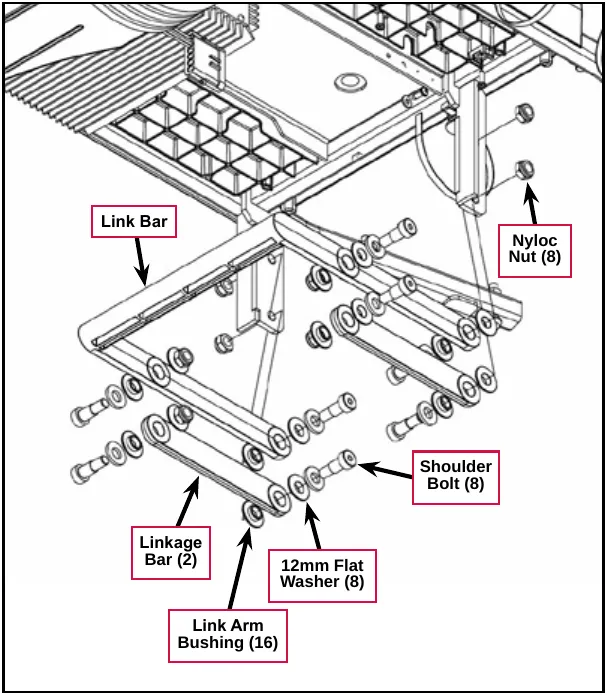
Scrub deck actuator assembly
- Turn the key switch on, then press the Scrub On/Off Switch to lower the scrub deck to the normal scrub position. This will relieve the tension between the scrub deck actuator and the scrub deck.
- With the scrub deck down and the key switch on, disconnect the Actuator Electrical Connector. Note that you may need to cut a wire tie to do this.
- Turn the key switch off.
- Disconnect and remove the battery closest to the scrub deck actuator to get enough clearance to remove the actuator.
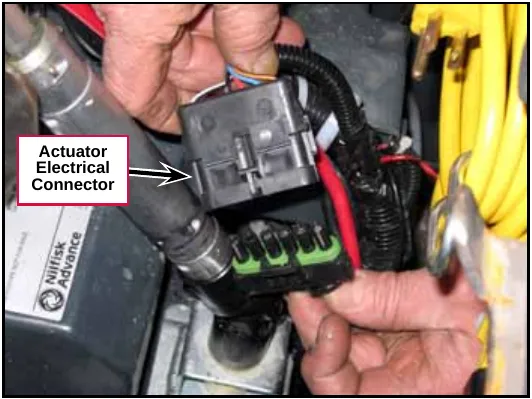
- Remove the Shoulder Screw and nut that connect the scrub deck actuator to the Lift Plate Weldment on the scrub deck. Note that you’ll need to hold the M8 Nyloc® nut with a 0.51 in (13 mm) wrench while you remove the Shoulder Screw.
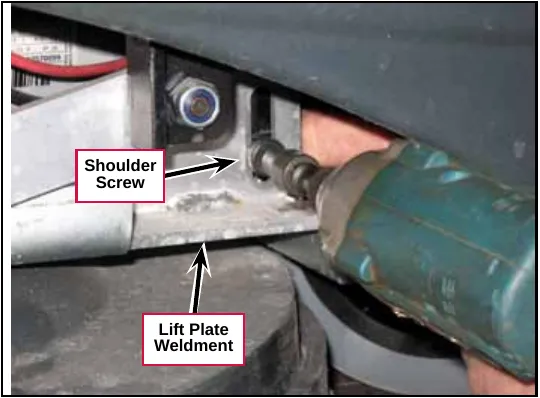
- Remove the M10 Screw and actuator spacer holding the Scrub Deck Actuator to the Actuator Bracket on the machine frame.
- Carefully remove the Scrub Deck Actuator from the machine.
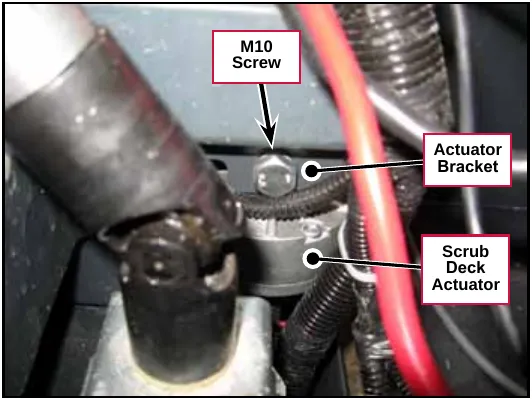
Service tip: If you’re going to reinstall the Scrub Deck Actuator without readjusting the position of the Tube, be careful not to rotate the Tube and Plunger with the Scrub Deck Actuator out of the machine. This can cause the Scrub Deck Actuator to get out of adjustment.
- Reinstall the scrub deck actuator by following the above steps in reverse order.
Note: If you’re installing a replacement scrub deck actuator assembly, or if the scrub deck actuator assembly has gotten out of adjustment, you’ll need to set the tube position as described in the Scrub Deck Actuator Adjustment subsection below.
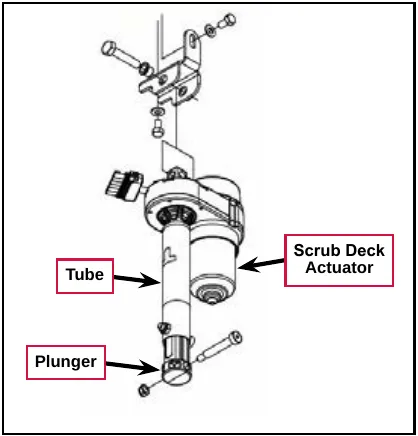
Scrub deck actuator adjustment
The Scrub Deck Actuator adjustment consists of setting the Tube position with the retracted travel limit switch actuated. To set the Scrub Deck Actuator position:
- Drive the actuator motor to the up (fully retracted) position using the Service Test Mode or a jumper to the batteries.
- Wait until the motor stops running due to the travel limit switch opening.
Note: Do not allow the Tube to bottom out against the Motor Housing.
- Manually rotate the Tube toward the Motor Housing until it bottoms out, then back the Tube out at least 1½ turn, but no more than two full turns, in order to align the mounting holes.
Service tip: Be careful not to rotate the Tube prior to installing the Scrub Deck Actuator into the machine. This can cause the Scrub Deck Actuator to get out of adjustment.
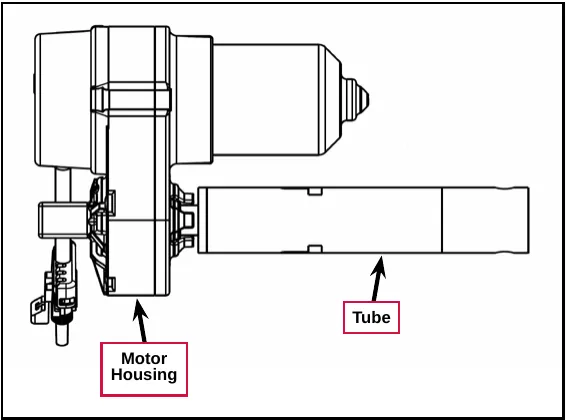
Specifications
| Component | Specifications | |
|---|---|---|
| 20D Scrub Deck Brush Motor | Voltage – 24 VDC | |
| RPM – 140 | ||
| Current Draw | No Load ≈ 6.2 Amps | |
| Normal Operation ≈ 12-19 Amps depending on floor surface, solution flow rate and scrub pressure | ||
| Output Power – 380 Watts / 1/2 HP | ||
| 20R REV™ Scrub Deck Motor | Voltage – 24 VDC | |
| RPM – 2200 | ||
| Current Draw | No load ≈ 8A | |
| Normal Operation ≈ 12-19 Amps depending on floor surface, solution flow rate and scrub pressure | ||
| Output Power – 560 Watts / 3/4 HP | ||
| K2 Brush Contactor | Nominal Coil Resistance – 58.3 ohms ±10% | |
| Scrub Deck Actuator | Voltage – 24 VDC | |
| Output Power – 1/6 HP | ||
| Total Travel – 4.00” ±0.15” | ||
| Gearbox Ratio – 20.23:1 | ||
| Performance Data | ||
| No load | Thrust – 0 lbs. | |
| Speed – 42.5 in/min | ||
| Current Draw – 1.8 ±1.0 Amps max. | ||
| Full load | Thrust – 600 lbs. | |
| Speed – 34 in/min | ||
| Current Draw – 7.0 ±1.0 Amps | ||
| Starting | Thrust – 700 lbs. | |
Solution system
Functional description
The Solution System is a gravity-feed system that supplies cleaning solution to the scrub brush/pad on the scrub deck. The detergent, supplied from the detergent tank and pump, is added to the solution upstream of the scrub deck. The Solution Solenoid Valve controls the solution flow to the scrub deck. The A1 Control Board sends a pulsed voltage signal to the Solution Solenoid Valve that opens and closes the Valve to regulate the solution flow according to the flow rate selected with the solution flow adjustment switch.
The Solution System includes the Solution Tank, Water Filter, Solution Solenoid Valve Assembly and associated valves and hoses.
Solution tank, water filter and valves
The Solution Tank holds approximately 12 gallons (45 liters) of water/solution.
The Ball Valve controls the solution flow to the Water Filter and downstream Solution Hose that is plumbed to the Solution Solenoid Valve.
The Water Filter can be disassembled for cleaning.
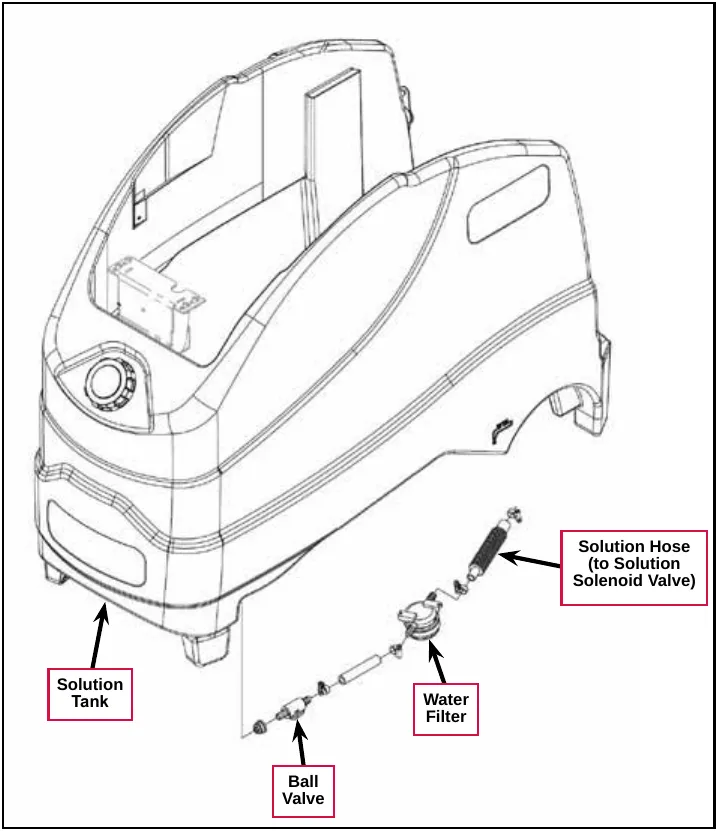
Solution solenoid valve
The L1 Solution Solenoid Valve controls the solution flow to the scrub deck. The solution from the solution tank enters the L1 Solution Solenoid Valve through the side port and exits through the rear port to the scrub deck as shown.
The two wires in the Electrical Connector get power from the key switch and pin J3-11 - Solution Solenoid on the A1 Control Board.
The A1 Control Board sends a modulated signal through Pin J3-11 to switch the L1 Solution Solenoid Valve to ground and open the L1 Solution Solenoid Valve for a period of time corresponding to the selected solution flow rate. The period of time during which the solution solenoid is energized (open) is referred to as the “duty cycle” and is a percentage of the total six-second cycle.
For example, a 50-percent duty cycle would energize and open the L1 Solution Solenoid Valve for three seconds during every six-second cycle.
Note: 100 percent duty cycle is full solution flow with the L1 Solution Solenoid Valve continuously open.
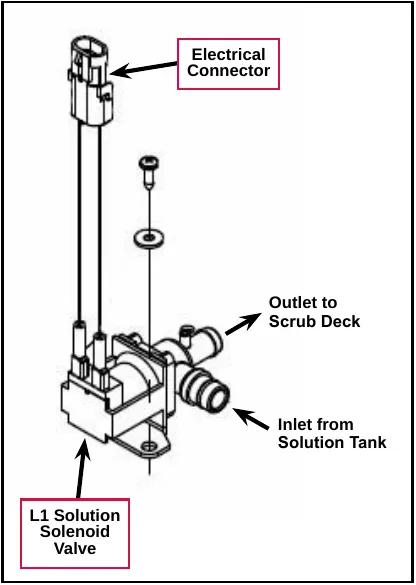
Detergent system
The Detergent System uses an electric diaphragm Detergent Pump to inject detergent from the Detergent Cartridge into the cleaning solution upstream of the scrub deck. The A1 Control Board sends voltage pulses to the Detergent Pump that alternate polarity to move the pump plunger and diaphragm in and out to control the Detergent Pump output. This allows the A1 Control Board to inject the correct amount of detergent for the solution flow rate and detergent percentage/ratio selected by the Operator.
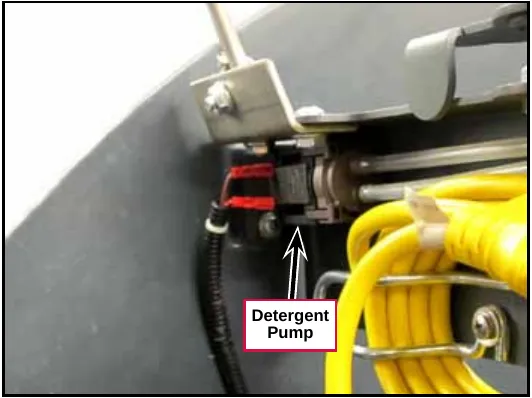
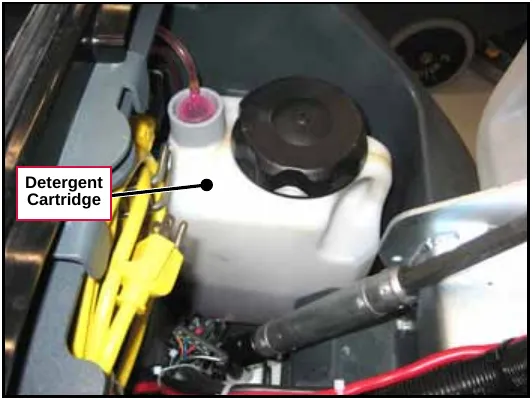
Circuit descriptions
Solution solenoid valve off
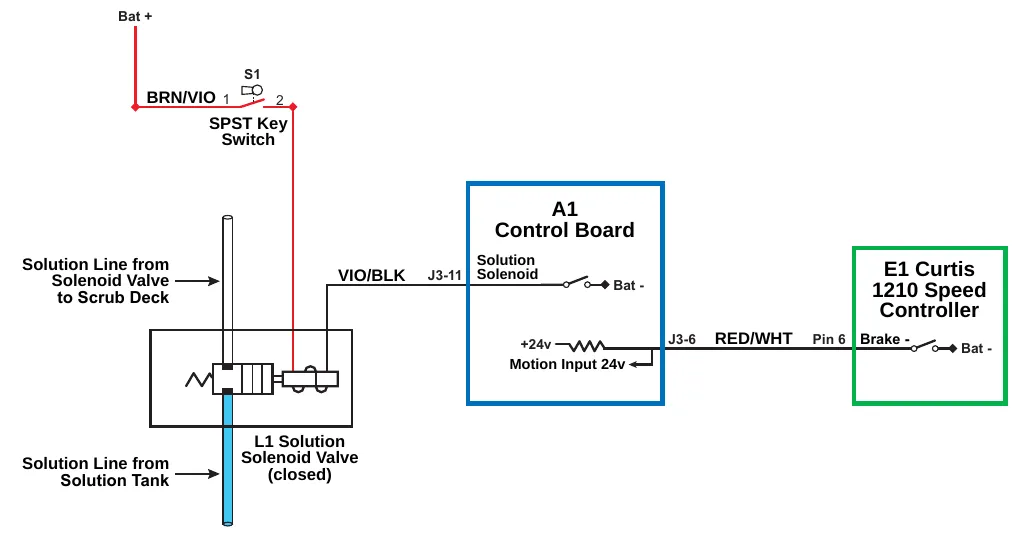
| Item | Printed on the drawing |
|---|---|
| Battery feed | Bat + |
| Key switch | S1; SPST Key Switch; terminals 1 and 2; wire BRN/VIO |
| Solution lines | Solution Line from Solenoid Valve to Scrub Deck; Solution Line from Solution Tank |
| Valve | L1 Solution Solenoid Valve (closed) |
| A1 Control Board | A1 Control Board; Solution Solenoid; Bat -; +24v; Motion Input 24v |
| Solution solenoid pin | J3-11, wire VIO/BLK |
| Motion input pin | J3-6, wire RED/WHT, Pin 6 |
| E1 Curtis 1210 Speed Controller | E1 Curtis 1210 Speed Controller; Brake -; Bat - |
When the machine is stationary:
- The Brake - switch on Pin 6 in the E1 Curtis Speed Controller is open and is not sending the drive signal to the Motion Input line on pin J3-6 on the A1 Control Board.
- The Solution Solenoid switch on pin J3-11 is open, and the L1 Solution Solenoid Valve is de-energized and closed. This prevents solution flow from the solution tank to the scrub deck.
If the Solution System is disabled, the Solution Solenoid switch on pin J3-11 will remain open regardless of whether or not the A1 Control Board receives a drive signal from the E1 Curtis Speed Controller.
Solution solenoid valve on
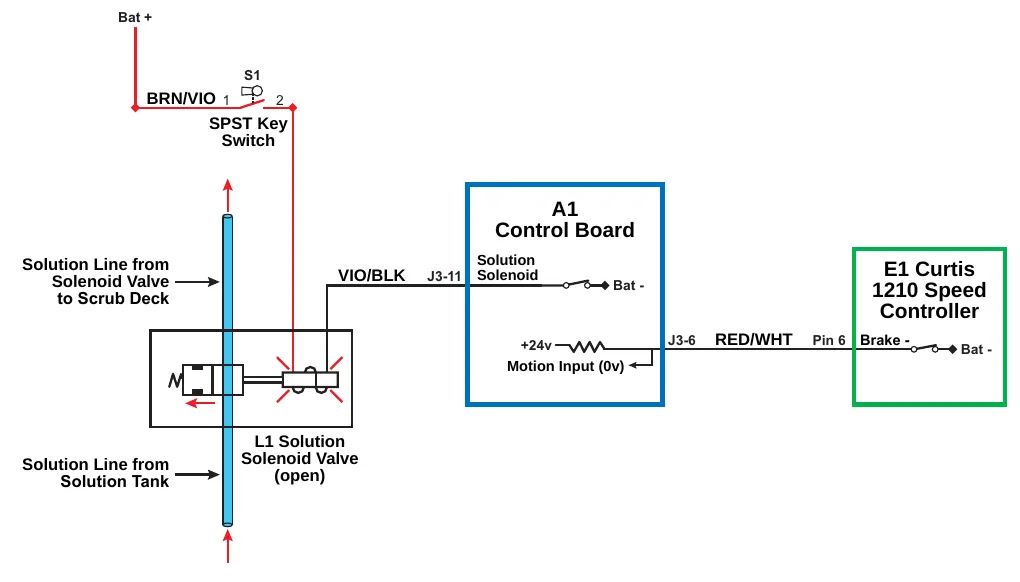
| Item | Printed on the drawing |
|---|---|
| Battery feed | Bat + |
| Key switch | S1; SPST Key Switch; terminals 1 and 2; wire BRN/VIO |
| Solution lines | Solution Line from Solenoid Valve to Scrub Deck; Solution Line from Solution Tank |
| Valve | L1 Solution Solenoid Valve (open) |
| A1 Control Board | A1 Control Board; Solution Solenoid; Bat -; +24v; Motion Input (0v) |
| Solution solenoid pin | J3-11, wire VIO/BLK |
| Motion input pin | J3-6, wire RED/WHT, Pin 6 |
| E1 Curtis 1210 Speed Controller | E1 Curtis 1210 Speed Controller; Brake -; Bat - |
The following conditions must be met before the L1 Solution Solenoid Valve can open:
- There can be no major faults active.
- The machine must not be in a low-voltage condition.
- The Scrub System must be enabled (the Solution On/Off Indicator is lighted).
- The S7 POS 1 limit switch on the scrub deck actuator must be closed to indicate that the scrub deck is below the vacuum-only position.
- The A1 Control Board must receive a motion signal from the E1 Curtis Speed Controller.
When the Operator selects a drive direction and presses the go pedal:
- The Brake- switch on Pin 6 in the E1 Curtis Speed Controller closes to ground. This drops the voltage on the Motion Input line on pin J3-6 from 24v down to nearly 0 volts to signal the A1 Control Board that the machine is now in motion.
- The Solution Solenoid switch on pin J3-11 switches to ground to energize and open the L1 Solution Solenoid Valve. This allows solution flow from the solution tank to the scrub deck.
Note that the ground signal from the A1 Control Board to the L1 Solution Solenoid Valve is a pulse-width modulated (PWM) signal. The duty cycle of the PWM signal will vary according to the solution flow rate selected.
| “Field” Voltage Measurements with Reference to Battery Negative | |||
|---|---|---|---|
| Pin Number | Wire Color | Description | Voltage |
| J3-11 | VIO/BLK | Solution Solenoid | 24.4v - Solenoid Off |
| 0.12v - Solenoid On | |||
Detergent pump on
The following conditions must be met before the M2 Detergent Pump can start:
- There can be no major faults active.
- The machine must not be in a low-voltage condition.
- The Scrub System must be enabled (the Solution On/Off Indicator is lighted).
- The Detergent System must be installed and enabled.
- The S7 POS 1 limit switch on the scrub deck actuator must be closed to indicate that the scrub deck is below the vacuum-only position.
- The A1 Control Board must receive a motion signal from the E1 Curtis Speed Controller.
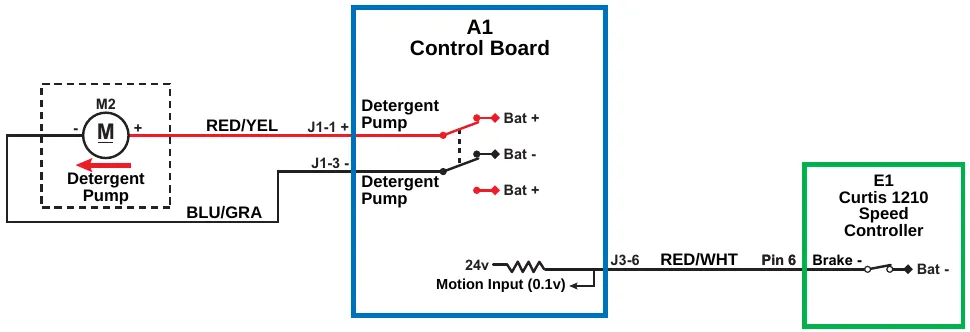
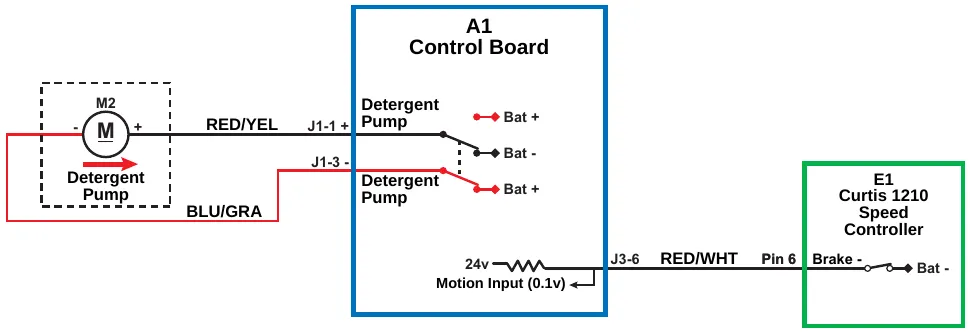
| Item | Printed on the drawing |
|---|---|
| Motor | M2; Detergent Pump; - and + terminals |
| Wires | RED/YEL; BLU/GRA |
| Detergent pump pins | J1-1 +; J1-3 - |
| A1 Control Board | A1 Control Board; Detergent Pump (two); Bat + (two); Bat -; 24v; Motion Input (0.1v) |
| Motion input pin | J3-6, wire RED/WHT, Pin 6 |
| E1 Curtis 1210 Speed Controller | E1 Curtis 1210 Speed Controller; Brake -; Bat - |
When the Operator selects a drive direction and presses the go pedal:
- The Brake- switch on Pin 6 in the E1 Curtis Speed Controller closes to ground. This drops the voltage on the Motion Input line on pin J3-6 from 24v down to nearly 0 volts to signal the A1 Control Board that the machine is now in motion.
- The Detergent Pump switches on pins J1-1 and J1-3 to alternate the voltage polarity to the M2 Detergent Pump. This moves the pump plunger and diaphragm in and out to deliver the detergent to the solution line.
Note that the A1 Control Board varies the number of pump strokes per minute to control the detergent flow rate according to deck type, and the solution flow rate and detergent ratio selected.
Detergent pump off
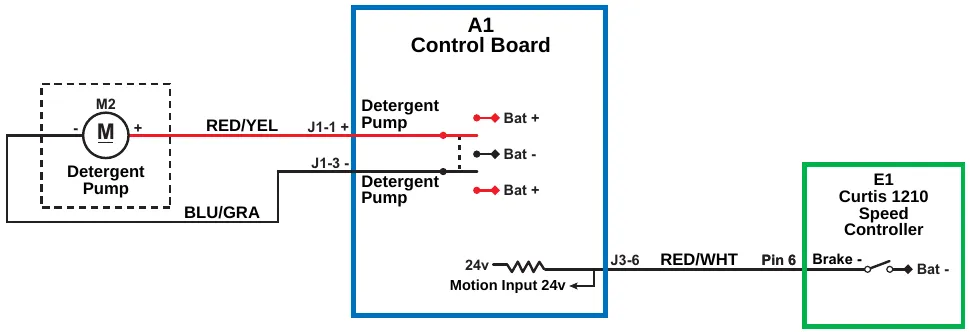
| Item | Printed on the drawing |
|---|---|
| Motor | M2; Detergent Pump; - and + terminals |
| Wires | RED/YEL; BLU/GRA |
| Detergent pump pins | J1-1 +; J1-3 - |
| A1 Control Board | A1 Control Board; Detergent Pump (two); Bat + (two); Bat -; 24v; Motion Input 24v |
| Motion input pin | J3-6, wire RED/WHT, Pin 6 |
| E1 Curtis 1210 Speed Controller | E1 Curtis 1210 Speed Controller; Brake -; Bat - |
When the Detergent System is off, the Detergent Pump switches on pins J1-1 and J1-3 do not provide power to the Detergent Pump.
Component locations
The following components are included in this section:
- Solution Tank
- Solution Ball Valve
- 90° Ball Valve and Drain Hose
- Detergent Pump
- Solution Solenoid Valve
- Water Filter
- Detergent Cartridge
The Solution Tank holds approximately 12 gallons of solution.
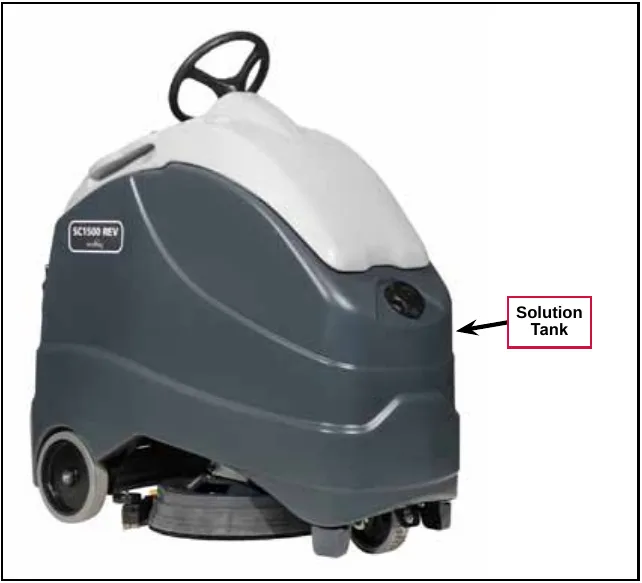
The Solution Solenoid Valve is mounted on the Scrub Deck and controls the solution flow to the scrub brush/pad.
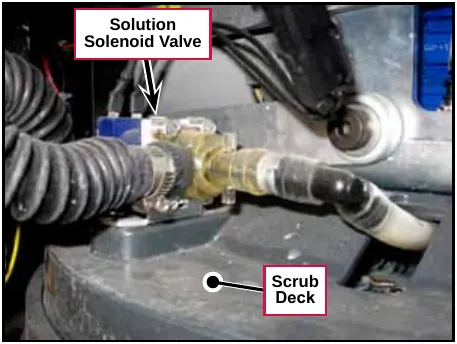
The solution Ball Valve controls the solution flow from the solution tank to the Water Filter.
The Water Filter filters the solution upstream of the solution solenoid valve.
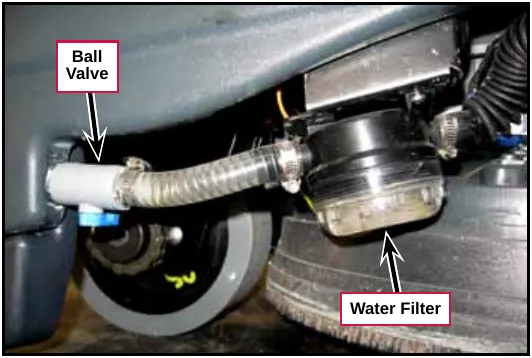
The 90° Ball Valve and Drain Hose allow you to drain the solution tank.
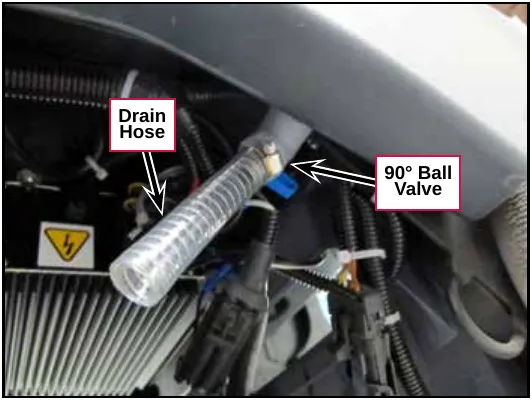
The Detergent Pump is located at the front of the machine underneath the Control Panel Housing/Recovery Tank Cover, and sits below the Prop Rod Mounting Bracket.
Corrected an obvious misprint: “is located is located” printed (now “is located”, as in the Detergent Cartridge sentence below).
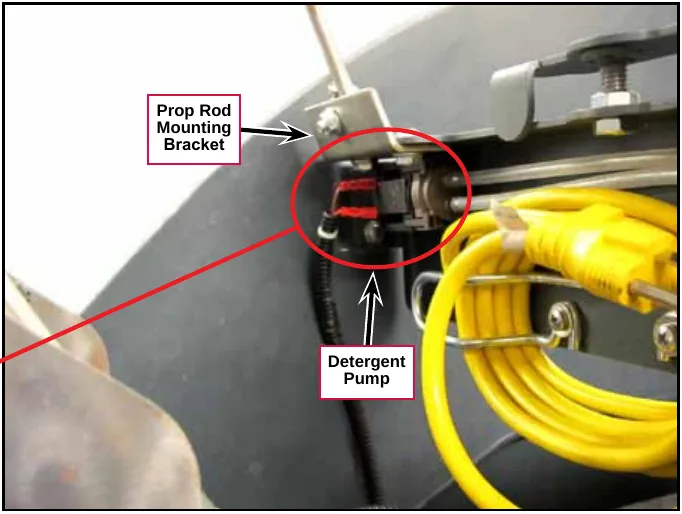
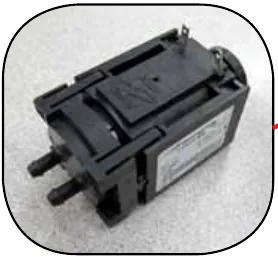
The Detergent Cartridge is located at the front of the machine underneath the Control Panel Housing/Recovery Tank Cover, and sits above the Scrub Deck Actuator Assembly.
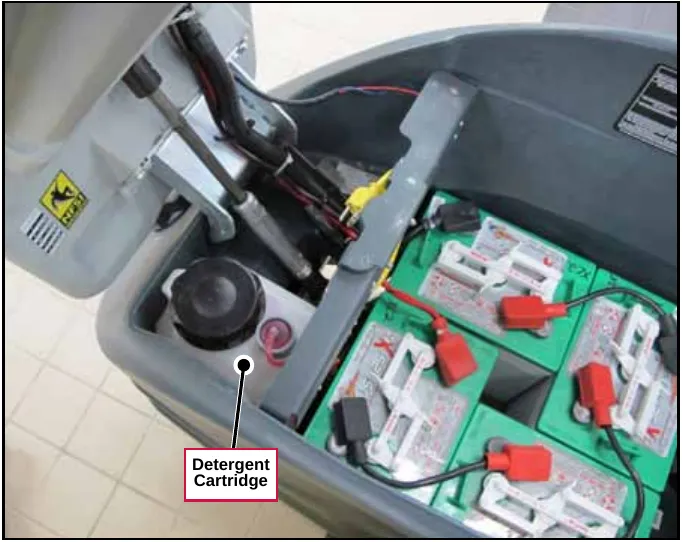
Maintenance
Cleaning the water filter
- Close the solution Ball Valve to shut off the solution flow from the solution tank to the Water Filter.
- Unscrew the Filter Cap.
- Remove and clean the internal filter screen.
- Reinstall the filter screen and Filter Cap.
- Open the Ball Valve and check for leaks.
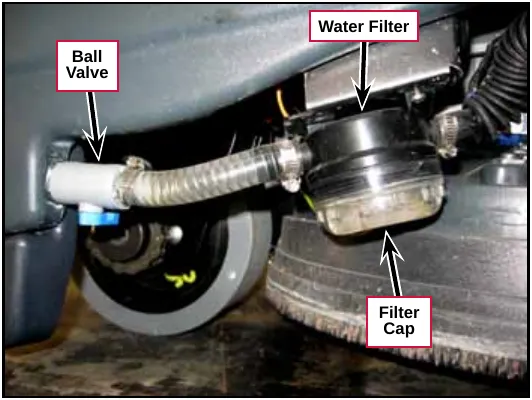
Troubleshooting
| Problem | Cause | Correction |
|---|---|---|
| No solution to the Scrub Deck (scrub system is working). | Plugged Water Filter. | Clean or replace the Filter. Parts › |
| Plugged solution line or ball valve. | Check the solution lines and ball valve and clear or replace as necessary. | |
| No voltage to the Solution Solenoid Valve. |
| |
| The Solution Solenoid Valve is not operating correctly. |
| |
| Detergent Pump not operating | No voltage to the Detergent Pump | Check the wiring from pins J1-1 and J1-3 on the A1 Control Board to the Detergent Pump. Repair the wiring as necessary. |
| Check for voltage from pins J1-1 and J1-3 on the A1 Control Board. If there is no voltage from the pins J1-1 and J1-3, try installing a different Control Board. | ||
| The Detergent Pump is faulty. | Replace the Detergent Pump Parts › | |
| No detergent flow to the solution line | The Detergent Cartridge is empty. | Refill the Detergent Cartridge. |
| Restricted or kinked detergent hoses. | Check the hoses from the Detergent Cartridge to the Detergent Pump, and from the Detergent Pump to the tee fitting in the solution line. Clear or replace the hoses as necessary. |
Specifications
Component specifications
| Component | Specifications |
|---|---|
| Solution Solenoid Valve | Nominal Voltage – 24 VDC, 11 Watt |
| Duty – Continuous | |
| Resistance – 55.5 Ohms ±10% @ 77 °F (25 °C) | |
| Solution Tank | Capacity – 12 gal (45.4 L) |
| Detergent Pump | Flow per Stroke – 0.01 fl oz (0.3 ml) |
| Flow per Minute – 2.1 fl oz (63 ml) | |
| Motor Type – Linear Drive | |
| Nominal Voltage – 24 VDC | |
| Pump Solenoid Coil Resistance – 38.5 Ohms | |
| Pulse Frequency – 3.5 Hz | |
| Pulse Width – 110 ms | |
| Pulse Current – 0.7 A | |
| Pulse Power Consumption – 15 W | |
| Detergent Cartridge Capacity | 1 gallon (4 liters) |
Nominal solution flow rates
The nominal solution flow are listed in the following table. Note that these flow rates are based on a half-full solution tank.
| Solution Setting | Deck Type | Nominal Flow Rate |
|---|---|---|
| Low | 20” Disk | 0.15 gal./min. (0.57 l/min.) |
| Medium | 20” Disk | 0.35 gal./min. (1.32 l/min.) |
| High | 20” Disk | 0.50 gal./min. (1.89 l/min.) |
| Low | 20” REV™ | 0.1 gal./min. (0.38 l/min.) |
| Medium | 20” REV™ | 0.165 gal./min. (0.62 l/min.) |
| High | 20” REV™ | 0.219 gal./min. (0.83 l/min.) |
Squeegee system
Functional description
The Squeegee Assembly is designed to be easily removed from its mounting hardware for cleaning and maintenance.
The Rear Squeegee Strap holds the Rear Squeegee Blade on the Squeegee Casting. The Squeegee Cover retains the Front Squeegee Blade.
The four Knob Assemblies fasten the Squeegee Casting and attached Squeegee Blades to the Squeegee Cover.
The spring-loaded Squeegee Mount Bracket clamps onto the screws on the Squeegee Link Weldment. The Squeegee Link Weldment attaches to a pivoting mount on the scrub deck that allows the Squeegee Assembly to rotate about the scrub deck. This allows the Squeegee Assembly to pick up wastewater with the machine moving around turns.
The Vacuum Hose Assembly attaches to the Squeegee Casting to pull the wastewater from the Squeegee Assembly up and into the recovery tank.
The Caster Wheel can be adjusted up and down to align the Front and Rear Squeegee Blades to the floor surface.
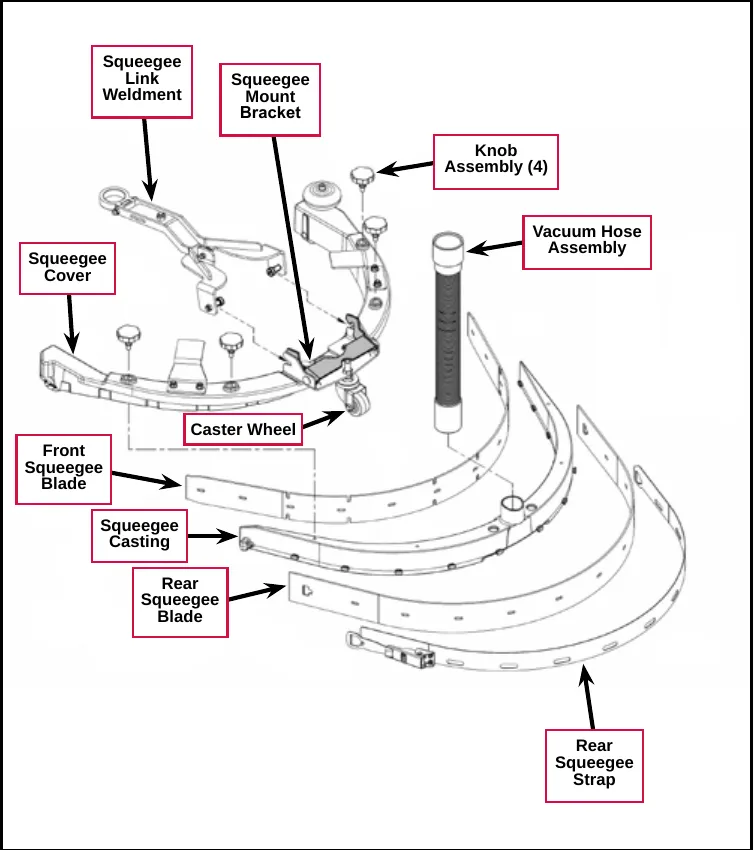
Component locations
The following components are included in this section:
- Vacuum Hose Assembly
- Squeegee Link Weldment
- Knob Assemblies
- Squeegee Blades
- Squeegee Casting
- Caster Wheel
- Squeegee Mount Bracket
- Squeegee Cover.
- Rear Squeegee Strap
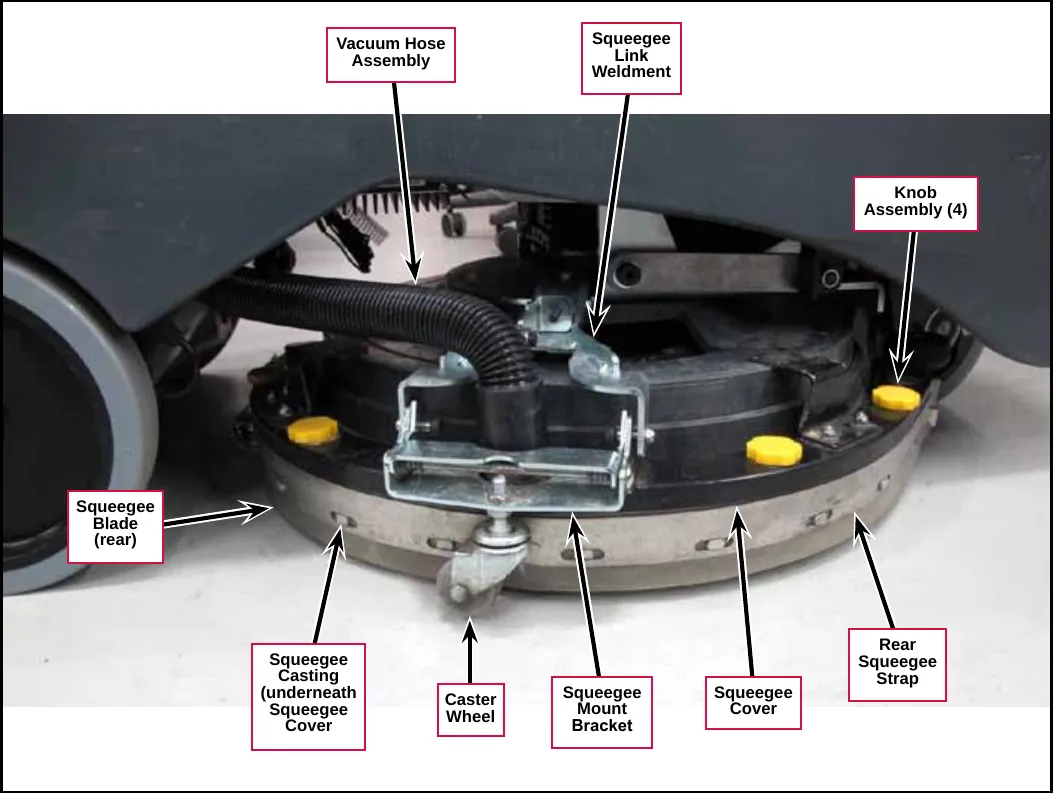
Troubleshooting
| Problem | Cause | Correction |
|---|---|---|
| Poor water pick-up. | The squeegee blades are torn or worn. | Check and replace the blades as necessary. Parts › |
| The squeegee assembly is out of adjustment. | Readjust the squeegee as follows:
|
Specifications
| Component | Specifications | |
|---|---|---|
| Squeegee Blades | Available Materials | Red Gum Rubber (Natural Rubber) Polyurethane/Pentathane |
Steering system
Functional description
The Steering Wheel and attached Steering Shaft are connected to and rotate the Upper Universal Joint.
The Upper Universal Joint drives the Hex Shaft which drives the Steering Tube Assembly. Note that the Hex Shaft is designed to slide up and down in the Steering Tube Assembly when the Control Panel Housing/Recovery Tank Cover is opened and closed to maintain steering alignment.
The Steering Tube Assembly is connected to the Lower Universal Joint which drives the steering shaft coupled to the 11-tooth Sprocket.
The 11-tooth Sprocket drives the chain that rotates the Steering Plate to steer the Drive Wheel Assembly left and right.
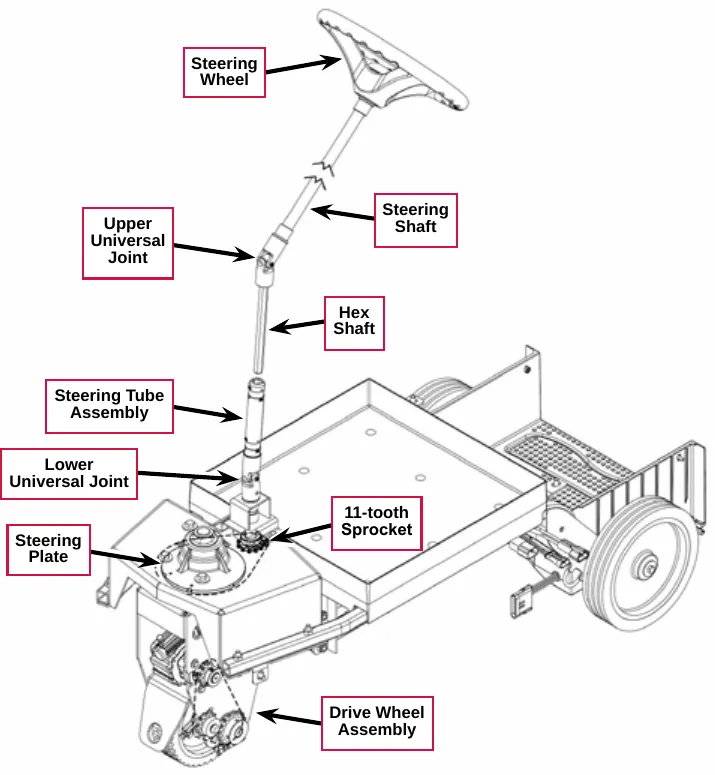
Component locations
The following components are included in this section:
- Upper Universal Joint
- Hex Shaft
- Steering Tube Assembly
- Lower Universal Joint
- Steering Plate
The Upper Universal Joint, Hex Shaft and Steering Tube Assembly are located underneath the Control Panel Housing/Recovery Tank Cover.
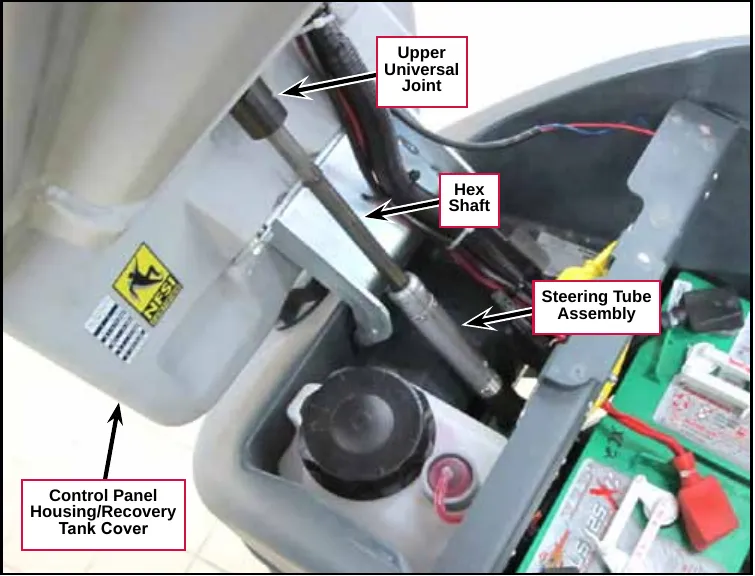
The Lower Universal Joint is connected to the Steering Tube Assembly and is located above the Steering Shaft Weldment.
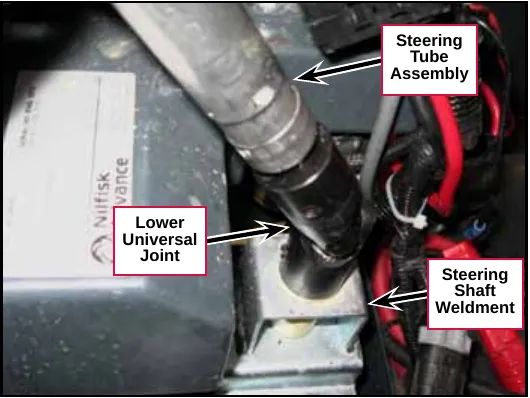
The Steering Plate is fastened to the top of the Drive Wheel Assembly and rotates the Drive Wheel Assembly to steer the machine left and right.
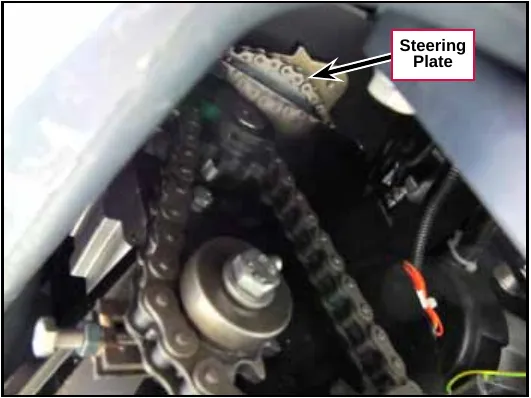
Troubleshooting
| Problem | Cause | Correction |
|---|---|---|
| The steering is binding or the machine steers “hard”. | The upper and lower universal joints are “out of phase”. | Realign the upper and lower universal joints. (Refer to the Wheel System - Traction/ Removal and Installation/Drive Wheel Assembly subsection.) |
| Lack of lubrication on the steering components. | Lubricate the steering components as recommend in the General Information/Lubrication Locations subsection. |
Wheel system - traction
Functional description
The machine is propelled by the Drive Wheel Assembly which consists of a 24-volt DC Drive Wheel Motor and attached Gearbox that drive an 11-tooth Sprocket. The 11-tooth Sprocket drives the Drive Wheel Roller Chain that drives a 15-tooth Sprocket connected to the Drive Wheel. An adjustable Sprocket Assembly acts as an idler to adjust the Drive Wheel Roller Chain tension.
The Drive Wheel Motor and Gearbox are fastened to the Spacer which is bolted to the Drive Wheel Frame Weldment. The two Axle Bearings are fastened to the bottom of the Drive Wheel Frame Weldment and support the Axle and Drive Wheel.
The Steering Roller Chain is driven by a sprocket connected to the steering wheel via the steering tube assembly and two U-joints. The Steering Roller Chain rotates the Steering Plate and attached Drive Wheel Assembly left and right to steer the machine.
A Curtis 1210 Speed Controller provides pulse-width modulated voltage to the Drive Wheel Motor to control the machine speed. The Speed Controller will alternate the voltage polarity to control the machine direction.
The Operator must be standing on the Operator Presence Pedal (referred to as the “Dead Man Switch, S2” in the Electrical Ladder Diagram) in order for the drive motor to operate. With the Operator standing on the Operator Presence Pedal, he/she selects the machine direction by pressing either the Forward Drive or Reverse Drive Switch, then depresses the Go Pedal (S5) to drive the machine.
Note that a brake, built in to the Drive Wheel Motor, will engage to hold the machine stationary whenever the key switch is Off or after a predetermined time delay when the key is off and the Go Pedal has not been pressed. When the Go Pedal is pressed, the Speed Controller energizes an electromagnetic solenoid to release the brake.
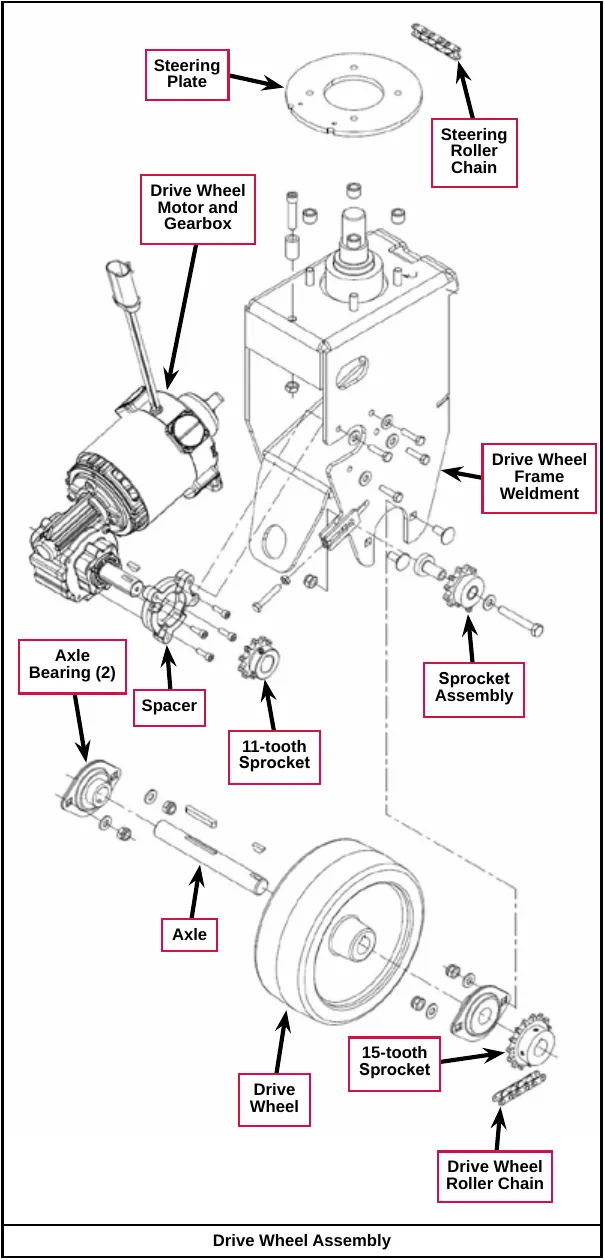
Wheel drive motor circuit descriptions
Power to the E1 Curtis 1210 Speed Controller
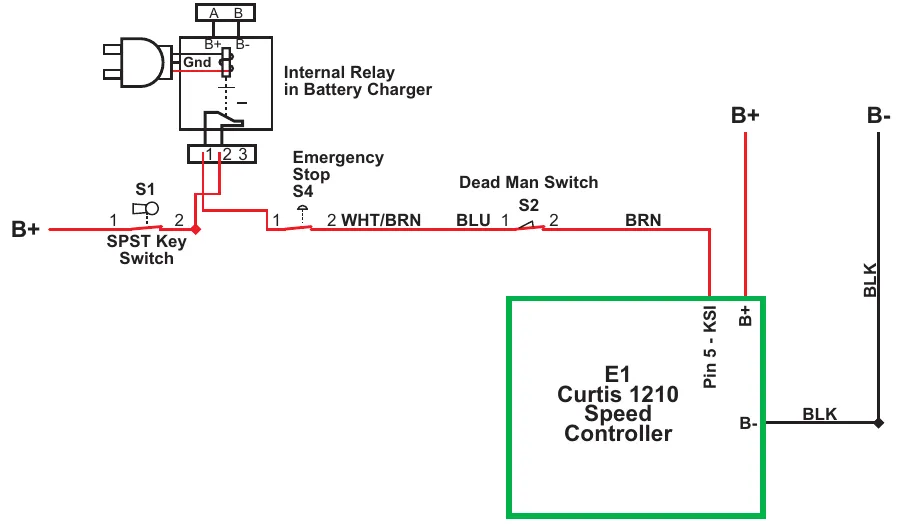
| Item | Labels printed on the drawing |
|---|---|
| SPST Key Switch | S1; terminals 1 and 2; B+ at the left of terminal 1 |
| Internal Relay in Battery Charger | A, B, B+, B-, Gnd; terminals 1 2 3 (printed “1 2 3”) |
| Emergency Stop | S4; terminals 1 and 2; WHT/BRN at the right of terminal 2 |
| Dead Man Switch | S2; BLU at the left of terminal 1; terminals 1 and 2; BRN at the right of terminal 2 |
| E1 Curtis 1210 Speed Controller | Pin 5 - KSI; B+; B- |
| Other labels | B+ and B- at the top of the drawing; BLK on the vertical wire and BLK beside B- |
In order for positive voltage from the SPST Key Switch to reach Pin 5 - KSI (key switch input) on the E1 Curtis 1210 Speed Controller:
- The contacts in the Internal Relay in Battery Charger must be closed (charger unplugged).
- The Emergency Stop S4 switch and Dead Man Switch S2 must be closed.
If all of these condition are not met, the machine will not drive.
Speed control drive functions
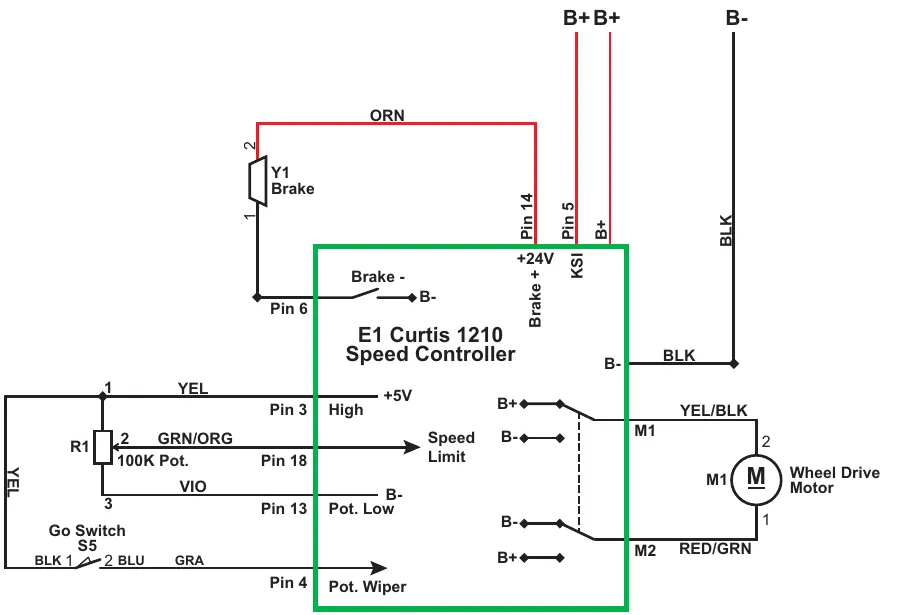
| Item | Labels printed on the drawing |
|---|---|
| Y1 Brake | Terminals 2 and 1; ORN; Pin 6 |
| R1 100K Pot. | Terminals 1, 2 and 3; YEL at terminal 1; GRN/ORG at terminal 2; VIO at terminal 3 |
| Go Switch S5 | BLK at terminal 1; terminal 2; BLU; GRA; YEL on the vertical wire at the left |
| E1 Curtis 1210 Speed Controller, top | Pin 14 - +24V - Brake +; Pin 5 - KSI; B+; B-; BLK |
| E1 Curtis 1210 Speed Controller, left | Pin 6 - Brake - (B-); Pin 3 - High (+5V); Pin 18 - Speed Limit; Pin 13 - Pot. Low (B-); Pin 4 - Pot. Wiper |
| E1 Curtis 1210 Speed Controller, right | B+ and B- switch contacts; M1; M2 |
| Wheel Drive Motor | M; M1; M2; terminal 2; YEL/BLK; terminal 1; RED/GRN |
| Supply labels | B+ and B+ and B- at the top of the drawing |
The E1 Curtis 1210 Speed Controller provides a regulated 5-volt supply out Pin 3 - High to the 100K Pot. (speed potentiometer) and the Go Switch S5. When the Operator steps on the Go Pedal, the Go Switch closes and sends the 5 volts back to Pin 4 - Pot. Wiper on the Speed Controller.
Pin 13 - Pot. Low supplies an internal connection to battery negative inside the Speed Controller.
The 100K Pot. sends a variable voltage signal BACK to the Speed Controller at Pin 18 - Speed Limit.
The Speed Controller provides a power supply out Pin 14 - +24V Brake + to the Y1 Brake solenoid.
Just before the Speed Controller provides power to the Wheel Drive Motor, it provides a path to ground for the electric Y1 Brake at Pin 6 - Brake - to energize the brake solenoid and release the brake. (The brake is spring-loaded and will apply whenever the brake solenoid is not energized.)
Speed control communication with the A1 control board
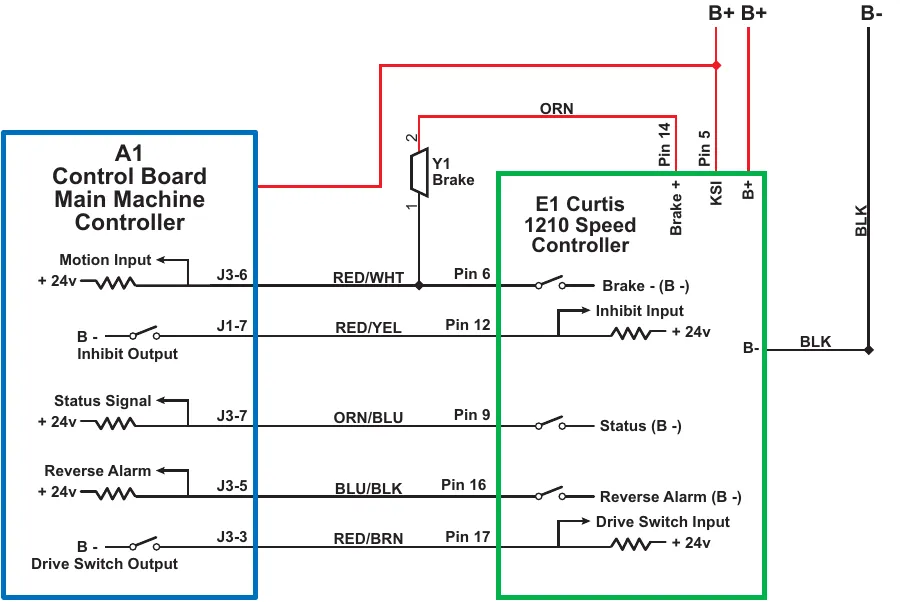
| A1 Control Board label | Terminal | Wire | Speed Controller pin | Speed Controller label |
|---|---|---|---|---|
| Motion Input, + 24v | J3-6 | RED/WHT | Pin 6 | Brake - (B -) |
| Inhibit Output, B - | J1-7 | RED/YEL | Pin 12 | Inhibit Input, + 24v |
| Status Signal, + 24v | J3-7 | ORN/BLU | Pin 9 | Status (B -) |
| Reverse Alarm, + 24v | J3-5 | BLU/BLK | Pin 16 | Reverse Alarm (B -) |
| Drive Switch Output, B - | J3-3 | RED/BRN | Pin 17 | Drive Switch Input, + 24v |
| Also printed: Y1 Brake; 1; 2; ORN; Pin 14 - Brake +; Pin 5 - KSI; B+; BLK; B+ B+ B- at the top of the drawing | ||||
There are five “communication” wires that run between the A1 Control Board and the E1 Curtis 1210 Speed Controller. Each wire is used to communicate a unique piece of information as listed in the following table.
| A1 Control Board Terminal | Speed Controller Terminal | Function |
|---|---|---|
| Motion Input J3-6 | Pin 6 - Brake - (B -) | The A1 Control Board provides a positive 24-volt supply through a resistor and out of Motion Input J3-6 to a switch on Pin 6 - Brake - (B -) in the Speed Controller. The A1 Control Board monitors the voltage on the wire between J3-6 and Pin 6. When the machine is standing still, the switch is open and the input is “high” or 24 volts. When the Speed Controller operates the wheel drive motor, it also closes the switch on Pin 6 to B - to let the A1 Control Board know that the machine is moving. When the switch on Pin 6 closes, the voltage on the wire drops to 0 volts. |
| Inhibit Output J1-7 | Pin 12 - Inhibit Input | The A1 Control Board uses the inhibit signal to tell the Speed Controller when it is OK to propel the machine. If the Operator is not standing on the dead man switch or a direction has not yet been selected, the switch on J1-7 will be closed to B -. The Speed Controller will see a low signal (0 volts) at Pin 12. When the dead man switch is closed and either a forward or reverse direction has been selected, the switch on J1-7 opens and the signal at Pin 12 becomes high (24 volts) to signal the Speed Controller that is it now Ok to propel the machine when the go pedal is pressed. |
| A1 Control Board Terminal | Speed Controller Terminal | Function |
|---|---|---|
| Status Signal J3-7 | Pin 9 - Status (B -) | The Speed Controller uses the status signal to tell the A1 Control Board when it has set a fault, and which fault is set. The switch on Pin 9 - Status (B -) opens and closes in a pattern to communicate a specific fault code to J3-7. That pattern is mirrored by the Detergent On/Off Indicator so you can read the fault. Like the other circuits, when the switch on Pin 9 is open, the signal at J3-7 is high (24 volts). When the switch on Pin 9 closes to B-, the signal voltage at J3-7 drops to low (0 volts). |
| Reverse Alarm J3-5 | Pin 16 - Reverse Alarm (B -) | The reverse alarm signal circuit is identical to the Motion circuit. When not in reverse the switch on Pin 16 - Reverse Alarm in the Speed Controller is open, leaving the signal at J3-5 high (24 volts). When driving the wheel in reverse, the switch on Pin 16 closes to B - which drops the signal at J3-5 to low (0 volts), signalling the A1 Control Board that the machine is moving in reverse and that it should turn on the Reverse Alarm. |
| Drive Switch Output J3-3 | Pin 17 - Drive Switch Input | The A1 Control Board uses the Drive Switch Output signal from J3-3 to signal the Speed Controller which direction the Operator wishes to propel the machine – forward or reverse.
|
Component locations
The following components are included in this section:
- Drive Wheel Assembly
- E1 Curtis 1210 Speed Controller
- Speed Control Adjustment Knob/100k Speed Control Potentiometer
- Drive Wheel Brake
The Drive Wheel Assembly is fastened to the machine frame underneath the front of the machine. (Note that the adjacent photo shows the machine lying on its side.)
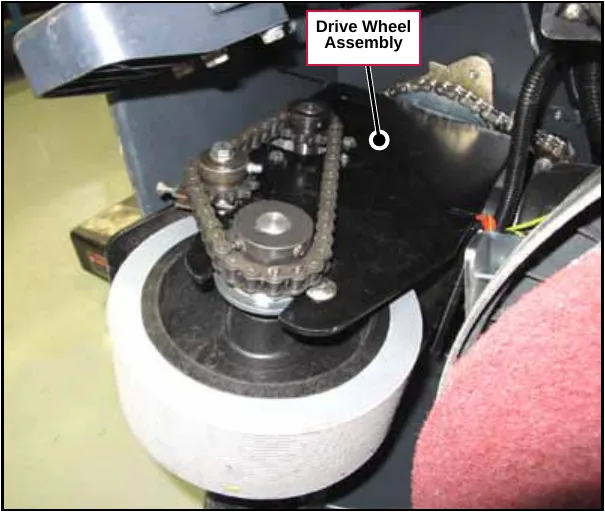
The E1 Curtis 1210 Speed Controller is located inside the control panel assembly.
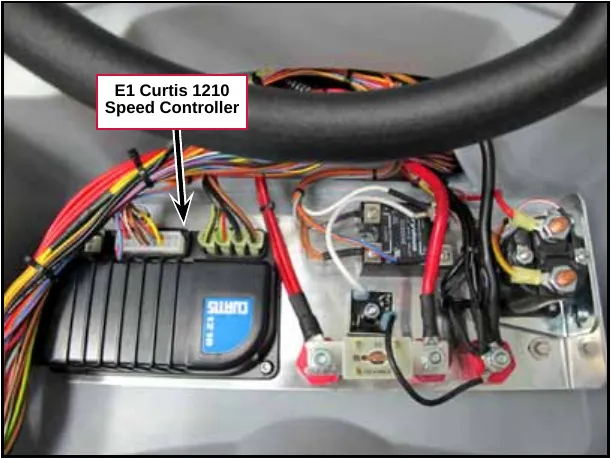
The Speed Adjustment Knob controls the 100K Speed Control Potentiometer, labeled R1 in the Wiring Diagram. The Speed Adjustment Knob is mounted on the control panel and controls the machine speed in both forward and reverse.
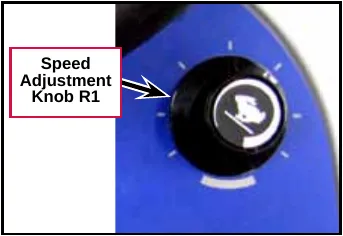
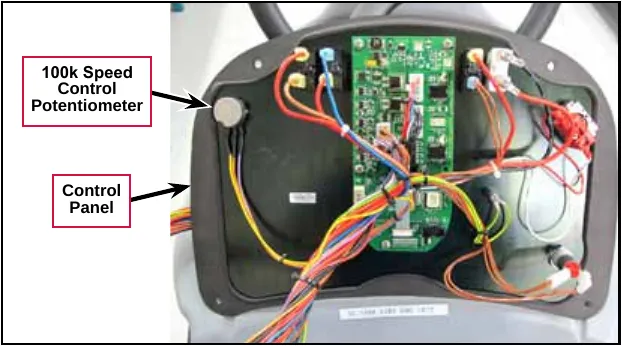
The Drive Wheel Brake is built in to the Drive Wheel Motor and will engage to stop the machine whenever the key switch is Off or the Go Pedal is released.
When the Go Pedal is pressed, the Speed Controller energizes an electromagnetic solenoid to release the Drive Wheel Brake.
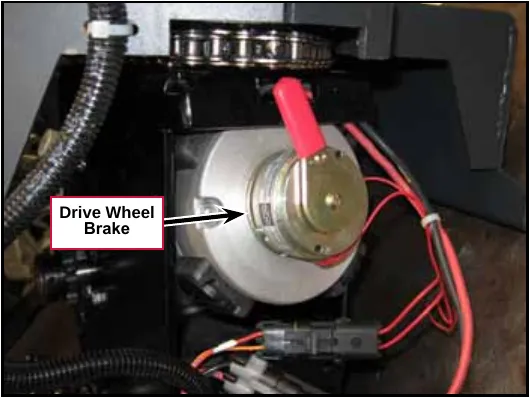
Maintenance and adjustments
Speed control programming options
The following table lists the Speed Control parameters that can be accessed and changed using the 1311 Programmer. Note that these parameters normally do not need to be changed, and should not be changed arbitrarily.
| Parameter as listed on the 1311 Programmer | Range | Factory Setting | Units | Function |
|---|---|---|---|---|
| Accel Max Speed | 0.2-4.0 | 4.0 | Sets the forward acceleration rate with the speed potentiometer set at maximum. Smaller numbers provide faster response. | |
| Accel Min Speed | 0.2-8.0 | 4.0 | Sets the forward acceleration rate with the speed potentiometer set at minimum. Smaller numbers provide faster response. | |
| Reverse Accel Max | 0.2-8.0 | 5.0 | Sets the reverse acceleration rate with the speed potentiometer set at maximum. Smaller numbers provide faster response. | |
| Reverse Accel Min | 0.2-8.0 | 5.0 | Sets the reverse acceleration rate with the speed potentiometer set at minimum. Smaller numbers provide faster response. | |
| M1 Max Speed | 0-100 | 100 | % | The speed requested in forward with the throttle and speed limit pot set to maximum in mode 1 (only Mode 1 is available). |
| M2 Max Speed | 0-100 | 100 | % | Mode 2 is not available |
Troubleshooting
General troubleshooting
Note: use the Service Test Mode to simplify troubleshooting the Drive Wheel System. (Refer to the Controls System/Service Test Mode.)
| Problem | Cause | Correction |
|---|---|---|
| Machine not moving in forward or reverse. | The Speed Adjustment Knob is set too low. | Rotate the Speed Adjustment Knob to a higher speed setting. |
| Discharged batteries.. | Check the battery voltage and charge as necessary. | |
| The E1 Curtis Speed Controller not receiving input requests from the A1 Control Board for travel. |
| |
| No voltage to the drive motor. |
|
E1 Curtis Speed Controller diagnostics
Diagnostics Method A - Graphic display and Detergent On/Off Indicator
Diagnostics Method A uses the machine’s graphic display and Detergent On/Off Indicator (LED) to show the Speed Controller fault codes. The E1 Curtis Speed Controller will output a fault code if it detects a problem associated with the Speed Controller and wheel drive system.
If a speed control fault occurs, the graphic display will show the wrench icon and Control Board fault 03.
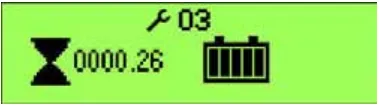
When the 03 is displayed, the Detergent On/Off Indicator will flash a special error code sequence until the fault is corrected. (The Forward/Reverse LED may also flash on some models.) See the “Status LED Fault Code Table” on page 122 for a description of the fault indications.
Service Note: This is how to read the error code status light: For example, OO O = two light flashes, a short pause, one flash, then a long pause, then the code will be repeated. This indicates a fault code 2,1.
Diagnostics Method B - Curtis programmer
Diagnostics Method B uses the optional hand-held Curtis programmer model 1311. With a programmer, diagnostics and troubleshooting are more direct than with the Detergent On/Off Indicator LED alone. The programmer presents complete diagnostic information in plain language with no codes to decipher. The LCD Display shows faults on the Diagnostic Menu and the controller input/output status on the Test Menu.
- Navigation Key – used to move around through the programmer menus.
- Parameter Modification Key – used to increase and decrease values.
- Bookmark Keys – used for jumping back and forth between fields.
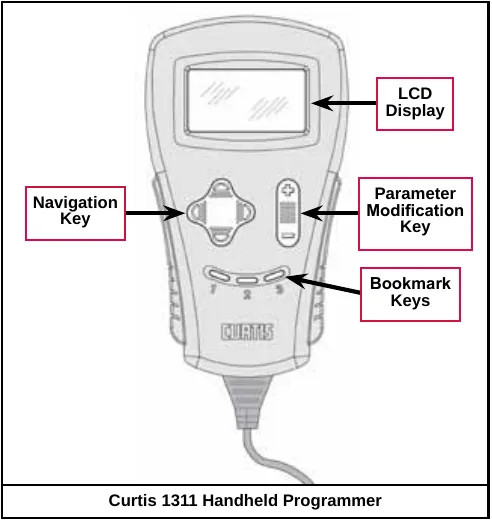
The following five-step process is generally used for diagnosing and troubleshooting an inoperative machine:
- Visually inspect the machine for obvious problems.
- Diagnose the problem using the programmer.
- Test the circuitry with the programmer.
- Correct the problem.
- Repeat the last three steps as necessary until the vehicle is operational.
Corrected an obvious misprint: the five steps are all numbered “1.” in the printed manual (now 1 to 5, as the text calls it a five-step process).
Refer to the “Status LED Fault Code Table” on page 122 for suggestions covering a wide range of possible faults.
Diagnostic history
You can use the handheld programmer to access the controller’s diagnostic history:
The programmer will read out all the faults that the controller has experienced since the last time the diagnostic history file was cleared. The faults may be intermittent faults, faults caused by loose wires or faults caused by Operator errors. Faults such as HPD or over-temperature may be caused by Operator habits or by overloading.
After a problem has been diagnosed and corrected, it’s recommended that you clear the diagnostic history file. This allows the controller to accumulate a new file of faults. By checking the new diagnostic history file at a later date, you can readily determine whether the problem was indeed completely fixed.
Status LED fault code table
| LED Code | Status Light Display | Explanation | Possible Cause |
|---|---|---|---|
| 1,1# | Over-/under-temperature cutback |
| |
| 1,2# | Throttle fault |
| |
| 1,3# | Speed limit pot fault |
| |
| 1,4# | Battery voltage too low |
| |
| 1,5# | Battery voltage too high |
| |
| 2,1# | Main contactor driver Off fault | Main contactor driver failed open | |
| 2,3# | Main contactor fault |
| |
| 2,4# | Main contactor driver On fault | Main contactor driver failed closed | |
| 3,1# | HPD fault present for >10 sec. |
| |
| 3,2# | Brake On fault |
| |
| 3,3# | Pre-charge fault |
| |
| 3,4# | Brake Off fault |
| |
| 3,5# | HPD (High Pedal Disable) fault |
| |
| 4,1# | Current sense fault |
| |
| 4,2# | Motor voltage fault (hardware failsafe) |
| |
| 4,3# | EEPROM fault | EEPROM failure or fault | |
| 4,4# | Power section fault |
|
* Jack up vehicle and retest to confirm diagnosis. Clean the connections, inspect system wiring, then retest.
**Note: A KSI (key switch Input) system problem is a specific HPD (high pedal disable) type operational fault caused by the Operator pressing the Operator Presence Pedal before turning on the main key switch. This can be cleared by releasing the Operator Presence Pedal, then cycling the key switch OFF and ON.
Removal and installation
Drive Wheel Assembly
- Loosen the Setscrew holding the Steering Assembly Tube in the lower Universal Joint.
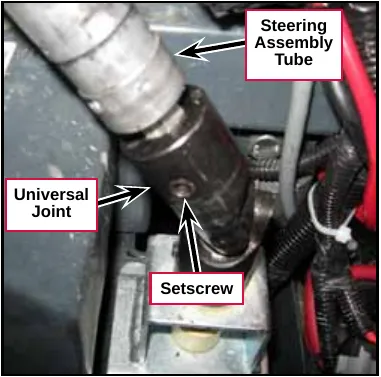
- Disconnect the upper Drive Motor and Brake Electrical Connectors.
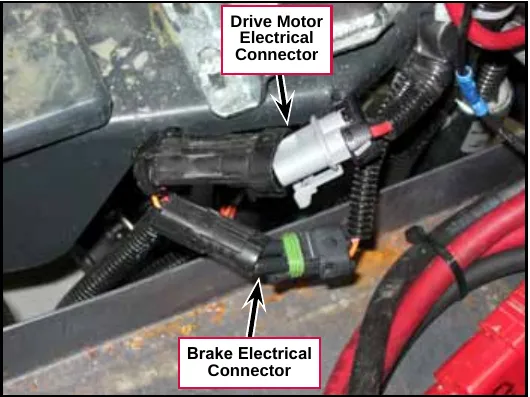
Service Tip: You may find it easiest to lay the machine down on a raised, padded surface when removing the drive wheel assembly. In this case you’ll need to drain the solution and recovery tanks, remove the batteries and remove the tip pads.
- Drain the solution and recovery tanks.
- Disconnect and remove the batteries.
- Remove the four M8 x 30 Screws and flat washers holding each of the two Tip Pads to the machine and remove the Tip Pads.
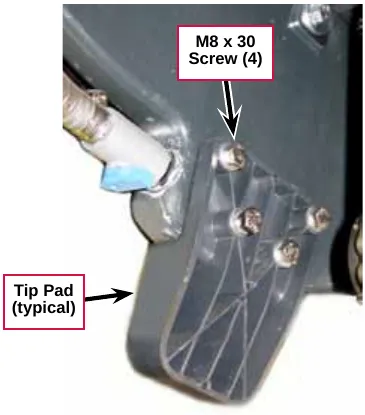
- Carefully lay the machine down on a clean, padded surface.
- Remove the four M8 x 45 Screws and flat washers, then remove the Drive Wheel Assembly and attached Spindle Mount Weldment from the machine.
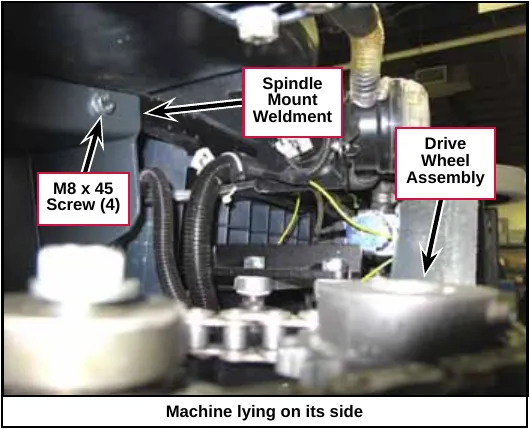
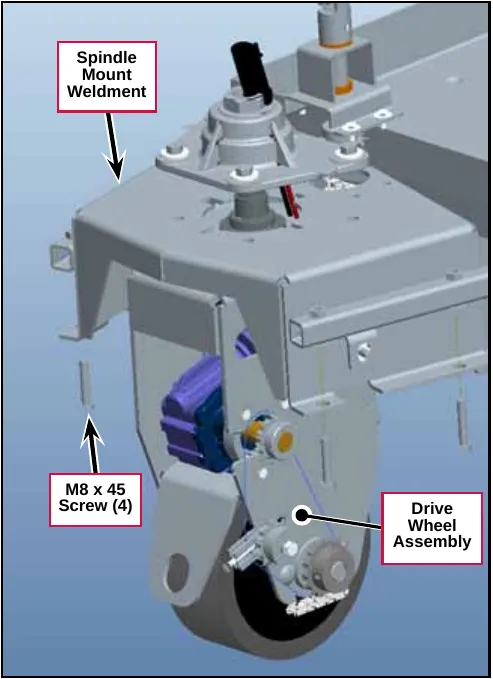
- To reinstall the Drive Wheel Assembly and attached Spindle Mount Weldment, follow the above steps in reverse order.
Service Tip: Make sure the axes of the two Universal Joints are parallel when you reconnect the Steering Assembly Tube to the Lower Universal Joint. If the two Universal Joints are “out of phase”, the steering system will bind.
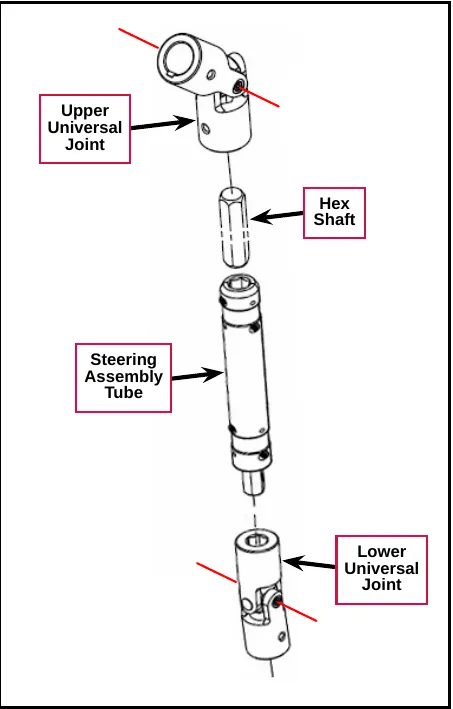
Drive wheel motor
- Remove the Drive Wheel Assembly described on page 123
- Loosen the M6 Locknut, then back the M6 x 35 Idler Adjuster Screw out of the Idler Adjust Weldment.
- Hold the Nyloc® nut on the M8 x 55 Screw with a wrench and loosen the M8 x 55 Screw.
- Slide the Idler Adjust Weldment and Sprocket Assembly as necessary to get some slack in the Chain.
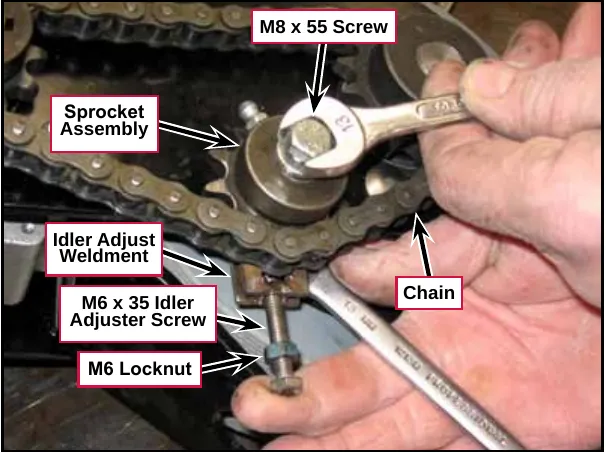
- Remove the Master Link and remove the chain.
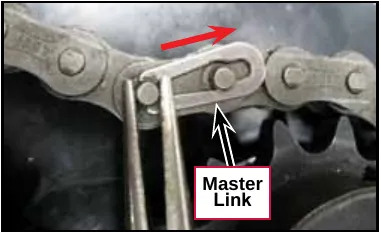
- Disconnect the lower Drive Motor and Brake Electrical Connectors.
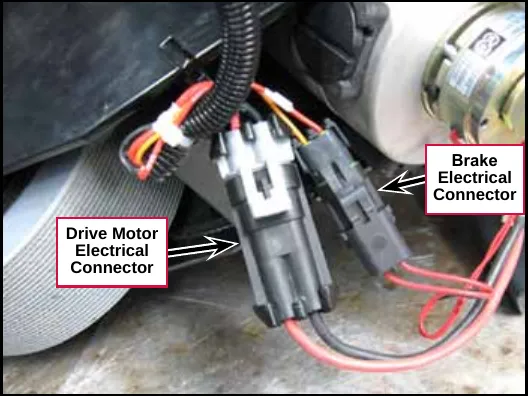
- Remove the four M6 x 25 Screws and flat washers, then remove the Drive Motor from the Drive Wheel Frame Weldment.
- To reinstall the Drive Motor into the Drive Wheel Frame Weldment, follow the above steps in reverse order.
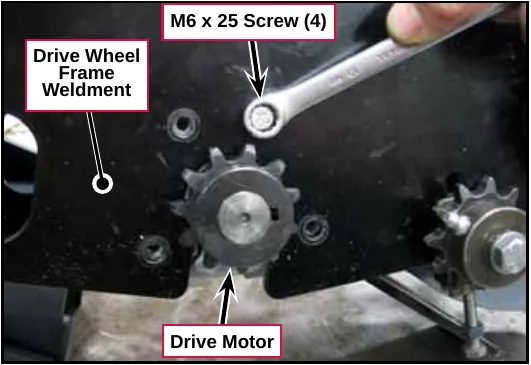
Service Tip: When you set the chain tension with the M6 x 35 Idler Adjuster Screw, adjust the Screw so the chain deflects approximately ¼ in to ½ in (6 mm to 13 mm) to when pressed with moderate force.
Steering spindle bearings
- Remove the Drive Wheel Assembly described on page 123.
- Remove the Drive Wheel Motor described on page 125.
- Remove the three M6 x 14 Screws and flat washers holding the Steering Shaft Weldment to the Spindle Mount Weldment.
- Remove the chain from the sprocket on the Steering Shaft Weldment, then remove the Steering Shaft Weldment and attached parts from the Spindle Mount Weldment.
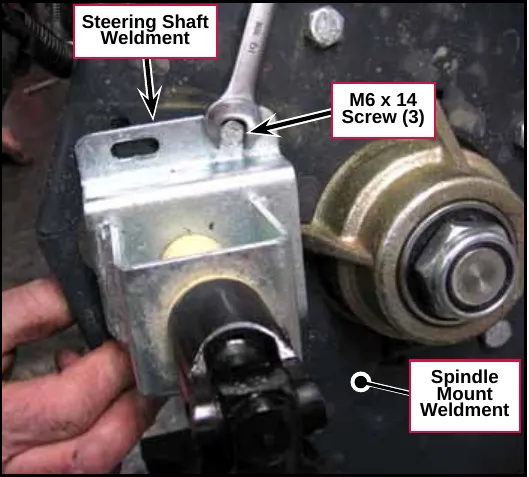
- Remove the 1”-14 Nyloc® Nut from the Spindle Weldment.
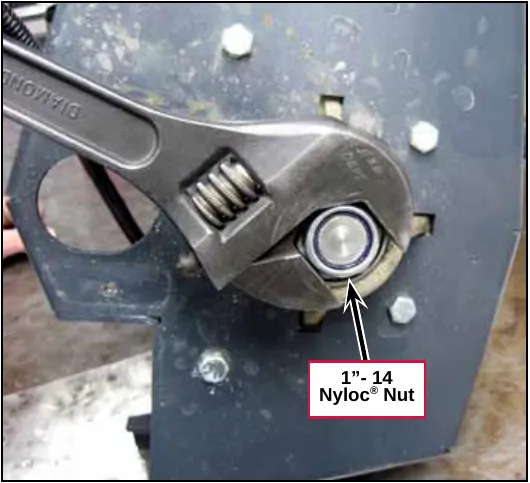
- Carefully remove the Shaft Seal, Bearing Cup and Bearing Cone from the Bearing Block.
- Replace the Shaft Seal, Bearing Cup or Bearing Cone as necessary. Make sure the Bearing Cone is greased adequately with a high-quality lithium-base grease before reassembly.
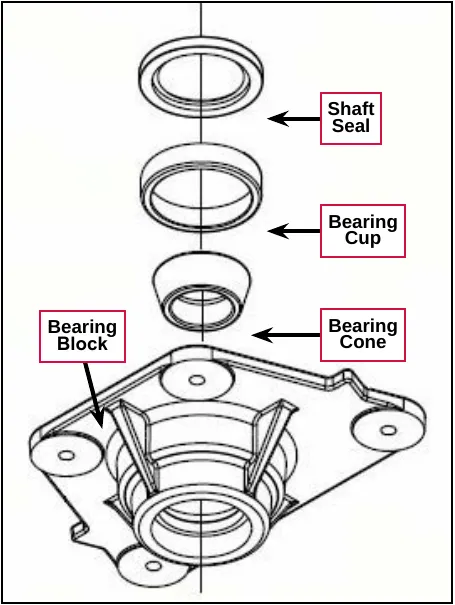
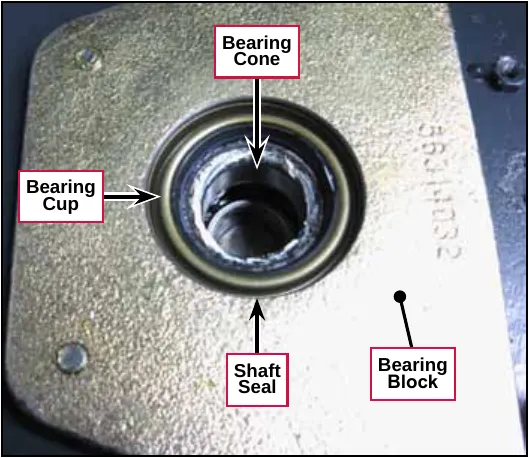
- Remove and replace the Ball Bearing as necessary.
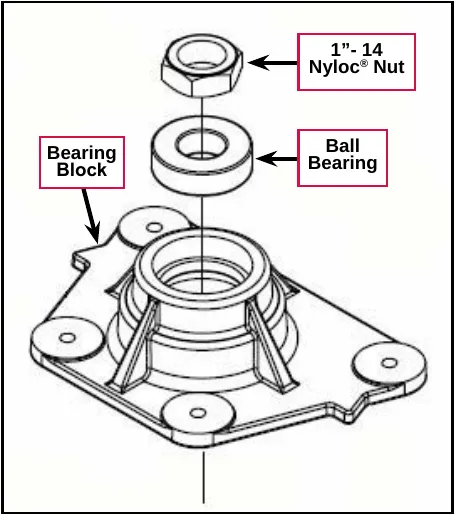
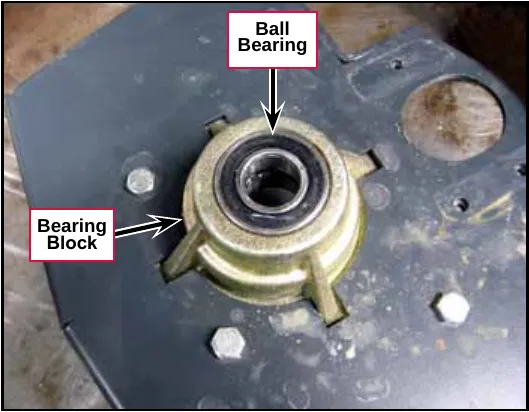
- Reassemble the Drive Wheel Assembly by following the above steps in reverse order. Note that when you reinstall the 1”-14 Nyloc® Nut onto the Spindle Weldment, torque the Nut to 20 ft-lb (27 N·m).
Drive wheel motor maintenance
Replacing the motor brushes
- Remove the Drive Wheel Assembly described on page 123.
- Remove the Drive Wheel Motor described on page 125.
- Remove the Cap holding the brush in the motor.
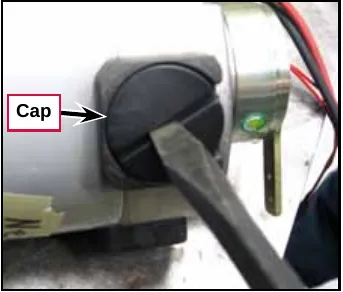
- Carefully pry out the old Brush from the motor.
- Install a new Brush, then reinstall the Cap.
- Reinstall the Drive Motor into the Drive Wheel Frame Weldment.
- Reinstall the Drive Wheel Assembly and attached Spindle Mount Weldment into the machine.
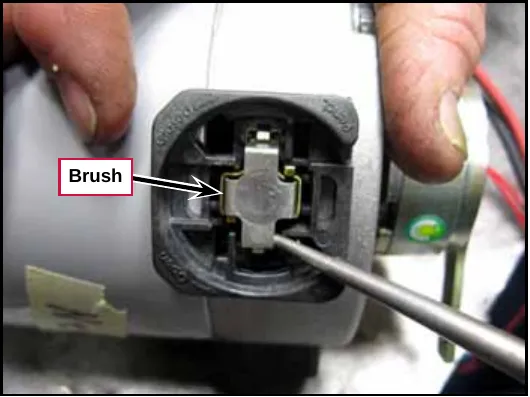
Specifications
Shop measurements
The following table lists measurements taken from one SC1500. While these are not “specifications”, they can help you recognize abnormal vs. normal conditions.
Note that the black voltmeter lead is on B- unless otherwise indicated.
E1 Curtis 1210 Speed Controller – Low Current
| Pin | Color | Description | Ref. | Measurements |
|---|---|---|---|---|
| 1 | - | |||
| 2 | - | |||
| 3 | YEL | POT High | B- | 4.96v |
| 4 | GRA | POT Wiper | B- | 4.96v Go Switch Pressed 0.004v not pressed |
| 5 | BRN | KSI | B- | 24.03v (all “interlock” switches closed) |
| 6 | RED/WHT | Brake - | B- | 22.2v off (brake applied) 0.1v on (brake released) |
| 7 | - | |||
| 8 | - | |||
| 9 | ORN/BLU | Status | B- | Unstable voltage when there is a code. If unplugged, 23v from A1 control board. |
| 10 | - | |||
| 11 | - | |||
| 12 | RED/YEL | Inhibit | B- | 0v no direction request 23.2v FWD or REV requested 23.9v unplugged (v source is A1 control board) |
| 13 | VIO | POT Low | B- | 0.03v |
| 14 | ORN | Brake + | B- | 23.9v (out to brake solenoid) |
| 15 | - | |||
| 16 | BLU/BLK | Rev. Alarm | B- | 0v no direction request or forward request 23.1v reverse direction request 23v unplugged (v source is A1 control board) |
| 17 | RED/BRN | Reverse | B- | 22.7 Reverse Requested 0.002v Forward requested or no direction 22.7v unplugged (v source is A1 control board) |
| 18 | GRN/ORN | Speed Limit | B- | 0.028v minimum 4.96v maximum |
E1 Curtis 1210 Speed Controller – Output
| Pin | Ref. | Measurements |
|---|---|---|
| M1 | B- | FWD low speed 12.6v FWD high speed 23.4v REV low speed 11 v REV high speed 3.9v |
| M2 | B- | FWD low speed 11.2v FWD high speed 0.17v REV low speed 12v REV high speed 20v |
| M1 | M2 | FWD low speed 1.5v FWD high speed 23.2v REV low speed -1.3v REV high speed -16v |
General specifications
| Component | Specifications | |
|---|---|---|
| Drive Wheel Motor | Current Draw | No load – 3 to 4 Amps |
| Full speed transport – 7 to 10 Amps | ||
| Full speed scrub – 8 to 16 Amps ) (depending on floor conditions) | ||
| E1 Curtis 1210 Speed Controller | Voltage Rating – 24 VDC | |
| Drive Current – Up to 70 Amps | ||
Special tools
| Tool |
|---|
| Curtis 1311 Handheld Programmer, p/n 56409441 |
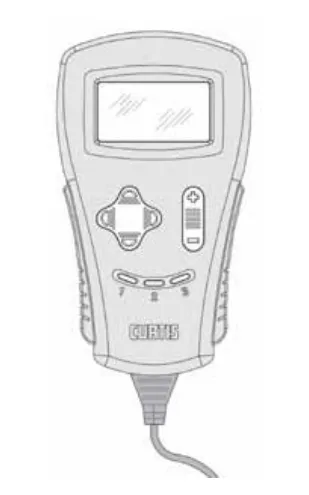
Advance is a trademark of Nilfisk, Inc. Southeastern Equipment & Supply is an independent dealer.